-

LOGO
-
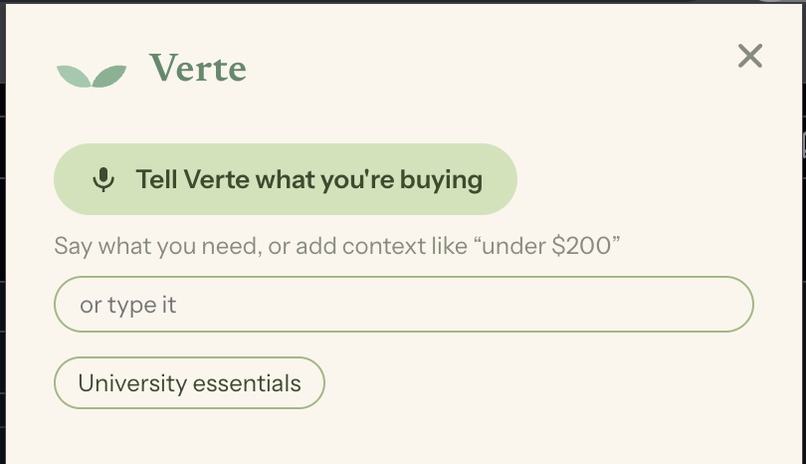
Extention
-
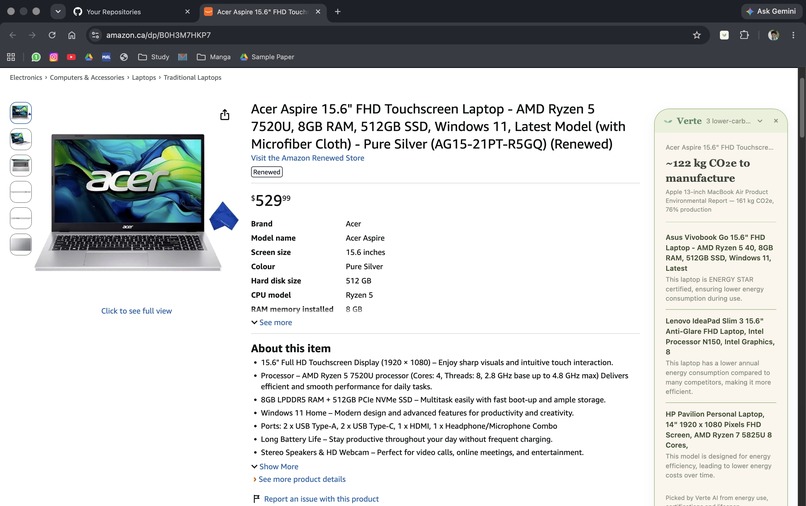
On Amazon Page
-
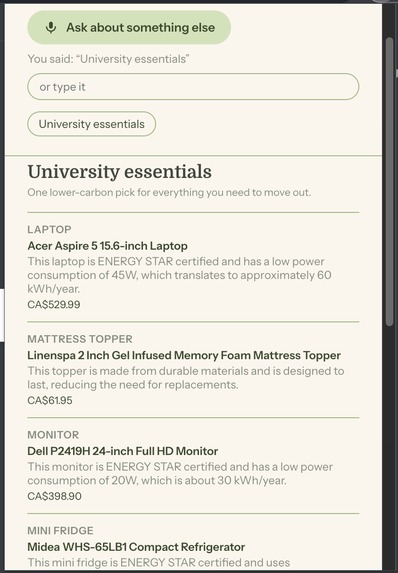
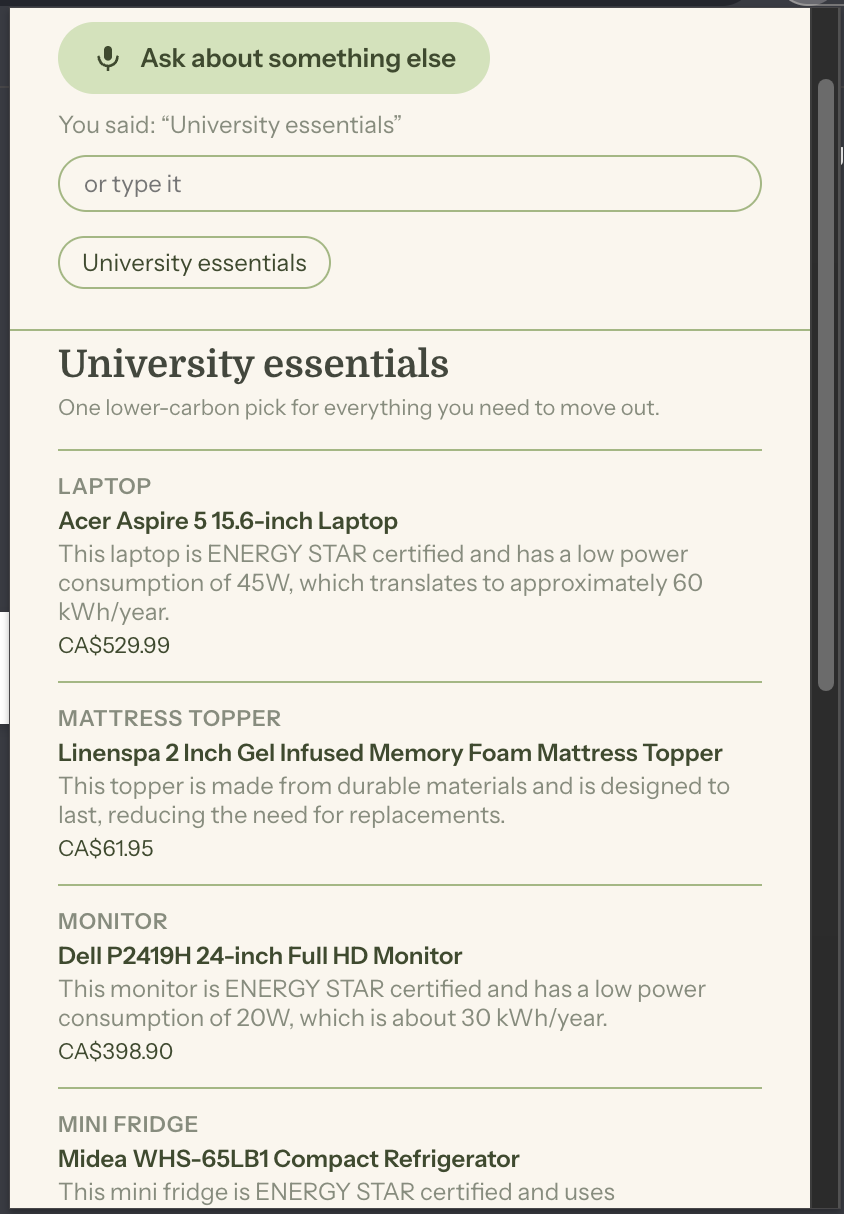
Give me University Essentials

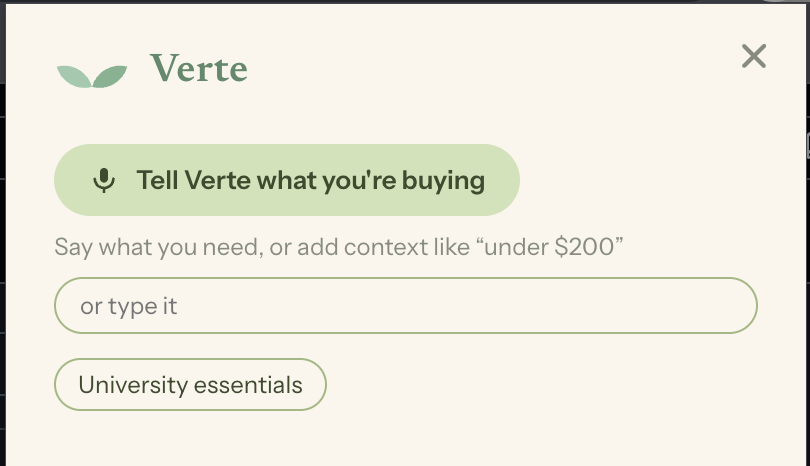
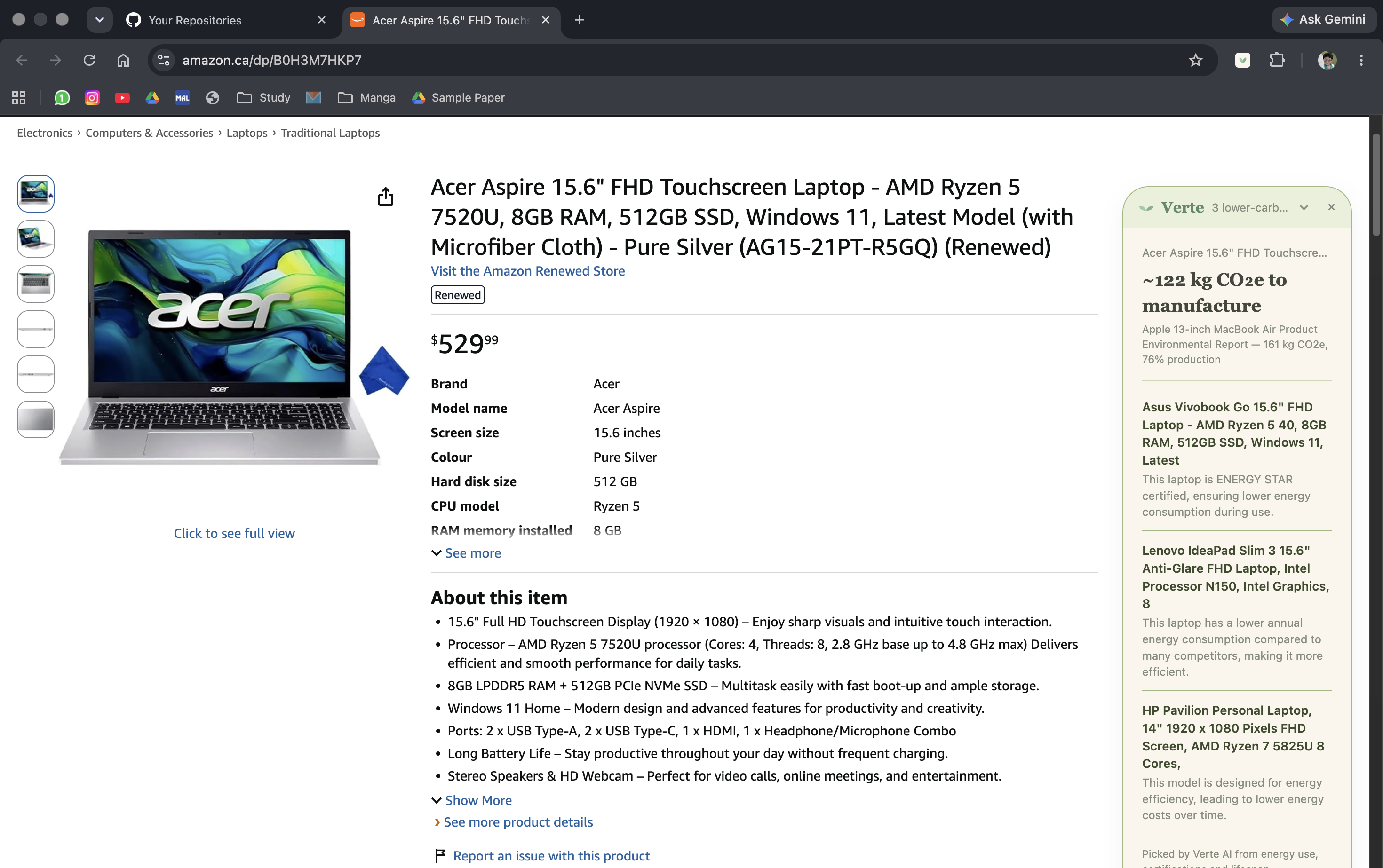
Verte
The greenest product is the one that already exists.
Version 5.0.0
Verte is a Chrome extension that surfaces the secondhand option at the moment a student is about to buy new. Manufacturing dominates the lifetime emissions of most durable goods, so buying used avoids nearly all of a product's footprint — something no amount of eco-branding on a newly manufactured item can match. It is also the cheap option, which is what actually moves a first-year living independently for the first time.
When they do need something new, Verte finds the lower-carbon choice that fits their budget and links straight to a real Amazon.ca listing. Ask it by voice, type it, or tap University essentials for a whole starter kit at once.
Who it's for
A university student setting up independent living for the first time.
- Limited budget. Money leads. The environmental win rides along — we never ask anyone to spend more to be virtuous.
- Limited experience. A used desk is a great idea; a used mattress is a terrible one. Nobody has ever told them that.
- Busy schedule. The answer lands in one line, with no comparison-shopping session.
- Unfamiliar environment. They don't know what already exists near campus.
Why this isn't another green-shopping extension
The category norm is to recommend an eco-branded new product, which still incurs the full manufacturing footprint. Verte's answer is to not manufacture anything.
What's here
proxy/
  index.js               POST /lookup, POST /voice, GET /health
  lookup.js              assembles the VerteResult
  categories.js          title → category slug (keyword rules, optional model fallback)
  guidance.js            the knowledge base, from Snowflake, cached
  carbon.js              tilde formatting and the EPA miles equivalence
  context.js             budget, deadline, "no car", country — read from what was said
  alternatives.js        lower-carbon picks for one product, verified on Amazon.ca
  essentials.js          the university starter kit, one verified pick per item
  amazon.js              reads Amazon.ca search pages (cached, rate-limited)
  voice.js               speech to text
  smoke.sh               npm run smoke
src/
  lib/amazonLinks.js     search results → the real product page (shared with the proxy)
  types.js               the contract — ProductContext, UsedOption,
                         CategoryGuidance, VerteResult
  config.js              brand strings, proxy base, outbound links
  styles/tokens.css      the design system
  contentScript/
    index.js             detect, extract, inject into a shadow root
    extract.js           JSON-LD → og: → retailer adapters
    listings.js          reads used offers off the retailer's own page
    card.js              the inline card, plain DOM
  background/index.js    service worker — calls the proxy for the inline card
  voice/                 the voice bar: recording, silence detection, follow-ups
  components/Essentials  the University essentials button and standing context
  screens/               results in the popup, including the essentials kit
public/manifest.json     Manifest V3
Running it
npm install
npm run proxy      # localhost:8787, reads the knowledge base from Snowflake
npm run smoke      # 23 live checks against the running proxy
npm run build      # then load build/ at chrome://extensions (Developer mode)
Open an Amazon or Best Buy product page. The card injects near the buy button. The proxy must be running — with it down, the card stays hidden rather than showing something it can't stand behind.
npm test runs the extension tests in jsdom: extraction, the card, the voice
bar, the popup screens and Amazon.ca link matching.
On startup the proxy prepares the University essentials kit in the background
(about 25 seconds, logged as university essentials ready), so the first tap
is instant.
Voice
Open the popup, click the mic, and say what you're about to buy: "a laptop for
college". The recording goes to the proxy (POST /voice), which transcribes it
with OpenAI and runs the transcript through the same lookup the inline card
uses. The popup shows what it heard and the lower-carbon alternatives.
Recording stops on its own about a second after you stop talking.
Chrome can't show the microphone prompt inside an extension popup, so the first time, Verte opens its options page: click Enable microphone once and the popup mic works from then on. A typed field sits under the mic in case a venue mic fails.
Context and University essentials
Say or type context with the request, "a laptop under $500, I don't have a car", and it changes the picks, not just the wording. The popup shows it as "Recommended for: under CA$500 · no car".
Context said on its own sticks. Say "under $200" first and it's shown as a pill under the mic, then applies to everything asked next until you clear it. Said after a product, it refines that product instead.
University essentials gives the whole starter kit in one answer: laptop, mattress topper, monitor, mini fridge, desk lamp, kettle, microwave and desk chair, one pick each. Tapping the button, typing "give me university essentials" and saying it all return the same kit. The proxy keeps the first answer for each set of context until it restarts. Standing context applies to every item.
All prices and budgets are Canadian dollars, and every link goes to Amazon.ca.
Where the data comes from
The card shows two tiers of information, kept visibly separate because they are not equally trustworthy:
- Sourced. The manufacturing footprint for a category comes from the Snowflake knowledge base and always shows its citation. Categories without a published figure show no number at all.
- Estimated. Lower-carbon alternatives are suggested by an OpenAI model
(
proxy/alternatives.js,proxy/essentials.js) and credited to Verte AI. The reason given for each pick is the model's.
Every pick is a real listing
A model will name products that were discontinued years ago, and it can't be trusted with a URL. So nothing it suggests is shown until it's been found on Amazon.ca:
- The model gives several candidates, named as Amazon.ca lists them today: up to 5 per product, 3 per essentials item.
- The proxy searches Amazon.ca for each one and reads the real results. Sponsored results are skipped, and so are accessories and parts. A battery "for ASUS Zenbook 14" isn't a Zenbook, and neither is a listing far below the product's usual price.
- An exact model match wins, otherwise the closest listing from the same brand, shown under that listing's own name. With a budget, a listing of the same product that fits it is preferred.
- Budgets are checked against the real price. The model's estimate is only used when Amazon shows no price.
- If nothing survives, the model is asked once more and told what wasn't available. If that fails too, nothing is shown: an essentials item reads "No pick found that fits", never a search link or a guess.
The link is the product page (amazon.ca/dp/…). A price with no ~ is the
live Amazon.ca price; ~CA$ is the model's estimate. Amazon turns away Node's
built-in fetch, so proxy/amazon.js uses the plain https client. It caches
pages for 30 minutes and makes at most four requests at a time.
Without an OPENAI_API_KEY the proxy still runs: classification falls back to
keyword rules, and the alternatives and essentials are simply empty.
Methodology
Two things we say plainly rather than hand-wave, because they're the first things a good reader asks about:
- Carbon figures are published embodied-carbon estimates per category, and each one is stored with its source. We display them with a tilde — "~46 kg CO₂e" is honest, "46.2 kg" is a claim we can't support. The miles-driven equivalence carries a per-mile source too.
- Campus listings are seeded, not live. Those groups have no API, so the table is hand-seeded. Seeded data described accurately is fine; seeded data implied to be live is not.
Design system
Full tokens live in src/styles/tokens.css.
| Token | Hex | Use |
|---|---|---|
| Base | #FAF6ED |
Card and panel grounds |
| Moss | #D0E2B8 |
Button fills, pills, active states |
| Accent tint | #E8F0DA |
Hover, soft fills, callout grounds |
| Accent shade | #9FB87E |
Borders, rules, active edges |
| Ink | #42473C |
Headings and body text |
| Ink soft | #868C7C |
Secondary text, captions, meta |
| Accent text | #3C4A2C |
Links, accent type, button labels |
#D0E2B8 and #9FB87E are fills and borders only — both fail as text on cream.
All accent text is #3C4A2C (~9:1). Type is Newsreader (wordmark), Domine
(headings), Instrument Sans (body), IBM Plex Mono (code).
Built With
- css
- html
- javascript
- shell
- snowflake
- typescript


Log in or sign up for Devpost to join the conversation.