-
-

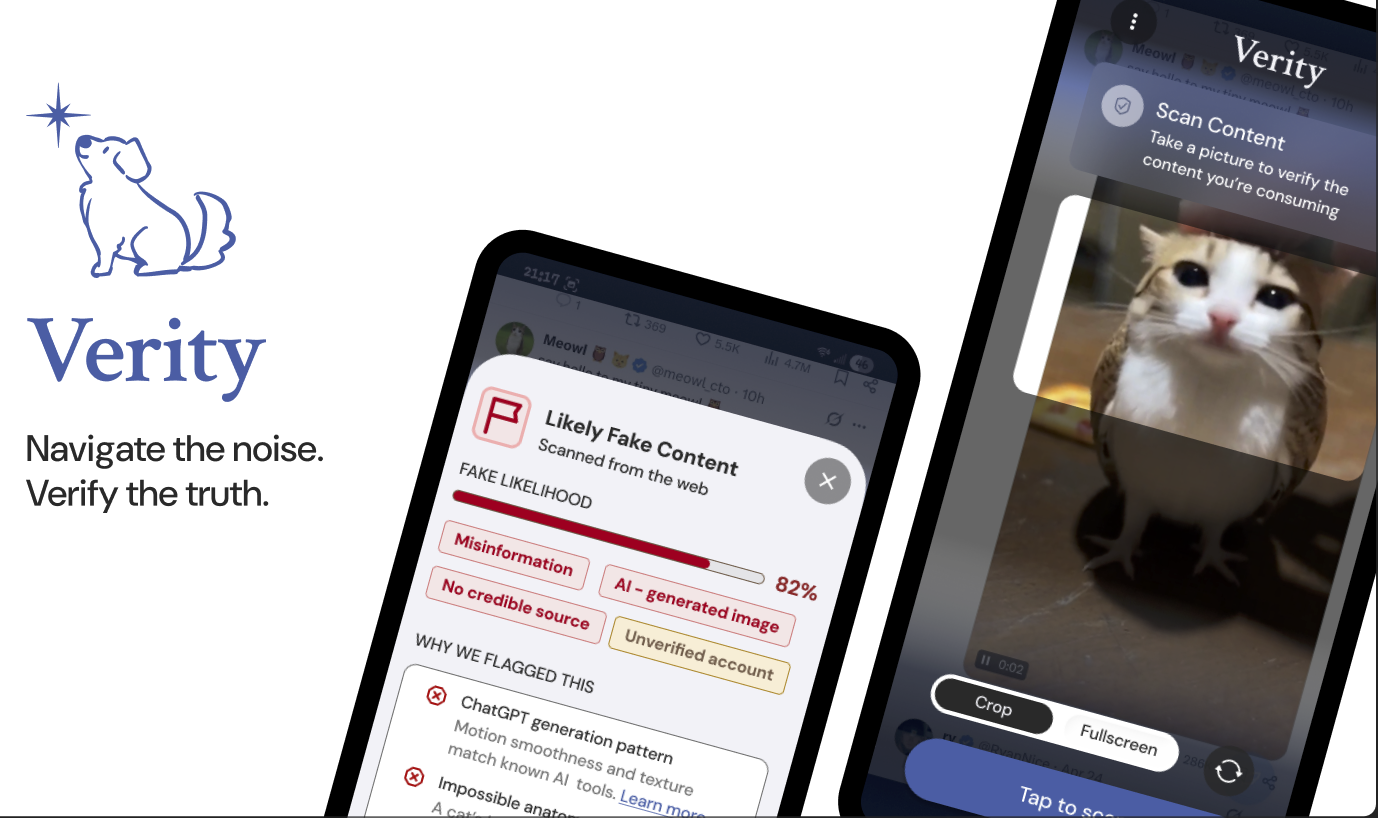
Verity Cover
-
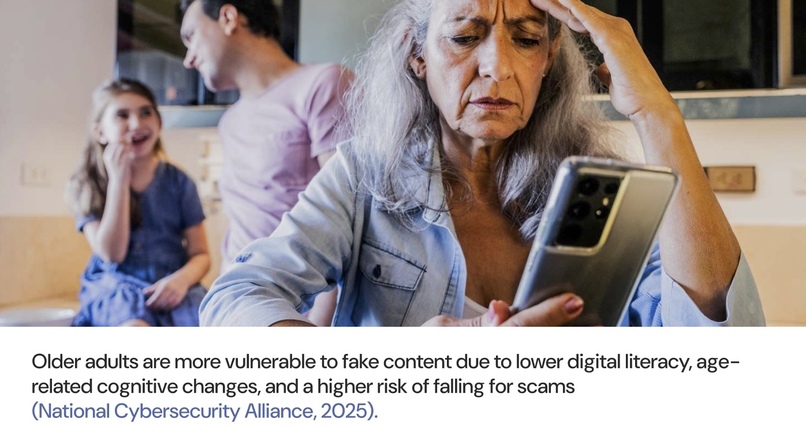
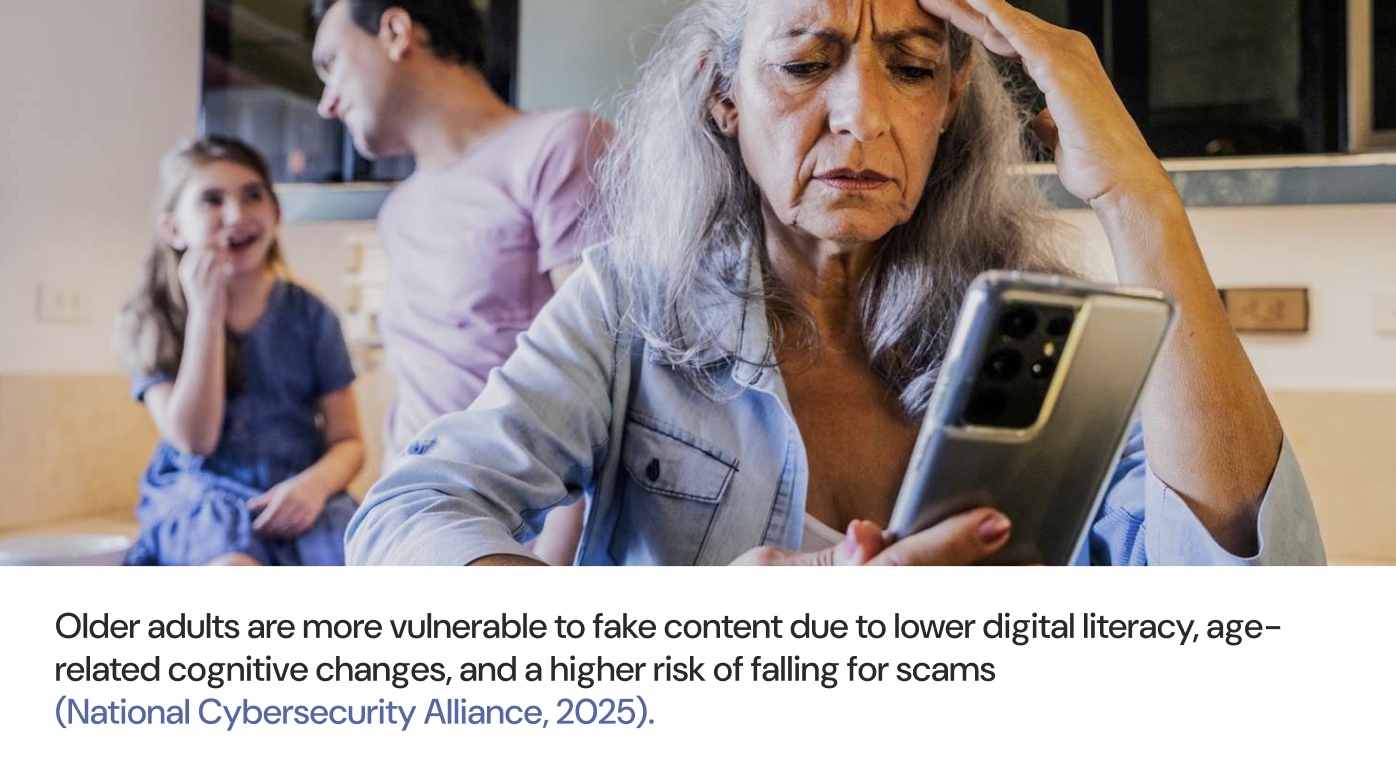
Target audience: older adults with limited digital literacy
-
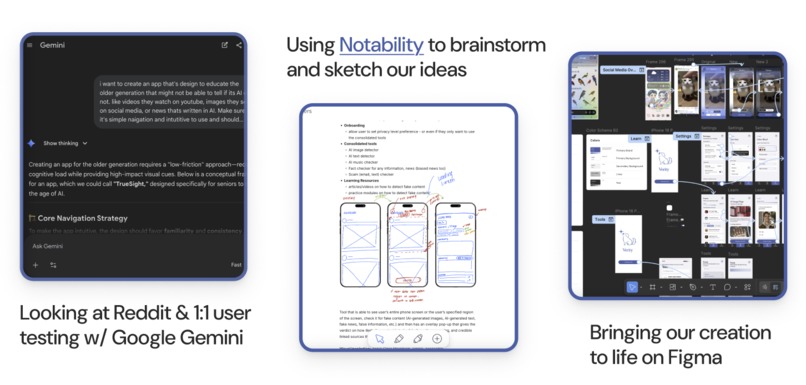
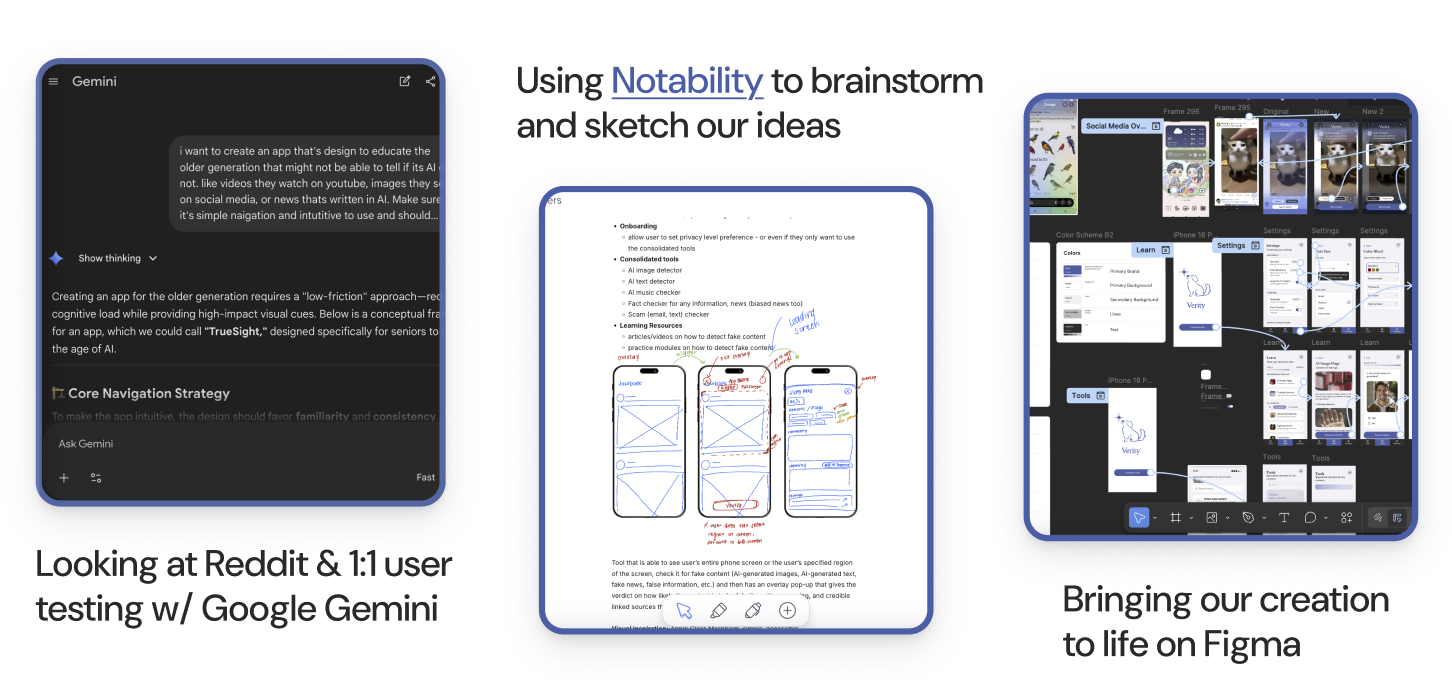
Our Process: We used Gemini to spark ideas, Notability to sketch and iterate, and Figma to shape a polished, interactive experience.
-
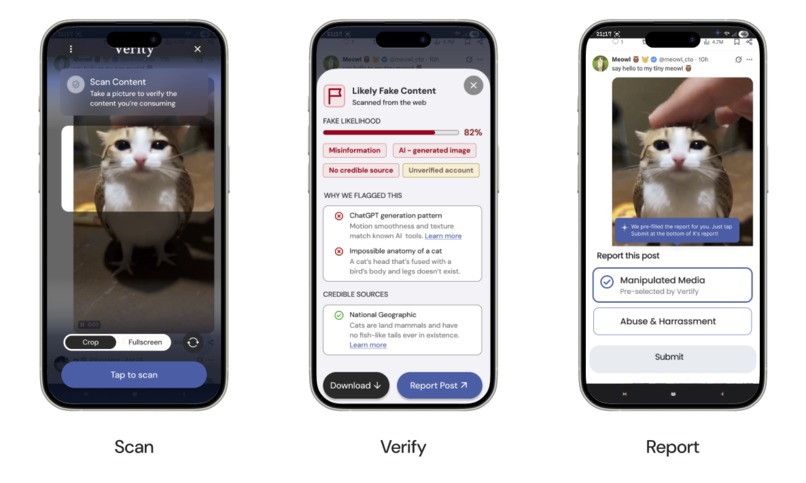
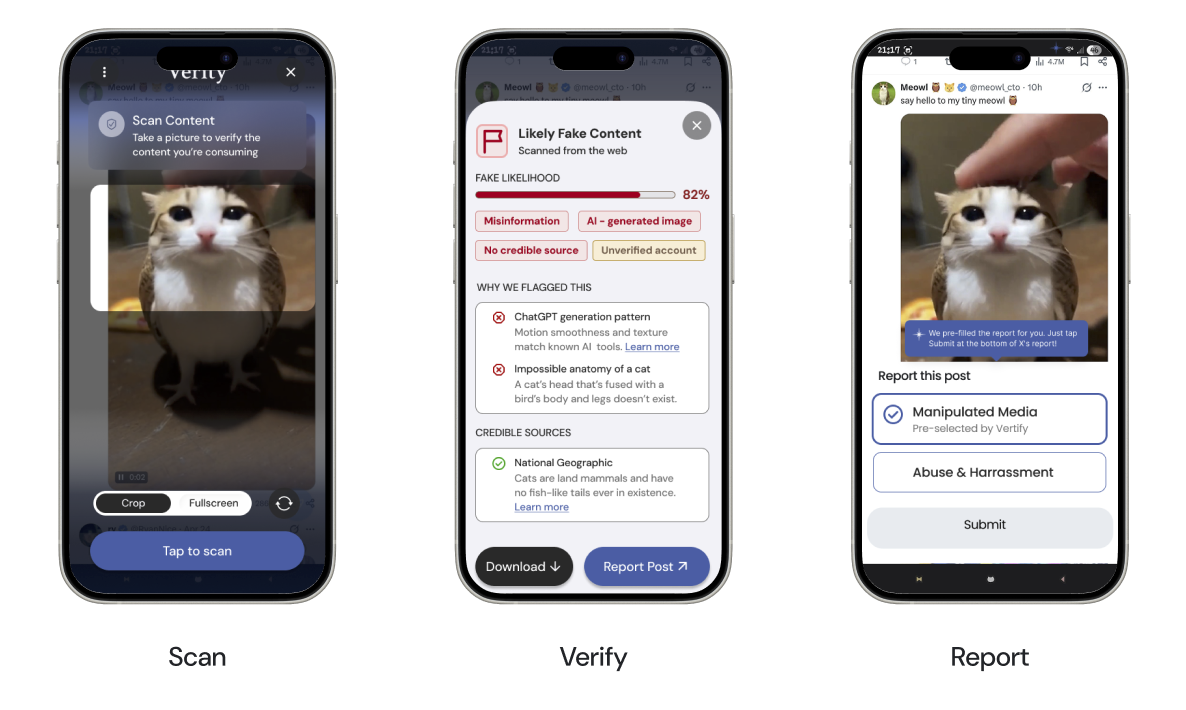
Core Feature: how our users verify the content they’re looking at if it's AI generated or not.
-
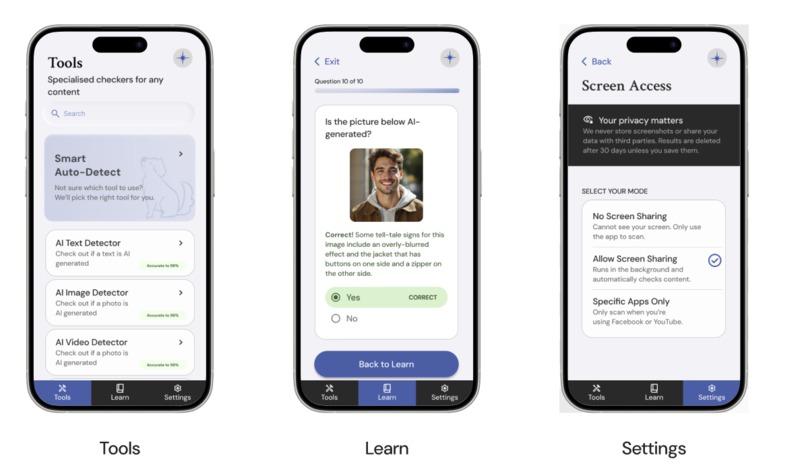
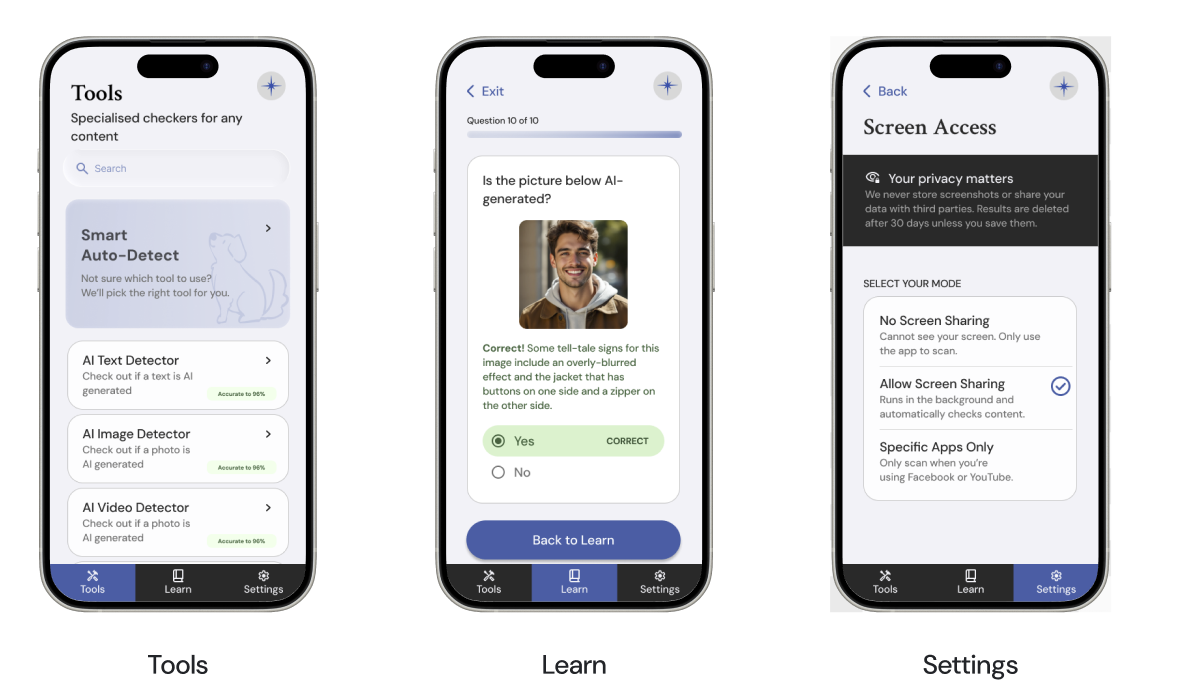
Navigational Features: 1. Tools (General toolkit), 2. Learn (Detect patterns of AI), 3. Settings (for accessibility)
Inspiration
For us, this started at home. We saw our own parents and older family members consuming and engaging with content online that they thought was real, but really wasn’t. Sometimes it was political misinformation, sometimes email scams, sometimes AI-generated images that looked almost completely indistinguishable. It wasn’t that they didn’t care that they were consuming fake content. It was that they didn’t have the tools, time, or confidence to tell the difference.
We realized that this isn’t just a tech problem. It’s a human one. As AI generation becomes increasingly prevalent and advanced, our oldest generations are at risk of being left behind in a world where content is getting harder and harder to trust.
We wanted to build something that empowers people to feel more confident, more informed, and more in control of what they are seeing as they navigate the web.
What it does
Verity aims to help users, especially those with lower web literacy, often seniors, by checking the origin and credibility of content, flagging media that is likely to be fake, and educating users on common patterns of fake content to help them develop their web literacy. Instead of guessing, or leaving what you’re doing to fact check on Google, Verity gives users clarity with just one tap.
Over time, Verity does more than just verify. It also helps users learn how to recognize patterns on their own through just-in-time education, learning modules, and practice quizzes.
How we built it
Our process started with Gemini to spark ideas and explore what this product could become. We then moved into Notability to quickly sketch, test, and iterate on those ideas. As things became clearer, we brought everything into Figma and shaped it into a polished, interactive experience.
From there, we designed Verity around a simple flow: scan, verify, and learn. Users can scan content and instantly get a clear breakdown of why something might be AI generated or misleading. Instead of overwhelming them with technical details, we focused on making those signals easy to understand and easy to learn from.
Overall, our goal was to prioritize clarity and approachability so anyone, regardless of their tech experience, can confidently understand what they are seeing.
Challenges we ran into
One of our biggest challenges was designing for trust.
User research revealed concerns regarding privacy and accuracy. We addressed these concerns by giving the user full control and flexibility over their privacy and data, and incorporating linking to credible external sources.
We were also building something that does not really exist yet as one simple, consolidated tool. Most existing solutions are scattered, so bringing detection, explanation, and learning into one experience was difficult.
Accomplishments that we're proud of
We are most proud that Verity helps people feel more confident.
Seeing users go from feeling unsure to being able to find clarity in one tap showed us the impact Verity can have, reminding us that this is not just about detection. It’s about empowering people and making web access equitable for all.
What we learned
We learned that people do not ignore fact-checking because they do not care. They avoid it because it feels inconvenient, time-consuming, and disruptive.
In order to design a fully comprehensive solution, we couldn’t just focus purely on detection. By learning about users’ challenges and goals, we knew we had to make verification feel effortless, trustworthy, and function as a building block towards true digital empowerment.
What's next for Verity
Next, we want Verity to become something people can use naturally in their everyday web activities.
Built With
- figma
- gemini
- notability


Log in or sign up for Devpost to join the conversation.