-
-
Veritas AI - Easily maintain a single source of truth between Confluence and Jira
-
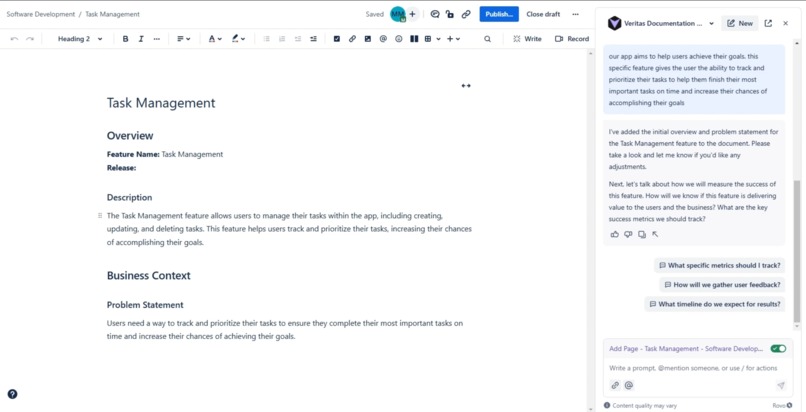
Create and update documents by talking with the Veritas Agent
-
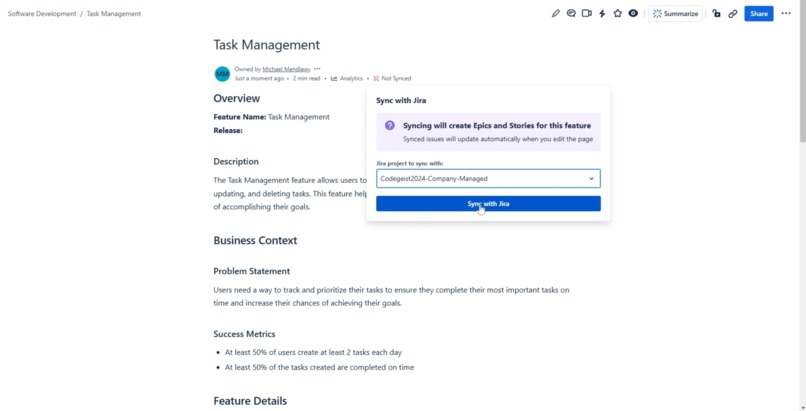
Keep your issues up to date by syncing your pages to Jira projects
-
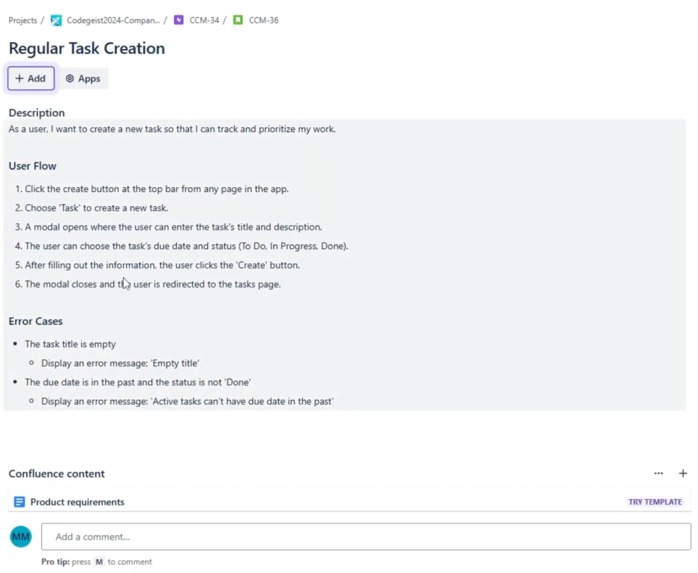
Automatically create and update Jira issues as you update your documents
Inspiration
Let me tell you a story about a team working on a new feature. One day, the QA team reports a bug because they noticed behavior that didn’t match the description in the issue. Hours later, the developer reviews the bug report and informs the QA team that the requirements had been updated in the Confluence page—but someone forgot to update the relevant tickets.
To prevent this from happening again, at the following Retro, the team decided to establish a single source of truth. First, they tried documenting everything in Confluence pages and linking them in issues, but it was difficult to determine which part of the linked pages was relevant to each issue. Then, they decided to rely solely on Jira issues for documentation, but piecing together the whole picture from fragmented issues proved to be just as challenging.
Veritas AI (Latin for truth) solves this problem by simplifying the process of keeping your Confluence pages and Jira issues perfectly in sync
What it does
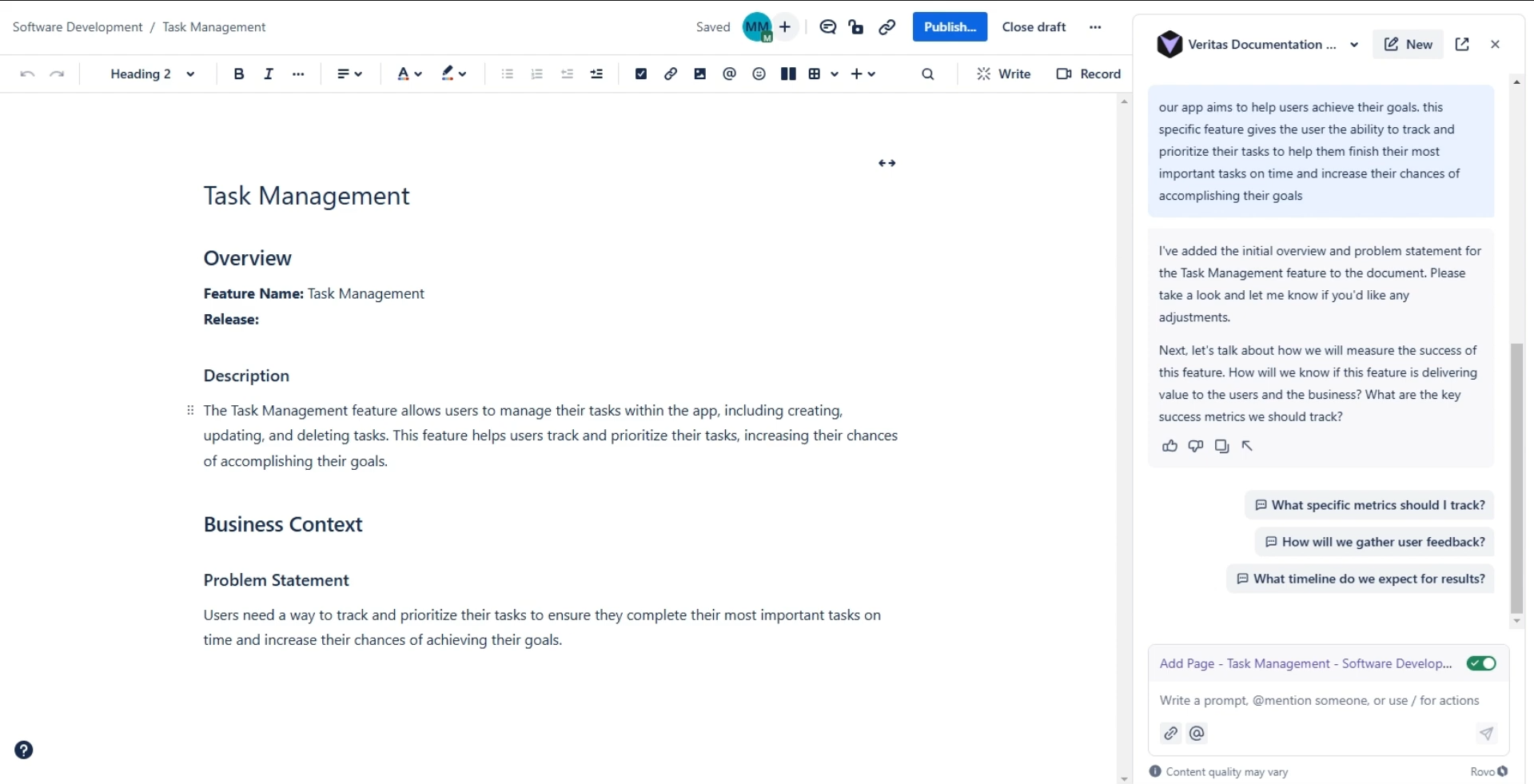
Veritas AI simplifies creating and updating feature documents through a conversational chat agent. The agent guides you by asking thoughtful questions, allowing you to express your ideas freely while ensuring the information is refined and formatted to meet high documentation standards. Using the page as a canvas, you can easily review and make edits without toggling back and forth in the chat. Verification is straightforward, as the agent applies changes incrementally and only proceeds with your approval.
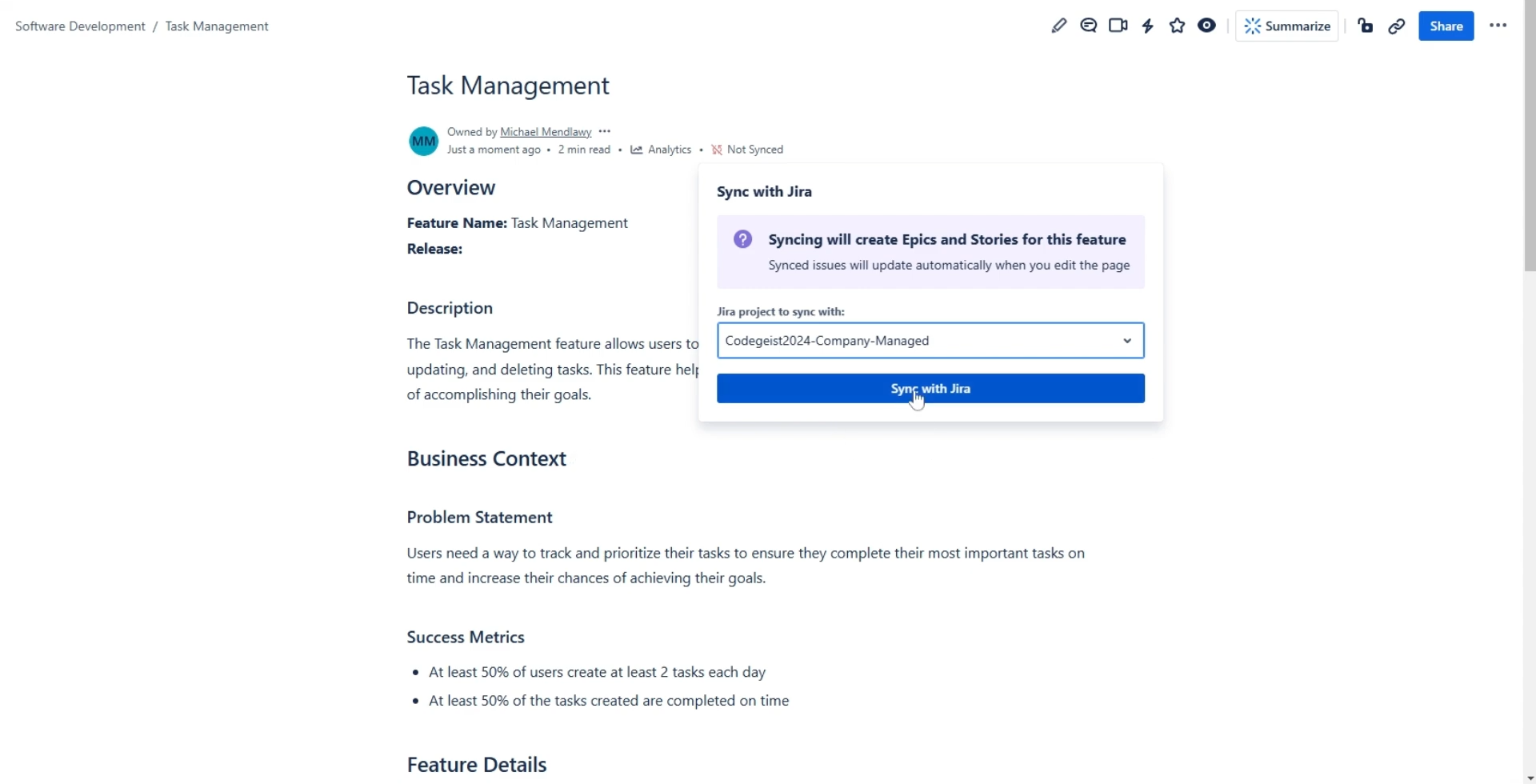
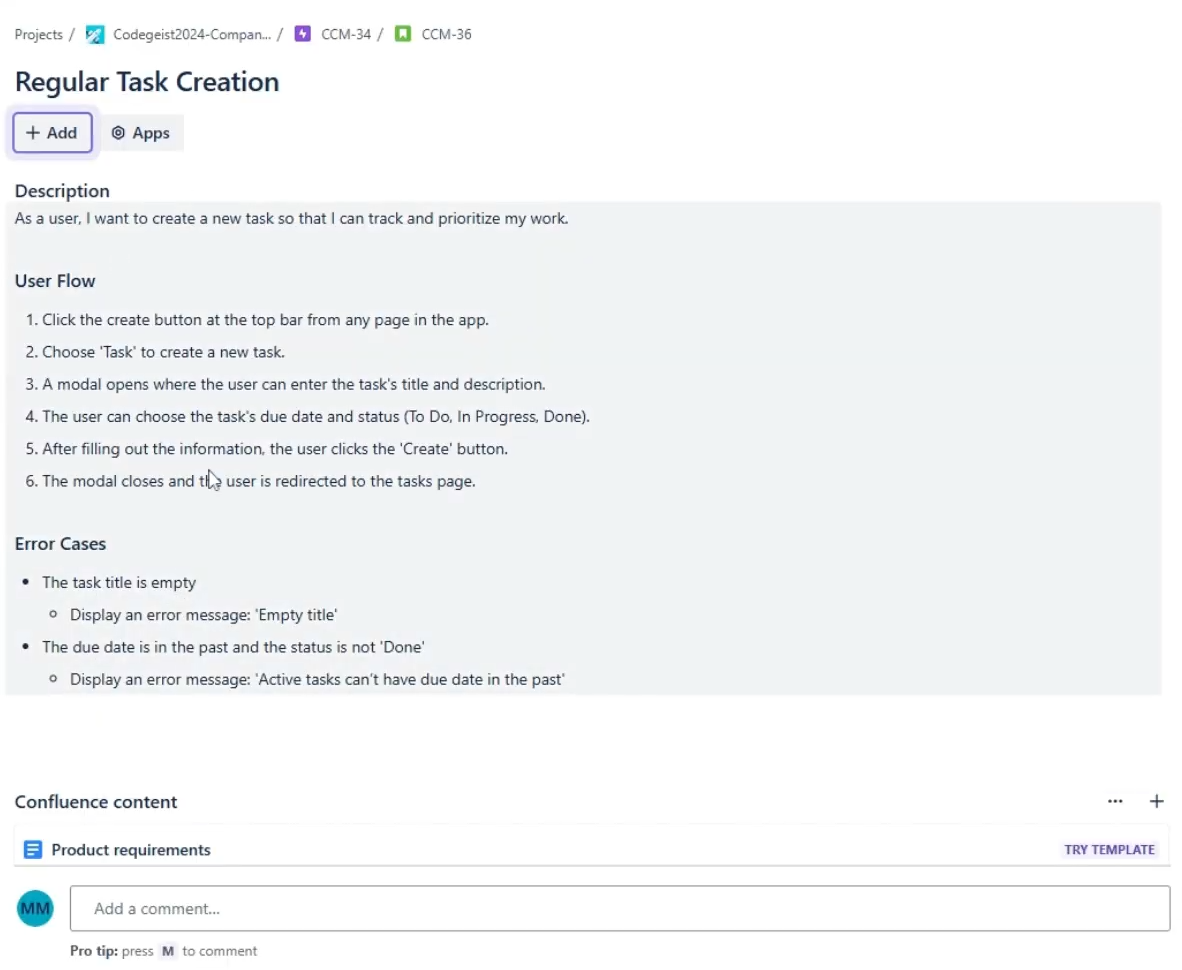
Pages created with the Veritas Agent have a byline item that displays their sync status and allows you to sync the page with any of your projects. When synced, new epics and user stories are automatically created, each containing the relevant information, so you don’t need to refer back to the Confluence page for specific details.
After publishing and syncing a page, you can use the Veritas Agent to update the feature document. Changes are applied as drafts, giving you full control over when to update the page. Once updated, synced issues are automatically created or modified to reflect the latest page content.
Note: Currently, only changes made by the Veritas Agent can be synced. Any manually inserted text in the document or synced issues will be overridden during the next update
How I built it
I used the new Rovo Agent with actions to power the conversational capabilities. The byline item was created using the UI Kit, and the app leverages the page update trigger to ensure syncing occurs seamlessly after every update. A series of API calls tie everything together, enabling smooth interactions and functionality across the app
Challenges I ran into
This was my first encounter with Forge. In this hackathon I set out with three main goals:
- Build a Forge app
- Utilize the Rovo Agent in this app
- See how far I could go using only Forge without relying on external services
I encountered many challenges at different stages, but the documentation and community posts helped me solve all the issues. A major difficulty was ensuring the agent consistently updates the page without altering unintended content. With some prompting tricks, I managed to achieve a solution that works quite reliably
Accomplishments that I'm proud of
I successfully achieved all the goals I set when starting this hackathon, so I'm proud of that.
I’m proud of the solutions I found to address issues with aligning the agent and ensuring consistent results. I like how I managed to use some common prompting techniques like self reflection in an unconventional way, since the Rovo agent has some restrictions about how you can interact with it.
Also, I think I made some good UX decisions around gathering and presenting information and in trying to make it as easy as possible for the user to validate the agent's output
What I learned
I learned how to build a Forge app, use the Rovo Agent, and work with the UI Kit. also, I now have better understanding about which tasks are more suited for LLMs and which ones are more suited for "regular" code.
What's next for Veritas AI
There are several improvements I’d like to implement in the future:
- Custom Document Structures: Currently, the app supports only a single document structure. I’d like to enable users to define their own structures, potentially referencing existing templates.
- Manual Edits: At the moment, manual updates to the Confluence page or synced issues aren’t supported. I aim to allow manual edits for fixing small errors or mistakes. This might require triggering the Rovo Agent outside the chat, a capability not yet available.
- Jira to Confluence Edits: Allowing edits from Jira issues to sync back to the document would close the loop, making it seamless for users to work with data wherever they are.
- Bitbucket Integration: Adding Bitbucket into the mix could ensure documentation consistency across platforms while also comparing it with code to identify discrepancies between implementation and requirements.
Built With
- forge
- javascript
- react
- rovo-agent
- uikit


Log in or sign up for Devpost to join the conversation.