-
-
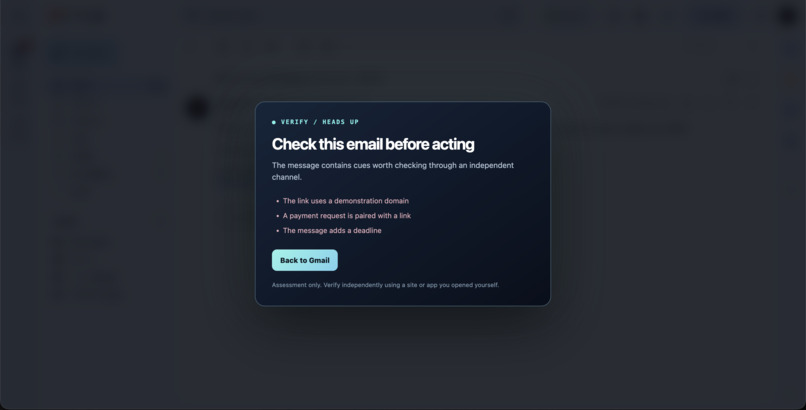
Gmail Flagging
-
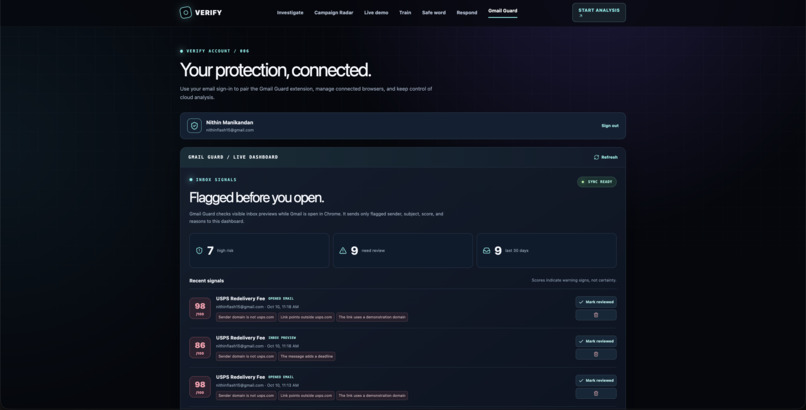
Gmail Guard
-
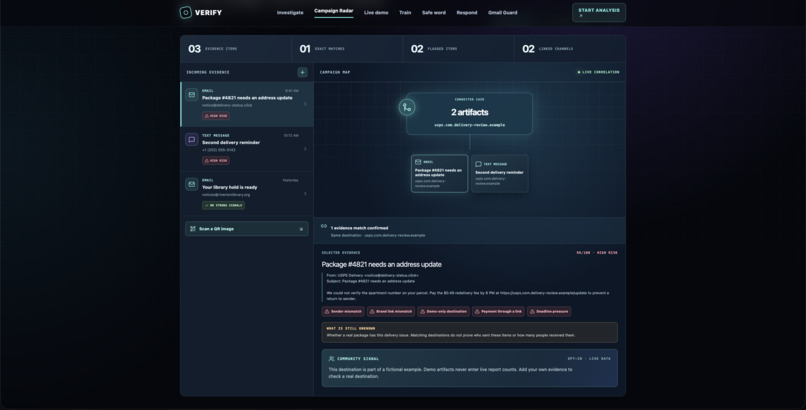
Campaign Radar
-
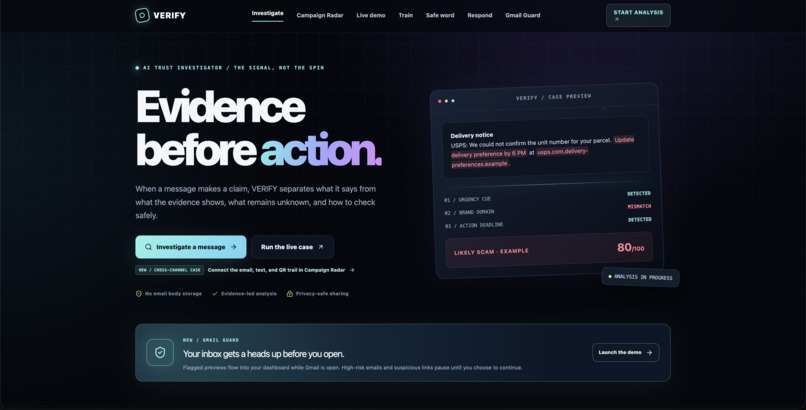
Investigate
VERIFY — Evidence before action
Inspiration
A suspicious message creates two problems: it pressures someone to act, and it makes them unsure whom to trust. A security tool might label an email “dangerous,” but a label alone does not answer the question that matters: What evidence supports this warning, and what should I do instead?
We built VERIFY to make that answer visible. Our goal was an investigation people could inspect, not another score they had to accept blindly.
What it does
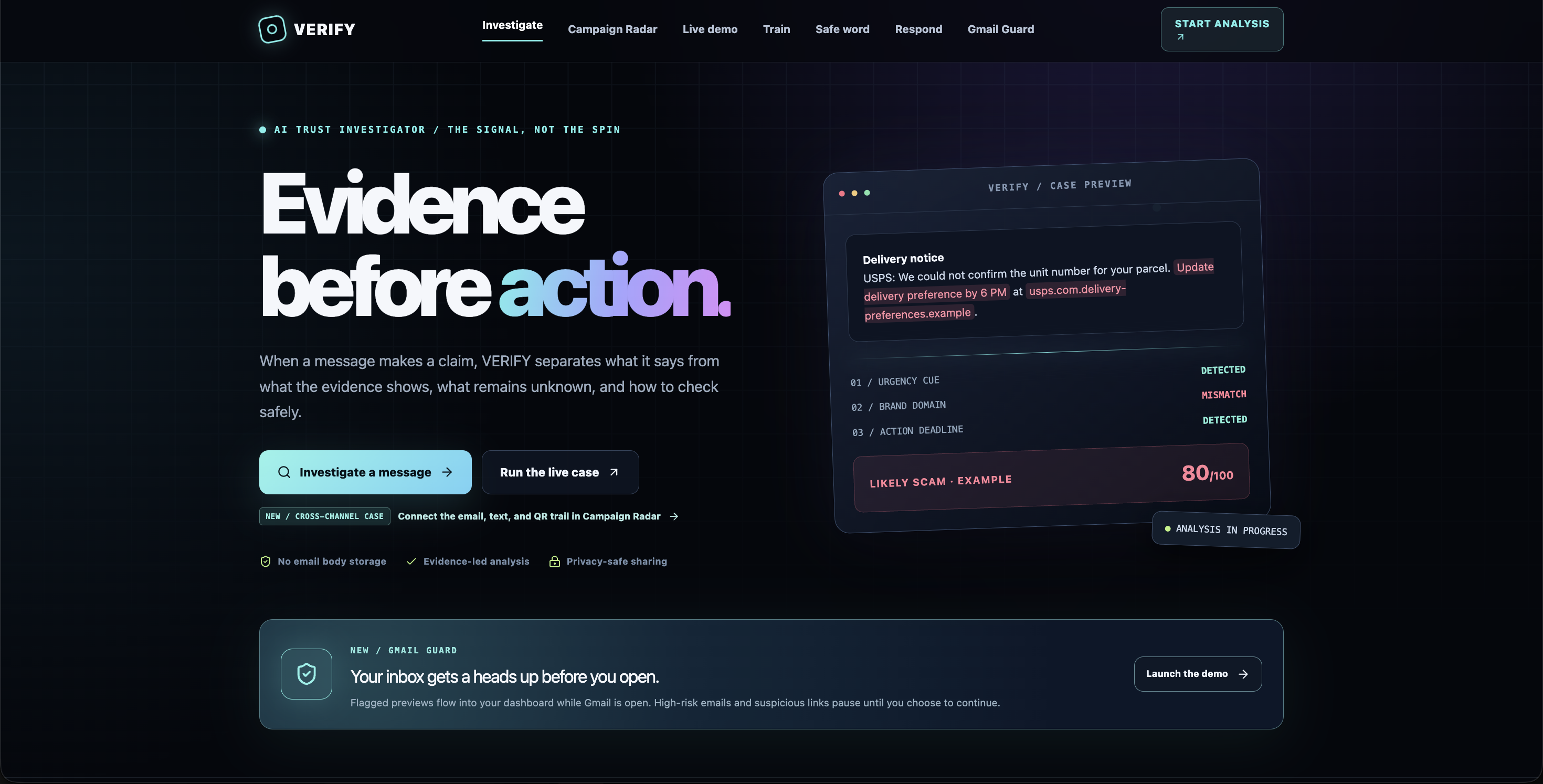
VERIFY investigates suspicious emails, texts, screenshots, and links. It separates what the message claims, what the evidence shows, and what remains unknown, then suggests a safer way to check through an official site or app opened independently.
- Investigation Desk extracts signals, examines link destinations, checks quoted evidence against the submitted message, and explains its assessment in plain language.
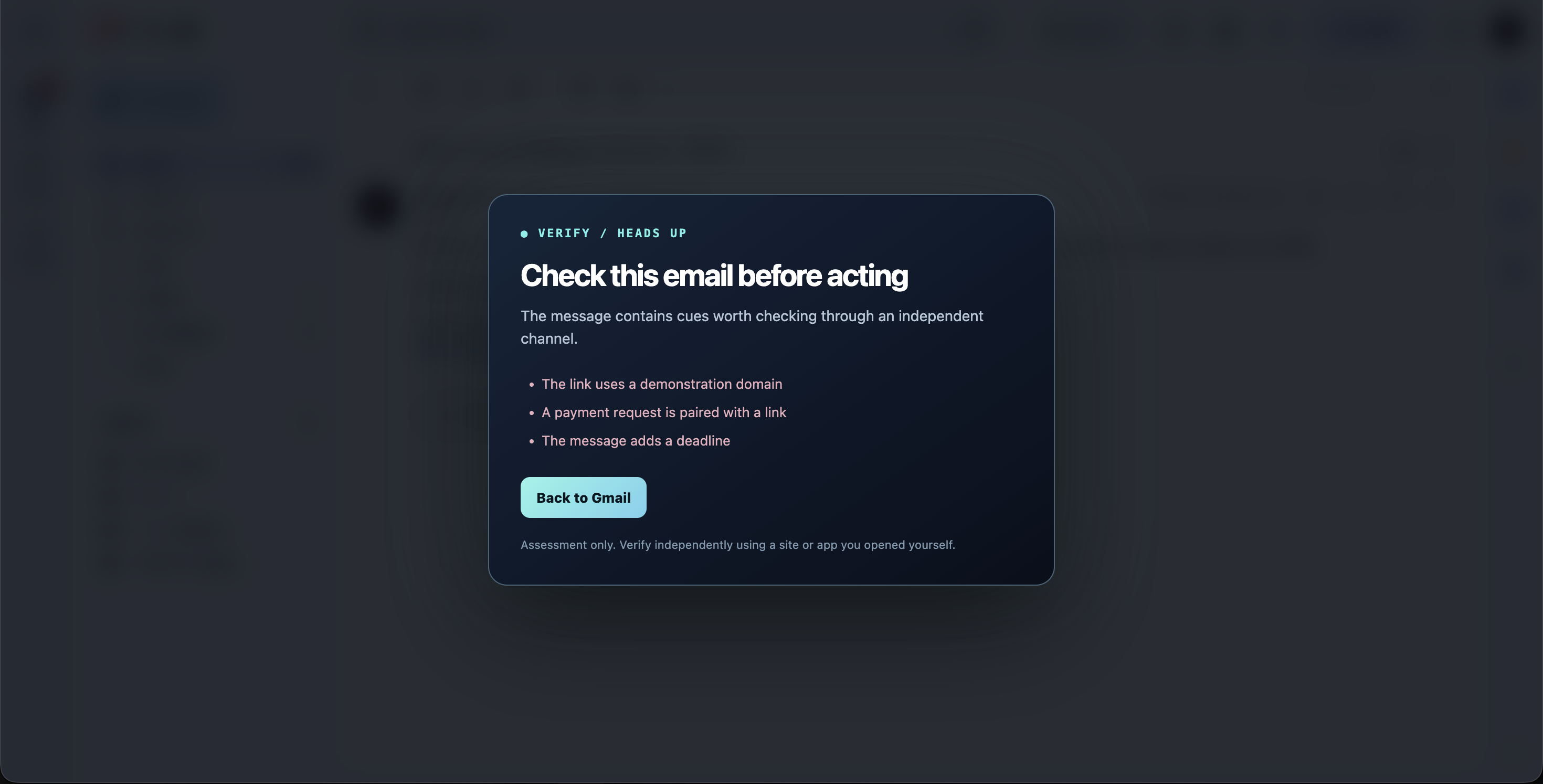
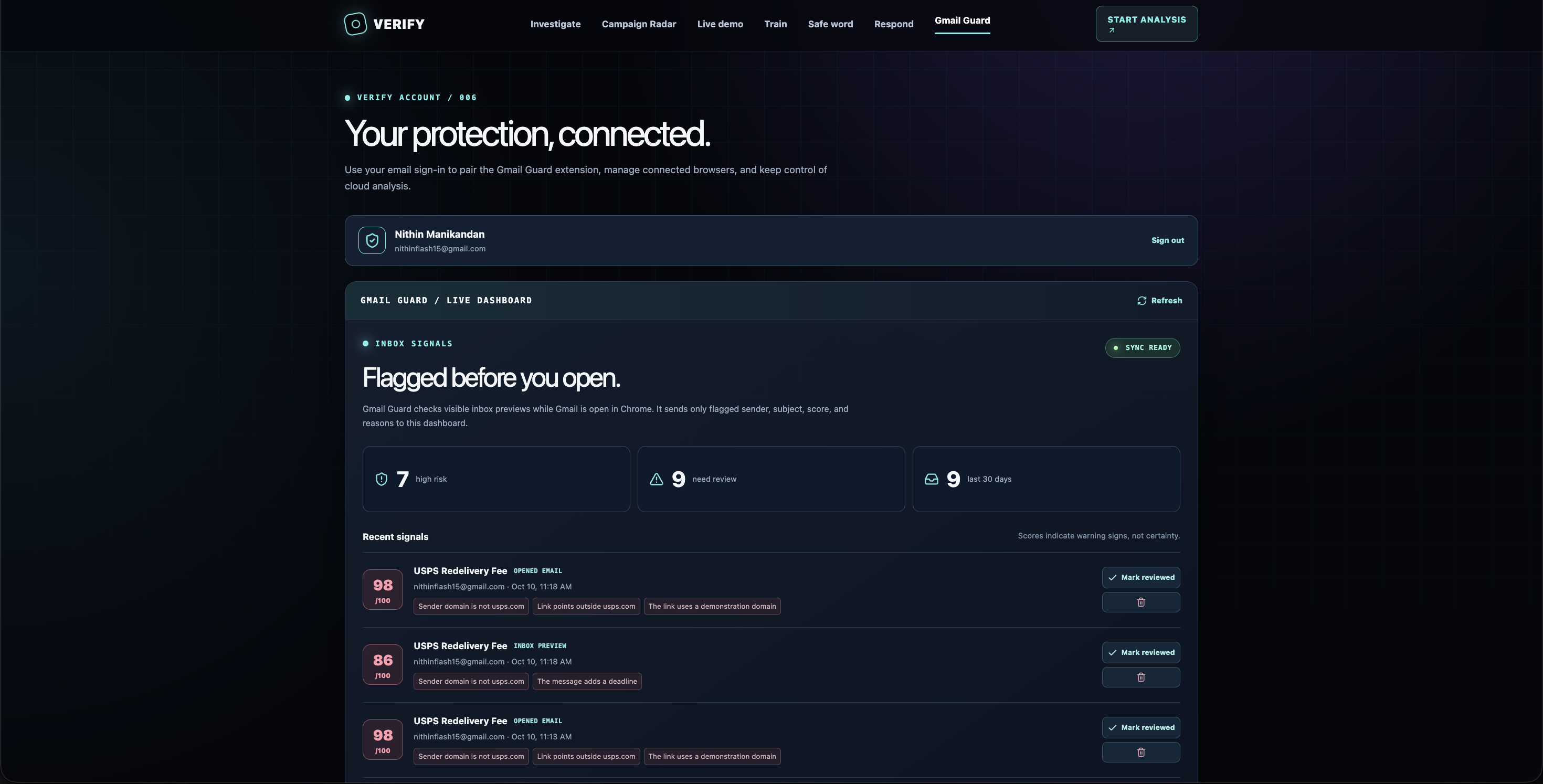
- Gmail Guard is our Chrome extension. While Gmail is open, it checks visible inbox previews locally, pauses high-risk emails, and warns before suspicious links open. A user can continue through an explicit choice.
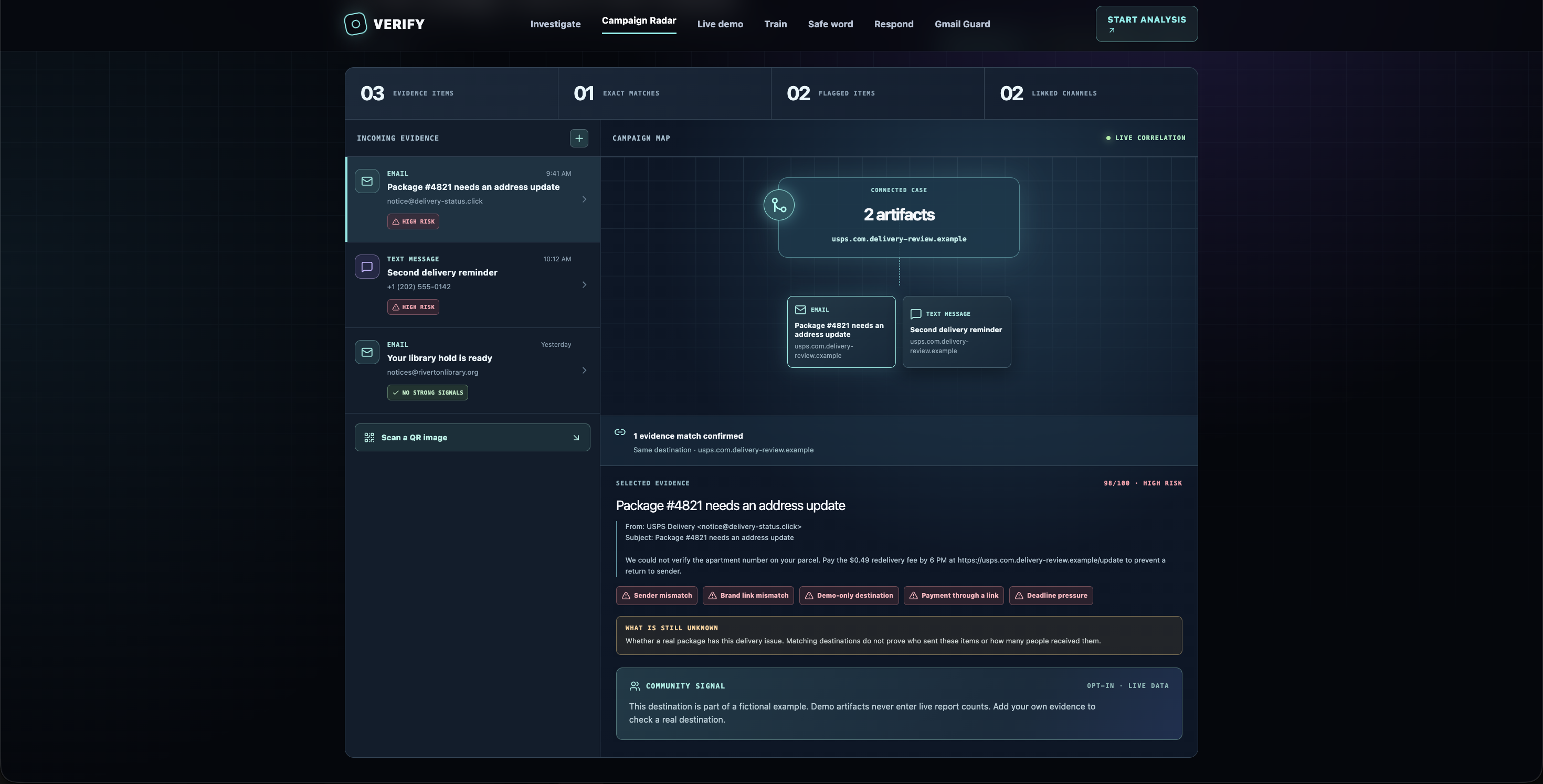
- Campaign Radar connects email, text, QR codes, and call notes using exact shared destinations or phone numbers. QR Shield decodes a link without opening it.
We also built practice scenarios, a family safe word, and a response plan for someone who has already clicked, replied, or paid.
How we built it
VERIFY uses React and TypeScript with a Cloudflare Worker backend hosted through OpenAI Sites. NVIDIA NIM helps produce structured, plain-language investigations. Deterministic checks inspect URLs and validate quotes; a clearly labeled rules-based assessment remains available if AI is unavailable.
Gmail Guard is a Chrome Manifest V3 extension. Its preview checks run in the browser. When paired with a VERIFY account, the dashboard can receive flagged sender, subject, score, and reasons without storing the email body there. Campaign Radar decodes QR images on-device and links artifacts only when they share an exact destination or phone number.
Challenges and what we learned
The hardest challenge was being useful without pretending to know more than we do. A misleading domain is evidence, but it cannot prove whether someone has a real package or account issue. We made uncertainty visible in every investigation and included an independent way to verify the claim.
We also had to handle Gmail’s changing interface, pause risky clicks without removing user control, treat submitted messages as untrusted input, and inspect links safely. We learned that a useful security experience needs more than detection: it must explain itself at the moment a person is deciding what to do.
Our guided case uses clearly labeled fictional evidence. Community report counts come from optional user submissions, not invented demo activity.
Don’t just trust the warning. VERIFY it.


Log in or sign up for Devpost to join the conversation.