-
-
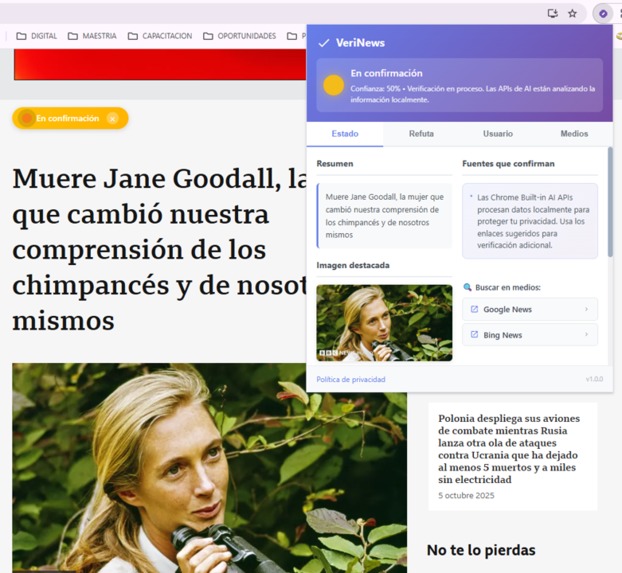
How can AI help validate fake news and disinformation?
-

Tab 1: Validate the news against other media outlets
-
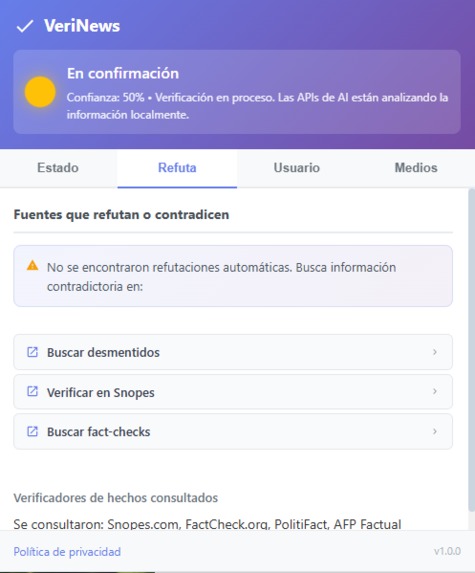
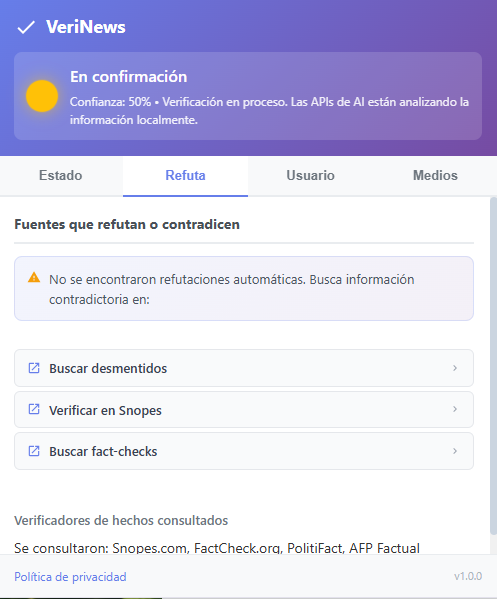
Tab 2: Validate if there are publications that refute that news
-

Tab 3: Gives the user the opportunity to validate or refute the news and to rate the media outlet
-
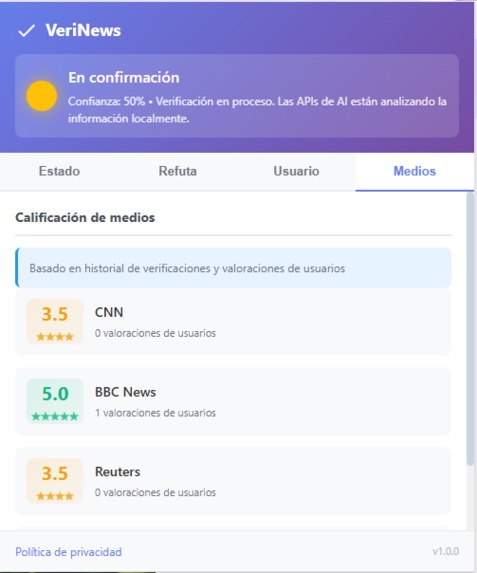
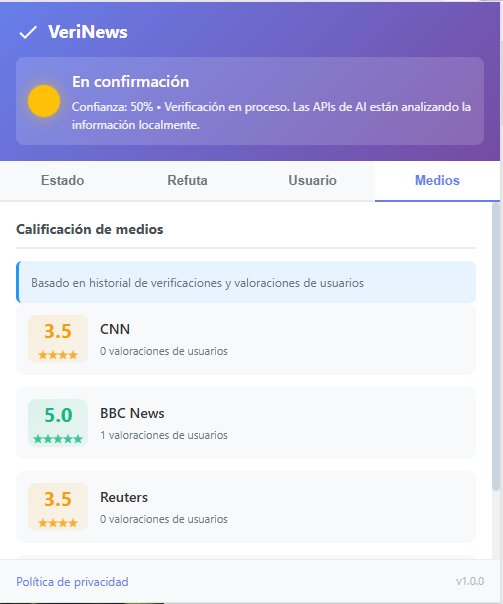
Tab 4: Is a rating of the media outlet based on confirmed news and user ratings.


Project Story – Real News or Viral Hoax?
Inspiration
Every day, we are exposed to an avalanche of headlines shared on social media and chats. Often, we don't even know if what we are reading comes from a reliable source or if it's just manipulation. The idea was born from this frustration: what if the browser could give me an immediate clue about how real a news story is, without having to become a digital detective?
What it does
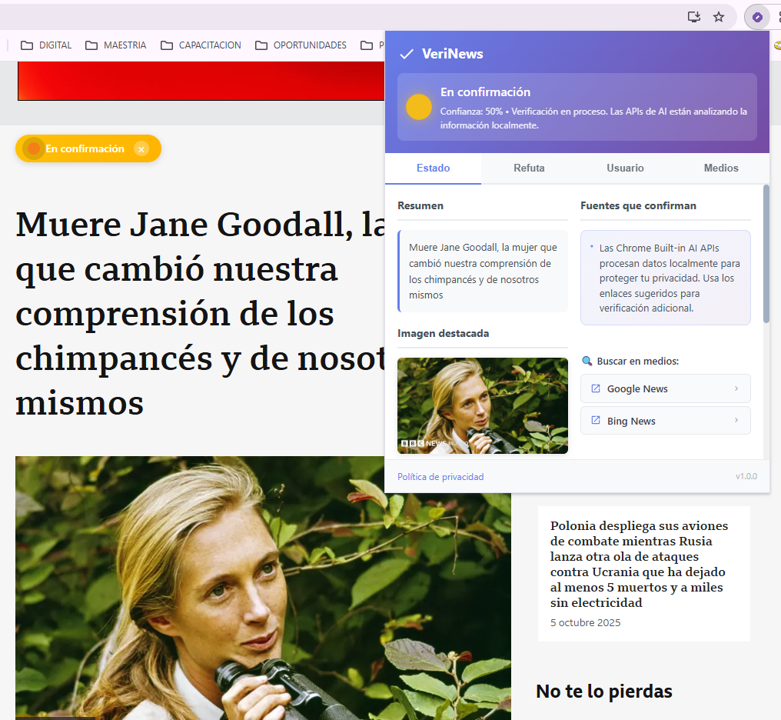
The extension analyzes the news story open in the browser and displays a validation traffic light:
- 🔴 Red: Unconfirmed news.
- 🟡 Yellow: In the validation process.
- 🟢 Green: Confirmed news.
The user can view a summary of the news, links to other sources, comparisons with reliable media, and even participate by rating the media's credibility or confirming the information. All this is presented in a popup with four tabs: Status, Refutes, User, and Media.
How we built it
- We designed a Chrome extension using Manifest v3.
- We integrated scripts that extract the headline and content from the page (content scripts).
- We utilized the AI APIs built into Chrome, such as:
- Prompt API: To generate explanations about the veracity.
- Summarizer API: To quickly summarize the news story.
- Translator API: To validate information across multiple languages.
- We created a dynamic popup with tabs and CSS styles to present the information clearly.
- We added a floating badge on the page and an icon next to the omnibox, both synchronized with the traffic light status.
Challenges we ran into
- Understanding the architecture of a Chrome extension and the communication between the popup, background, and content scripts.
- Designing a minimalist yet informative interface.
- Simulating news validation while integrating real APIs.
- Ensuring that performance is not affected when analyzing pages with heavy content.
Accomplishments that we're proud of
- Having a functional prototype in a short time that already displays the traffic light and the popup.
- Having turned an everyday idea into a real technical project.
- Designing a simple UX: a traffic light that anyone understands immediately.
- Learning how to connect the frontend layer (popup and badge) with the AI engine of Chrome.
What we learned
- How to package and load extensions in developer mode on Chrome.
- How to work with built-in browser AI APIs.
- The importance of balancing visual clarity with the quantity of information.
- That not everything is solved with code: user trust depends on design and transparency.
What's next for Real News or Viral Hoax?
- Connecting the extension to fact-checking databases (e.g., recognized fact-checkers).
- Improving the analysis engine with continuous learning based on user ratings.
- Expanding to other browsers (Edge, Brave, Opera).
- Publishing a beta version on the Chrome Web Store so more users can try it.
- Integrating more attractive visualizations (e.g., graphs on media reputation).


Log in or sign up for Devpost to join the conversation.