-
-
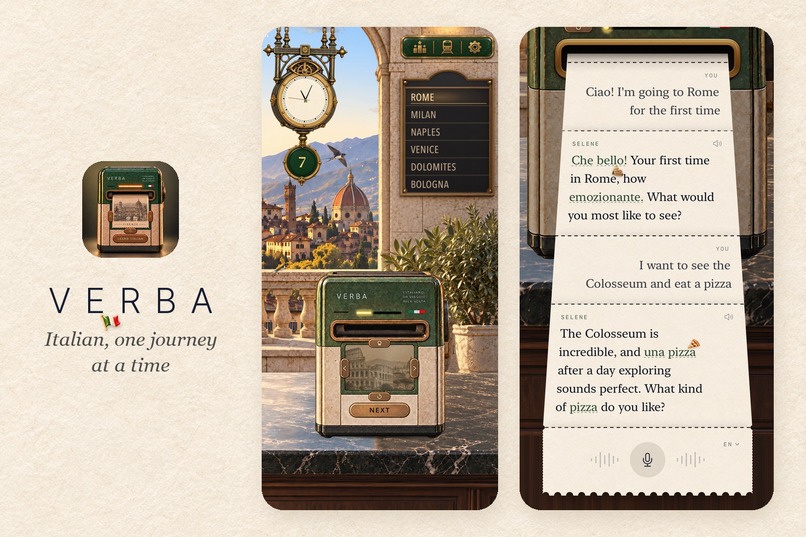
Verba: learn to speak Italian as train journeys out of Florence, tearing off tickets and talking out loud with Selene.
-
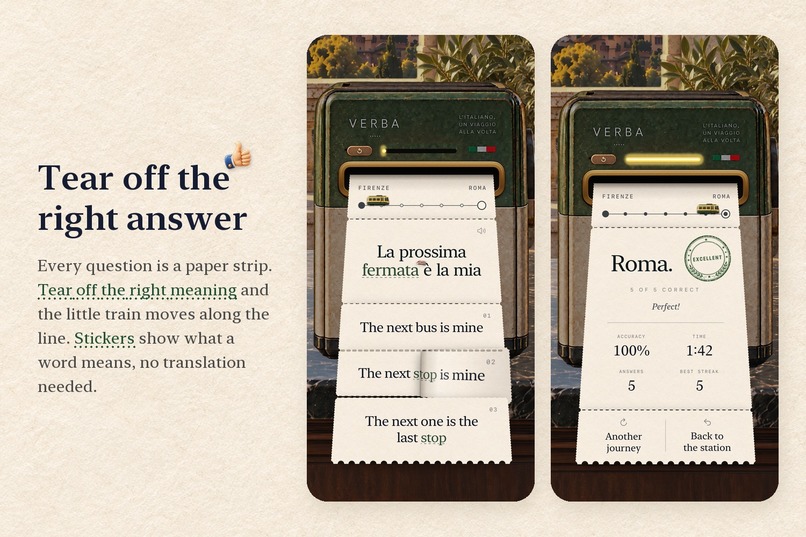
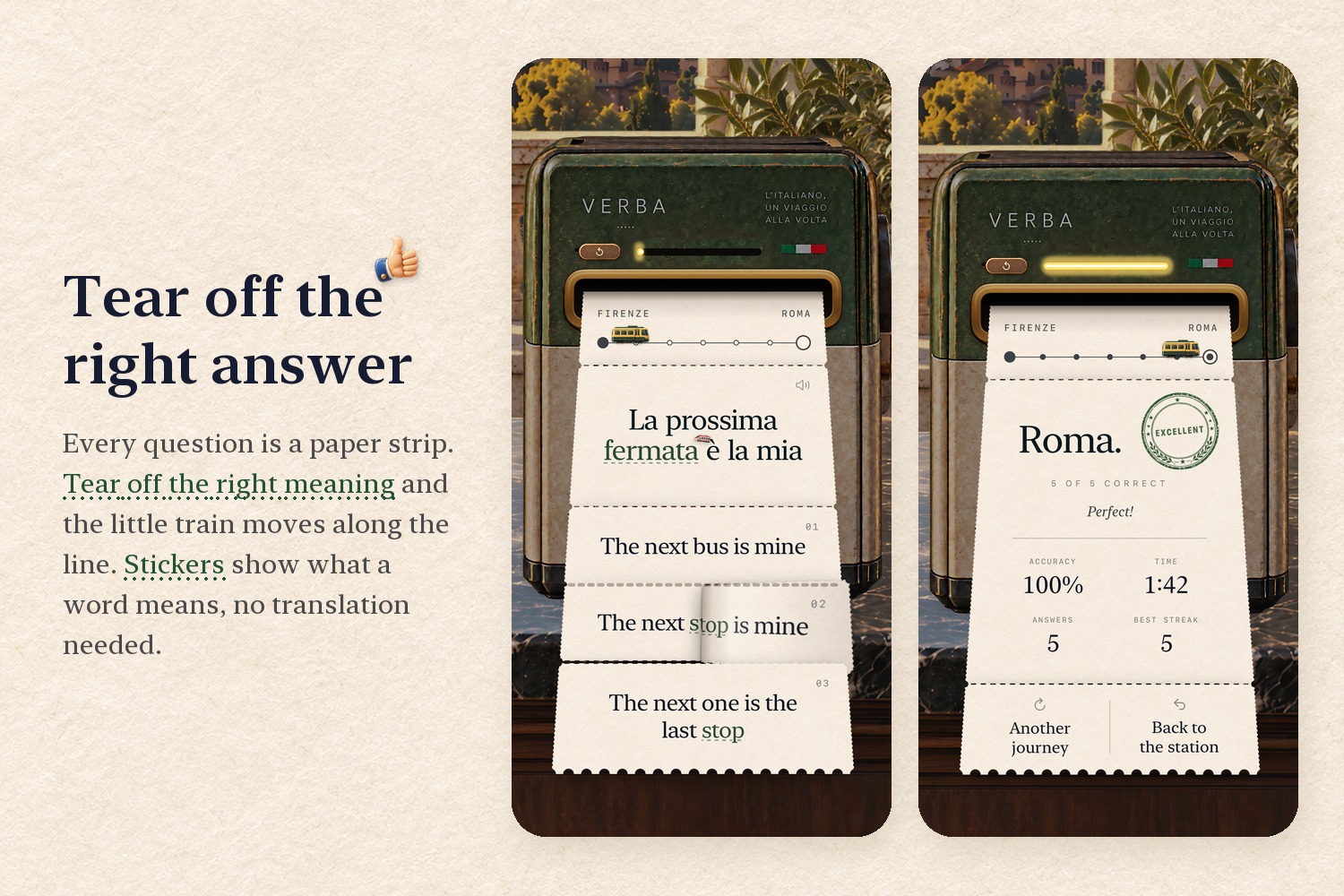
Every question is a paper strip: tear off the right meaning and your train moves along the line to the stamp.
-
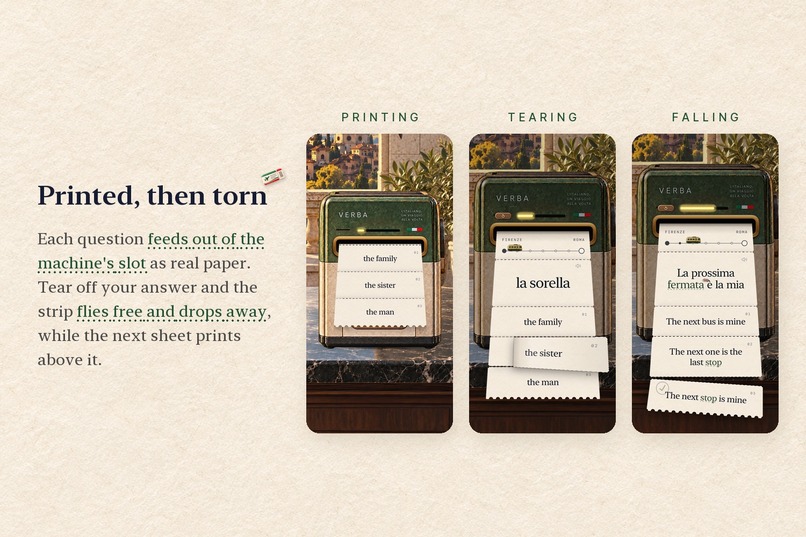
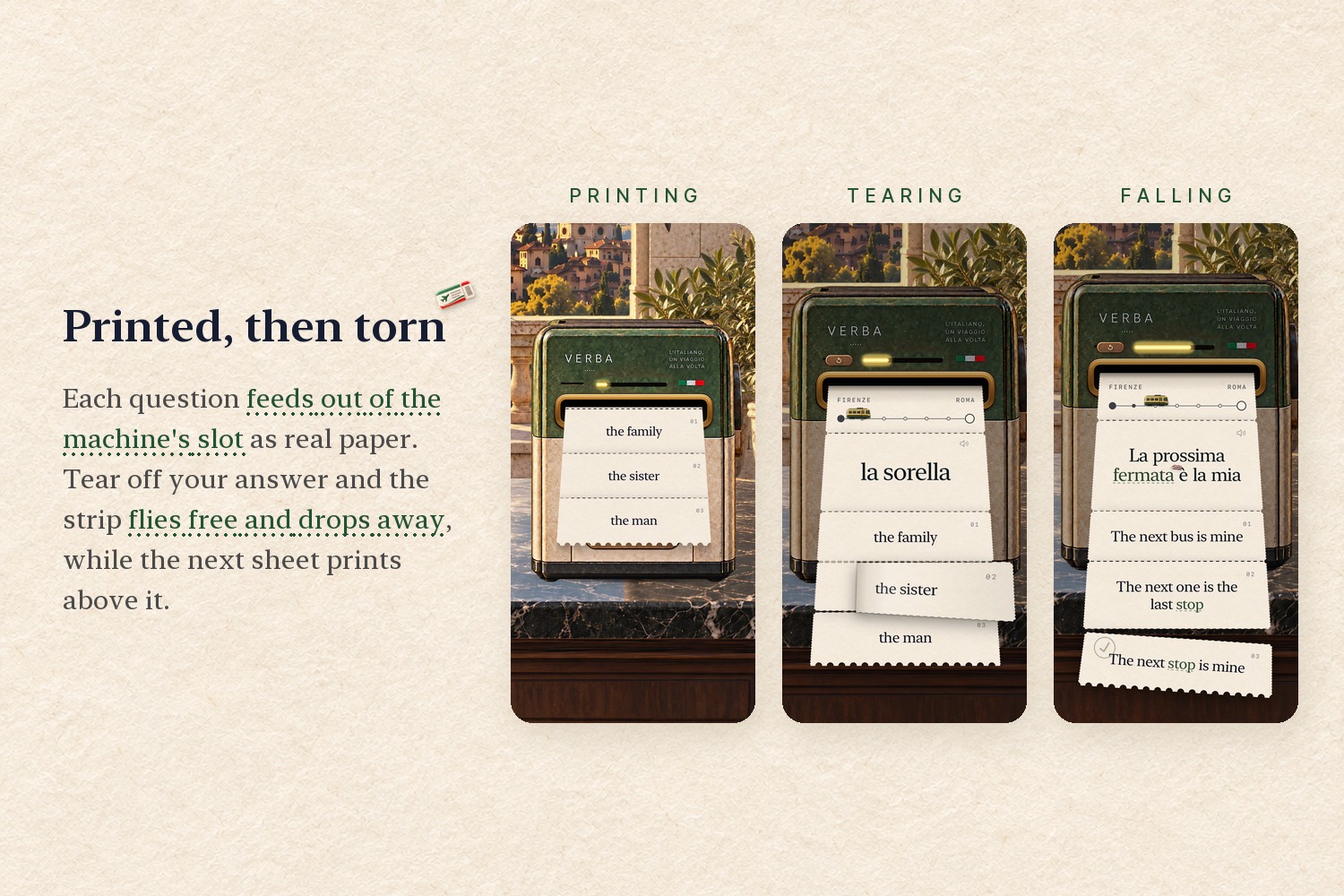
Each question feeds out of the machine's slot as real paper, and the strip you tear off flies free and drops away.
-
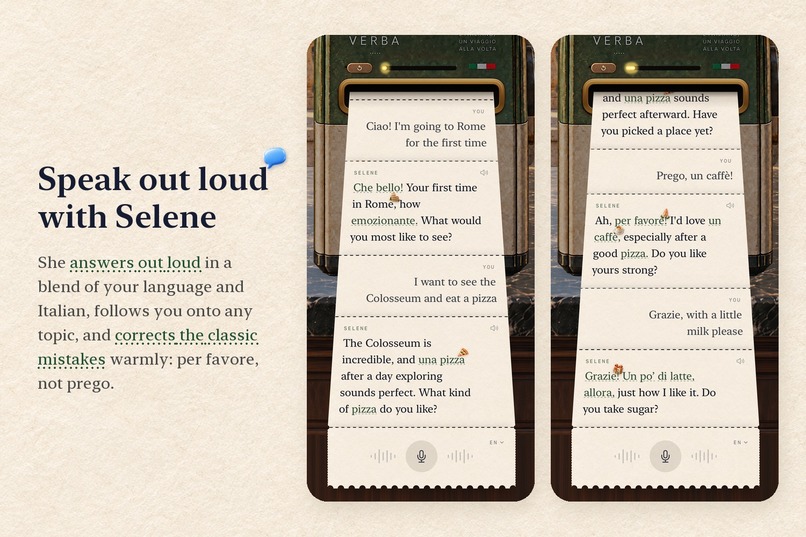
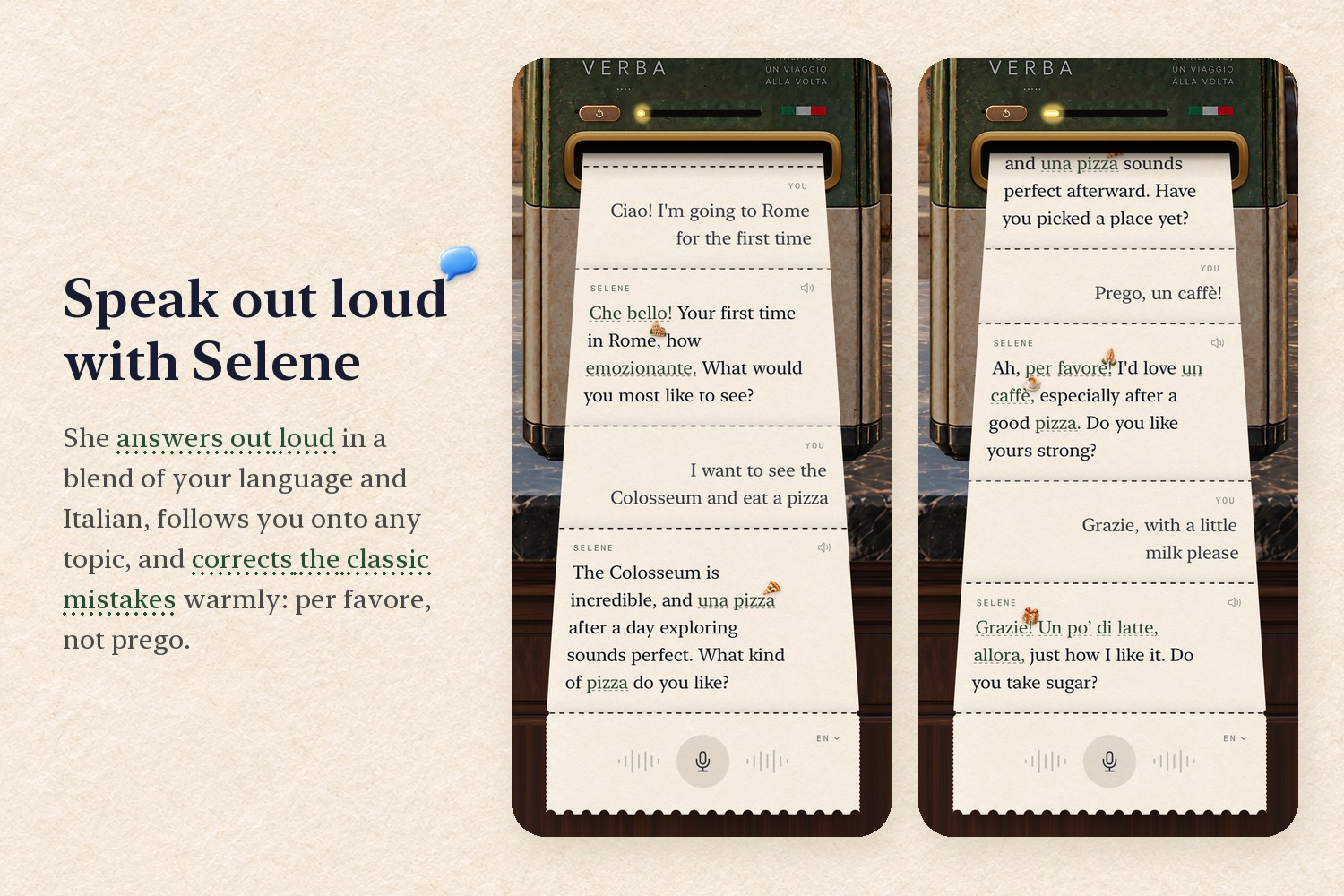
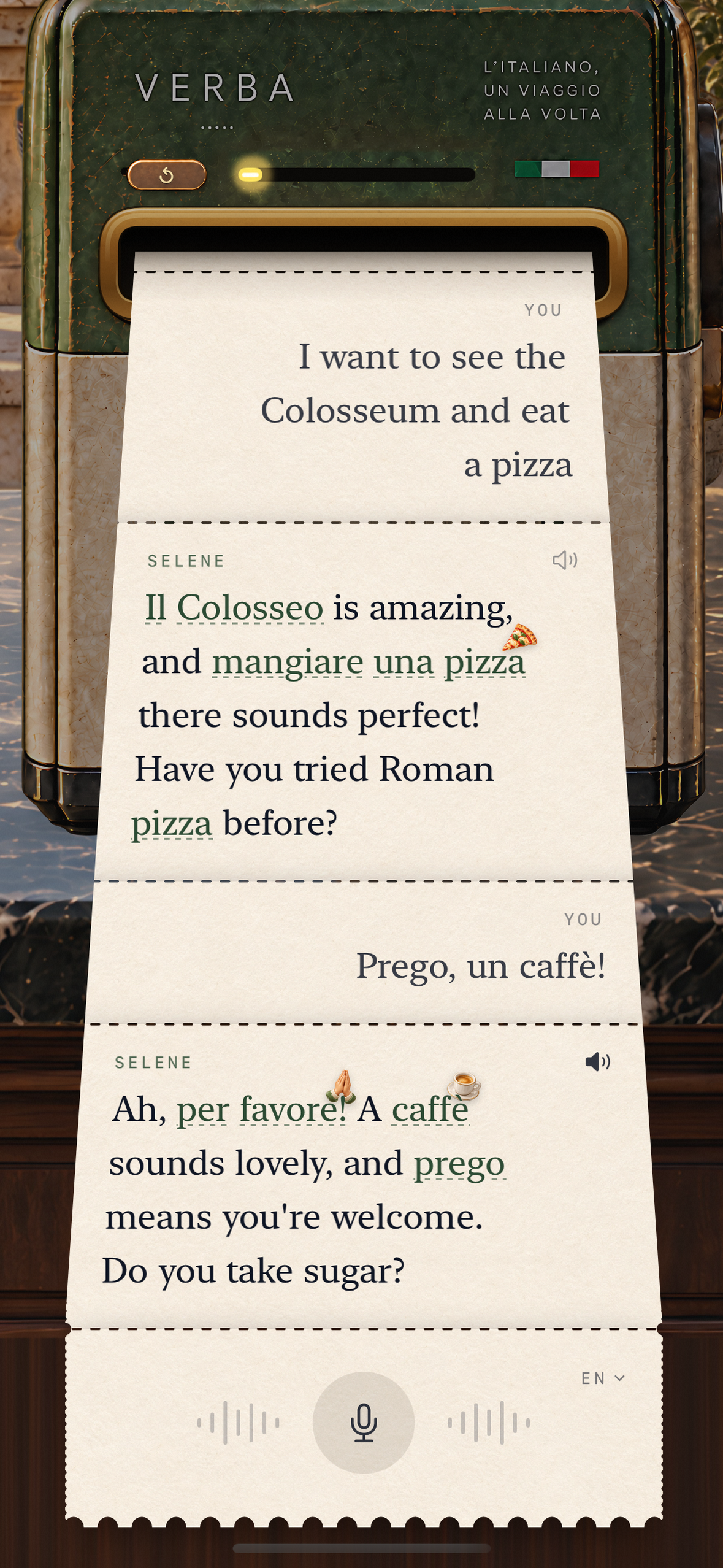
Talk out loud with Selene, an AI companion who blends your language with Italian and corrects mistakes warmly.
-
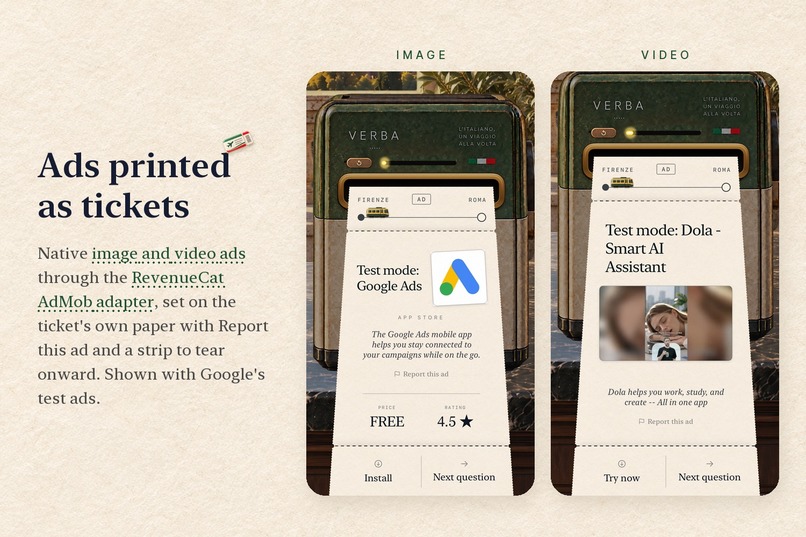
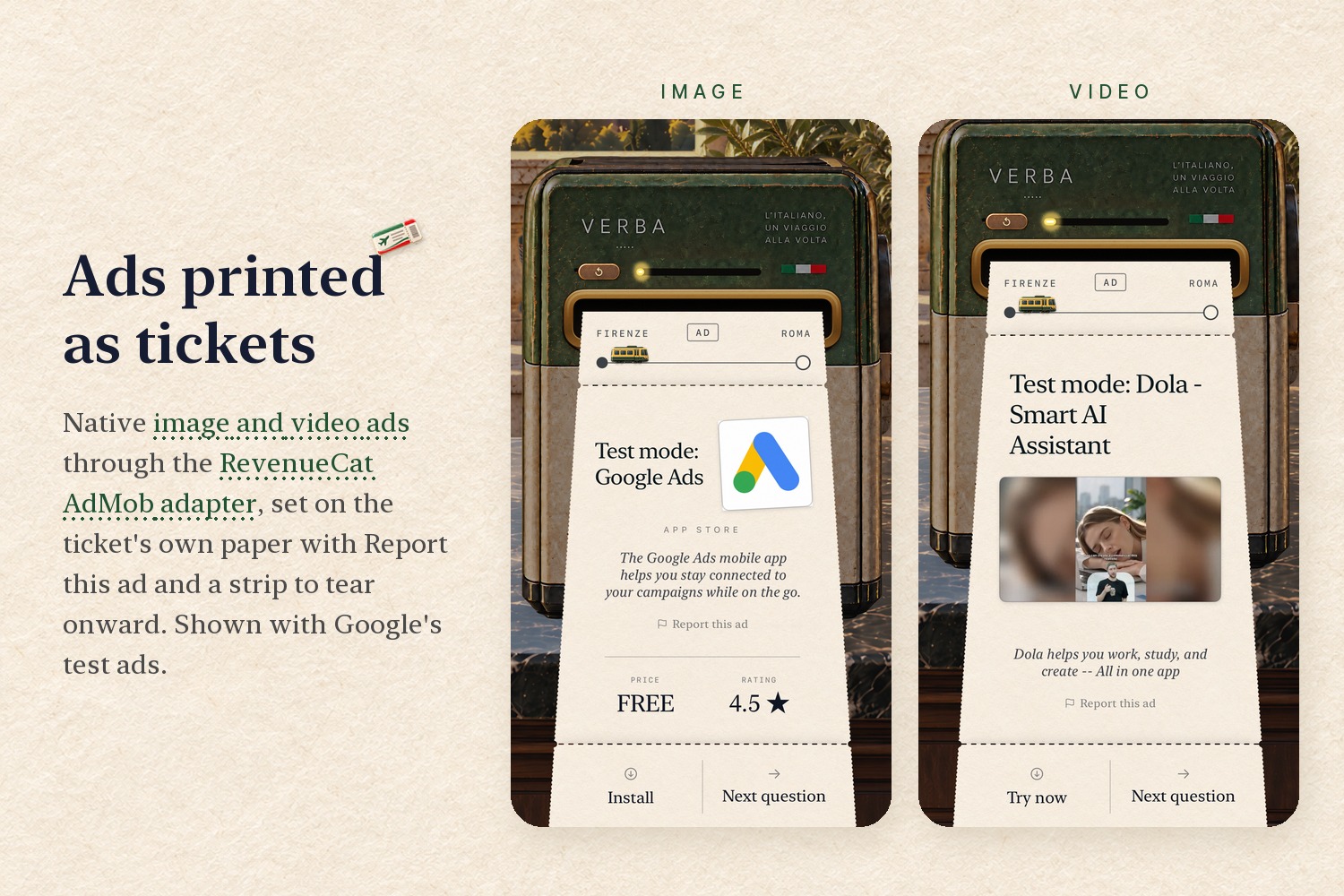
Native image and video ads through the RevenueCat AdMob adapter, printed on the ticket's own paper. Test ads shown.
-
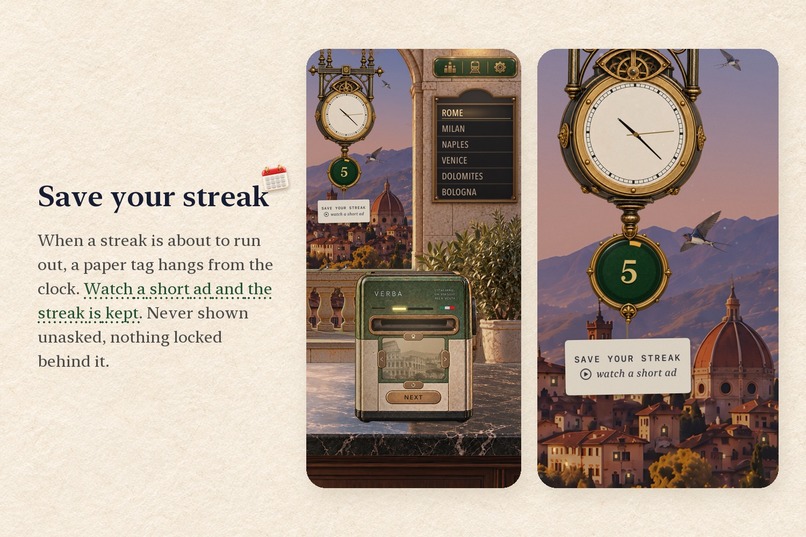
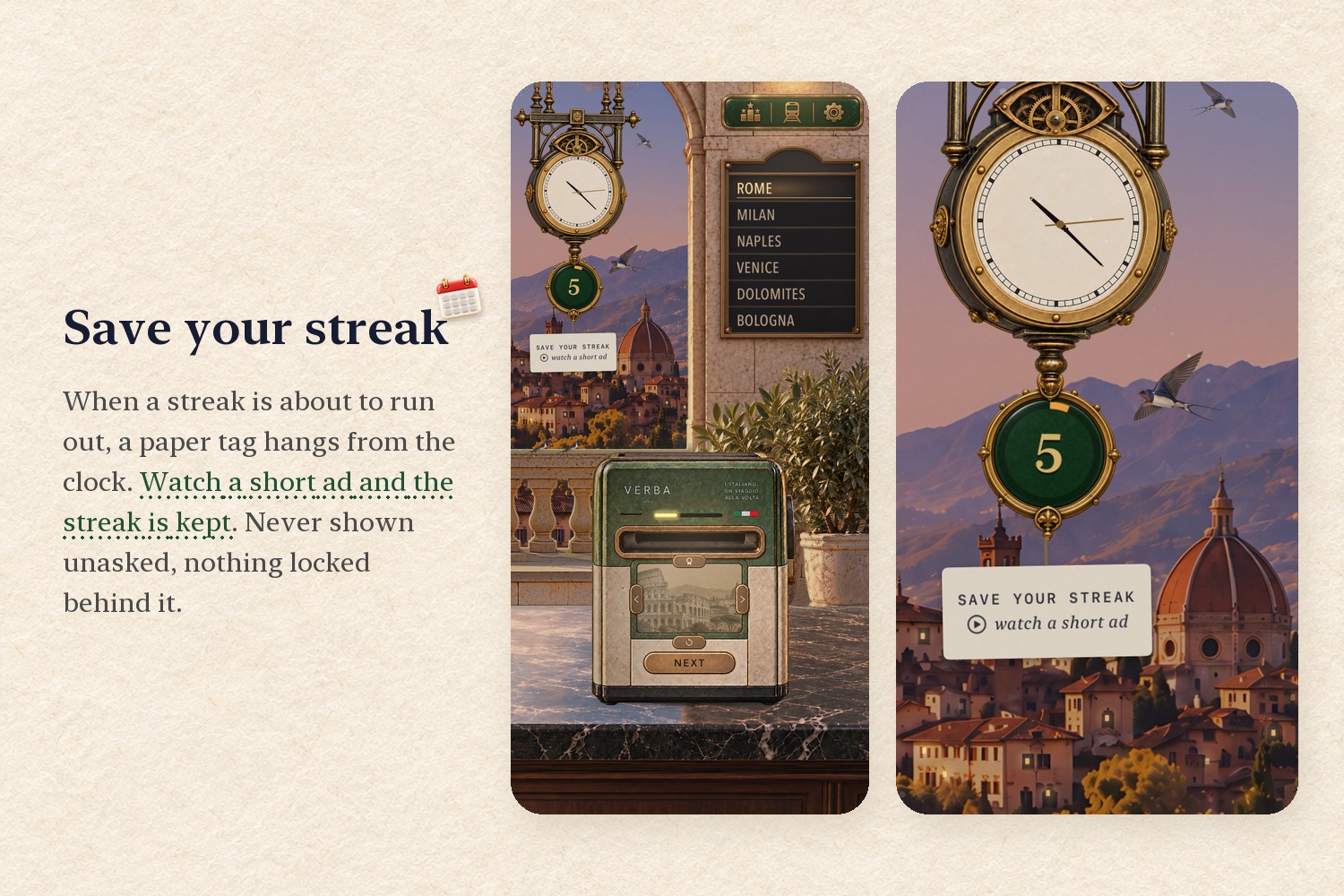
When a streak is about to run out, a tag hangs from the clock: watch a short rewarded ad and the streak is kept.
-
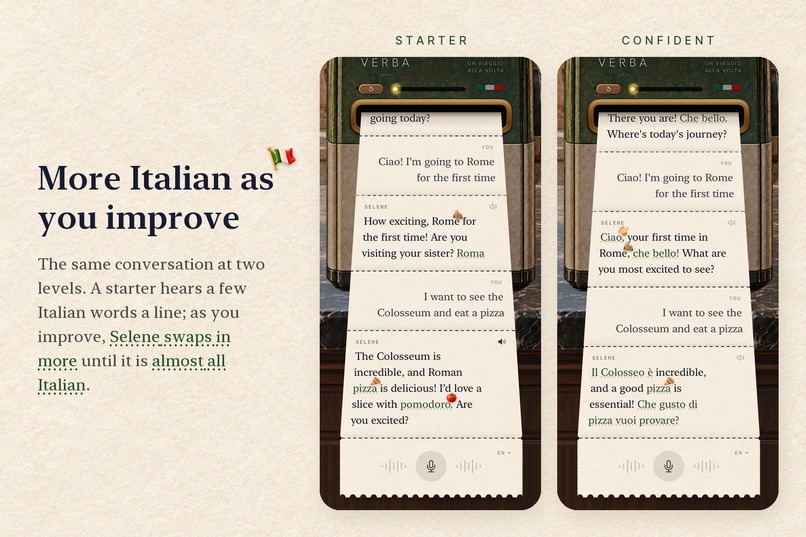
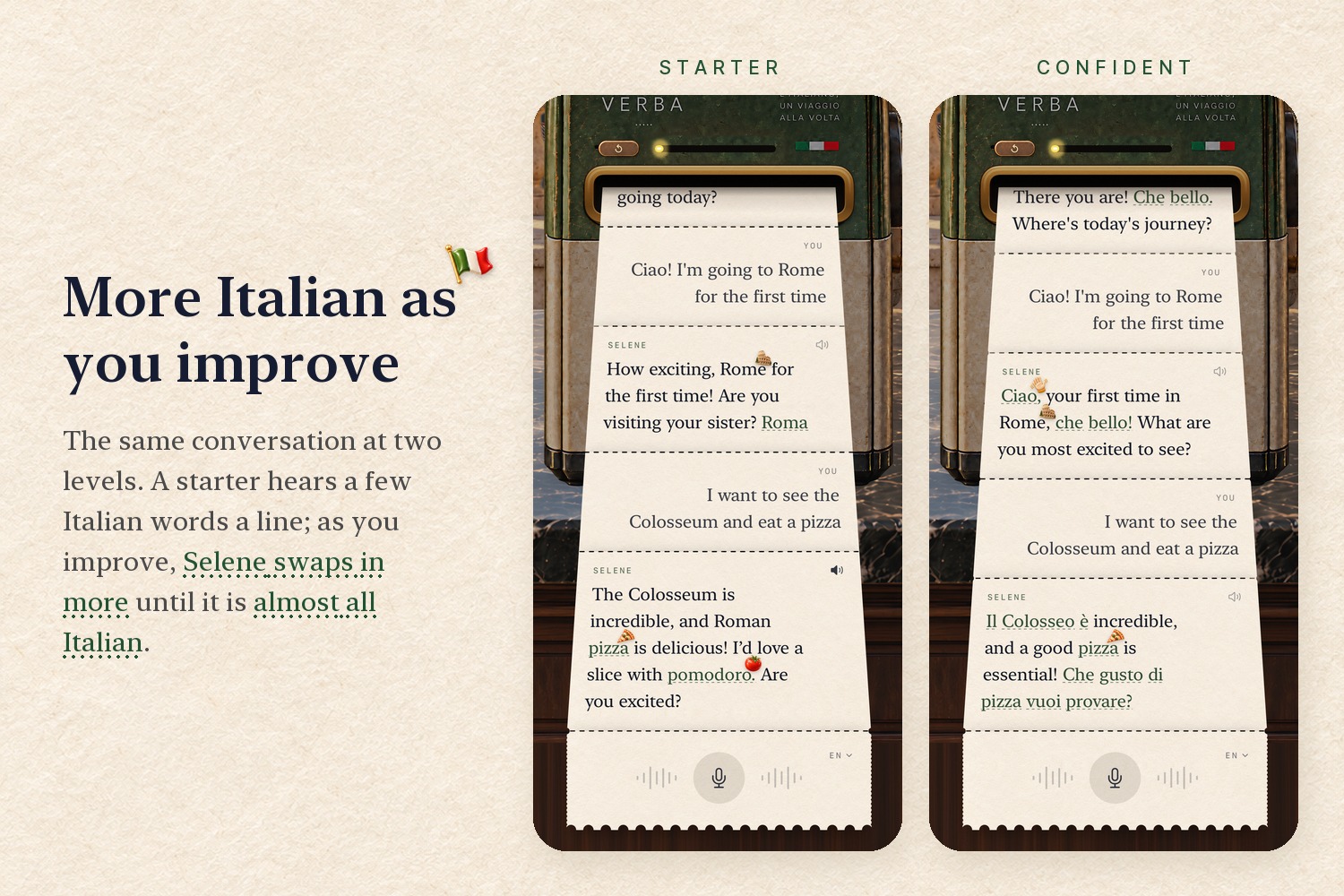
The same chat at two levels: a starter hears a few Italian words, and as you improve Selene swaps in more.
-
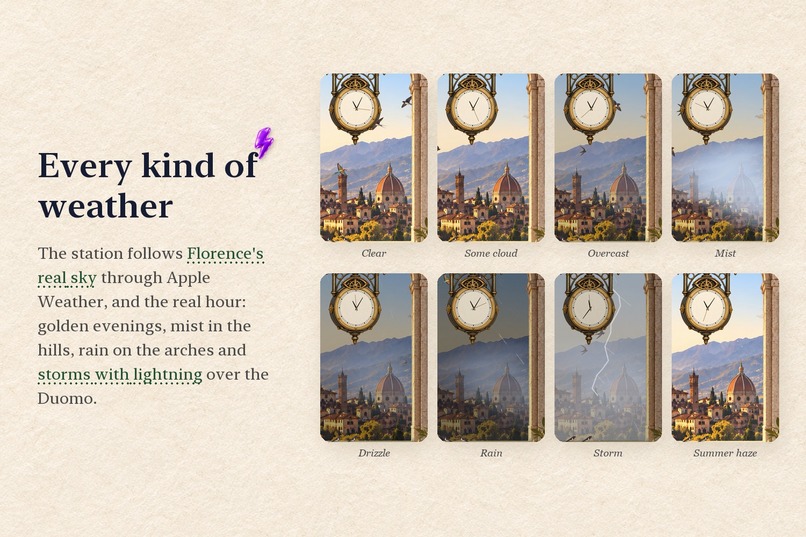
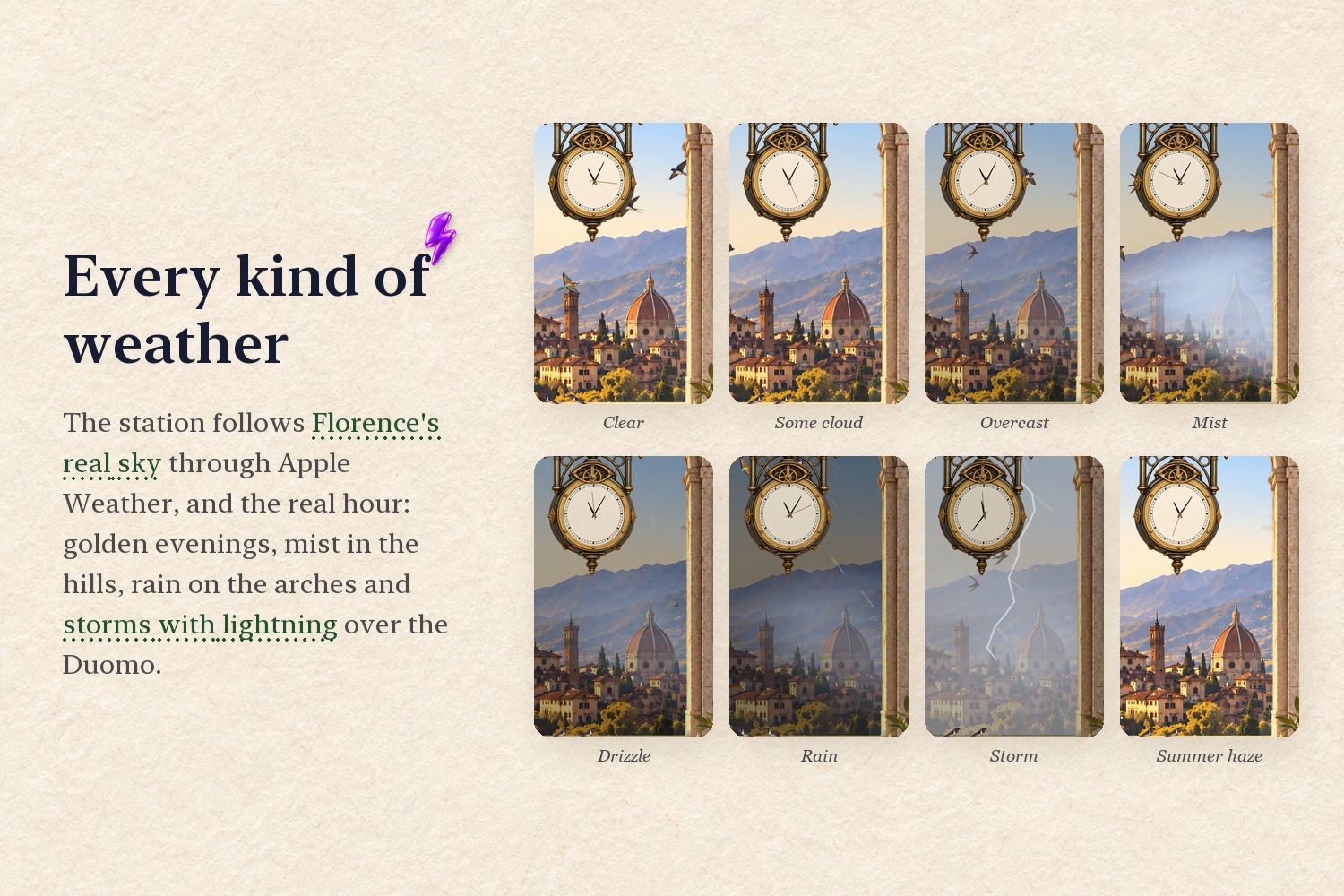
The station follows Florence's real time and weather: mist, rain, summer haze and storms over the Duomo.
-
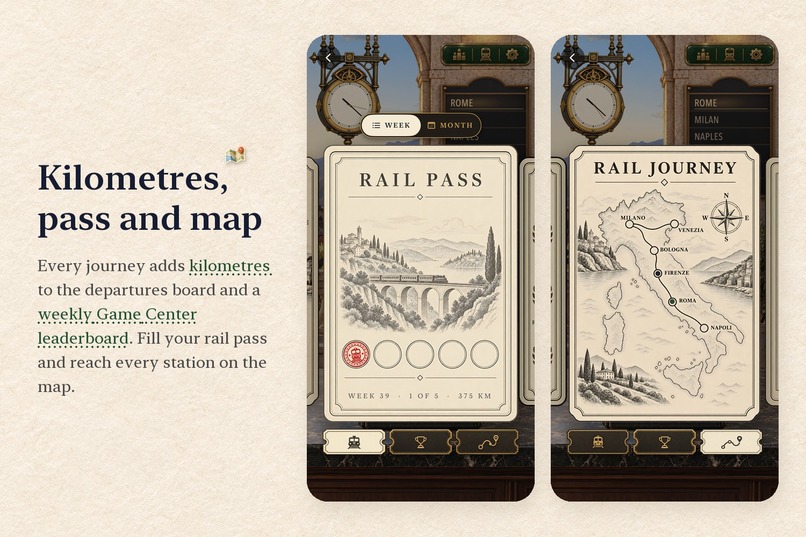
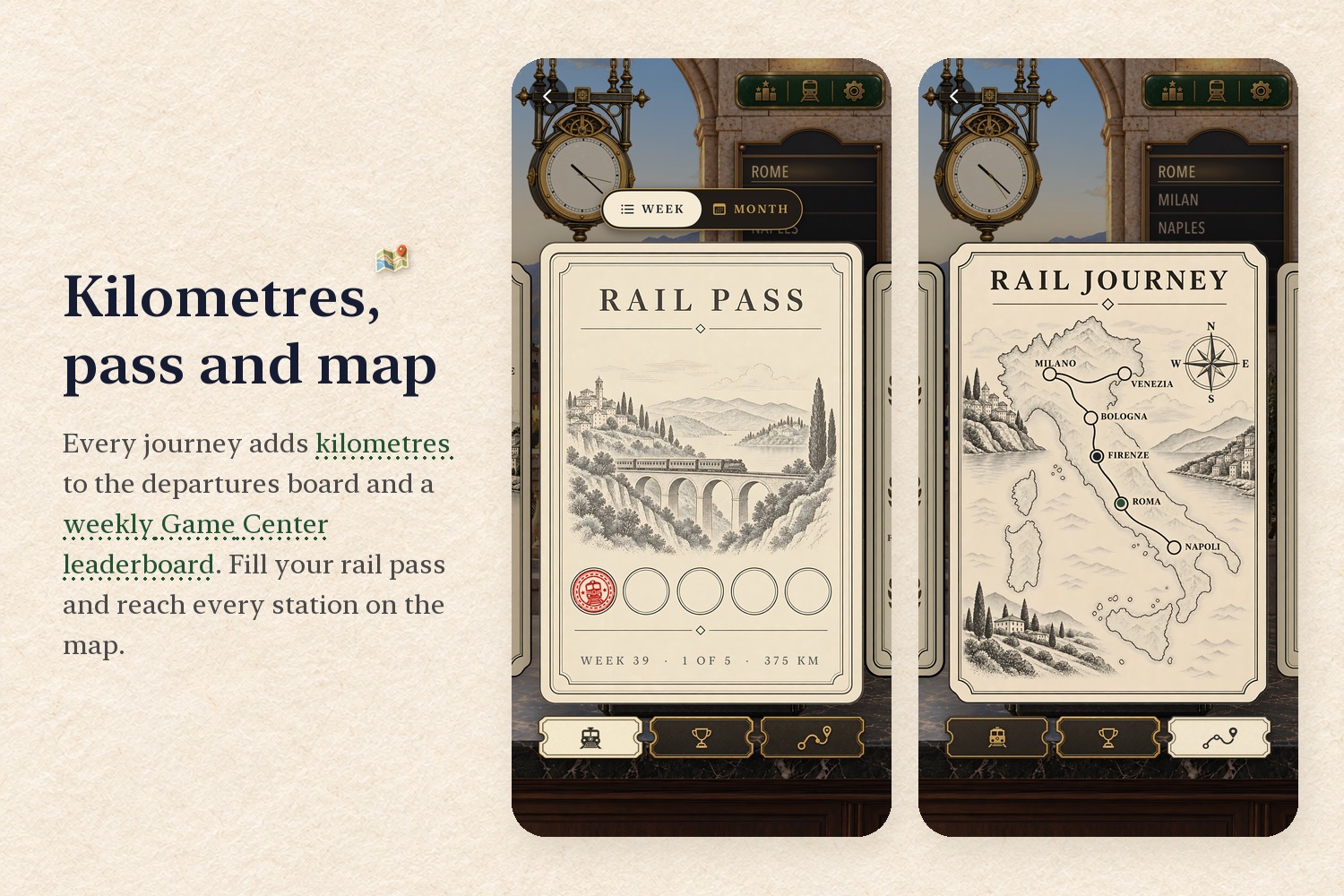
Every journey adds kilometres to the departures board and a weekly Game Center leaderboard. Fill your rail pass.
-
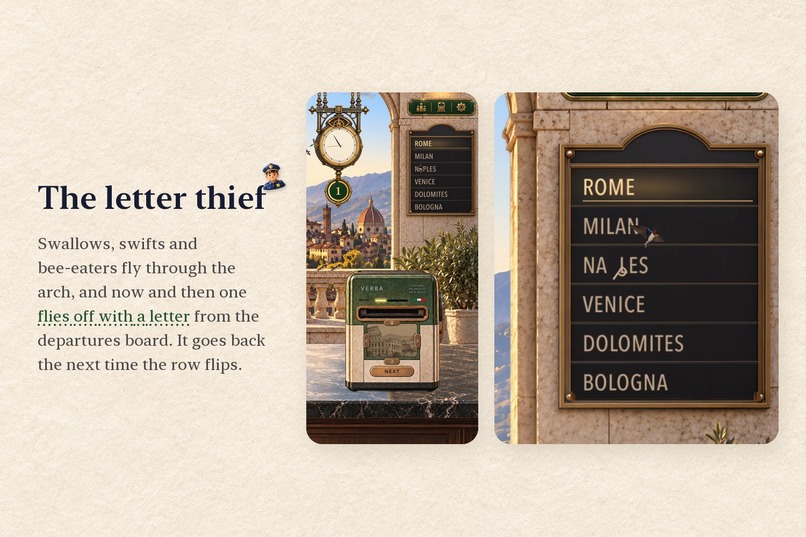
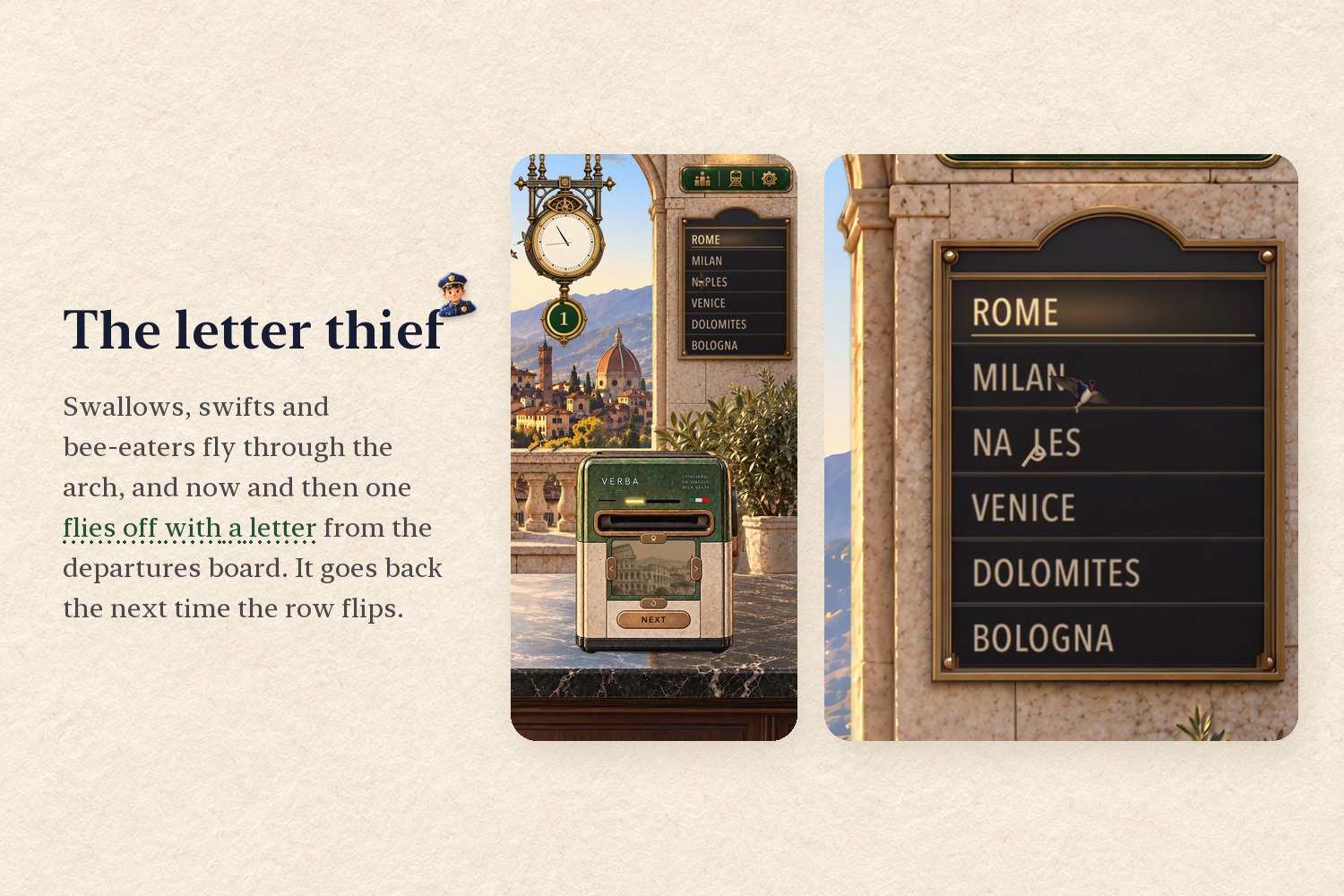
Swallows, swifts and bee-eaters fly through the arch, and now and then one steals a letter from the departures board.
-
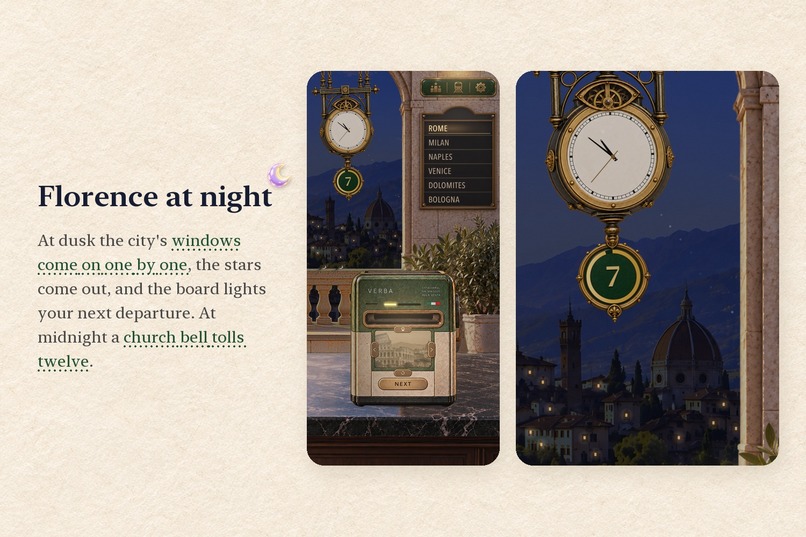
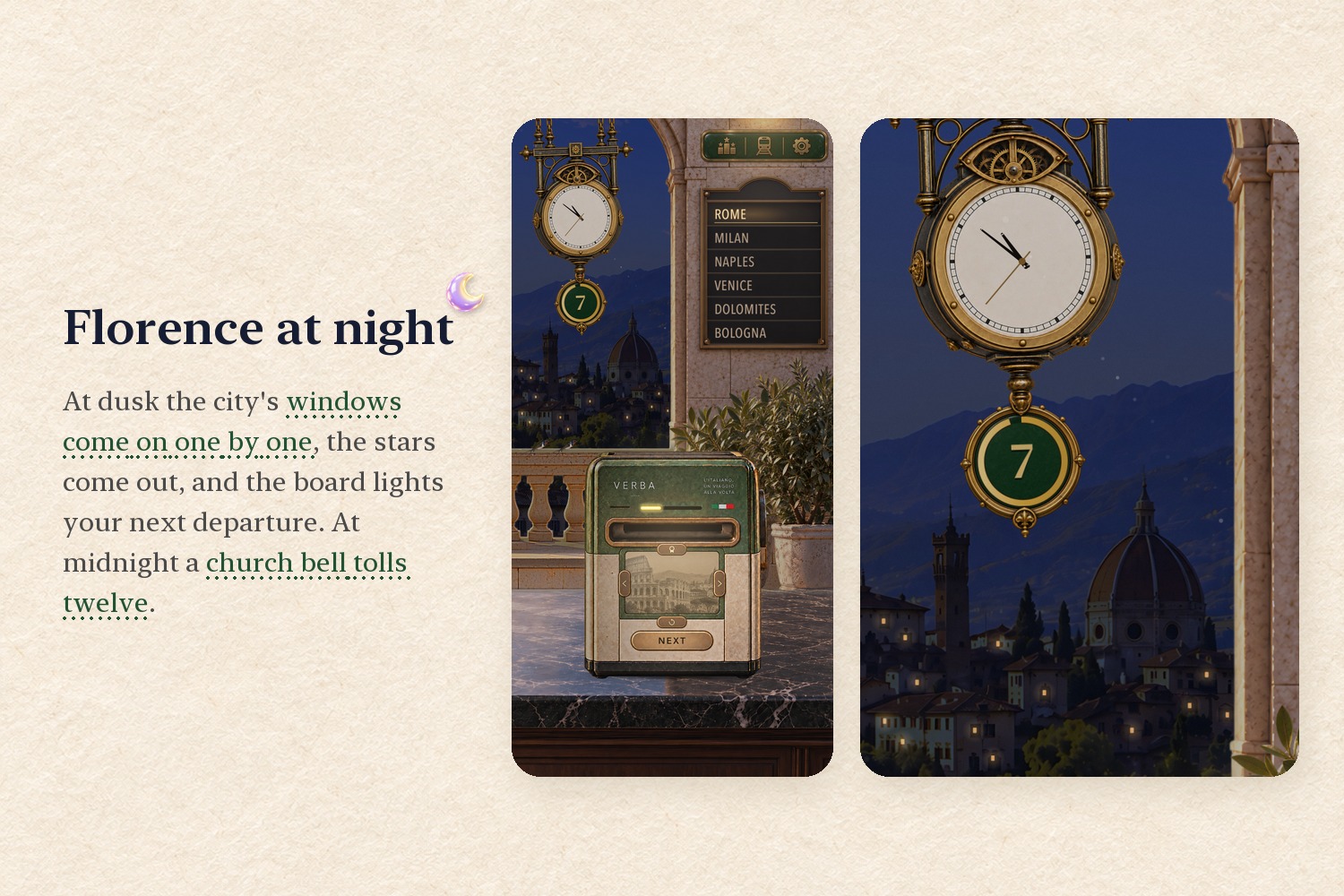
At dusk Florence's windows light one by one and the stars come out. At midnight, a church bell tolls twelve.
-
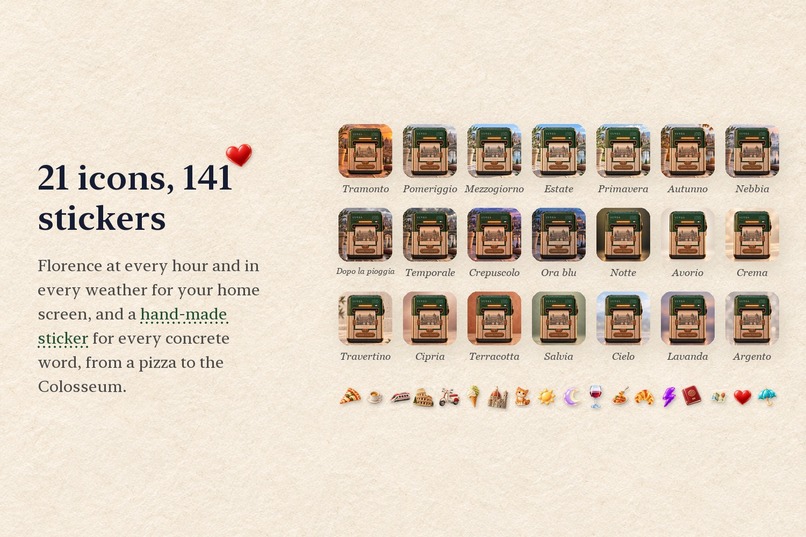
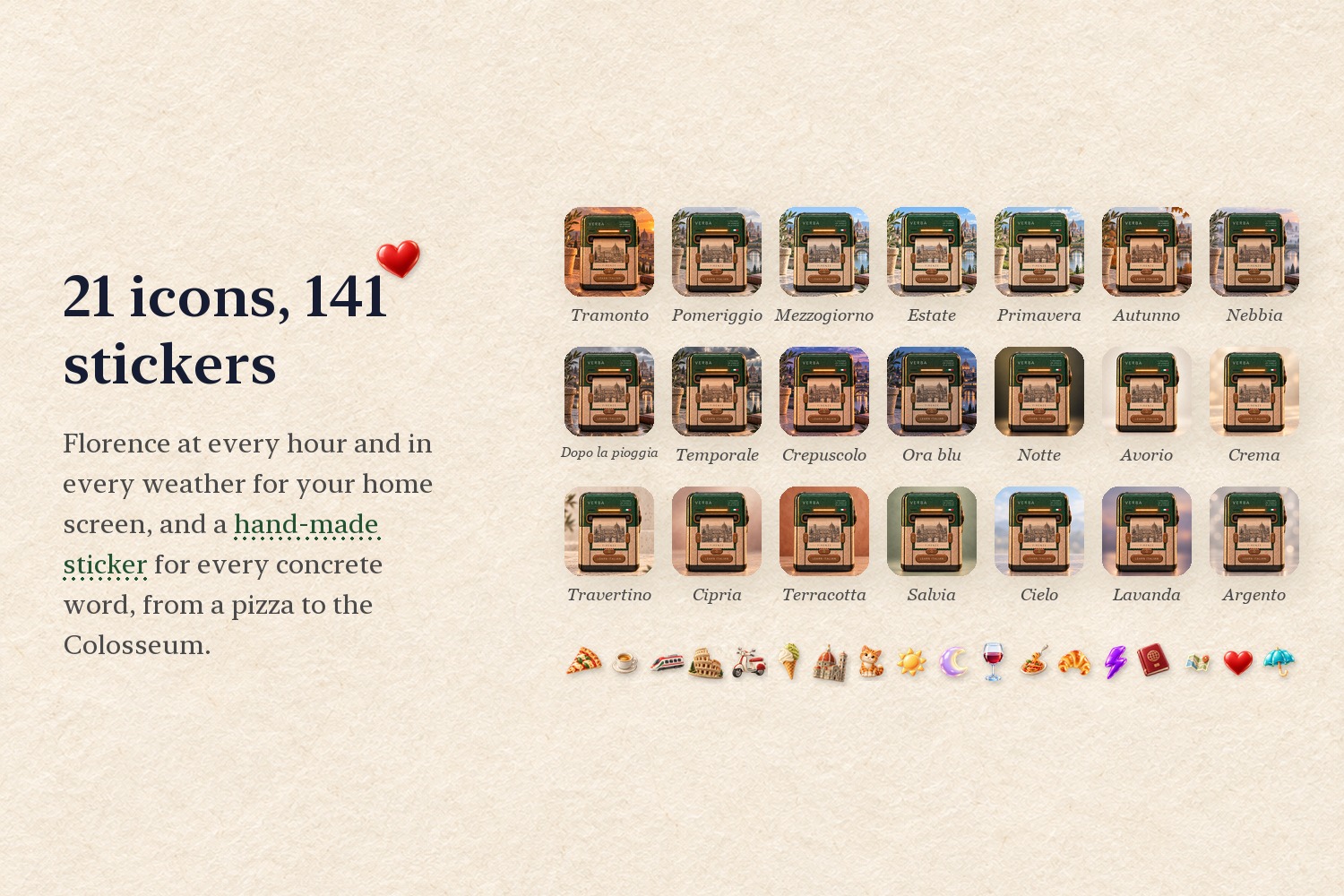
21 app icons of Florence at every hour and weather, and 141 hand-made stickers that show what a word means.
-
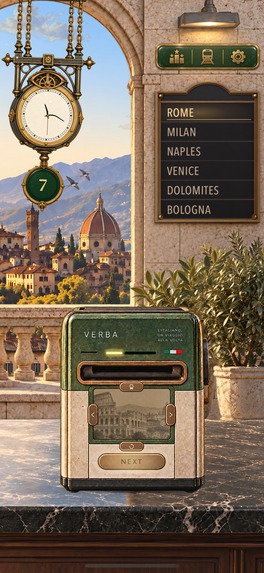
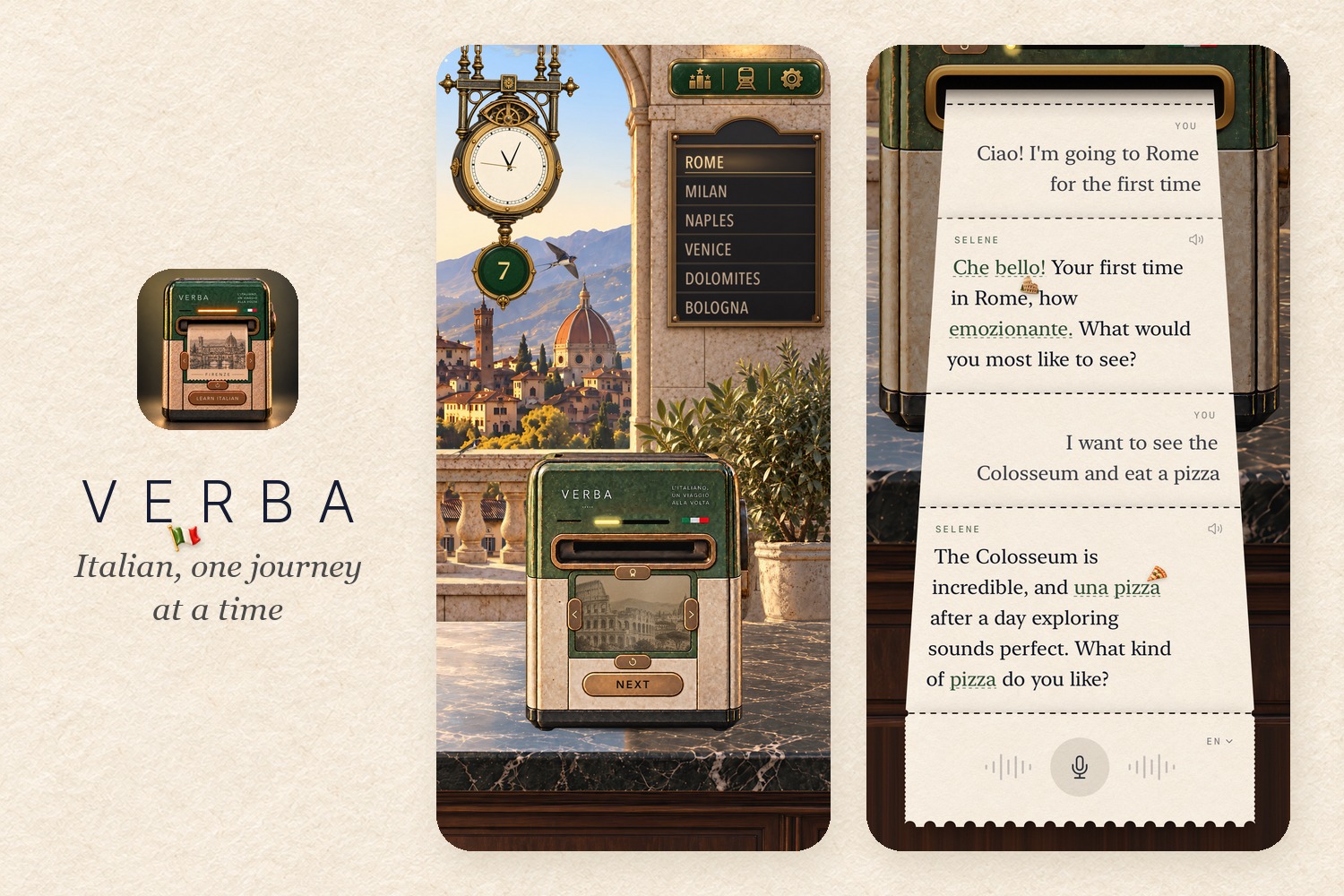
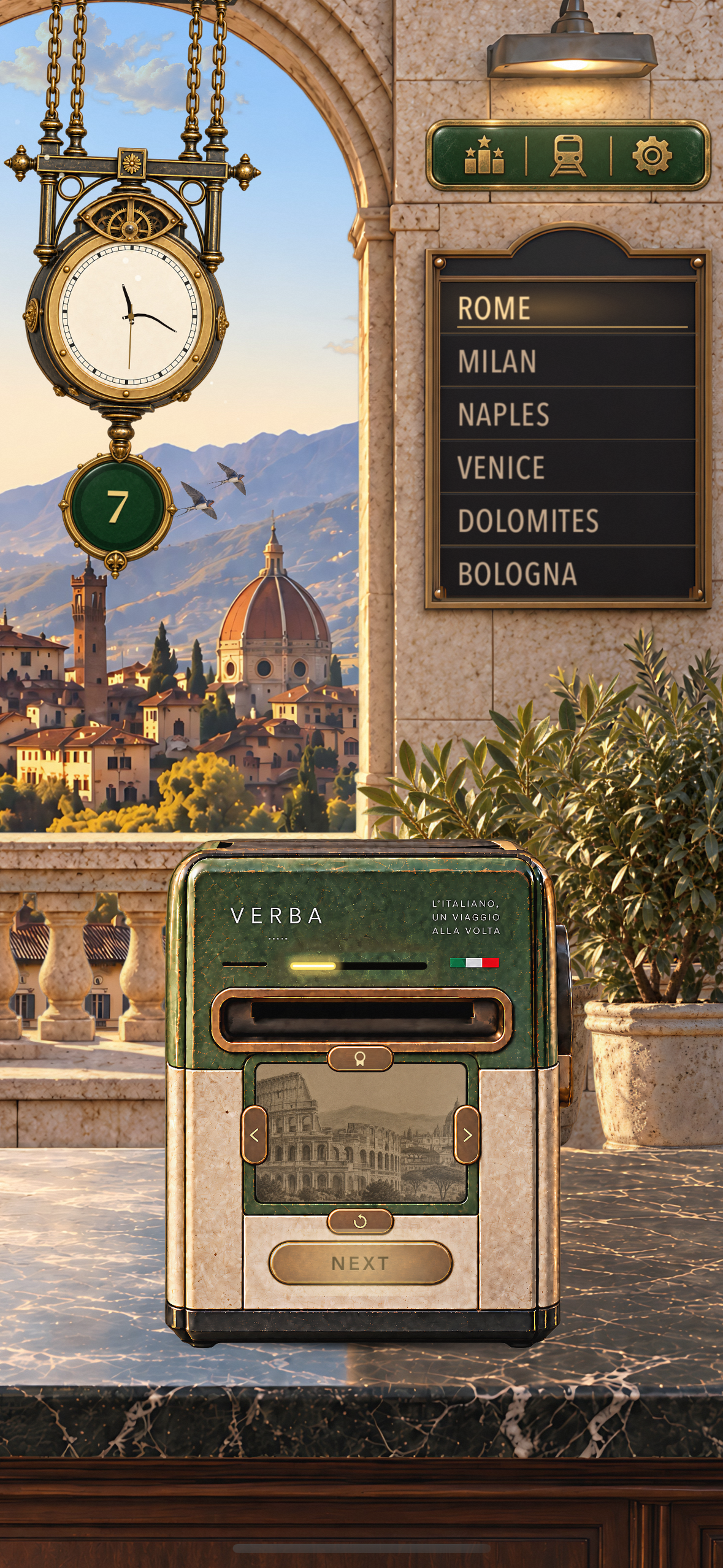
The station in Florence, with a 7-day streak hanging from the clock and the ticket machine ready to print.
-
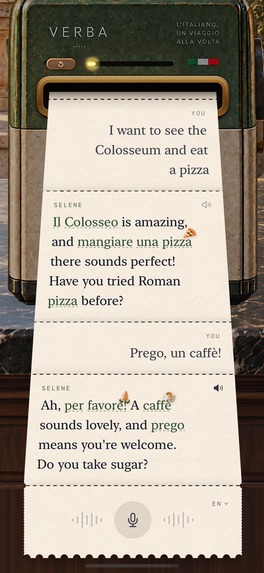
A conversation with Selene about a first trip to Rome, and her gentle fix: "per favore", not "prego".
-
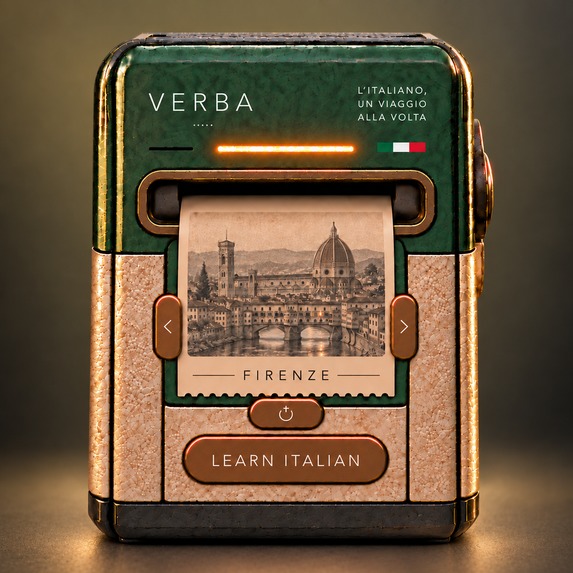
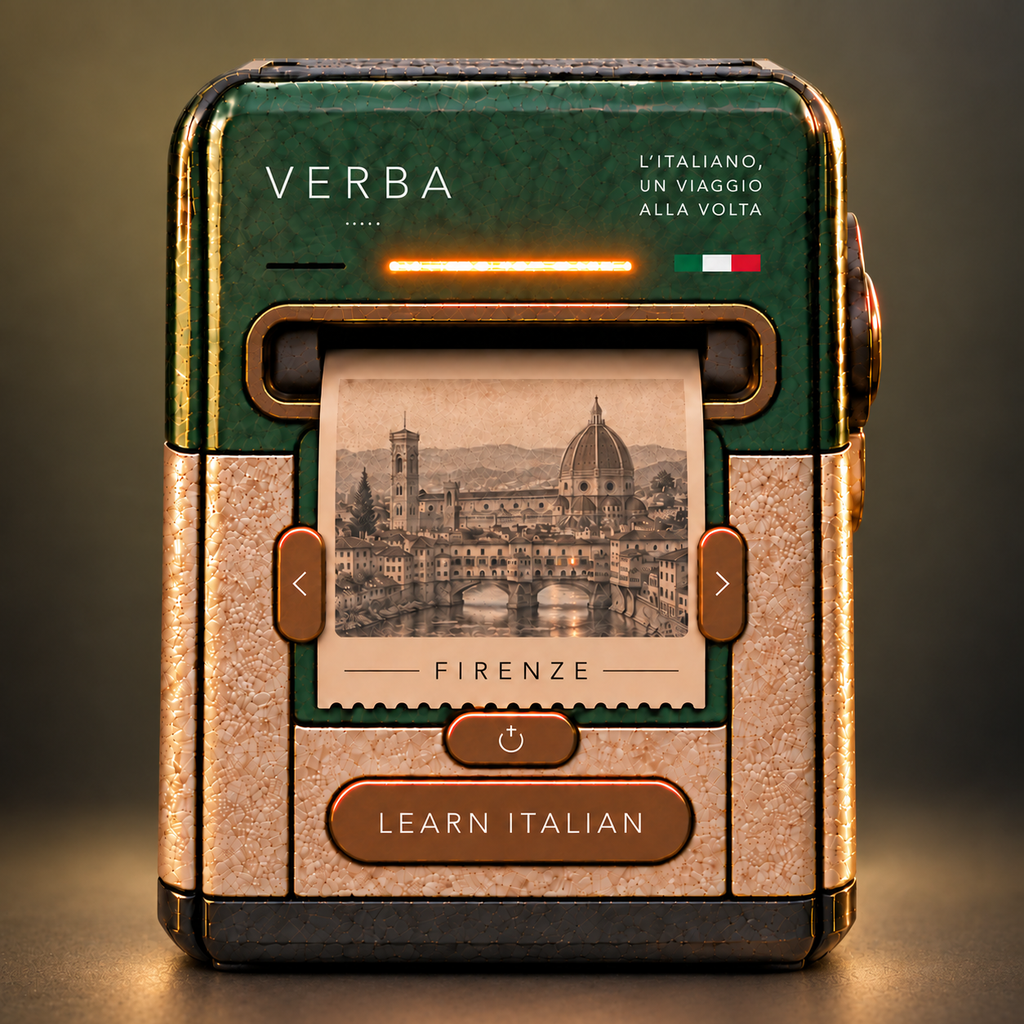
Verba's app icon: the station's ticket machine, printing a journey out of Florence.
Inspiration
Our daughter is 8 and half Italian. We want her to grow up speaking Italian, and we wanted to learn properly with her.
The problem was that most language apps we tried were very good at getting us to tap the right answer, but not very good at getting us to actually speak. I've used the popular apps before and it always felt more of a tick-box exercise rather than learning and individual words/images didn't really work for me so I tried the blended model.
The idea is simple: take a short train journey through Italy, learn useful Italian on the way, then actually use it in conversation. The way the blended model works is that over time as you get better Selene (the AI) starts stripping out English words (or whatever language) and goes Italian, e.g. choosing basic Italian you might just get 10% Italian words with Selene but as you get better that could go from 10/90% to 90/10% in Italian.
Selene, the AI companion in the app, is named after my daughter.
What it does
Verba is set inside a train station in Florence. The station follows the real time and weather in Florence, and lessons are printed from a ticket machine. The station has lots of fun stuff, sounds, easter eggs (slinky-clock), lightning, weather storms, different types of birds that steal letters from the departure board, and much more.
- Questions are physical tickets. Each answer is printed as a paper strip. Tear off the right one and your train moves further along the route. Verba keeps track of phrases you struggle with and brings them back later. Missed questions can also become a return journey.
- A station that's alive. At midnight in Florence a church bell tolls twelve and a tower window lights with each stroke. Tap the window and the birds scatter; shake the phone and the clock swings; tilt it and the room shifts while the clock keeps hanging straight. Trains rattle the departures board, thunder follows the lightning, rain leaves the floor wet, and at dusk the city's windows come on one by one. There are also 11 app icons of Florence at different hours and weather.
- You actually speak Italian. Selene lives on the same ticket machine. You can speak naturally in English, Spanish, French, German, Portuguese or Italian. She replies out loud using a mix of your language and Italian, depending on your level. You can talk about the lesson or completely ignore it and talk about football, food, your day or whatever else you want.
- Progress is part of the station. Your streak hangs from the station clock, kilometres travelled appear on the departures board, there are weekly Game Center leaderboards, and your rail pass and map fill up as you travel.
- Stickers instead of translations. 141 hand-made stickers sit on Italian words the first times you meet them (a pizza, a Vespa, the Colosseum), so you see what a word means without reading the English. Once you've met a word on eight journeys, its sticker retires.
There is no account required and the app is free.
Ads are the only revenue model, but I didn't want normal mobile ad placements stuck over the UI. Instead, ads are part of the station itself. A sponsored ad can print as a ticket, and a rewarded ad can be used to save a streak. Every so often a printed ad will come out of the machine (never invasive), so images & videos come out of the machine and feel very natural!
How I built it
The iOS app is built in SwiftUI.
A lot of the interface looks illustrated, but the interactive parts are real SwiftUI views layered over the artwork. That means tickets, text, answers and animations stay sharp and can change dynamically without needing a new image for every state.
Every sound in the station is generated in code rather than recorded: the printer's motor and paper feed, the clatter of the board, trains passing, thunder, wind, swallows and the station chime. There isn't a single audio file in the app.
Selene runs through a small Next.js API on Vercel. Our OpenAI key and system rules stay on the server.
When you speak, OpenAI transcription handles the audio, including sentences where someone switches between English and Italian halfway through. An OpenAI model generates Selene's response, and text-to-speech speaks it back.
Nothing is sent until the learner says OK to Selene going online, and our server doesn't store the conversation.
Longer-term memory is deliberately small. The app extracts a few useful notes locally using Apple's on-device model and stores those in the learner's iCloud.
I also use RevenueCat with AdMob for the sponsored tickets and rewarded streak saver, Game Center for leaderboards, WeatherKit for Florence's weather, and iCloud for progress across devices.
Challenges I ran into
Mixed-language speech was harder than expected. Someone learning Italian rarely speaks a perfect sentence entirely in Italian. They'll say something in English, try the Italian phrase, then switch back again. Apple's local speech recognition wasn't reliable enough for that, so I moved transcription online. I built it and at times Apple's local speech wouldn't even pick up what I was saying, and I put a lot of time trying to get this right (ideally I would have liked to submit earlier!)
Making Selene useful without making her annoying. I didn't want an AI tutor that praises absolutely everything or turns every mistake into a lesson. Her instructions are designed to keep the conversation moving, correct things when useful, and keep responses short. And of course, safe, so I've done my best to make sure everything stays PG and focuses on learning.
Performance. The station has weather, lighting, birds, moving objects and several animated layers. Profiling on a real iPhone showed I was wasting CPU rendering the room while somebody was having a conversation. I now pause most of that work while a ticket is open, which reduced CPU usage during conversations by around 28%. I do want to look at bringing this down even more but RealityKit is being used and it's good but heavy, and I just didn't have time to refactor.
Making digital paper feel physical. The ticket printer ended up taking far more work than expected. Printing, bending, tearing and dropping the paper all looked wrong very quickly if the timing was slightly off. I ended up recording and adjusting the animation frame by frame until it felt right. I still think there is work to do here, but I'm happy with it for now!
What I learned
The biggest thing was that knowing the answer and being able to say it are completely different skills.
I also found that the details people barely notice individually make a big difference together. The ticket stamp, the moving station clock, the departures board, the weather outside and even the swallow that occasionally steals a letter all help make the app feel like a place rather than another quiz screen.
What's next
More routes and destinations across Italy and tuning the speech and making it faster to respond. It's very much location inspired at the minute and I do want to keep it that way, but I want to add smaller cities so there's more room for engagement and a loop to come back into the app daily.
Built With
- admob
- game-center
- icloud
- ios
- next.js
- openai
- realitykit
- revenuecat
- swift
- swiftui
- typescript
- vercel
- weatherkit

Log in or sign up for Devpost to join the conversation.