-
-
Cover photo
-
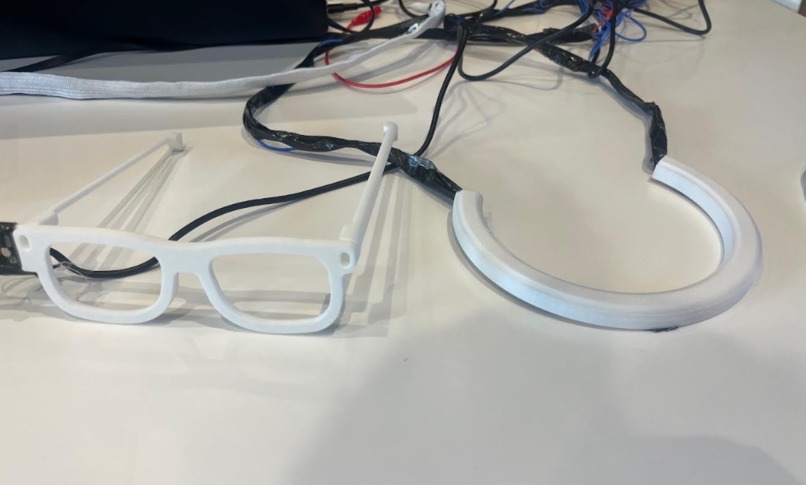
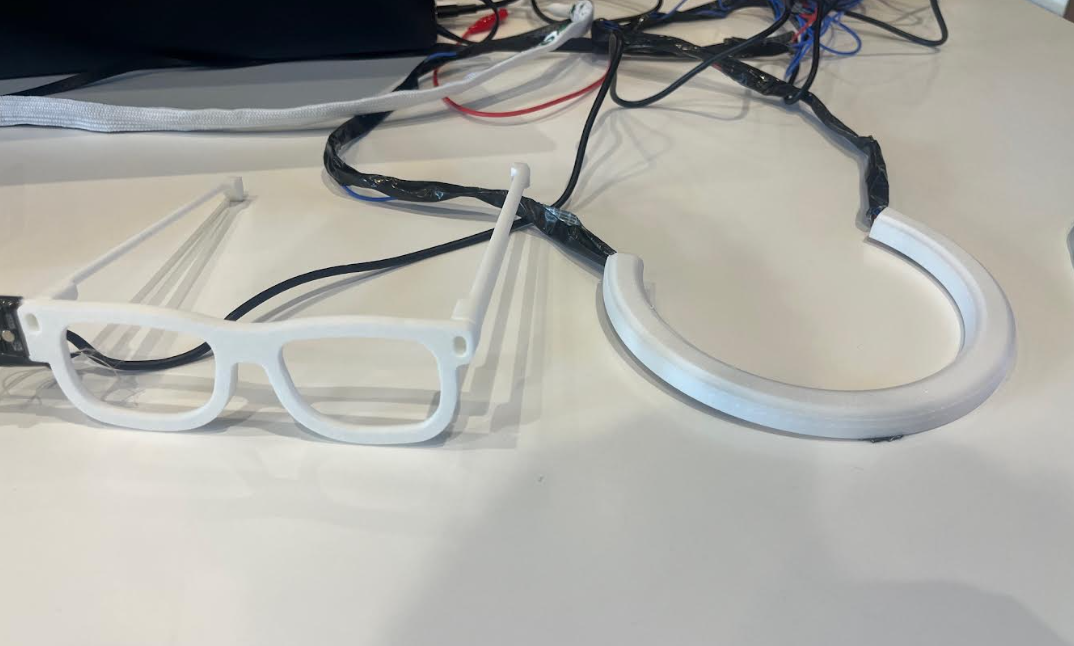
Vera Glasses & Necklace
-
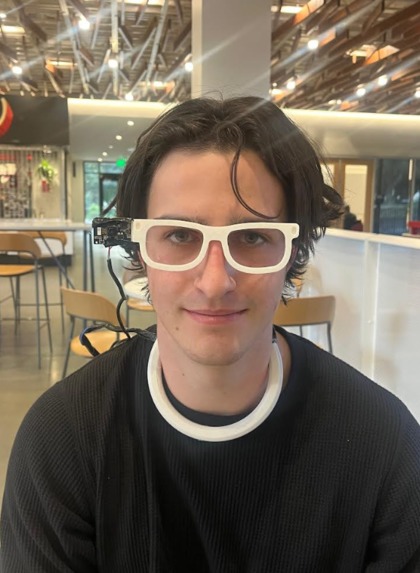
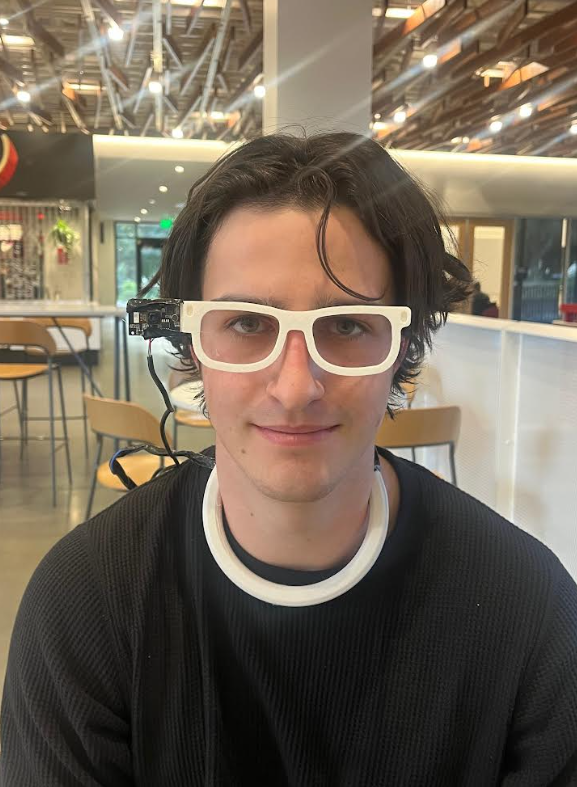
User with Vera
Problem
People with impaired vision struggle with independent daily living because today’s tools do not give support for understanding their surroundings, recognizing people and objects, reading text, and avoiding collisions in dynamic environments. As a result, everyday tasks like moving through crowded spaces, shopping, taking medications safely, and recognizing acquaintances become stressful and dependent on sighted assistance. Existing aids like white canes, basic screen readers, and single‑purpose apps either provide only partial information (obstacle detection without context), require manual interaction that breaks flow (stopping to use a phone app), or lack memory and personalization over time. There is a clear need for a wearable system that can see, remember, and guide continuously using voice and haptic feedback.
Our solution
Vera is a smart wearable system that helps people with impaired vision understand their surroundings, recognize people and objects, read text, and navigate safely using live AI processing and feedback. It has two main parts:
Smart glasses
- Live environmental understanding by capturing video and audio, processing them with cloud AI, then giving spoken guidance to any questions the user might have, including scene descriptions, text reading, medication information, barcode scanning, expiration dates, and any web or deep research searches powered by Perplexity.
- Voice-activated assistance allows users to ask questions naturally using wake word detection ("Hey Vera") and receive spoken answers.
- Memory and personalization through remembering registered faces, tracking daily encounters, maintaining conversation context for follow-ups, and providing context-aware responses across sessions.
Vibrating necklace
- Collision Prevention in a necklace with 5 vibration motors placed around the neck. The motors vibrate in the direction where the obstacle is located to tell the user which way to turn. The vibrations also get stronger as the object gets closer, indicating a higher collision risk.
How we built it
- Software: On the backend, we use OpenAI's GPT-4o-mini vision model for scene description, text reading, and object recognition, with Perplexity API (sonar and sonar-deep-research models) answering web queries and complex background research. YOLOv5 performs real-time object detection for obstacle avoidance and collision prevention. We built a RAG memory system using ChromaDB vector database with OpenAI text-embedding-3-small to store user interactions, face registrations, and conversation context across sessions. Our Python-based system uses a multi-threaded architecture: one thread captures webcam frames, another handles voice input via Google Speech Recognition API, and a third manages text-to-speech output through OpenAI TTS (nova voice).
- Hardware: At the beginning, we worked on breadboarding that was eventually transitioned onto computer boards. Using 5 vibration motors in the necklace connected to a raspberry pi that works in conjunction with a justin nano to run our custom architecture. The glasses hardware has a camera on it that facilitates object detection and other features. There is also an attachment for the raspberry pi and jenson nano to clip onto the waist band.
Challenges we ran into
Throughout development, we bumped into several key obstacles that actually drove our innovation further. The NVIDIA API was tough to integrate and required a lot of troubleshooting to get working properly. Hardware limitations meant we had to find creative ways to optimize performance and make the most of what we had. Getting our different code components to work together smoothly after working separately for most of the time - connecting the vision processing, voice interface, and hardware - took significant effort. However, these constraints actually helped us grow. They forced us to experiment with different solutions and build a more flexible system than we might have if everything had been ideal from the start.
Accomplishments that we're proud of
Taking on this project was extremely ambitious, building a fully functional wearable assistive system with both smart glasses and a haptic necklace in just 36 hours was an uncertain task, and at many points we weren't sure if we could integrate all the components in time. We're incredibly proud that we not only created working hardware but also implemented a voice-controlled interface that requires no technical knowledge to use. Most importantly, we spoke with visually impaired people who confirmed the critical need for this type of integrated assistive technology. Their feedback validated that the problems we're solving are real and that a system like Vera could make a genuine difference in people's lives.
What we learned
We learned how to integrate hardware components with software systems, working extensively with API integration and managing Python libraries to ensure compatibility. We got experience combining different parts of the system (voice control, vision processing, memory) into a unified codebase. We discovered how to think about object detection from a mathematical perspective, and how to work in development sandboxes to test integrations before deploying to the final system. We also learned the importance of splitting roles and having a whiteboard to visualize the whole idea.
What's next for Vera
- Vibrating bracelets for lost object detection - We were originally thinking of having both bracelets and necklaces, but ran out of time. The system would detect where a misplaced object is located and vibrate specific bracelets to guide the user's hand directly toward it, making it easy to find keys, phones, or other everyday items without searching.
- GPS integration for turn-by-turn navigation - Adding GPS to glasses will let Vera provide spoken directions for walking routes, helping users navigate unfamiliar areas independently with live guidance.
- Road sign recognition - Expanding given visual recognition to identify crosswalk signals, street signs, and pavement textures will help users walk more safely by detecting curbs, crosswalks, and other important navigation cues.

Log in or sign up for Devpost to join the conversation.