Inspiration
VERA Companion was inspired by a simple question: what happens when someone feels unsafe but cannot quickly explain where they are, contact someone they trust, or decide what to do next?
Many safety tools are designed around one type of user. I wanted to build a more inclusive companion for women, children, teenagers, and people with disabilities. VERA is designed to reduce the number of steps between feeling unsafe and getting help.
What it does
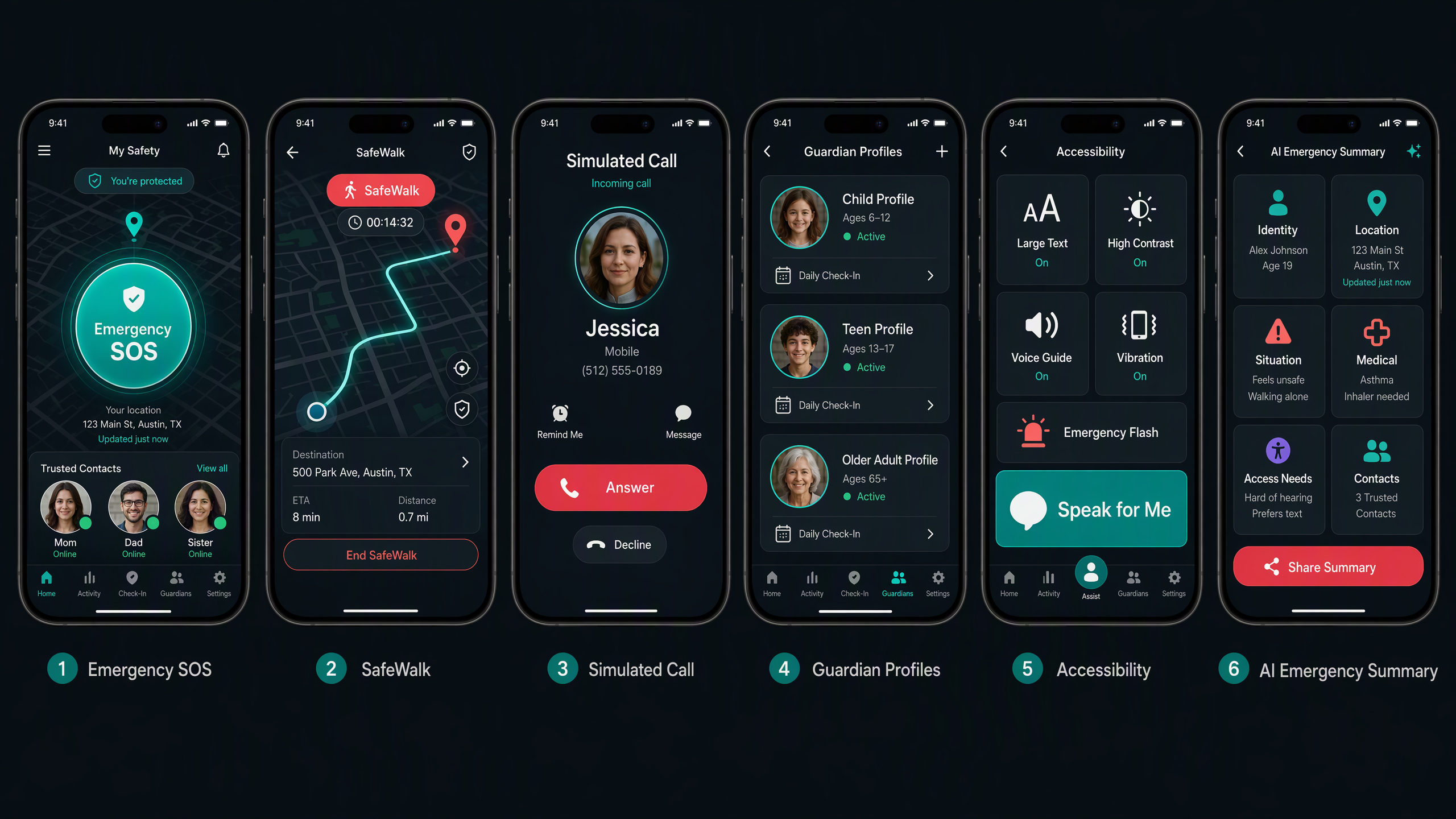
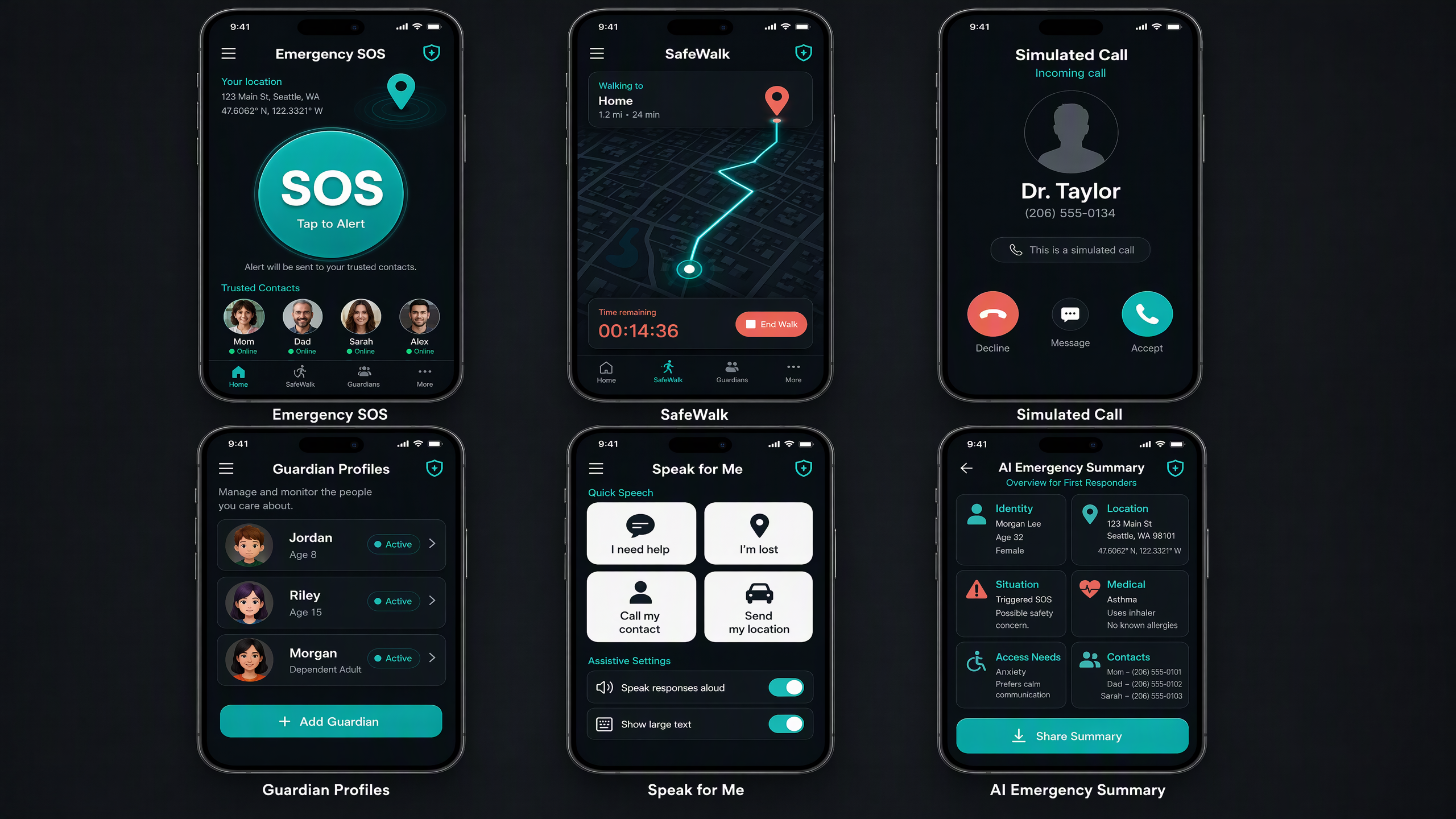
VERA Companion brings several safety tools together in one mobile experience:
- An emergency SOS flow with confirmation to reduce accidental activation
- High-accuracy location access with clear permission and retry guidance
- SafeWalk sessions for situations where users want additional reassurance
- Safety check-ins and a simulated incoming call
- Trusted-contact management
- AI-assisted emergency summaries that organize important incident details
- Guardian-managed profiles for children, teenagers, and dependent adults
- Accessibility preferences and communication-support options
- VERA Plus premium features supported through RevenueCat
VERA does not replace emergency services. It helps users act faster, communicate more clearly, and stay connected to people they trust.
How I built it
I built VERA Companion with React, TypeScript, Vite, Firebase, and Google Gemini. Firebase supports the application data, including user profiles, trusted contacts, and emergency reports. Gemini helps structure emergency information into a clear summary containing details such as risk level, recommended actions, medical notes, and notified contacts.
I used Capacitor to package the web application as an Android mobile app and integrated the RevenueCat Capacitor SDK for the VERA Plus subscription experience. The interface uses a teal-and-coral visual identity, large touch targets, clear navigation, readable typography, and high-contrast emergency actions.
The source code is published in a public GitHub repository for the Next Gen submission.
Challenges I ran into
One major challenge was designing emergency tools that feel fast without making accidental activation too easy. I addressed this with confirmation steps, clear status messages, and strong visual separation between emergency and everyday features.
Location access was another challenge because users may deny permission, disable location services, or experience an inaccurate reading. I added permission guidance, retry behavior, and fallback messaging.
Designing for children and people with disabilities also required careful thinking about privacy, accessibility, communication needs, and guardian-controlled profiles. The goal was to add meaningful support without making the interface overwhelming.
I also learned that converting a web-based prototype into an Android application requires additional work around native permissions, mobile navigation, builds, and purchase configuration.
Accomplishments that I’m proud of
I am proud that VERA has grown from a safety concept into a working mobile project with a consistent visual identity and multiple connected safety features.
I am especially proud of the inclusive profile system. Instead of treating accessibility as an afterthought, VERA allows guardians to manage profiles for children, teenagers, and dependent adults while supporting individual accessibility and communication preferences.
I am also proud of combining SOS, SafeWalk, trusted contacts, emergency summaries, and monetization into one focused experience.
What I learned
I learned how important it is to design for stressful situations. In an emergency, every extra choice creates friction, so wording, contrast, button placement, and feedback must be simple and immediate.
I strengthened my skills in React, TypeScript, Firebase, Gemini, Capacitor, Android development, and RevenueCat integration. Most importantly, I learned that inclusive design is not

Log in or sign up for Devpost to join the conversation.