-
-
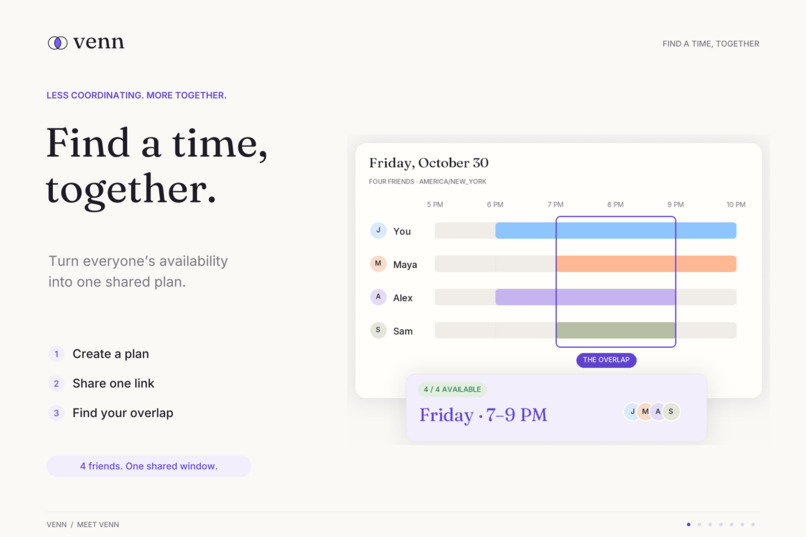
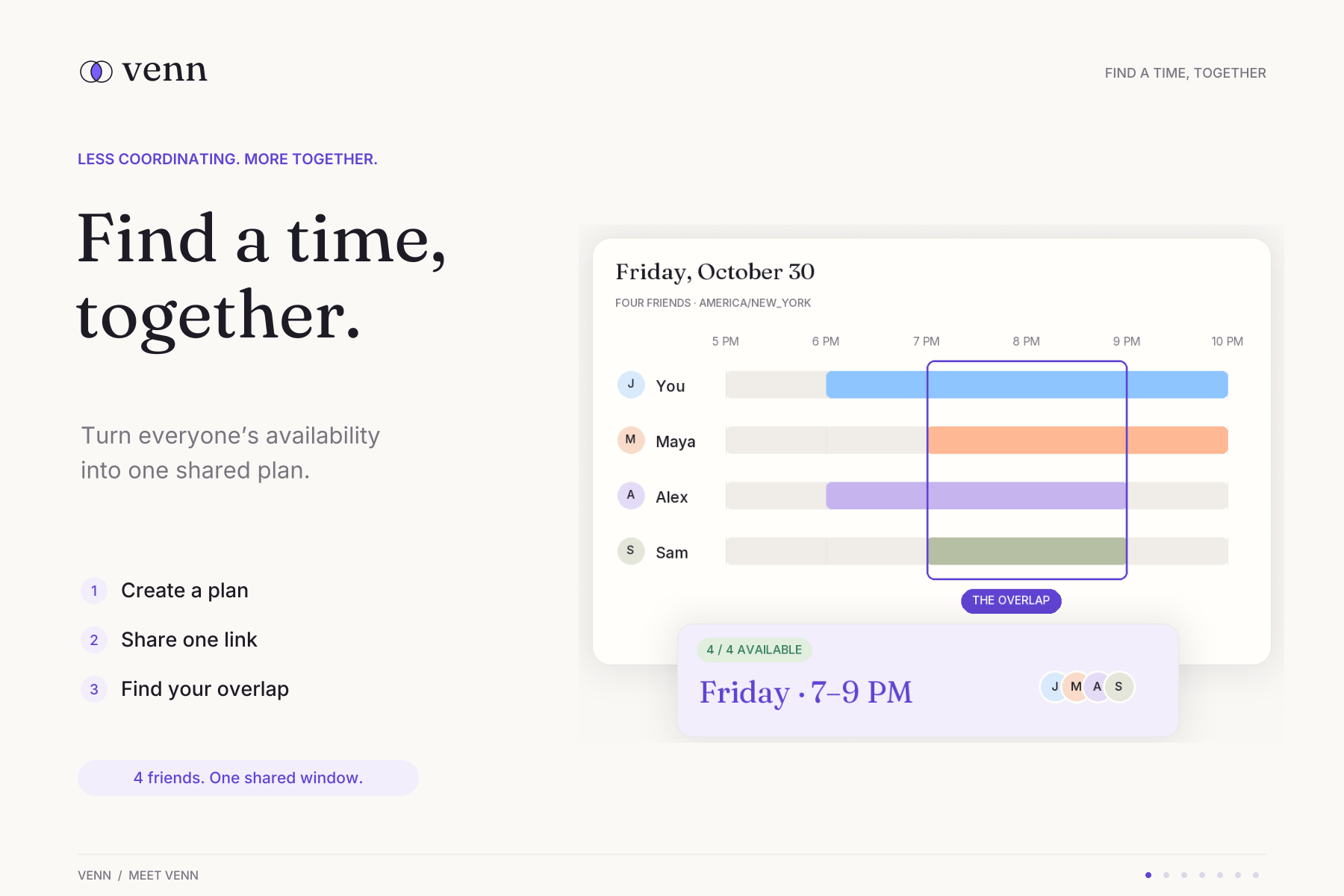
Everyone’s availability, one shared plan. Venn helps your group find a time to get together.
-
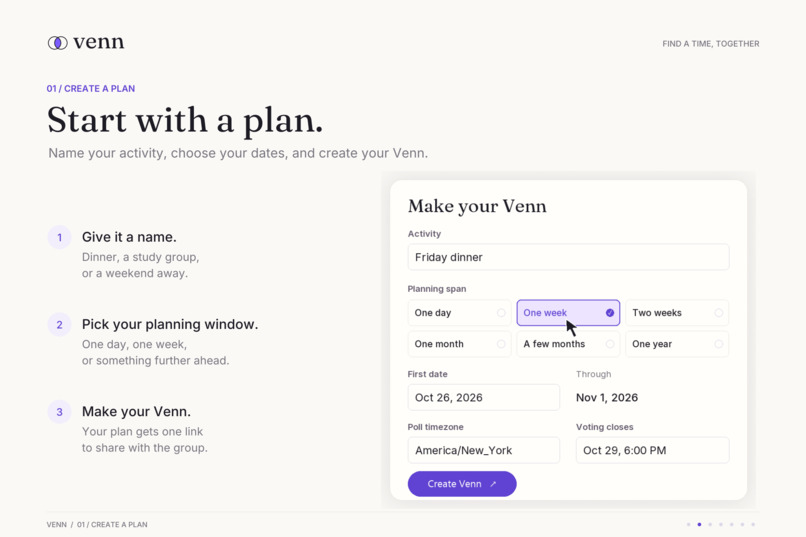
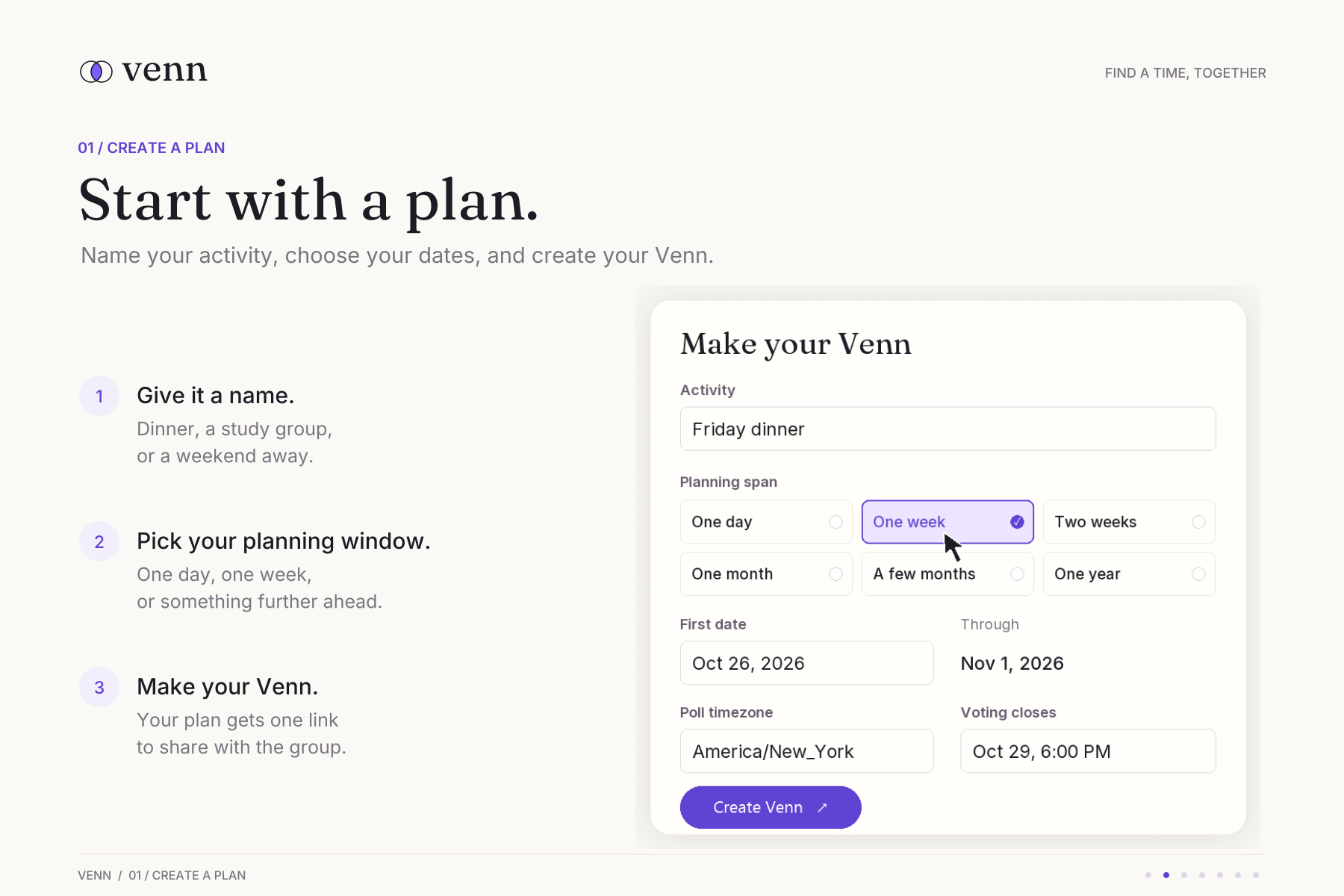
Dinner, a study session, or a weekend away; give your plan a name, choose your dates, and create your Venn.
-
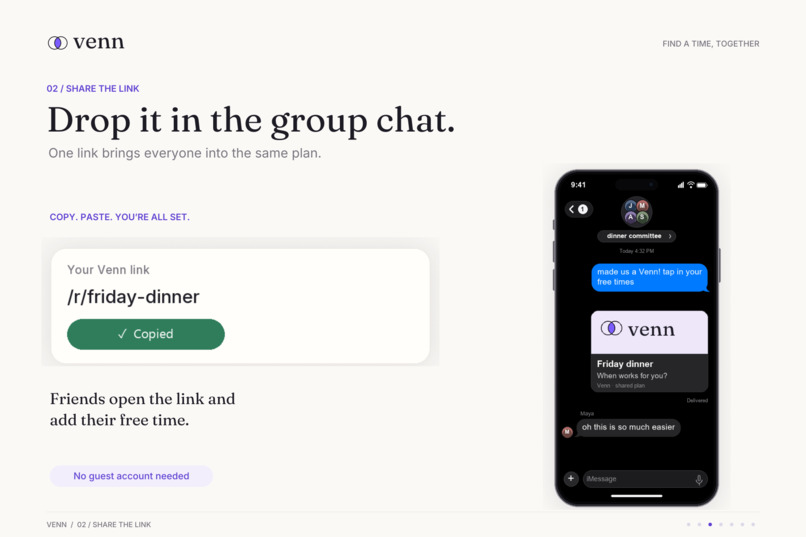
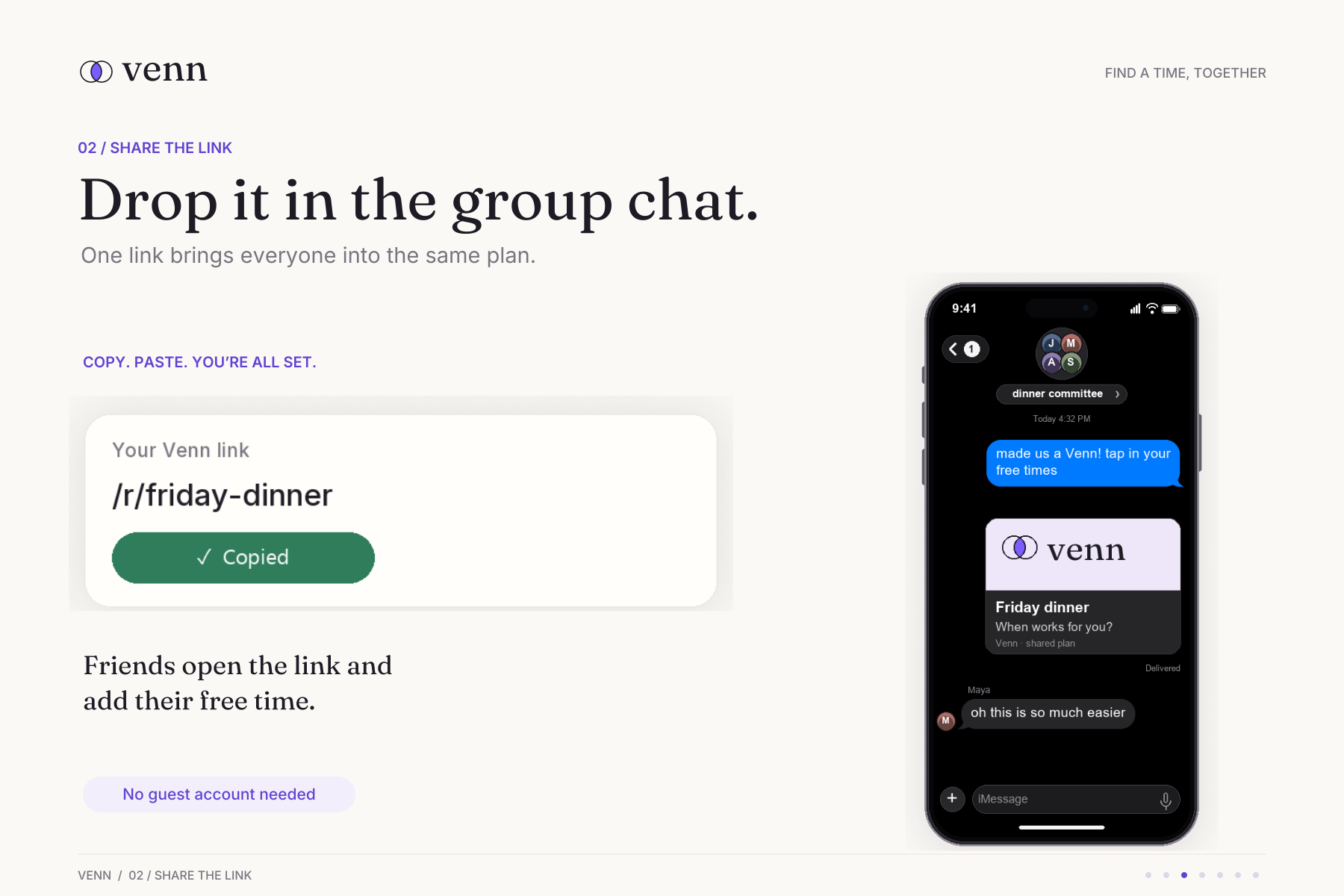
Drop your Venn link into the group chat. Friends can add their availability without creating an account.
-
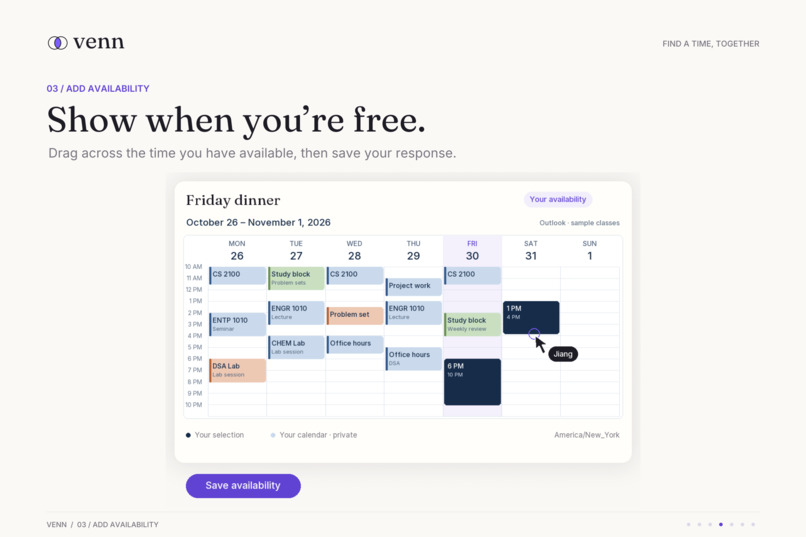
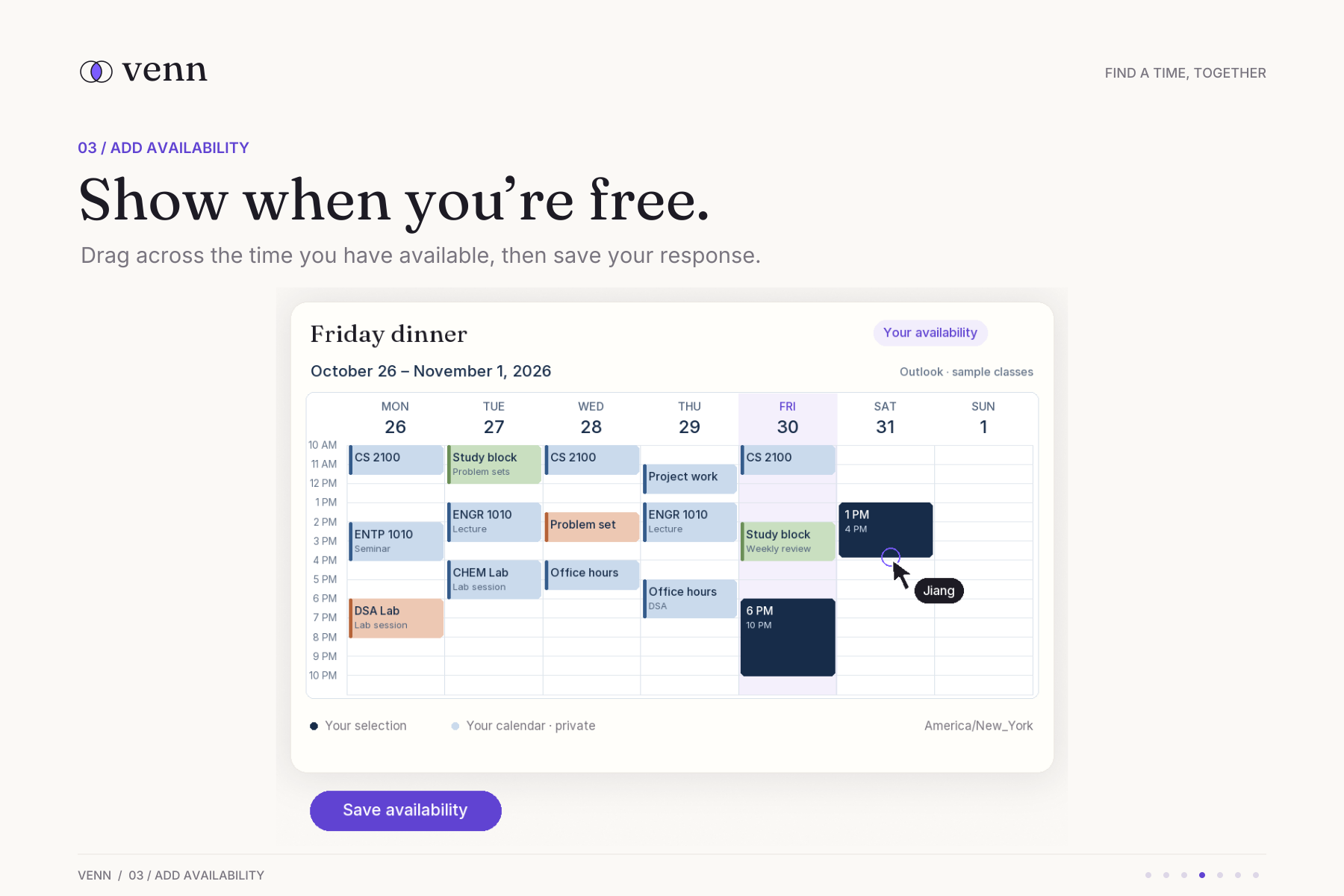
Drag across the calendar to mark your free time, then save your response.
-
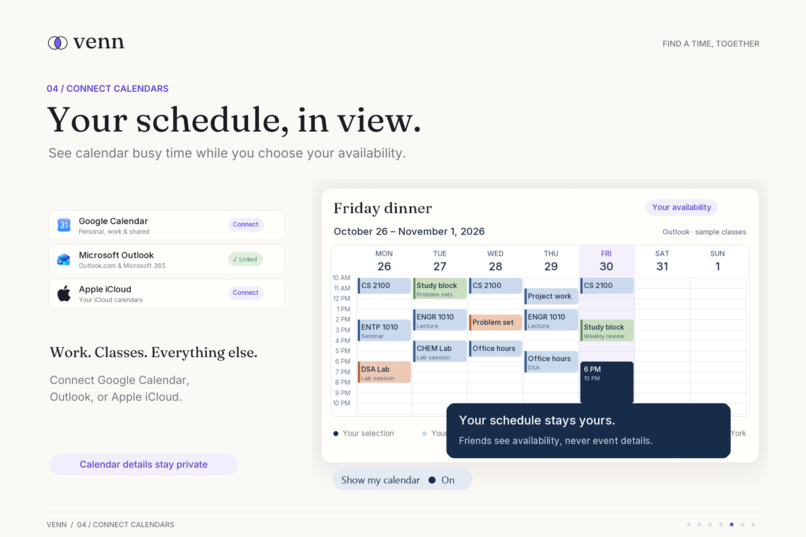
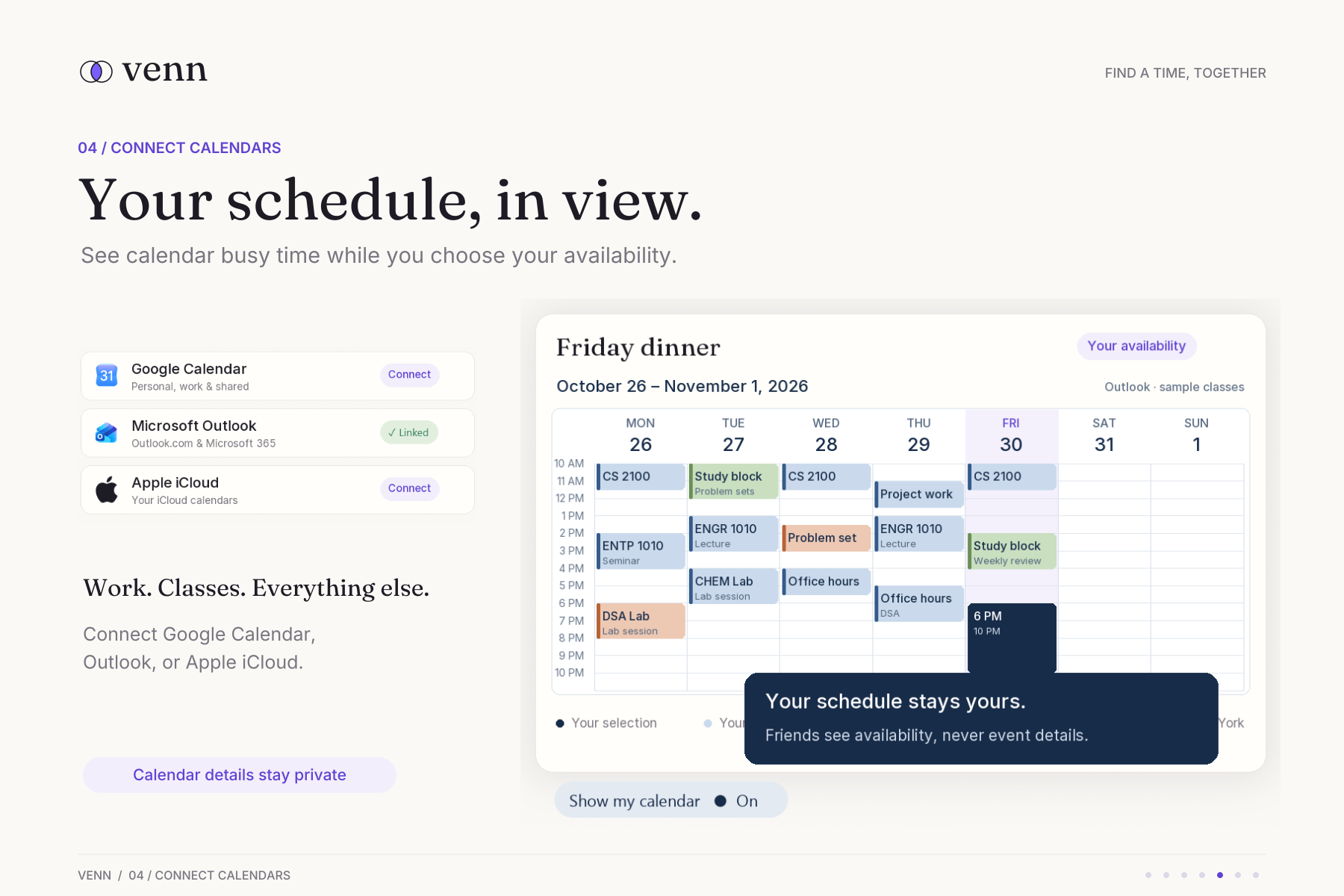
See your schedule while choosing availability with Google Calendar, Outlook, or Apple iCloud. Your calendar details stay private.
-
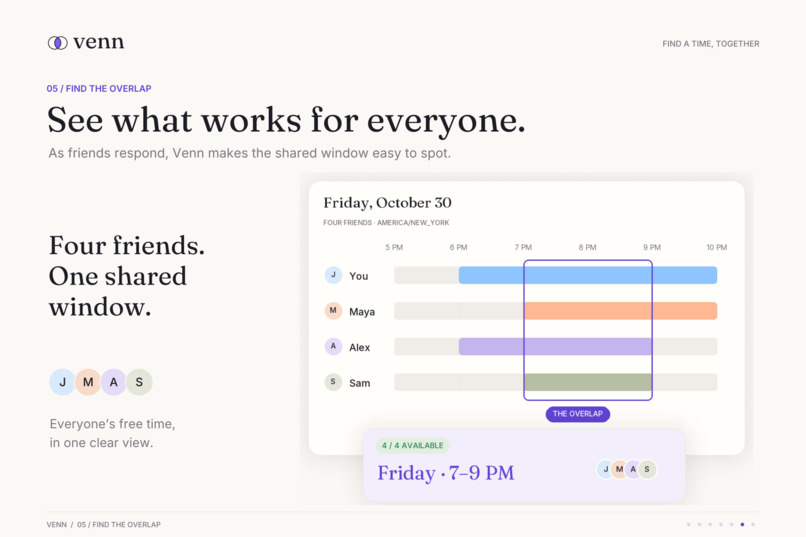
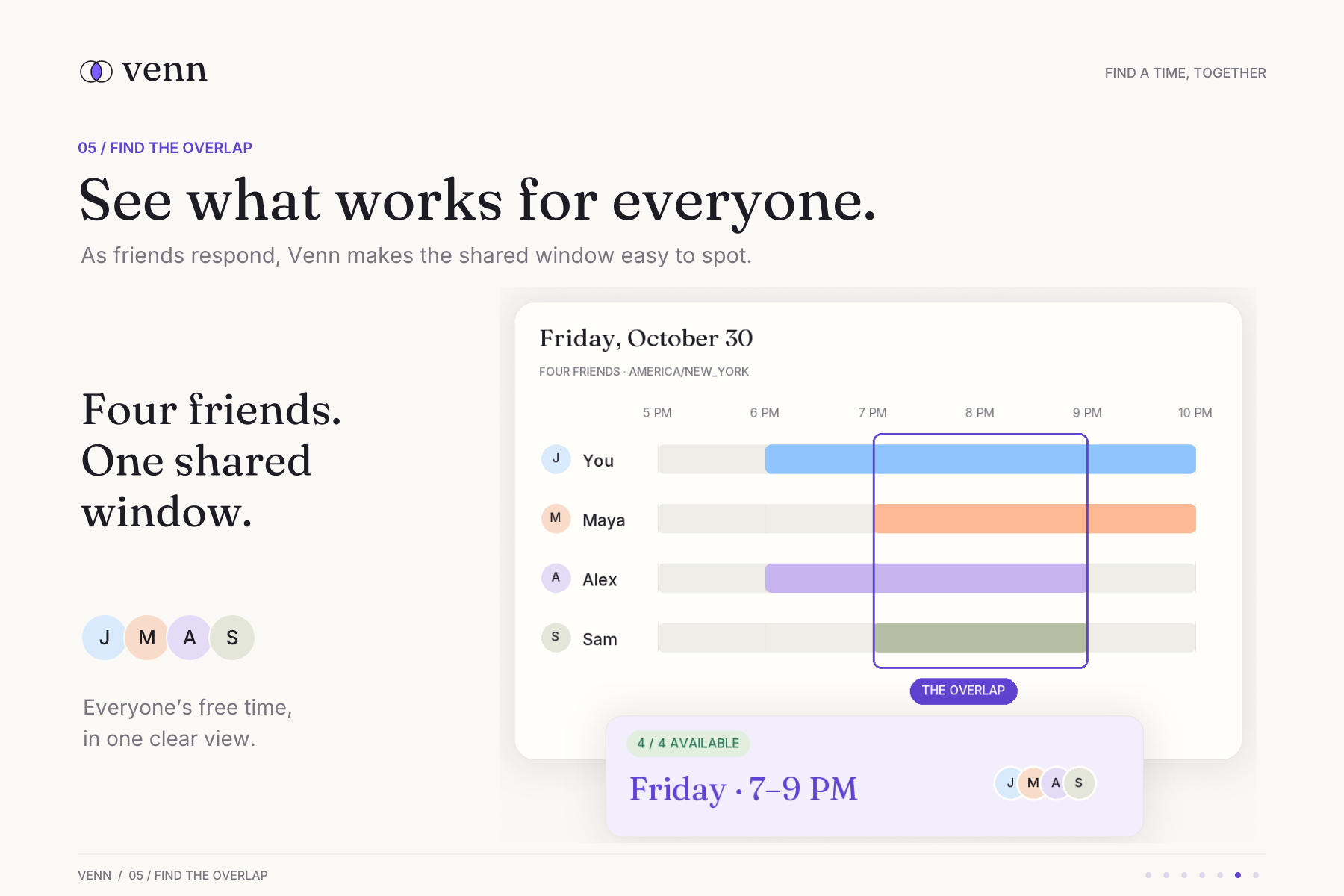
As friends respond, see where everyone’s free time overlaps and choose a window that works for the group.
-
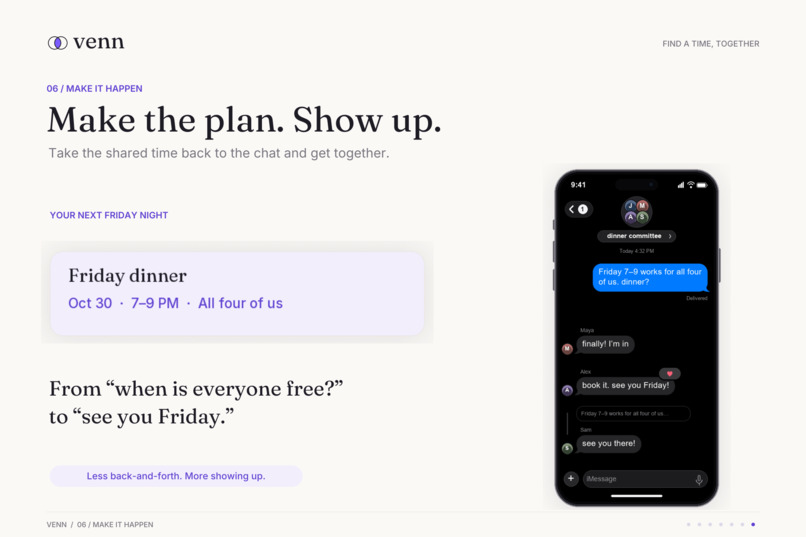
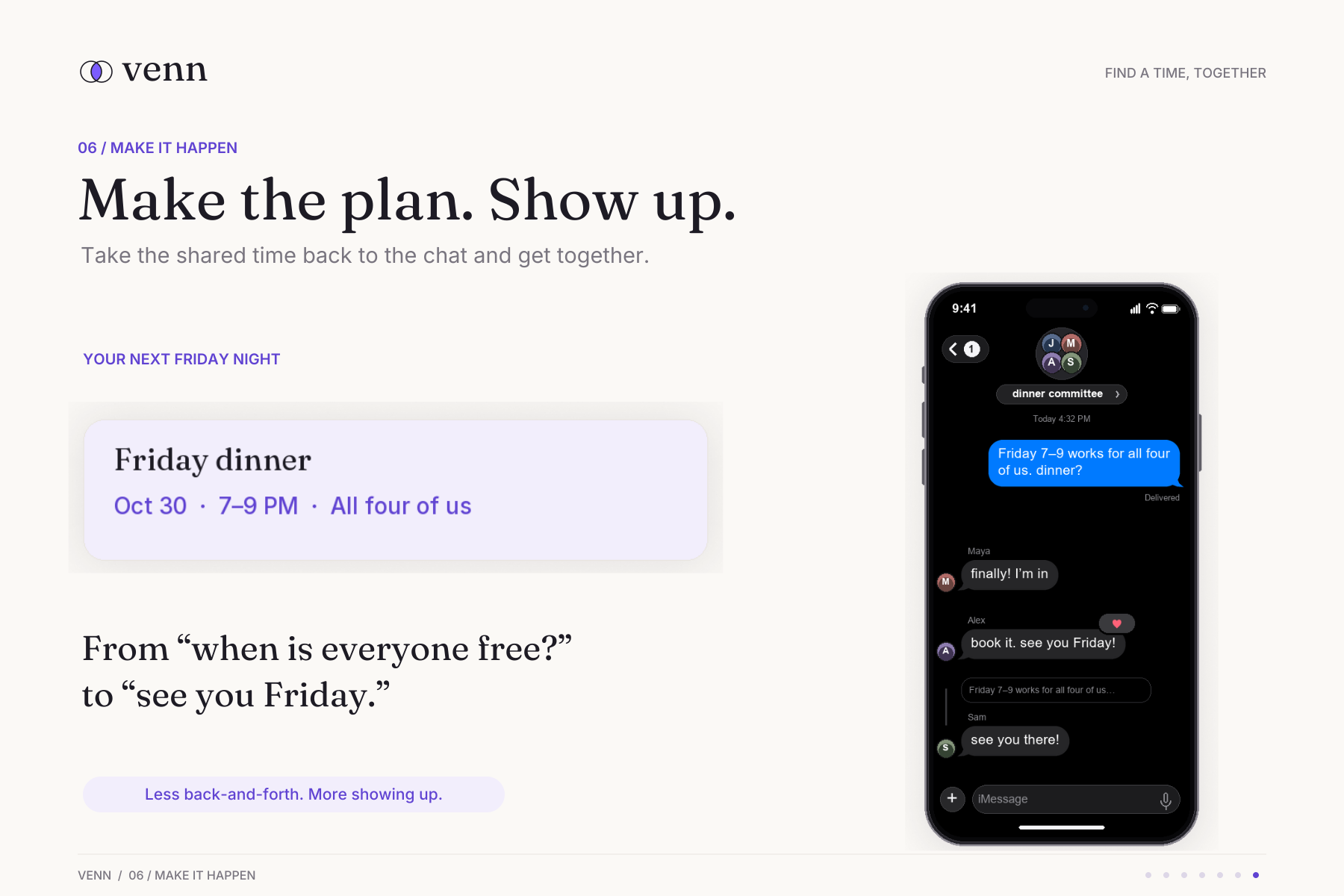
Take the shared time back to the chat, confirm the plan, and turn “we should hang out” into “see you Friday.”
Inspiration
Venn started with a familiar problem: a friend asks “free for lunch?” and suddenly making plans means switching between chats and calendars, comparing schedules, and writing another message. With a group, that back-and-forth only grows.
We wanted finding time together to feel as natural as the conversation itself. The name comes from overlapping circles: everyone has their own schedule, and Venn helps find the time they share.
What it does
Venn turns “when is everyone free?” into a shared view of availability. An organizer creates a Venn, chooses the planning dates and a closing deadline, and shares a link. Friends enter a name and mark their availability without needing an account. Everyone can see where their schedules overlap and update their answers as plans change.
Shorter plans collect specific times, while longer plans collect whole dates. Participants can optionally connect Google Calendar to privately reference their busy times.
Venn also includes a calendar-connected planner for solo and group requests. It interprets scheduling asks, checks selected calendars, and suggests up to three suitable times with a friendly reply the organizer chooses to send. Photon messaging and iPhone Shortcut endpoints support the phone workflow.
How we built it
We built Venn with Next.js 16, React 19, TypeScript, and Tailwind CSS, using Prisma and PostgreSQL for storage and Auth.js for authentication. The deployment uses Fly.io and Neon Postgres.
Gemini converts natural-language scheduling requests into structured intent. Our own deterministic scheduling code then checks availability, applies buffers, and ranks possible times. Luxon handles time zones and daylight-saving transitions.
Google Calendar supplies free/busy information without reading event titles or descriptions. Calendar credentials are encrypted, and adding an event requires explicit consent. We used Vitest for scheduling and integration tests and Playwright for desktop and mobile browser journeys.
Challenges we ran into
One challenge was working within iPhone and iMessage restrictions. Third-party apps cannot freely read Messages or draw over it, so we designed around shared links, explicit Shortcuts, and a private messaging contact.
Real integrations also exposed problems that mocks missed: mismatched OAuth callback URLs, Gemini quota limits, and Photon message identifiers that initially caused valid messages to be ignored.
We also had to make shared state reliable. Simultaneous responses, closing a poll while someone saves, and repeated calendar actions all needed careful handling. Calendar failures had to remain visibly “unknown,” so unavailable data could never become a false promise that someone was free.
Accomplishments that we're proud of
We’re proud of turning the original scheduling idea into a working application with two useful entry points: lightweight availability links and a deeper calendar-connected planner.
Friends can participate without creating accounts, while calendar users can keep their busy information private. The interface supports dragging across times and dates, preserves drafts through signup, and gives clear saving and sharing feedback.
We also built beyond the happy path, covering concurrent updates, duplicate event prevention, provider failures, and access boundaries. The latest merged PR reports 239 automated tests passing, plus desktop/mobile browser and authenticated creator checks.
What we learned
We learned that scheduling is as much a participation problem as a calendar problem. Finding overlap only helps when joining and responding are easy, which made account-free availability links an important part of Venn.
We also learned to give AI a focused role: interpreting the request. Availability calculations, ranking, permissions, and calendar writes benefit from explicit, predictable code.
Finally, we learned to distinguish implemented features, automated test results, and real-device evidence. Each tells us something different about whether an application is ready for everyday use.
What's next for Venn
Our immediate priority is completing the real-device pilot: two phones answering the same Venn, fresh calendar consent, private calendar overlays, Messages previews and notifications, the iPhone Shortcut, and an explicitly confirmed calendar write.
The next feature set is already in development: Outlook and iCloud calendar connections, Microsoft sign-in, and optional profile pictures with illustrated faces, uploads, or a selfie.
After that, we want to refine Venn through repeated use with a small friend group before expanding onboarding. Longer-term ideas include a native iPhone experience, smarter duplicate detection, and broader scheduling integrations.
Built With
- auth.js
- fly.io
- gemini
- neon
- next.js
- photon
- playwright
- postgresql
- prisma
- react
- tailwind
- typescript
- vitest


Log in or sign up for Devpost to join the conversation.