-
-
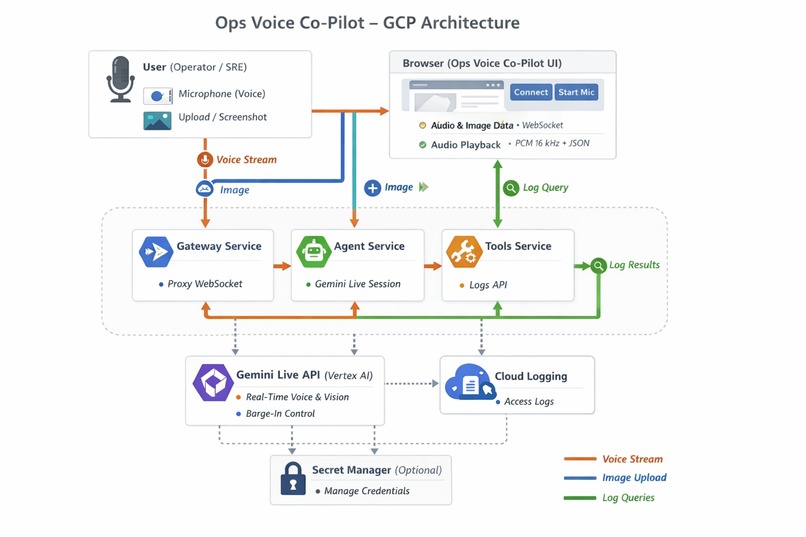
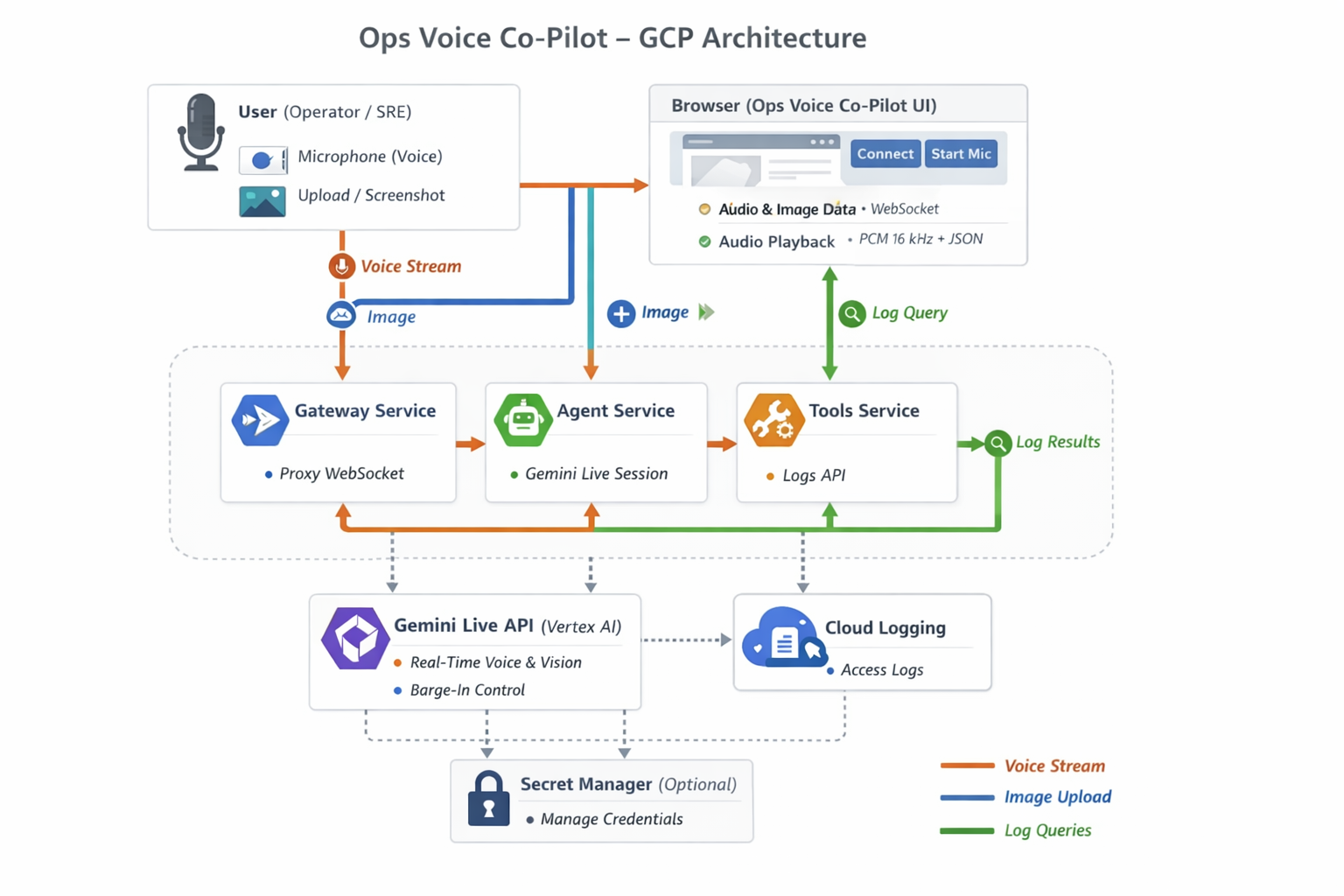
architecture
-
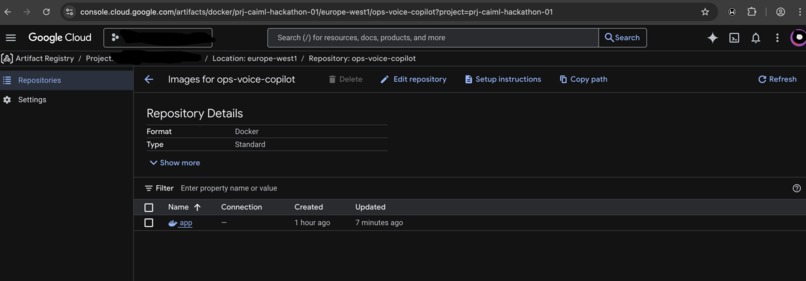
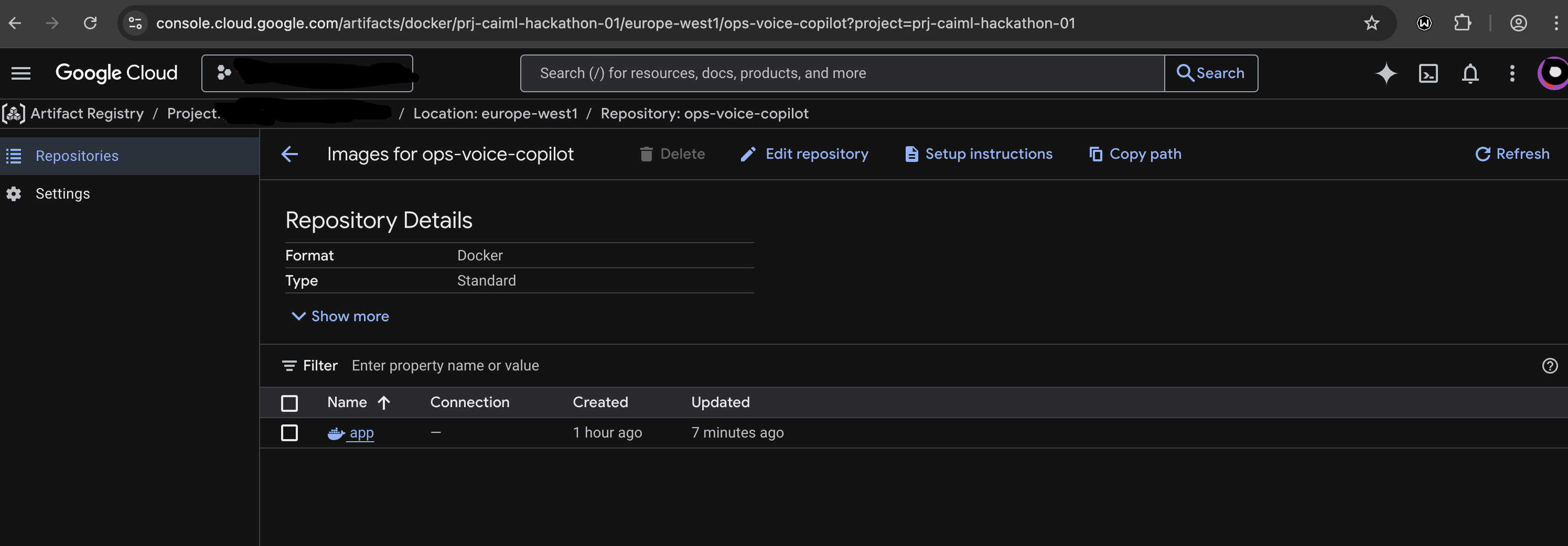
Artifact Repository
-
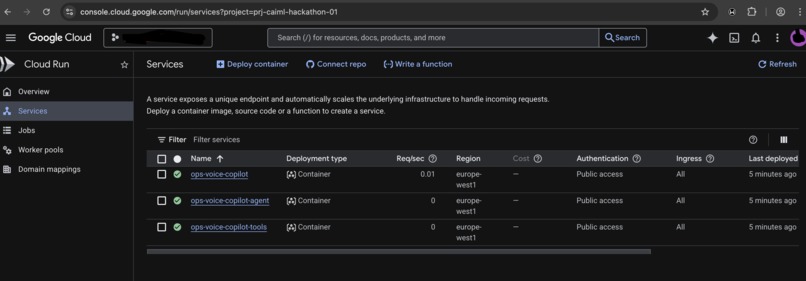
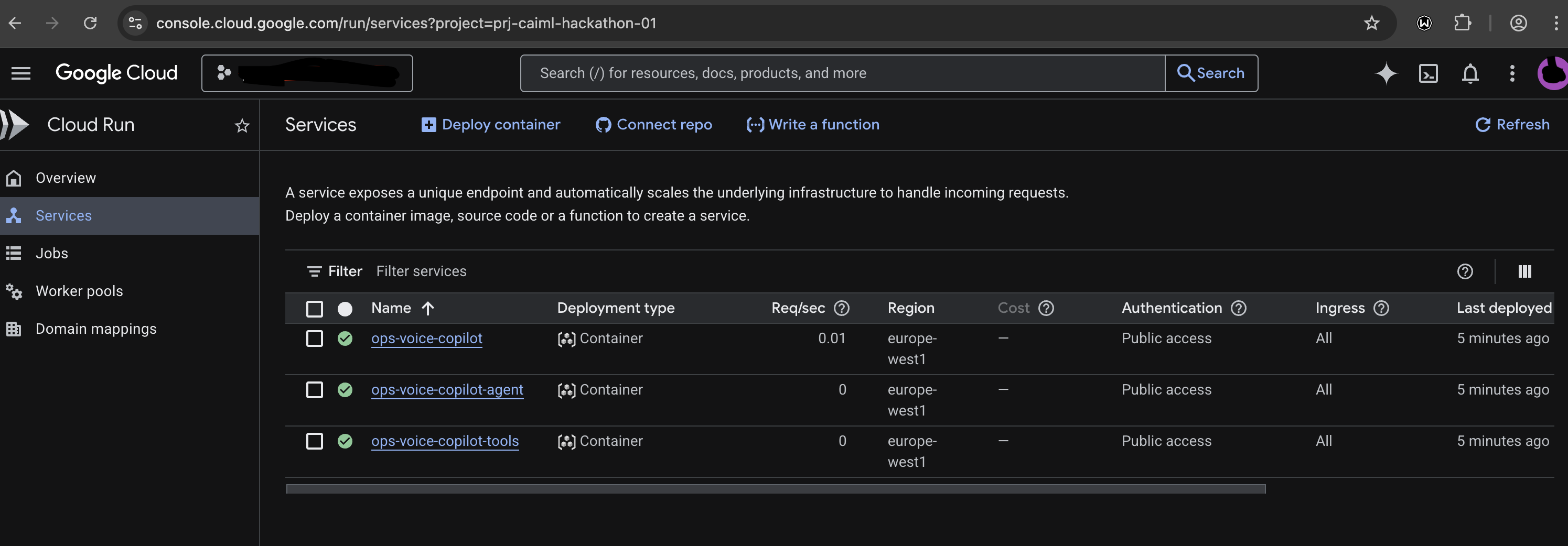
Cloud Run Deployment
-
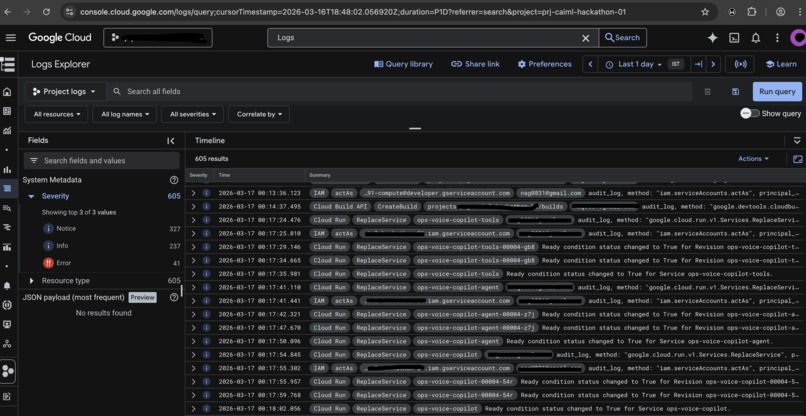
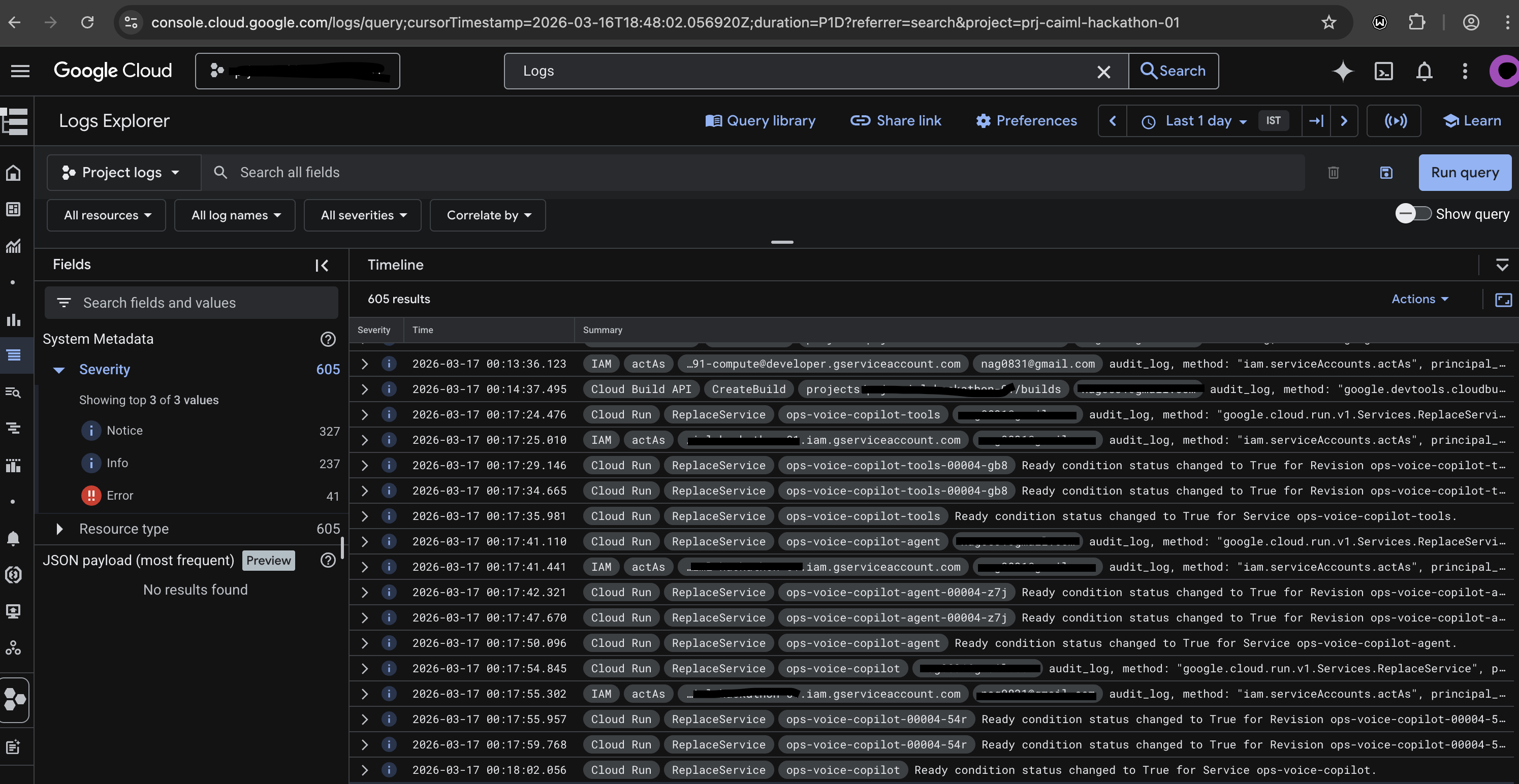
Cloud Run Deployment Logs
-
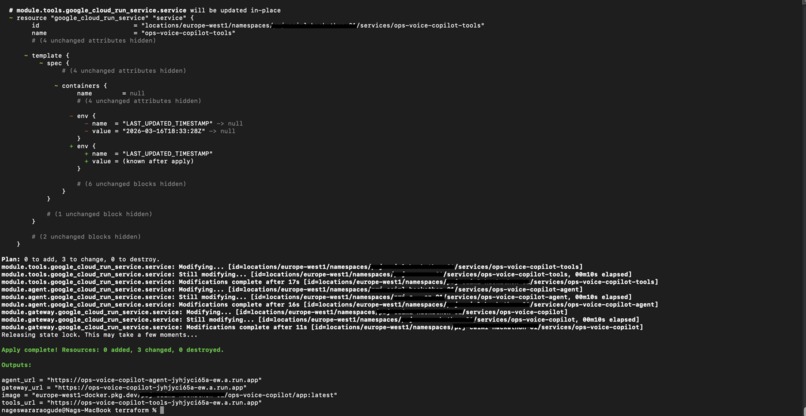
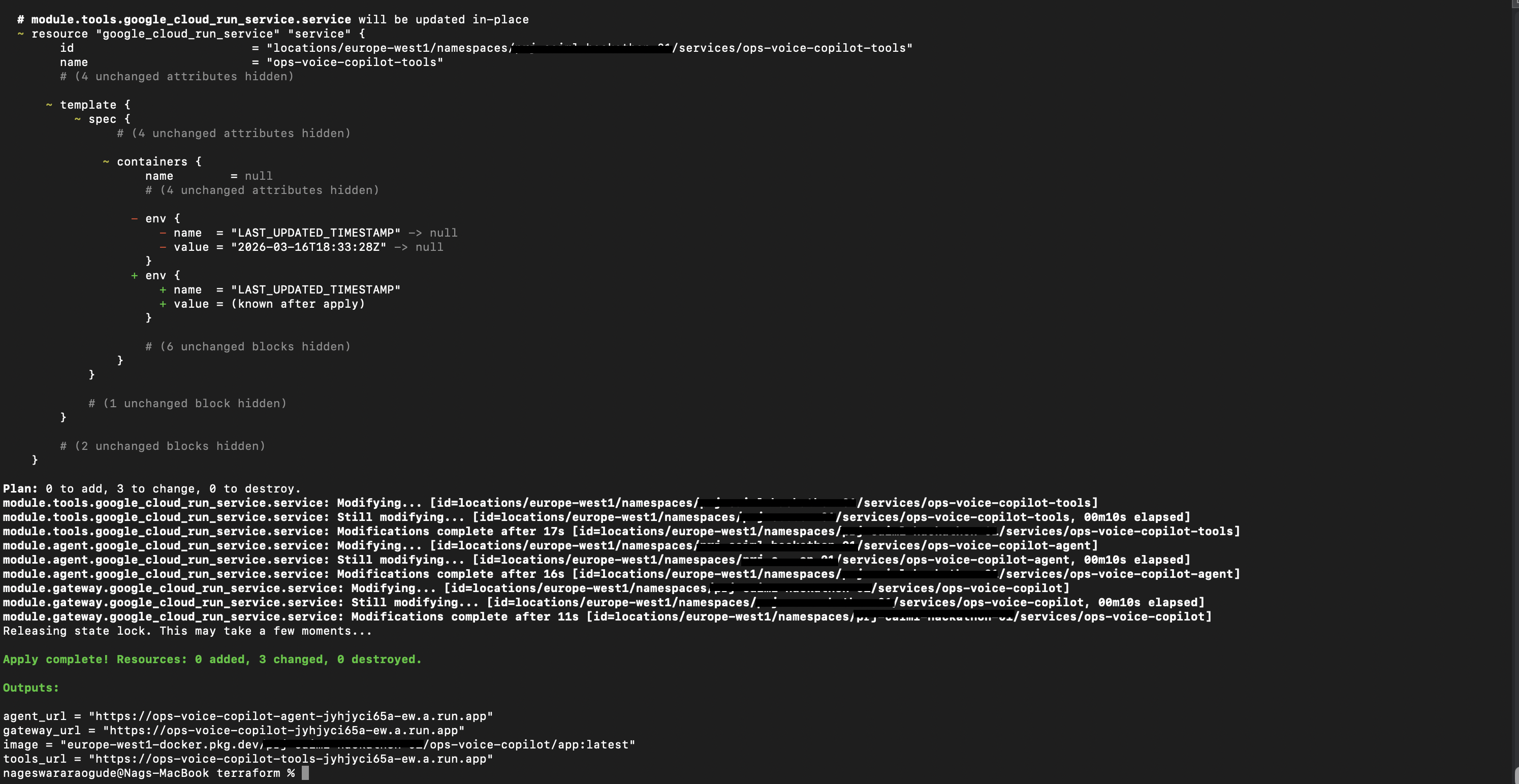
Terraform Deployment Gateway URL
Inspiration
When something breaks in production, operators and SREs stare at dashboards and logs and often have to type queries or click around to piece together the story. We wanted a hands-free, voice-first way to ask “why did this break?” or “what’s this spike?” and get answers that are tied to what’s actually on screen and in the logs—not generic advice. The Gemini Live Agent Challenge and the Live Agents track (real-time, interruptible voice + vision) were a perfect fit for building this ops co-pilot.
What it does
- Voice: Real-time, interruptible conversation via the Gemini Live API (Vertex AI). You speak; the co-pilot responds by voice. You can interrupt at any time (barge-in).
- Vision: You upload or paste a screenshot of a dashboard (Grafana, GCP Console, Datadog) or log view. The agent grounds every answer in what it sees on that screen.
- Grounding: Answers reference the image and, when relevant, recent log entries from Google Cloud Logging. The agent can call a
get_recent_logstool and say things like “From the logs I just pulled…” so you know the answer is based on live data. - Deployment: Backend runs on Google Cloud Run as three microservices: Gateway (UI + WebSocket proxy), Agent (Gemini Live), and Tools (Cloud Logging). Uses Vertex AI (Gemini Live) and Cloud Logging.
How we built it
- Frontend: A simple web UI (HTML, CSS, JavaScript) for uploading/pasting screenshots, connecting voice (WebSocket), and starting the mic. Audio is captured at 16 kHz PCM (batched), sent over the WebSocket; playback is 24 kHz PCM from the server. The UI shows a sample demo transcript on first load and a “Load sample demo” button for presentations.
- Backend: FastAPI on Python, microservices only. Gateway (
services/gateway/main.py) serves the UI and proxies the WebSocket to the Agent; Agent (services/agent/main.py,services/agent/live_session.py) runs the Gemini Live session and calls the Tools service over HTTP forget_recent_logs. All three run from the same container image;SERVICE_NAME(gateway|agent|tools) selects the process (Dockerfile entrypoint). - Gemini Live: We use the Google GenAI SDK (
google-genai) with Vertex AI in europe-west1, model gemini-live-2.5-flash-native-audio. The Live session has a system instruction for an ops co-pilot (grounding, citations). When the model callsget_recent_logs, the Agent POSTs to Tools/logs/recentand sends the result viasend_tool_response. - GCP: Cloud Run hosts all three services (single image); Vertex AI for the Live API; Cloud Logging in the Tools service. Deployment: Terraform (recommended) with GCS backend via
scripts/terraform-bootstrap.sh, or script viascripts/deploy-cloudrun.sh. Demo:scripts/push-demo-logs.shseeds Cloud Logging with sample failure entries so the agent can cite them when you ask “Why did this break?”
Challenges we ran into
- WebSocket proxy: The Gateway proxies the Live voice WebSocket to the Agent without dropping binary (PCM) or text frames. We used the
websocketslibrary and two async tasks (client→agent, agent→client) so both directions stream correctly. - Tool calling in Live API: Wiring the Live API’s tool-call responses to the Tools HTTP service required matching the SDK’s response shape and sending
FunctionResponsewith the correctidandname. - Grounding without hallucination: We tuned the system instruction so the agent explicitly cites what it sees (“the spike in the top-left graph”) and says “From the logs I just pulled…” when using the tool, and admits uncertainty when evidence is missing.
Accomplishments that we're proud of
- Delivering a real-time, interruptible voice agent that truly uses vision + tool data for grounding, not just chat.
- A microservices architecture (Gateway, Agent, Tools) with clear separation of concerns; one image, three Cloud Run services, wired by
deploy-cloudrun.sh. - Reproducible setup: README with local (Docker Compose or three terminals) and GCP deploy steps so judges can run and test the project.
What we learned
- The Gemini Live API’s bidirectional streaming model (audio in/out, optional image input, tool calls) fits ops triage well when combined with a strict grounding persona.
- Proxying WebSockets that carry both binary and JSON between browser and backend services needs careful handling so no messages are lost and connections stay in sync.
- Cloud Logging’s list-entries API works well as a “get recent logs” tool for the agent; keeping the Tool as a separate service keeps the Agent focused on the Live session and makes scaling and IAM easier.
What's next for Ops Voice Co-Pilot
- Proactive alerts: When the user shares a screen, the agent could say one short sentence like “I notice three error spikes in the last 5 minutes—want me to walk through the likely cause?”
- More tools: e.g. fetch metrics from Cloud Monitoring or run a BigQuery snippet for data checks.
- Session memory: Optional persistence of conversation and referenced screens across reloads (UI toggle and localStorage).
- Auth: Add IAP or identity so only authorized operators can use the co-pilot in production.
Built With
- docker
- gcloud
- gemini
- google-cloud
- google-cloud-run
- google-genai
- javascript
- python
- terraform
- unix
- vertex-ai
- websockets

Log in or sign up for Devpost to join the conversation.