-
-
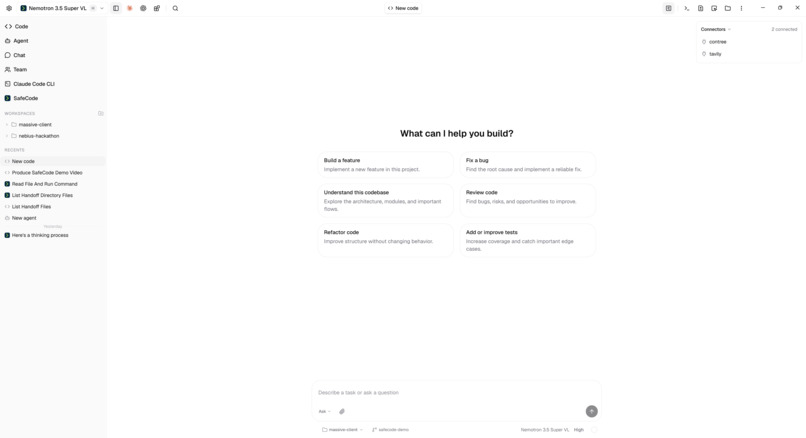
Velloc Code: a full-featured desktop AI coding client with flexible provider choice.
-
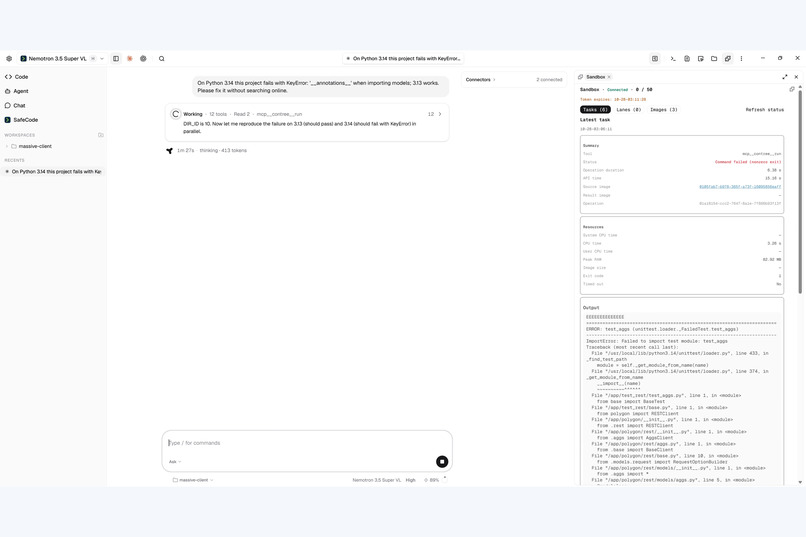
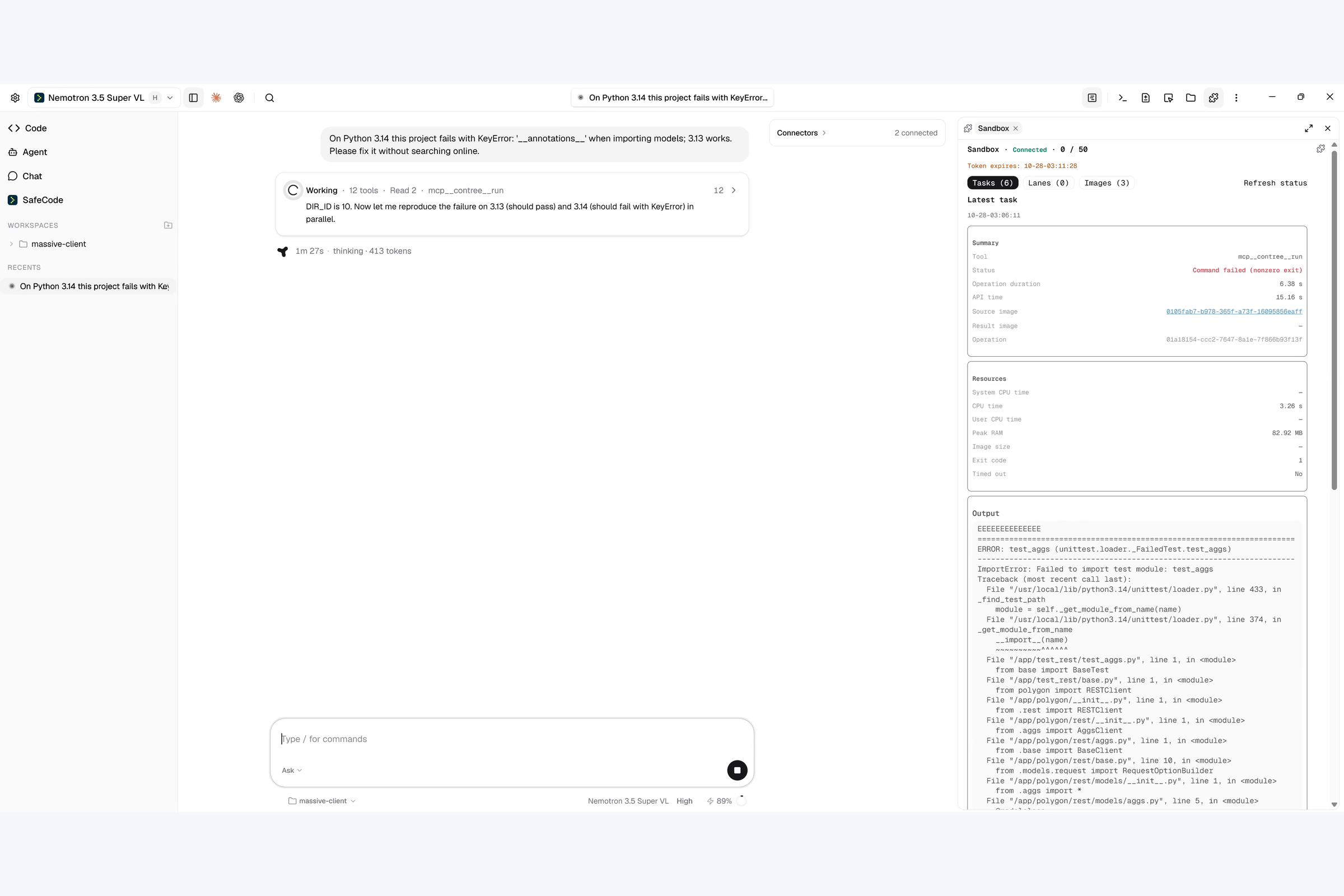
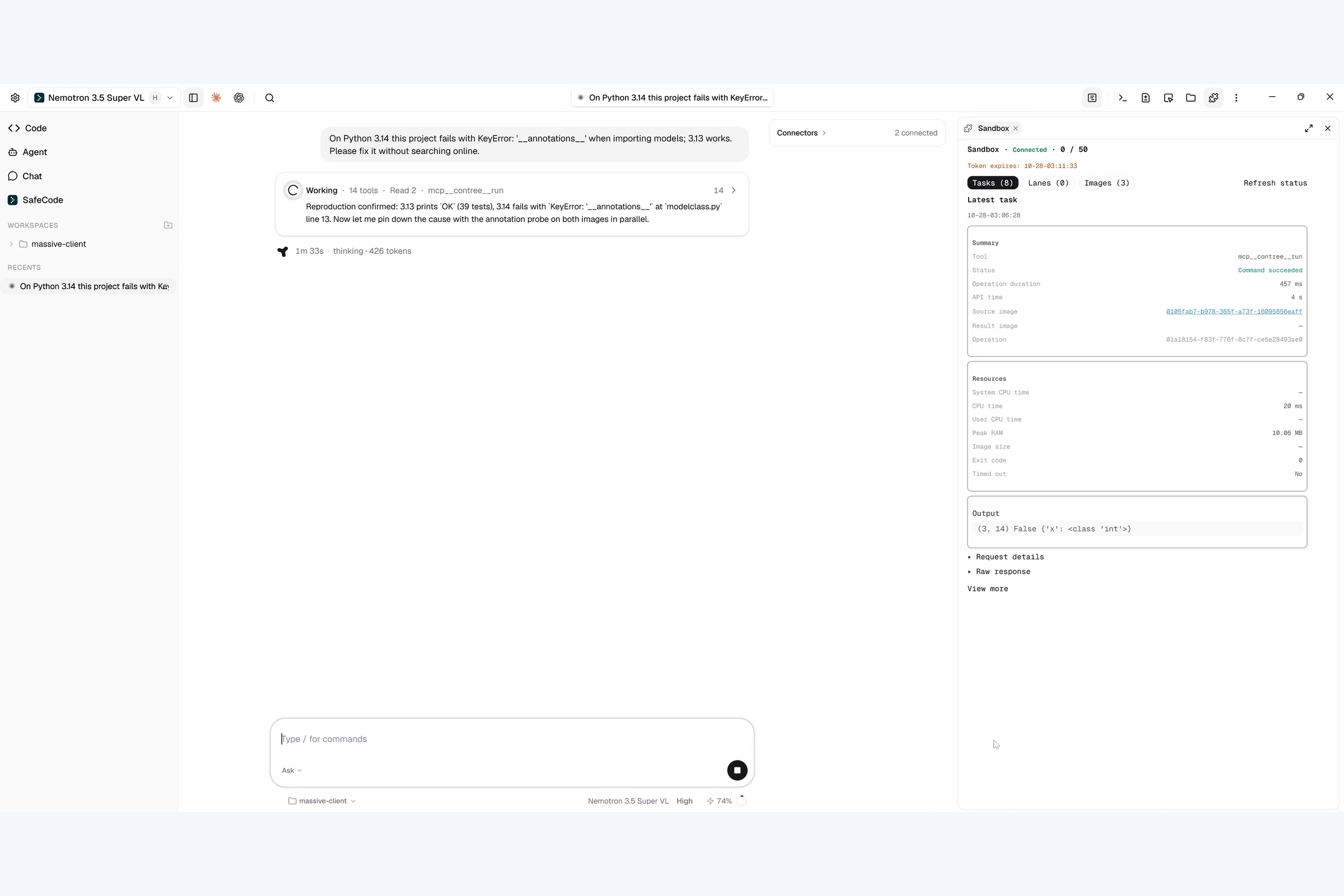
Reproducing a Python 3.14 failure in a Nebius sandbox.
-
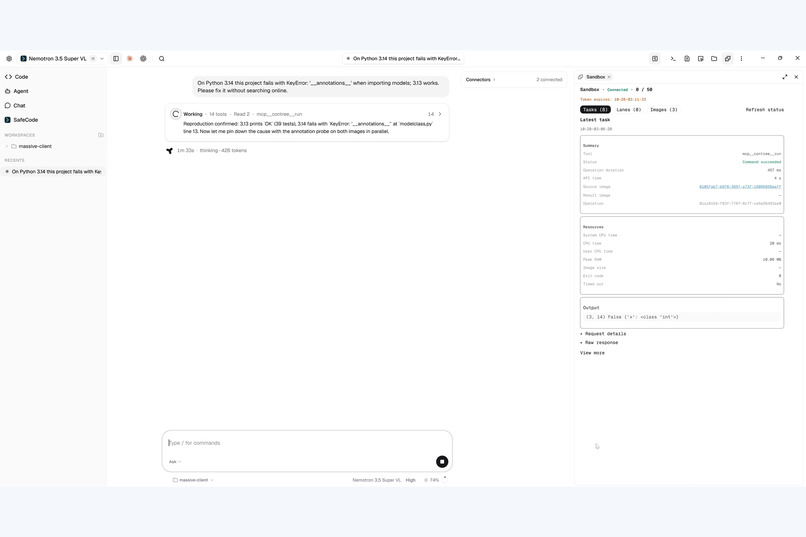
Investigating the cause with a focused sandbox check.
-
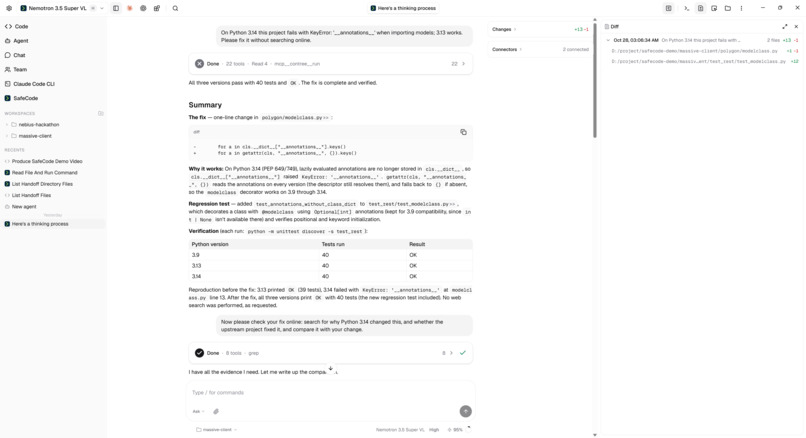
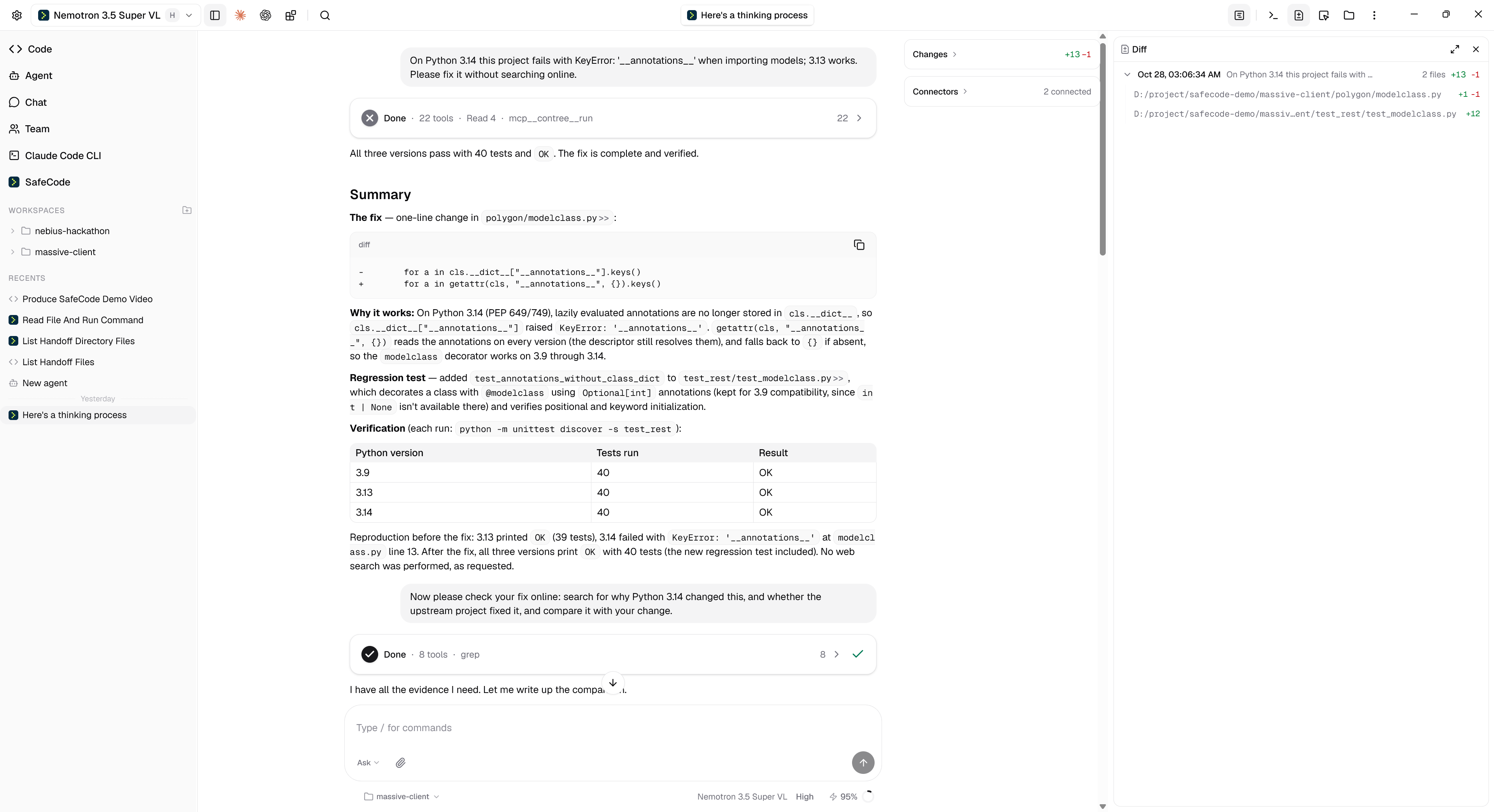
Reviewing the agent’s code changes in the integrated diff side panel.
-
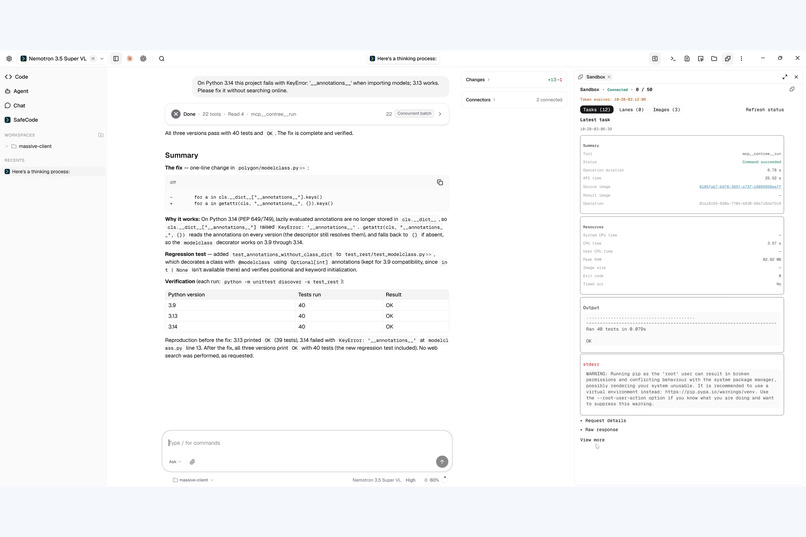
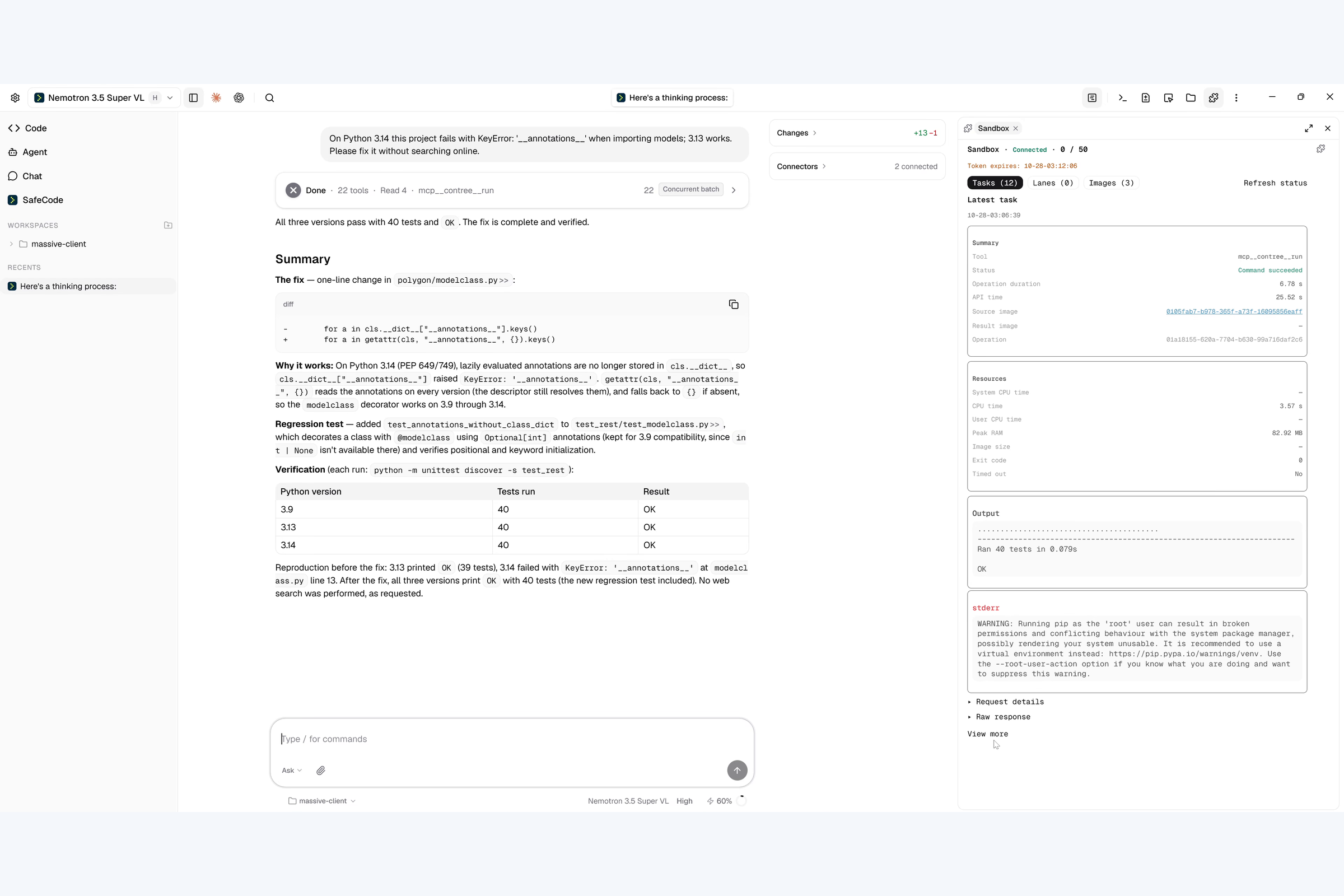
Verifying the repair: all 40 tests pass on Python 3.9, 3.13, and 3.14.
-
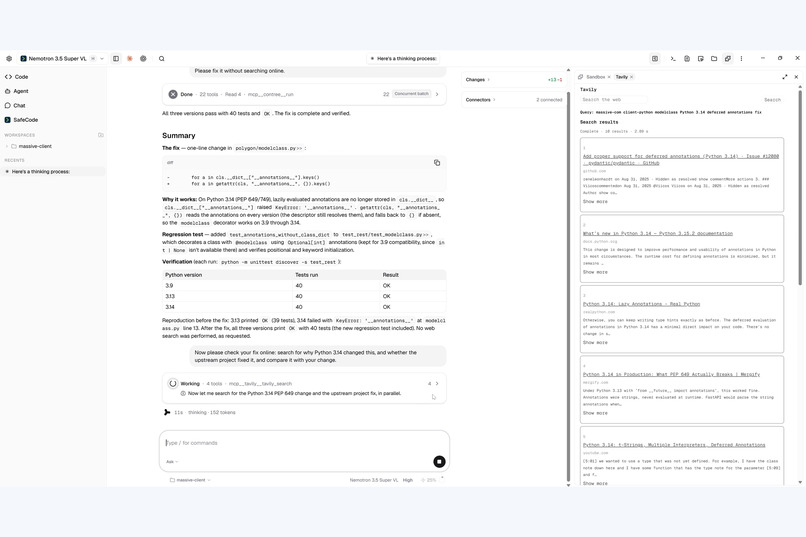
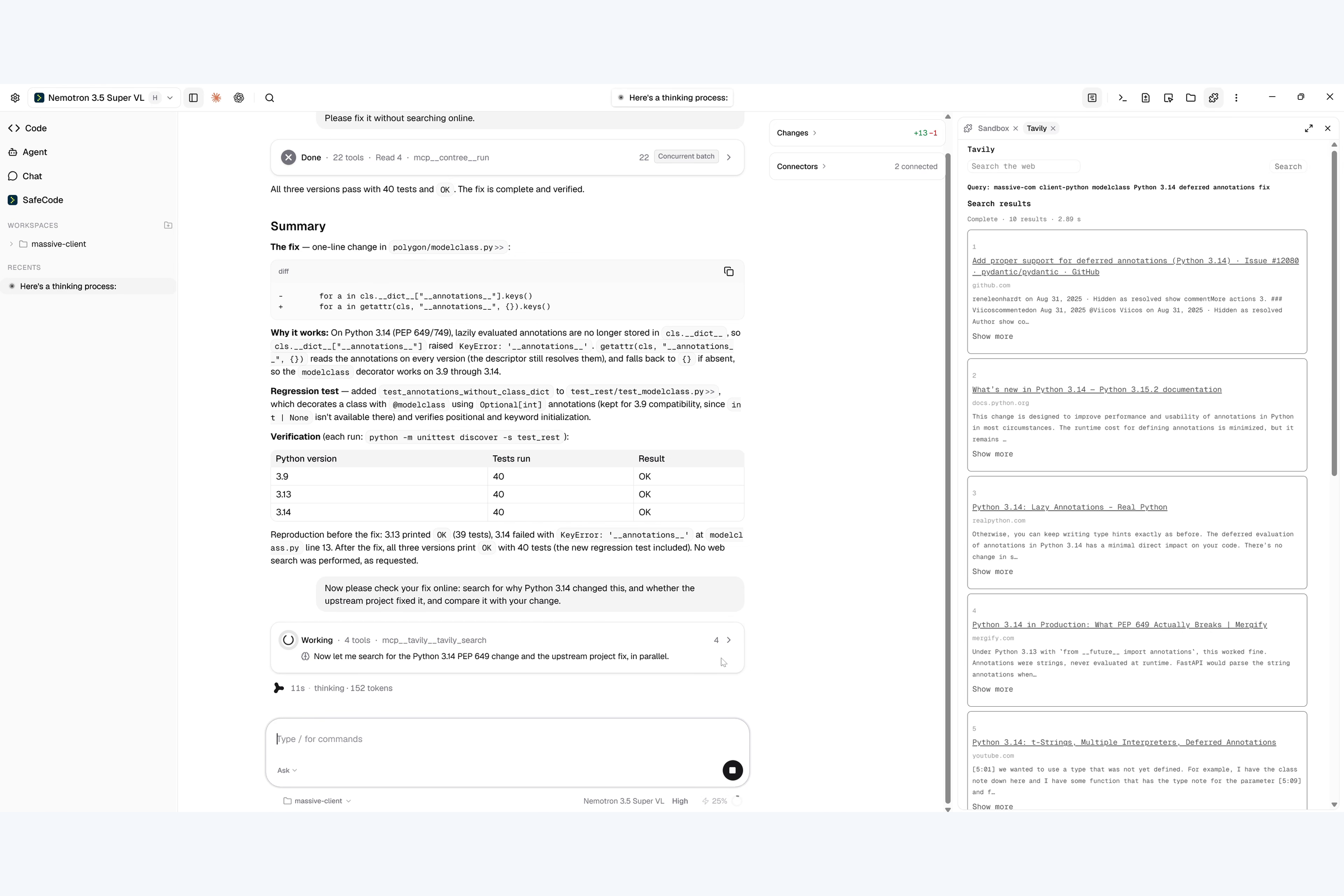
Using Tavily to find sources and cross-check the repair approach.
Inspiration
Velloc Code is a full-featured desktop AI coding client built for everyday development. Alongside its coding capabilities, it offers persistent memory, Skills, Plugins, and Mods, giving developers the freedom to customize their working environment.
We wanted to extend the client in two complementary ways. Plugin support lets developers reuse capabilities from the Claude Code ecosystem. But Velloc Code also has a Chromium foundation and the V8 JavaScript engine, creating an opportunity for richer, programmable components—not just reusable instructions, but extensions that shape the interface, tools, and working mode.
At the same time, we kept returning to a safety question: how can a capable coding agent help with real development work without receiving unnecessary access to the developer's machine?
The Nebius hackathon brought these ideas together. During the competition, we developed a new Mod architecture and used it to build SafeCode: an experimental mode that keeps project editing local while confining command execution to remote Nebius sandboxes. This gave the architecture a concrete purpose and a real workflow to validate, rather than leaving it as an extensibility concept.
What it does
Velloc Code helps developers understand projects, write and edit code, execute commands, run tests, and investigate failures within a desktop client.
Developers can switch model providers and customize the agent at multiple levels:
- Memory retains useful context across sessions.
- Skills provide reusable instructions and workflows.
- Plugins extend the agent's capabilities and support reuse of compatible Claude Code plugins.
- Mods customize the working mode, including workflows, tool availability, permission boundaries, and execution environments.
Velloc Code also supports Claude Code ecosystem compatibility, helping developers reuse familiar extensions and workflows.
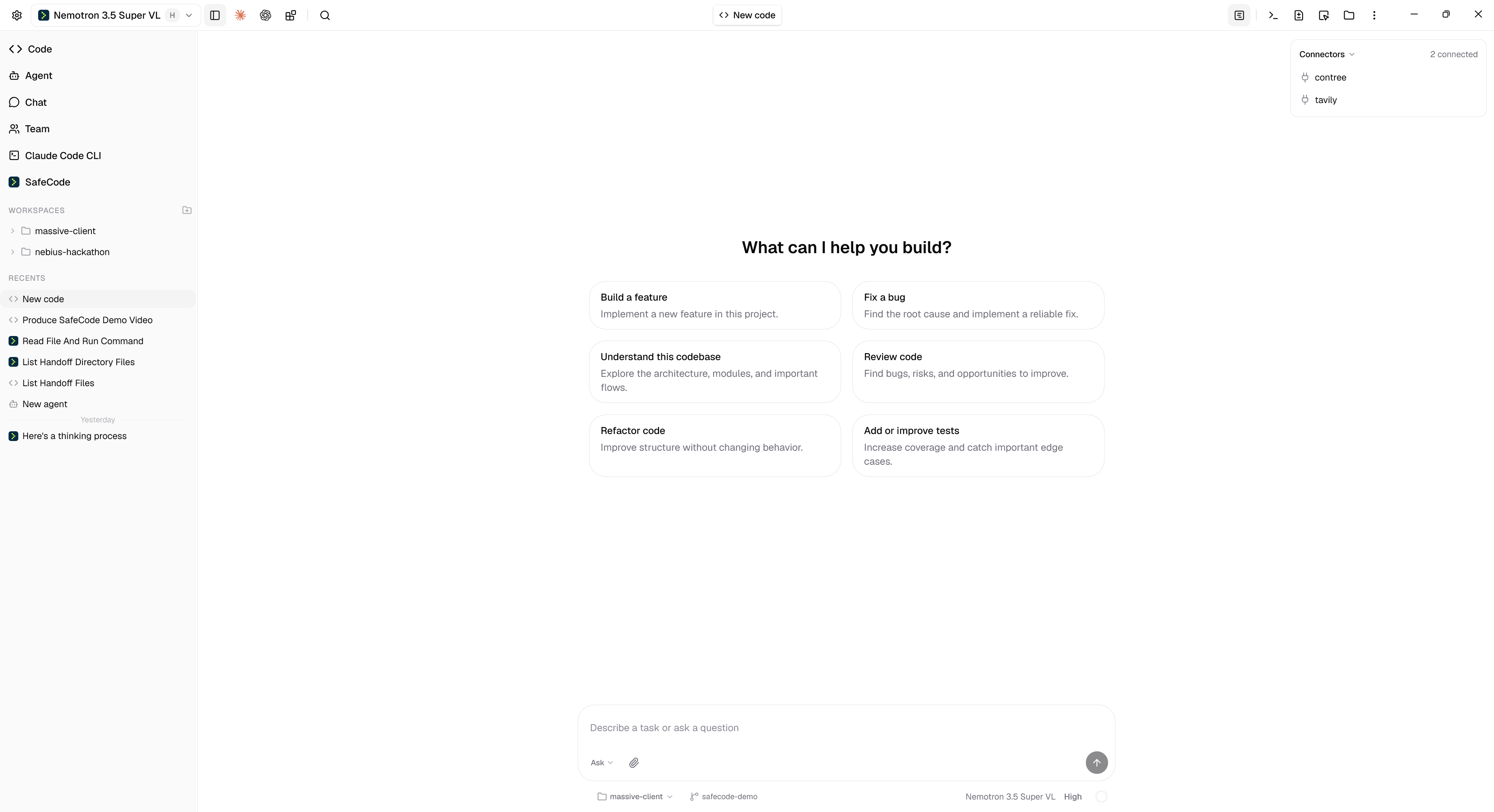
SafeCode builds on these capabilities rather than replacing them. The demo presents two modes within the same product:
- Code Session: edit local project files and use local or remote command execution.
- SafeCode: edit local project files while executing commands exclusively in remote Nebius sandboxes. Local shell tools are unavailable in this mode.
The demo also shows an outside-project file read being blocked by the configured permission boundary. SafeCode narrows command execution access; it does not claim to eliminate every risk associated with AI-generated code or local file edits.
How we built it
Velloc Code provides the existing desktop client. During the hackathon, we added the extensible Mod architecture and built SafeCode on top of it.
Our Chromium/V8 foundation informed the design: JavaScript-based components offer a way to extend the client beyond instruction-based customization, bringing interface elements and tool-driven workflows into the same environment. Plugins and Mods serve complementary purposes: familiar plugin capabilities can be reused, while Mods define specialized working modes with their own tools, permissions, and execution choices.
As the architecture took shape, we also worked on Claude Code ecosystem compatibility so developers could reuse familiar extensions rather than start from scratch. The goal was to combine ecosystem reuse with the deeper customization available in our own client.
SafeCode puts that architecture into practice. It connects local project work with remote Nebius environments and exposes sandbox activity directly in the client. The isolation boundary comes from the tools and permissions available to the mode—not from V8 alone.
Three technologies play distinct roles in the demonstrated workflow:
- NVIDIA Nemotron powers the coding agent in this demo.
- Nebius sandboxes provide remote environments for command execution and testing.
- Tavily retrieves external sources to cross-check the agent's reasoning.
The project is synchronized into a sandbox for execution. The agent can inspect results, edit local files, synchronize the updated project, and run tests again.
The client exposes sandbox activity, available runtime images, and past calls and results in a side panel, making the execution process visible alongside the coding conversation.
A real repair, not just a chat response
Our three-minute demo follows a Python client that fails on Python 3.14.
The agent first investigates without web search. It reproduces the failure, compares behavior across Python versions, and runs a focused diagnostic check. It then makes a local code change and adds a regression test.
After synchronizing the updated project, the recorded demonstration shows all 40 tests passing on Python 3.9, 3.13, and 3.14.
The agent then uses Tavily to retrieve relevant sources and cross-check the repair approach. External references complement the execution evidence; they do not replace the tests.
Challenges we ran into
One challenge was introducing deeper component-based customization while preserving familiar plugin workflows. Extensibility needed to make tool access and permissions clearer, not simply add more capabilities.
For SafeCode, the central challenge was separating local editing from command execution without losing the convenience of an integrated coding workflow.
Local changes must reach the sandbox before tests run, and results must remain connected to the relevant runtime environment and execution history.
Another challenge was making the boundaries understandable. A local shell that is unavailable is different from a file read rejected by a permission check. We wanted developers to see those distinctions rather than rely on a broad “safe” label.
Accomplishments that we're proud of
Velloc Code combines everyday coding capabilities with extensive customization through provider choice, Memory, Skills, Plugins, and Mods.
During the hackathon, we delivered both a new extension architecture and a concrete application of it. SafeCode demonstrates how Mods can support a different execution boundary within the same product, without requiring developers to leave their local project workflow.
The demo connects a real failure, a local repair, a regression test, multi-version sandbox verification, and source research in one visible workflow.
What we learned
A coding agent's execution boundary should be defined by the tools and environment available to it, not only by instructions asking the model to behave cautiously.
We also learned that extensibility can serve more than convenience: it can let developers choose different permission and execution models for different tasks.
Finally, different evidence answers different questions. Tests demonstrate behavior in the environments checked, while external sources help assess the reasoning behind a change. Neither should be presented as a substitute for the other.
What's next for Velloc Code
We will continue developing Velloc Code as a full-featured everyday coding client, with flexible provider choice and powerful customization.
For SafeCode, we want to refine the connection between local editing and remote execution, improve the visibility of permissions and sandbox activity, and explore where isolated execution is most useful in real development workflows.
Built With
- c++
- chromium
- nebius
- react
- typescript
- vite


Log in or sign up for Devpost to join the conversation.