-
-
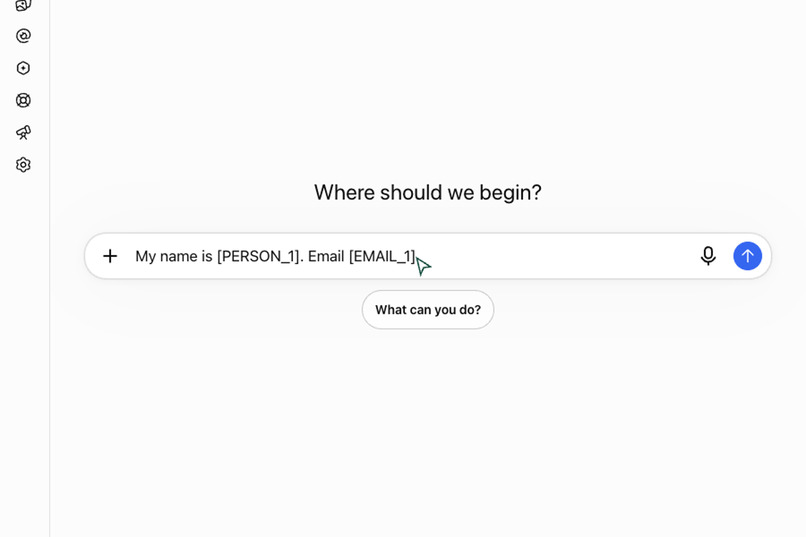
Automatic placeholders
-
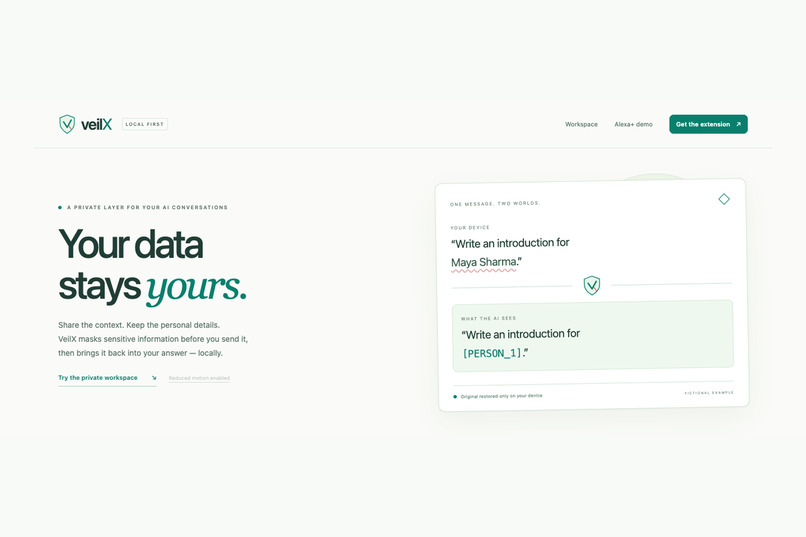
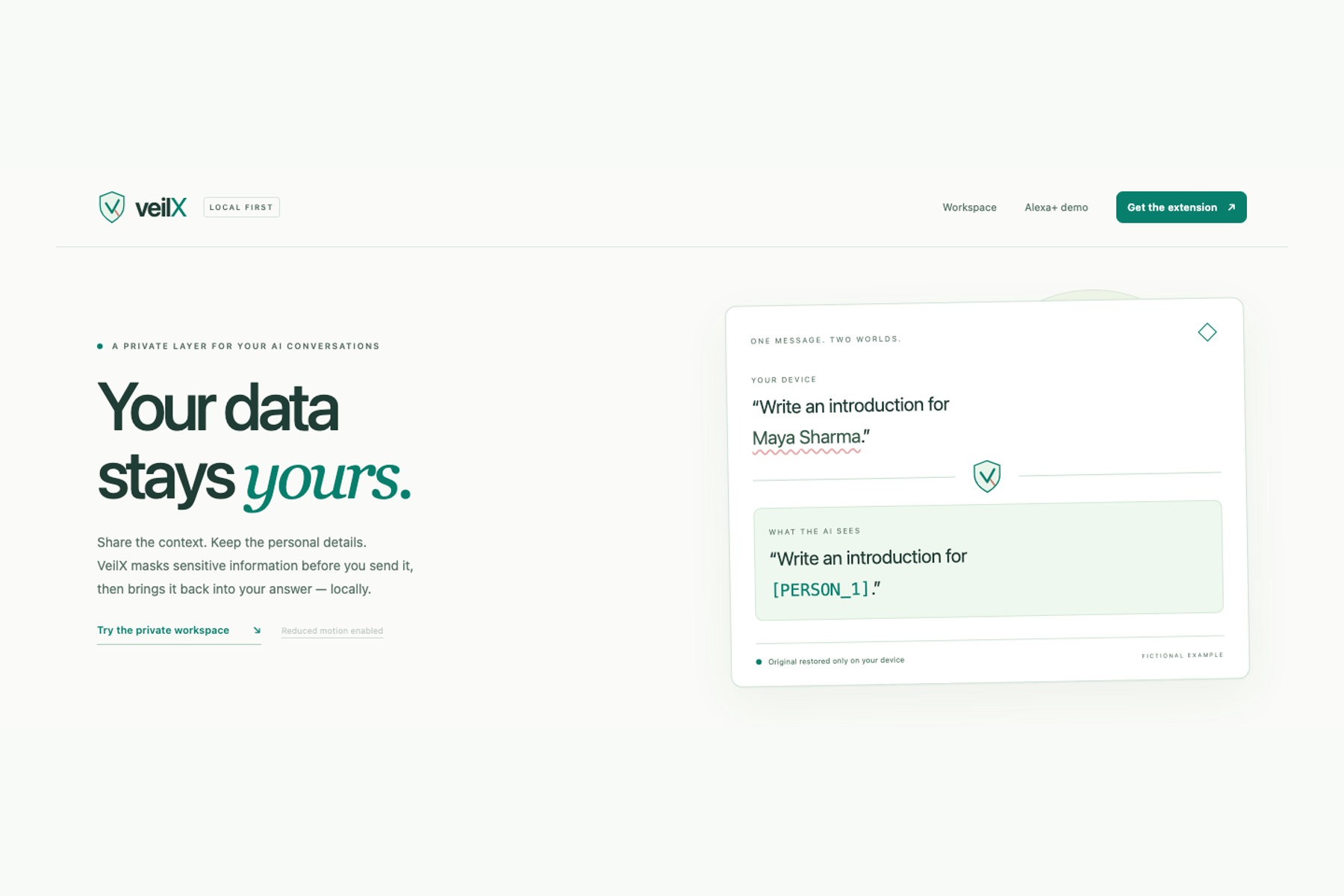
landind page
-
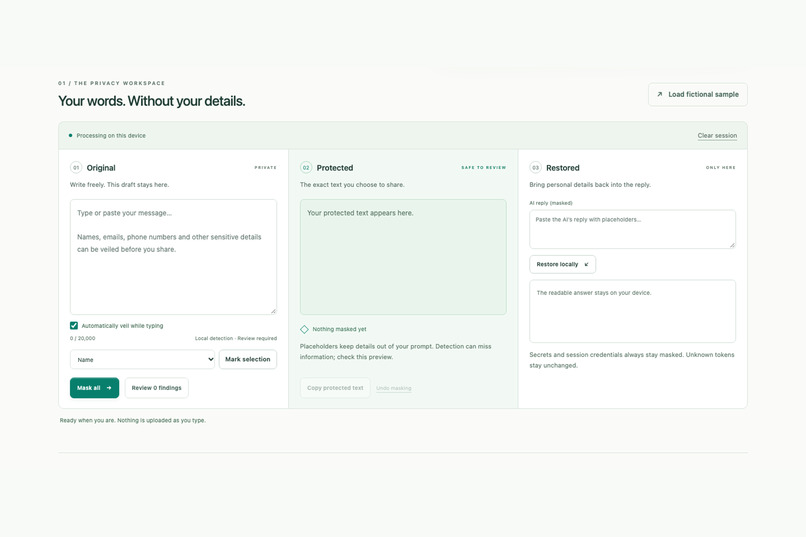
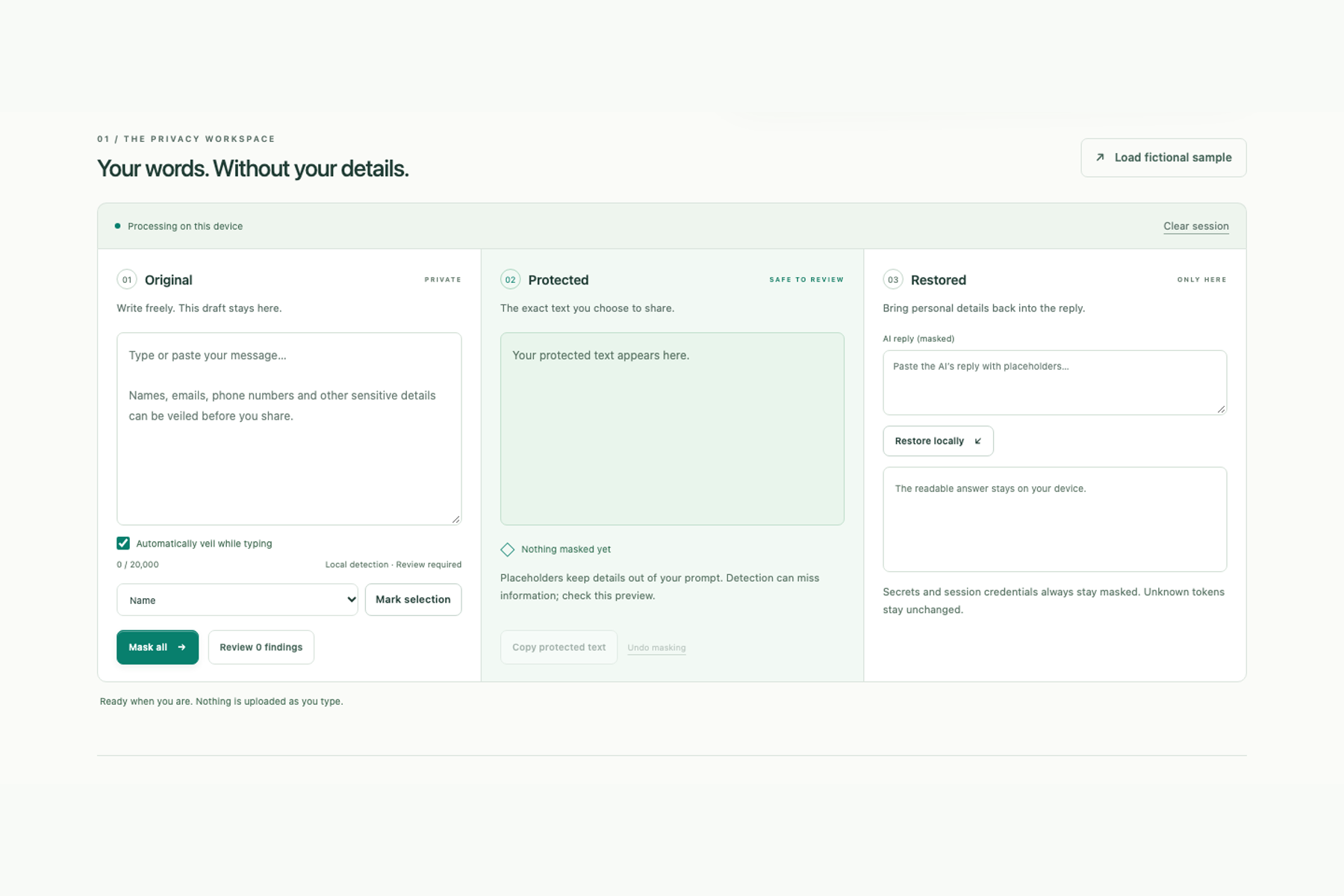
privacy workspace
-
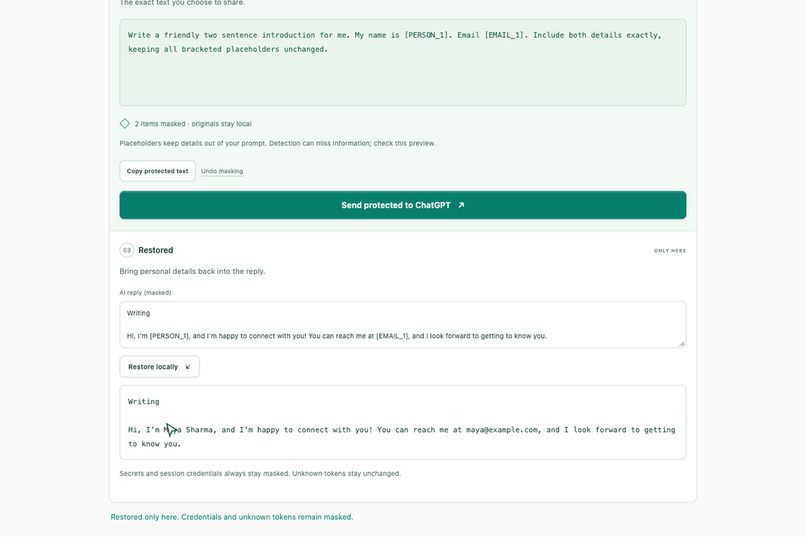
Local reply restoration
-
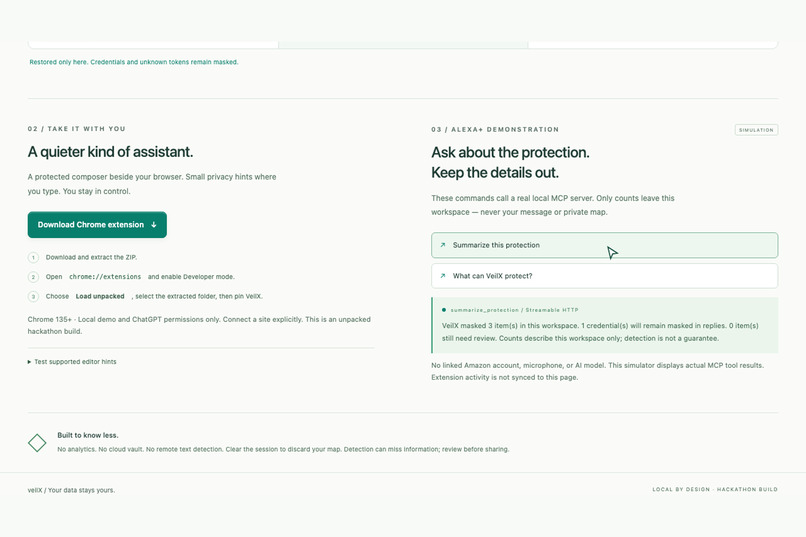
Alexa MCP demo
Inspiration
It’s 11:48 p.m., and Maya is finishing an internship application. She opens an AI assistant, pastes her introduction, and asks, “Can you make this sound more confident?” The answer comes back in seconds. Then she looks at what she sent: her full name, personal email, phone number, and details about where she lives. The assistant needed to understand her message. Did it need every personal detail inside it? Maya is fictional, but the habit is familiar. We paste emails, applications, and personal messages into AI tools because they help us get things done. Removing sensitive details takes effort—and putting them back into the answer takes more. That inspired VeilX: a privacy companion that replaces personal details before sharing and restores them locally when the answer returns. We wanted protection to feel as familiar as a writing assistant: available where you work, with less copying, editing, and remembering.
What it does
VeilX follows a simple flow: Original → Protected → Restored.
- Original: Write in the extension’s private composer. VeilX detects supported sensitive information locally, including names, email addresses, phone numbers, and credentials.
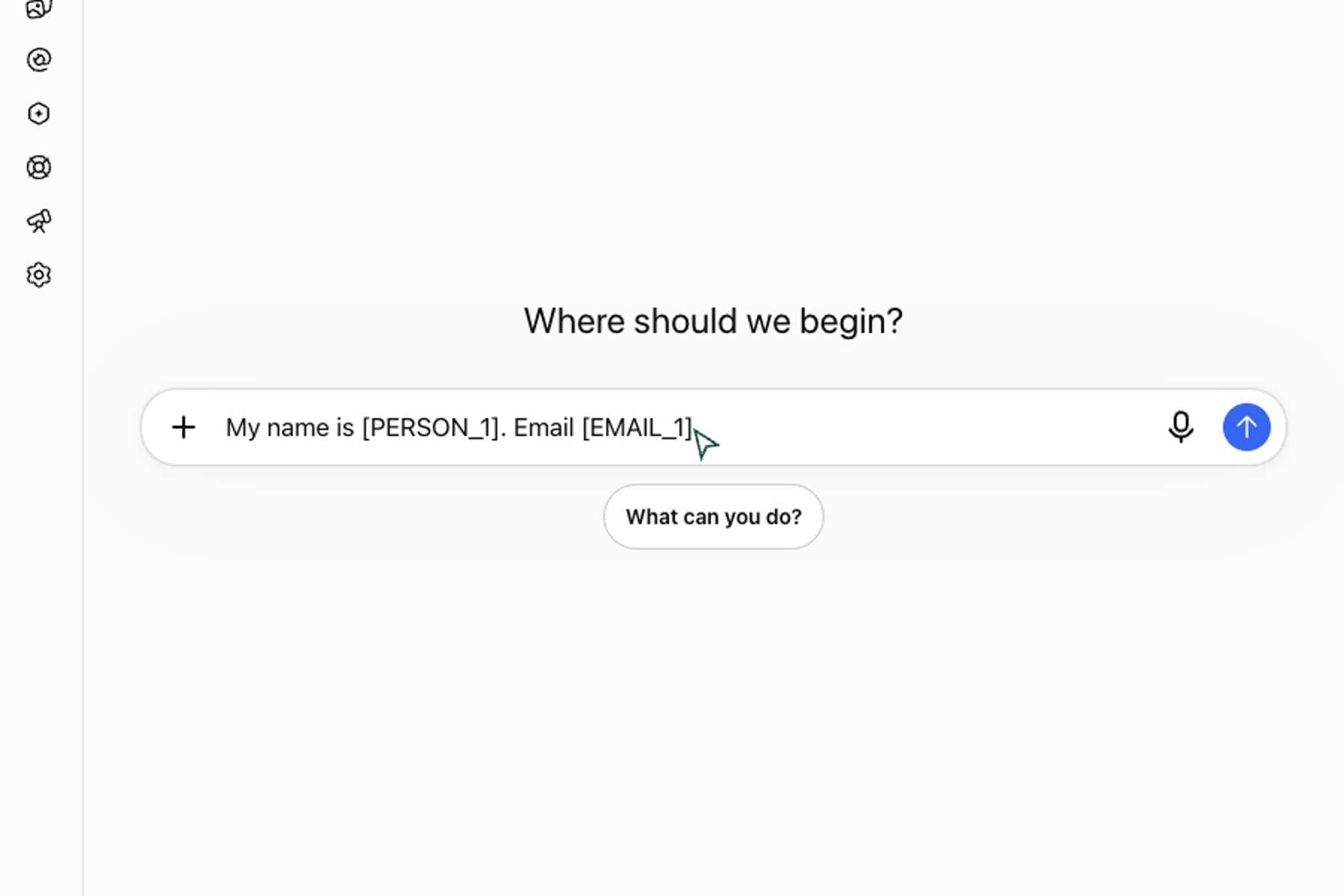
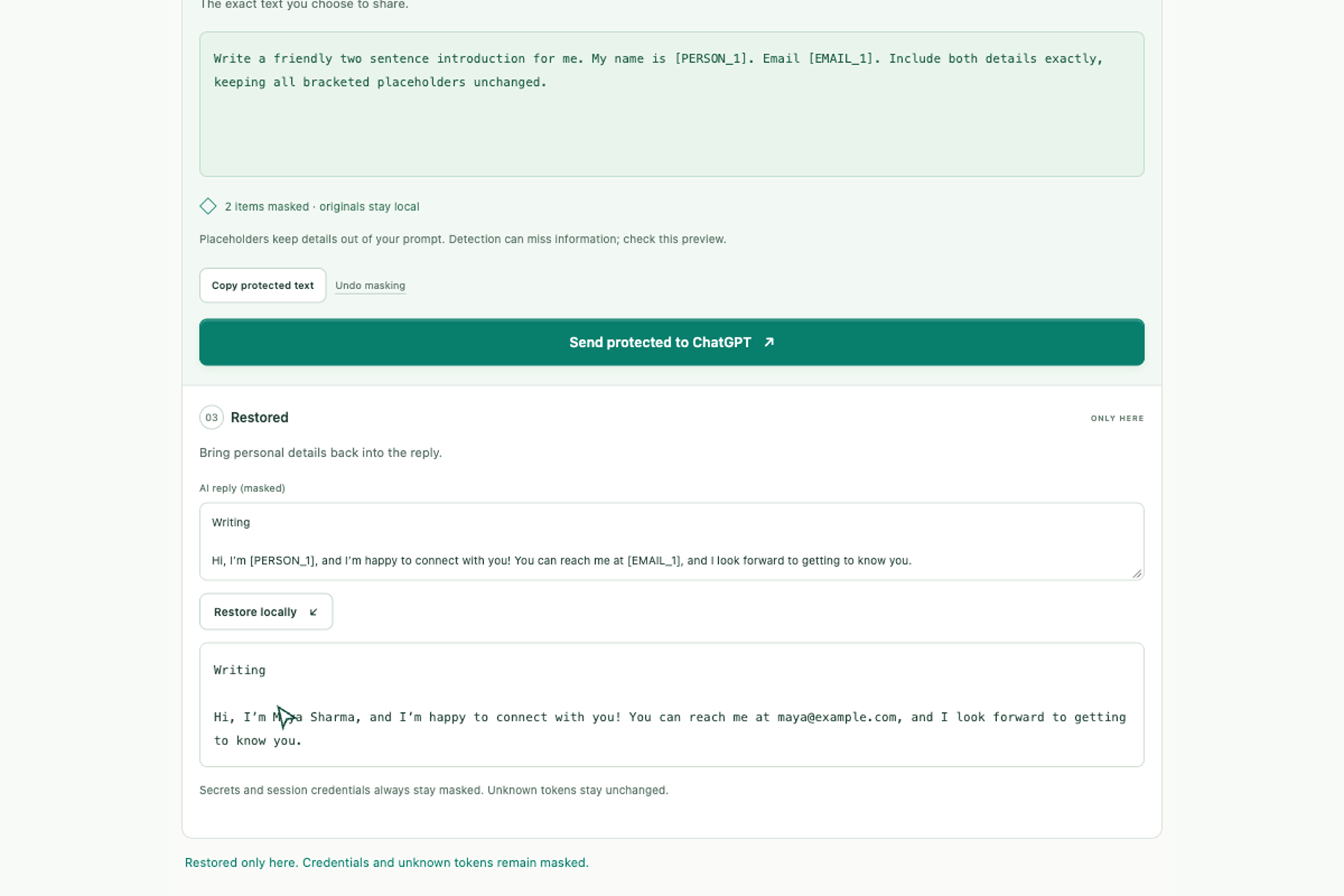
- Protected: Review a version containing consistent placeholders such as [PERSON_1] and [EMAIL_1], then send that version to ChatGPT.
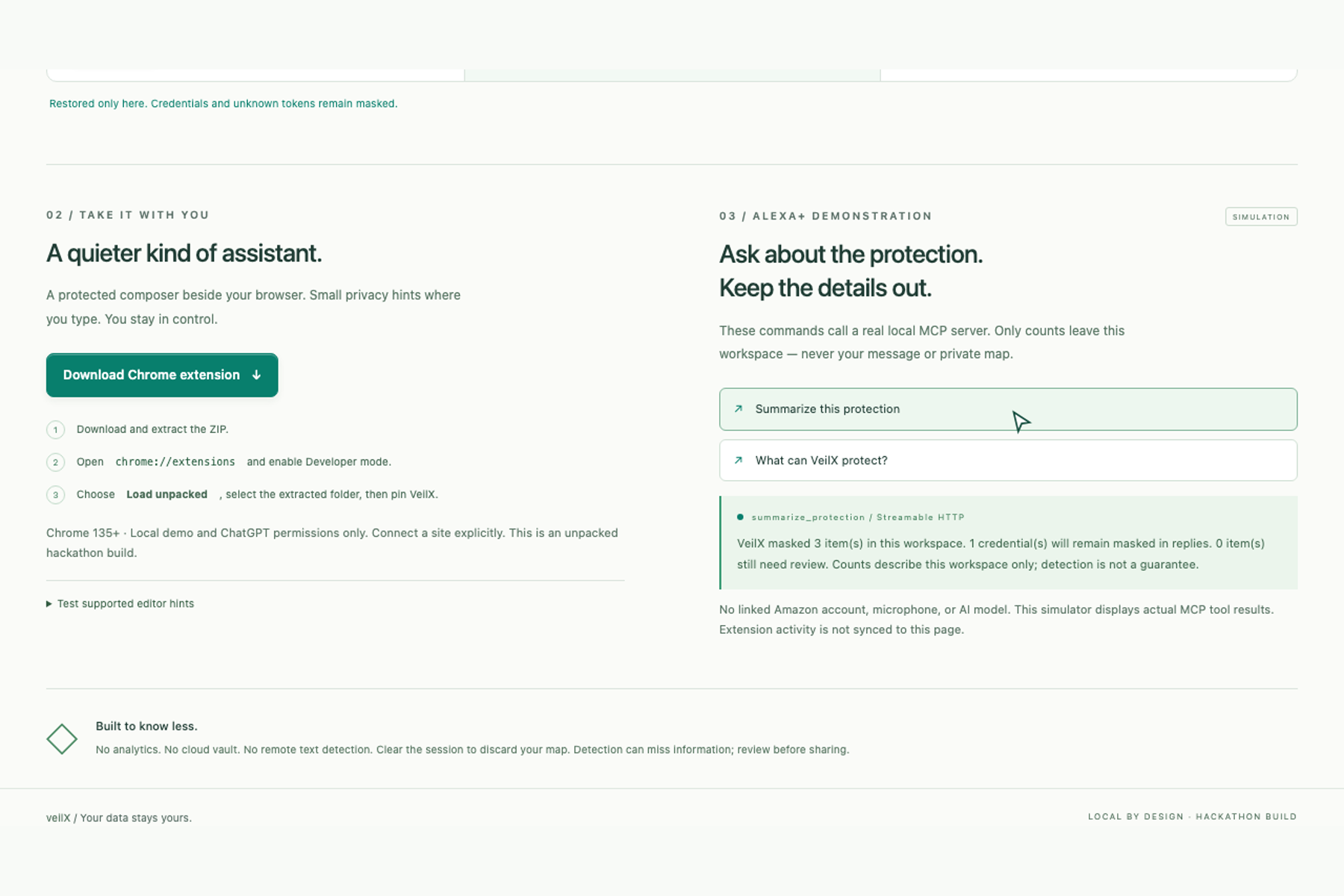
- Restored: When ChatGPT finishes its reply, VeilX replaces known personal-information placeholders with the original details inside the extension. ChatGPT’s page keeps the placeholders. The readable answer appears privately in VeilX. Once connected, the extension can also replace detected details automatically in supported website editors. Because websites can observe typing before replacement, the private composer is the recommended place to enter sensitive text. Users can manually mark anything detection misses, paste a masked reply for manual restoration, or clear the session. Secrets and session credentials remain masked even in restored replies. For our Alexa+ demonstration, we built a frontend simulator that calls a real MCP server for protection summaries. It sends category counts, never the private draft or mapping. Amazon account linking is simulated.
How we built it
We built a Chrome Manifest V3 extension and a website using HTML, Tailwind CSS, and JavaScript. A shared local engine combines compromise with structured detection patterns. Temporary mappings stay on the device and are scoped to each tab and conversation. The backend uses FastAPI, Uvicorn, and the official MCP Python SDK, exposing tools for protection capabilities and summaries without accepting private drafts or mappings.
Challenges we ran into
We had to distinguish private information from ordinary text, handle overlapping matches, and prevent placeholder collisions. AI’s changing interface and streaming responses also required careful completion checks and a manual fallback. Detection can miss information, so review remains essential.
Accomplishments that we're proud of
We verified a live AI round trip: fictional details became placeholders, AI replied using those placeholders, and VeilX restored the details locally. We delivered a working extension ZIP, Python website, real MCP integration, and 47 automated checks covering privacy behavior, backend validation, and browser workflows.
What we learned
Privacy depends on the entire workflow—from where users type to where mappings live. We also learned that an assistant can provide useful protection summaries using counts alone, without reading private content.
What's next for veilX
We plan to improve multilingual detection, strengthen compatibility with changing website editors, and conduct broader usability and security testing. We also want to test the MCP integration on many other AI platforms.


Log in or sign up for Devpost to join the conversation.