-
-
-
-
-
-
-
-

App Icon
-
Screenshot
-
Screenshot

Inspiration
I live with a brain injury from a traffic accident. Working memory is the part that doesn't work well anymore. A normal to-do list is a wall for me: too many items, too vague, and I freeze. When I do start, something else catches my attention and I stop.
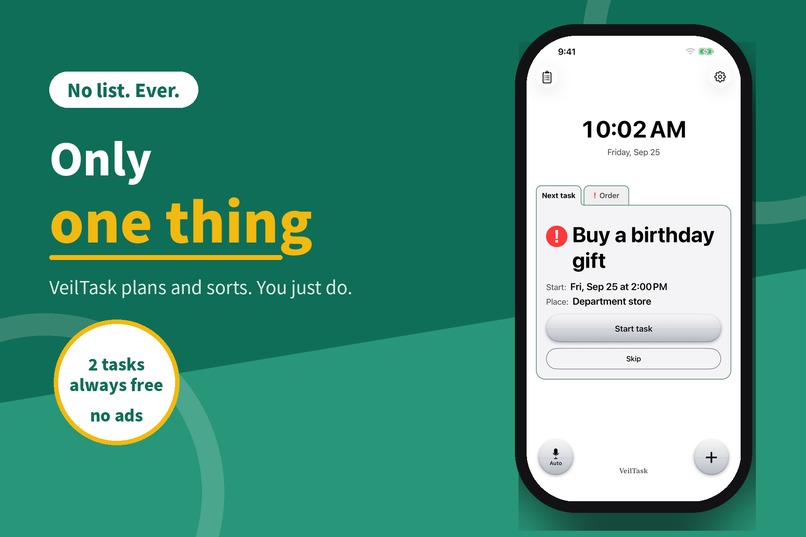
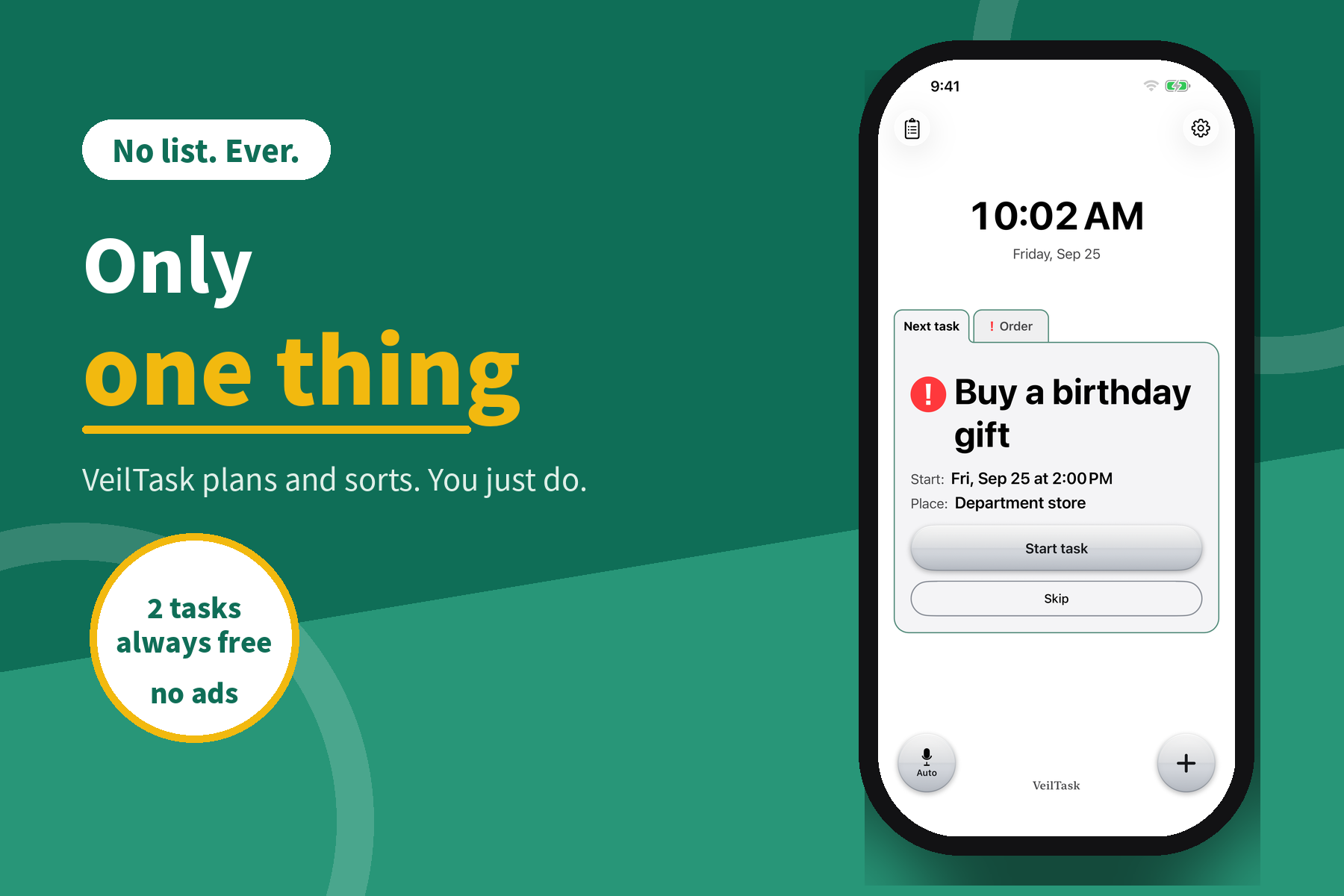
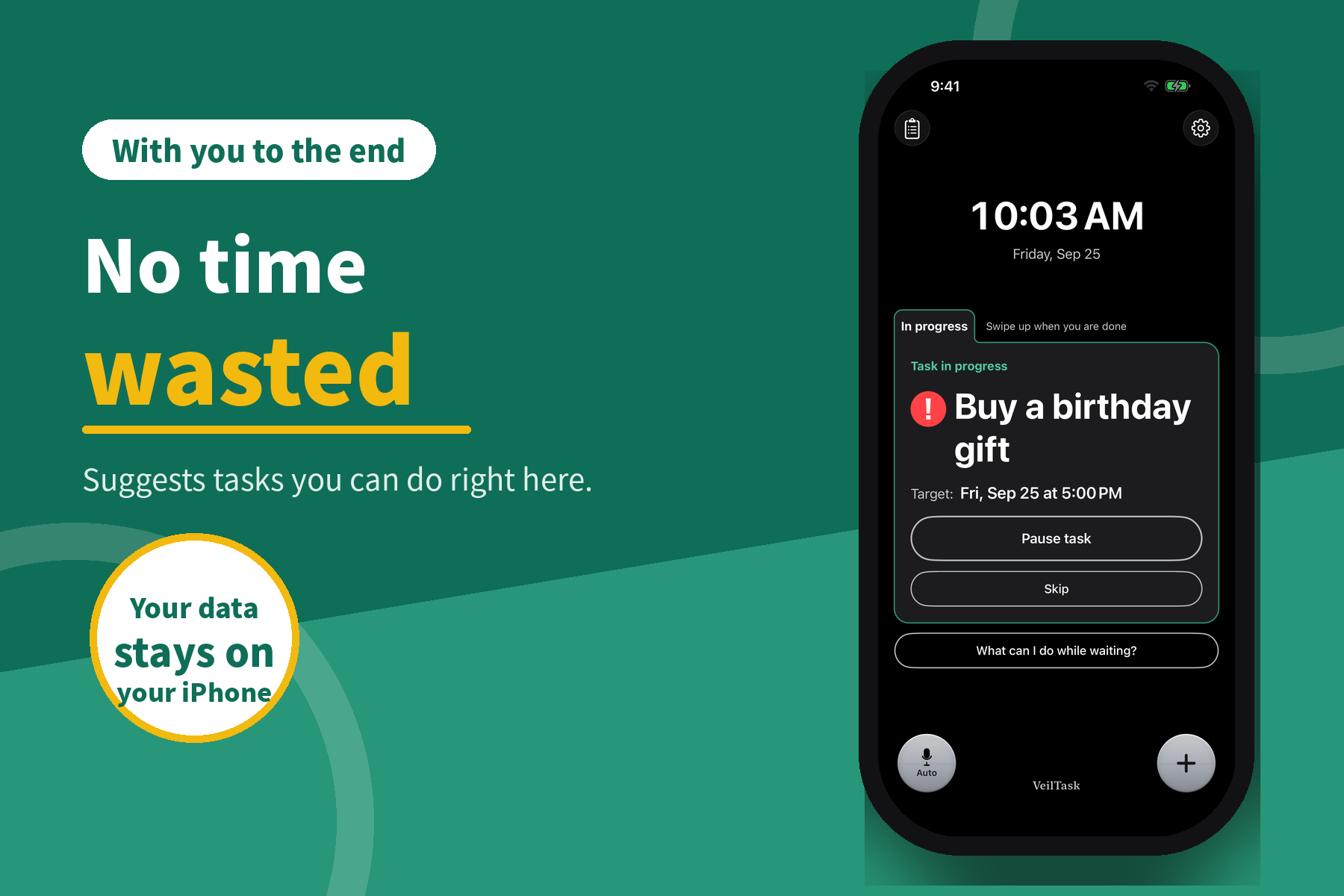
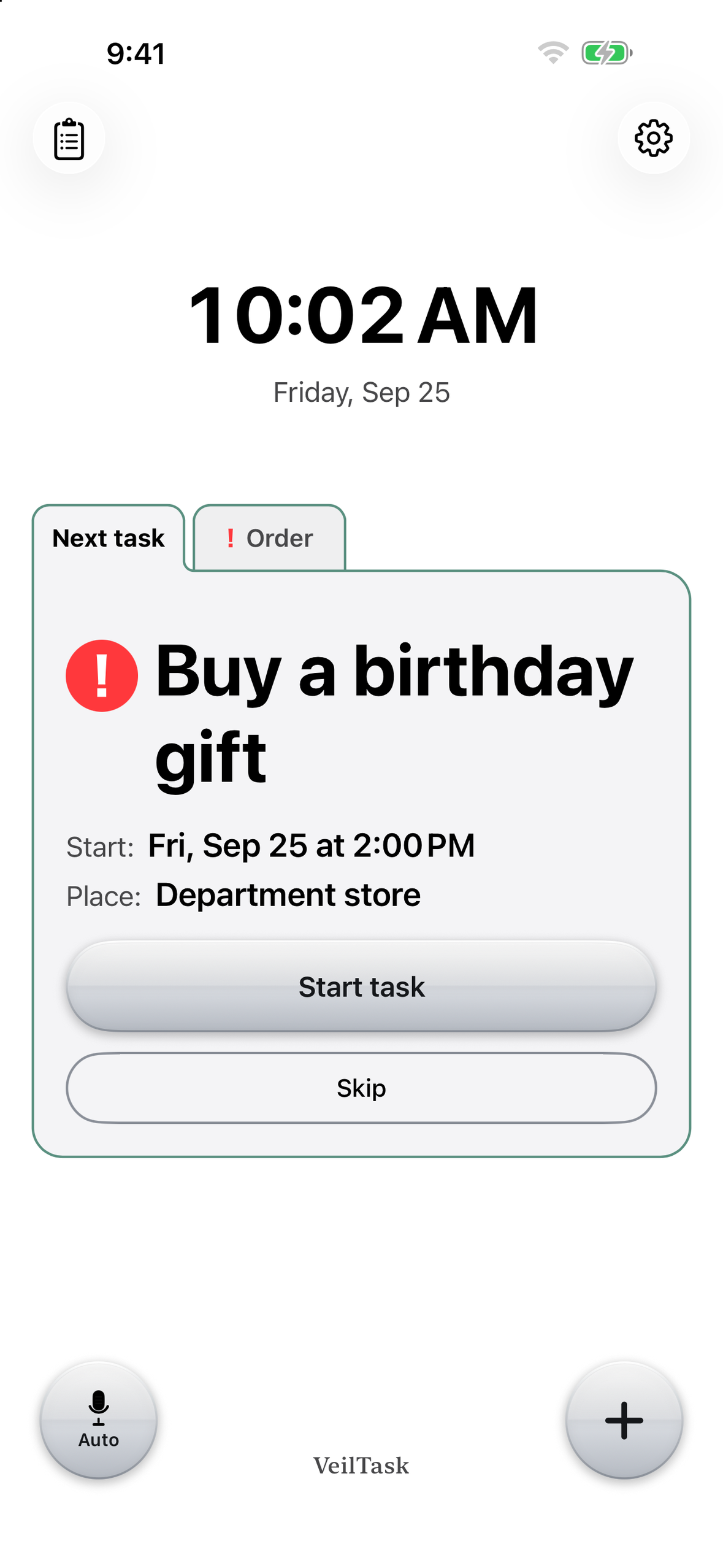
So I built the app I needed. VeilTask hides the list. It shows only the one thing to do now.
What it does
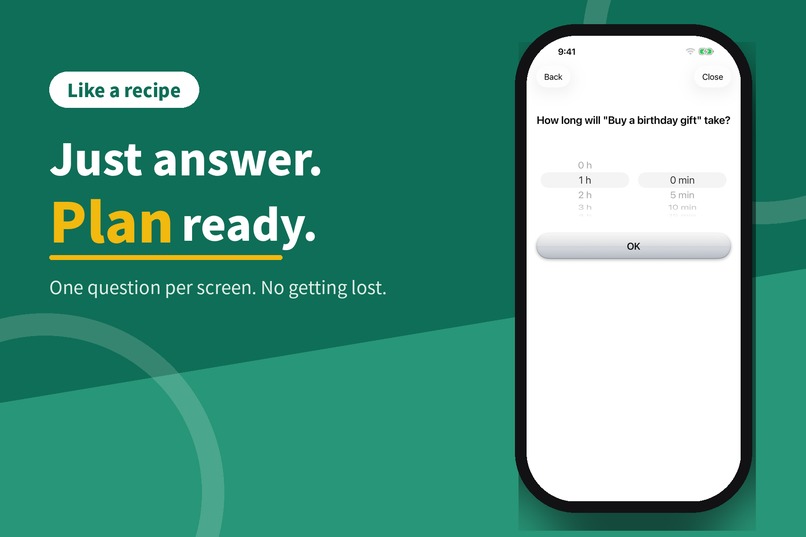
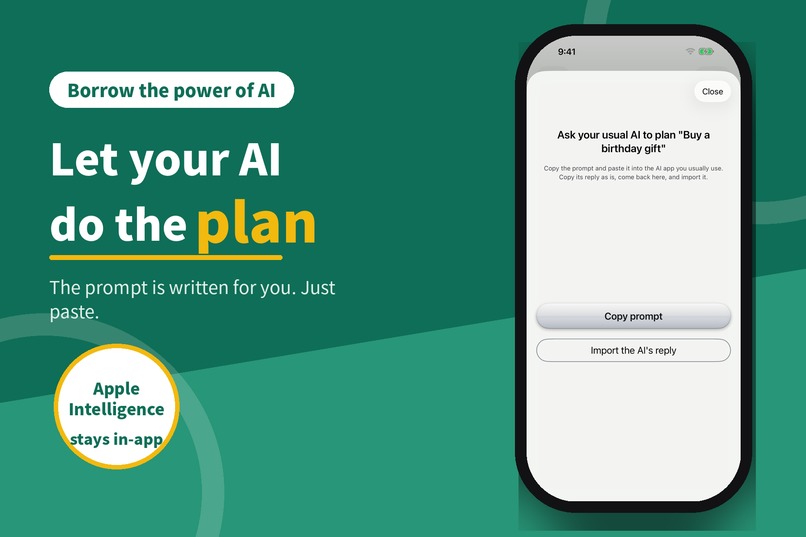
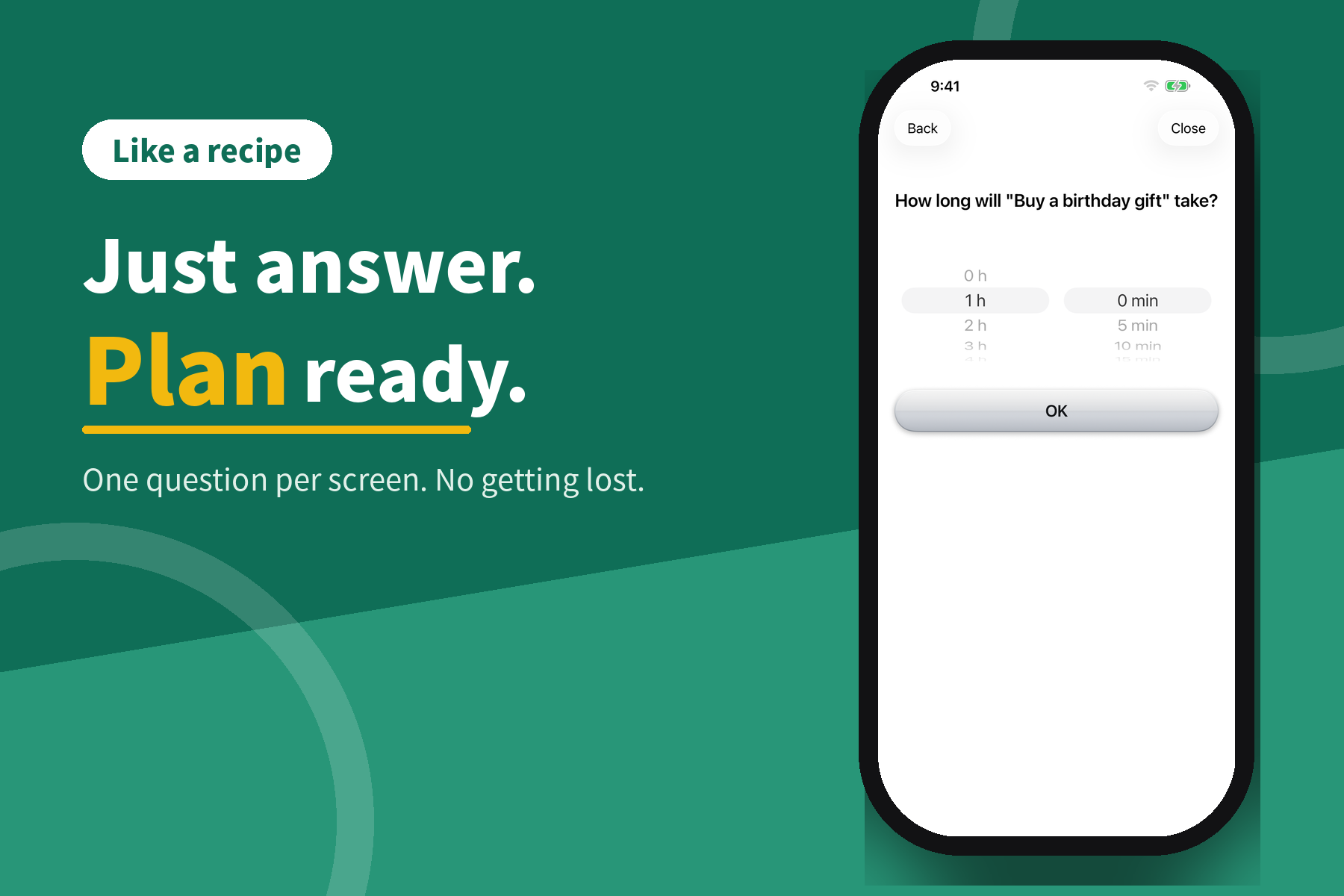
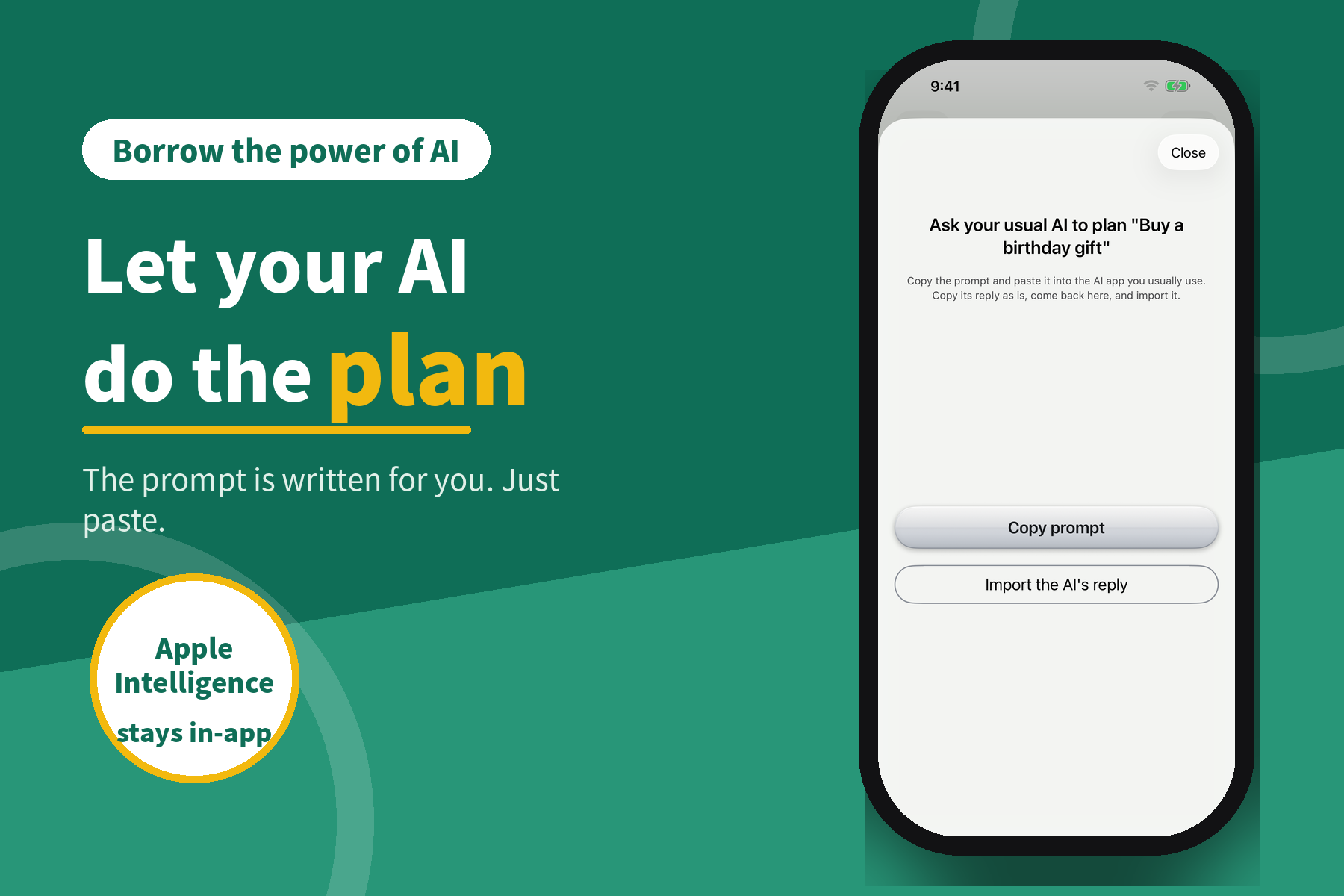
- Breaks a task into concrete steps. Answer a few questions, or let AI plan it. On Apple Intelligence devices the planning runs on-device. On any device, VeilTask writes the prompt for you: copy it into the AI you already use, paste the reply back, and the steps are imported as the plan.
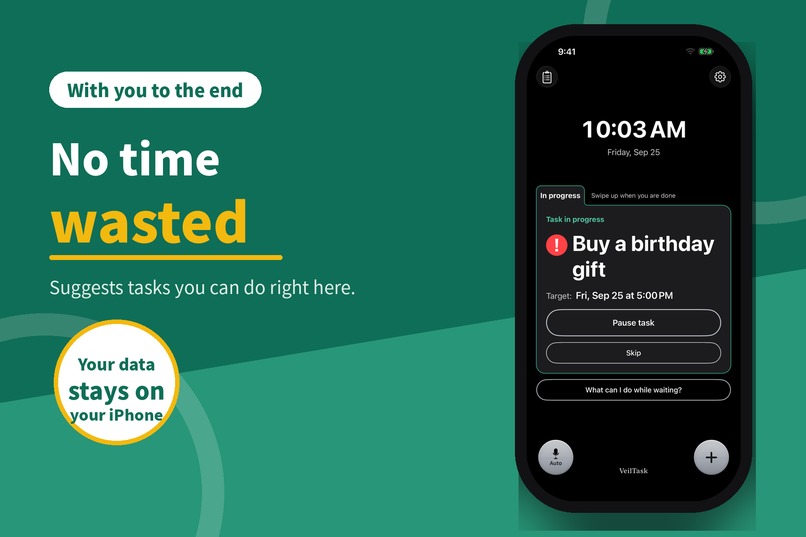
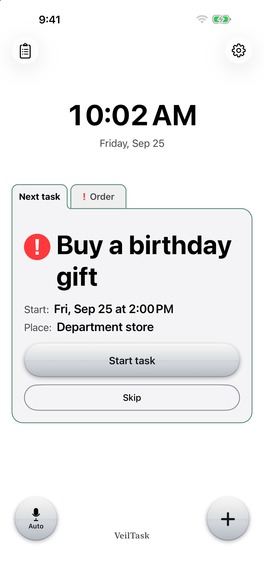
- Shows just one thing. The full list is deliberately kept out of sight. VeilTask sorts the steps and puts the one to do now on the main screen.
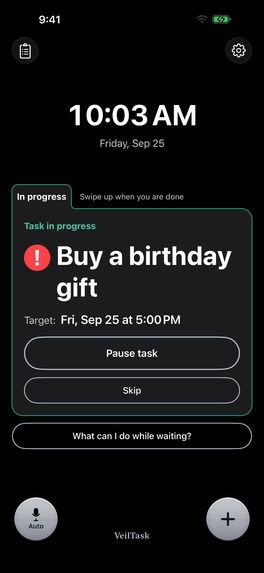
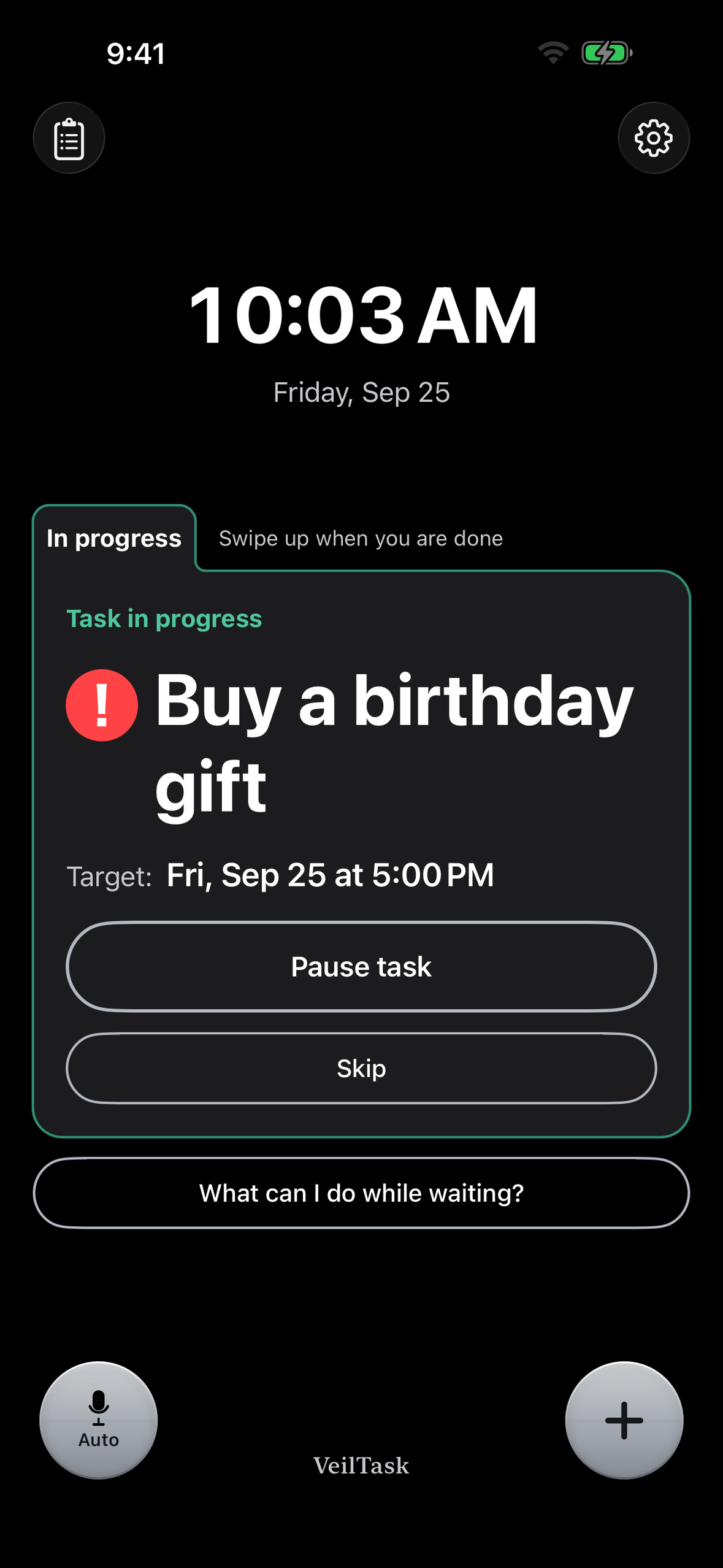
- Stays with you. It nudges you until you start, and stays with you until you're done. If you end up waiting, it suggests a task you can do right where you are.
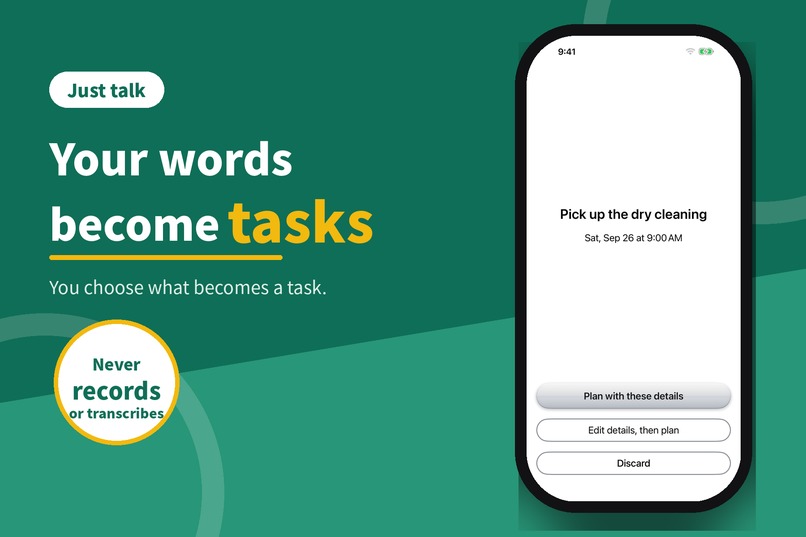
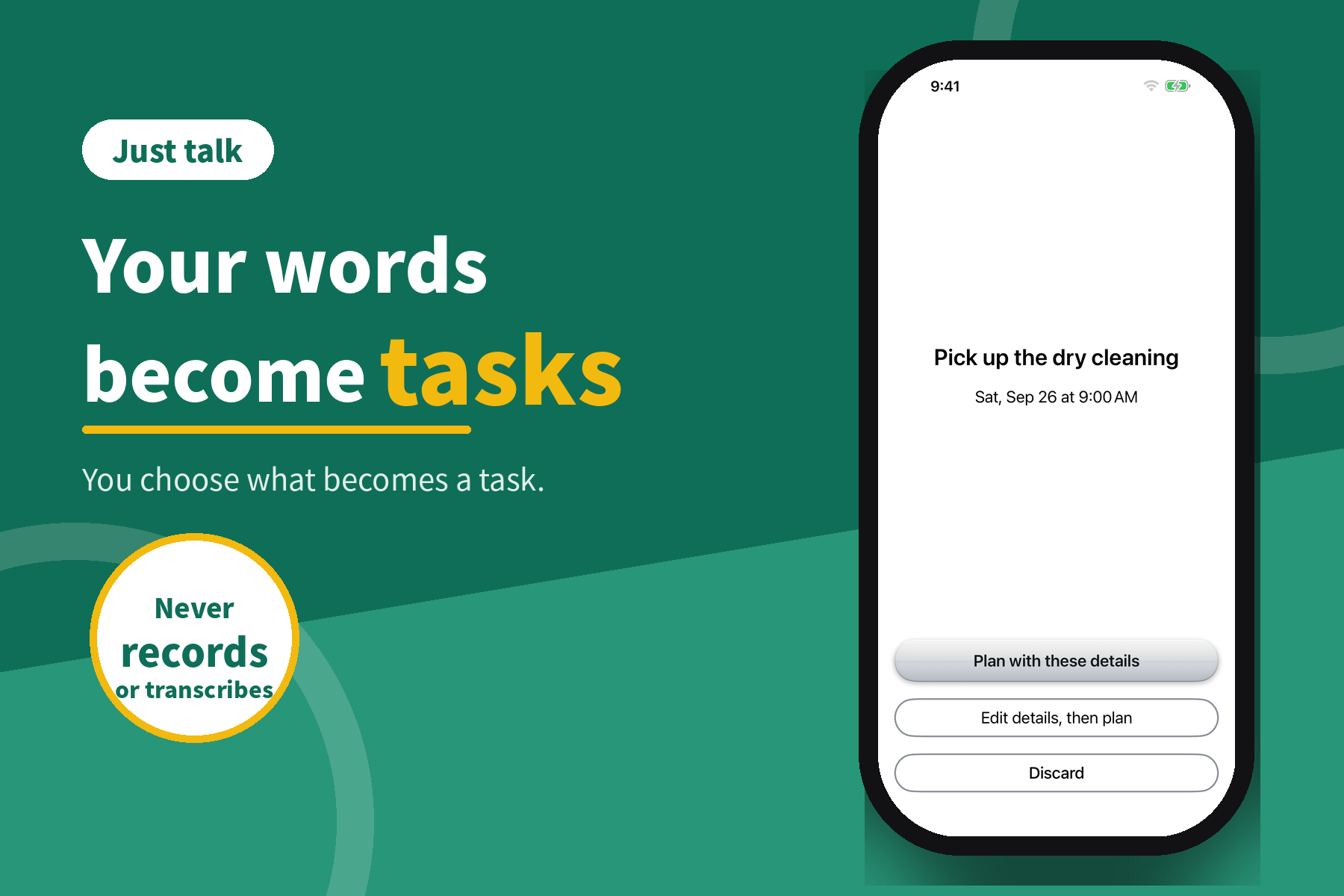
- Auto mode. With the screen open, it listens and picks out tasks from ordinary conversation. What it hears is never stored or sent anywhere.
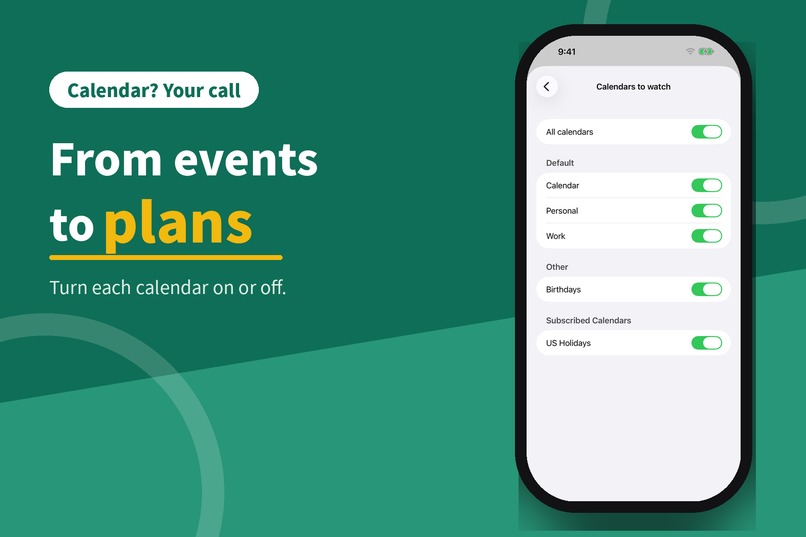
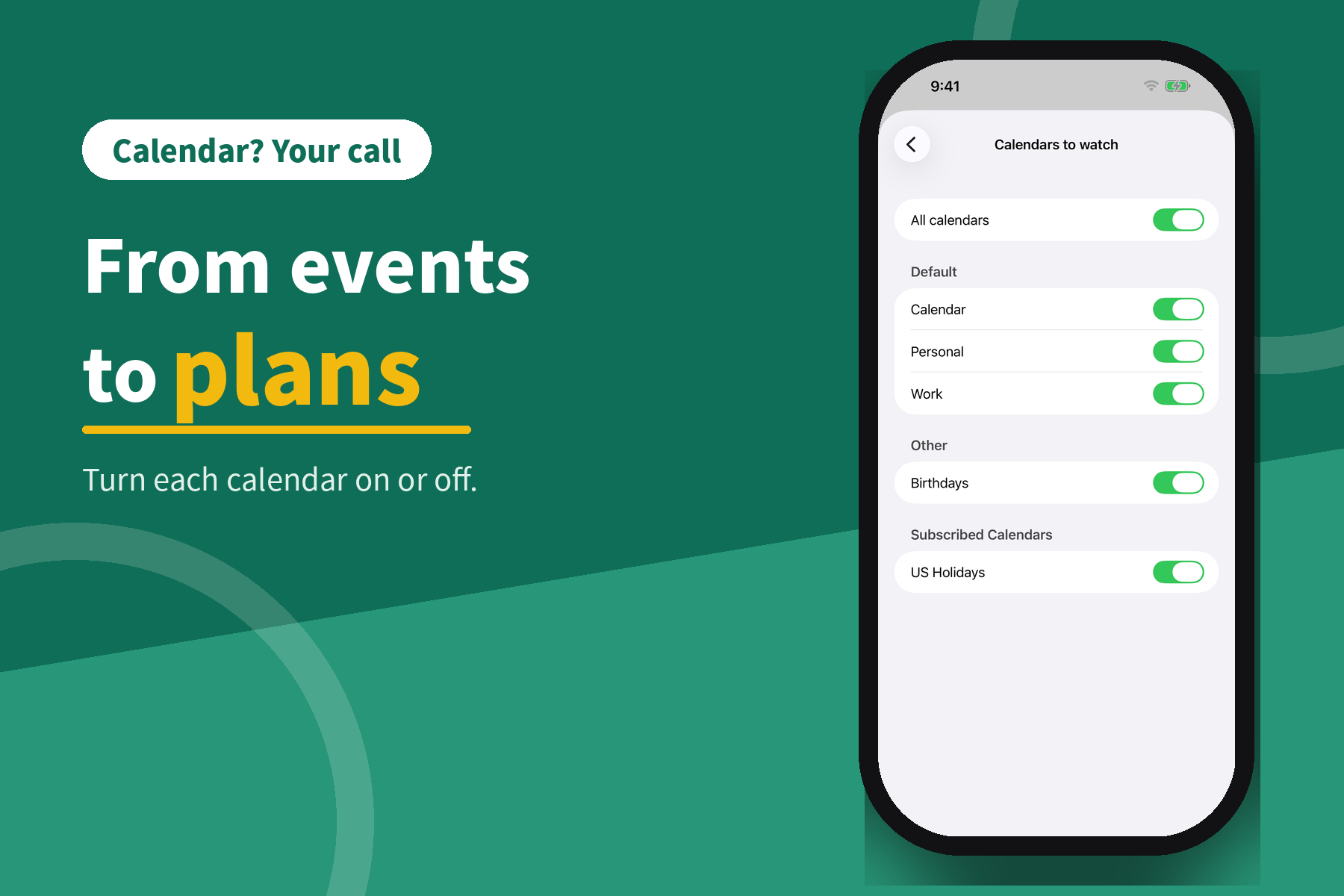
- Calendar, if you want it. It can plan for events already on your calendar, and write steps back to a calendar of your choice.
- Everything on your iPhone. No account, no server, no analytics. It works the same offline.
Free for up to two unfinished tasks. VeilTask Plus via RevenueCat: lifetime, monthly with a 7-day free trial, or yearly. All three unlock the same features.
How I built it
Swift and SwiftUI, iOS 26. On-device speech recognition (SFSpeechRecognizer with on-device mode), Foundation Models for planning and task extraction on Apple Intelligence devices, with a rule-based fallback elsewhere. EventKit for calendar, CoreLocation for the "what can I do while waiting?" suggestions. RevenueCat handles the paywall, entitlements, and restore.
I can't hold a large codebase in my head, so I worked with Claude: Claude Code wrote and refactored the code, and a second Claude session acted as planner and reviewer, keeping a running handoff document so nothing depended on my memory. Every feature was tested on a real device before it counted as done.
Challenges
- Keeping the whole app local-only while still handling purchases — RevenueCat was the only network call I allowed.
- Making Auto mode useful without a server: on-device speech recognition plus a small on-device model, with a simple rule-based path for older iPhones.
- Designing for a brain that gets lost easily: one question per screen, one task on the main screen, big buttons, and nothing that pulls attention away.
- Building with a working-memory limit: the handoff document between sessions became as important as the code itself.
What I learned
The list was never the point. Showing less let me get more done. And the limits of my own brain turned out to be a good enough design spec for anyone who struggles to get started.
What's next
- Better Auto mode: smarter filtering, and fewer mistakes when extracting what was actually said.
- Suggestions beyond tasks: remind you to take an umbrella when rain is coming, or suggest a place to stop by on the way, based on where you are.
- Better task breakdown: learn from how you use the app, inside the app, so steps can be generated without Apple Intelligence — and get even better when Apple Intelligence is available.
- New modes: dedicated modes to prevent slip-ups while shopping or cooking.
Built in public with Claude Code. #Shipaton2026 #BuildInPublic
Built With
- apple-intelligence
- core-location
- eventkit
- foundation-models
- revenuecat
- speech
- swift
- swiftui


Log in or sign up for Devpost to join the conversation.