-
-
veil-01-local-scan.png
-
veil-02-short-local.png
-
veil-03-cloud-masked.png
Inspiration
Foreign residents, patients and tenants often receive letters they cannot fully read: clinic results, lease notices, visa emails, bank letters. As of 30 June 2026, 4,281,026 foreign residents lived in Japan, according to the Immigration Services Agency of Japan (mid-to-long-term residents plus special permanent residents): https://www.moj.go.jp/isa/publications/press/13_00070.html
The easy way to get help is to paste that letter into a cloud chatbot, which also uploads a name, a My Number, an insurance number or a bank detail. We wanted the same help without sending those identifiers away. The on-device model is not just a cheaper fallback. It is the privacy boundary.
What it does
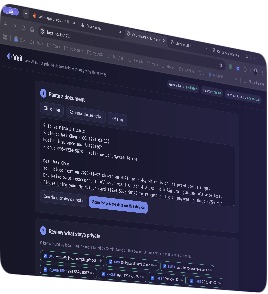
Veil is a Chrome web app that helps you understand sensitive paperwork while keeping private values on your own machine.
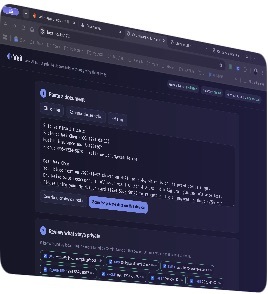
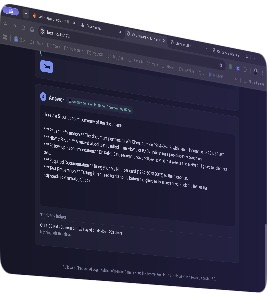
- Scan on the device. Gemini Nano, through Firebase AI Logic in ONLY_ON_DEVICE mode, plus local rules, finds names, addresses, ID numbers, emails, phone numbers, card numbers, dates and links. Every span the model returns is checked against the source text. Nothing has left the device yet.
- Review. You see each detected item and the exact masked text, and you can turn items off before anything is sent.
- Route. A small, testable router decides where the task runs:
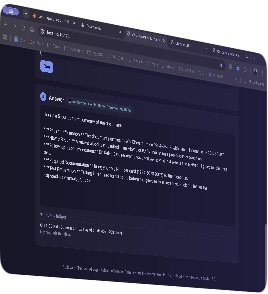
- short tasks such as "Explain in plain English" prefer Gemini Nano (PREFER_ON_DEVICE);
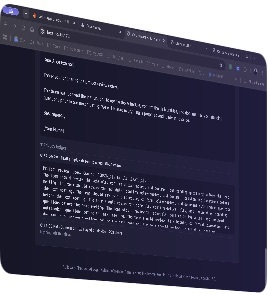
- long documents or heavy tasks such as "Draft a reply" go to Gemini in the cloud (ONLY_IN_CLOUD) with masked text only;
- offline or strict local mode never uses the cloud.
- Restore locally. Placeholders such as [PERSON_1] in the answer are swapped back to the real values on the device, so you read a normal answer.
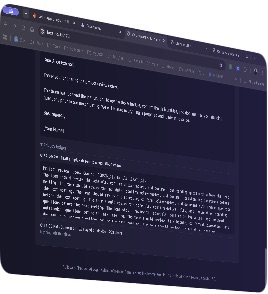
- Privacy ledger. Every request records where it ran (response.inferenceSource) and, for cloud calls, the exact payload that was sent, so you can check the claim instead of trusting it.
The live demo is at https://veil-walkingtyphoon.web.app. Built-in sample letters are fictional. On-device Gemini Nano needs Chrome desktop with the Prompt API and an on-device model available. If the local model is not ready, the app routes masked text to the cloud.
Measured on desktop Chrome with Gemini Nano ready (about 4,072 MiB): a short explain task ran on-device (about 9 seconds in one run, about 52 seconds in another); a long draft-a-reply task ran in the cloud after masking (about 3 to 9.5 seconds). The privacy ledger showed only placeholders such as [PERSON_1] and [EMAIL_1] were sent, and real names were restored locally. On-device latency varies, so we do not describe that path as fast.
How we built it
All model calls go through Firebase AI Logic (firebase/ai) with the Gemini Developer API (GoogleAIBackend). We create three model instances, because different features need different inference modes:
- PII detection uses InferenceMode.ONLY_ON_DEVICE, with a JSON responseConstraint so Gemini Nano returns structured entities.
- Short tasks use InferenceMode.PREFER_ON_DEVICE, still on masked text, so a cloud fallback stays private.
- Long or heavy tasks use InferenceMode.ONLY_IN_CLOUD, masked text only, with default cloud model gemini-3.5-flash-lite.
The app calls initializeDeviceModel() from a button click. The UI badge and the ledger use response.inferenceSource. App Check is required by Firebase AI Logic; the hosted demo uses reCAPTCHA Enterprise, not the debug provider. Remote Config is wired for local_char_limit, heavy_tasks and cloud_model, with the same values as the code defaults in src/router.ts. No Remote Config template has been published yet, so the live app uses those defaults. We did not use Firestore or Authentication.
The app is TypeScript, built with Vite. Fourteen unit tests cover masking, rehydration, leak checks and routing, and they all pass. The project was written from scratch during #BuildHybridAI 2026, with help from AI coding assistants, which the official FAQs allow. Third-party code is limited to npm dependencies.
Challenges we ran into
The hard part was making on-device detection trustworthy enough to be the privacy boundary. We constrain Nano output with a schema, keep only spans that actually appear in the source, backstop the model with local rules (including My Number, Japanese phone numbers and a Luhn check for cards), and block a request if a leak check still finds a private value in the masked text.
App Check was a practical hurdle. Firebase AI Logic rejects unattested clients, so local development needs a registered debug token, while the public site must use reCAPTCHA Enterprise and must not ship the debug provider.
On-device availability is uneven. Gemini Nano has to be downloaded in Chrome desktop, and some environments never expose it. The router is built for that case: it falls back to masked cloud, or it blocks the request in strict local or offline mode when the local model cannot run.
Accomplishments that we're proud of
- A working hybrid loop, not only a fallback: scan stays on-device, short tasks run on Gemini Nano when it is available, and long tasks go to the cloud only after masking.
- A privacy ledger that shows the exact cloud payload, including placeholders such as [PERSON_1] and [EMAIL_1].
- Local restoration of real names, so the user reads a normal answer.
- Strict local mode, shown in the demo video, where the cloud is never used and a short task still succeeds.
- A public Apache-2.0 repository and a hosted demo protected by production App Check.
- A 2:38 English-captioned demo that shows the on-device path, the masked cloud path, name restoration and strict local mode.
What we learned
Hybrid inference is most useful when you choose a mode per feature, not when every prompt simply prefers on-device. Detection that sees raw text should never go to the cloud. Short questions can stay local. Longer writing can use a larger cloud model once the identifiers are already gone.
We also learned that on-device means private and free to run, not necessarily quick. The same short task took about 9 seconds in one run and about 52 seconds in another. The UI should report the source and the time honestly.
Finally, App Check is not optional with Firebase AI Logic, and a public site needs a real attestation provider. Remote Config is a good place for routing policy, but it only changes live behavior after a template is published.
What's next for Veil
- Photo input for paper letters. The platform can already accept image input on the device, but the app is text-first today.
- Android and iOS clients that share the same router, so the same privacy boundary works on phones.
- Publish a Remote Config template so local_char_limit, heavy_tasks and cloud_model can be tuned without a redeploy.
Try it out
- Live demo: https://veil-walkingtyphoon.web.app
- Source: https://github.com/walkingtyphoon/veil
- Video: https://youtu.be/rtPehLfHeLc
Testing notes: open the demo in Chrome (no login). On-device Gemini Nano needs Chrome desktop with the Prompt API and an on-device model available. If the local model is not ready, the router sends masked text to the cloud. Use the fictional built-in samples. Do not use real personal documents when judging.
