Inspiration
Every teacher I've ever spoken to has the same quiet complaint: the part of their job they love — teaching — gets eaten by the part that's purely mechanical. Writing a question paper for a Class 10 Science exam means an hour of formatting, numbering, checking that the difficulty curve makes sense, and then printing a clean copy. That's before they've written a single original question.
I built VedumAI because that problem is almost perfectly shaped for what GPT-5.6 is good at — structured reasoning under constraints. A teacher knows their subject. The AI should know how to turn that knowledge into a well-formed, pedagogically sound exam paper. They shouldn't have to fight their tools to get there.
What it does
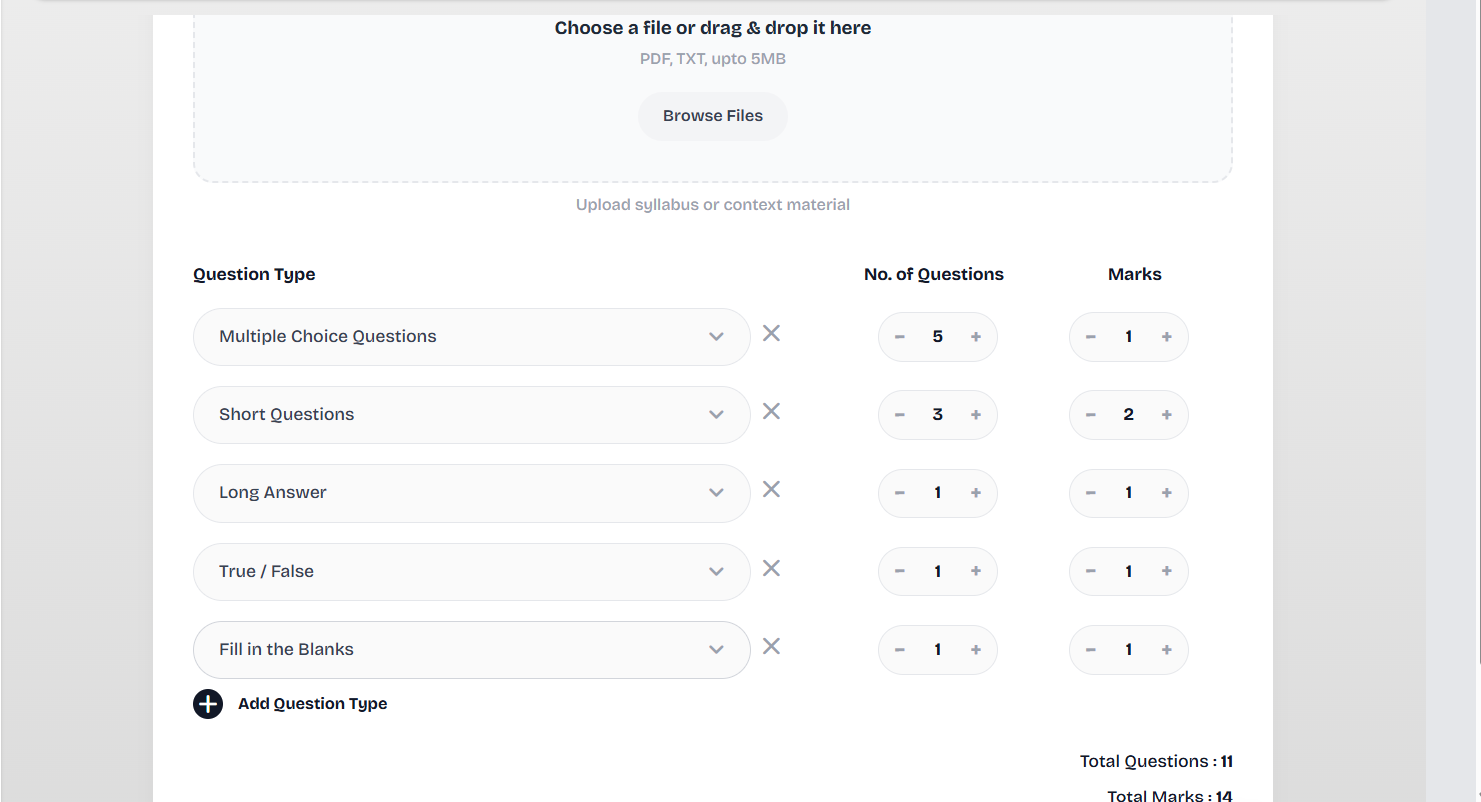
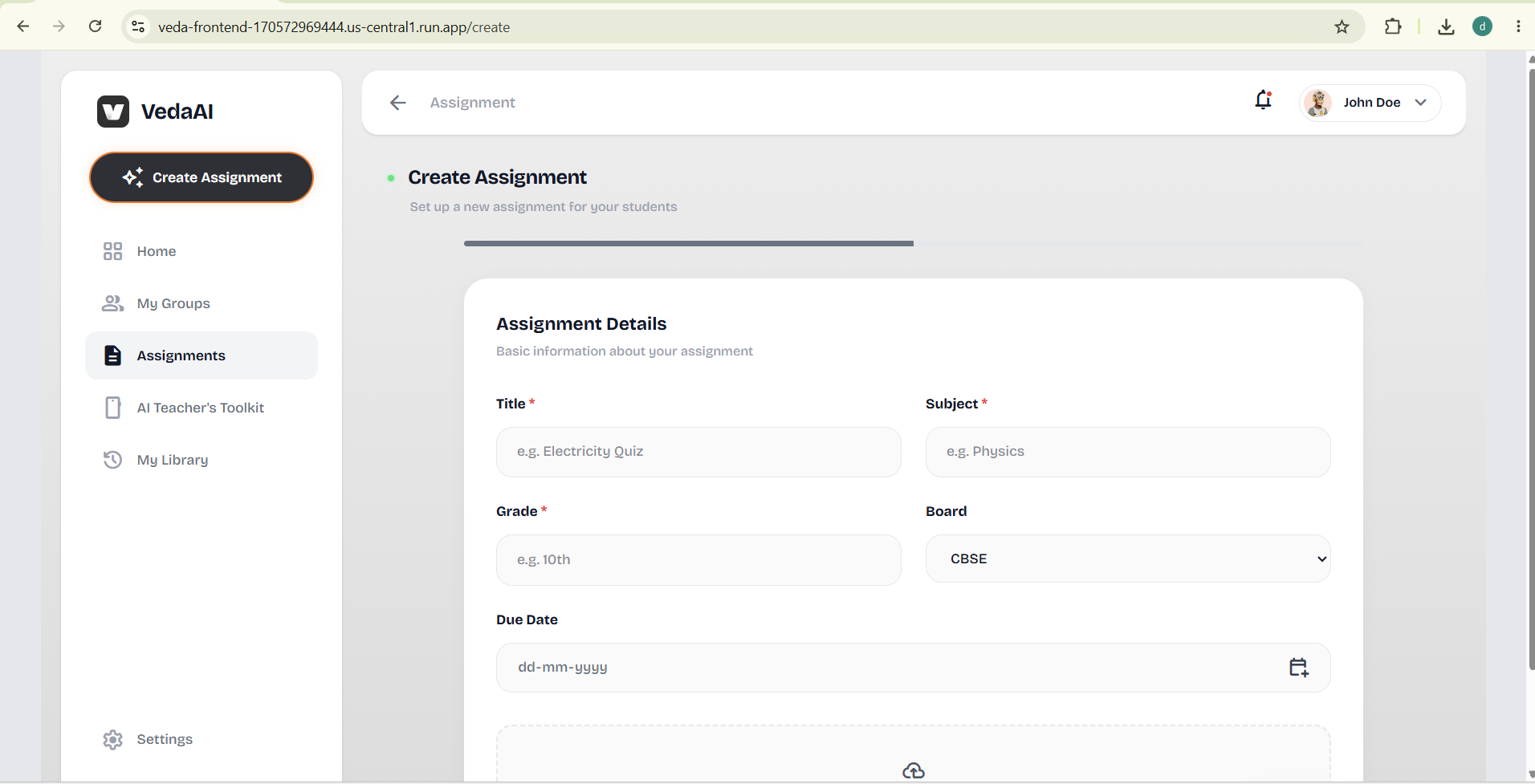
VedaAI lets a teacher fill out a simple form — subject, grade, board (CBSE/ICSE/IB), question types, marks per question, due date, and any extra instructions — optionally upload a PDF of their syllabus or textbook chapter, and then walk away.
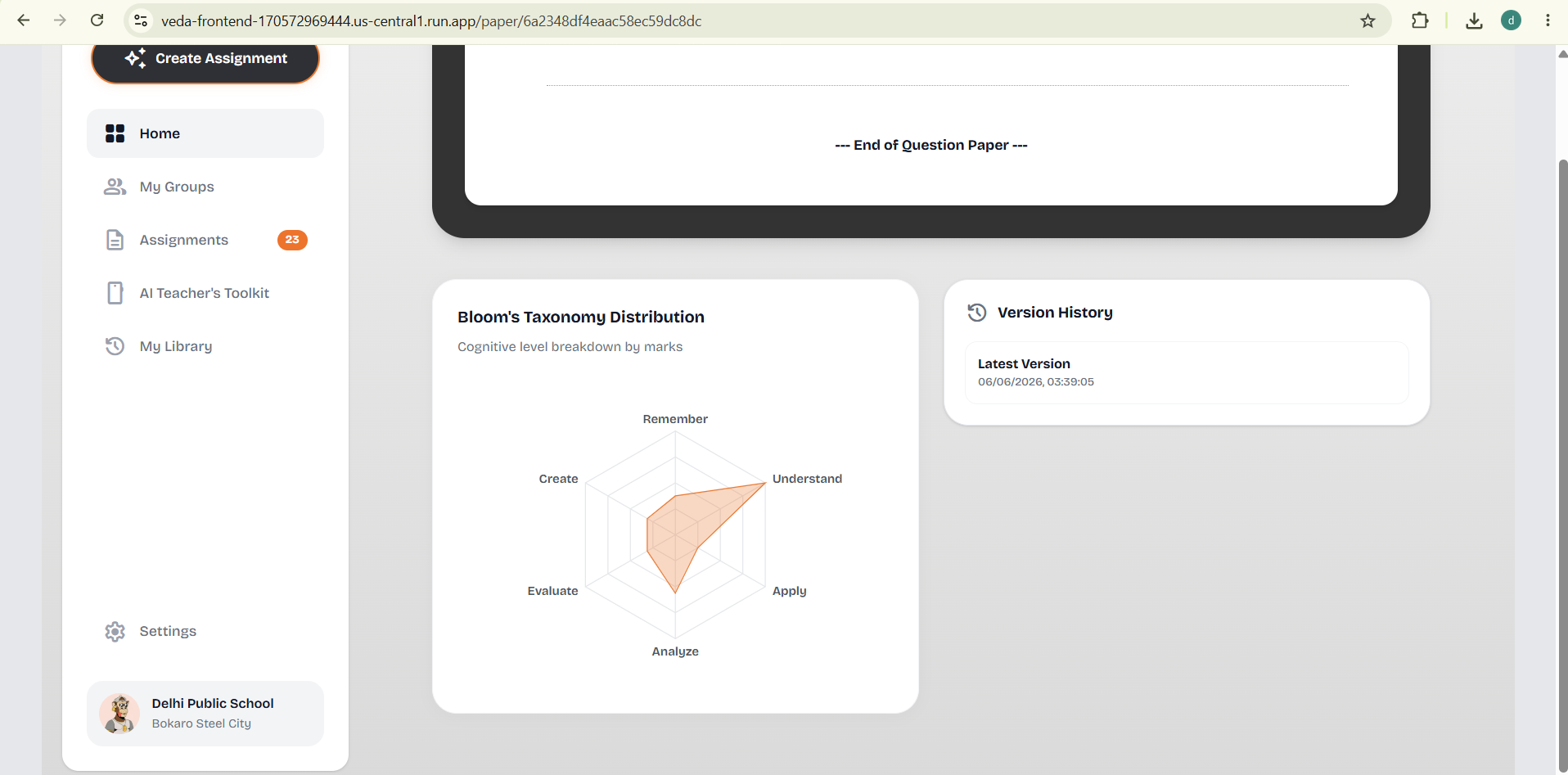
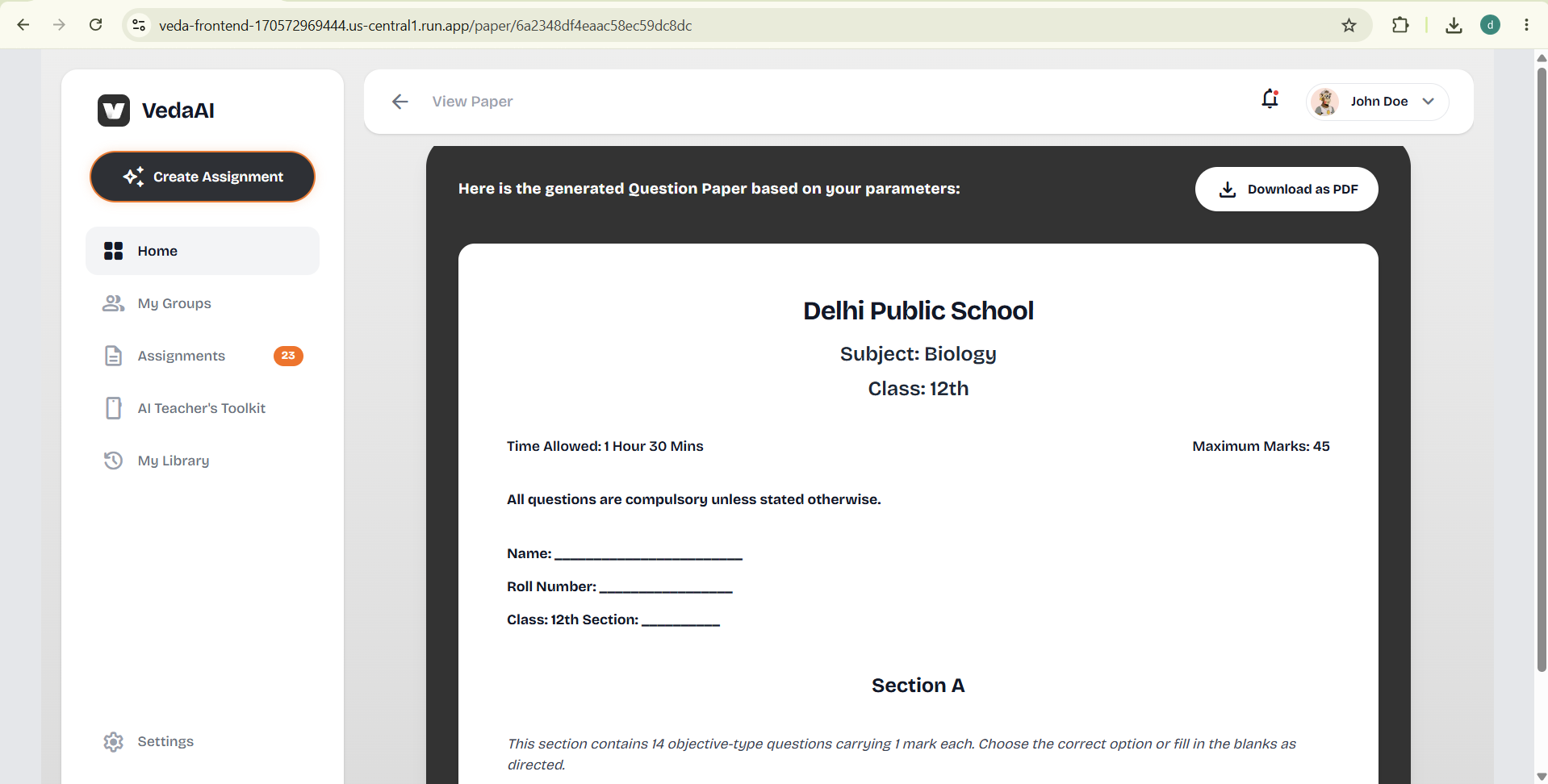
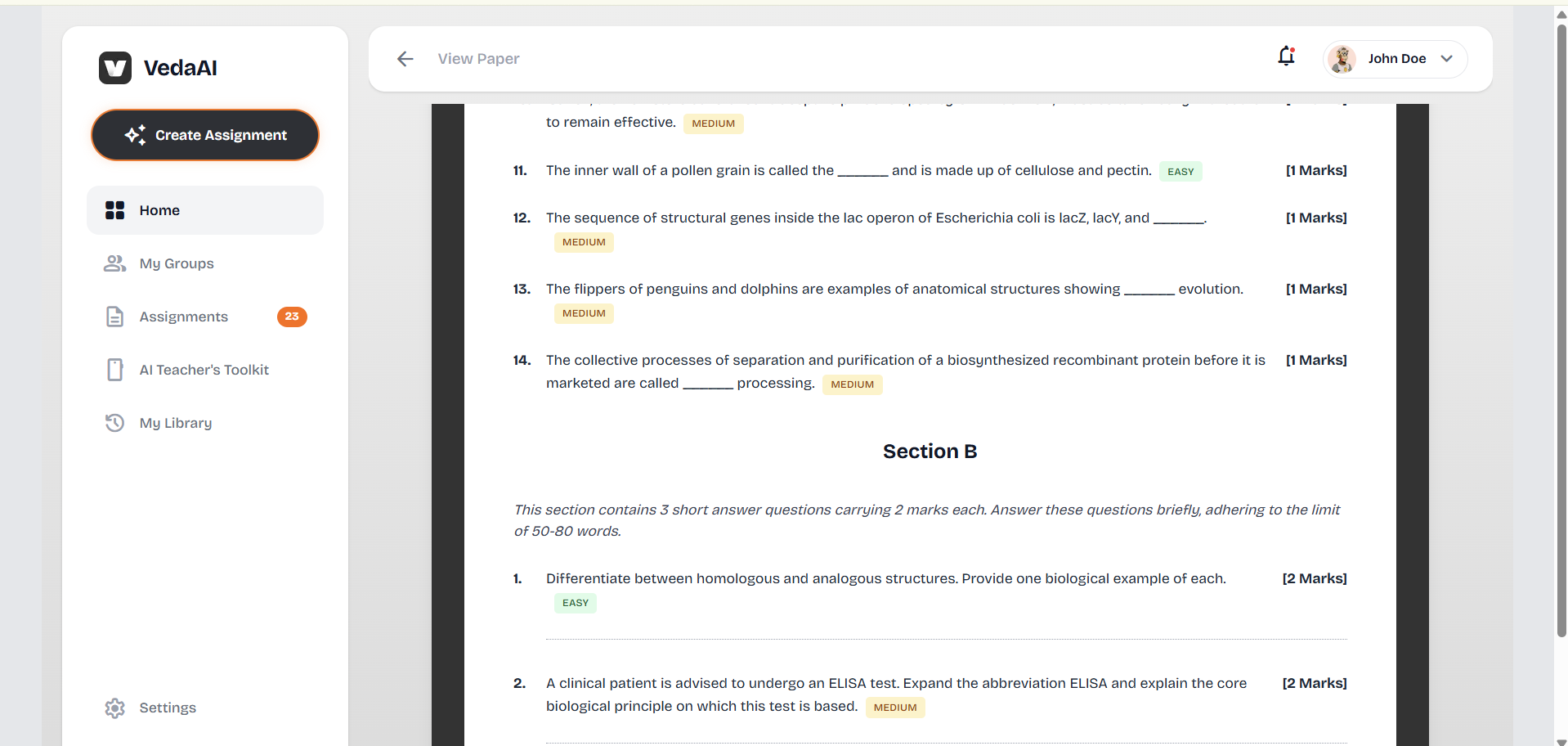
In the background, GPT-5.6 processes the inputs, structures questions across logical difficulty bands (Easy / Medium / Hard) and Bloom's Taxonomy cognitive levels (Remembering through Creating), and returns a deeply validated JSON/ZOD Schema paper — not raw text. The result renders as a properly formatted question paper with a school header, student info section, labeled sections (Section A, B, C), and per-question difficulty badges.
From there, teachers get two modes. Student Mode shows just the questions. Teacher Mode reveals GPT-5.6-generated expected answers and marking schemes per question. Both modes compile to a print-ready PDF generated server-side — not a browser print dialog.
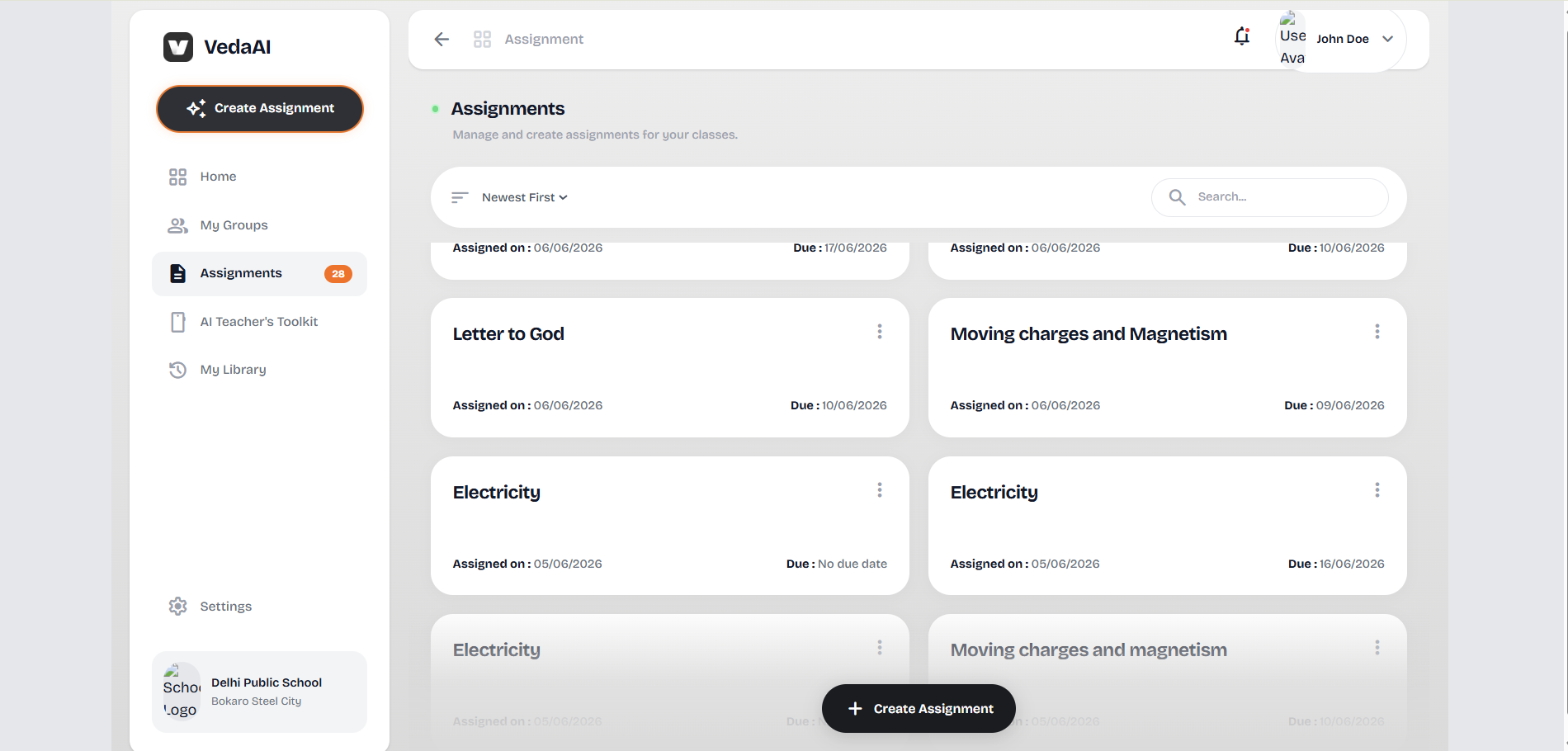
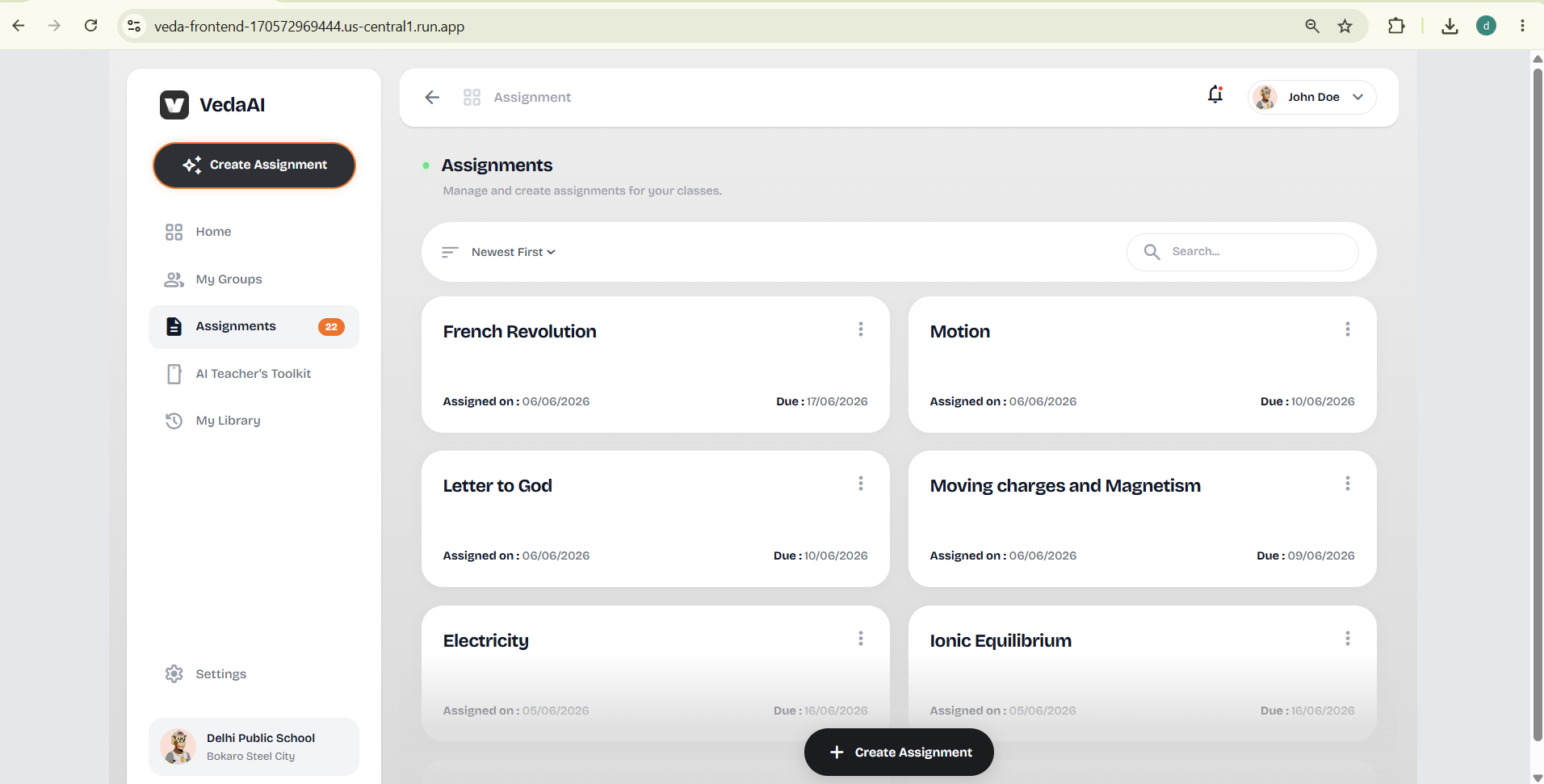
Every regeneration creates a new version, and the full history is preserved so teachers can navigate back to earlier iterations at any point.
How we built it
The core problem with AI generation in a web product is that it's slow. Firing a GPT-5.6 completion and waiting for 4,000 tokens of structured JSON inside a synchronous API request would mean timeouts, broken UX, and no way to show progress. So the architecture is fully asynchronous from the start.
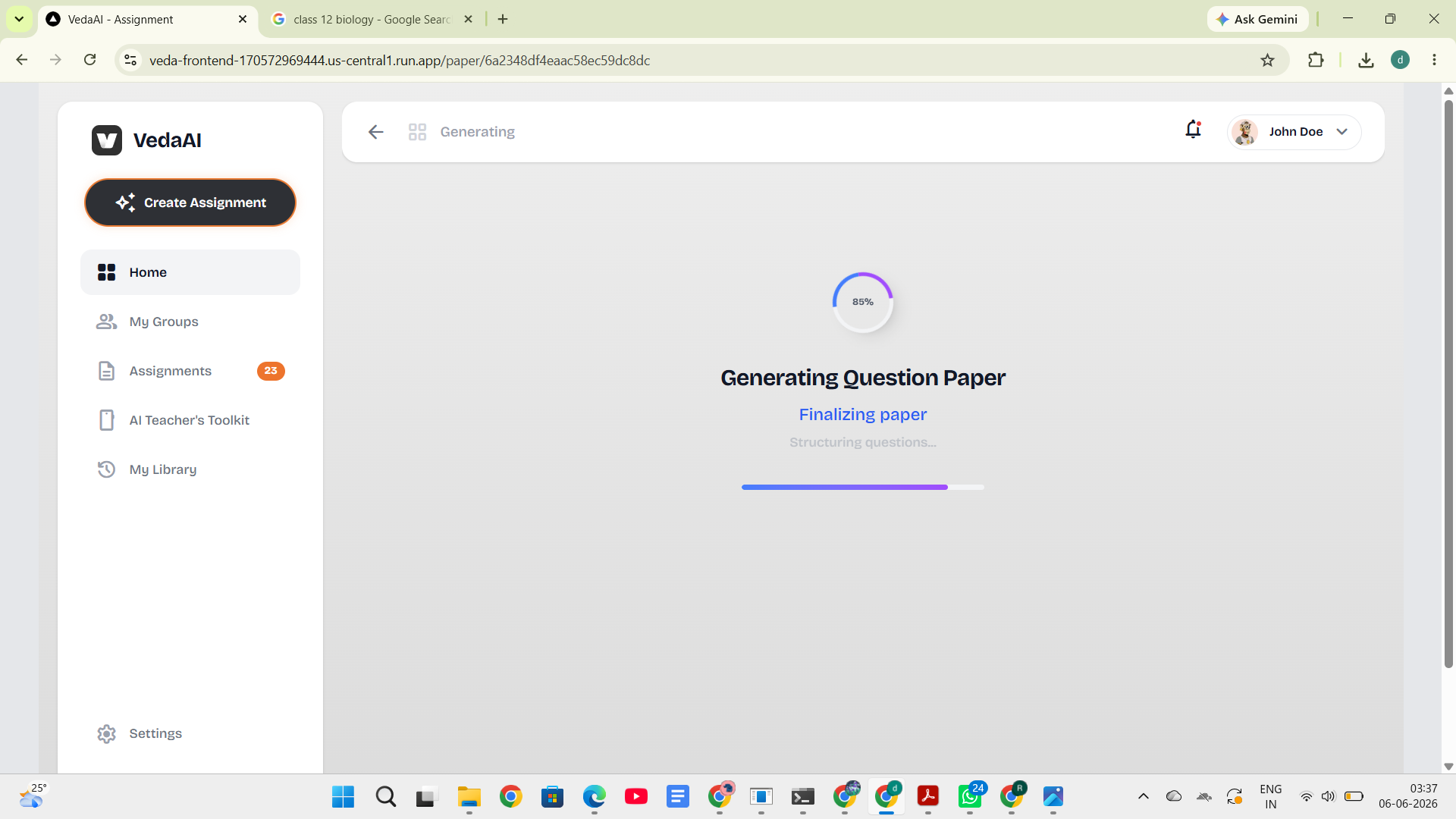
When a teacher submits the form, the REST API immediately returns an acknowledgment and drops a job into a BullMQ queue backed by Upstash Redis. A dedicated background worker picks up the job, constructs the generation prompt programmatically from the assignment document, calls the OpenAI GPT-5.6 API, and validates the response against a strict Zod schema before touching the database. Socket.io streams real-time step-by-step progress back to the frontend during generation — so the teacher sees "Analyzing requirements → Generating Section A → Validating output" rather than a spinner.
PDF generation runs as a second, isolated worker using Puppeteer. Containerizing Puppeteer separately was critical — headless Chrome is memory-intensive, and letting it share a process with the Node.js event loop would cause the whole server to degrade under load.
The frontend is Next.js + TypeScript with Zustand managing generation state and WebSocket events. The entire stack is containerized with multi-stage Docker builds and deployed on Google Cloud Run for true auto-scaling. (In future it might be deployed on vercel + render as my google cloud free plan is about to expire :)
GPT-5.6 specifically handles three things in the pipeline:
Question generation — receives a carefully engineered system prompt with persona, curriculum constraints, difficulty distribution targets (30% easy / 50% medium / 20% hard), and Bloom's level requirements, plus the tool_use schema it must populate. Bloom's distribution — decides the cognitive level for each question autonomously based on the question type and marks, not a random assignment. Answer key generation — in teacher mode, a second pass generates expected answers and marking criteria per question.
Challenges we ran into
Getting reliable structured output from the LLM was the biggest one. Early on, even with strong prompting, the model would occasionally return answers with inconsistent nesting, missing required fields, or sections with the wrong number of questions. We solved this by switching to GPT-5.6's tool_use / function calling mode — instead of asking the model to return JSON in its text response, we define the paper schema as a tool input schema and the model is forced to populate it exactly. Combined with Zod validation as a second layer, the pipeline now rejects malformed responses cleanly and retries the job rather than persisting garbage.
Containerizing Puppeteer on Cloud Run was surprisingly painful. Puppeteer needs a full Chromium installation, which doesn't come in a standard Node.js base image. The Dockerfile went through several iterations before we landed on a minimal Debian setup with the right Chromium flags (--no-sandbox, --disable-setuid-sandbox) and the correct PUPPETEER_EXECUTABLE_PATH for the container environment.
WebSocket reconnection after a client navigates away mid-generation also needed explicit handling — we store job progress in Redis so a reconnecting client can catch up on steps it missed.
Accomplishments that we're proud of
The thing we're most proud of is that the PDF output looks like an actual exam paper — not an HTML page that someone printed. Proper A4 margins, a school header, student info boxes, sequential question numbering across sections, MCQ option rows, dotted answer lines for short/long answer questions, and subtle difficulty badges in the corner of each question. Evaluators have told us it's indistinguishable from a paper typeset by hand.
We're also proud of the version history system. It's easy to add a "regenerate" button. It's meaningfully harder to give teachers a persistent, navigable history of every draft so no work is ever lost — and that felt like the right thing to build.
The end-to-end pipeline — form submission to downloadable PDF — runs in under 90 seconds under normal load with full real-time progress visibility. That feels genuinely useful, not just technically correct.
What we learned
Prompt engineering for structured output is a fundamentally different skill from prompt engineering for conversational text. A system prompt that works beautifully for explaining a concept will completely fail when you need it to populate a 40-field nested schema reliably under thousands of calls. Learning to work with tool_use as a structured output mechanism — rather than as a literal tool-calling pattern — was the biggest technical insight of this build.
We also learned that async job architectures pay for themselves almost immediately in developer experience. Once BullMQ was in place, adding new job types (PDF generation, email notifications, future analytics) was almost trivially easy. The decision to decouple early removed whole categories of future problems.
What's next for Vedum AI
The next version adds a question bank — every generated question is silently tagged and stored by subject, grade, topic, and difficulty. Over time, teachers build a personal library they can pull from without firing the model again. Questions can be edited, starred, or excluded.
Also planning to build an AI API gateway, preferably in Golang.
We also want to add per-question regeneration — rather than rebuilding the whole paper, a teacher highlights a single question, picks a constraint ("make it harder" / "different topic" / "convert to MCQ"), and GPT-5.6 swaps just that question in place.
Longer term: student submission tracking, auto-grading for objective sections, and a Bloom's radar chart that visualises the cognitive level distribution of a paper at a glance.
Built With
- bullmq
- cloud
- docker
- express.js
- gpt-5.6
- mongodb
- mongoose
- next.js
- node.js
- puppeteer
- react
- render
- rest
- socket.io
- tailwindcss
- typescript
- upstash
- websockets
- zod
- zustand

Log in or sign up for Devpost to join the conversation.