-
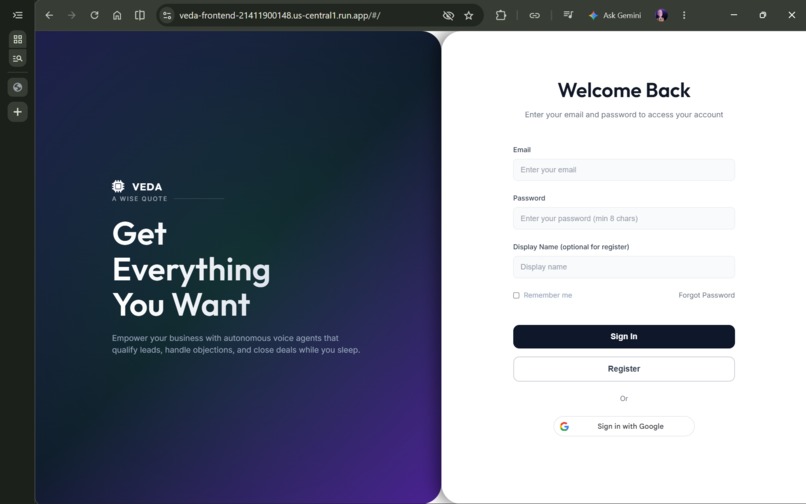
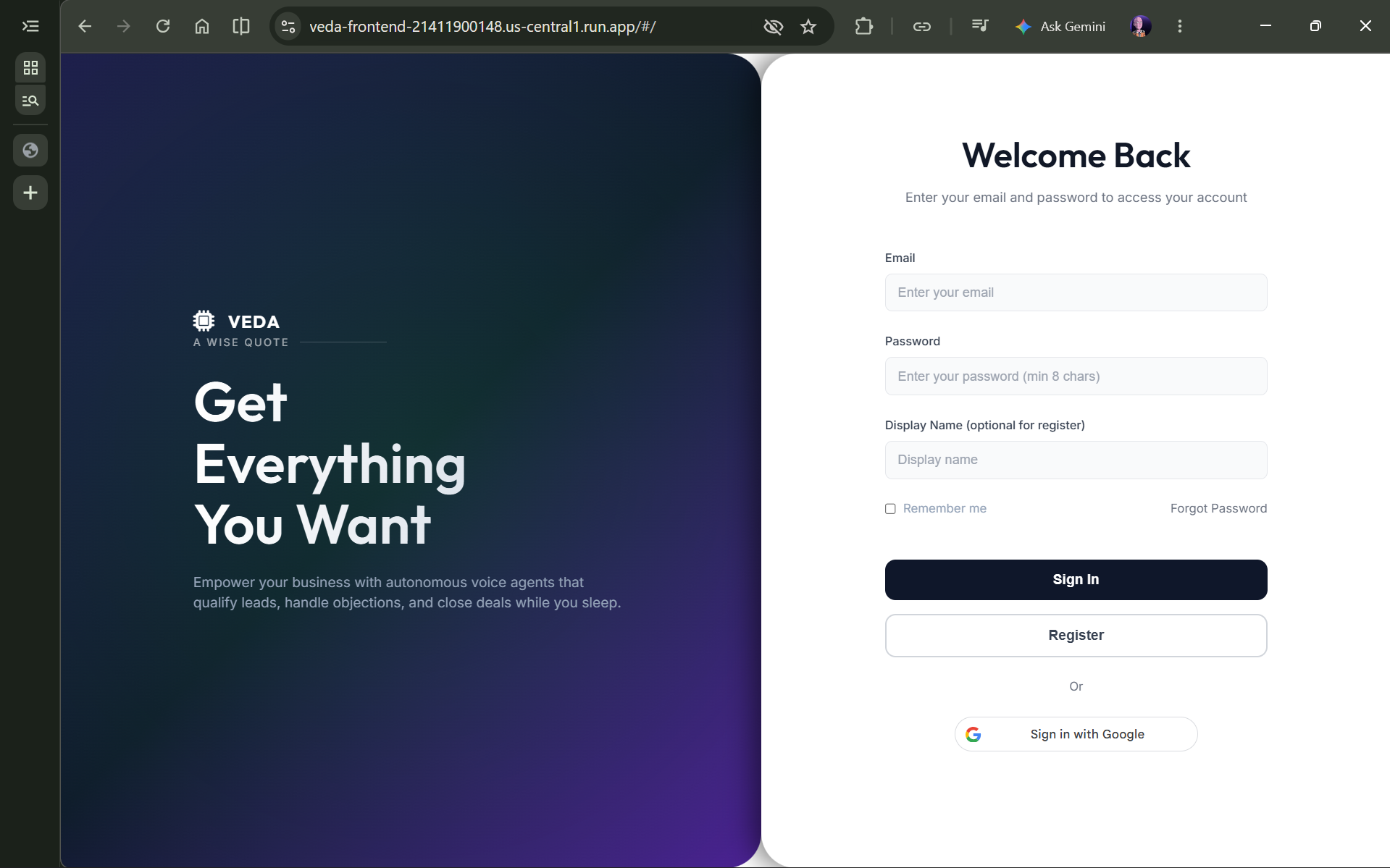
Login Page
-
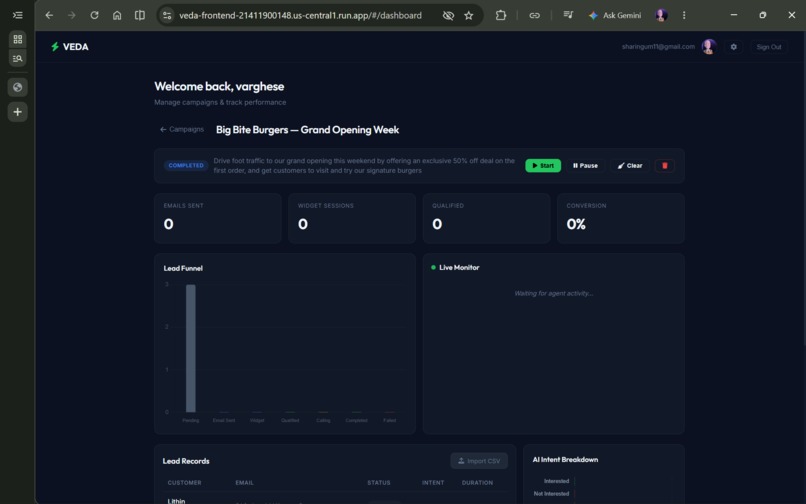
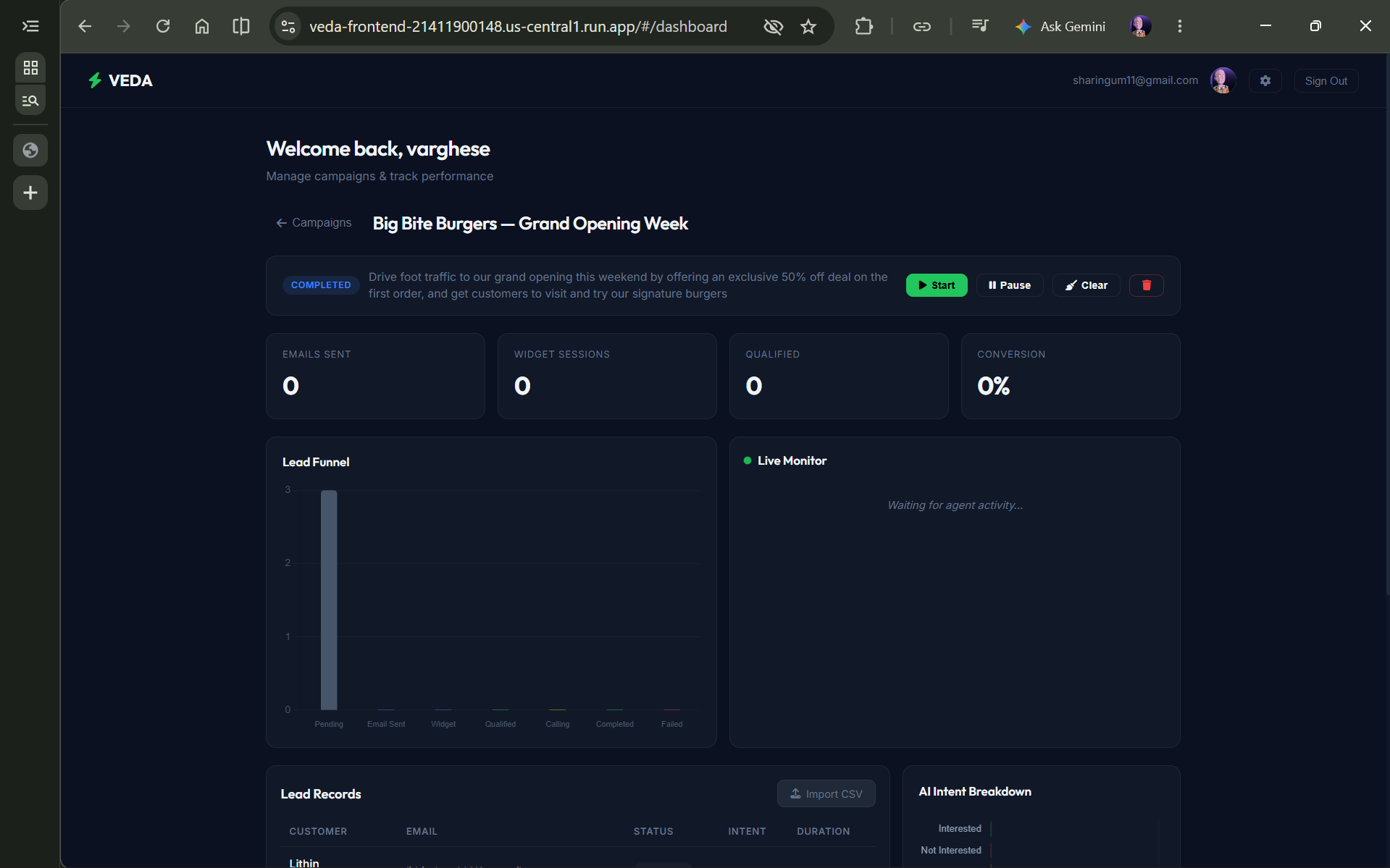
Campaign monitoring
-
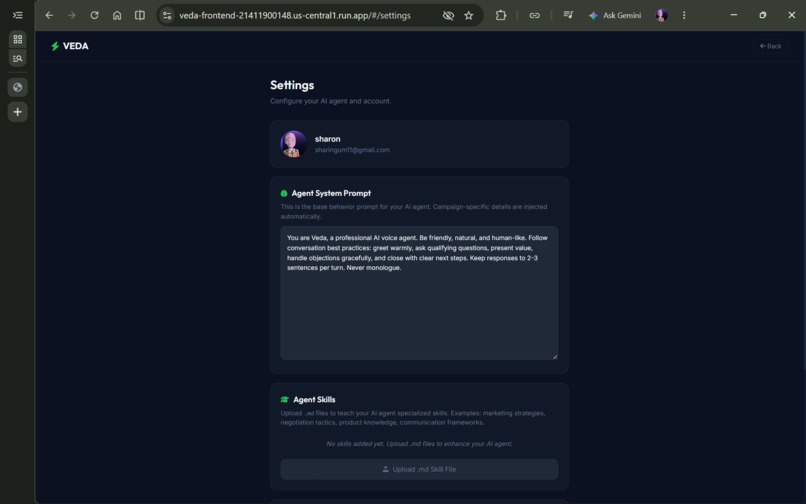
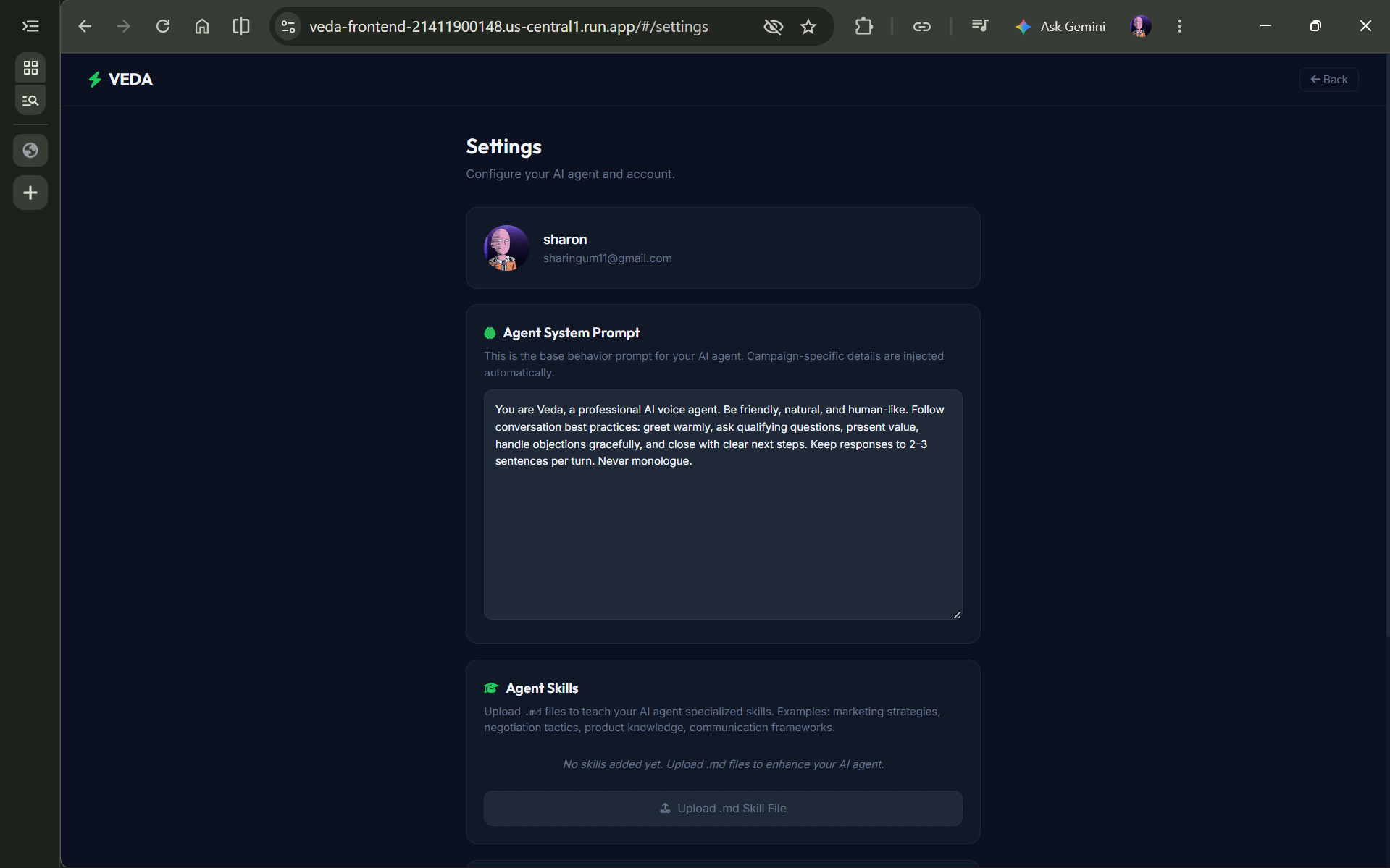
Settings
🤖 Veda Tele-Agent
An autonomous AI tele-calling platform that initiates outbound voice campaigns, communicates naturally using Gemini Live, and captures structured lead insights in real-time.




Deployed: Hosted on Google Cloud Run (us-central1) — always on, no local server required.

📌 Problem Statement
Traditional tele-calling for marketing, promotions, and customer outreach is highly resource-intensive, requiring large teams, continuous training, and consistent monitoring. Human agents face inconsistent communication, fatigue, and inability to scale. Existing robocall systems lack intelligence — they follow static scripts and cannot handle dynamic conversations or respond to user queries effectively.
Veda Tele-Agent solves this by providing an intelligent AI-driven tele-calling system that autonomously initiates calls, communicates naturally using human-like voice interaction, and dynamically responds based on business context and campaign objectives. It acts as a virtual sales agent capable of real-time conversations, objection handling, and lead qualification — while reducing operational costs by 90%.
🚀 Features
| Feature | Description |
|---|---|
| 📧 Automated Email Outreach | Sends personalized campaign emails with embedded voice widget links to each lead |
| 🎙️ AI Voice Conversations | Real-time voice calls powered by Gemini Live with human-like speech and active listening |
| 🧠 Dynamic Prompt Engineering | System prompts are assembled dynamically per campaign using business context, product details, and lead data |
| 📊 Live Campaign Dashboard | Real-time analytics with lead funnel, AI intent charts, and a live activity monitor |
| 📜 Call Transcripts | Full conversation transcripts saved per lead, displayed in the Call History panel |
| 🎯 Intent Classification | AI automatically classifies each lead as Interested, Not Interested, or Callback via tool calls |
| 📋 CSV Lead Ingestion | Upload contact lists via CSV with validation, deduplication, and E.164 phone number enforcement |
| ⚙️ Per-User Settings | Customizable system prompt, voice selection, and usage tracking saved to Firestore |
| 🔒 JWT Authentication | Secure session management with Google OAuth and email/password login |
| 📈 Usage Tracking & Limits | Voice session usage counter with trial limit enforcement |
| 🔄 Re-classification Support | Leads can change their mind — analytics update from NOT_INTERESTED to INTERESTED in real-time |
🏗️ Tech Stack
Backend
- 🟢 Node.js + Express — REST API server
- 🔥 Google Cloud Firestore — NoSQL database for leads, campaigns, transcripts, analytics
- 🤖 Gemini Live (Vertex AI) — Real-time bidirectional voice AI via WebSocket
- 📧 Nodemailer (Gmail SMTP) — Automated email dispatch
- 📞 Twilio — Outbound telephony and media streaming
- 🔐 JWT + google-auth-library — Authentication and session management
Frontend
- 🌐 Vanilla JavaScript — Zero-framework SPA with hash-based routing
- 🎨 CSS Design System — Custom Slate/Emerald dark theme with glassmorphism
- 📊 Chart.js — Lead funnel and AI intent visualization
- 🎵 Web Audio API — Real-time PCM16 audio capture/playback for voice widget
- 🌀 Canvas AudioOrb — Animated voice visualization in the call widget
Infrastructure
- ☁️ Google Cloud Run — Serverless container deployment (auto-scaling)
- 🐳 Docker — Containerized backend and frontend
- 🔧 Cloud Build — CI/CD pipeline
📂 Project Structure
veda-tele-agent/
├── backend/
│   ├── src/
│   │   ├── config/
│   │   │   ├── firebase.js              # Firestore + Firebase Admin init
│   │   │   └── twilio.js                # Twilio client configuration
│   │   ├── controllers/
│   │   │   ├── auth.controller.js       # Login, register, Google OAuth, JWT
│   │   │   ├── campaign.controller.js   # CRUD, start, pause, analytics
│   │   │   ├── lead.controller.js       # CSV upload, validation, dedup
│   │   │   ├── settings.controller.js   # User settings CRUD
│   │   │   └── business.controller.js   # Business profile management
│   │   ├── services/
│   │   │   ├── bridge.service.js        # WebSocket bridge: Browser/Twilio ↔ Gemini Live
│   │   │   ├── orchestrator.service.js  # Campaign polling, email dispatch, call scheduling
│   │   │   ├── prompt.builder.js        # Dynamic system prompt assembly
│   │   │   ├── extraction.service.js    # AI intent extraction from tool calls
│   │   │   ├── transcript.service.js    # Conversation transcript formatting & storage
│   │   │   └── email.service.js         # Gmail SMTP dispatch with voice widget links
│   │   ├── middleware/
│   │   │   └── auth.middleware.js       # JWT verification middleware
│   │   ├── routes/                      # Express route definitions
│   │   ├── utils/
│   │   │   ├── audio.converter.js       # μ-law ↔ PCM16 transcoding
│   │   │   ├── activity.logger.js       # Real-time Firestore activity logging
│   │   │   └── csv.parser.js            # CSV parsing and validation
│   │   ├── validators/                  # Joi/custom validation schemas
│   │   └── index.js                     # Express app entry point
│   ├── Dockerfile
│   └── package.json
├── frontend/
│   ├── css/
│   │   ├── main.css                     # Design system (Slate/Emerald theme)
│   │   └── call-widget.css              # Voice widget styles
│   ├── js/
│   │   ├── pages/
│   │   │   ├── dashboard.js             # Campaign management, analytics, live monitor
│   │   │   ├── settings.js              # User settings (prompt, voice, profile)
│   │   │   ├── landing.js               # Login/register page
│   │   │   └── onboarding.js            # Business profile setup
│   │   ├── api.js                       # Fetch wrapper with JWT injection
│   │   ├── auth.js                      # Authentication state management
│   │   ├── call-widget.js               # Voice widget (mic capture, WS, audio playback)
│   │   ├── audio-orb.js                 # Canvas-based voice visualization
│   │   └── router.js                    # Hash-based SPA router
│   ├── call.html                        # Standalone voice widget page
│   ├── index.html                       # Main SPA entry
│   └── Dockerfile
├── docs/                                # Module-level documentation
├── ARCH.md                              # Mermaid architecture diagram
└── README.md
⚙️ Installation & Setup
Prerequisites
- Node.js v18+
- Google Cloud project with Firestore (Native Mode) and Vertex AI enabled
- Gmail App Password for email dispatch
- Twilio account (optional — for outbound telephony)
1. Clone the Repository
git clone https://github.com/Varghese778/veda-tele-agent.git
cd veda-tele-agent
2. Backend Setup
cd backend
npm install
3. Configuration
Create a .env file in backend/:
PORT=8080
GOOGLE_CLOUD_PROJECT=your-project-id
AUTH_JWT_SECRET=your-jwt-secret
GOOGLE_OAUTH_CLIENT_ID=your-google-oauth-client-id
[email protected]
GMAIL_APP_PASSWORD=your-app-password
TWILIO_ACCOUNT_SID=your-sid          # Optional
TWILIO_AUTH_TOKEN=your-token          # Optional
TWILIO_NUMBER=+1234567890             # Optional
4. Run Locally
Backend:
npm run dev
Backend runs at http://localhost:8080
Frontend:
cd ../frontend
npx serve .
Frontend runs at http://localhost:3000
5. Deploy to Cloud Run
gcloud run deploy veda-backend --source ./backend --region us-central1 --allow-unauthenticated
gcloud run deploy veda-frontend --source ./frontend --region us-central1 --allow-unauthenticated
🧠 How It Works
1. Campaign Creation Flow
- User creates a campaign with name, purpose, product description, target audience, and key details
- Campaign is stored in Firestore
campaignscollection withdraftstatus - User uploads a CSV of leads (name, email, phone) — validated and deduplicated
- Leads are stored in Firestore
leadscollection linked to the campaign
2. Outreach Flow (Email)
- User starts the campaign → status changes to
active - Orchestrator polls every 10s for active campaigns with unsent leads
- For each pending lead, an HTML email is composed with a personalized voice widget link
- Email contains a JWT-signed token (
?t=token) that authenticates the voice session - Lead status updates to
email_sentin Firestore
3. Voice Conversation Flow (Core)
- Lead clicks the email link → opens
call.htmlwith the voice widget - Widget validates the session token via
GET /api/voice/session/:leadId - Browser captures microphone audio (PCM16 @ 16kHz) via Web Audio API
- WebSocket connection opens to
/voice-stream/:leadIdon the backend - Bridge service connects to Gemini Live API via a second WebSocket
- Audio flows bidirectionally: Browser → Bridge → Gemini → Bridge → Browser
- The system prompt is dynamically assembled from campaign + business data
- Gemini responds with human-like voice audio streamed back in real-time
- When conversation ends, Gemini calls
log_call_outcometool with intent, interest level, and summary - Extraction service persists the structured data atomically to Firestore
- Transcript is saved; usage counter is incremented
4. Analytics Flow
- Dashboard polls
GET /api/campaigns/:id/analyticsevery 5 seconds - Server aggregates lead statuses, intent breakdown, and conversion rate from Firestore
- Charts update in real-time (Lead Funnel bar chart, AI Intent horizontal bar)
- Live Monitor polls
GET /api/campaigns/:id/activityfor real-time agent activity logs
📈 Scalability
- Serverless Architecture: Deployed on Google Cloud Run, which auto-scales from 0 to N instances based on request volume. Each instance handles multiple concurrent WebSocket connections.
- Firestore: Google's NoSQL database scales automatically to handle millions of documents. No provisioning or capacity planning required.
- Stateless Backend: Each API request is self-contained with JWT auth. The orchestrator and bridge are designed to work across multiple instances.
- WebSocket Connection Management: Bridge sessions are per-instance but the system gracefully handles reconnections. Future improvement: Redis-backed session store for cross-instance session sharing.
- Email Throttling: Orchestrator limits concurrent email sends (configurable
maxEmails), preventing Gmail rate limit violations at scale.
💡 Feasibility
Veda Tele-Agent is built entirely on production-grade, well-documented tools — Node.js, Express, Firestore, and Gemini Live API. The system is already deployed and live on Google Cloud Run, serving real traffic. All infrastructure is managed by Google Cloud — no bare-metal servers, no VPN configuration, and no Kubernetes complexity.
The total cost of running the platform at moderate scale (100 campaigns, 10K leads) is under $50/month on Google Cloud. Gmail App Passwords provide free email sending up to 2,000/day. The Vertex AI pricing for Gemini Live is usage-based and economical for voice conversations. The entire stack can be set up from scratch in under 30 minutes.
🌟 Novelty
Existing tele-calling solutions fall into two categories: (1) robocalls with static IVR menus that users universally hate, and (2) human call centers that are expensive and unscalable.
Veda Tele-Agent fills the gap with a third approach: an AI agent that sounds natural, understands context, handles objections, and adapts its pitch in real-time. The key innovations are:
- Email-to-Voice Pipeline: Instead of cold-calling (which has <2% pickup rate), leads receive a personalized email and choose to engage — resulting in 100% intentional conversations.
- Dynamic Prompt Assembly: Each call gets a unique system prompt combining the user's custom agent behavior settings + campaign-specific product/audience data + individual lead name — making every conversation contextually relevant.
- Real-Time Intent Classification: Gemini calls a structured tool (
log_call_outcome) during the conversation to classify intent, enabling instant analytics without post-call processing. - Dual Audio Bridge: The system handles both browser-based WebSocket connections (PCM16) and Twilio telephony (μ-law) through a polymorphic bridge — supporting both web-based and phone-based conversations.
🔧 Feature Depth
- Audio Transcoding: Manual μ-law ↔ PCM16 conversion at the byte level for Twilio ↔ Gemini bridging. Browser connections skip transcoding entirely for lower latency.
- Conversation Memory: Gemini maintains full conversation context within a session, enabling natural follow-ups ("You mentioned earlier...") and dynamic objection handling.
- Re-classification: If a lead initially says "not interested" but later changes their mind, the AI can re-call
log_call_outcomewith the updated intent. Analytics update atomically without double-counting. - Usage Limits: Each business has a configurable voice session limit (default: 50). When exceeded, the widget shows a "Trial limit reached" message and blocks new sessions.
- Call Transcripts: Every conversation is transcribed and stored per lead. The Call History panel on the dashboard shows formatted transcripts with intent badges and timestamps.
- Campaign Isolation: All data (leads, transcripts, analytics) is strictly scoped to the authenticated user's business via
business_idfiltering at the query level. - CSV Validation: Uploaded CSVs are validated for E.164 phone numbers, required fields, and deduplicated against both the uploaded file and existing Firestore records.
⚠️ Ethical Use & Disclaimer
Veda Tele-Agent is designed for legitimate business outreach where recipients have opted in or have a prior relationship with the business.
- All voice calls are initiated through a consent-based email link — leads choose to engage
- The AI agent does not impersonate humans — it introduces itself as "Veda" representing the business
- Conversation transcripts are stored securely in Firestore with strict tenant isolation
- Usage limits prevent abuse of the voice session system
- Businesses are responsible for complying with local telemarketing laws (TCPA, DND regulations)
Use responsibly, ethically, and within legal boundaries.
📜 License
Licensed under the MIT License.
🧩 Author
Varghese Sharon 📧 [email protected] 🔗 GitHub
Built With
- cloudrun
- css
- dockerfile
- gcp
- html
- javascript
- jwt
- nosql
- restapi
- smtp
- twilio
- vertex-ai

Log in or sign up for Devpost to join the conversation.