VEDA — Project Story
Veda is an AI-powered learning platform where anyone can create a course just by uploading their documents and chatting with an AI — and anyone can learn from it through interactive, voice-narrated lessons that teach you like a real tutor. No video production. No slide decks. Just upload your knowledge, and Veda turns it into a structured, voice-driven learning experience. Built as a full-stack Dart monorepo with Serverpod, Flutter, Gemini AI, RAG-powered retrieval, and ElevenLabs text-to-speech.
Inspiration
We noticed a fundamental disconnect in online education. Creating a course is absurdly hard — you need to script lectures, record videos, edit slides, structure a syllabus. And on the other side, consuming courses is passive — you watch videos, maybe take a quiz, and hope something sticks.
We asked ourselves: what if the barrier to teaching was as low as uploading a PDF? What if learning felt like having a private tutor who speaks to you, explains concepts at your pace, and answers your questions on the spot?
The name Veda comes from the Sanskrit word for "knowledge." The oldest organized knowledge systems in human history were oral — a teacher speaking directly to a student. We wanted to bring that back, powered by modern AI.
We were also inspired by the idea that expertise is trapped — professors have research papers, engineers have documentation, specialists have manuals. All of that knowledge just sits in files. Veda unlocks it and makes it teachable.
What It Does
Veda is a two-sided AI learning platform with distinct creator and learner experiences:
For Creators (Web)
- Upload knowledge files (PDFs, DOCX, TXT) — Veda extracts the text and generates semantic embeddings using Gemini's embedding model for RAG-powered retrieval.
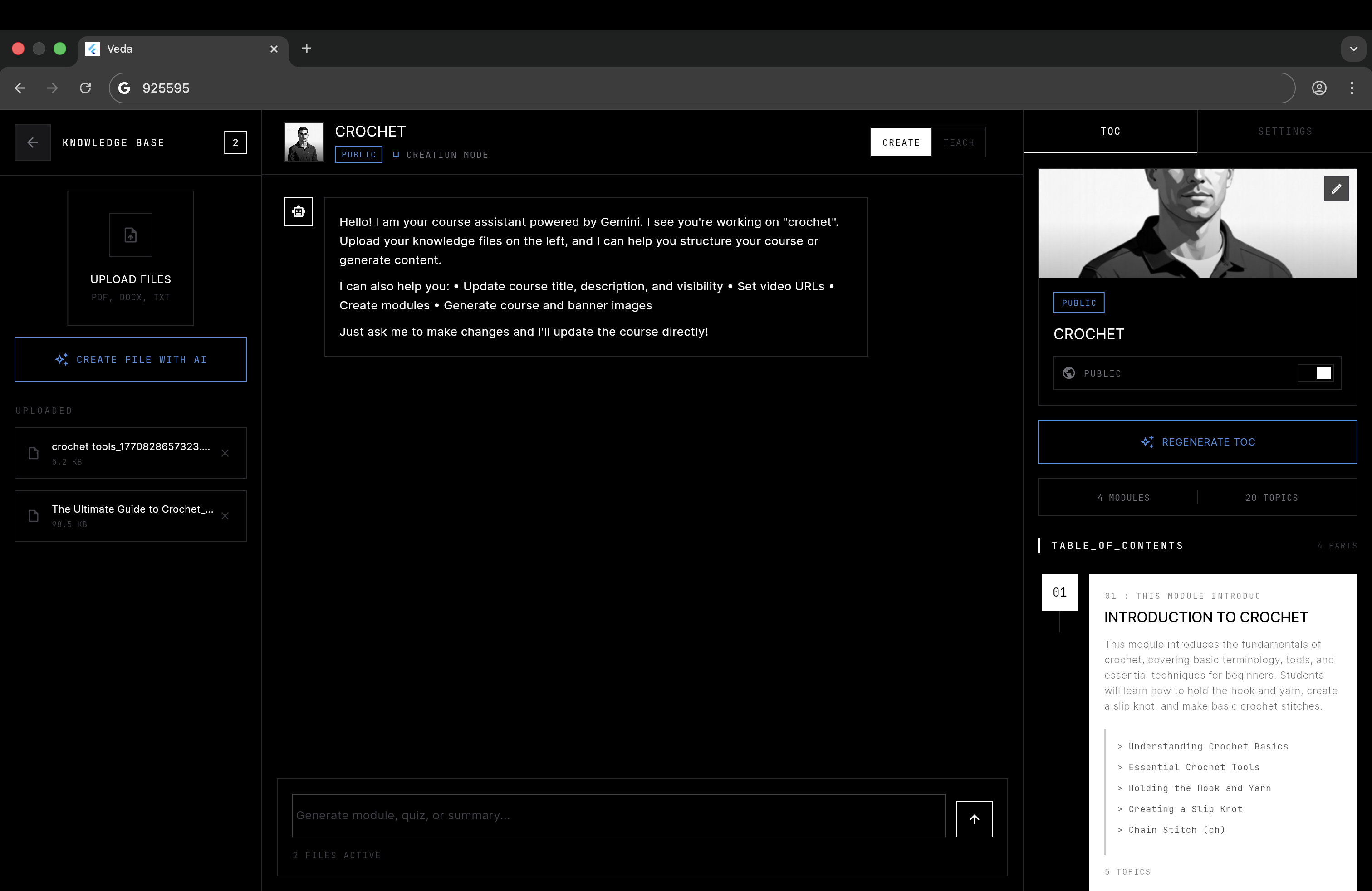
- Chat with AI to build your course — In CREATE mode, you have a conversation with Gemini AI that has tool-calling capabilities. The AI can create modules, generate topics, write descriptions, update course metadata, and even generate course images — all through natural conversation.
- Auto-generate course structure — Upload your files, and Veda can automatically generate a complete table of contents with modules and topics by analyzing your knowledge base using RAG.
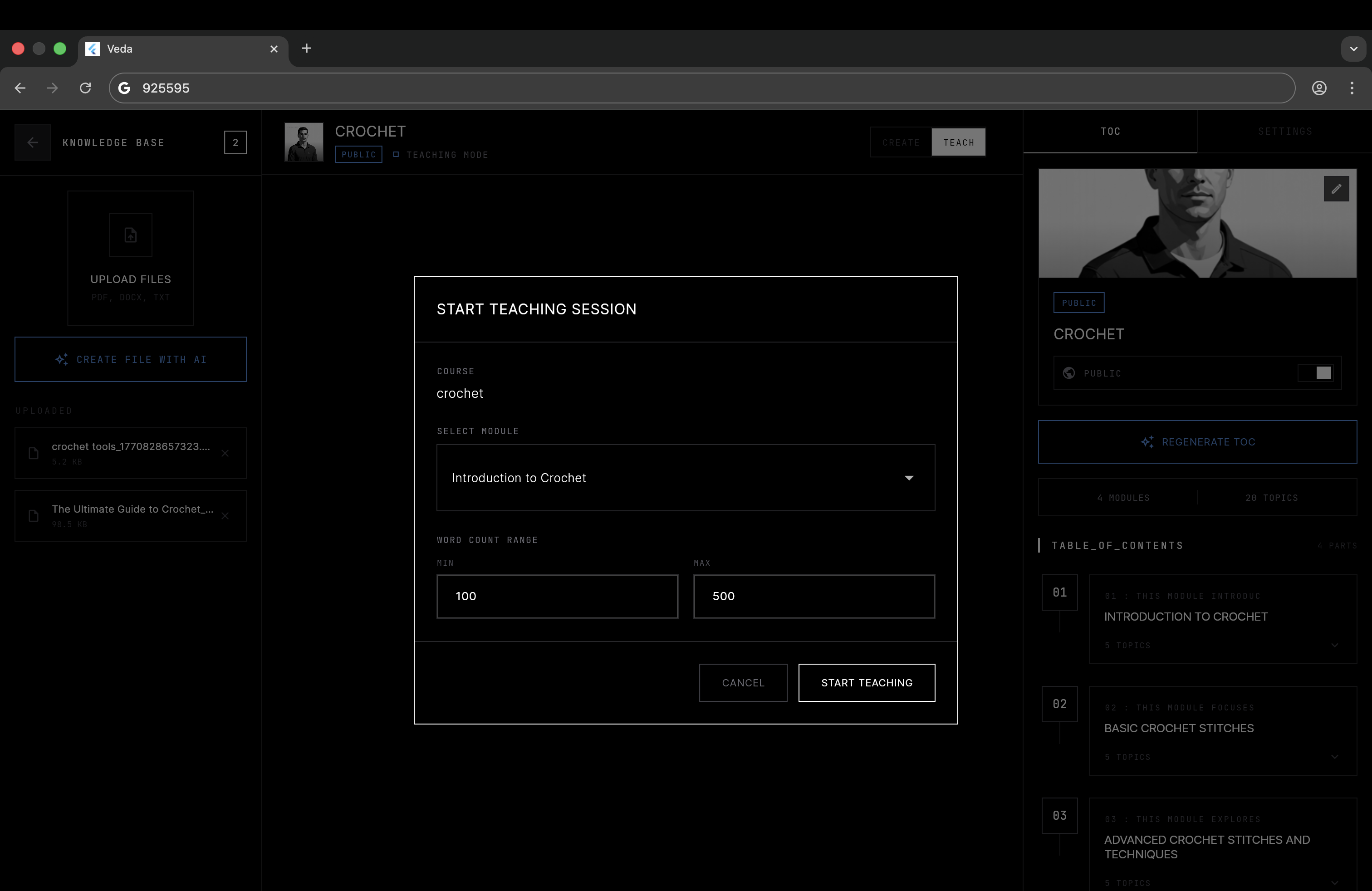
- Preview your course in TEACH mode — Switch to teaching mode, select a module, and hear your course delivered as a voice-narrated lecture with real-time word highlighting.
For Learners (Mobile)
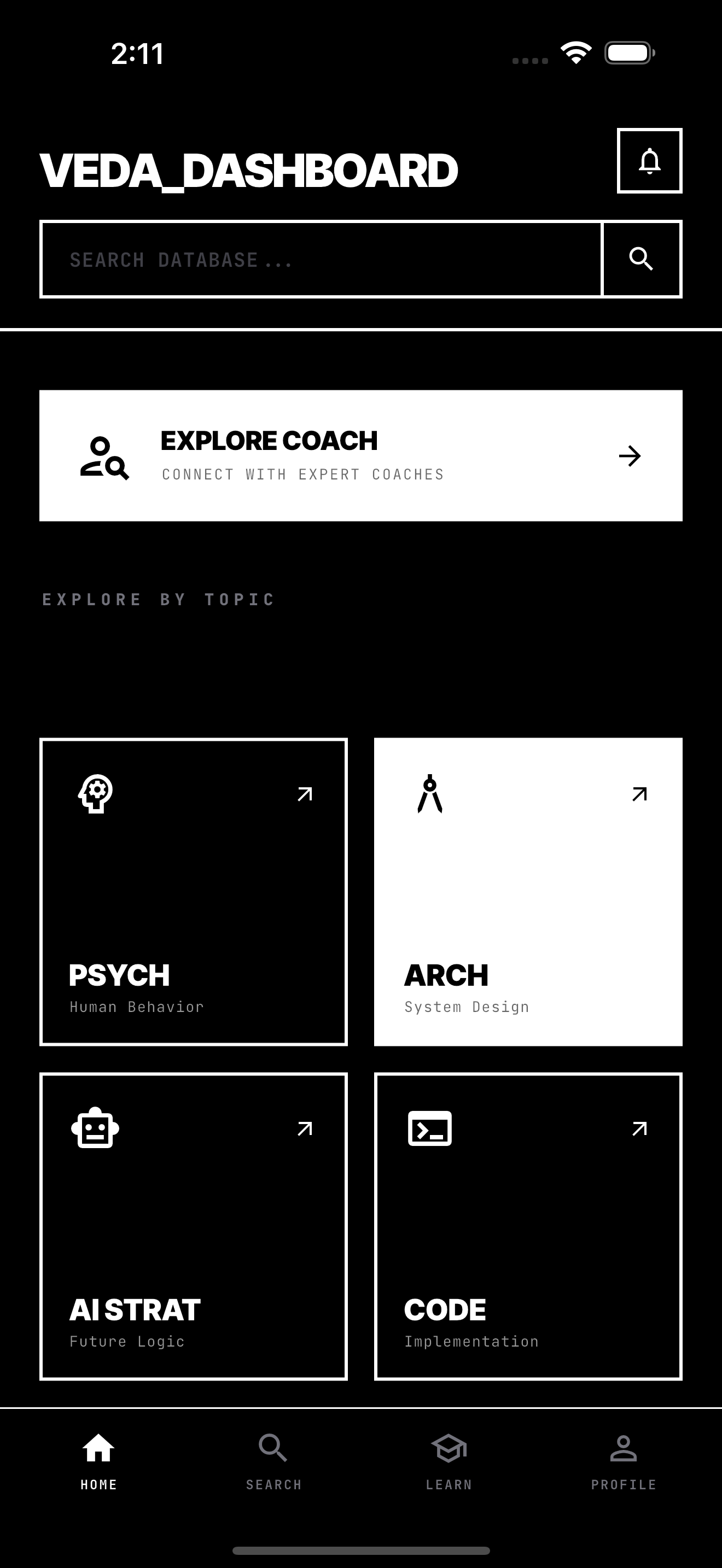
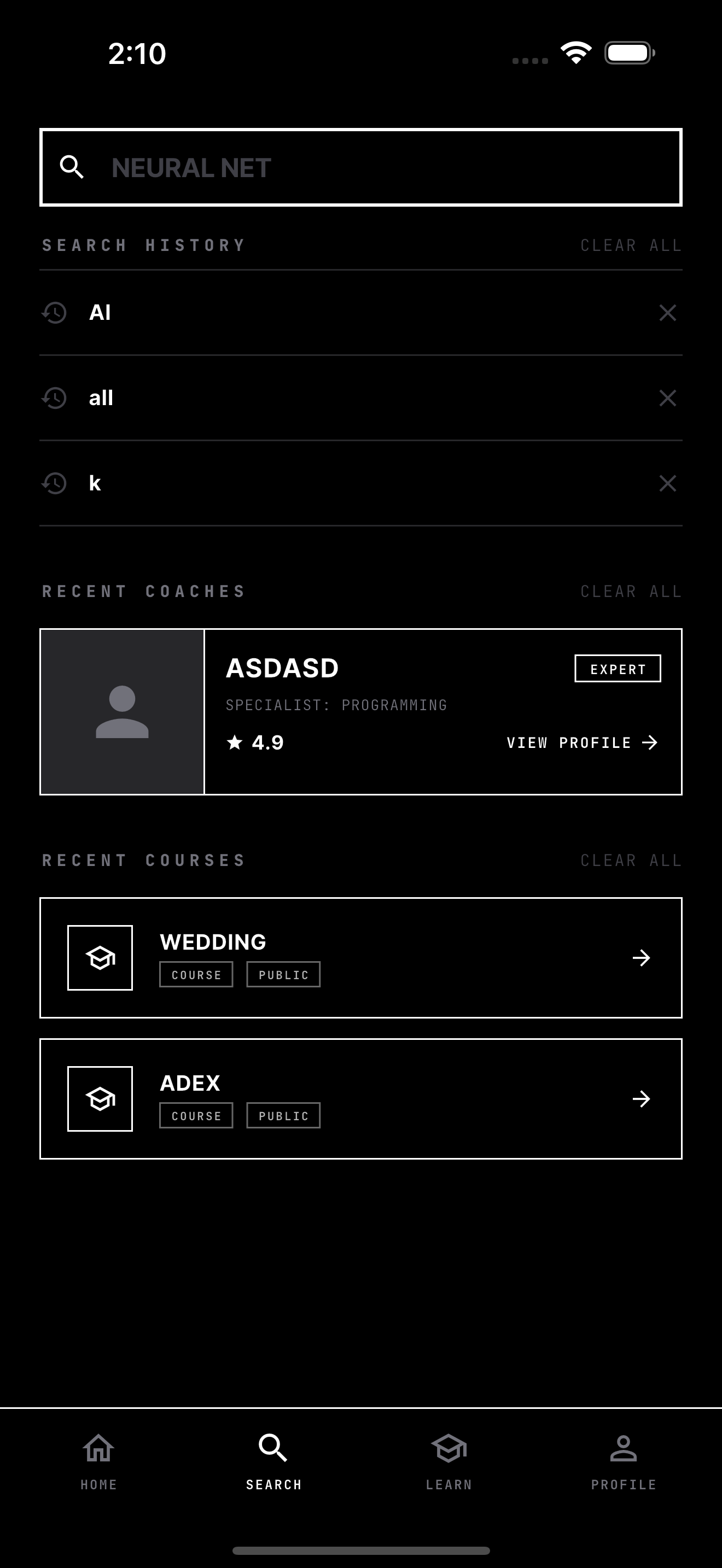
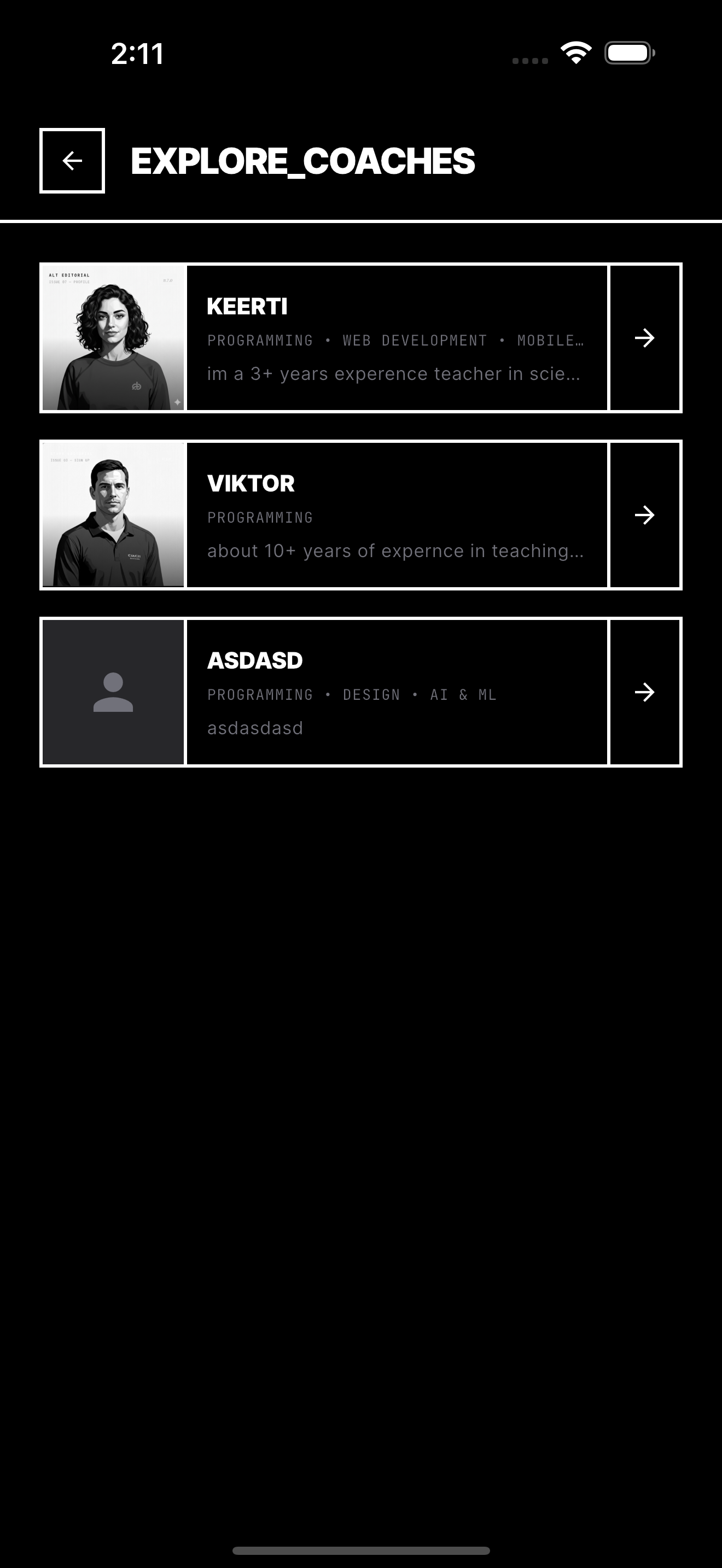
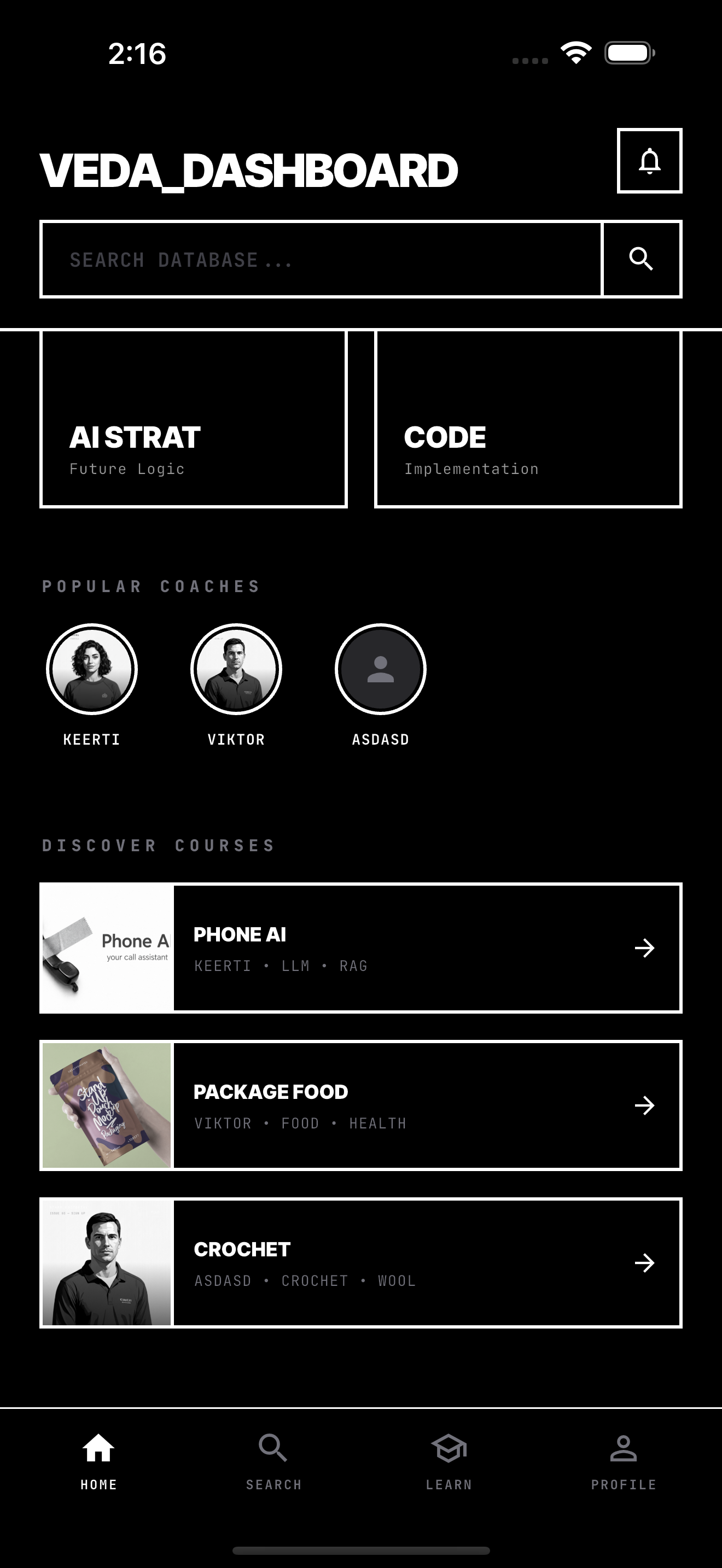
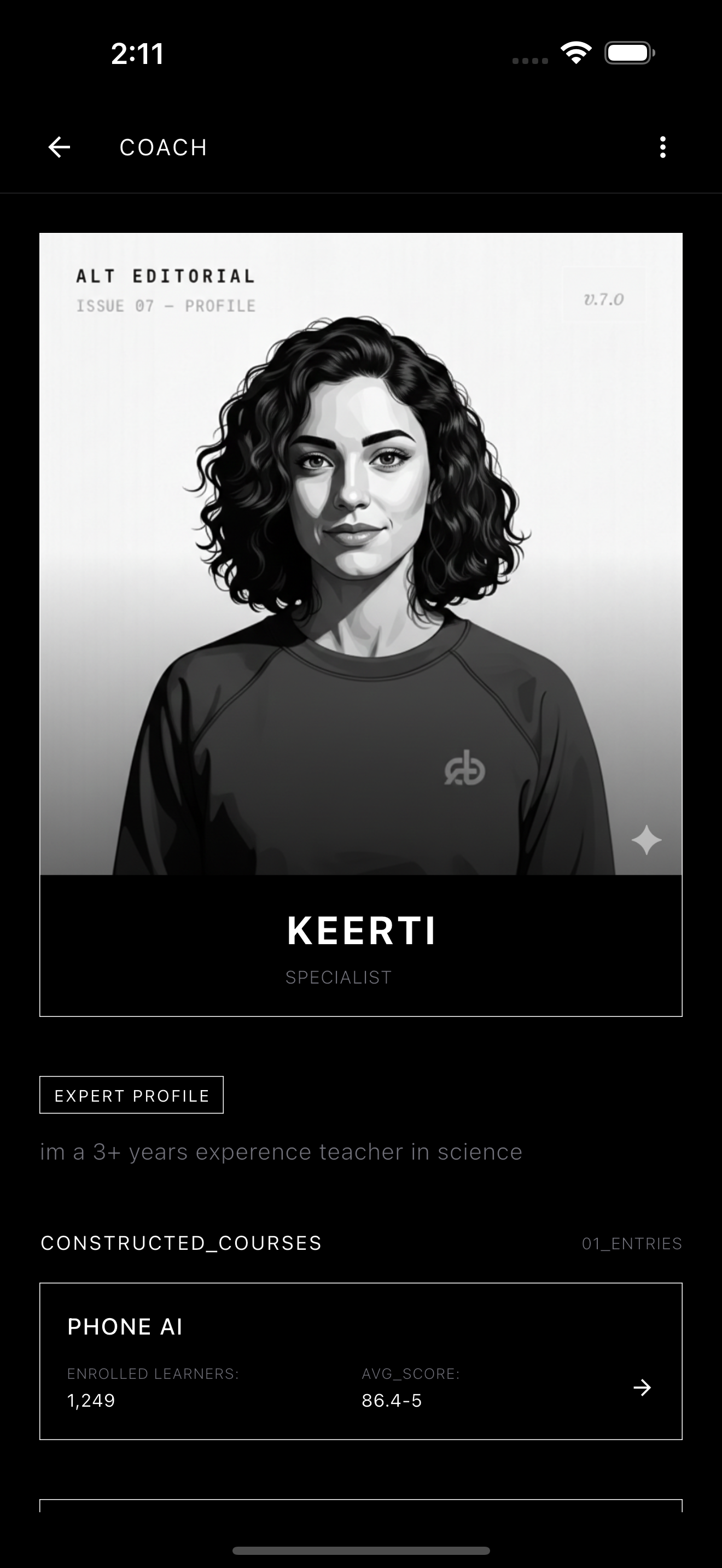
- Browse and discover — Search for courses, coaches, and topics. Explore a curated dashboard with enrolled courses, popular coaches, and topic-based discovery.
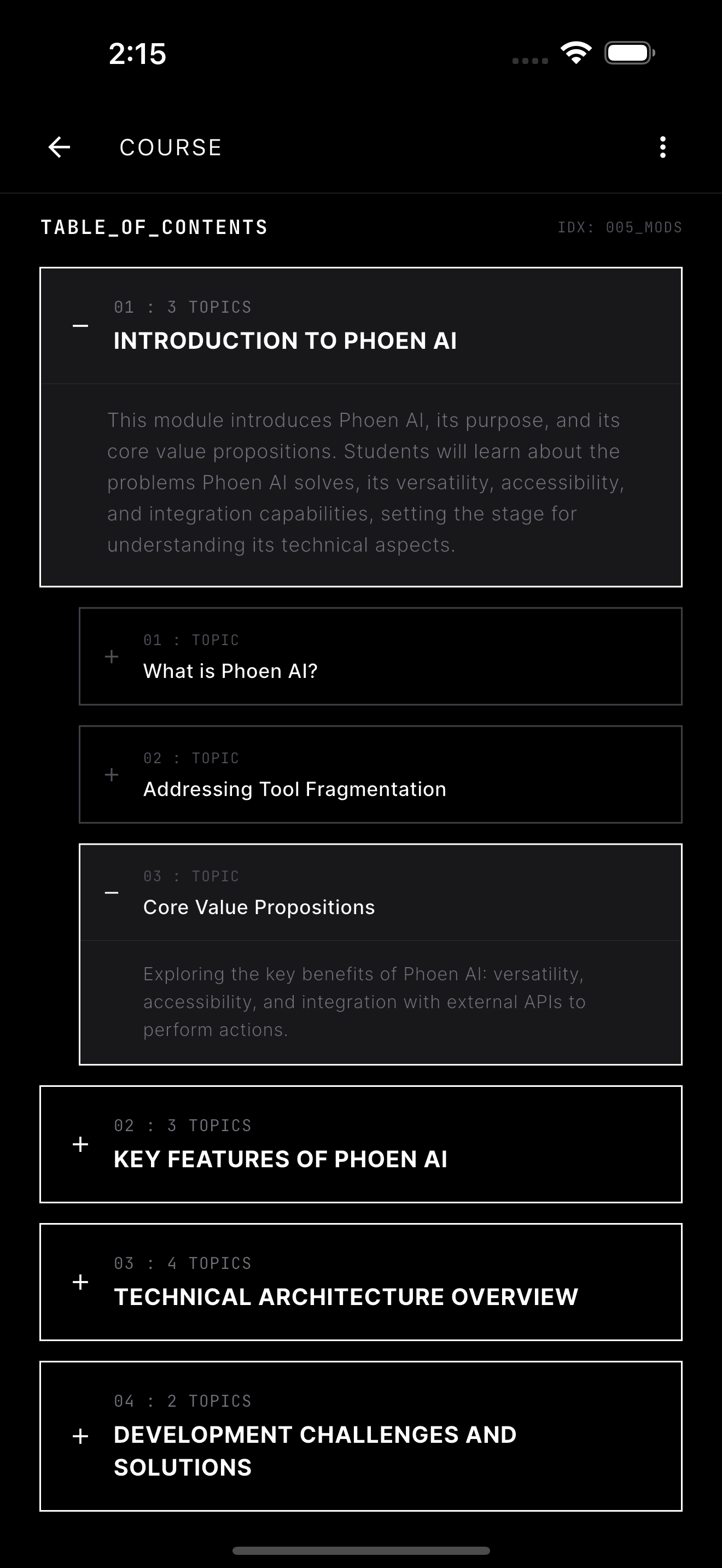
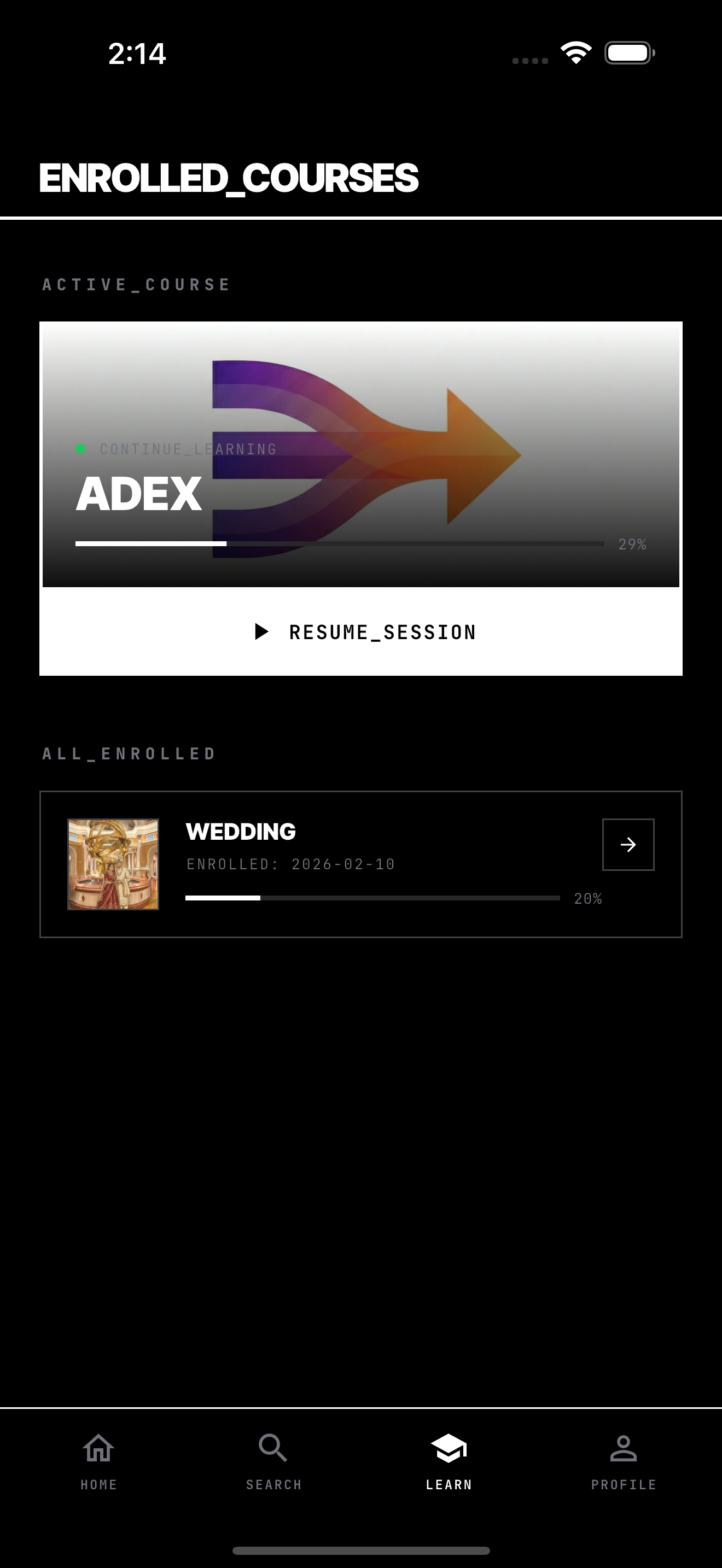
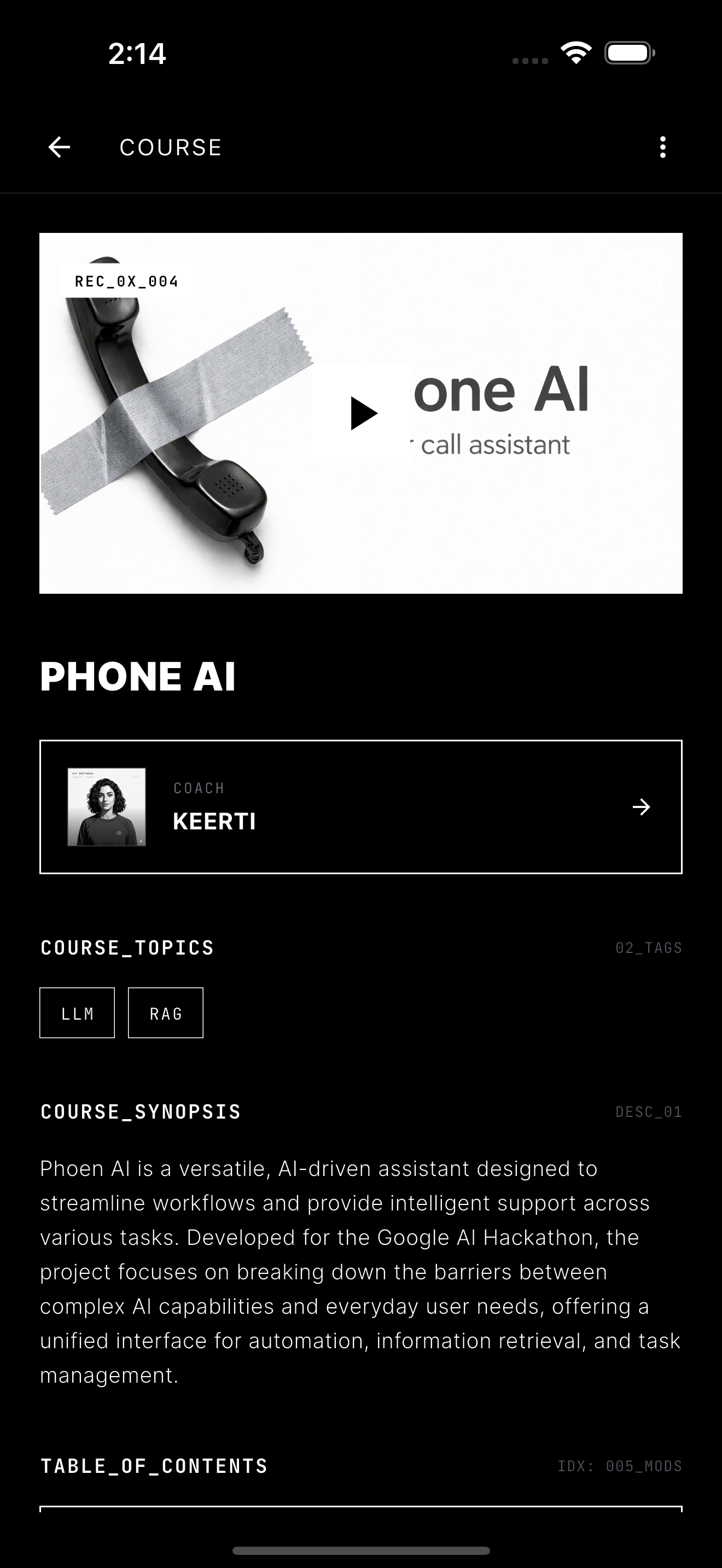
- Enroll and learn — Enroll in public courses, track progress across modules, and pick up where you left off.
- Interactive teaching sessions — Each module is delivered as a live AI-generated lecture with text-to-speech narration. The AI retrieves relevant knowledge from the course's uploaded files to deliver accurate, contextual explanations.
- Ask questions mid-lesson — After a lecture, use speech-to-text to ask follow-up questions. The AI answers with RAG context and maintains conversation history.
- Choose your learning style — Select between Quick (concise), Explanative (detailed), or Lecture (comprehensive) teaching modes that control the depth and length of AI-generated content.
- Track progress — Module-level progress tracking, course completion percentages, and a dedicated Learn tab showing all enrolled courses.
How We Built It
AI Stack
- Gemini 3.0 Flash & pro — Powers course creation (with function calling/tool use), teaching content generation, and Q&A.
- Gemini Embedding Model (gemini-embedding-001) — Generates 3072-dimensional vectors for semantic search across knowledge files.
- pgvector — PostgreSQL extension with HNSW indexing for fast cosine-similarity searches across course knowledge bases.
- ElevenLabs TTS (eleven_turbo_v2) — Converts AI-generated lectures into natural speech with expressive audio tags ([excited], [serious], [emphasizes], [pauses]).
RAG Pipeline
- Creator uploads a document → stored in S3-compatible cloud storage
- Text is extracted and truncated to 10,000 characters
- Gemini generates a 3072-dimensional embedding
- Embedding is stored in PostgreSQL with an HNSW index
- At teaching time, the system retrieves the top 5 most relevant knowledge chunks using cosine similarity
- Retrieved context is injected into the teaching prompt for accurate, grounded responses
Course Creation via Tool Calling
In CREATE mode, Gemini has access to 7 tools:
update_course— Modify title, description, visibility, video URLcreate_module/create_topic/add_topic_to_module— Build course structuregenerate_course_image/generate_banner_image/generate_module_image— AI-generated visuals
The AI decides which tools to call based on the conversation, making course creation feel like talking to a knowledgeable assistant.
Design System
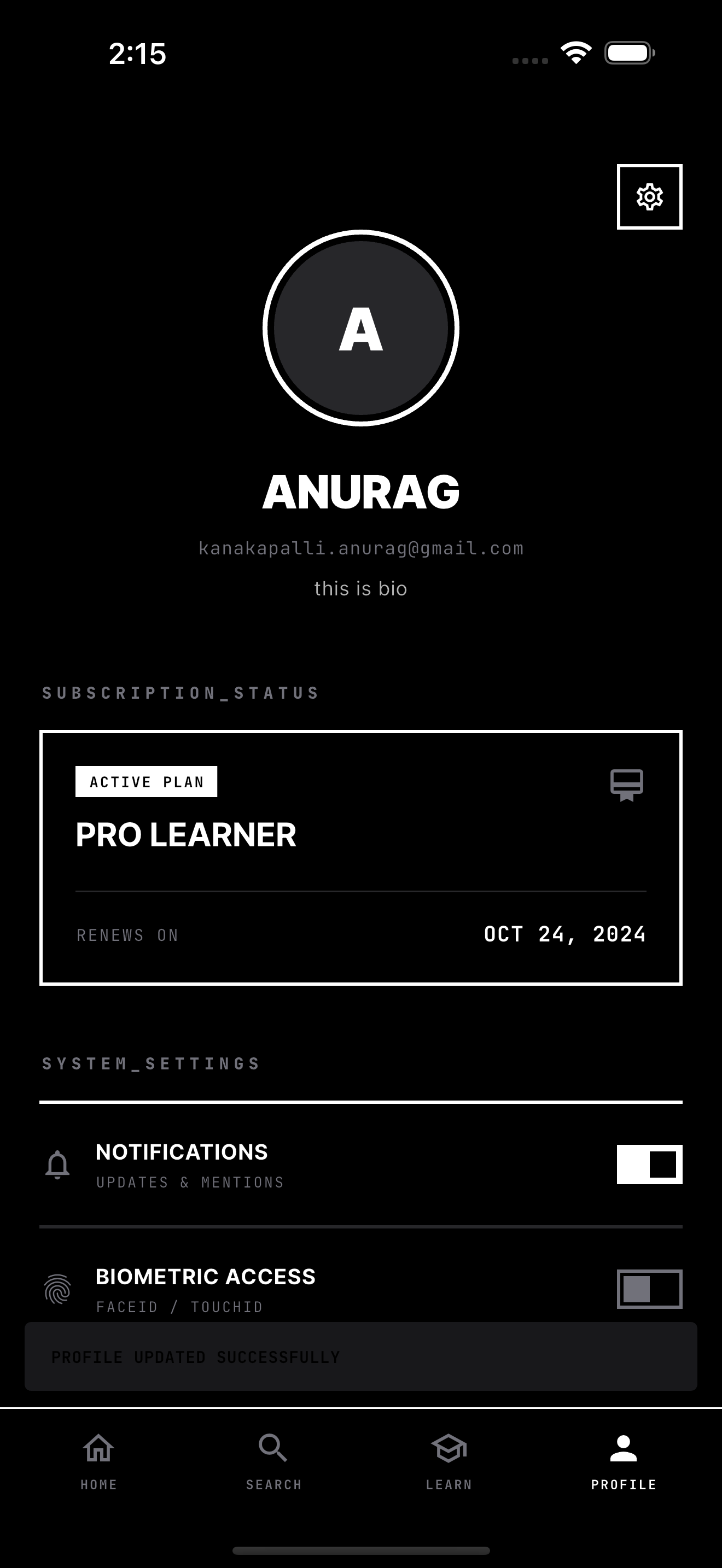
We built a custom Neo-Minimalist design system inspired by architectural blueprints and Swiss design:
- Pure black/white palette with zinc grays — zero color noise
- JetBrains Mono for system labels, Inter for headings and body
- Sharp rectangular aesthetic — zero border radius throughout
- 2px white borders as the primary visual element
- Grayscale image treatment for consistency
Challenges We Ran Into
RAG Quality and Embedding Precision
Getting useful results from semantic search was harder than expected. Early on, embeddings from long documents returned irrelevant chunks. We had to experiment with text truncation strategies, similarity thresholds, and the number of retrieved chunks to balance relevance vs. coverage.
Coordinating AI Tool Calling with Real Database Operations
When Gemini calls a tool like create_module, that's a real database write happening in the middle of a chat response. Managing the transactional flow — parsing the AI's tool call, executing it against the database, returning the result to the AI, and updating the Flutter UI in real-time — required careful orchestration between the endpoint, service layer, and client.
Audio Synchronization with Word Highlighting
Syncing ElevenLabs TTS audio playback with real-time word highlighting was a significant technical challenge. We had to map audio position to word indices, handle variable speech rates, and keep highlighting smooth without jank — all while supporting pause/resume and adjacent-word highlighting.
Full-Stack Dart at Scale
Building everything in Dart — server, client, and frontend — is powerful for type safety but meant we couldn't fall back on mature ecosystem solutions from Node.js or Python. We worked through Serverpod's patterns for auth, file storage, migrations, and pgvector integration, often being early adopters of these patterns.
Cross-Platform Consistency
The same Flutter codebase serves a web-based creator tool (3-panel course architect) and a mobile-first learner experience. Designing responsive layouts and navigation flows that work across both paradigms without platform-specific code was an ongoing challenge.
Accomplishments That We're Proud Of
End-to-end course creation through conversation — You can go from a blank course to a fully structured, image-rich, publishable course just by chatting with an AI. No forms, no drag-and-drop builders. Just natural language.
RAG-powered teaching that actually works — The AI doesn't hallucinate content. It retrieves real knowledge from uploaded documents and weaves it into coherent lectures. The teaching quality directly reflects the quality of uploaded materials.
Voice-narrated learning with real-time word highlighting — It genuinely feels like having a tutor read to you. The synchronized highlighting keeps you engaged and lets you follow along at the AI's pace.
Full-stack type safety in one language — From PostgreSQL model definitions to Flutter widgets, everything is Dart. A change to a model automatically propagates through generated code to every layer of the stack. Zero JSON parsing bugs.
A design system that actually feels different — The Neo-Minimalist black/white aesthetic isn't just a theme — it's an intentional design philosophy that reduces visual noise and keeps focus on content.
Course creation + consumption in one platform — Most edtech tools are either authoring tools OR learning platforms. Veda is both, connected by the same AI backbone.
What We Learned
RAG is only as good as your chunking and retrieval strategy. Raw document embeddings aren't magic. The quality of teaching output depends heavily on how you segment, embed, and retrieve knowledge.
AI tool calling transforms what's possible in UIs. Instead of building complex form-based interfaces for course creation, we let the AI decide what needs to happen based on conversation context. This dramatically simplified the creator experience.
Text-to-speech changes how people engage with content. Adding voice narration isn't just an accessibility feature — it fundamentally changes the learning experience. People pay attention differently when they're listening vs. reading.
Serverpod's code generation model is powerful but demands discipline. The generated client-server contract eliminates entire categories of bugs, but you have to respect the generation workflow and never touch generated files.
Design constraints breed creativity. Limiting ourselves to a black/white palette forced us to communicate hierarchy through typography, spacing, and borders rather than color — and the result is more focused and legible.
What's Next for Veda
Collaborative course creation — Multiple creators contributing to and co-editing the same course in real time.
Adaptive learning paths — AI that adjusts teaching depth, pace, and examples based on how the learner responds to questions and how quickly they progress through modules.
Quiz and assessment generation — Auto-generated quizzes from course content with AI-graded free-response answers.
Community features — Discussion threads per module, peer Q&A, and learner-to-learner interaction.
Creator analytics — Dashboards showing enrollment trends, completion rates, and which modules learners struggle with most.
Offline learning — Download courses and audio for offline consumption with progress syncing when back online.
Multi-language support — AI-translated courses and TTS in multiple languages, making knowledge accessible regardless of language barriers.
Live mentoring sessions — Real-time audio/video sessions between coaches and learners, integrated directly into the course experience.
Built With
- amazon-web-services
- dart
- flutter
- serverpod


Log in or sign up for Devpost to join the conversation.