-
-
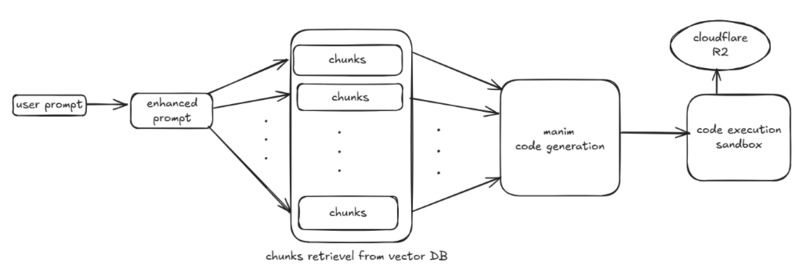
ARCHITECTURE
-
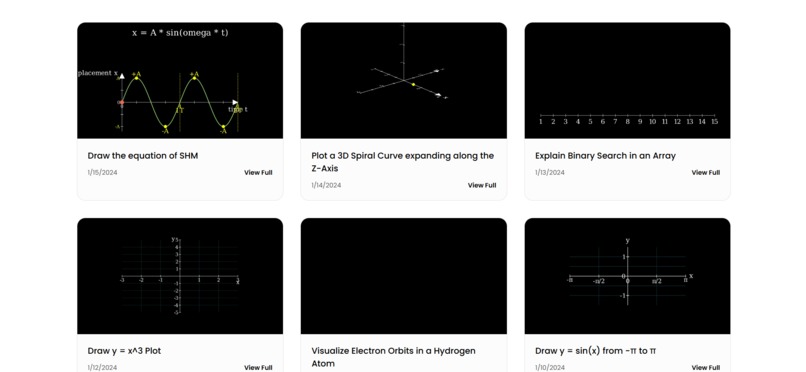
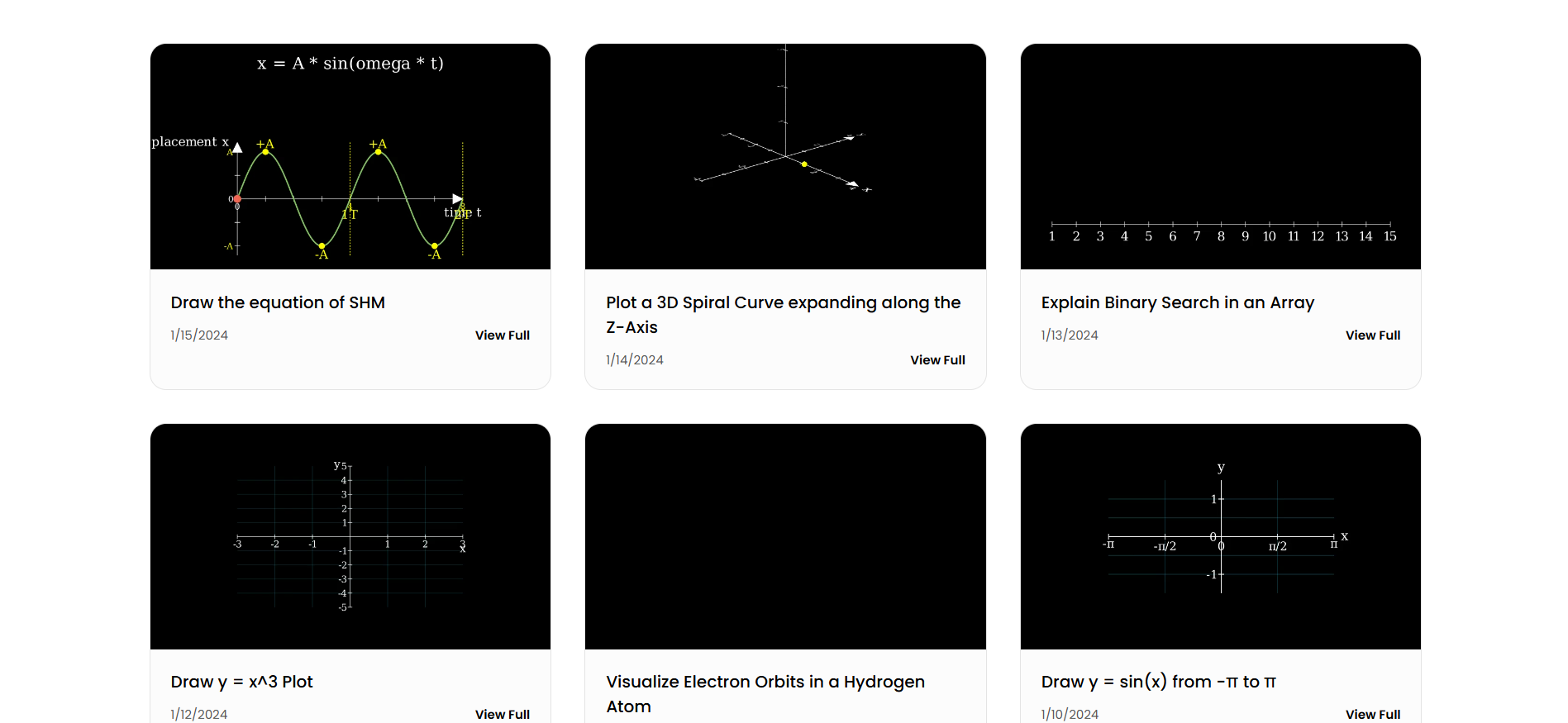
gallery page includes videos
-
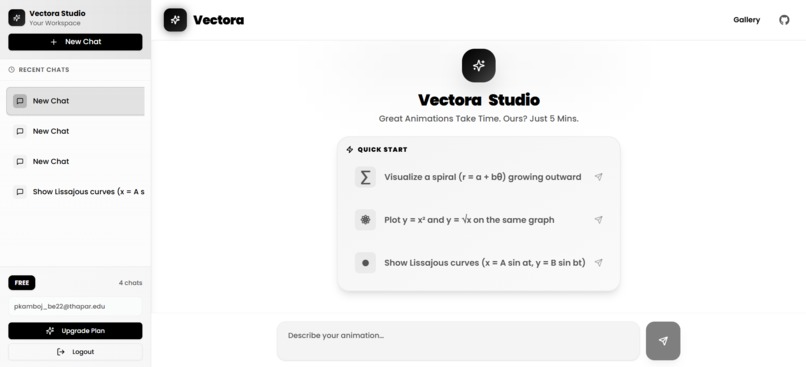
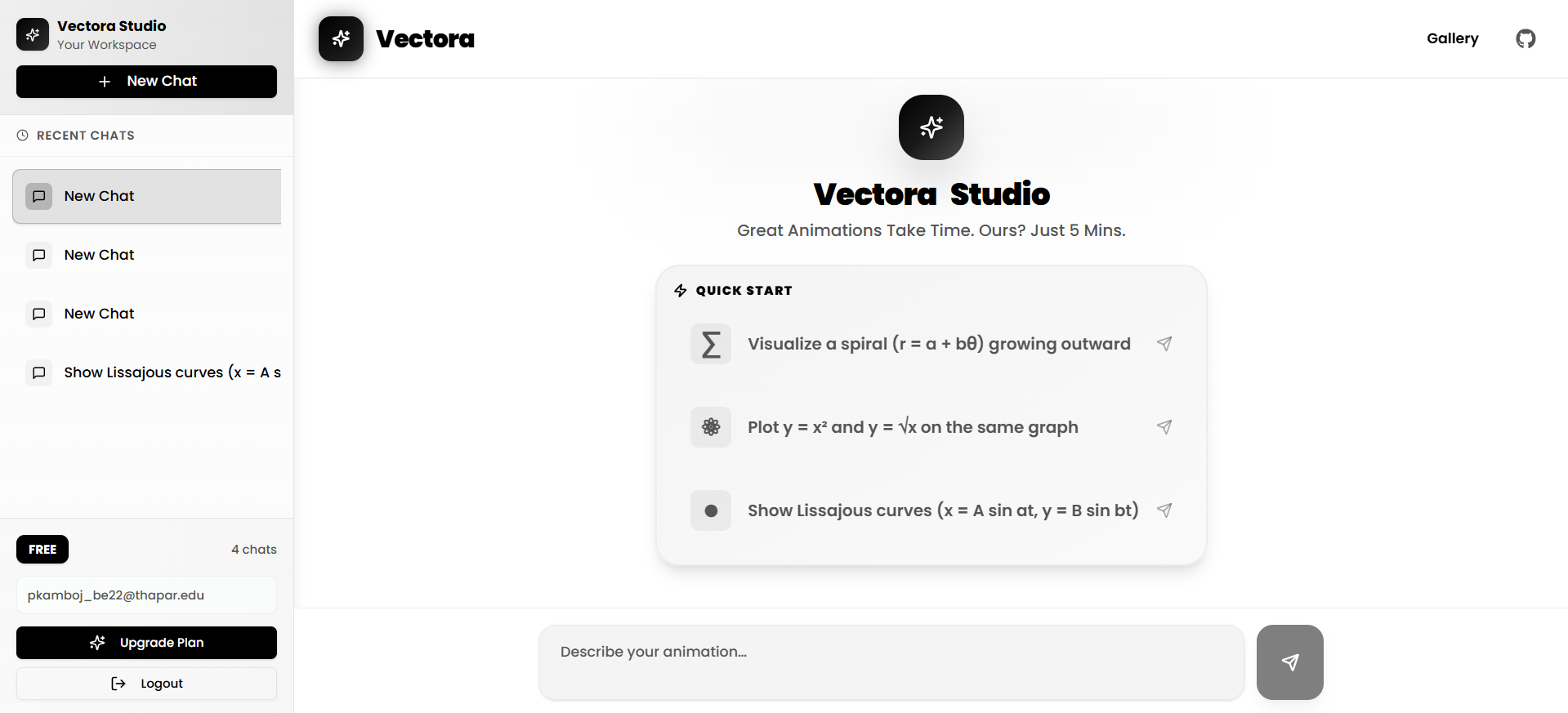
dashboard page
Inspiration
- We wanted a simple way for anyone to turn a text prompt into a clear explainer video without manual editing.
- Help learners, educators, and teams go from words to visuals in minutes, especially for STEM concepts that benefit from precise, step-by-step visuals.
What It Does
- You type a text prompt.
Example: Explain the difference between integration and differentiation. - The system understands the request, plans an animation, and runs an agentic workflow behind the scenes.
- It renders a polished explainer video and returns a shareable link, so no video editing is required.
How We Built It
Core Idea
- We use the Manim Python library to generate videos directly from code.
This means animations are produced through precise instructions instead of traditional video editors. - Existing video-generation models hallucinate or fail at STEM explanations. Code-driven rendering avoids that problem entirely.
Agentic Workflow
1. Preparing the Knowledge Base
- We take the Manim documentation and parse it using Python’s
astmodule. - Using hierarchical chunking, we split the docs into meaningful pieces.
- These chunks are embedded and stored in ChromaDB (vector database).
2. Understanding the User Prompt
- A user enters something like: draw a circle and a parabola.
- The enhance prompt agent expands this into k expanded prompts:
1) Draw a white background. 2) Draw a circle at the center of the screen. 3) Draw a parabola 0.2, 0.2 above center ...
3. Retrieving Relevant Knowledge
- The get chunks agent retrieves top-2 relevant chunks from the vector DB for each prompt step.
This produces a pool of2kgrounded references.
4. Generating the Animation Code
- The generate code agent get these mapped enhanced prompt with its retrieved chunks.
- It produces valid Python code using Manim.
5. Executing and Delivering the Video
- The execute code agent runs the code in an isolated environment.
- After rendering the MP4 file, it uploads the output to Cloudflare R2 and returns a video URL.
- The frontend receives the link and displays the final video.
Challenges We Ran Into
- Implementing advanced RAG with AST-based hierarchical chunking was difficult.
- Learning the
astlibrary took time. - Latency remains an issue: videos sometimes take 4–5 minutes to render.
- Accuracy for difficult prompts is still inconsistent.
Accomplishments We're Proud Of
- Successfully deployed the system and made it available on the internet.
- Fixed several frontend issues along the way.
- The approach is fully original this solution does not exist publicly anywhere.
What We Learned
- How to orchestrate multi-step workflows using LangGraph.
- Practical implementation of RAG systems.
- Deep familiarity with Python’s ast module.
What’s Next for vectoraAI
- Reduce end-to-end latency to ~90 seconds.
- Improve accuracy and create custom evals for measurable progress.
- Add a voiceover feature so videos include AI-generated narration.
- Introduce semantic caching with Redis, which will also reduce OpenAI token usage.
Built With
- ast
- cloudflare
- e2b
- fastapi
- langchain
- langgraph
- openai
- supabase


Log in or sign up for Devpost to join the conversation.