-
-
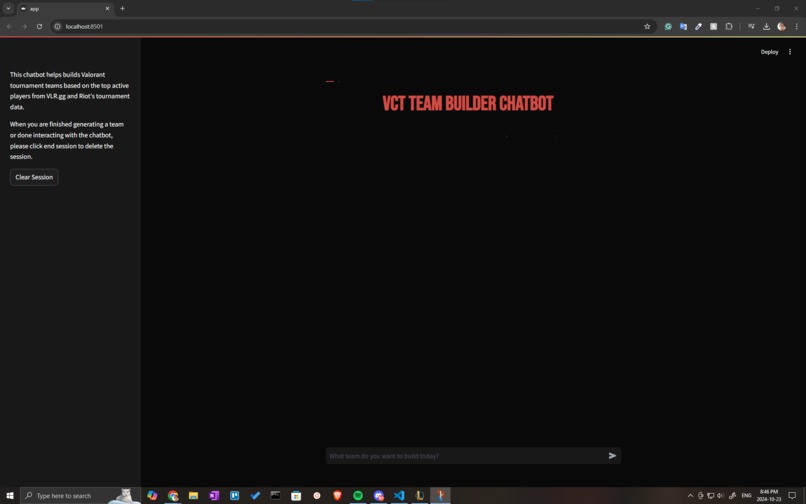
Chat Interface
-
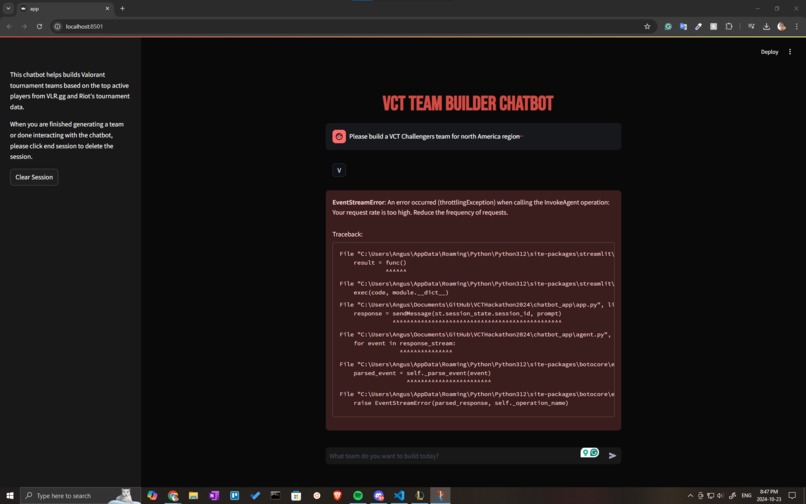
Decreased AWS Inference Quota API throttle Issue
-
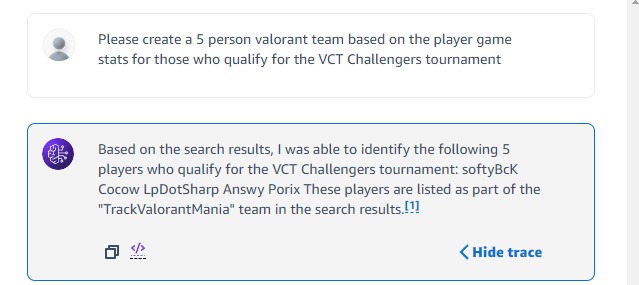
Testing retrieval for created knowledgebase
-
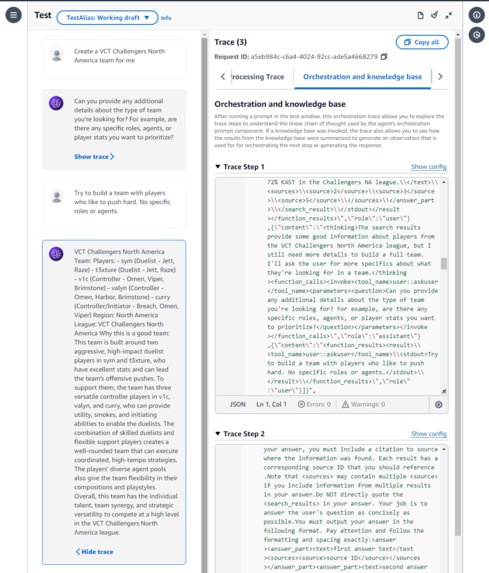
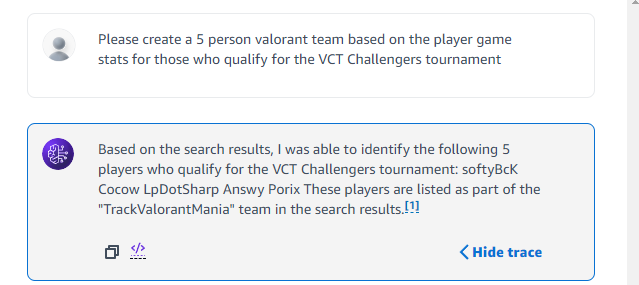
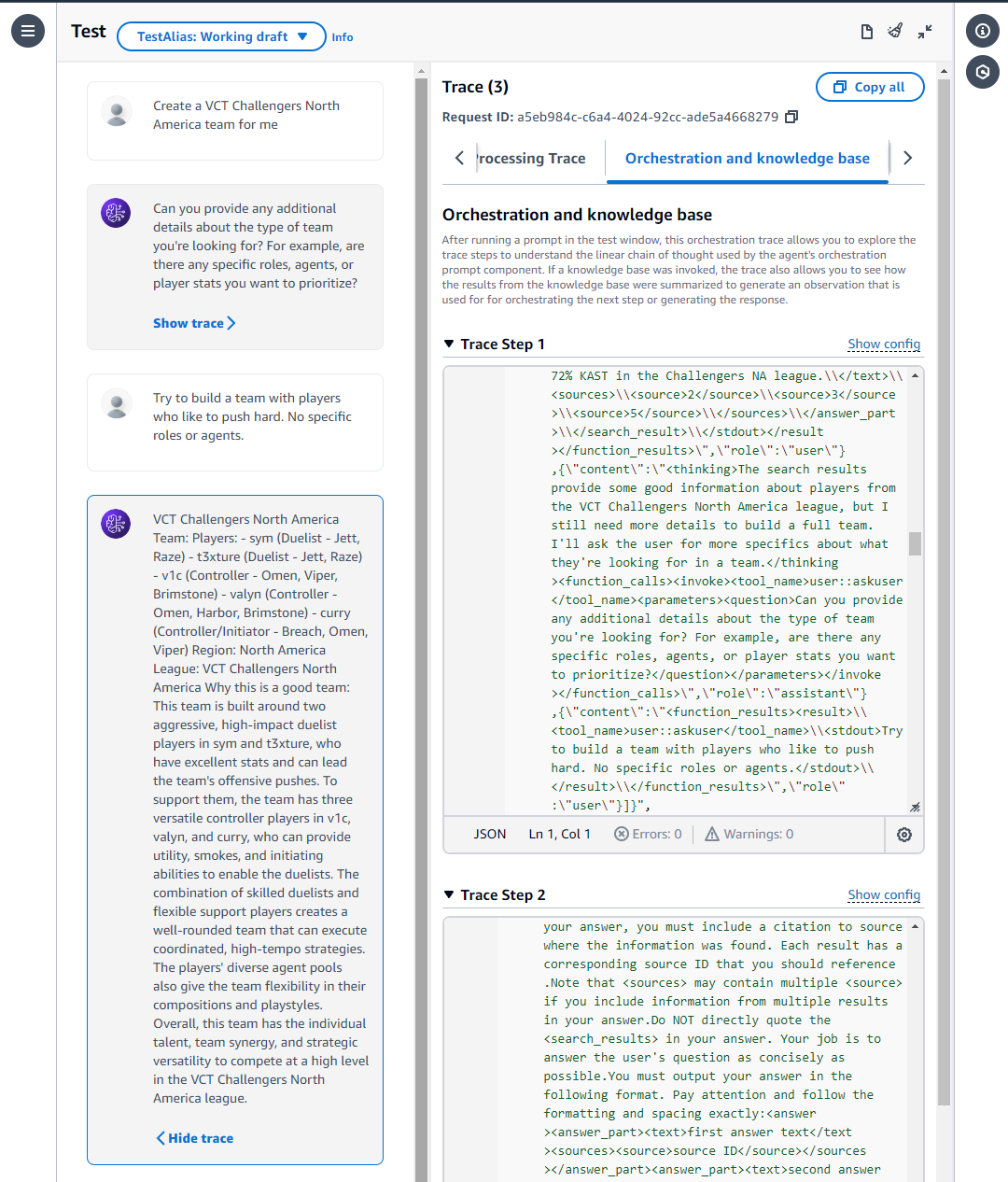
Testing Agent V1 before rate limit decrease
-
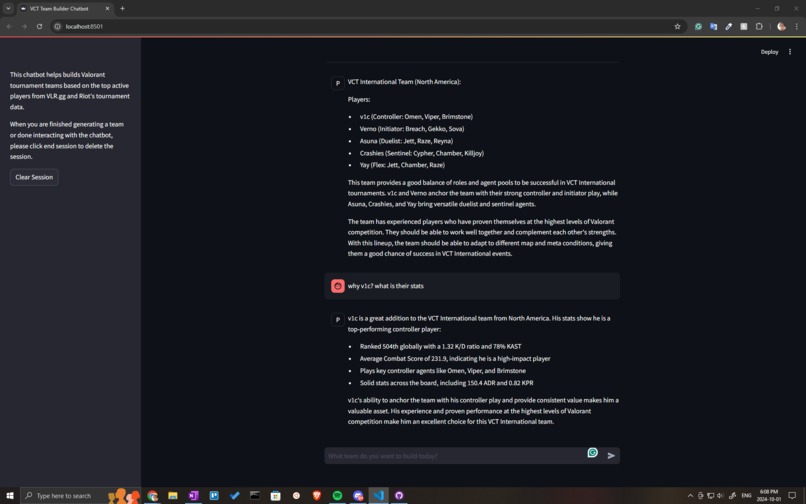
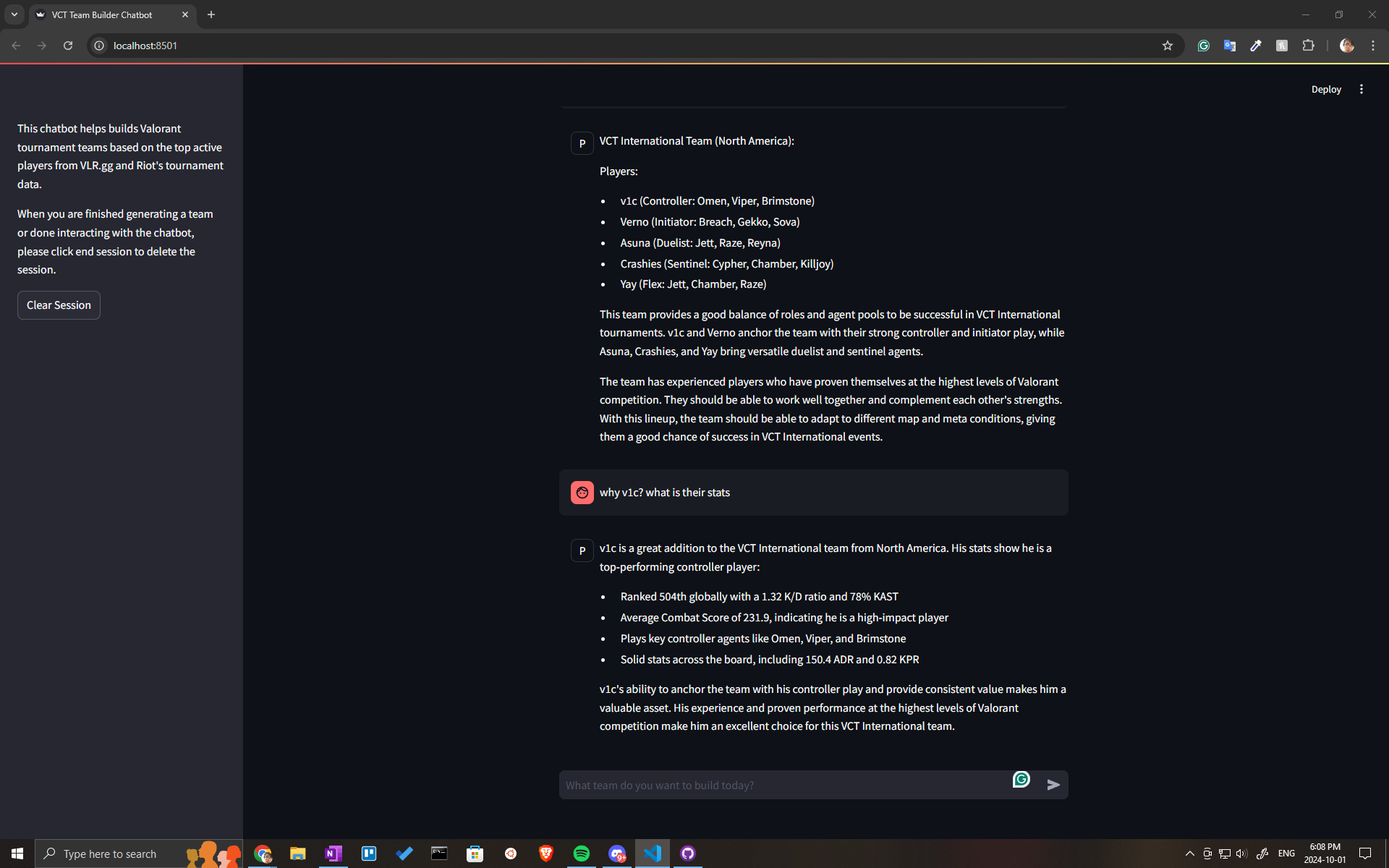
Testing on chat interface before rate limit decrease with some adjustments needed for definitions
Choosing The Base Model
We started by determining what model to use for our chat agent. We aimed for a model that could handle large context sizes and also had a good level of understanding of shooter games and text content. After weighing the pros and cons of various models, considering factors such as pricing for input/output and size, we decided to use Claude 3 Haiku. It offers fast inference and a 200k token context length with similar performance and pricing to the closest Llama model in size.
To Train or To Understand, That is the Question
The Claude 3 Haiku model was trained on a variety of internet data up until August 2023, which should give it enough context for shooter games and general knowledge of the game Valorant.
Using Amazon Bedrock, we initially tested Claude Haiku 3’s Valorant knowledge, and found it was able to explain what Valorant was and how it worked. While the model did not have in-depth understanding of the game, it was decided its understanding of the game was sufficient and training on Valorant definitions was not required. Later on, we could add on additional data to a vector store so it can retrieve specific relevant data to inform better responses.
Data Sources
Riot recommended their tournament S3 bucket, and VLR.gg as good data sources for the project.
The VCT Hackathon Resources S3 bucket provided game, player, team, and tournament data. It also provided a dump of the Valorant E-sports and Valorant Game Wiki Fandom websites.
VLR.gg contains plenty of additional information on player, team, and tournament stats. We were especially interested in using the player stats, such as KDA, Average DPS, Clutch Success, etc. Following site guidelines, we scraped VLR.gg player data, then cleaned and merged it with the player data from the S3 bucket. It was exported to an organized json file so the LLM could parse and use it for building teams based on stats and info.
The Valorant game fandom dump provided lots of useful specifics about the game such as agent abilities, maps, and weapons. The Valorant esports fandom dump provided additional information about players that was not gathered from other sources, such as a biography, trivia, tournament results, pronouns, etc. This information is especially useful for general knowledge questions about the game and the esports scene that are directly related to building a team.
Considerations For The Model and Chatbot
Initial testing showed that the model needed some help understanding the task and what to do with the data it is given and we determined prompt engineering would be needed. We defined the questions the model should be prepared to answer, and provided acronym definitions to give as context. We also defined how the model should handle instances where the user did not want to continue building teams and instead wanted to learn more about the team.
The knowledgebase, which is connected to the chat agent, also has its own instructions for data, which we added to “guide” the knowledge base to pull data from all regions and leagues by default in the event the user prompt did not specify a region.
What We Learned
This is our first time using AWS and it was quite the learning experience. From the AWS console to efficiently managing service resources, it was great to be able to get an opportunity to try out the services.
The biggest challenge we faced was preprocessing data and organizing it so that the chat agent was able to know what data to search through to formulate responses. File content structure and how the LLM would determine meaning was a big factor in how we formatted the text data and why we used JSON structure.
We initially wanted to have separate files with wiki data, player stats, and so on. While our Opensearch cluster had a better performance in understanding the user prompt and pulling data compared to a FAISS cosine similarity search, it got a bit confused with what files to pull from, like the FAISS search. We ended up experimenting with different file setups and prompt engineering to help guide our current bot.
Note
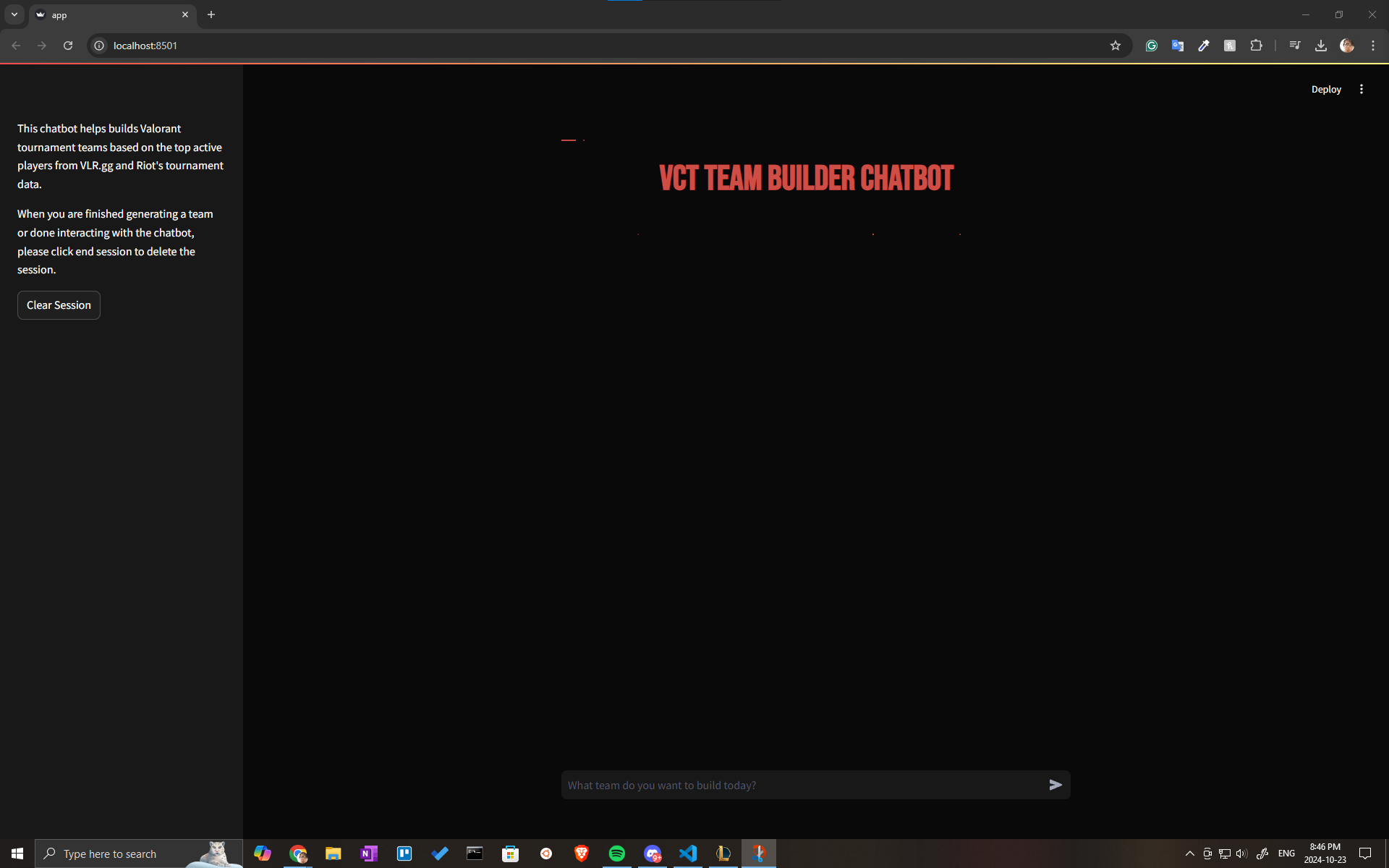
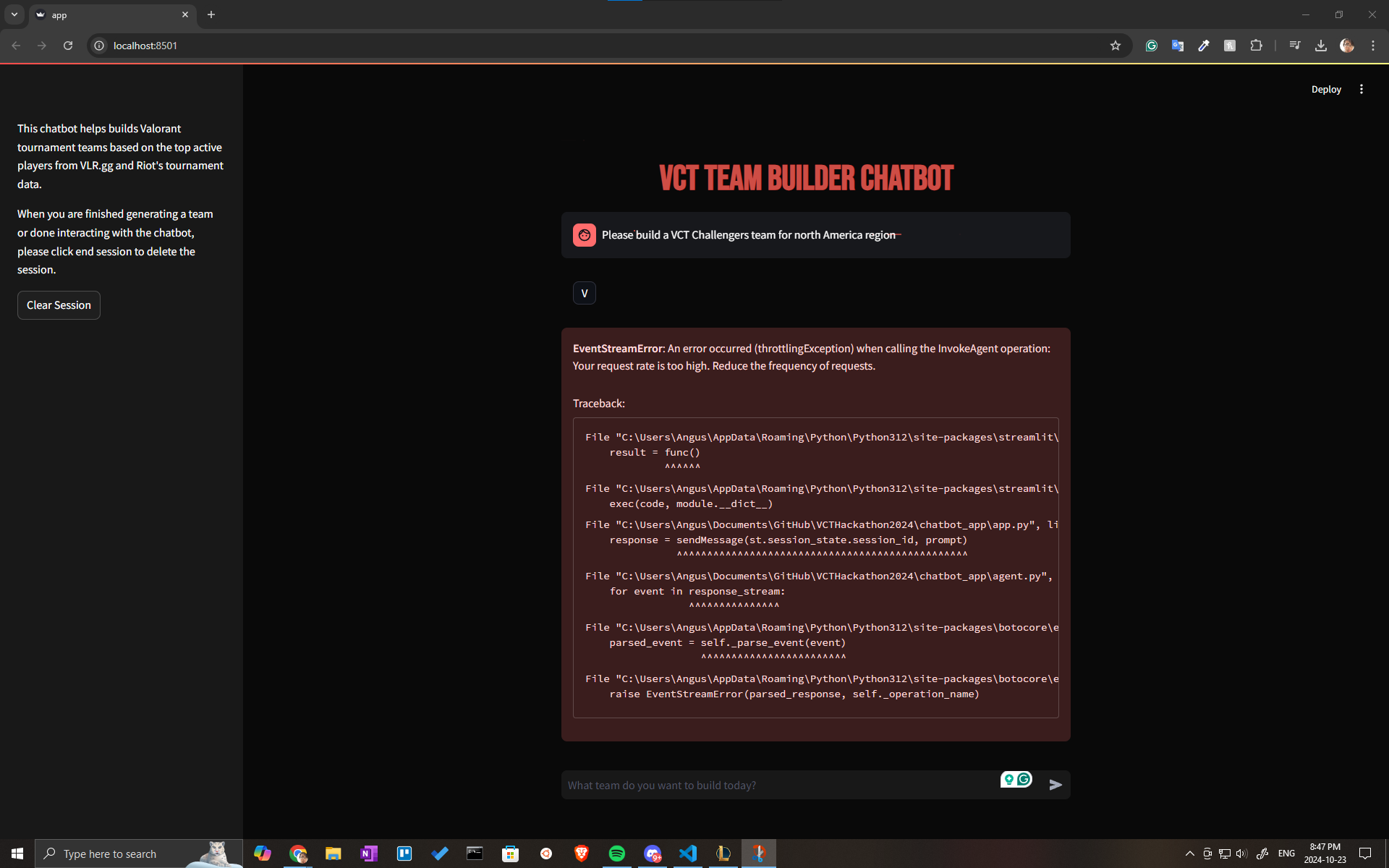
Towards the end of the hackathon, we ran into an issue with our API rates for inference being lowered to 0 from the default rate of 400 requests per minute. This greatly hindered our experimentation with different chunking and Opensearch vector store setups, as well as model testing. We did attempt to contact AWS support to raise our limits and switched regions, but all other regions for our accounts were also 0 requests per minute.
We were unable to create a demo video, and have attached some screenshots from testing our V1 model to show team creation on the interface. Our video link is just a placeholder.
AWS Tools Used
AWS services used for this project were:
- Bedrock (Agents, Knowledgebases - Opensearch Serverless)
- S3 Buckets
AWS Bedrock was used to implement the majority of the chatbot agent, specifically Agents and Knowledgebases.
Bedrock Knowledgebases were used to import S3 bucket files, such as the consolidated player game stats, and linked to a Bedrock Agent (Claude 3 Haiku) to provide data and context to the Agent so it can make informed responses. Using Knowledgebases, a linked S3 bucket’s files are made easily searchable with Opensearch with a few clicks and is easier to connect to an Agent than an Opensearch managed cluster.
Bedrock Agents was very simple to use and was used to create the chatbot agent with Claude 3 Haiku. After going through the Agent Builder, we connected our Bedrock Knowledgebase we made before on Opensearch Serverless and the chatbot could now fetch data from the Knowledgebase to formulate responses with data. Once agent settings are saved and the agent “prepared”, testing could be done. We used versioning with aliases to determine which combination of data changes and system instructions yielded the best results.
The AWS Boto3 SDK for Python was used for connecting the Streamlit chat interface to the chat agent. After setting the environment variables to target agent and alias, we were able to interact with the agent outside of the Bedrock console and made it accessible locally.
Built With
- 3
- ai
- amazon-web-services
- bedrock
- claude
- claude-3-haiku
- fandom
- github
- haiku
- jupyter-notebook
- llm
- opensearch
- python
- riot-games
- s3
- streamlit
- valorant
- vector-store
- vlr

Log in or sign up for Devpost to join the conversation.