-
-
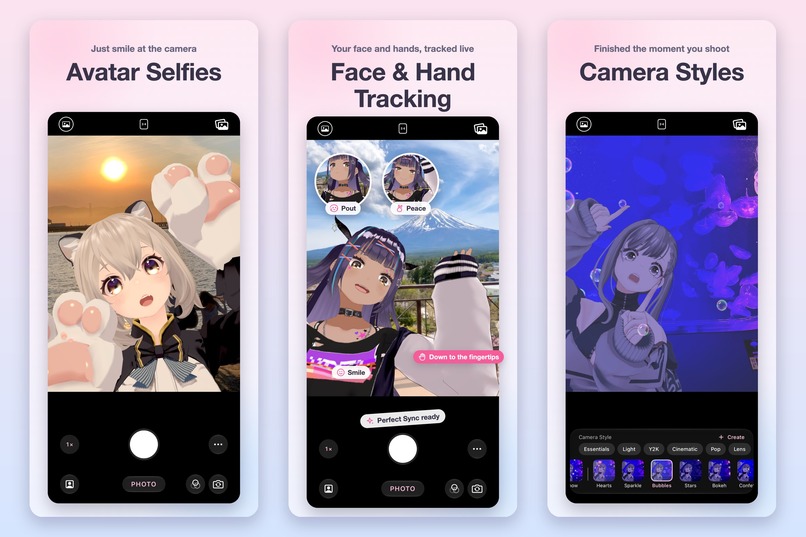
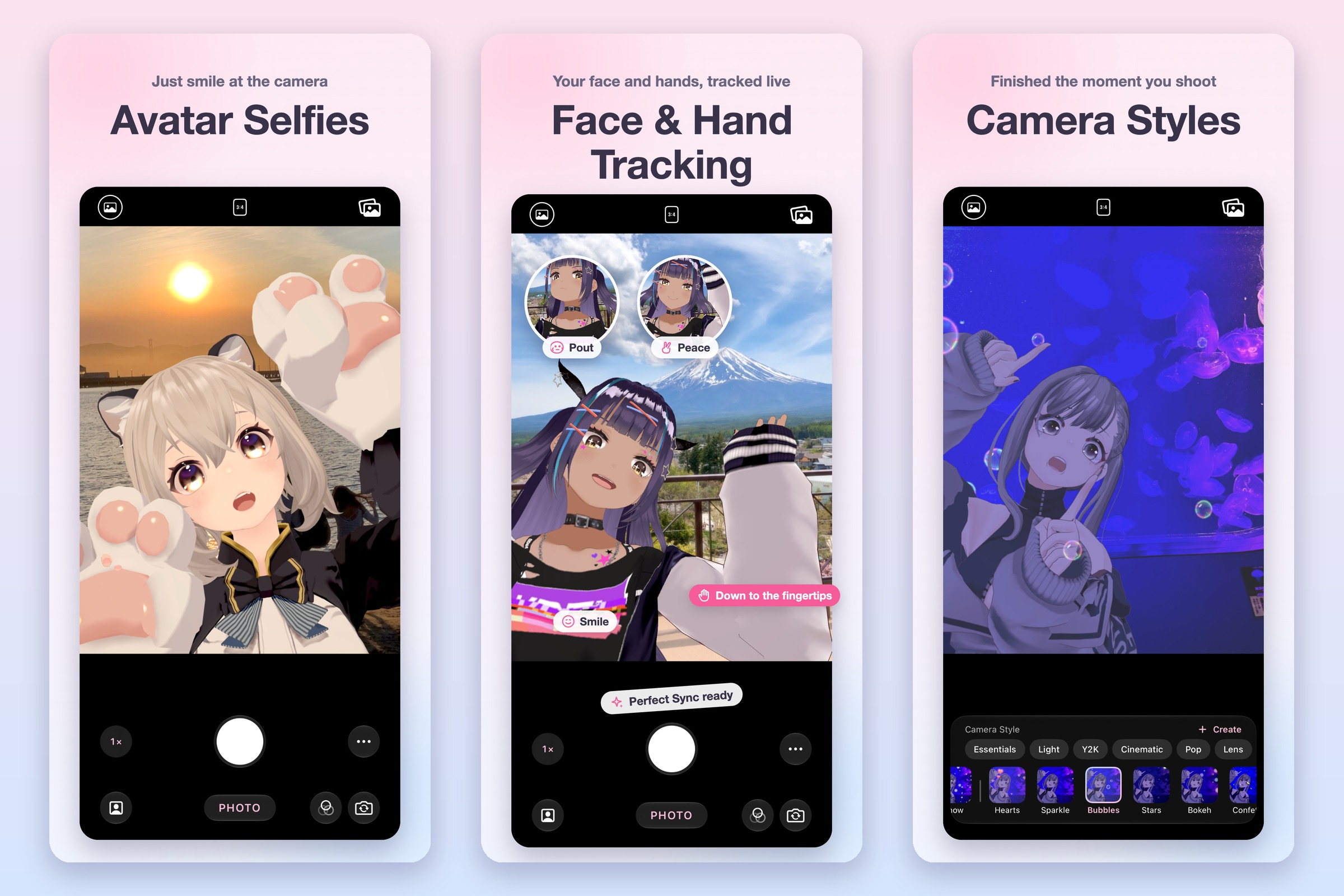
Just smile at the camera. On-device face and hand tracking down to the fingertips, plus camera styles that finish the shot as you take it.
-
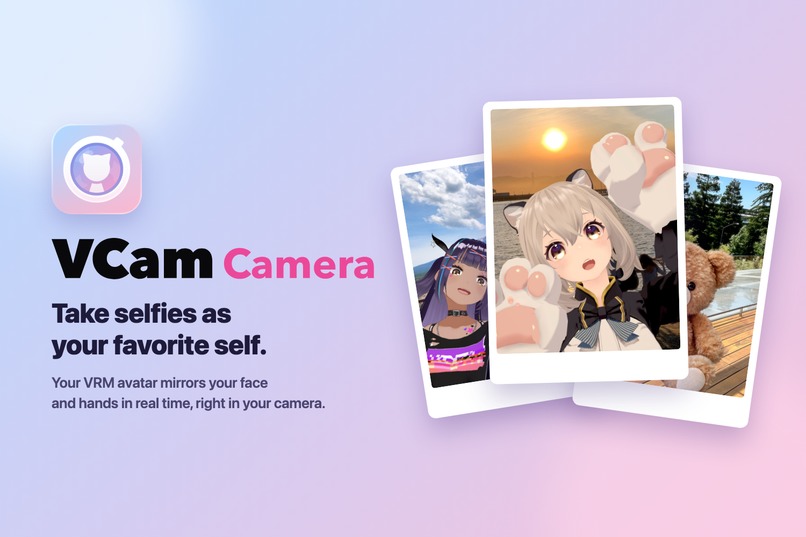
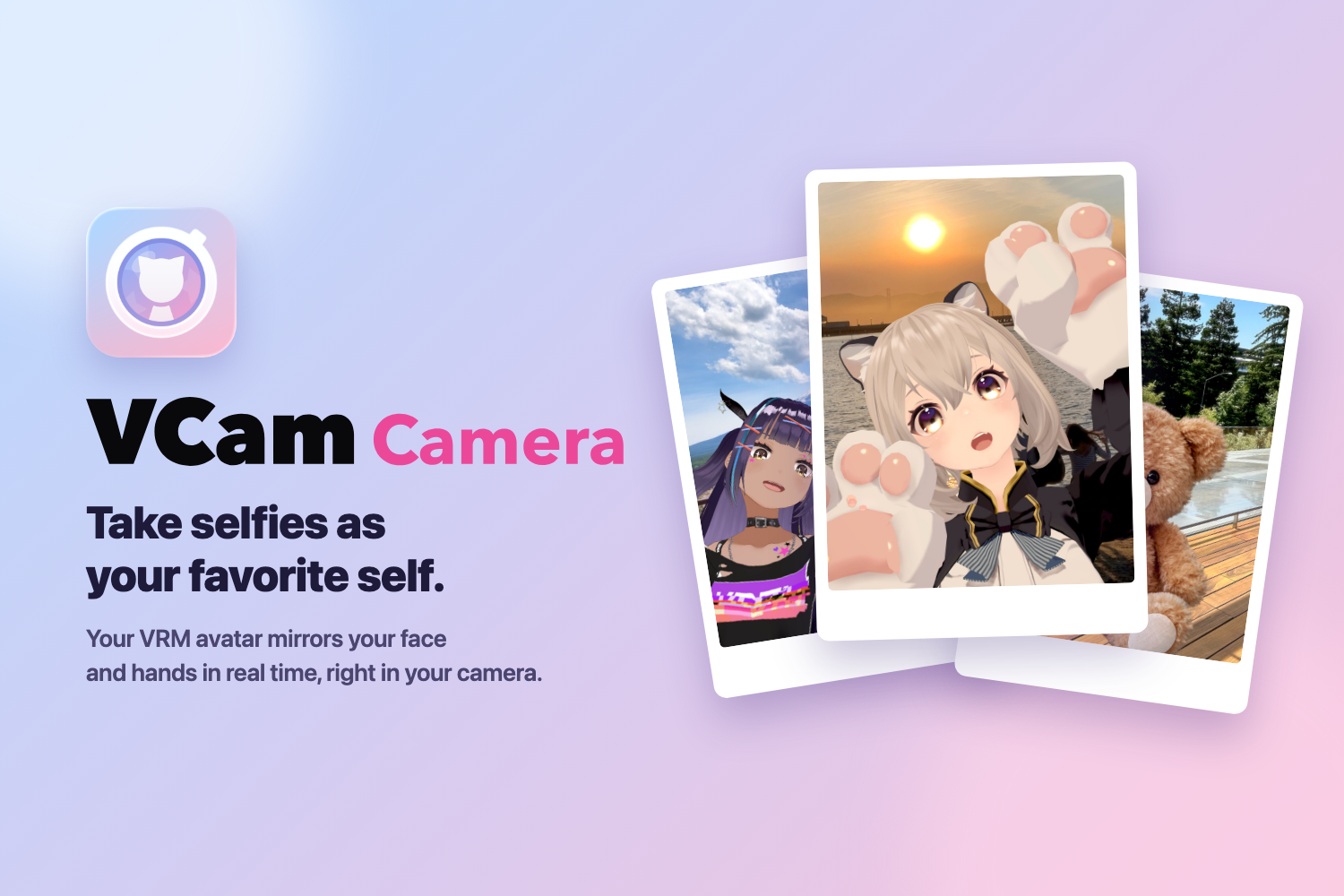
VCam Camera: a camera app where your 3D VRM avatar, or even a single illustration, takes selfies for you on iPhone and iPad.
-
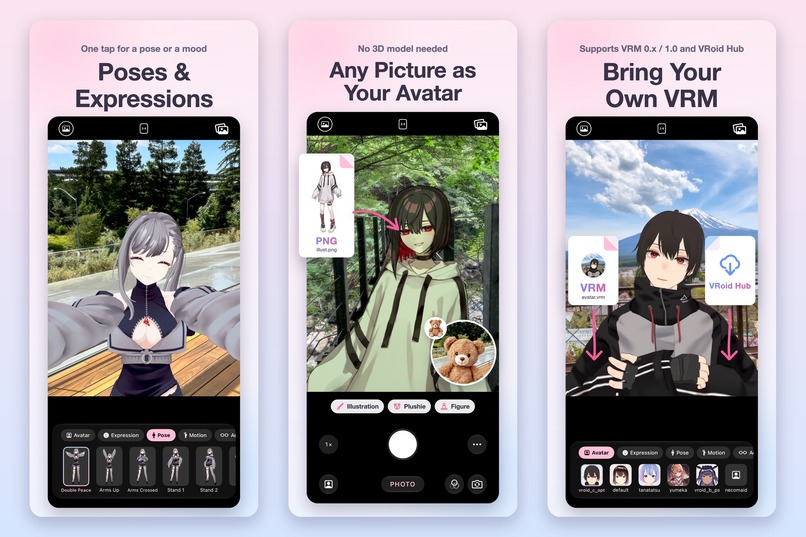
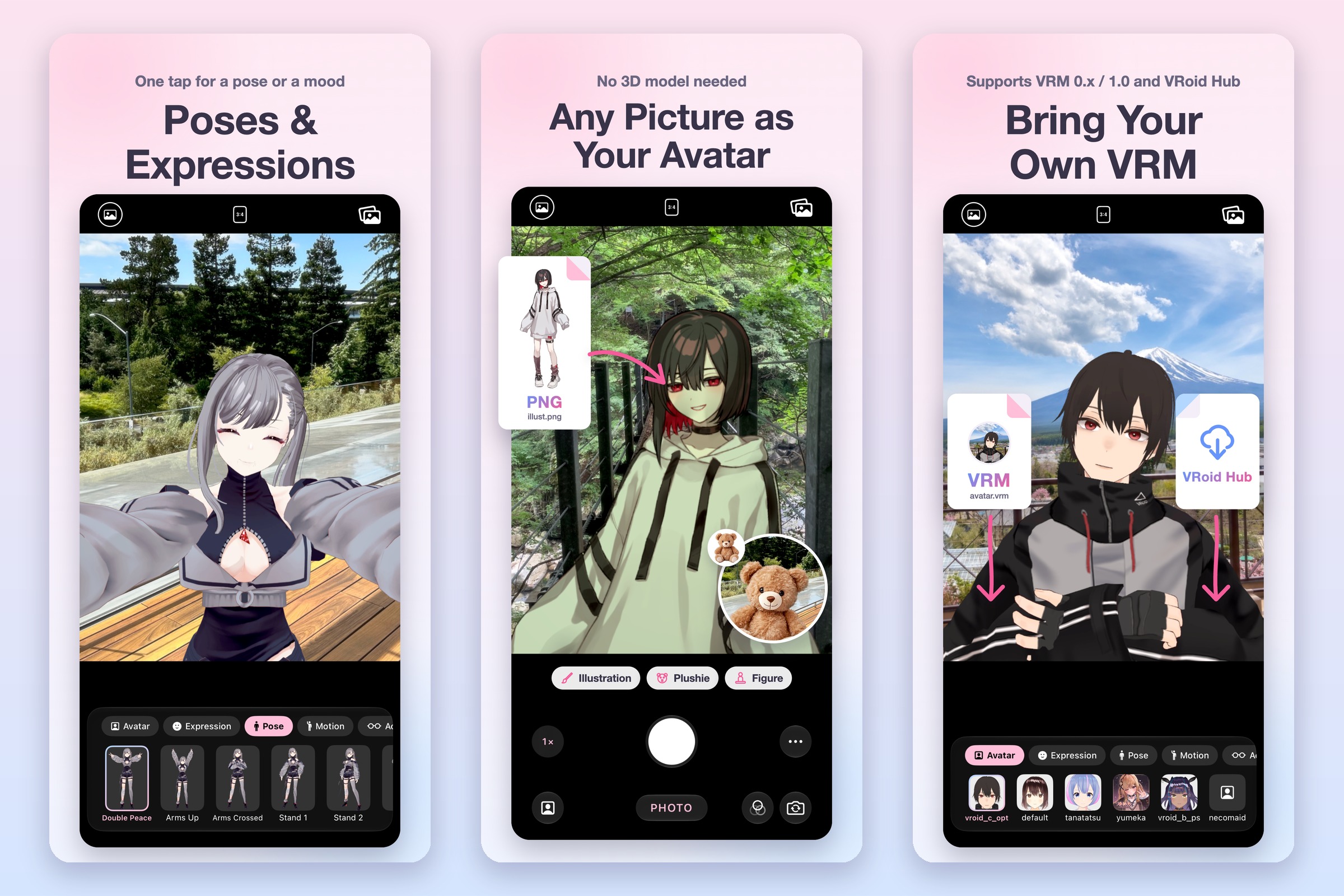
One-tap poses and expressions. No 3D model? Use any illustration or plushie photo. Or bring your own VRM 0.x/1.0 from Files or VRoid Hub.
-
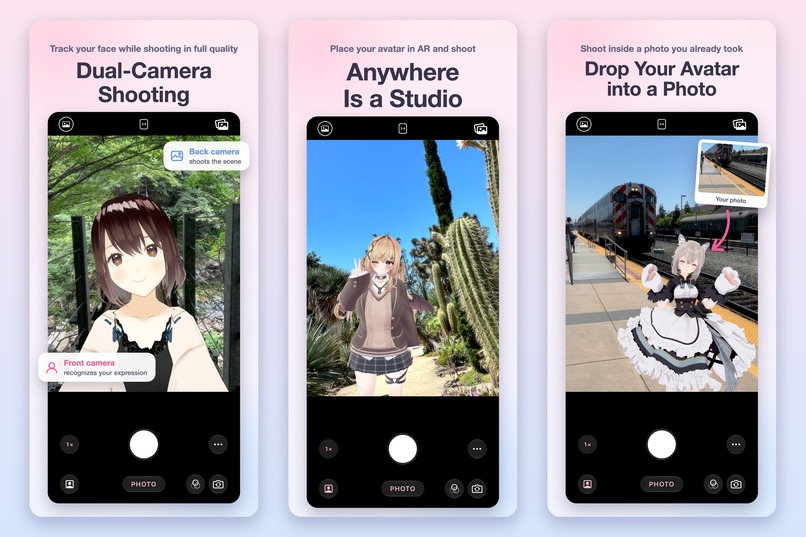
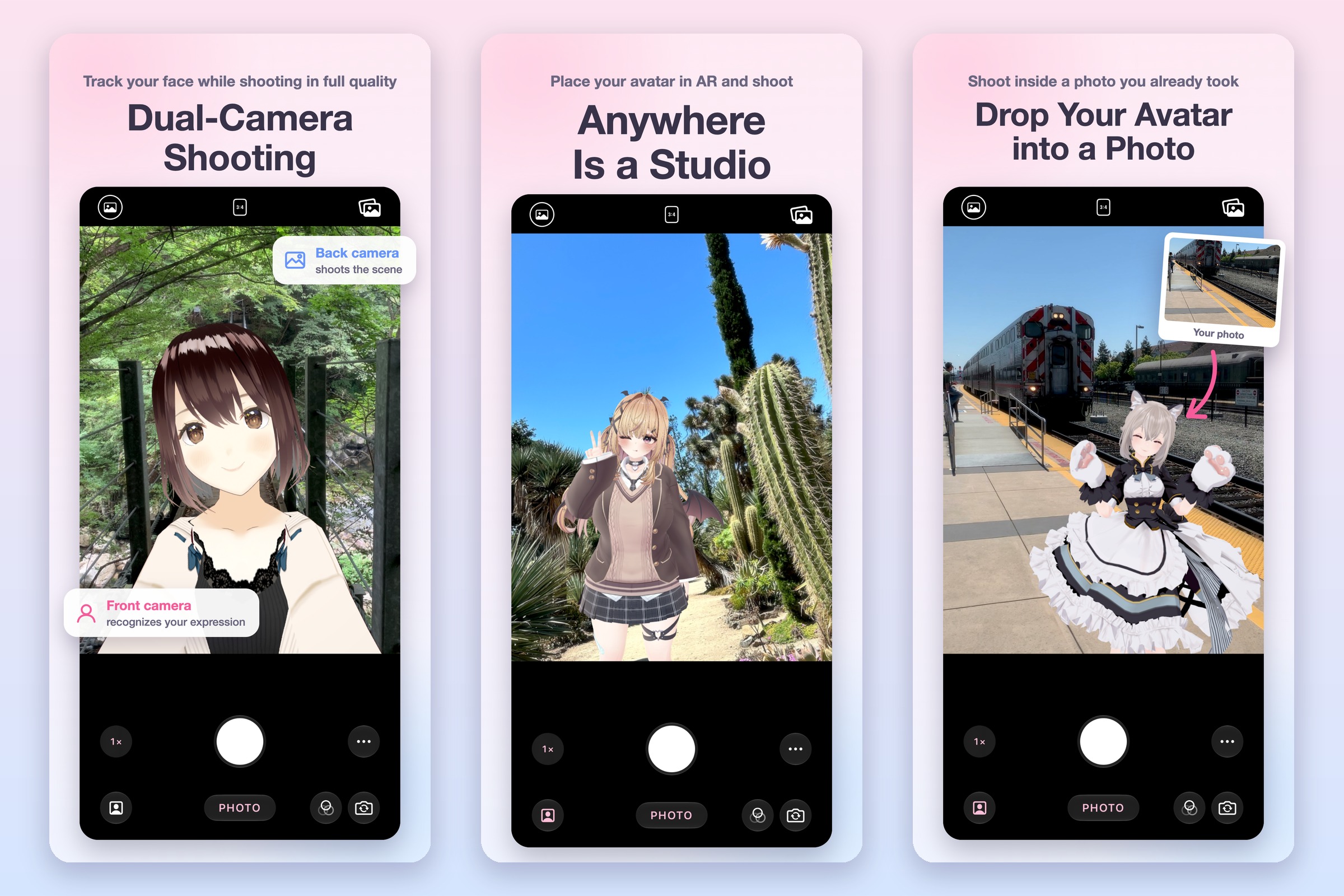
Shoot with the back camera while the front camera tracks you, place your avatar in AR, or drop it into a photo you already took.
-
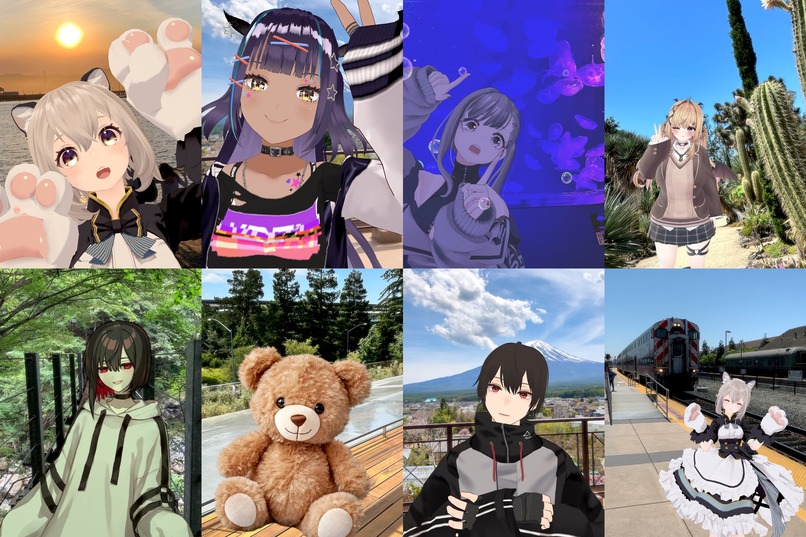
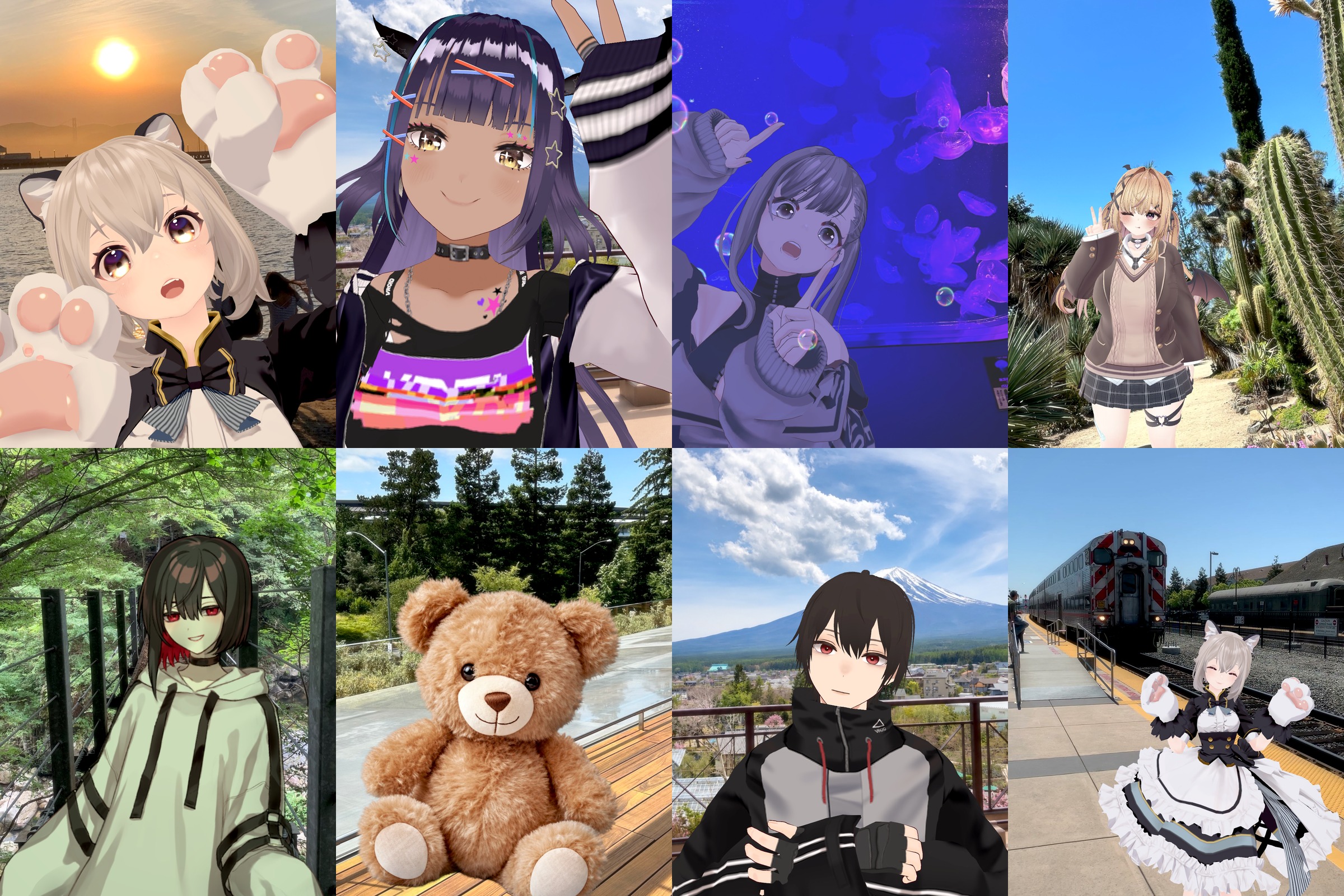
Real shots taken with VCam Camera. Avatars mirror your face and hands and blend into the real scene: sunsets, aquariums, trains, and more.
-

App Icon
-
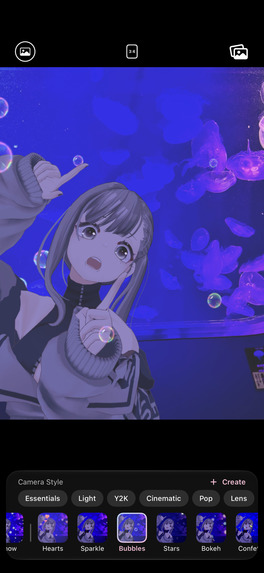
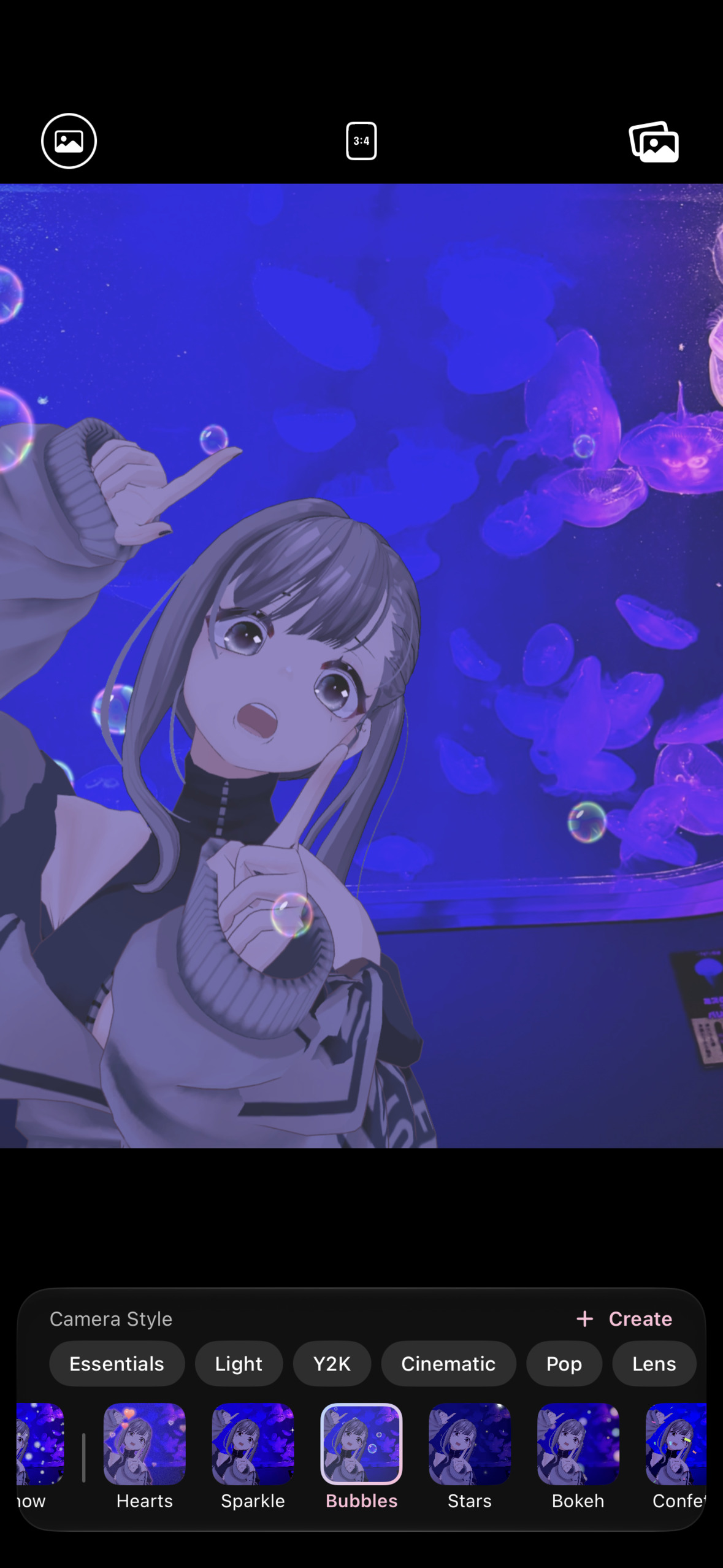
App screenshot (1179×2556, no device frame): Camera Styles
-
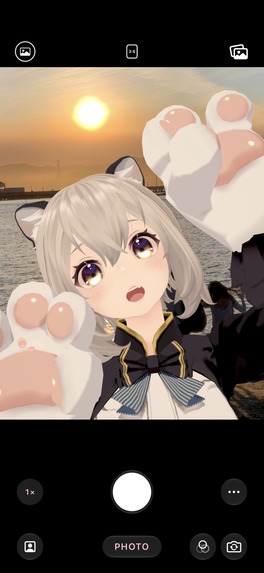
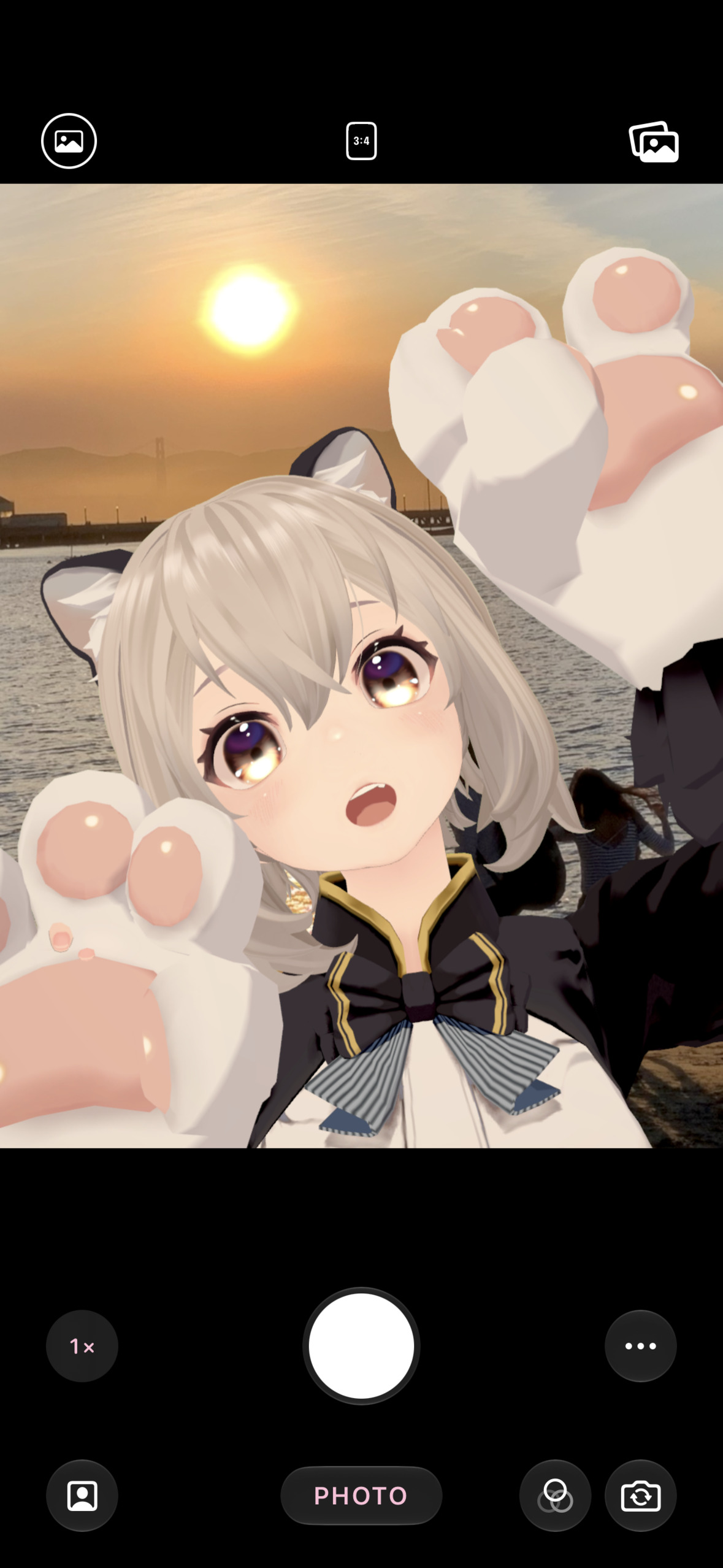
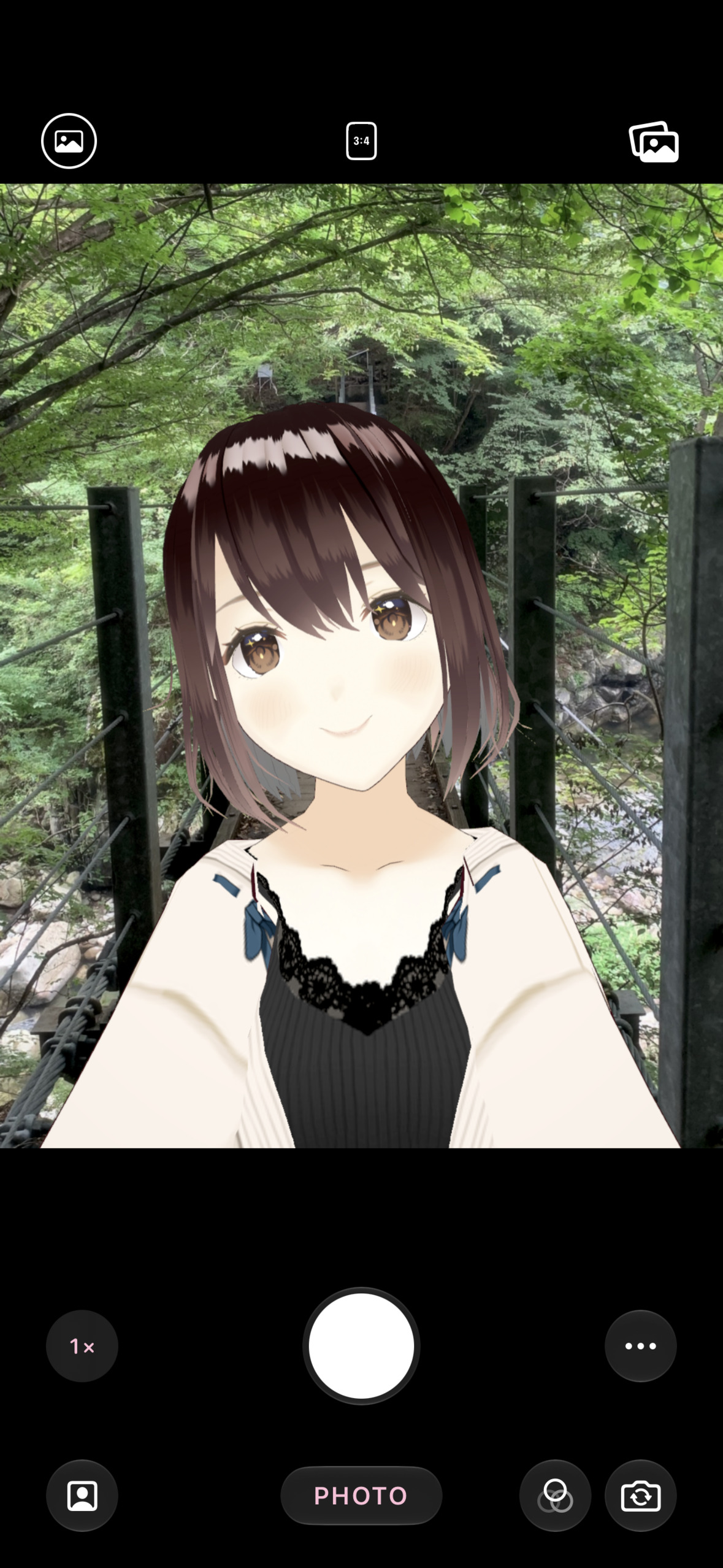
App screenshot (1179×2556, no device frame): Front Camera selfie
-
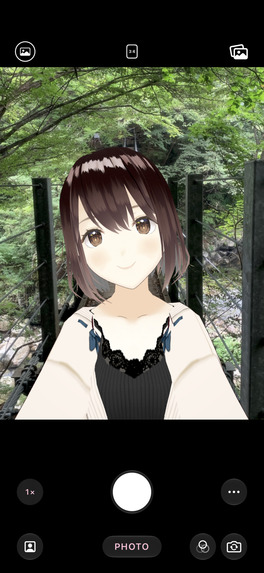
App screenshot (1179×2556, no device frame): Dual-Camera Shooting

Inspiration
Millions of people express themselves through avatars: VTubers, VRChat users, and VRoid creators. But when they want to take a photo "as themselves" in the real world, their options are a desktop streaming setup or a camera filter that barely looks like their character. I have been building VCam, a desktop avatar camera for streaming, for years, and I wanted to bring that experience to the camera everyone already carries: open the app, smile, and shoot.
What it does
VCam Camera is a camera app for iPhone and iPad where your avatar stands in for you.
- Your avatar, right away: bring your own VRM (0.x and 1.0) from Files, AirDrop, or VRoid Hub. No 3D model? Pick a single illustration or a photo of a plushie, and it is cut out automatically and follows your head.
- Real-time tracking: your expressions and hand movements are mirrored by the avatar. Tracking runs entirely on-device, with no account or sign-in.
- Three ways to shoot
- Front Camera: a selfie where you are automatically hidden from the background and replaced by your avatar.
- Back Camera: shoot the scene in front of you in high quality while the front camera tracks your face and hands at the same time.
- AR Camera: place your avatar in the real world, walk around it, and shoot from any angle. It casts shadows and can hide behind people (and objects on LiDAR devices).
- Finished the moment you shoot: camera styles (CCD, Film, Instant, Y2K, Cinematic, Dreamy, and more) that you can change even after shooting, one-tap poses and expressions, accessories, lighting that can match your background, frames, date stamps, and signatures.
- Photo and video: 9:16 / 3:4 / 1:1 / 16:9 photos, video with sound and live styles, Camera Control and volume-button shutter.
How I built it
No game engine: 100% native. My desktop app, VCam, renders avatars with Unity. For VCam Camera I left the game engine behind and rebuilt the whole avatar pipeline with Apple's frameworks. Rendering, camera capture, tracking, and the SwiftUI interface share one process and one GPU pipeline, with no bridge to an engine runtime in between.
- VRM on RealityKit: loading VRM files (0.x and 1.0), MToon toon shading, outlines, spring-bone physics, expressions, eye gaze, and VRM animations are all written in Swift and Metal in my open-source library, VRMKit.
- My own GPU deformation: I replaced RealityKit's built-in skinning and blend shapes with my own Metal compute kernel that writes into
LowLevelMesh. On an iPhone 17 Pro this cut main-thread time per frame by about 30% and deformation cost from 1.3 ms to 0.13 ms per frame. - One GPU pipeline: the avatar is drawn off-screen with
RealityRendererinto a Metal texture, then combined with the camera image, the person mask, and the style shaders on the GPU. - Fast loading: an 18 MB VRM loads in about 0.6 seconds on device.
The rest of the stack:
- Swift / SwiftUI, targeting iOS 26+ and built with Xcode 27 on iOS 27.
- ARKit, Vision, and MediaPipe for face, hand, and body tracking, AR placement, people occlusion, and person segmentation.
- Core ML / Metal: an on-device inpainting model fills in the background where you are hidden, and Metal shaders power the camera styles.
- RevenueCat powers monetization. The free version is a complete camera, and VCam Camera Pro (monthly or yearly subscription, or a one-time purchase) unlocks every style pack, My Styles, all poses and accessories, transparent backgrounds, high-resolution photos, 60 fps video, and watermark removal. RevenueCat handles offerings, entitlements, restore, and free-trial eligibility checks, and users can try any Pro style live on their own avatar before purchasing.
Challenges I ran into
- Hiding the real person convincingly. Removing you from a selfie means rebuilding the background behind you every frame. I combined ARKit person segmentation, a background atlas built as you move, and periodic on-device inpainting to avoid ghosts and wrong wall colors.
- Running the front and back cameras at once. Tracking with the front camera while shooting with the back camera meant synchronizing two capture streams, rendering, and effects in real time.
- Performance and heat on older iPhones. Avatar rendering, tracking, segmentation, and effects compete for the same GPU/ANE budget, so the app adapts quality to thermal state and keeps the shutter responsive under load.
- Making a Unity-first format look right without Unity. VRM and its MToon shader were designed for Unity's renderer. To get the same look on RealityKit, I fit MToon into RealityKit's limit of 16 samplers per shader by using only 2 samplers and recreating wrap modes in the shader. I also turned off RealityKit's forced tone mapping, and I reproduced Unity's render-queue order for transparent parts such as eye highlights, which RealityKit sorts by distance instead.
- Every VRM is different. Models from VRoid, VRM 1.0 exporters, and hand-made avatars all need correct materials, physics, and poses.
Accomplishments that I'm proud of
- Went from the first commit on September 1 to a public App Store release on September 20, 2026, and shipped several updates in the week after launch.
- No Unity and no game engine: the whole app is Swift, SwiftUI, RealityKit, and Metal. Every rendering improvement I made along the way is published as open source in VRMKit.
- Tracking and background removal run fully on-device: no account, and nothing leaves the phone.
- Localized into English, Japanese, Korean, and Simplified/Traditional Chinese.
What I learned
Shipping fast is only half of the work. Real-device feedback on older iPhones, App Store review, and designing a paywall that lets people try Pro features before paying taught me as much as the rendering work did.
What's next for VCam Camera
More pose and motion packs, more camera styles, sharing templates for social media, and deeper integration with the VCam desktop app so the same avatar setup works everywhere.

Log in or sign up for Devpost to join the conversation.