-
-
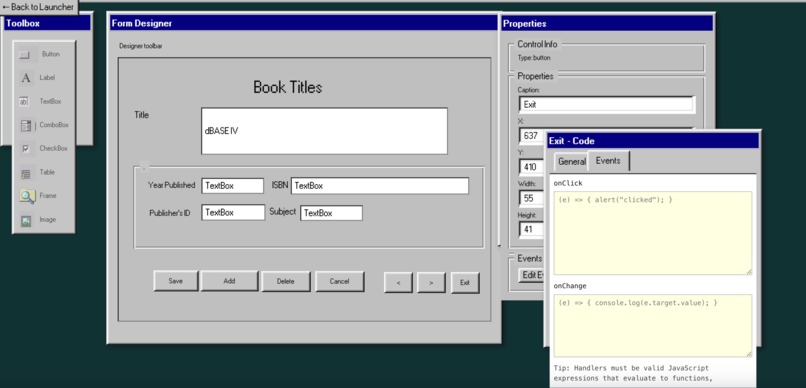
Drag-and-drop UI designer in the browser, styled exactly like classic VB6
-
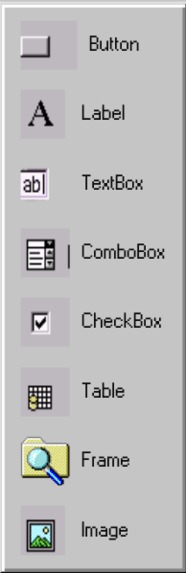
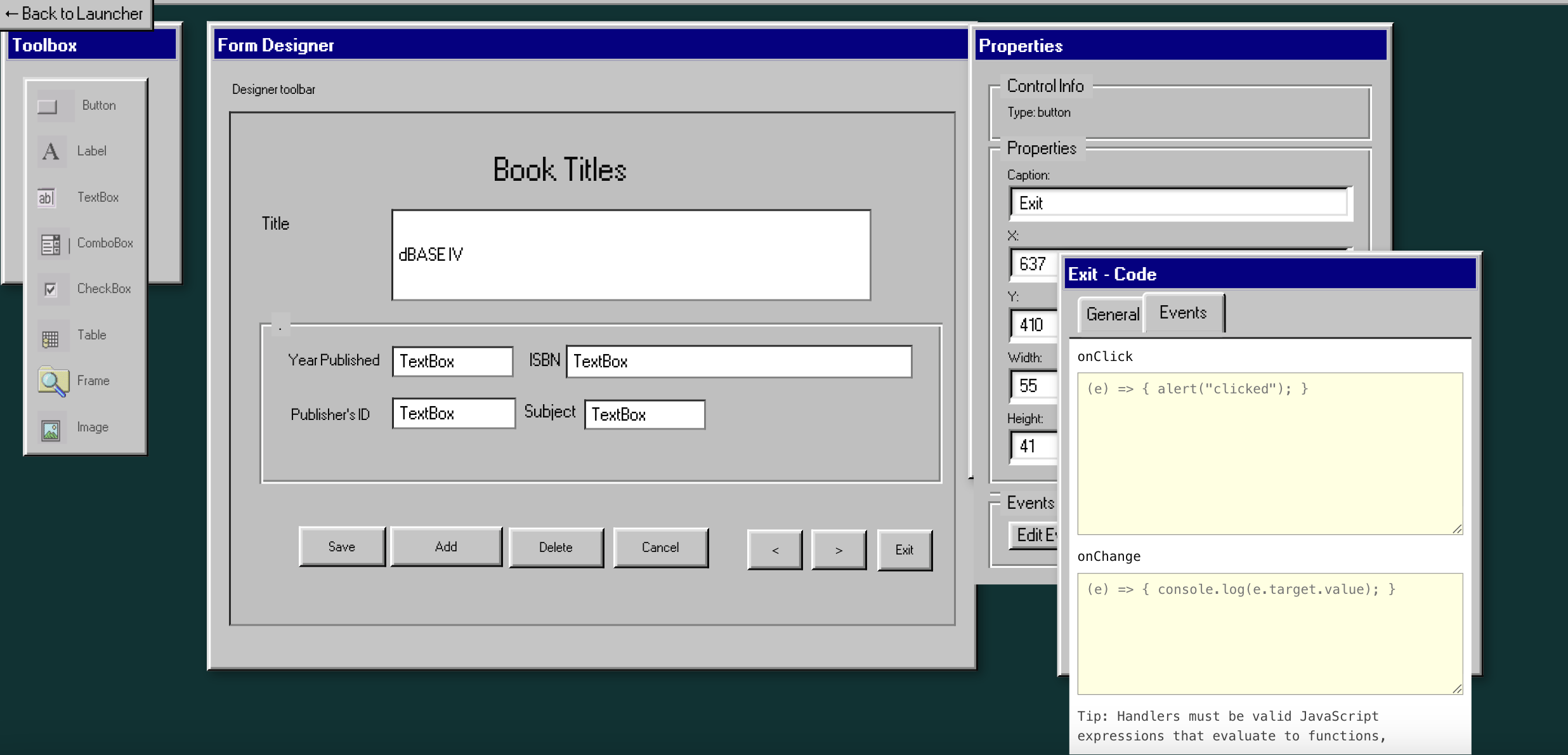
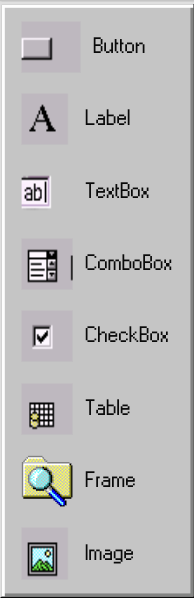
Add controls to the form like VB6
-

-
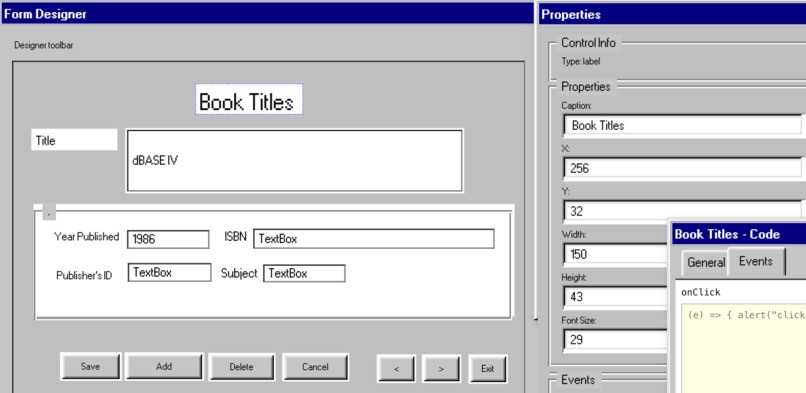
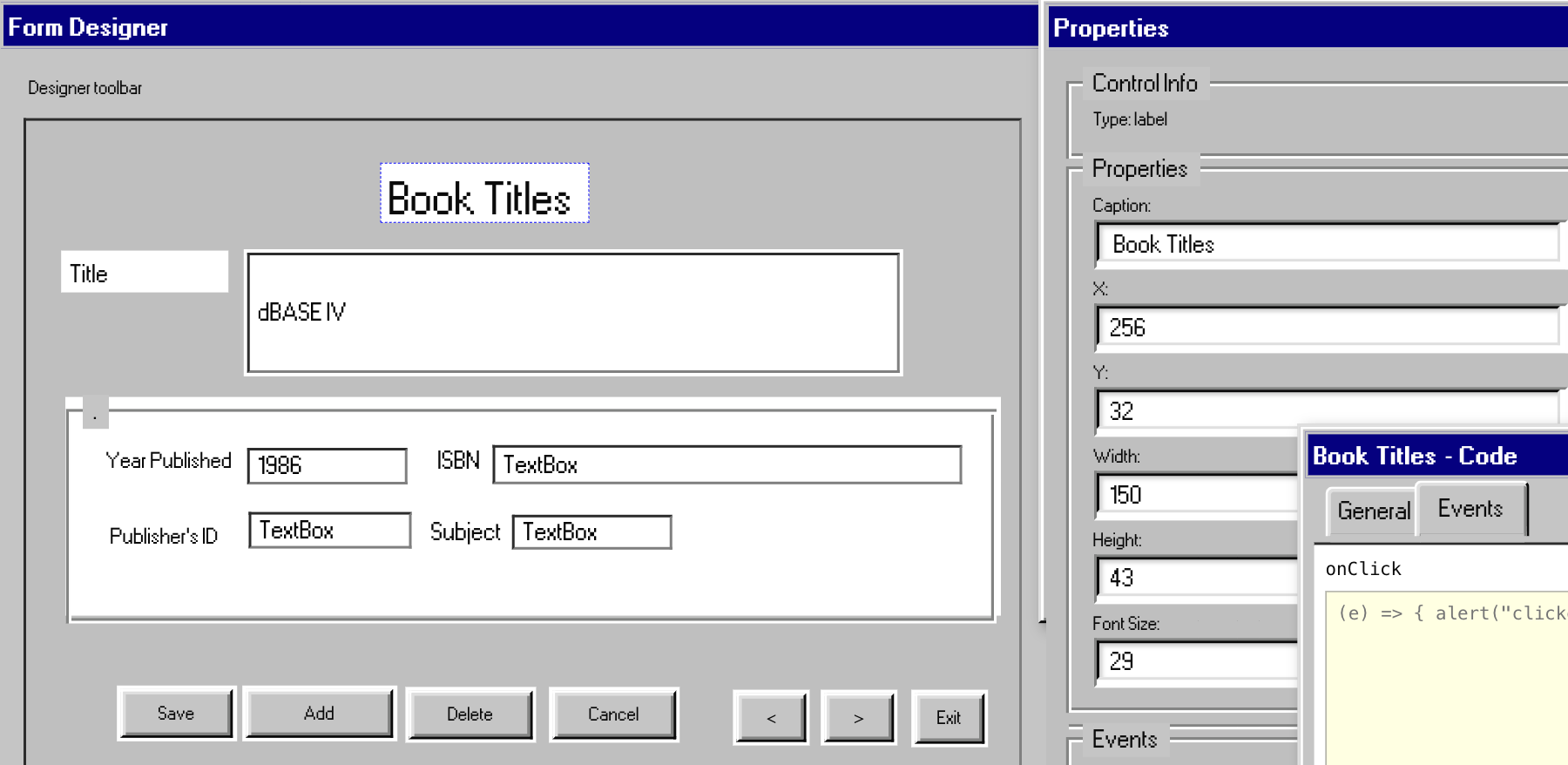
Edit control properties instantly — no manual coding
-
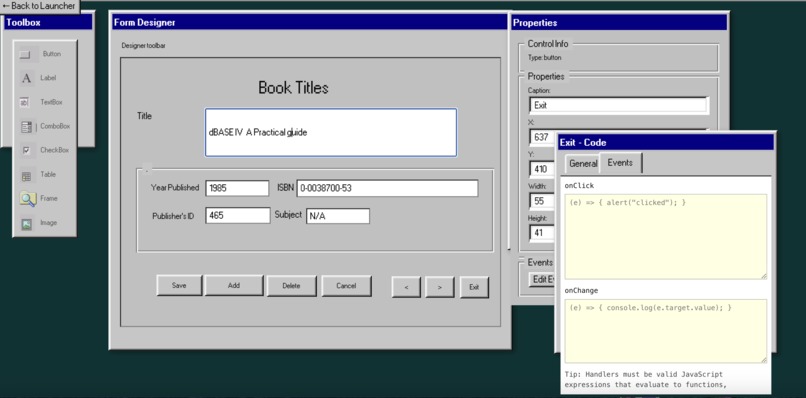
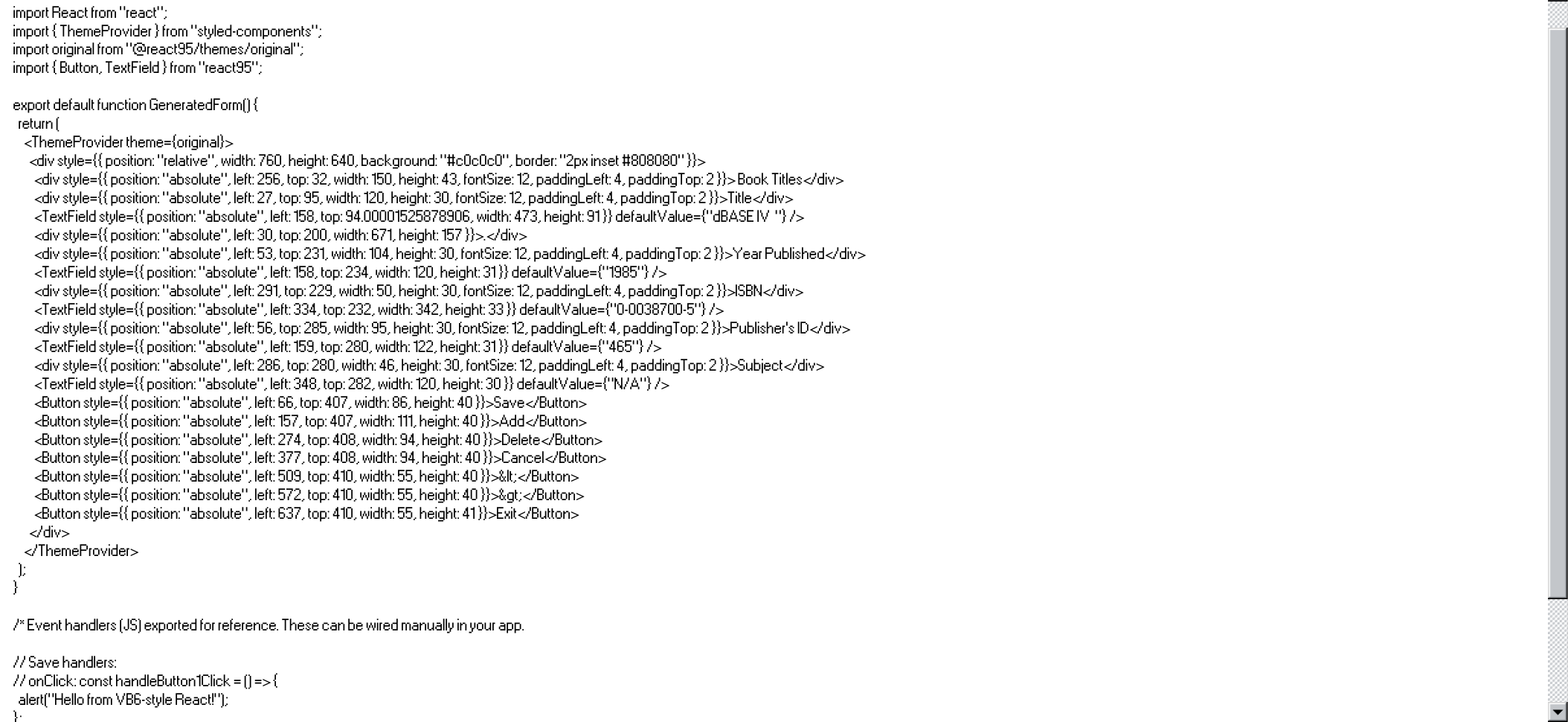
export and run the app as real React
-
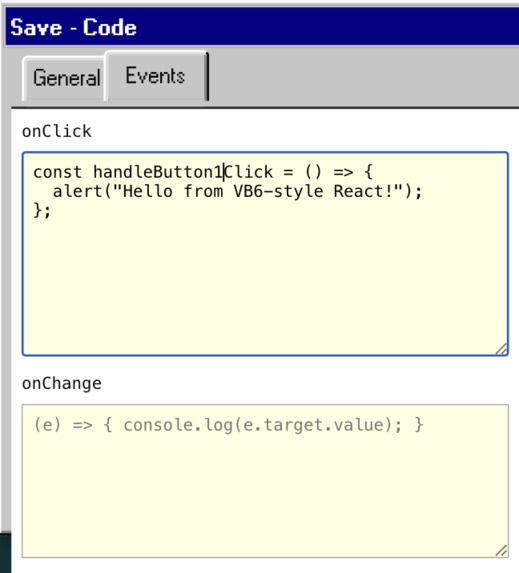
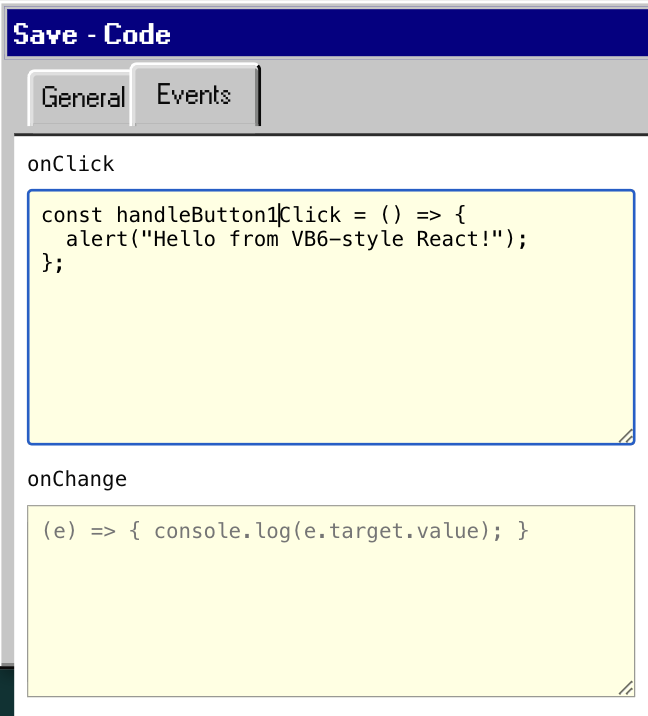
Event handlers are generated
-
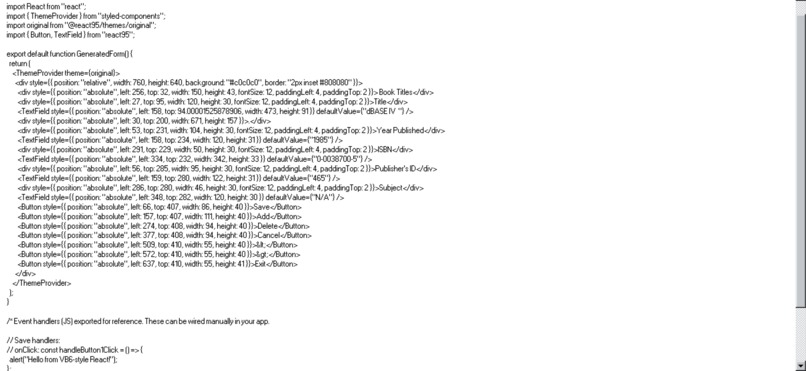
Instantly produce clean JSX ready for real projects or deploy
-

Inspiration
VB 6 (Visual Basic 6.0) is the final “classic” Visual Basic, released in 1998 within Visual Studio 6 for rapid Windows desktop development. Its drag-and-drop form designer and event-driven Basic syntax let even novice programmers build GUI applications quickly, a strength that keeps many legacy apps alive today. VB6 applications still run on modern Windows systems, it's considered obsolete technology Microsoft has long encouraged migration to .NET alternatives. for those who cherish the history of programming or to Relive the Visual Basic 6 coding era ,There is a book on Amazon.in and Amazon.us : 'Dim as String: tales from Visual Basic 6 Trenches'
Today, UI development is powerful, but often bloated: -Too many frameworks -Too much boilerplate -Too much setup before anything shows on screen
We wanted to bring back the legendary speed and simplicity of VB6 , but output modern, production-ready React code.
What it does
VB6 Revival app actually does solve a real modern problem: People loved drag-drop IDEs but modern web tools don’t have that simplicity
It is A 90s IDE with 2025 output. A VB6 FORM-BASED APP built in React95 with pixel-perfect like 1990s GUIs
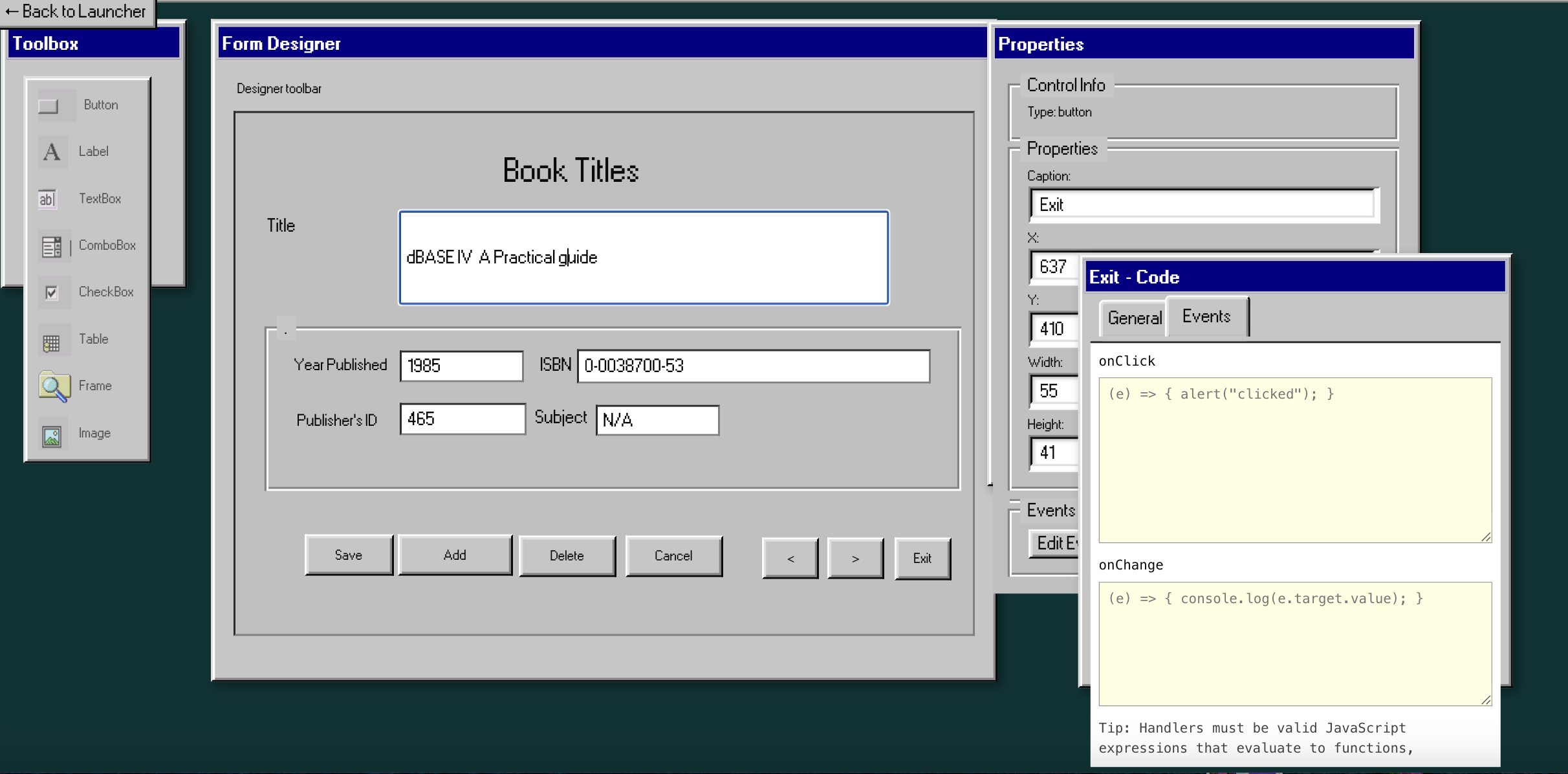
VB6 Revival is a web-based Visual Basic 6-style IDE built with React and React95, featuring:
- ✔ Drag-and-drop UI form designer
- ✔ Floating movable windows like Toolbox, Properties, and Code Editor
- ✔ Automatic event handler generation
- ✔ Live code editor
- ✔ Preview mode
- ✔ One-click export to clean JSX
- ✔ The exported app runs as real React in the browser
In short Build apps like it’s 1998. Deploy them like it’s 2025.
It Solves a real UX/design pain
How we built it
We built the IDE with:
- React – main application logic
- React95 – authentic retro Windows UI components
- React Draggable – floating windows
- Context state – live “designer graph” of controls
- A JSX generator – converts control objects → runnable React code
Added new React95 components — Integrated Select, Checkbox, GroupBox, and Table (with icons) into the designer.
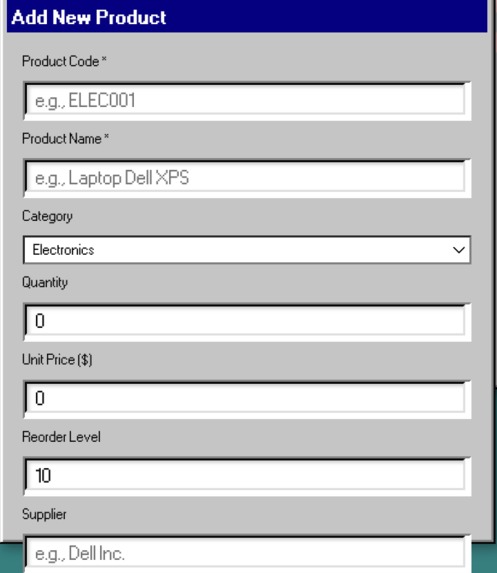
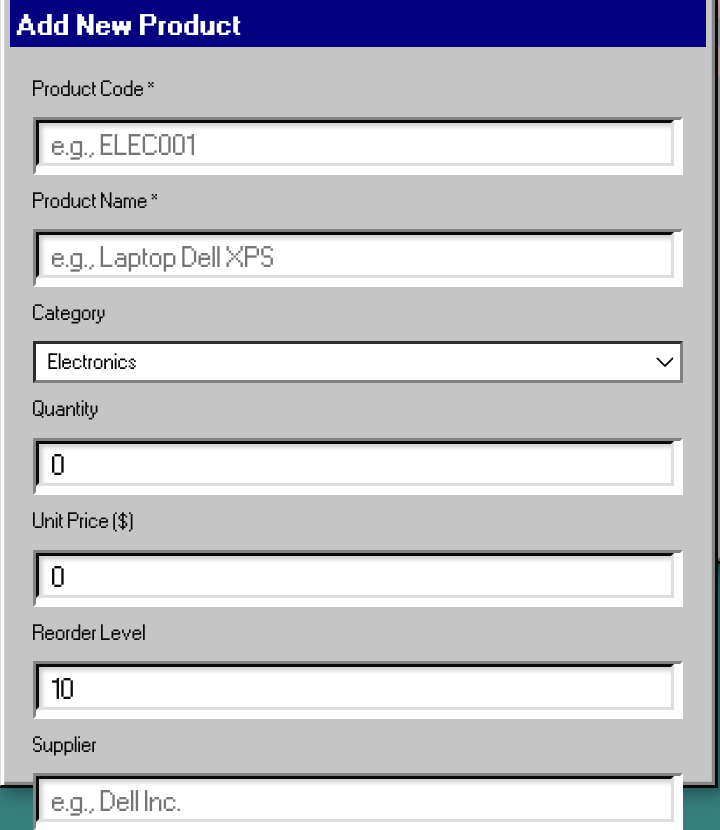
Implemented four new controls — ComboBox, CheckBox, Frame, and Table, each with proper rendering, default sizes, and Windows 95 styling.
Enhanced toolbox + canvas workflow — All new controls appear in the toolbox, can be placed on the form, and fully support dragging, resizing, and property editing.
Expanded properties panel — Each control exposes editable fields (Caption, X, Y, Width, Height) with live updates.
Event handler support — Code Window now generates event tabs for the new controls, supports editing/saving, and includes events in JSX output.
Run Mode improvements — All controls render correctly in Run mode and become non-editable, with seamless return to Design mode.
Save/Load persistence — Forms with all control types and event handlers can be saved to JSON and restored accurately.
JSX code generation update — Output now includes correct React95 imports, component mappings, layout, and event handler stubs.
React95 MCP server - generated React95 components using MCP
Challenges we ran into
React95 is nostalgic but minimal feature, so we had to build:
- a draggable window system
- a property reflection engine
- form surface hit-testing
- focus and selection logic
Accomplishments that we're proud of
Fully working VB6-style designer in the browser
Automatic generation of valid React code that runs immediately
Smooth draggable movable tool windows
The nostalgic feel of Windows 95 and VB6 brought into React
A workflow that genuinely saves development time
extended Kiro by building React95 MCP server
What we learned
I learned based on experience with original VB6, the depth of Kiro implementation as demonstrated by it's ability to generate highly efficient, reusable, and time-saving development patterns. learned Kiro-recommended approach (the Custom Hook Pattern or useCrud) to Crud.
- UI coding exploded in complexity in the last 20 years — and many beginners are still blocked by it
- Drag-and-drop UI development is still one of the fastest ways to teach programming
- Nostalgia can be a gateway to learning modern development
What's next for VB6 Revival
- Add more controls: Treeview, ListView, MenuBar
- Snap-to-grid alignment
- Keyboard shortcuts
Built With
- kiro
- react
- react95

Log in or sign up for Devpost to join the conversation.