Inspiration I spend most of my day bouncing between GitHub and Slack. Review a PR, check a channel, post a reply, switch tabs, repeat. None of it is hard but it adds up. I wanted something sitting right in my browser that could handle those small tasks when I ask.
But the moment you let an AI agent call APIs on your behalf, you have a credentials problem. Most apps store OAuth tokens in their own database. That makes the database a target. I did not want to build another one of those. When I came across Auth0 Token Vault during the hackathon announcement, the approach clicked immediately — let Auth0 hold the tokens, give the agent scoped access per request, and never store anything on my side.
What it does VaultSidecar is a browser extension that puts an AI agent next to whatever page you are working on. It detects the site you are on and adapts automatically.
On GitHub, you can ask it to list your repositories, show open pull requests, get PR details, or post a comment. On Slack, you can ask it to list channels, read recent messages, or send a message to a channel.
Every API call is made through Auth0 Token Vault. The agent never sees your raw credentials. For write actions like posting a PR comment or sending a Slack message, the agent pauses and requests approval through Auth0 CIBA before proceeding. A token manager in the extension shows which services are connected, what scopes are active, and the current status of each connection.
How we built it The project has three main pieces.
The Chrome extension is built with Manifest V3. A content script runs on supported sites and extracts page context — the repo name and PR number on GitHub, the workspace and channel on Slack. The popup provides a chat interface, a CIBA approval view, and a token manager panel.
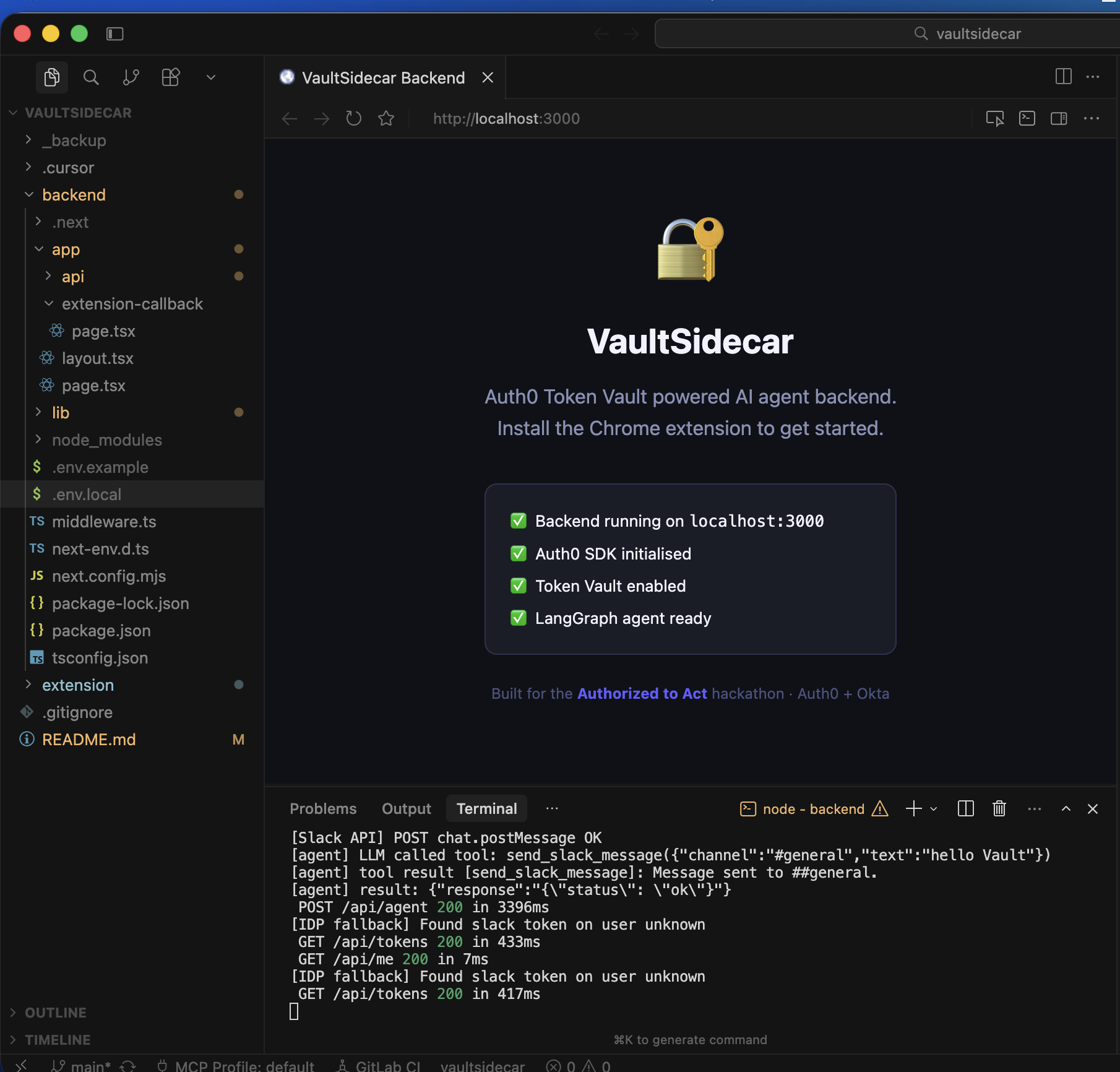
The backend is a Next.js 14 application using the App Router. It handles Auth0 authentication, runs the AI agent, and manages the Token Vault exchanges. The agent is built with LangGraph.js and has separate tool sets for GitHub and Slack. Each tool resolves its token by first trying Token Vault and then falling back to an IDP identity token from Auth0's Management API.
For the LLM, I used Llama 3.1 8B running locally through Ollama. LangChain's ChatOpenAI class connects to Ollama's OpenAI-compatible endpoint so no code changes were needed beyond pointing the base URL to localhost. This keeps conversations local and avoids third-party API costs.
The Auth0 integration includes Token Vault wrappers for each connection, a custom Connected Accounts flow with dedicated connect and callback endpoints, CIBA initiation and polling for write action approval, and an IDP fallback that searches across Auth0 users to find connection tokens when Token Vault is not fully configured.
Challenges we ran into The Auth0 configuration was the biggest time sink. Token Vault requires several things to be enabled simultaneously — the Token Vault grant type on the application, the My Account API activation, Multi-Resource Refresh Tokens, client grants with Connected Accounts scopes, and Connected Accounts enabled on each connection. Missing any one of them produces a generic error that does not tell you which piece is absent. I found each requirement through trial and error with the Management API.
GitHub required a GitHub App instead of an OAuth App. I initially set up an OAuth App and everything worked until the final Connected Accounts step, which failed because OAuth Apps do not issue refresh tokens the way Token Vault expects. Switching to a GitHub App fixed it but cost me an afternoon.
Slack's V2 OAuth separates bot tokens from user tokens. Auth0's custom OAuth2 strategy sends scopes through the scope parameter, which Slack interprets as bot scopes. I had my scopes configured under User Token Scopes in the Slack app, so the bot token came back without them. Moving everything to Bot Token Scopes, reinstalling the app, and re-authenticating fixed it — but each step had to happen in the right order.
The local Llama model was less reliable at tool selection than GPT-4. When both GitHub and Slack tools were available, it sometimes picked the wrong one. I added keyword-based routing that selects the right tool set before the LLM sees the message, which solved it reliably.
Accomplishments that we're proud of Getting two completely different OAuth providers working through Token Vault end to end. GitHub uses a GitHub App with refresh tokens and fine-grained permissions. Slack uses a custom OAuth2 connection with bot tokens. Both flow through the same Token Vault architecture and the agent handles them identically.
The fallback pattern is something I think other developers could reuse. Token Vault is the ideal path but during development and edge cases it can fail. The two-tier approach — try Token Vault first, fall back to IDP identity tokens — keeps the extension functional at every stage of configuration.
Running everything on a local LLM with zero external API calls for the AI layer. Your queries, your credentials, and your data all stay on your machine.
What we learned Start with Auth0 configuration before writing application code. Understanding Token Vault's full prerequisites would have saved two days of debugging.
Every OAuth provider has its own quirks. GitHub needs a GitHub App for refresh tokens. Slack V2 splits bot and user scopes. Google requires the specific API to be enabled in Cloud Console before requesting scopes. You cannot plan for these — you find them during real integration testing.
Error messages from token exchange endpoints are generic by design for security reasons, but that makes debugging hard. The Management API was my most useful debugging tool. Calling it directly with curl gave me the full picture of connection configs, client grants, and token states that the dashboard did not always show.
Small prompt changes make a bigger difference than model size for tool-calling agents. Adding one line telling the LLM to include full results instead of saying "listed above" fixed a major usability issue.
What's next for VaultSidecar Adding Google Calendar and Gmail back once the OAuth configuration is sorted. The code is already written for Gmail — it just needs the Google Cloud project configured correctly.
Building a scope risk analyzer that flags when a connection has broader scopes than the agent actually uses. If the GitHub token has delete permissions but the agent only ever reads, that should be surfaced to the user.
Improving the CIBA flow with richer context. Instead of a simple approve or reject prompt, showing the user exactly what data the agent read and what it plans to write before they decide.
Exploring multi-tenant support where teams share an agent but each member has their own Token Vault scopes. A team lead might approve PR comments while a junior developer can only read.
And eventually replacing the keyword-based routing with a proper intent classifier so the agent can handle ambiguous requests across multiple services without hardcoded rules.

Log in or sign up for Devpost to join the conversation.