-
-
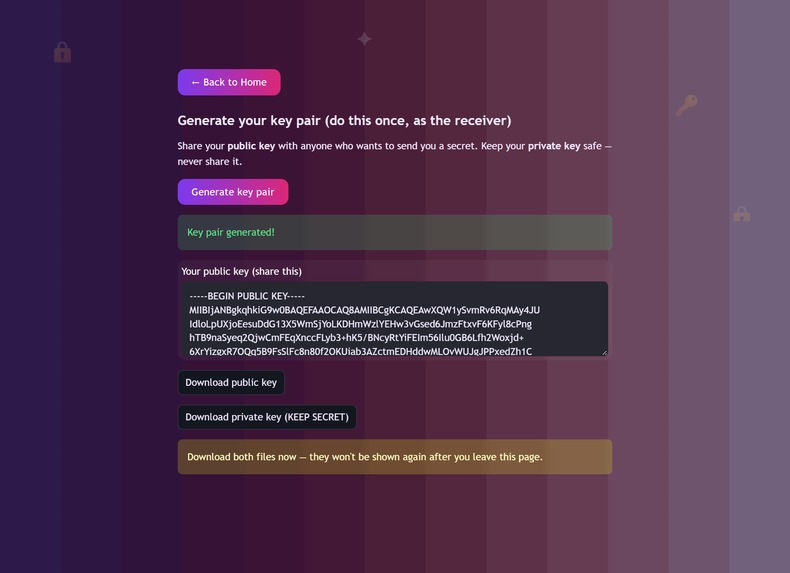
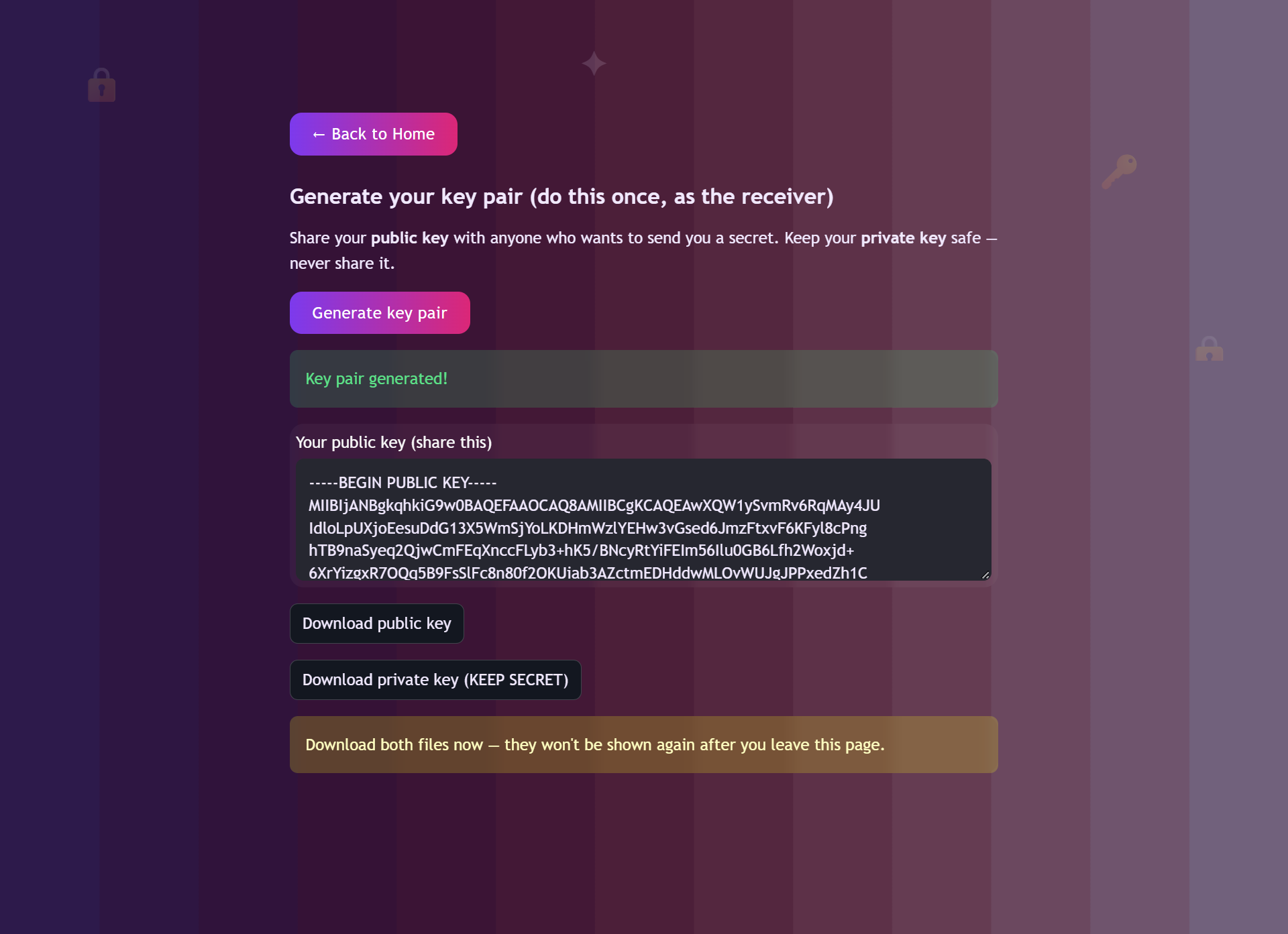
Generating an RSA key pair — the receiver does this once, then shares their public key with anyone who wants to send them a secret.
-
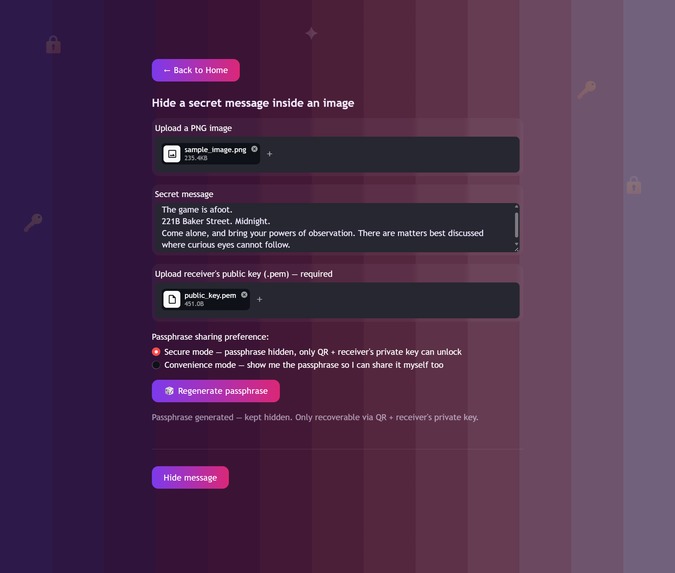
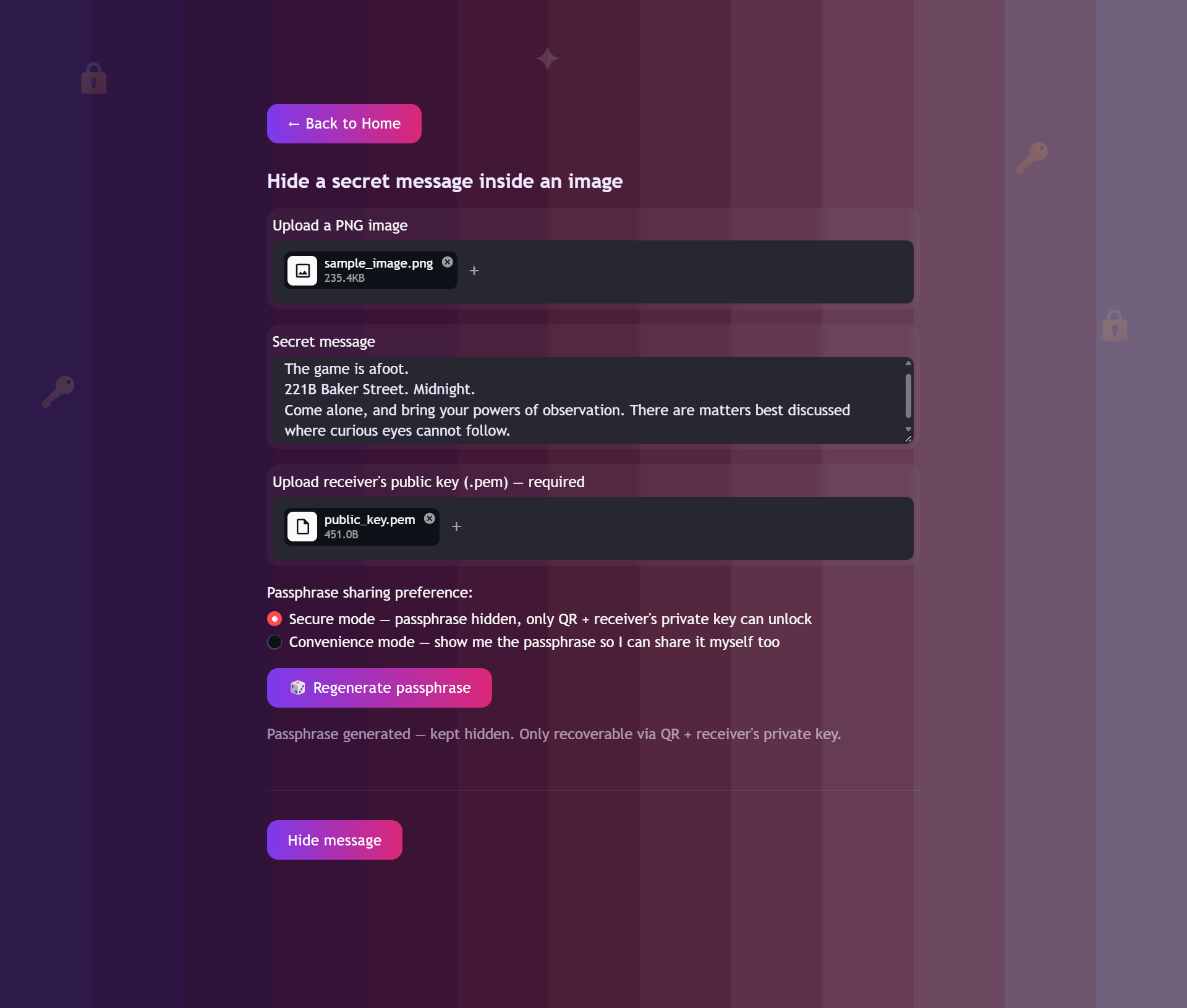
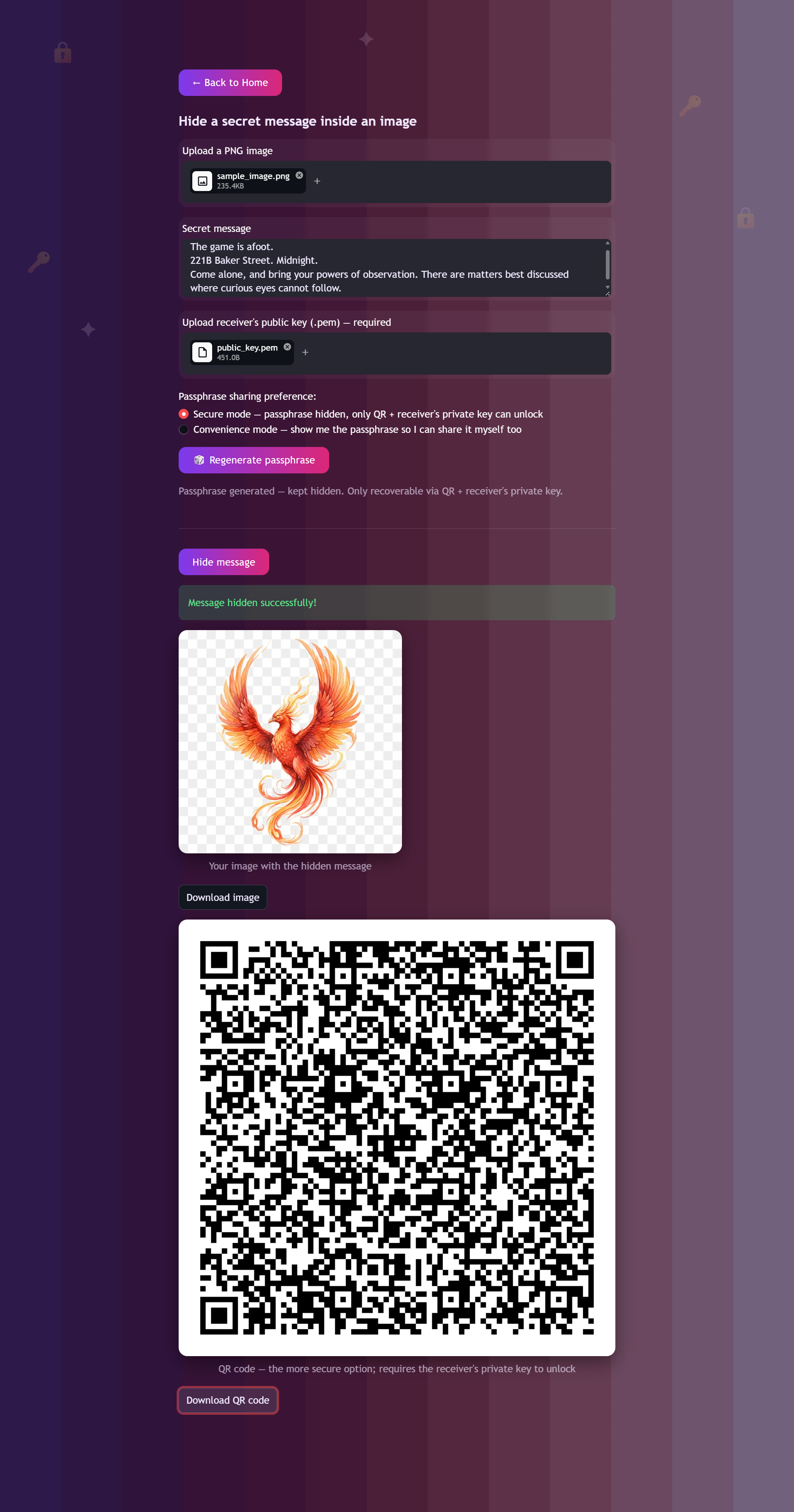
Hiding a message: upload an image, write your secret, upload the receiver's public key, and choose Secure or Convenience sharing mode.
-
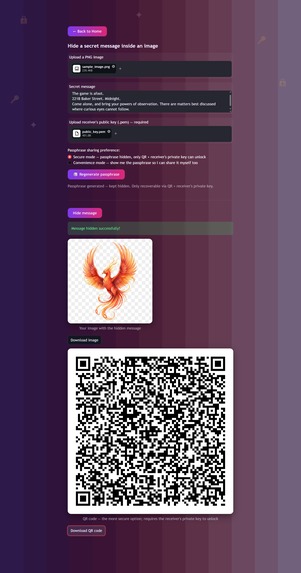
The result — an image with the message invisibly hidden inside, plus a QR code carrying the RSA-encrypted passphrase.
-
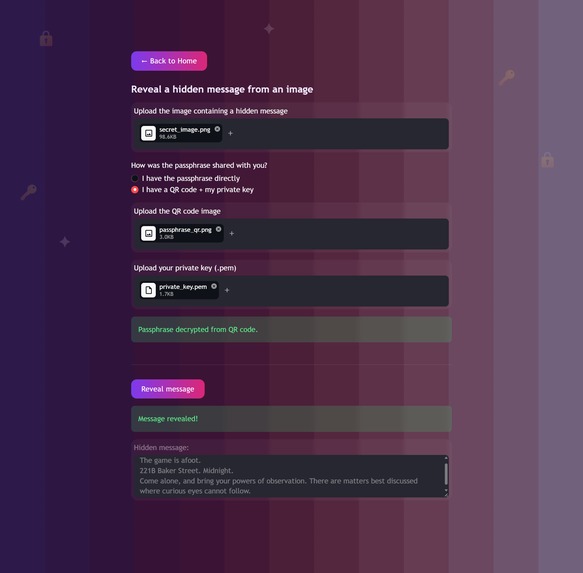
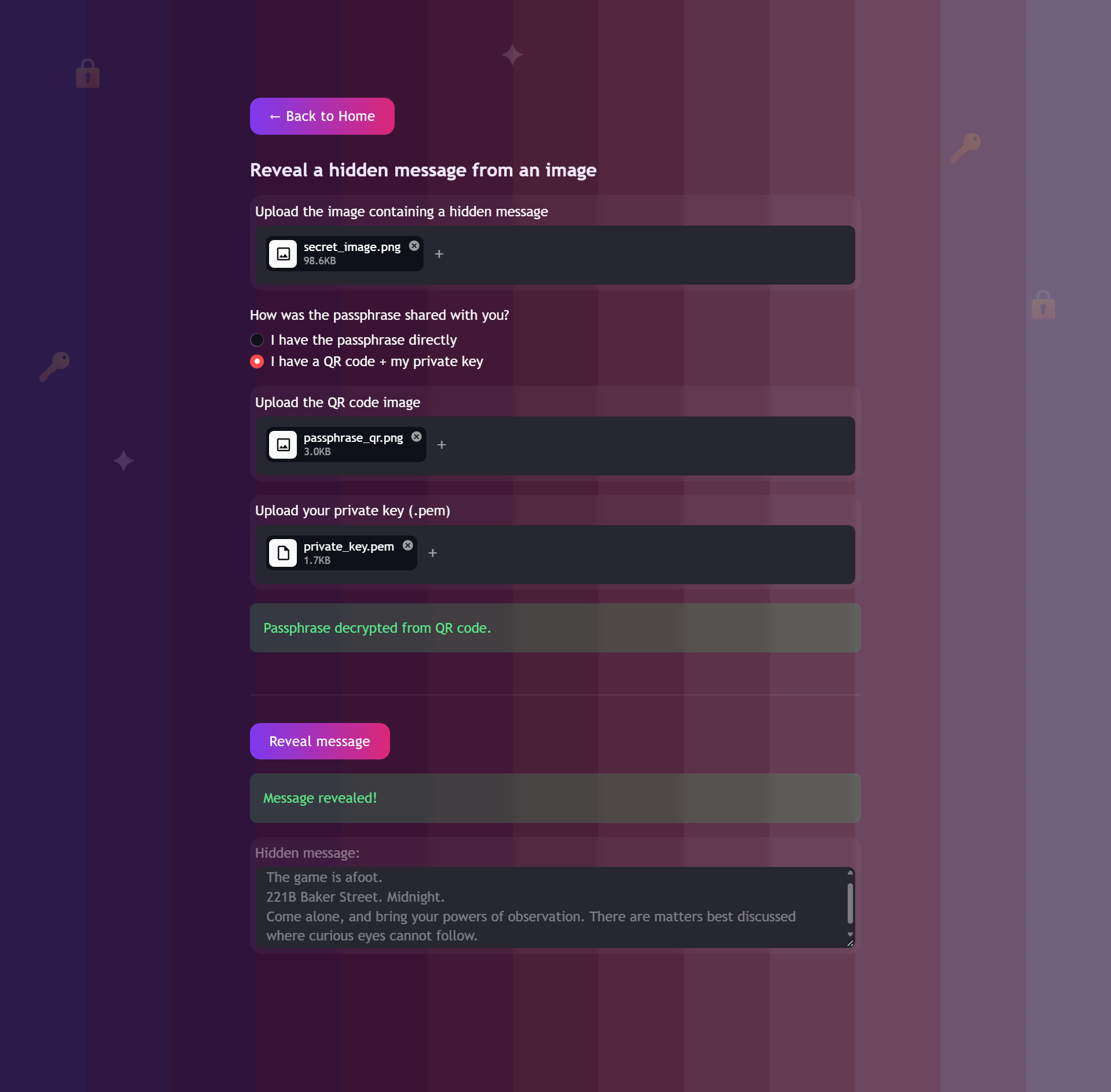
Revealing a message: enter the passphrase directly, or scan the QR code and unlock it with your private key.
-
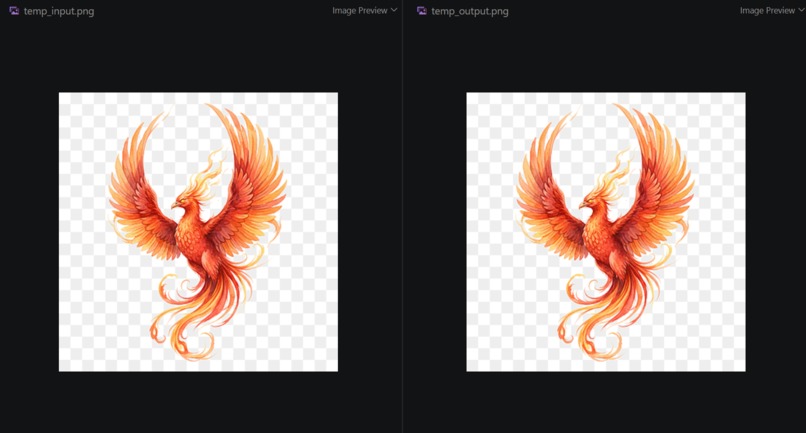
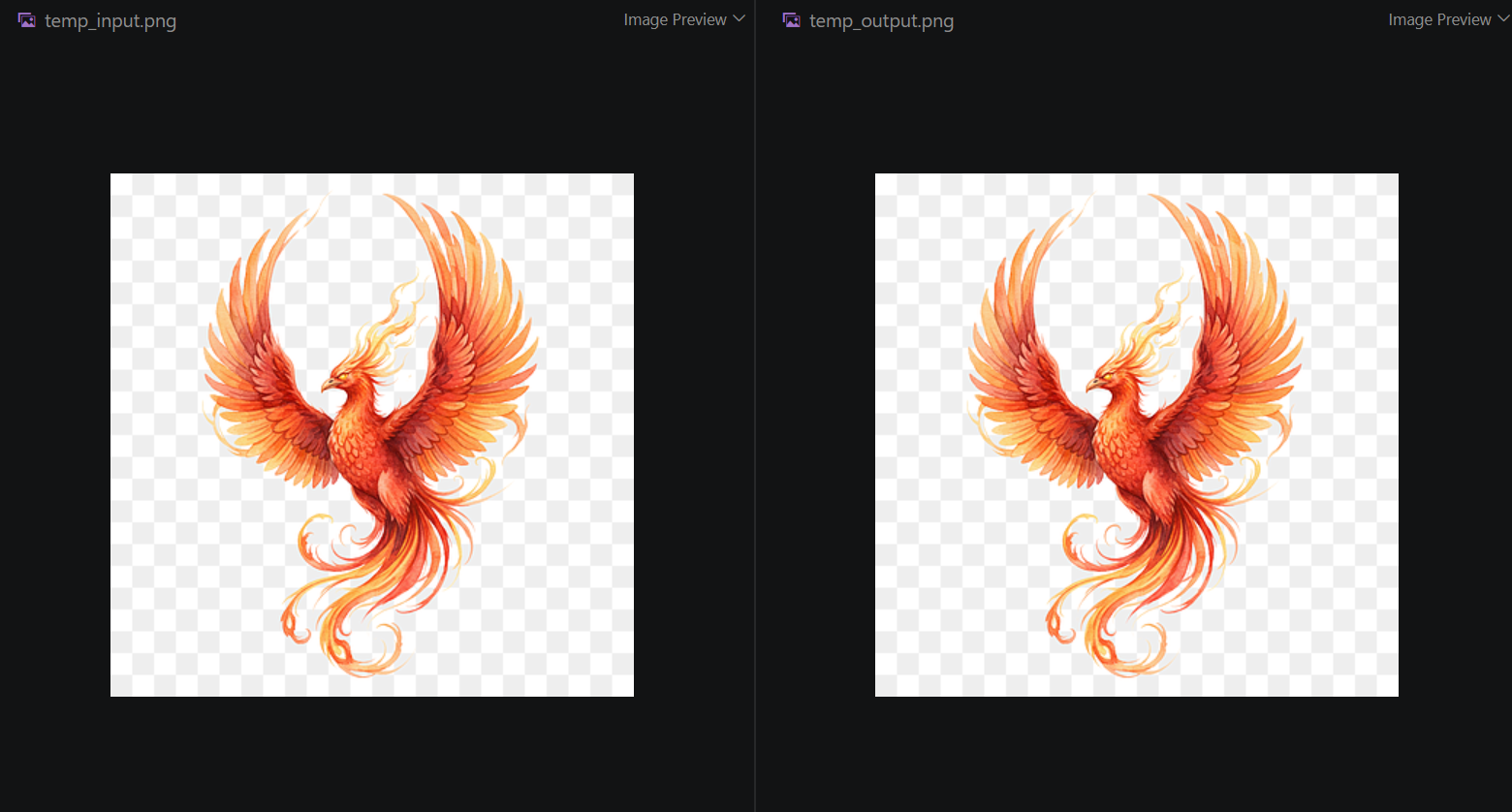
Original image vs. one with a hidden encrypted message — visually identical, secret invisible to the eye.
-
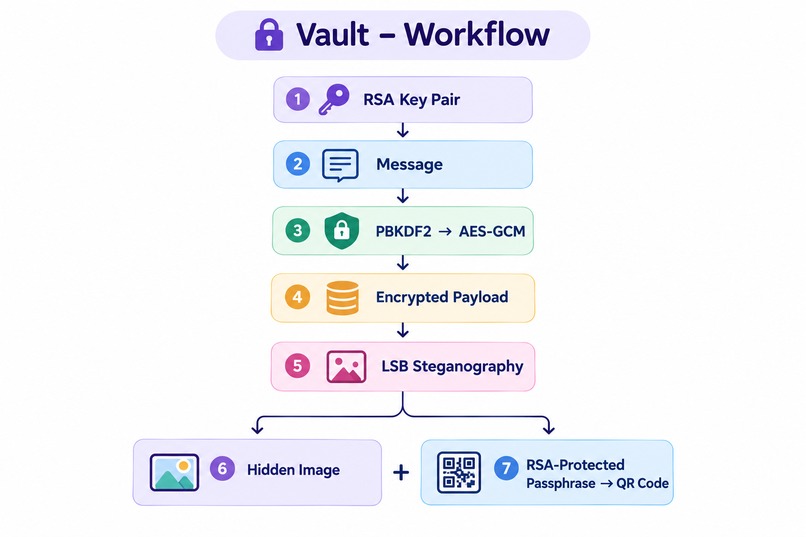
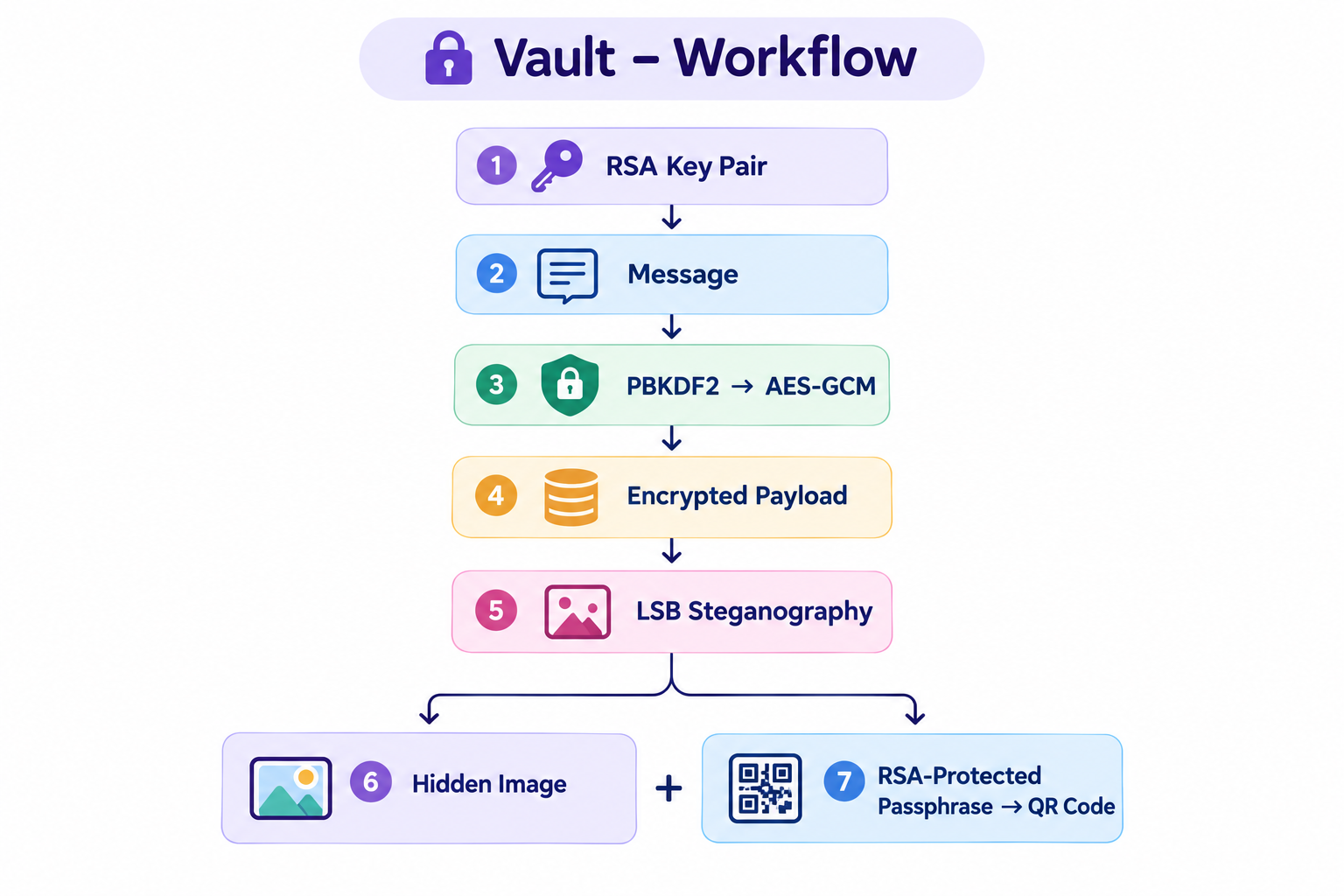
The full flow: passphrase locks the message (AES), image hides it (steganography), public key locks the passphrase itself (RSA).
🔒 Vault — Hide Encrypted Messages Inside Ordinary Images
What if your secret message didn't have to look like a secret?
Vault combines AES-GCM encryption, RSA public-key cryptography, and image steganography to hide an encrypted message inside an ordinary PNG image.
Built for the FirstCommit hackathon.
🚀 Live Demo
Try Vault live here:
No installation required — open the app and try hiding and revealing a message.
Why I Built Vault
Vault started with a simple question: what if a message could be private without even looking private?
Encryption solves half the problem — it makes a message unreadable without the right key. But an encrypted file still looks encrypted. Anyone who sees it knows there's probably something worth hiding, which can itself draw unwanted attention.
That got me thinking about the other side of security: hiding the existence of the message, not just its content. Sometimes the safest-looking message isn't one that looks encrypted at all — it's a completely ordinary photo.
So I built Vault to explore that idea, combining encryption and steganography so the sender can share an ordinary-looking image with a hidden, encrypted message underneath — invisible to anyone except the intended receiver.
What started as a question became a hands-on way for me to understand how AES-GCM, PBKDF2, RSA, key handling, QR-based key sharing, and LSB steganography can all work together in one system.
How It Works
- You write a secret message and the app generates a strong, memorable passphrase using a diceware-style technique (random real words, not gibberish).
- The message is encrypted with AES-GCM, using a key derived from that passphrase (PBKDF2, 200,000 iterations, unique salt per message).
- The encrypted message is hidden inside a PNG image using LSB (Least Significant Bit) steganography — invisible to the eye, changes 1 bit per color channel per pixel.
- The passphrase itself is protected using the receiver's RSA public key, then turned into a QR code — so only someone with the matching private key can ever recover it.
- The sender ends up with two separate files — the image and the QR code — meant to be sent through two different channels. Even if someone intercepts both, they can't unlock the message without the receiver's private key.
Private key → unlocks → passphrase (via QR) → unlocks → hidden message (via image)
This is a hybrid encryption design — the same pattern used by real-world systems like Signal and PGP: fast symmetric encryption (AES) protects the bulk data, while slower asymmetric encryption (RSA) protects only the small key that unlocks it.
Features
- 🖼️ Hide any text message inside a PNG image (invisible to the eye)
- 🔑 Real AES-GCM encryption with PBKDF2 key derivation
- 🎲 Cryptographically secure diceware-style passphrase generator
- 🔐 RSA public/private key pair generation
- 📱 QR-code-based secure passphrase sharing
- ⚖️ Two sharing modes: Secure (QR + private key only) and Convenience (plain passphrase, with QR as a backup option)
- ✅ Built-in validation: wrong passphrase, wrong image, wrong key, or oversized message all fail safely with clear errors
Tech Stack
- Python — core language
- Streamlit — web UI
- Pillow — image handling
- cryptography — AES-GCM, PBKDF2, RSA/OAEP
- qrcode — QR code generation
- OpenCV — QR code scanning/decoding
Setup Instructions
git clone <your-repo-url>
cd vault-stego

python -m venv venv
venv\Scripts\activate          # Windows
# source venv/bin/activate     # Mac/Linux

pip install -r requirements.txt
streamlit run app.py
The app opens in your browser automatically.
Usage
- Generate my keys — the receiver generates a public/private key pair once, and shares the public key with anyone who wants to send them a secret.
- Hide a message — the sender uploads an image, writes their message, uploads the receiver's public key, and chooses Secure or Convenience mode. Downloads the resulting image + QR code.
- Reveal a message — the receiver uploads the image, and either types the passphrase directly, or uploads the QR code + their own private key to decrypt it automatically.
What I Learned
Building this taught me several real security concepts I hadn't worked with hands-on before:
- Symmetric vs. asymmetric encryption, and why real systems use both together (hybrid encryption) instead of just one
- Why key derivation matters — turning a human passphrase into a proper encryption key safely (PBKDF2, salting)
- Authenticated encryption (AES-GCM) — encryption that also detects tampering, instead of silently returning garbage on a wrong key
- LSB steganography — how hiding data in the least significant bits of pixel values keeps an image visually unchanged
- Why
secretsisn'trandom— Python'srandommodule is predictable and unsuitable for anything security-related - Debugging real integration issues between multiple cryptographic layers (QR scanning, RSA padding, session state handling in Streamlit)
Known Limitations
- Key exchange is out of scope: this project assumes the receiver's public key reaches the sender through a channel they already trust (e.g., shared in person or another secure app). Solving secure key exchange from scratch is a much larger problem — the same one HTTPS/TLS exists to solve.
- No sender authentication: currently, anyone with the receiver's public key can send them a message — there's no way for the receiver to verify who actually sent it. This could be solved with digital signatures (the sender signing the message with their own private key) as a future improvement.
- Private key file is not password-protected in the current version — it's downloaded as a plain
.pemfile. A production version would encrypt this file with its own password. - PNG only: JPEG isn't supported, since its lossy compression would destroy the hidden data.
AI Usage Disclosure
This project was built with significant AI assistance (Claude, by Anthropic) as a learning aid — helping explain cryptographic concepts, debug integration issues, and structure the code. All design decisions, architecture choices, and understanding of how each piece works were driven and reviewed by me throughout the build.
Author
Built by Krithika Shree Karthikeyan for the Beginner's Paradise - FirstCommit hackathon (2026).
- 💻 GitHub Repository: github.com/krithikashree1957/vault-stego
- GitHub: krithikashree1957
- Devpost: Krithika Shree Karthikeyan's Devpost Portfolio


Log in or sign up for Devpost to join the conversation.