-
-
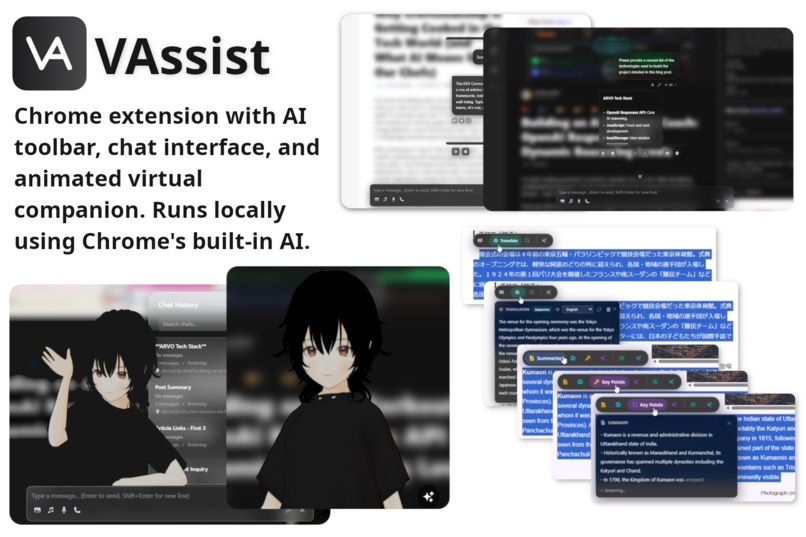
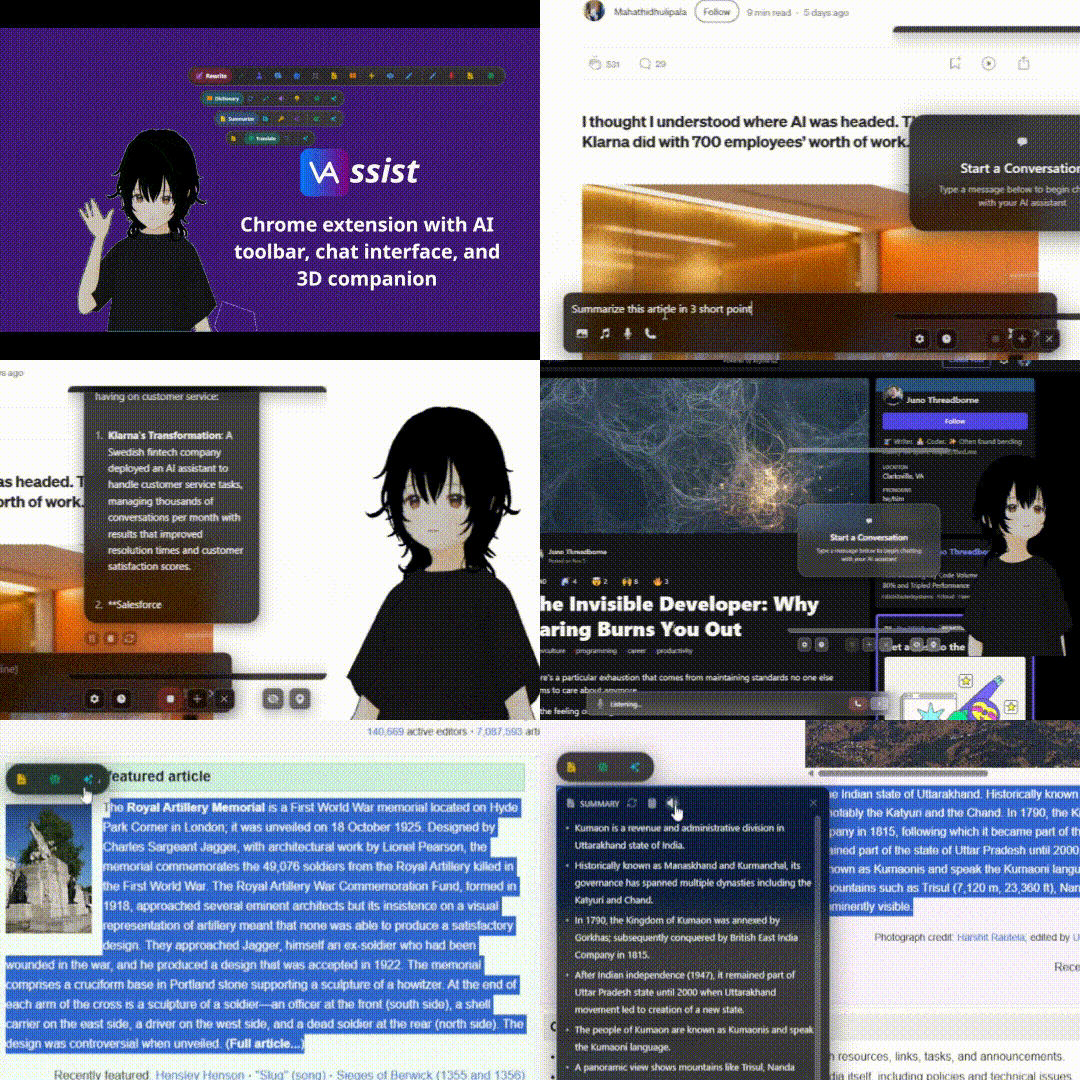
AI-powered Chrome extension with smart text toolbar, chat interface, and interactive 3D companion!
-
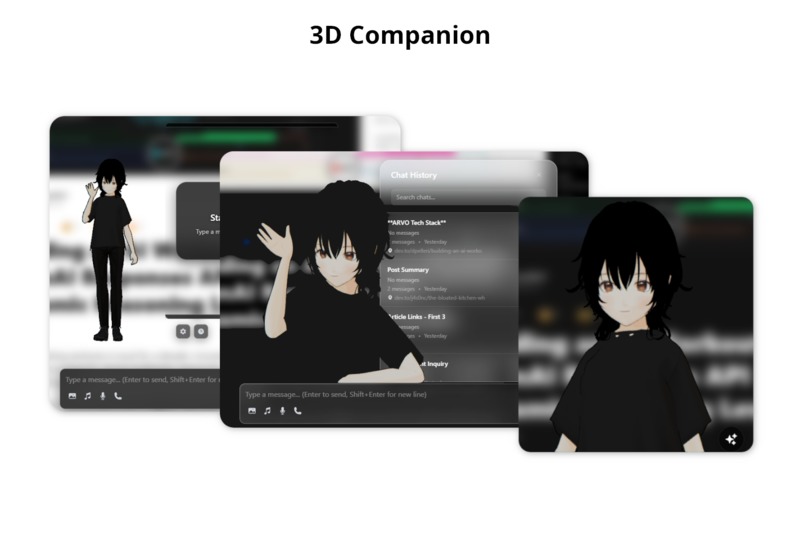
3D companion - A fully animated character appears on your screen, making the experience more interactive and fun.
-
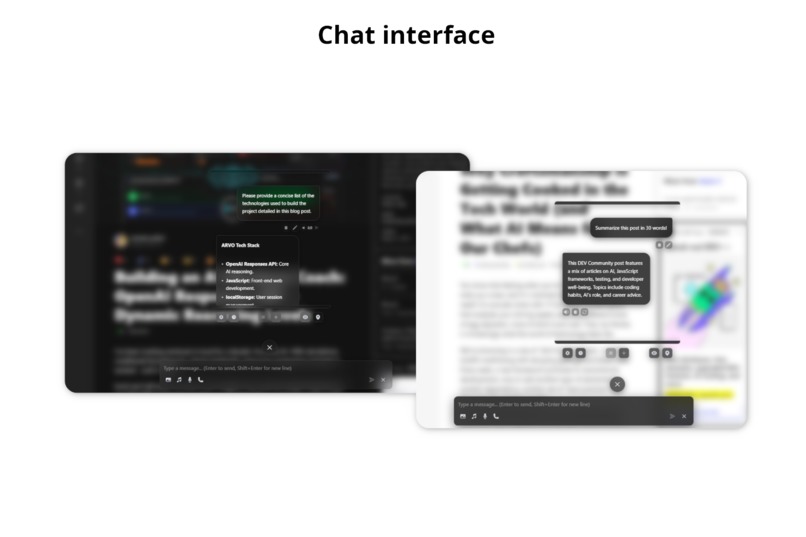
Chat interface - Open the chat window anytime to have natural conversations with Gemini Nano running right in your browser.
-
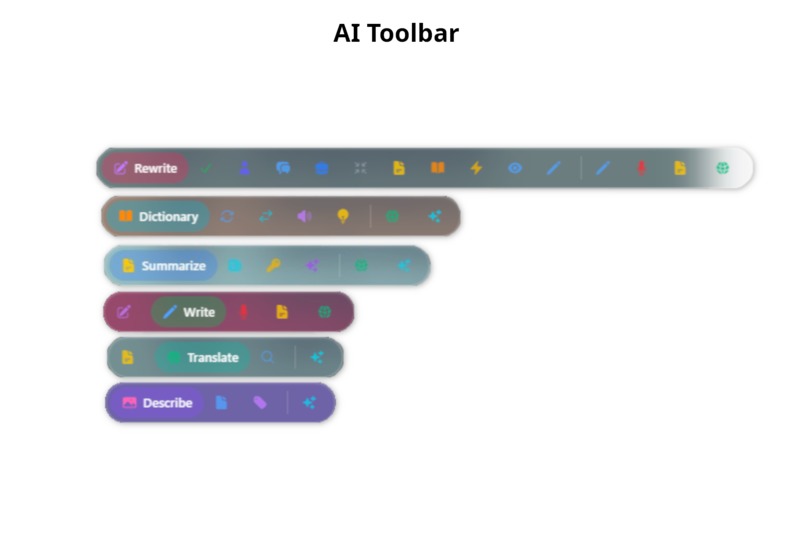
AI Toolbar - Select any text on any website and a sleek toolbar pops up with powerful AI tools at your fingertips.
-
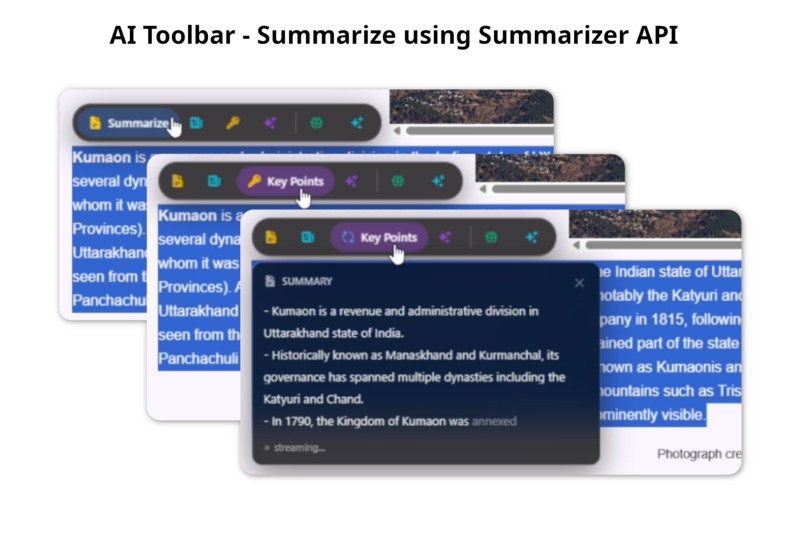
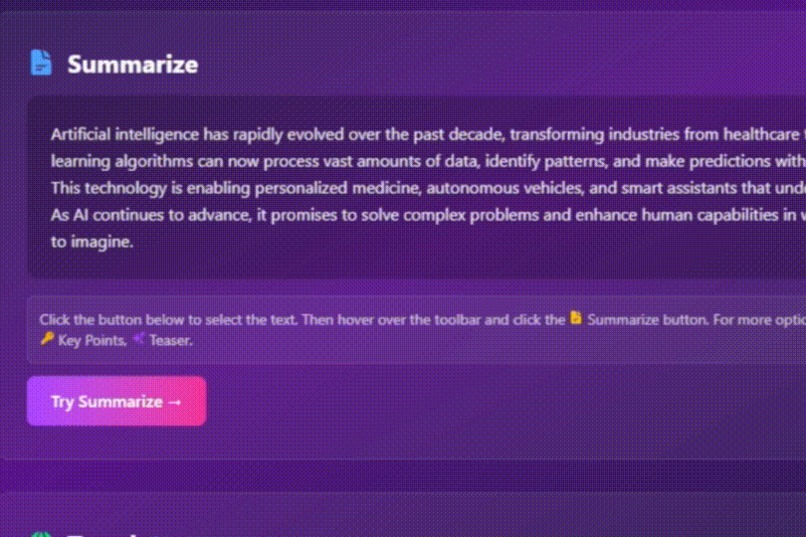
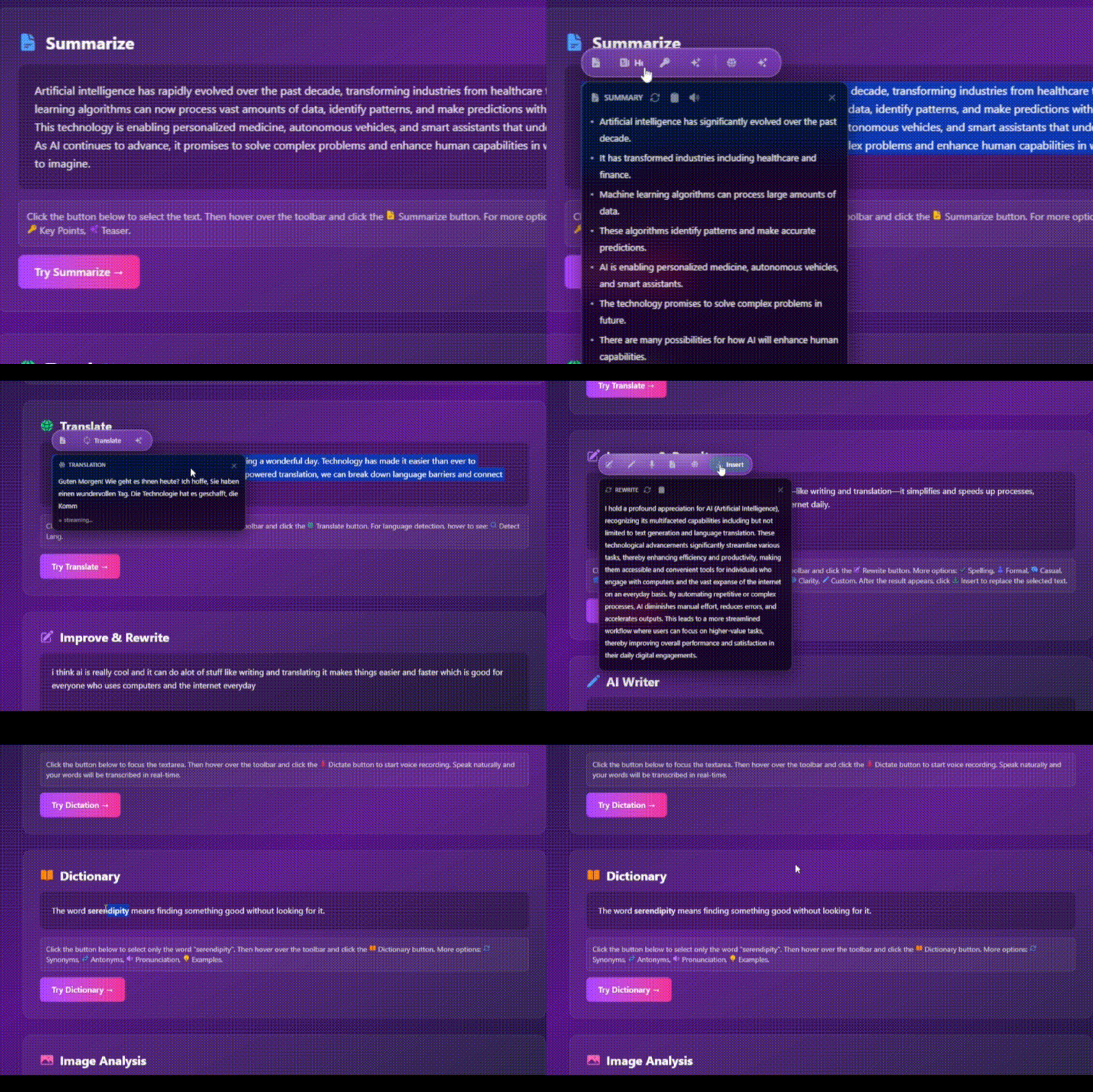
Turn walls of text into digestible chunks using powered by Summarizer API
-
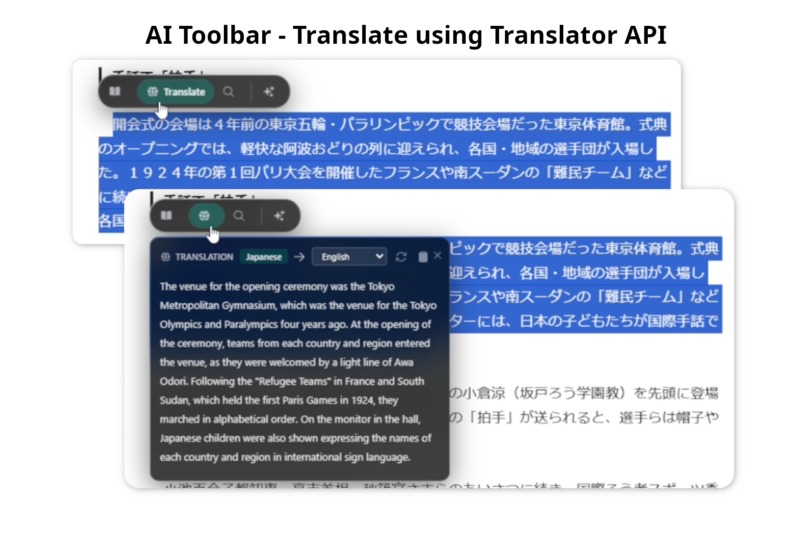
Translate to multiple languages instantly powered by Translator API,
-
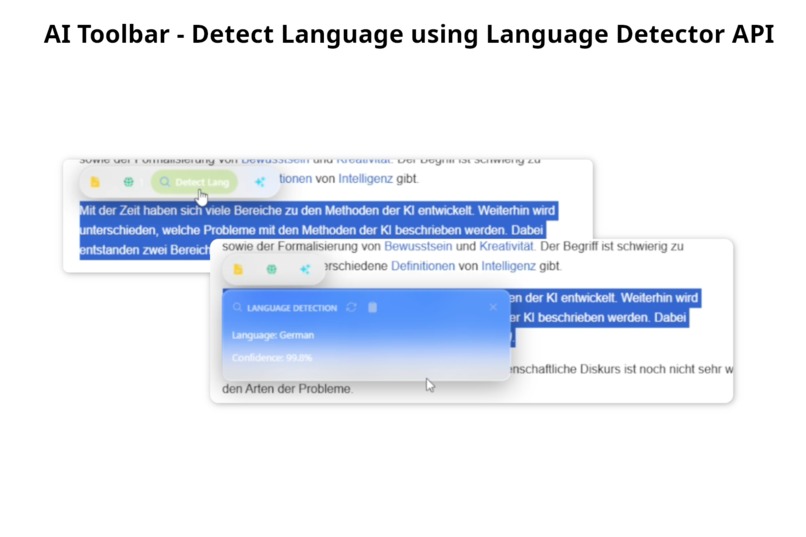
Auto-detect what language you're reading powered by Language Detector API
-
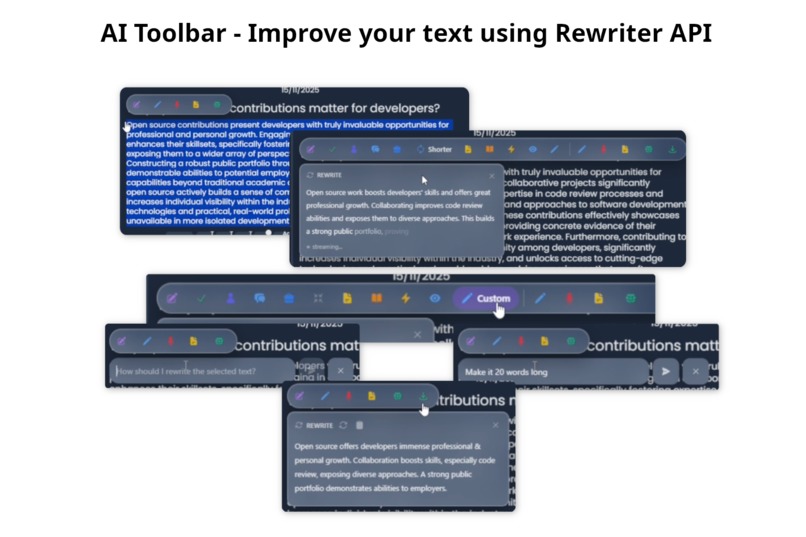
Make your words shine powered by Rewriter API
-
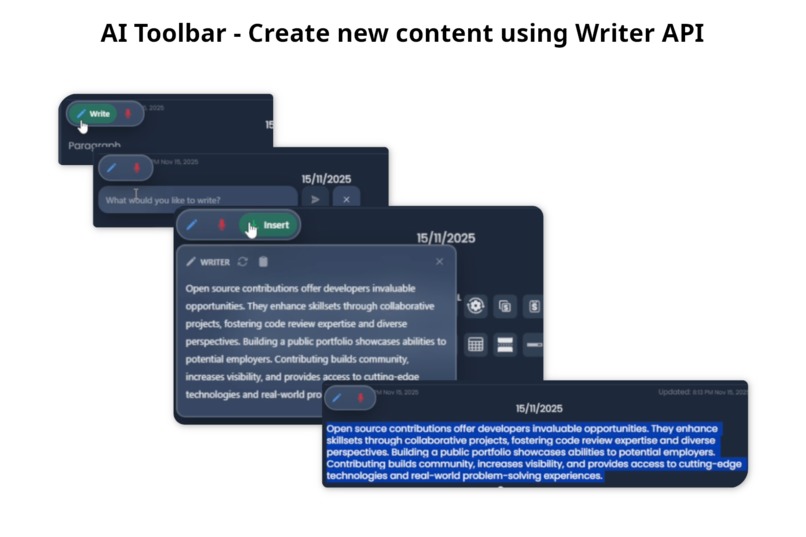
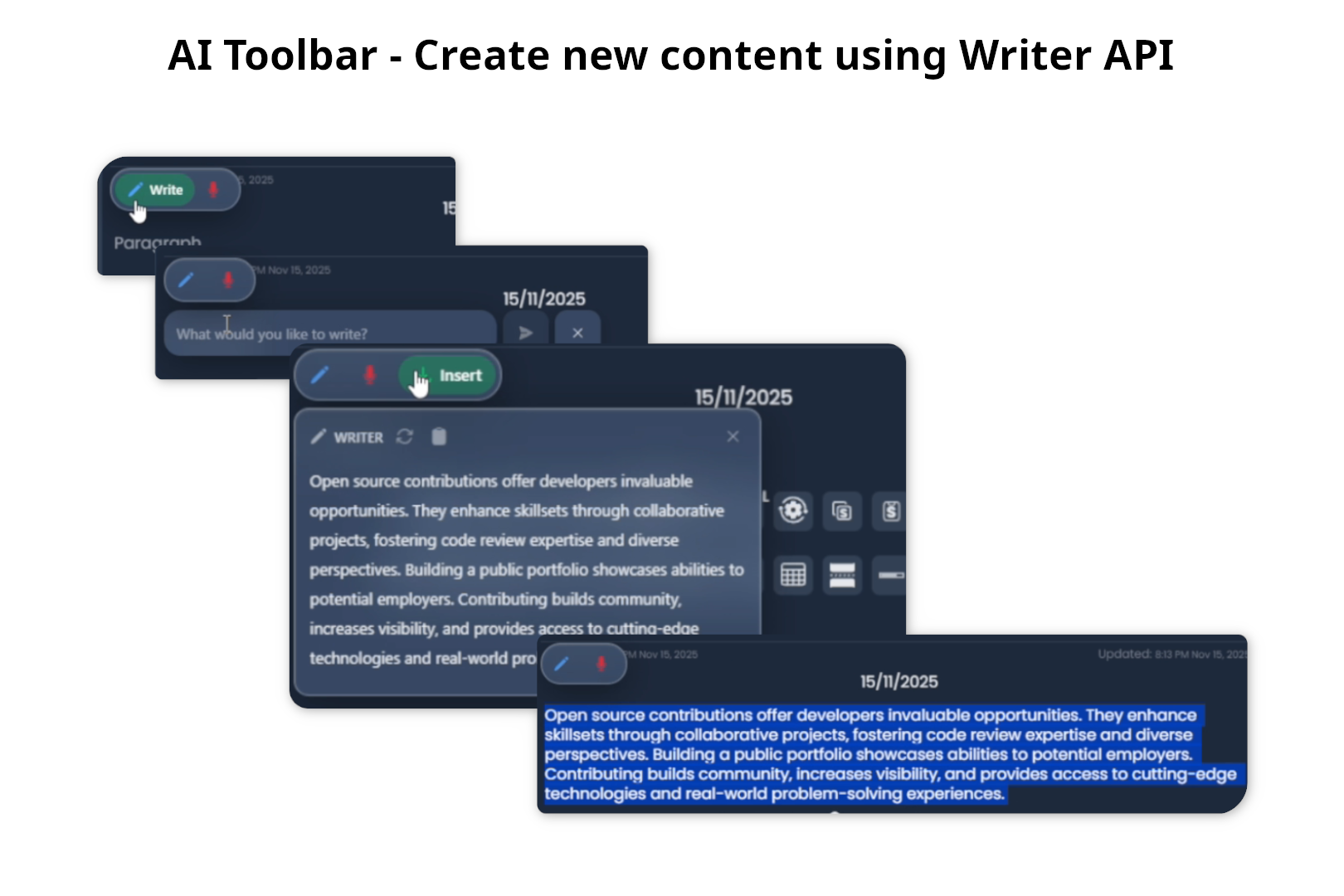
Generate fresh content from scratch powered by Writer API
-
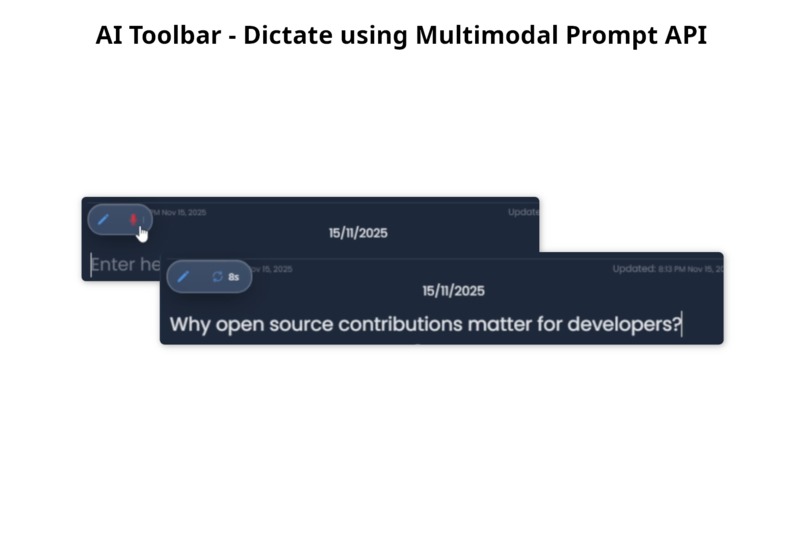
Talk instead of type. Multimodal Prompt API lets you dictate directly into text fields.
-
 GIF
GIF
Summarizer API, Translator API, Rewriter API, Writer API real world use with AI Toolbar
-
 GIF
GIF



Inspiration
While writing comments, responding to posts, or participating in discussions online, I often found myself copying and pasting text into external tools to fix phrasing issues or adjust the tone based on context. This process was slow, and I always wished for a toolbar that could appear whenever I was writing to help me out directly.
I was already following the development of Chrome's built-in AI APIs, which run models on-device, and the hackathon announcement happened to align with my planned future project. The Rewriter and Writer APIs were perfect for toolbar I wanted to build.
I was also planning to create an AI assistant that could help me on any page by summarizing it or answering questions related or unrelated to the content, all without switching tabs. I wanted to access this assistant with a single click and instead of building just another plain chat interface, I wanted to include a 3D character that would add personality to the assistant.
So, instead of creating separate tools for text improvement, chat interface, and a 3D character, I decided to bring everything together into a single Chrome extension.
What it does
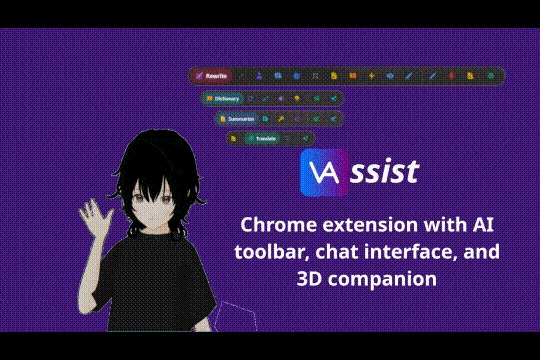
VAssist is a Chrome extension that brings an AI toolbar, chat interface, and a 3D companion to every website visited.
1. AI Toolbar:
- The toolbar allows selecting any text on a page and summarizing it directly using Summarizer API
- Text can be selected and translated in place from over 100 languages to over 100 languages using Language Detector API and Translator API
- Unknown languages in any text on the page can be identified using the detect language option powered by Language Detector API
- Images on the page can be selected and the toolbar can describe the image, identify objects within it, or perform OCR to extract text using Prompt API with multimodal enabled
- When any input field is focused, the toolbar appears and allows describing what needs to be written using Writer API
- While writing, selected text activates multiple improvement options in the toolbar including grammar fixing, tone adjustment to formal, casual, or professional, shortening, simplification, and clarity enhancement. Custom instructions can also be provided for specific rewriting needs. The generated response can be inserted, undone, or redone, all powered by Rewriter API.
- A dictate option is available in input fields which auto-types spoken input into the focused field using Prompt API with multimodal enabled
- A small toolbar appears when hovering over any image on a website. It provides options to describe the image, identify objects, or extract text using Prompt API
- Both text and images can be selected simultaneously and added directly to the chat interface using the Add to Chat option in the toolbar
- Toolbar results can be regenerated, copied, inserted into editable fields, or read aloud using TTS.
2. Chat interface:
- A chat button is available on every webpage and can be positioned anywhere. Clicking the button opens a pop-up chat interface that can be moved freely by dragging the button itself. An input bar appears at the bottom of the screen for entering messages
- The chat interface supports both page-related and unrelated conversations. Images and audio files can be attached to the chat and are used as context by Prompt API to answer questions based on the provided input
- A voice mode can be enabled to allow fully bidirectional communication with the assistant. Features include automatic interruption detection which pauses the assistant when speech is detected during its response and waits for input. For an engaging experience, on-device text-to-speech is handled by Kokoro.js and speech-to-text is powered by Prompt API with multimodal enabled.
- Text or images, or both, can be selected and dragged onto the 3D companion, chat messages, or the input prompt to include them as context. If the chat is closed, content can be dragged onto the chat button to add it and automatically open the chat interface
- All conversations are auto-saved to chat history. Prompt API automatically generates a title based on the conversation. History is accessible from the chat message container with options to search, delete, or edit chat titles. All data is stored locally using IndexedDB
- A temporary chat button is available to start a session that is not auto-saved. Visibility of the 3D companion can also be toggled from controls located at the bottom of the chat message container
- Chat messages are streamed smoothly with clean animations and support for basic markdown highlighting. As responses stream in, TTS generates speech and begins playback. Each message includes a TTS button for repeating or stopping the audio, along with a copy button for easy copying of chat content
- Messages can be edited or regenerated at any time. The entire conversation tree is preserved, allowing switching between message versions
- Basic questions about the current website can be asked. Available actions include summarizing the page, extracting links, and more
3. 3D Companion
- A personal 3D companion appears on every website visited and can be positioned anywhere on the screen by clicking and dragging the model
- The companion includes multiple animations for different states such as idling, thinking, and speaking
- During a conversation in the chat interface, the companion performs a thinking animation while Prompt API processes the request. Once the response begins, TTS converts the reply into speech, and the companion performs accurate lip sync and talking animations to create a more engaging interaction
- Two display modes are available for the companion: a standard mode where the full body is visible and a portrait mode that shows only the upper body
- The companion automatically unloads when switching browser tabs, helping to preserve system resources when used across multiple pages
How I built it
The development of VAssist focused on creating a seamless and responsive AI assistant that works directly on any website without interfering with the original page. To achieve this, I combined browser-native AI features, efficient architecture, and rich UI/UX interactions across multiple technologies.
Chrome AI API Integration and Architecture
VAssist deeply integrates Chrome’s built-in AI APIs including Prompt API, Writer API, Rewriter API, Translator API, Language Detector API, and Summarizer API. To maintain consistency across components like the toolbar and chat interface, all API instances are structured using a singleton class-based approach.
This allows shared sessions across both Extension Mode and Demo Site Mode, avoiding redundant initializations and streamlining resource use. Core logic for each API is encapsulated in service classes such as AiService, which manages Prompt API usage, LLM context handling, session state, and streaming responses between multiple tabs.
Frontend and Shadow DOM Isolation
The frontend is built using React and styled with Tailwind CSS. The entire app is injected into the target website inside a Shadow DOM, which fully isolates styles and DOM events. This ensures that VAssist does not conflict with or alter the styling or behavior of the original webpage.
Both the toolbar and chat interface follow a glassmorphic design system with smooth animations. An adaptive theme engine changes component appearance dynamically based on the surrounding elements' color intensity, helping solve the interface visibility issue with glassmorphic design on bright backgrounds.
Chat Interface and Toolbar Features
The toolbar and chat interface support rich AI-powered interactions, such as summarization, translation, rewriting, and speech features.
To ensure a cohesive experience:
- All app settings and chat history are stored locally using IndexedDB, managed via Dexie.js for simplified operations.
- The interface includes support for inserting, undoing, or redoing changes, especially in editable fields.
- Speech-to-text and voice interaction are handled using Prompt API with multimodal enabled, and text-to-speech is powered by Kokoro.js.
Extension Mode vs. Demo Site Mode
VAssist includes two major runtime modes:
- Extension Mode (for full installation)
- Demo Site Mode (to try out features without installing the extension)
Over 90% of the code is shared between both modes. This was achieved through a proxy-based architecture:
- In Demo Mode, Services are accessed directly without any message passing.
- In Extension Mode, requests are proxied through content scripts to background scripts to offscreen document and vice versa using message bridges.
This architecture also ensures that services such as Prompt API and TTS/lip-sync run as singletons, even across multiple tabs. For example, TTS and lip-sync processing runs in a shared Offscreen Document in Extension Mode, and in a SharedWorker in Demo Site Mode. This significantly reduces load and allows consistent generation across tabs.
3D Companion and Real-Time Animation
For rendering the 3D companion, I used Babylon.js along with babylon-mmd, which provides native support for MMD models and VMD animations essential for future plans around custom character models and user-defined animations.
To create natural and responsive interactions:
- I built a custom animation queue system to enable smooth transitions between animations like idling, thinking, and speaking.
- Animations can be interrupted and resumed, allowing the model to instantly switch to thinking mode when a message is sent, or to speaking mode when a response is generated.
- For realistic voice playback, I developed a lip-sync generation system that analyzes TTS-generated audio and creates accurate mouth movement synced with the playback. This animation is merged with speaking actions in real time.
- Due to the performance cost of generating lip-sync data, I offloaded this process to a SharedWorker (Demo Site) and Offscreen Document (Extension Mode), ensuring smooth performance even with multiple active sessions.
Challenges we ran into
- One of the challenges was choosing an architecture that would make it easy to extend the project later without repeating code. I solved this by using a services-based and proxy-based setup that lets different parts share the same logic. This also made it easier to plan for support on other platforms in the future.
- Another big challenge was moving high-processing tasks off the main thread to keep everything running smoothly. For that, I used Offscreen Documents and SharedWorkers, but this added some complexity. Handling communication between multiple tabs was tricky and took time to get right.
- Making sure the user interactions weren’t affected was also something I had to deal with. The 3D companion uses a canvas to display on the page, and I couldn’t just block interaction with it. I had to build a system that could detect when the user is hovering over the companion and switch interaction on or off as needed.
- Animation for the 3D companion turned out to be one of the hardest parts. The libraries for MMD and VMD didn’t support animation queues or smooth transitions, so I had to build my own system from scratch. That included a queue and state setup to handle back-to-back animations and create smooth switches. It basically turned into a small animation engine, which will help later when I add things like mini-games or more advanced interactions.
- Another related challenge was finding usable animation files. Most VMD animations are not available under CC0 licenses, which was required for the project. Since I didn’t have time to animate everything manually, I used motion capture tools to create the animations. These tools aren’t super accurate, which is why the current animations feel a bit rough. Later on, I plan to get proper animations made by professional animators, which should really improve the experience.
- The same licensing issue came up with the character model. I ended up creating the model myself using VRoid Studio, but those models aren’t optimized by default. I did what I could to improve performance, but in the future, I plan to get a custom-made model for better quality and smoother performance.
Accomplishments that we're proud of
- Everything works fully offline on the device, keeping user data private and secure.
- The interface is clean, responsive, and blends into any website without breaking styles or layout.
- The toolbar includes key features like summarize, translate, write, rewrite, grammar fix, tone change, simplify, and more. Image support includes describe, object detection, and text extraction. All tools are available instantly when needed.
- Chat interface includes chat history, message-level branching, support for image and audio input, markdown formatting, copy, edit, and smooth streaming.
- Voice mode allows real-time back-and-forth conversation with the companion, including speech playback and interrupt detection.
- 3D companion responds with smooth thinking and speaking animations, with synced lip movement based on TTS output.
- Custom animation system was built to handle queuing, smooth transitions, and state control for the 3D model.
- Shared processing using offscreen documents and shared workers keeps things fast even with multiple tabs.
- Both the extension and demo version run on the same codebase with minimal duplication, making everything easier to manage.
What's next for VAssist
- Agentic mode to control everything on the page using chat or voice
- Moving clipboard and audio recording to offscreen document for better isolation and privacy
- Side panel integration for context persistence and keeping the chat and 3D companion always active
- On-device memory for better responses and personalization
- Search support for up-to-date answers
- Full toolbar customization with support for adding custom tools
- Custom model and animation support
- Animation engine improvements and overall performance optimization
- MCP support to connect with external tools
- Interactive mini-games with the 3D companion based on the current website
- Possible desktop and Android apps later on
Built With
- babylon
- babylon-mmd
- dexie
- kokorotts
- react
- tailwind

Log in or sign up for Devpost to join the conversation.