-
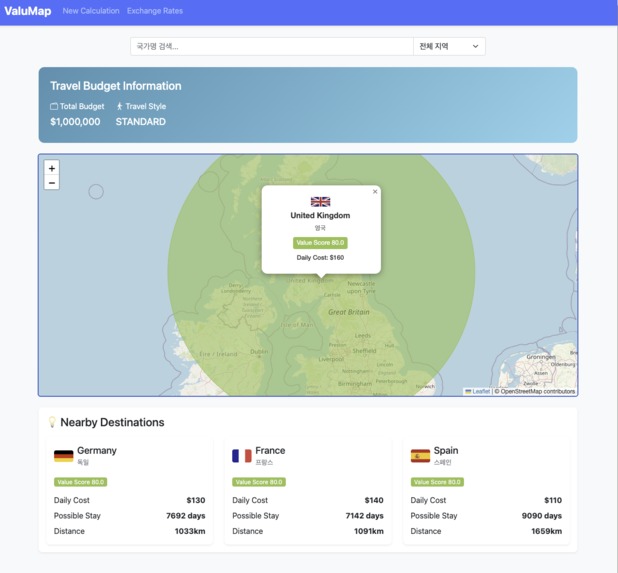
sample
-
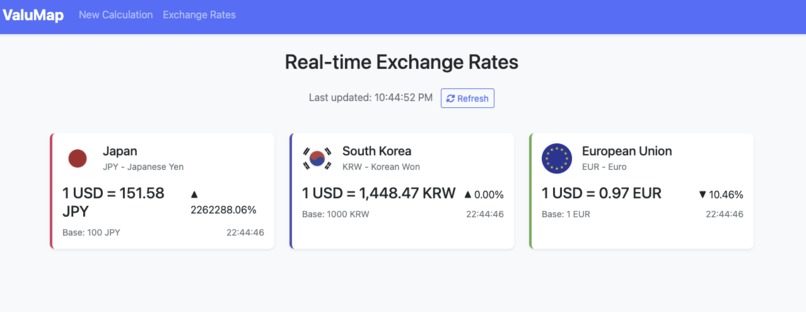
sample2
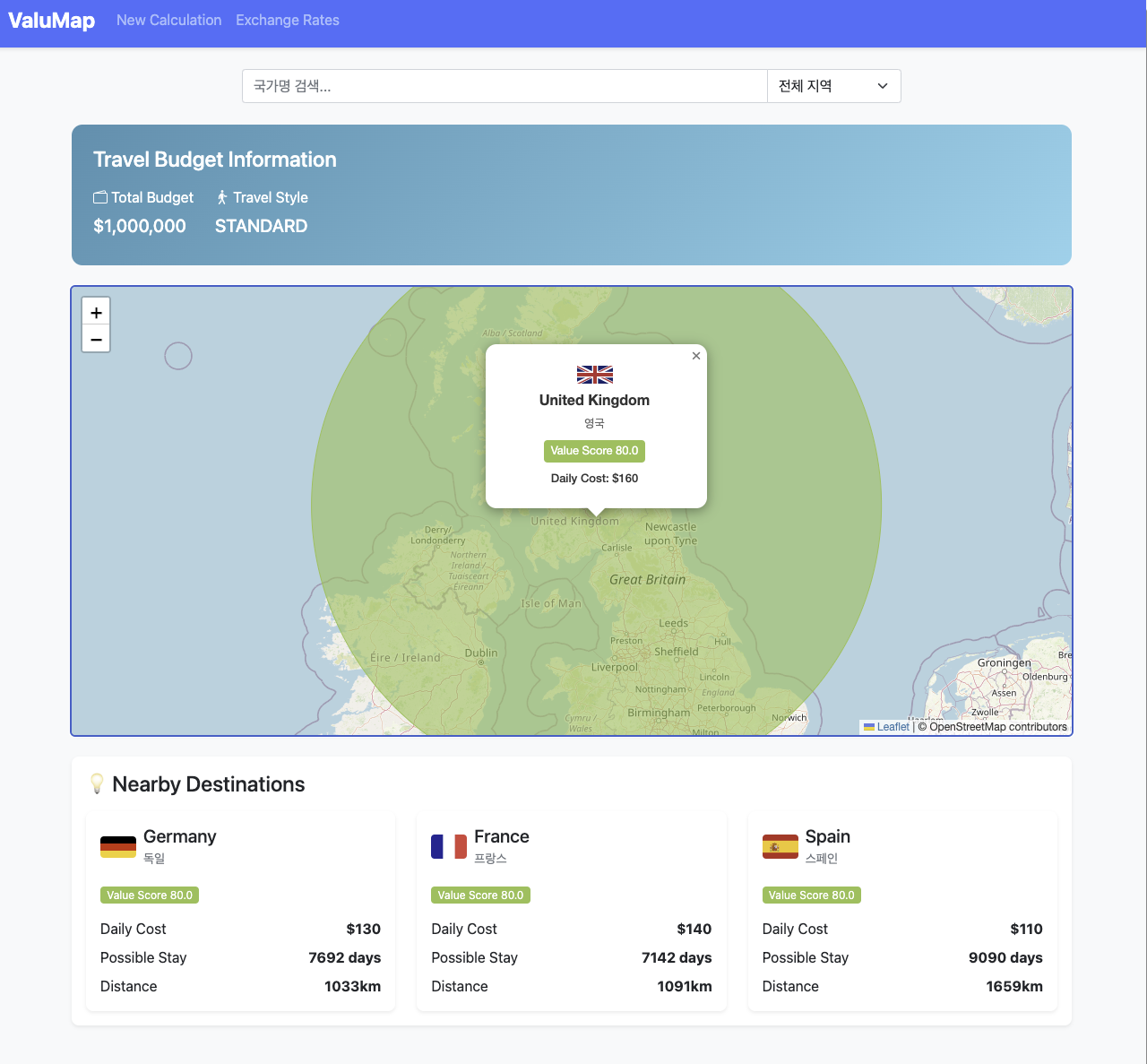
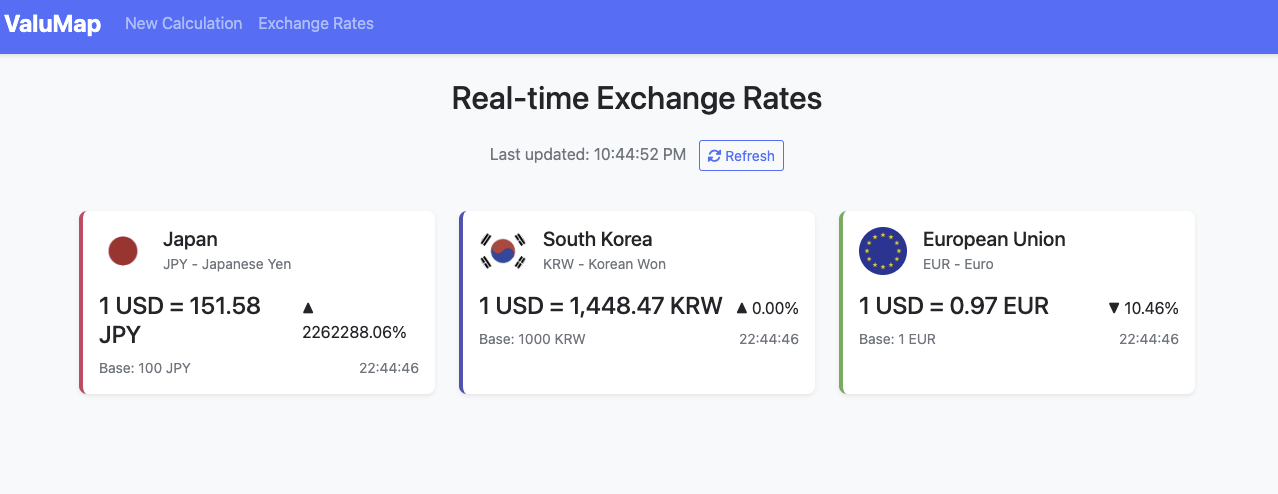
ValuMap
A simple, Spring Boot–based application that calculates the best value-for-money travel destinations worldwide using real-time currency exchange rates and basic cost-of-living data.
Overview
- This project is a web application that, based on the home currency budget (e.g., KRW) entered by the user, references exchange rates and cost of living/travel data for various countries around the world,
- and visualizes (on a world map) which country offers the greatest value for money (purchasing power).
- DB integration is omitted, and it is implemented using only external APIs (exchange rates/cost data, etc.) and simple mock data.
- It adopts a Spring Boot (Maven) + Thymeleaf server-side rendering (SRV) structure.
- Finally, the service is containerized with Docker and deployed on AWS.
1. Project Features Summary
User Budget Input
- On the main screen, the user enters their current budget (in KRW) and so on.
Value-for-Money Calculation
- The application fetches exchange rates for each country’s currency against KRW from an exchange rate API.
- It combines those rates with a simple metric of living/travel expenses (e.g., average daily costs).
- Then, by calculating “budget × exchange rate / daily cost,” it derives how many days (or a score) one can travel with the given budget.
- The application fetches exchange rates for each country’s currency against KRW from an exchange rate API.
Visualization of Results
- A world map is loaded, and each country’s calculated score is applied to that country’s region.
- Different colors (in a heatmap style) are used according to the score range to enhance visibility.
- A list of some top value-for-money countries (e.g., TOP 5) is provided for easy comparison.
- A world map is loaded, and each country’s calculated score is applied to that country’s region.
Extended Features (Optional)
- Adjust daily spending weights based on the user’s travel style (backpacker, standard, luxury, etc.).
- Integrate a flight ticket API to factor in airfare, thus calculating the actual number of days possible to stay.
- Implement social sharing features so users can share the results with others.
- Adjust daily spending weights based on the user’s travel style (backpacker, standard, luxury, etc.).
2. Tech Stack
Language/Framework
- Java 17+
- Spring Boot 3.x (Maven-based project)
- Thymeleaf (Server template engine)
- Java 17+
External Services
- Exchange rate APIs (e.g., Exchangerate.host, Open Exchange Rates, etc. with free plans)
- Cost-of-living data (Numbeo, open data, or proprietary mock JSON)
- Map visualization (Leaflet.js, D3.js, etc.)
- Exchange rate APIs (e.g., Exchangerate.host, Open Exchange Rates, etc. with free plans)
Deployment Infrastructure
- Docker
- AWS (EC2 or ECS)
- Docker
3. Operational Flow
User Request Flow
- The user opens the main page in a web browser.
- They enter the budget (in KRW) and click the “Calculate” button.
- The backend (Spring Boot) calls an external exchange rate API to get the current rates.
- It then combines the cost-of-living (daily expenditure) data with the exchange rate to compute a “value-for-money score (days of travel possible)”.
- The calculation results are passed to a Thymeleaf template, which then renders the map visualization page.
- The user opens the main page in a web browser.
Map Visualization
- When the page loads, Leaflet.js (or D3.js) displays a map.
- Each country’s ISO code is mapped to its calculated score,
- which is then represented by a color range (e.g., red = expensive, green = great value).
- When the user hovers over a country, a tooltip (showing the country name, score, etc.) is displayed.
- When the page loads, Leaflet.js (or D3.js) displays a map.
Extension Scenarios
- User customization: Select a travel style (e.g., backpacker, hotel) that affects daily expense weighting.
- Database integration: Store user records (previous budgets, preferred countries), statistics (page views), etc.
- Authentication/member functionality: Save favorite countries under a user account after login.
- User customization: Select a travel style (e.g., backpacker, hotel) that affects daily expense weighting.
4. Main Configuration
Spring Boot & Maven
- Add dependencies for Spring Boot Starter Web and Starter Thymeleaf.
- If needed, include Starter Data JPA (currently no DB usage).
- Configure the server port and other basic settings in application.properties (or YAML).
- Add dependencies for Spring Boot Starter Web and Starter Thymeleaf.
External API
- Exchange rate API: Check the possibility of calling it with base=KRW.
- Cost-of-living data: If a reliable data source is unavailable, use mock JSON (daily cost per country).
- Exchange rate API: Check the possibility of calling it with base=KRW.
Thymeleaf Templates
index.html: Main page (budget input form).result.html: Result/map page (with Leaflet embedded).
Leaflet.js (or D3.js)
- Load via CDN or place it in the
static/jsdirectory. - Initialize the map and load a GeoJSON with country boundaries.
- Apply fillColor, etc., based on the calculated scores.
- Load via CDN or place it in the
5. Deployment
5.1. Docker Containerization
- Use either multi-stage builds (Maven build container + OpenJDK runtime container) or a single-stage build.
- Copy the built project Jar into the runtime image, EXPOSE 8080, and run the app.
5.2. AWS Deployment
AWS EC2:
1) Create an EC2 instance and install Docker.
2) Push the locally built image (or pull the code via Git, then build Docker on the instance).
3) Rundocker run -p 80:8080etc.
4) Open port 80 inbound in the security group.
5) Access the public IP/domain to see the service.AWS ECS/ECR (Optional):
- Push the application image to ECR.
- Set up ECS tasks/services and deploy with Fargate or similar.
- Integrate with a load balancer for scalable production.
- Push the application image to ECR.
6. Testing & Verification (Omitted)
- Smoke Test: Ensure the application starts up normally.
- Unit/Integration Tests:
- Check controllers (web requests), services (exchange rate + cost calculation), template rendering, etc.
- Check controllers (web requests), services (exchange rate + cost calculation), template rendering, etc.
- Performance Test:
- If exchange rate API calls are frequent, consider a caching strategy (update rates at time intervals).
- If exchange rate API calls are frequent, consider a caching strategy (update rates at time intervals).
- Visualization Checks:
- Ensure that country areas on the map match correctly, and that color ranges are appropriate.
7. Future Expansion Ideas
- Include Flight Ticket Prices: Incorporate actual round-trip airfare to recalculate the total travel days feasible with the budget.
- Multilingual Support: Use i18n to support English, Korean, etc., in front-end text.
- Social Features: Enable sharing “Top 3 Best Value Countries” on social media.
- Personalization: After user login, store favorite countries/travel history.
- Real-Time Cost/Climate: Factor in local temperatures, seasonal price fluctuations, etc.
8. Precautions & Notes
- Data Accuracy
- Cost-of-living figures are simplified averages (e.g., daily spending). Actual travel costs may vary by individual.
- Cost-of-living figures are simplified averages (e.g., daily spending). Actual travel costs may vary by individual.
- Legal Issues
- When using external APIs (for exchange rates/maps), be sure to check licenses and terms of service.
- When using external APIs (for exchange rates/maps), be sure to check licenses and terms of service.
- Operating Costs
- If high traffic exceeds free tiers, you may need a paid plan for the exchange rate API.
- If high traffic exceeds free tiers, you may need a paid plan for the exchange rate API.
- Security
- If an API key is required, store it safely (environment variables, etc.).
9. Conclusion
This project demonstrates that one can build an intriguing “Global Travel Value-for-Money Map” service with simple ideas and public APIs.
- Spring Boot + Thymeleaf allow for rapid web MVP implementation.
- Docker provides consistent deployment and runtime environments.
- AWS enables a scalable, production-level deployment.
Built With
- api
- maven
- springboot
- thymeleaf

Log in or sign up for Devpost to join the conversation.