Team Liquid: Valorant Matches and Player Analytics Viewer
What my app does
Out of the themes Team Liquid, Competitive Esports, Social Good, and Communication, I decided to choose both of the following themes:
Team Liquid - Team Liquid is all about being the best esports org in the world, and that means smoking the competition with new and innovative projects that keep the fans on the edge of their seats. We want to give them the opportunity to add their legacy to the Team Liquid name by creating software or hardware that shows their love for the org.
Competitive Esports - Competition is the core of esports. Professional esports players are hungry for the next big win, and they’ll do whatever it takes to get it. Rally your team to build a project that could help aspiring esports pros to be at their best in their career - and stay that way.
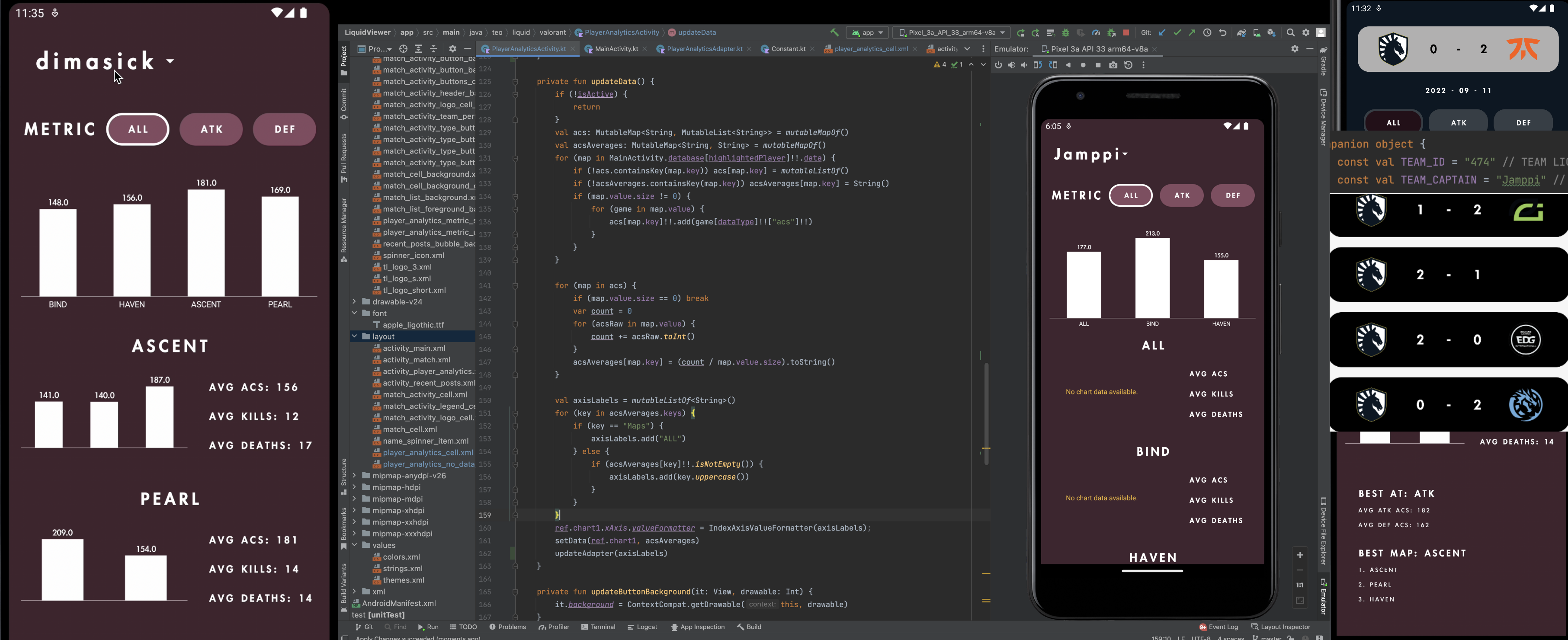
I wanted to create a project that uses public Valorant match data to analyze trends and behaviors among players within specific conditions (such as maps or teammates). In this specific case, the team (and players) in focus are from Team Liquid. In one section of the main screen, my app lists all Team Liquid games that have been publicized, and each game can be clicked into to show the match information. Once a match is clicked into, the match information is added to a running database whose information is shown in the Player Analytics section of the app. The Player Analytics section of the app displays each team member's performance (displayed textually and graphically) broken down by side (all, attack only, defense only) and by map. Therefore, the app also displays each player's best side (all, attack only, defense only) and map based on all the matches clicked into. Additionally, the app is made so that the team in focus (currently Team Liquid) is customizable based on two changes in a configuration file.
Video showcase: https://youtu.be/OrTPTsZqY9A
How I built it and inspiration
To learn how to access Valorant match data, I reached out to vlr.gg's Head Admin, enigma. Unfortunately, it turns out that Valorant does not have an api to access match data. Funny enough, vlr.gg manually inputs every single score and player performance by hand! Since I was not about to do this, I decided to learn how to scrape data off the web using jsoup's HTML parser library. Therefore, all data is substringed css-query data scraped from vlr.gg (with the website's permission), making it my primary inspiration and helping tool. In reality, the web-scraping learning curve process took probably 20+ hours to figure out (given that I have never dealt with html / css in the past) even though all the information was ready to use on the website.
Challenges I ran into
Oh man. Buckle up.
- vlr.gg was implementing a new feature (Rating) live, messing up the query order. Unfortunate timing.
- I created the Match activity display with a 3-map system in mind, completely forgetting that 5-map systems exist.
- Because there is no api to pull data from (meaning I had to create the imperfect logic to scrape everything), organizing all the data in a custom data structure was a feat that took an embarrassingly long amount of time to accomplish.
- Since this was my first time dealing with splash screens, I was unaware that the splash screen icons are limited to a 64x64 image, and it took me way, way, way too long to realize. My first attempt at a splash screen was a horizontally full-width images of the full Team Liquid logo, but I had to replace this with a custom 64x64 transparent logo.
- Most team logos are outlined in black, and the Team Liquid logo is filled in with white. This means that the best background color for the cell that holds these logos has to be a lighter color. A lighter color will maximize contrast between logo and background and diminish contrast between the logo's inside filling and outside cell background. This constraint limits the color palette to a lighter scheme.
- This event was hosted during Finals at my university, so the Wi-Fi was extra slow (and would consistently cut out for hours at a time) throughout the week.
- This event was hosted during Finals... A lot of juggling around to-do list items throughout the week
- This event was hosted during the World Cup!
Accomplishments that I am proud of
This project was the most time-crunched project I have dealt with so far, and I am so proud that I did not give up. Nocturnal sleep schedule, lots of caffeine, forgetting to eat and drink, yet I still pushed through until the end! Additionally, I am incredibly proud of everything I learned throughout the process.
What I learned
Being my most in-depth project so far, I came across MANY roadblocks and obstacles along the way. Obviously, the only way to get through these knowledge-based obstacles is to learn... The following list of what I learned during this project is what I am most proud of and what I will take away from the event regardless of the outcome
- Web scraping
- Kotlin syntax
- Kotlin data classes and serialization for transferring json data between activities
- Material (minimalist) design replication
- New libraries (jsoup for html parsing, jtb for toggle button, glide for image (logo) from url, mpandroidchart for graphing)
- Custom ListView adapters
- Custom Spinners
- ListViews containing graphs
- Animations (SharedElements, intent transitions, etc.)
- Basic architecture (knowing what you want to display beforehand and designing classes to support that)
- Icon design
- Graphic design / basic UI and UX
- Splash screens
- Threading and handling for threading
What's next for Valorant Matches and Player Analytics Viewer
- New feature: Pre-load all matches. At the moment, data is pulled for each map only when the match is clicked into (to avoid heavy download on the app's startup). By caching every match into internal storage and only appending non-included matches, the "heavy download" process will only occur once.
- New feature: If the pre-load all matches system is implemented, a prediction service can be created for predicting future match-ups.
- New feature: If the predictions service is implemented, a new fantasy league can be implemented to predict scores between teams that have not played each other. This would require loading data from more selected teams and not just Team Liquid, but the infrastructure for that is already set in place.
- New feature: Team Analytics Page that displays comparisons between each player instead of showcasing individual performance. This can show the player with the most consistency across all players on the team (least range between average Average Combat Score according to map).
- New feature: If the Team Analytics Page is implemented, it can be combined with all pre-loaded match data and predictions data to display the team's best possible agent combination for each map against a specific opponent to maximize win percentage
Development process
Day 1
- Create project LiquidViewer
- Add jsoup scraping library
- Create ParseVLR class
- Add rank handling. No filtering yet
- Add Data.kt, Team.kt data class. Populate Data.kt
- Commit before restarting haha :|
Day 2
- Add PullMatches.kt, Match.kt and implementation
- Successfully pull match scores and opponent
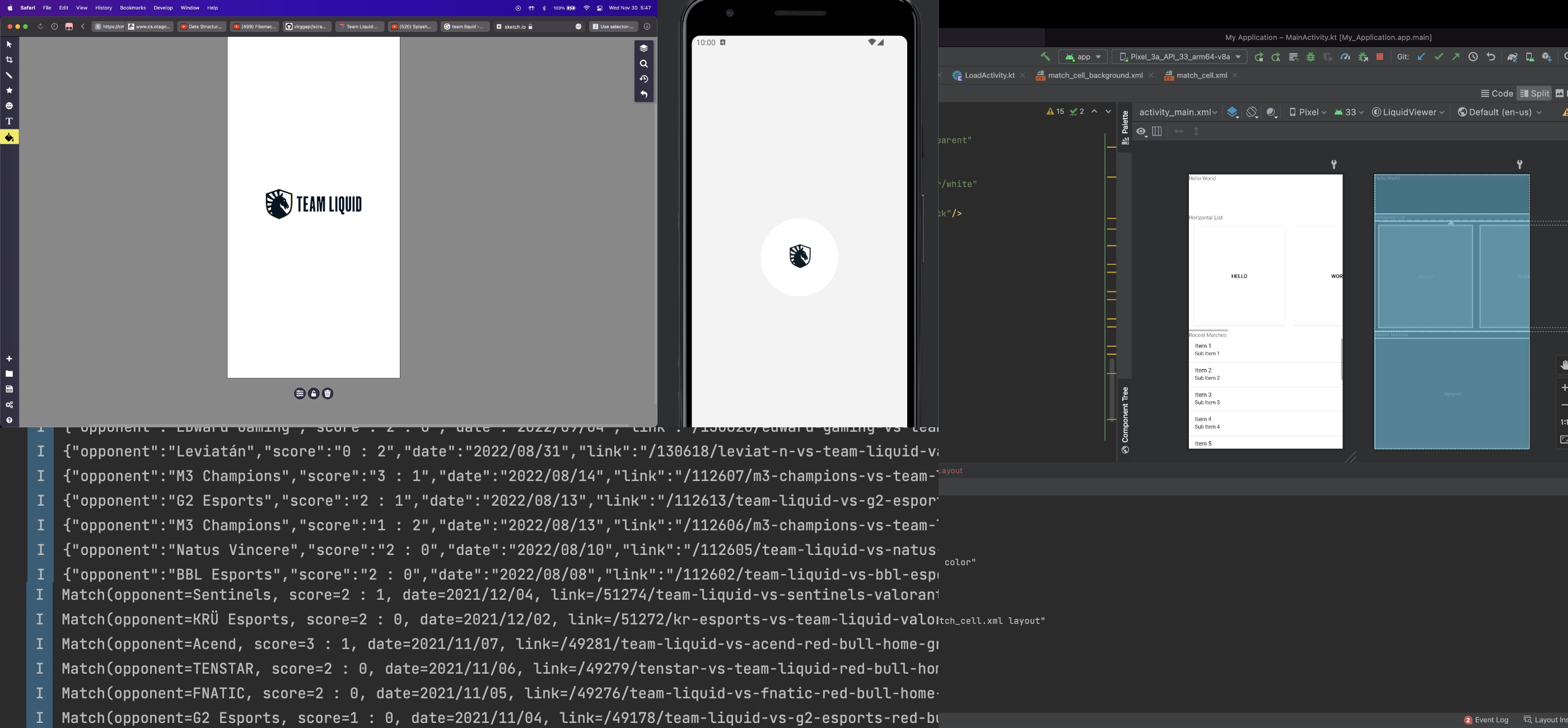
- Add splash.xml and activity_main.xml and tl_logo_3.xml
- Remove unused files. Starting over haha. :(
- Store score, oppo, and date
- Add filterLinks()
- Working thread pulling in Main
- Commit before sleep
- WORKING SPLASH FINALLY HAHAHAHA
- Commit before re-trying with Serialization instead of Gson :(
- Successfully access Match data class in Main
Day 3
- Add logo pulling
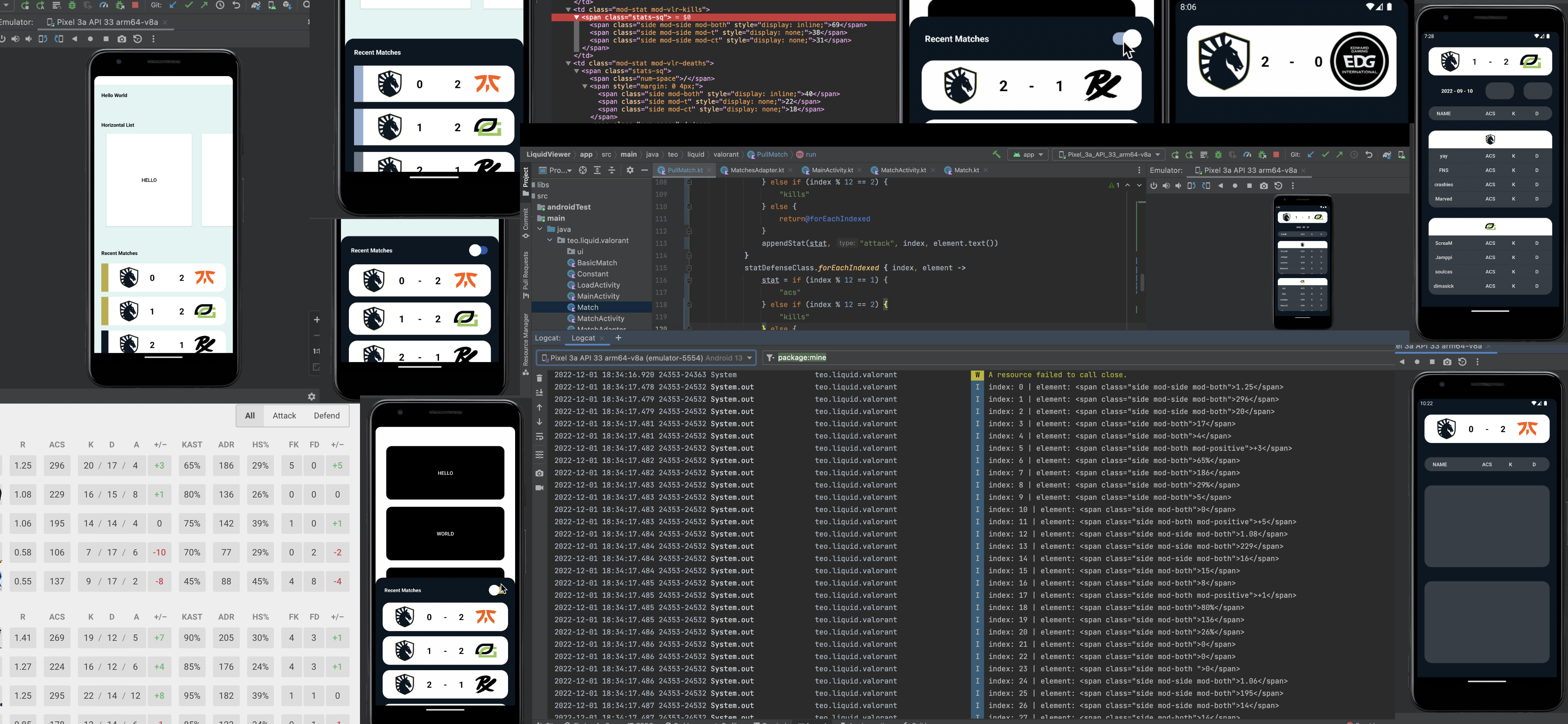
- SUCCESFULLY DISPLAY ON CUSTOM LISTVIEW CELLS LETS GOOOO
- SUCCESSFULLY DISPLAY LOGOS LETS GOOOOOOOO
- Update recent matches list design
- Change horiz scroll to vertical. Start bubble implementation
- Add toggle implementation. Filtered win matches only on toggle
- Add shared elements between Match list click and MatchActivity
- Create PullMatch.kt, handling, and threading in MatchActivity
- Changes before sleep
Day 4
- Successfully pull acs { mapOne, mapTwo, mapThree, mapAll }
- Create acsOverallClass, acsAtt, acsDef, and implementations
- Successfully populate acsAttack and acsDefense
- Refactor all maps to incorporate when statement and more
- Refactor to maximize DRY and also include mod-t class
- Pull map and add to webscraping with parsing
- Access new information in MatchAdapter nice
- Logic for type change button in match
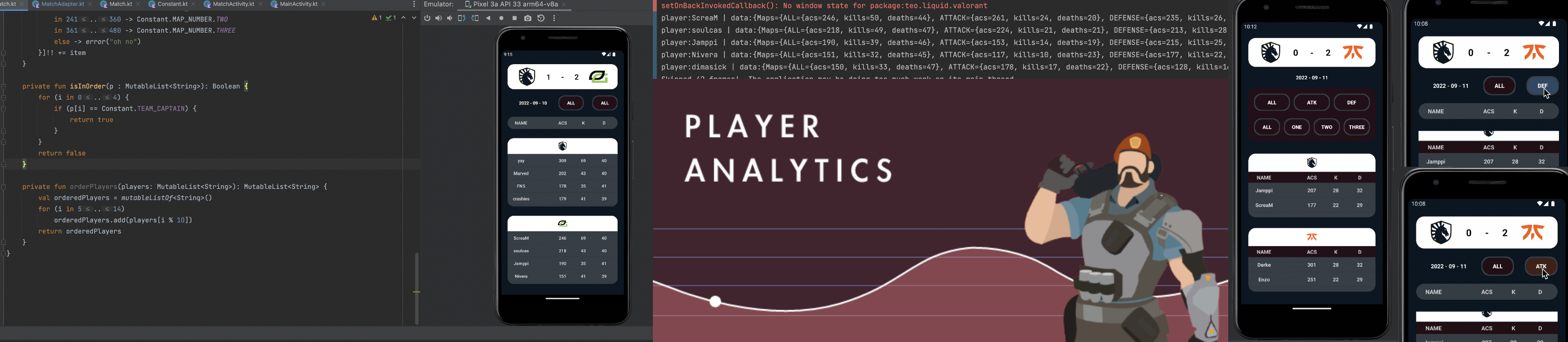
- SUCCESSFULLY SHOW ACS LETS GOOOOO
- Finish button implementation for TYPE with adapter change
Day 5
- Fix getView bug with altered positions (0 && 1)
- Fix bug that displays wrong team. Incorporate isInOrder bool
- Working map buttons. Need to add player adjustment acc to map :(
- Add map switch handling for player list display\
- SUCCESSFULLY STORE ACS IN PLAYER OBJ PER MAP PER SIDE LETS GOO
- SUCCESSFULLY STORE ALL INFO IN PLAYER OBJ IM THE BEST ALIVE LETS GOOOO
- Make database player obj additive on map im the best to ever do it
- Commit before trying new UI wish me good luck :)
- Create PlayerAnalyticsActivity.kt
most changes made were internal bug fixes (not ui)
Day 6
- Add Apple LiGothic font
- Create sliding animation
- Create Recent Posts activity, anim, and base implementation
- Create cache for matches to avoid loading each click :)))))))
- Start pulling correct info from databse for analytics. Fix cache bug
- Successfully store acs data in acs object in PlayerAnalytics activity
- Add graphing library
- Create barchart setup
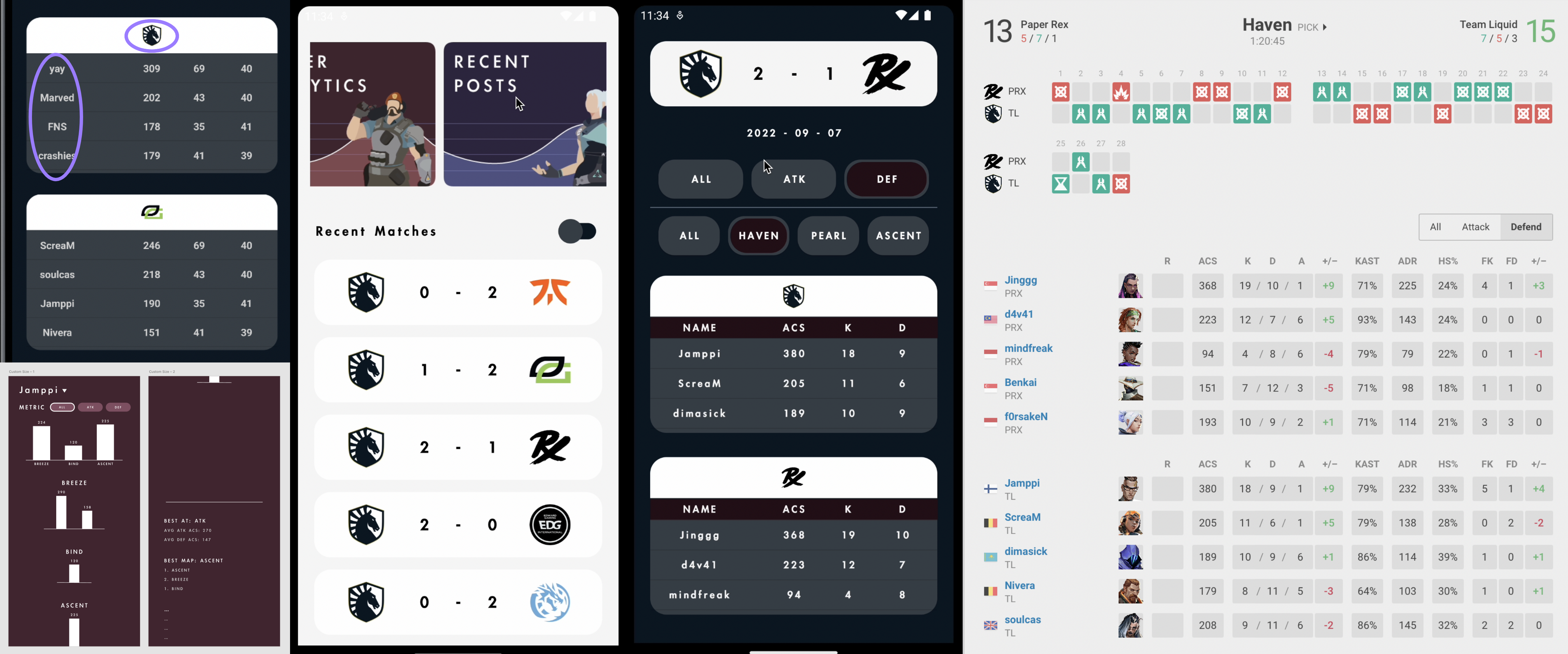
- Successfully show avg acs graph dependent on adapting map player data
- Change alignment in bar + only show if notEmpty
Day 7
- Create name spinner and item
- Successfully add spinner nice :)
- Create player analytics metric drawables
- Create playeranalyticsadapter custom
- Finish handling for activity switch and refactor functions in PlayerAnalytics
- Update chart values based on player selected YAYYY
- Create metric button handling and update data accordingly
- Successfully display avg acs, kills, and deaths per map on analytics
- Successfully show full list dependent on maps selected
- Add format handling for adaptive device text sizes
- Only display individual maps and not combined. Remove RecentPost feature
Brimstone clip art design credit: Chouaib Meraoumia. Permission received for usage in event
Built With
- android-studio
- kotlin


Log in or sign up for Devpost to join the conversation.