-
-
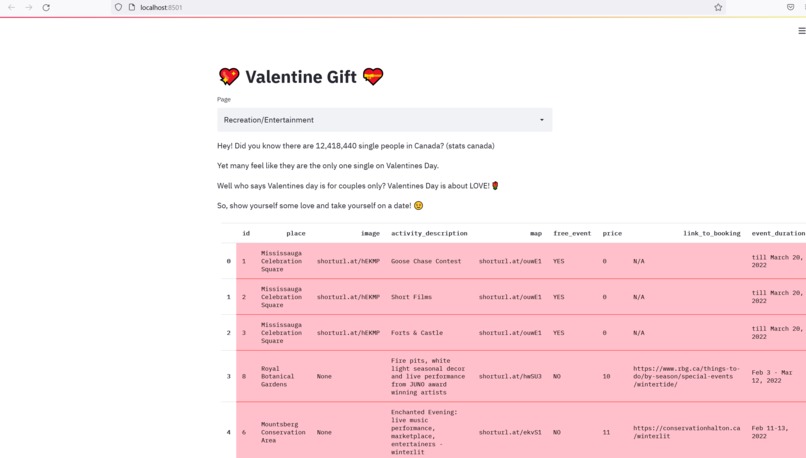
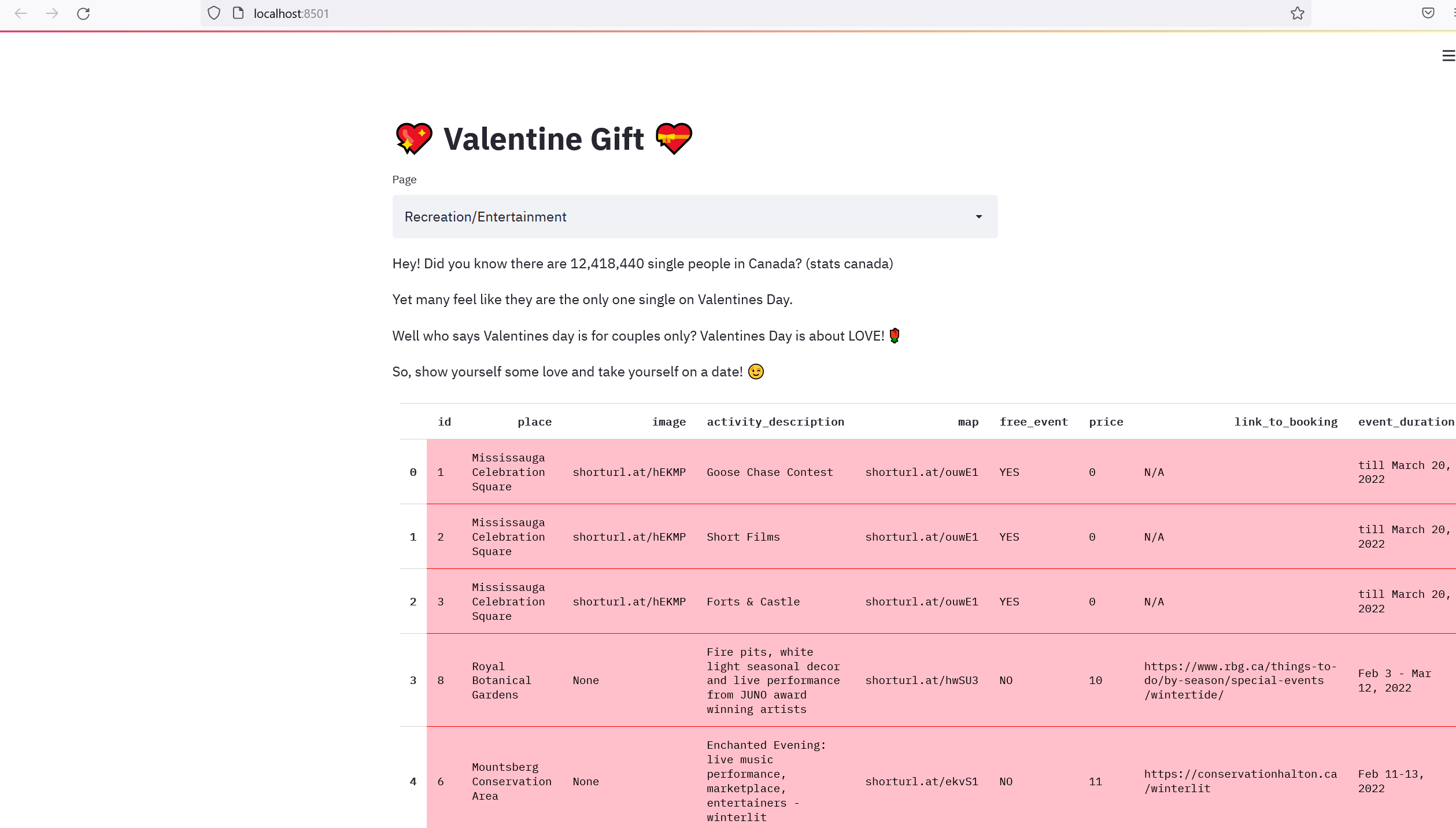
Recreation/Entertainment
-
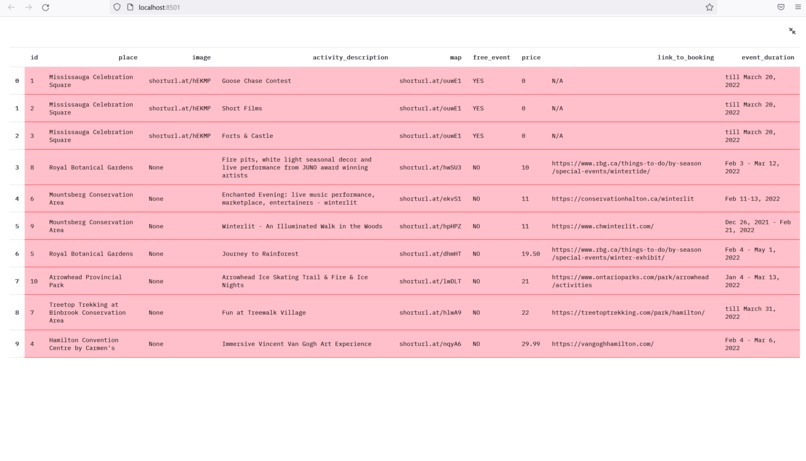
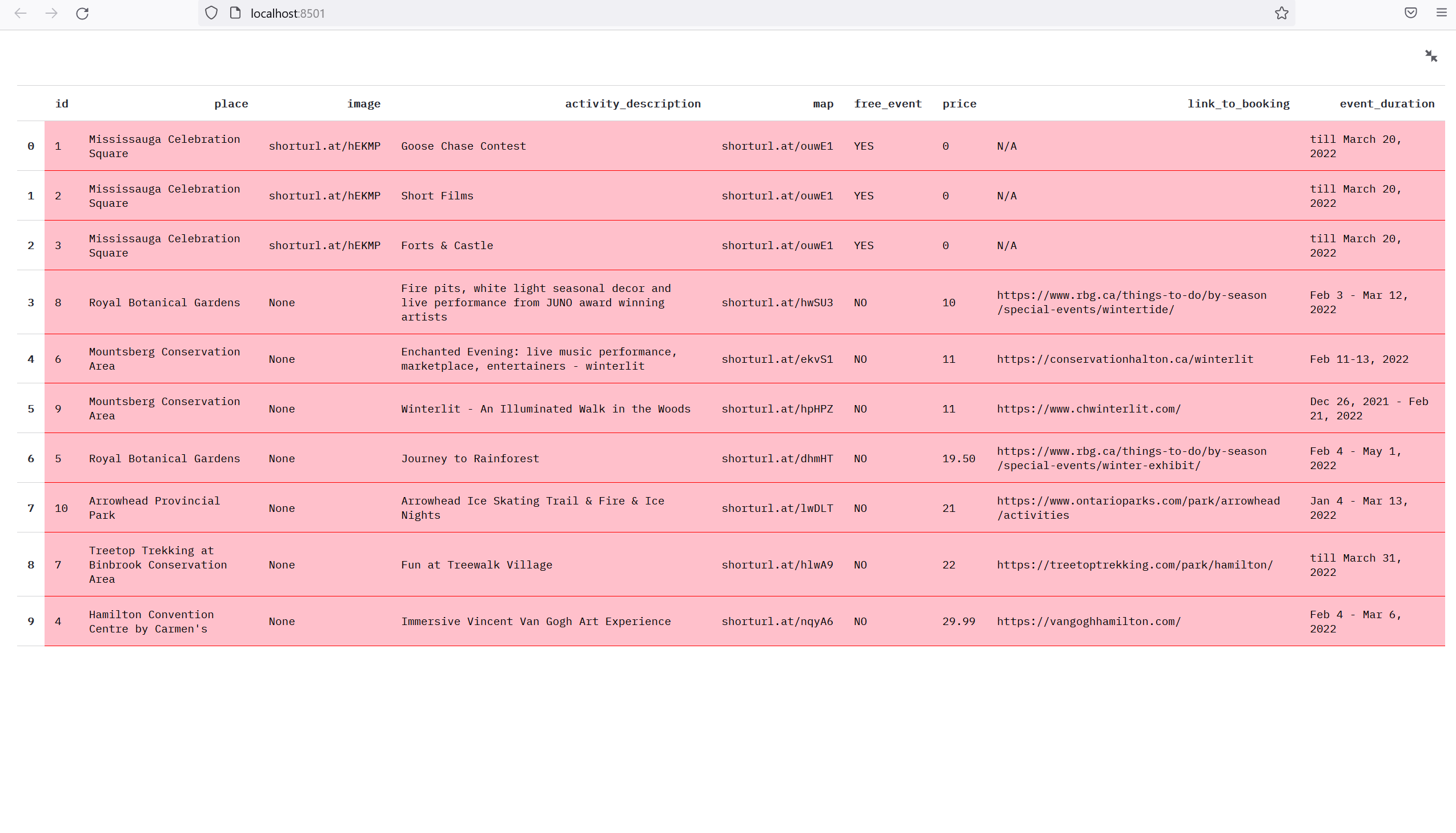
Full Screen Mode: Recreation/Entertainment
-
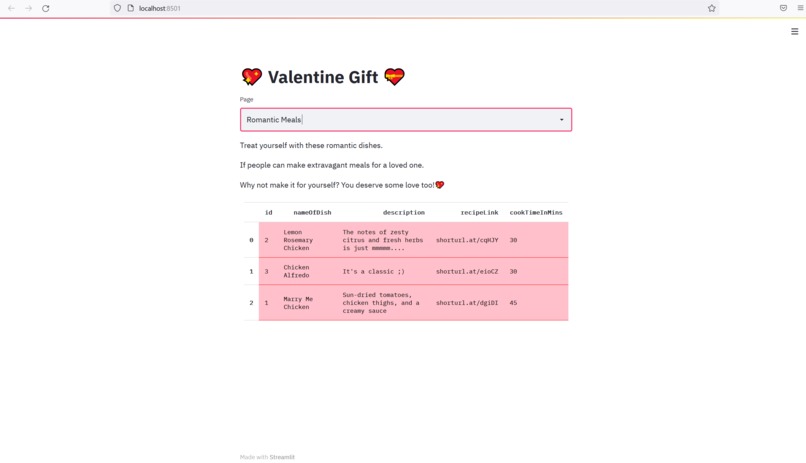
Romantic Meals
-
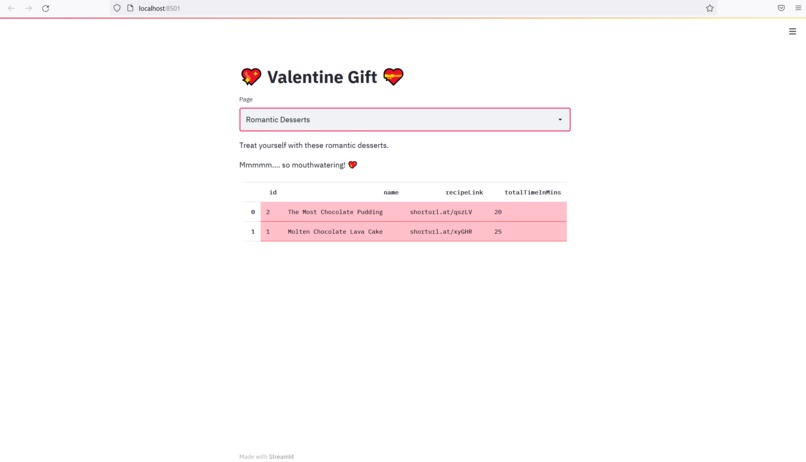
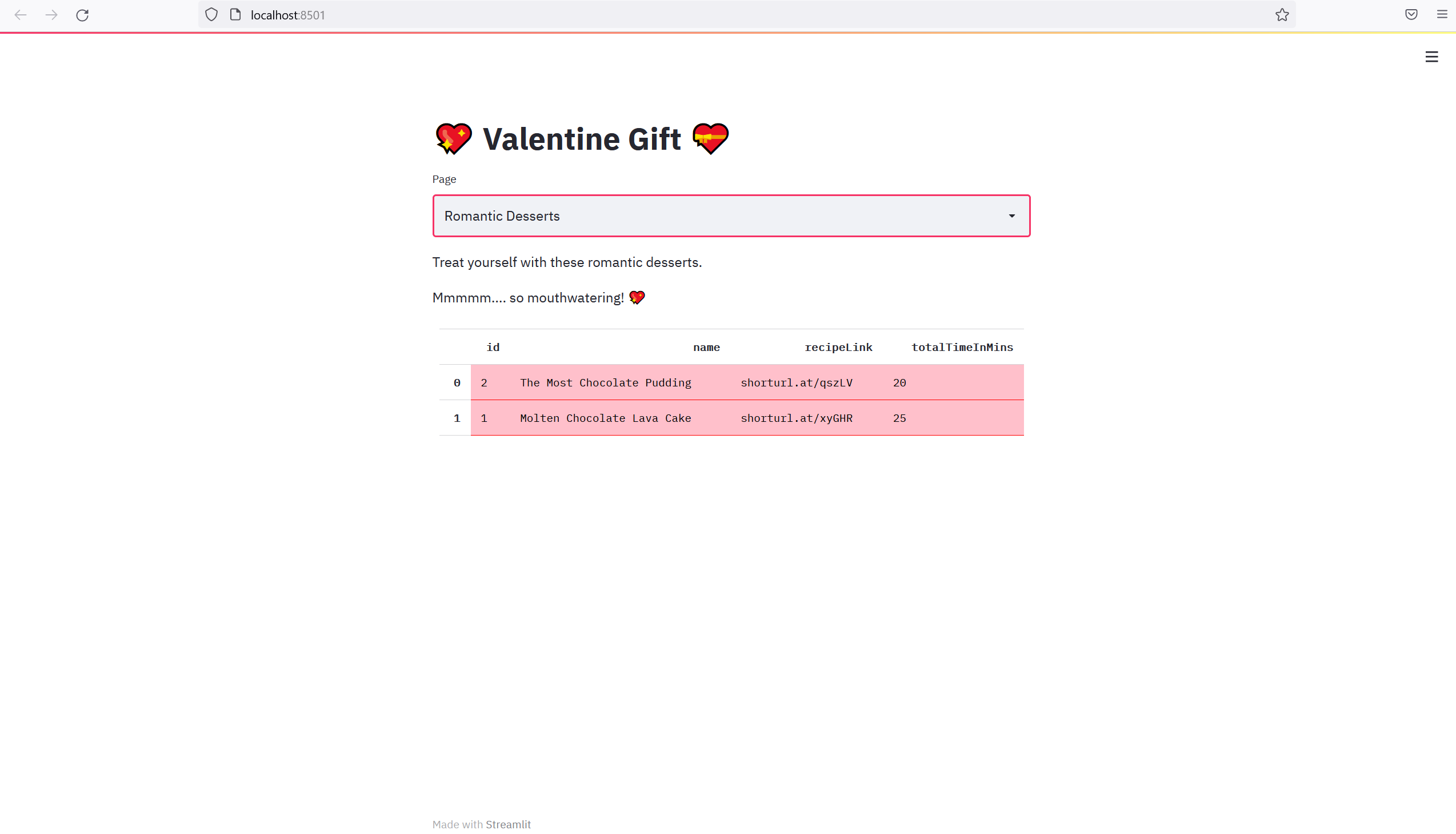
Romantic Desserts

Inspiration
The theme was to make something based on Valentines Day. Initially, I was thinking along the lines of making something for couples. But decided to make something special for singles. After all Canada has 12,418,440 singles (stats canada).
The idea is to have all the information accessible so that when the time comes, all you need to do is go through the database that contains everything in 1 place so you can get started on your adventures quickly.
What it does
This database has 3 tables, one for recreation/entertainment, one for romantic meals and one for romantic desserts.
For recreation/entertainment it provides the name of place, description of activities, ready to use google maps link so all you gotta do is click "your location" for starting point and plan your route. It also contains the link for booking the tickets right there too, so no need to search for it after finding your perfect place. It also sorts by price in ascending order so those looking for free or cheaper events can find it easily.
For romantic meals and desserts, it includes name and description and total cook/bake times. It also orders by this column. So, that if you don't want to spend too much time on cooking/baking you can pick the one that takes less time. This allows one to enjoy other activities planned for the day.
How I built it
I built it by first getting Mariadb. Then using its command line I created database called valentine, and then created the above mentioned tables by defining each column via the SQL commands. Used several SQL commands like CREATE DATABASE, CREATE TABLE, ALTER TABLE tablename ADD columnname, etc in the command line. Used INSERT IGNORE, SELECT * FROM tablename ORDER BY columnname ASC in python via the mariadb connector for executing SQL commands. I also used streamlit framework to make the website to display the database results in table format to users. As the command line version is not layperson-friendly.
Challenges I ran into
Initially, I was having issues with displaying the database tables as tables on the website that I made. I then researched and found a way to make it work.
Accomplishments that I am proud of
Creating a database myself in SQL, and successfully displaying database query results to the website I created.
What I learned
I learned how to work with SQL and Python as one coherent system, it was fun!
What's next for Valentines Day Gift
- Expand the database (currently it has few entries as proof of concept)
- Add images to the tables
- Make it interactive (filter by anything the user wants, search feature)


Log in or sign up for Devpost to join the conversation.