-
-
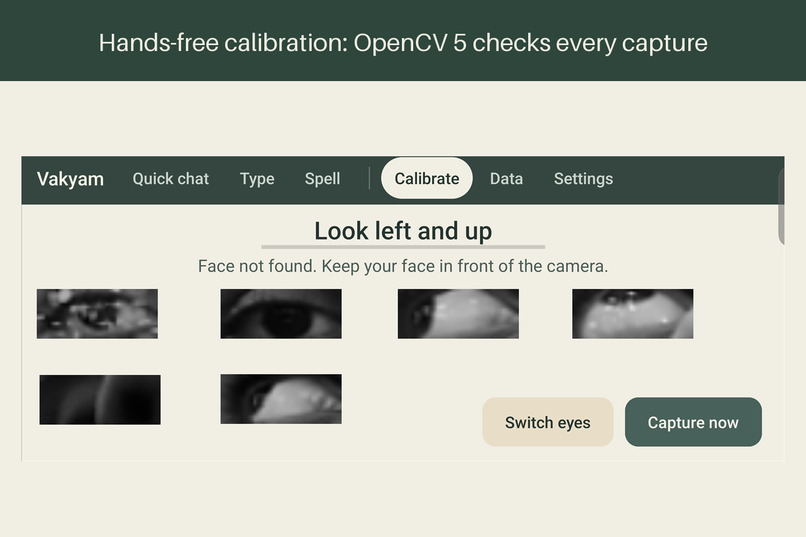
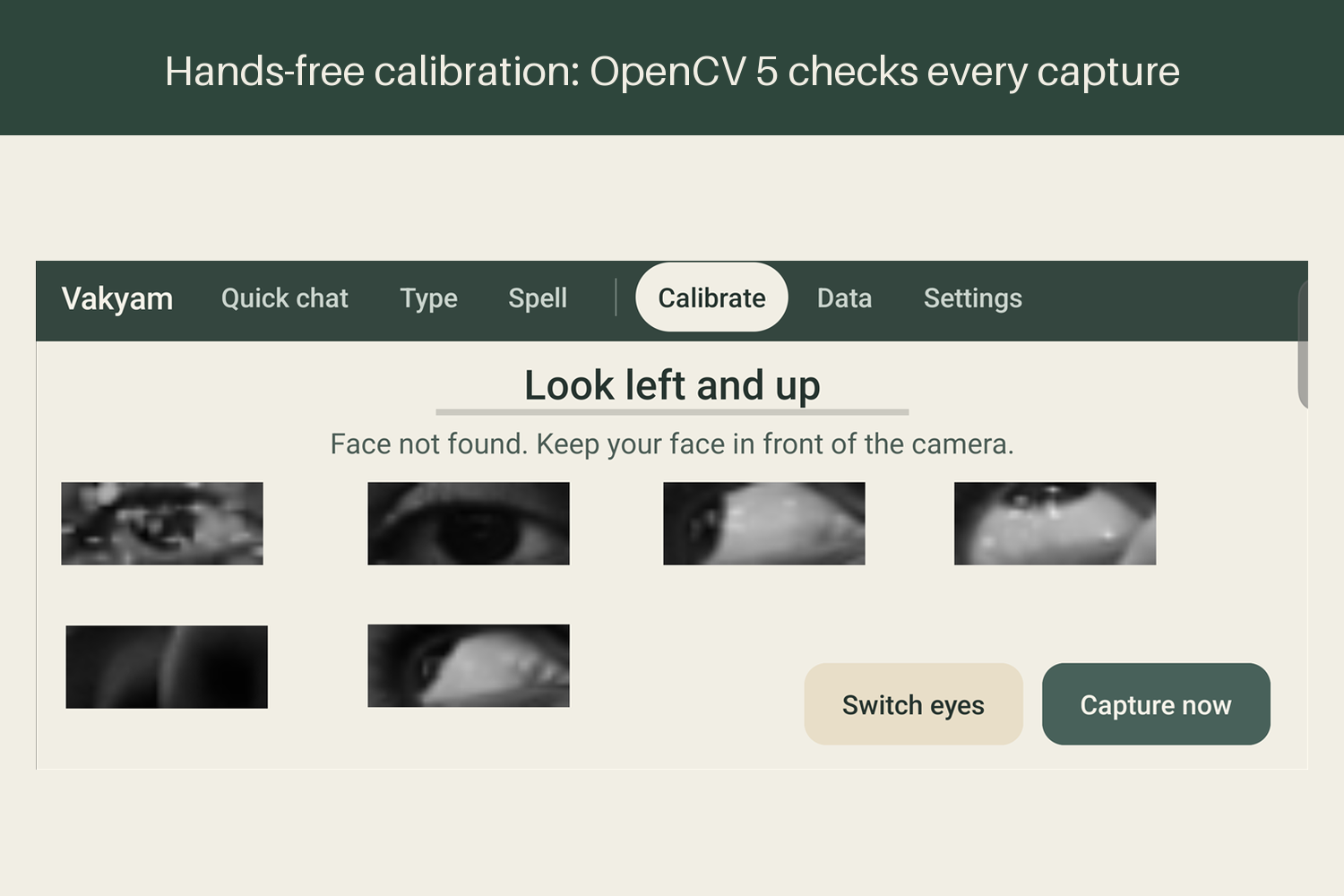
Handsfree calibration: OpenCV 5 checks each eye capture for blur, light and head pose, and asks again if it is not good enough.
-
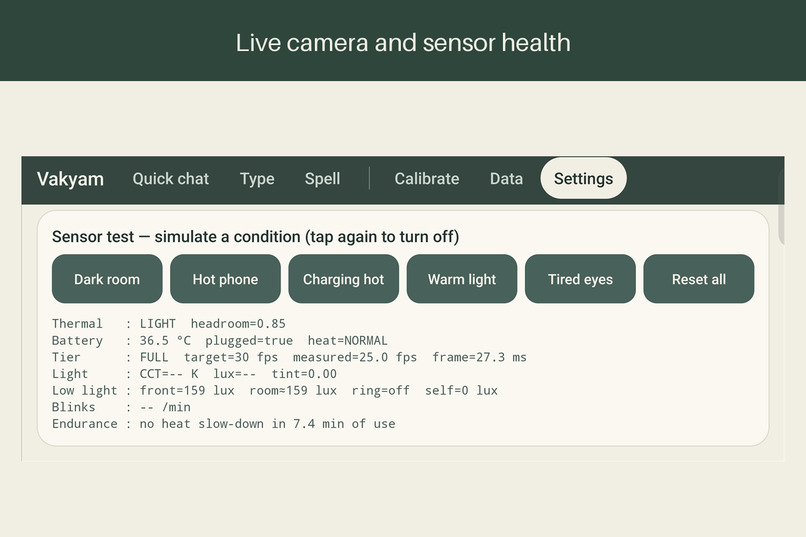
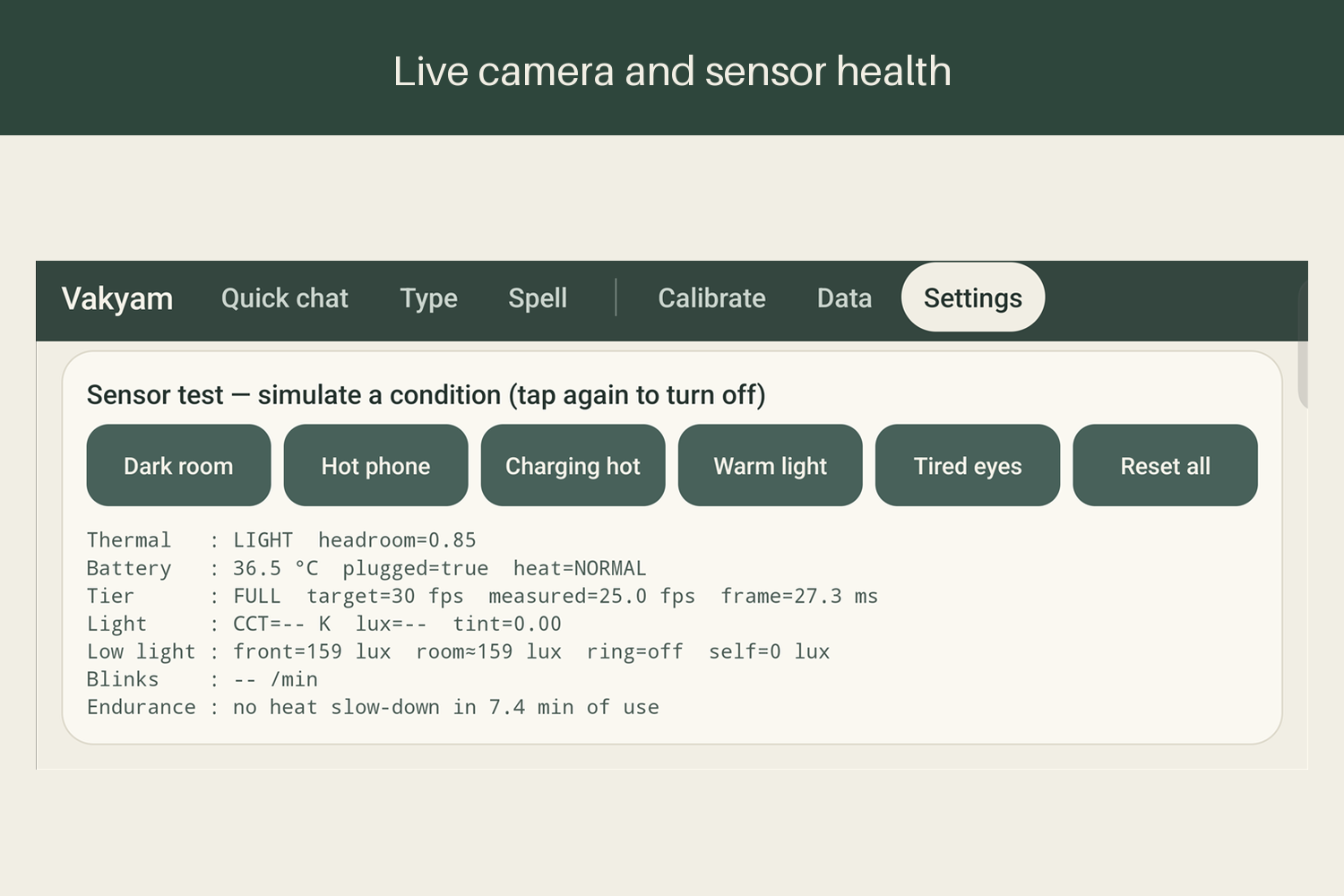
A built-in sensor test simulates a dark room, a hot phone or tired eyes, and shows frame rate, light and heat live.
-
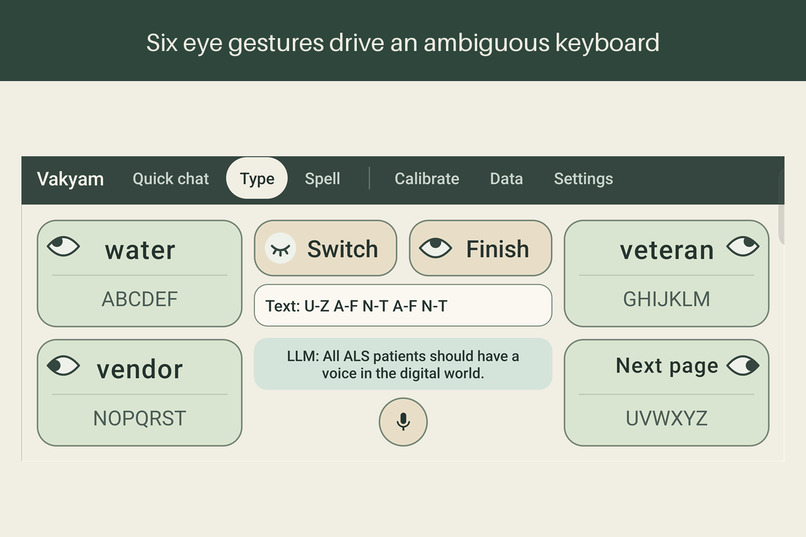
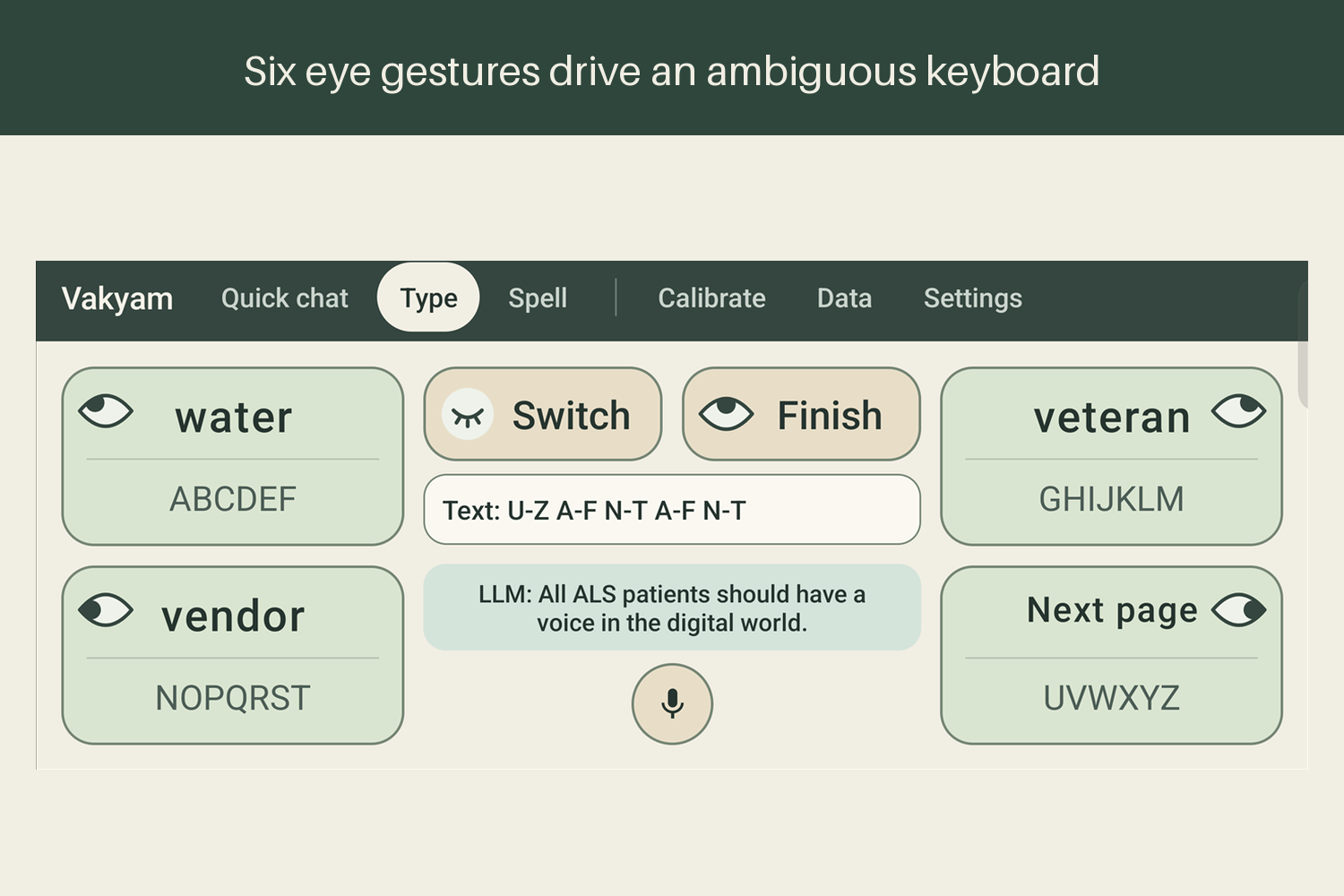
Six eye gestures drive an ambiguous keyboard. Each corner is a letter group, so a word needs one look per letter.
-
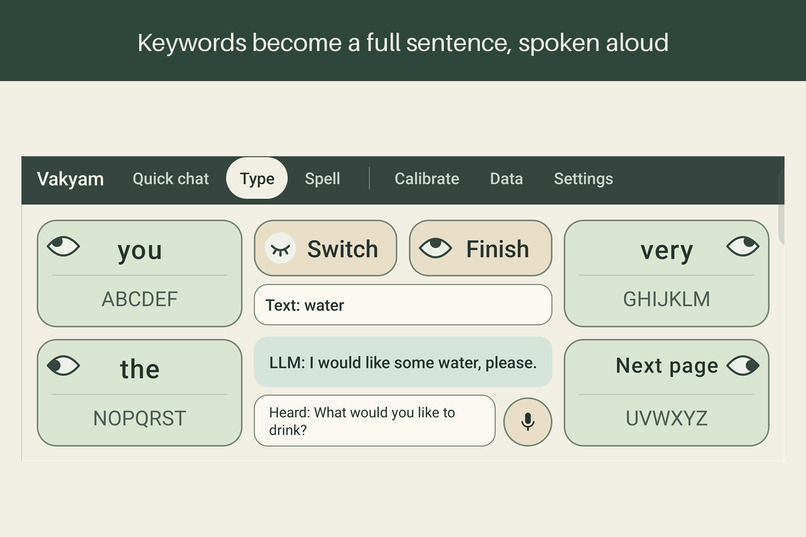
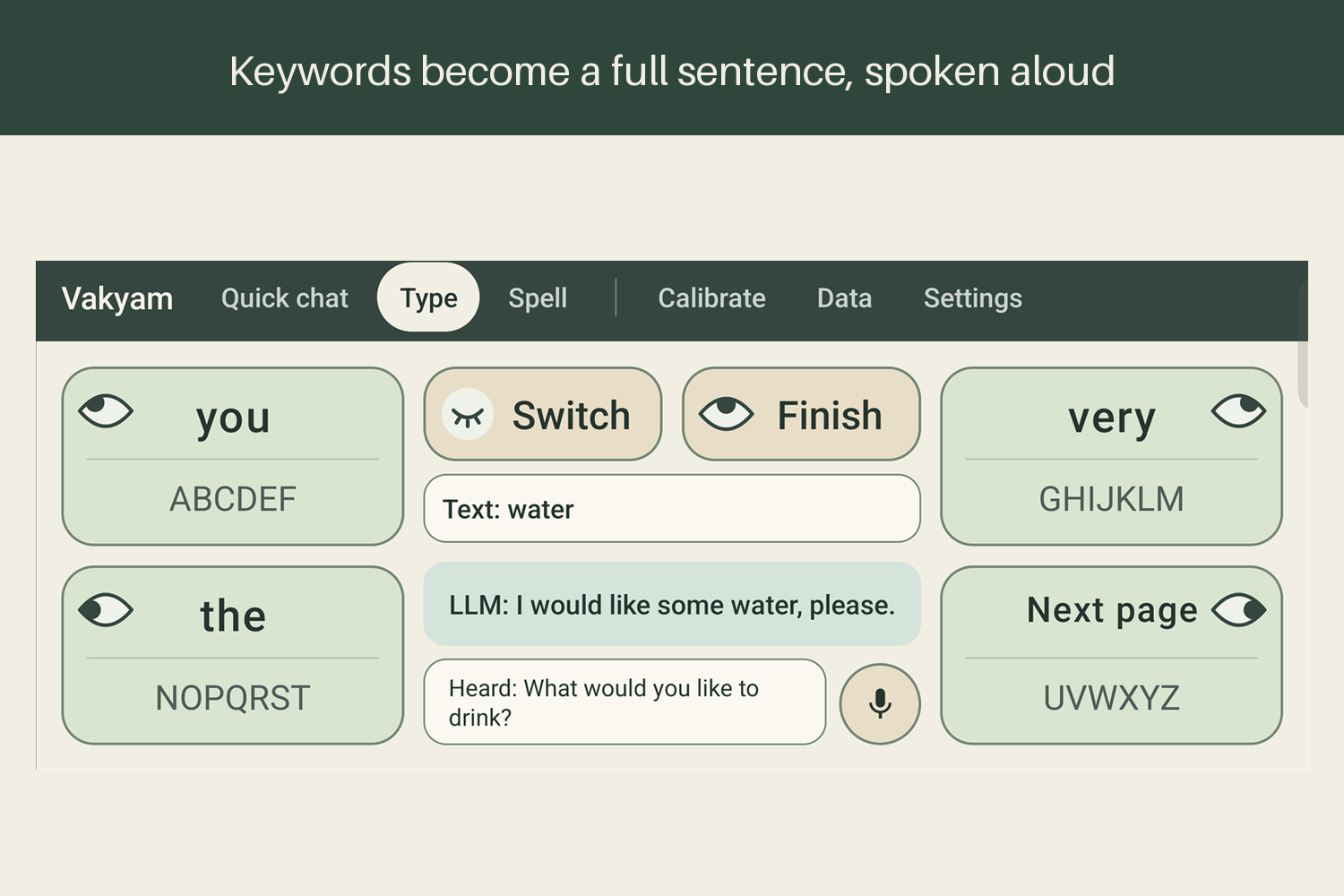
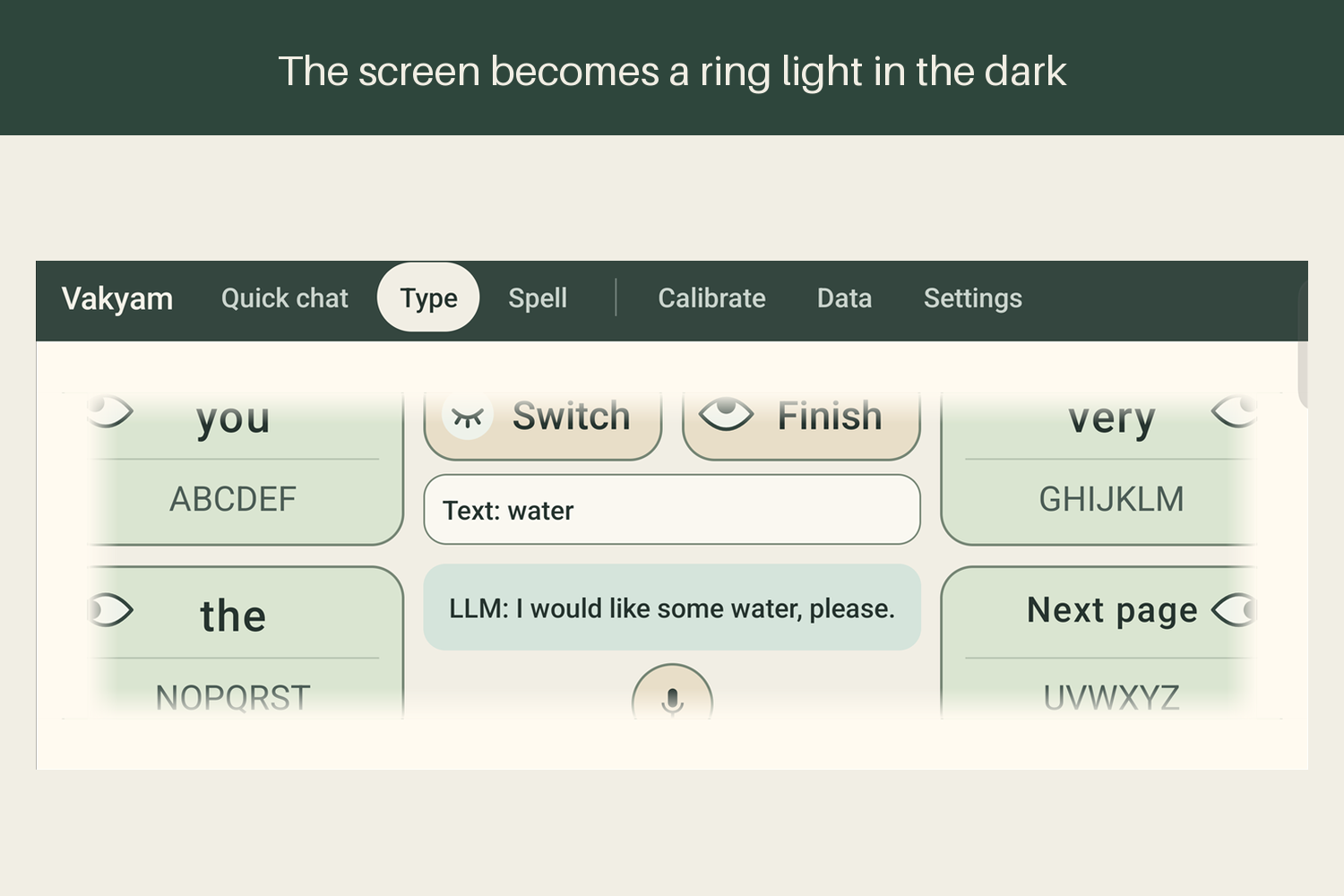
The caregiver asks what the patient would like to drink, the patient picks water, and the LLM says I would like some water, please.
-
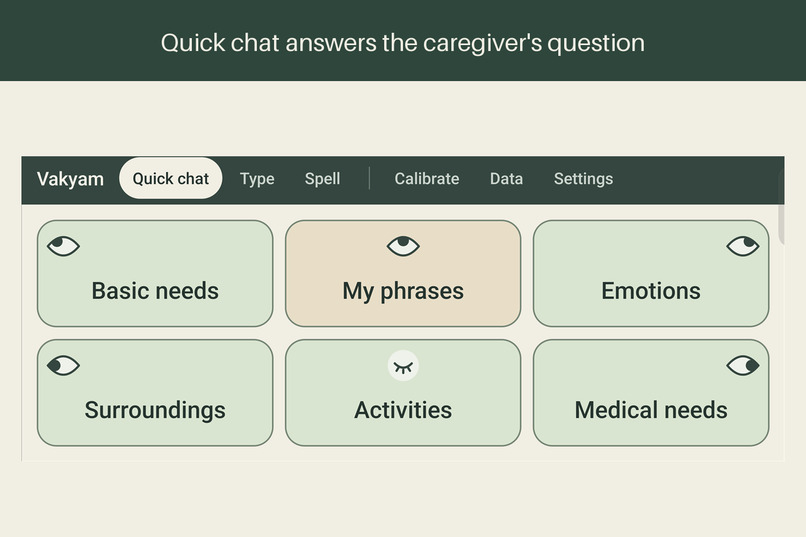
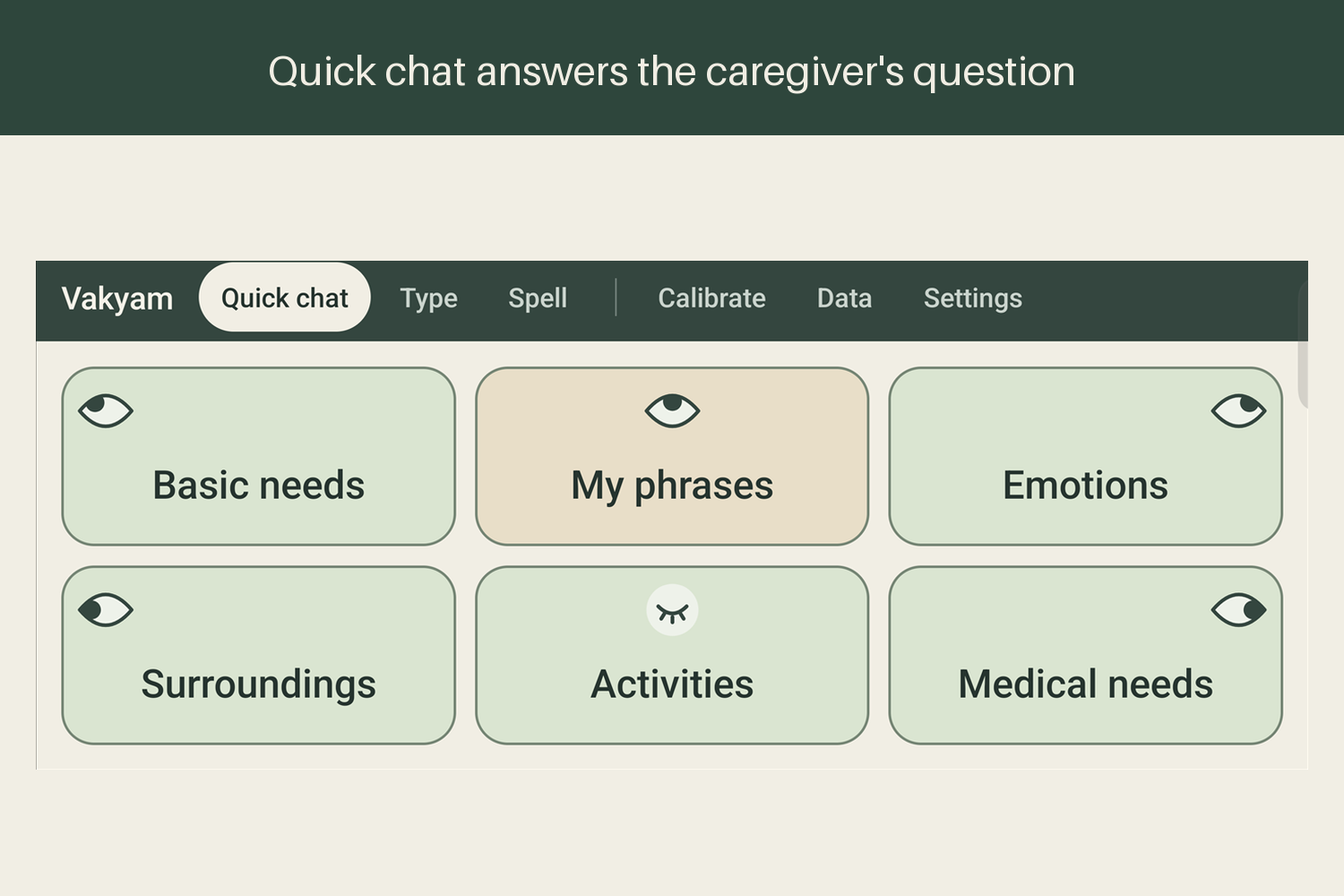
Quick chat offers six categories of everyday needs, each chosen with a single look.
-
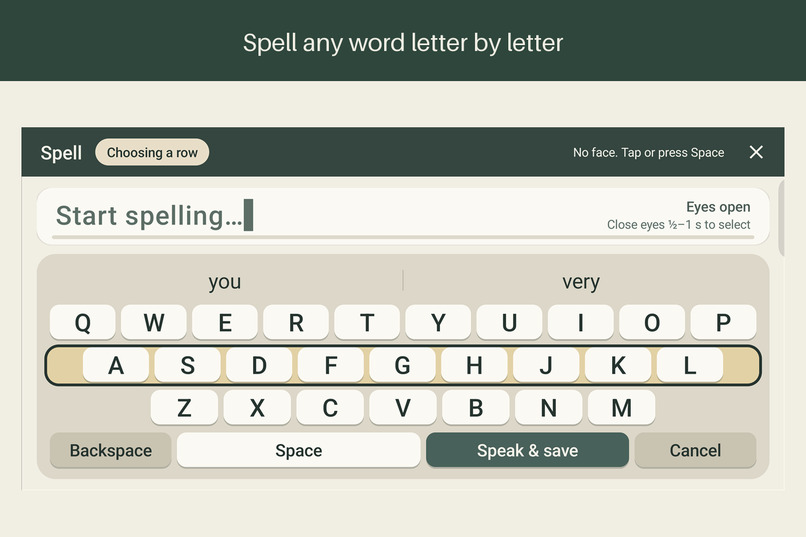
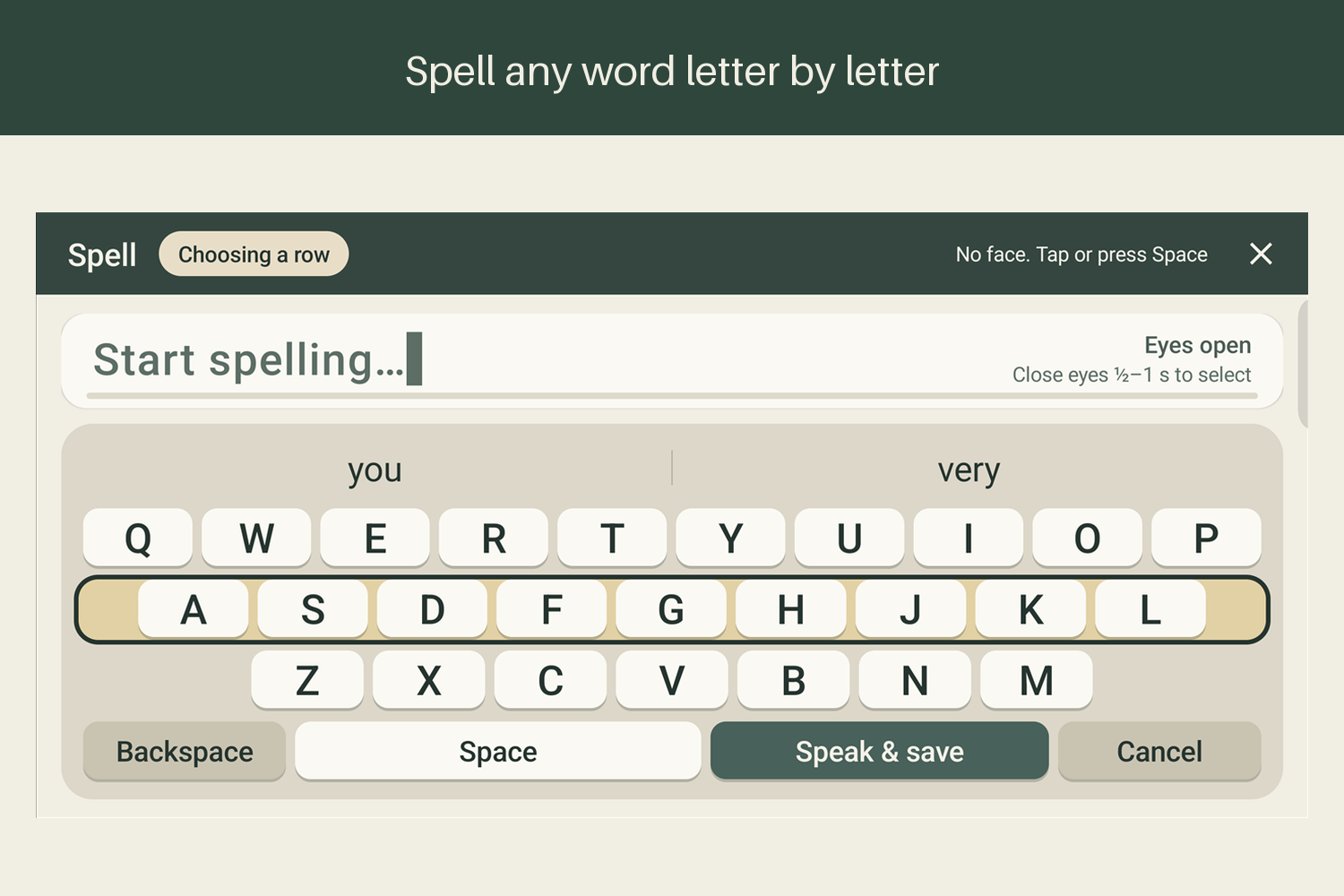
Spell mode for any word. Rows are scanned and closing the eyes for half a second selects a letter.
-
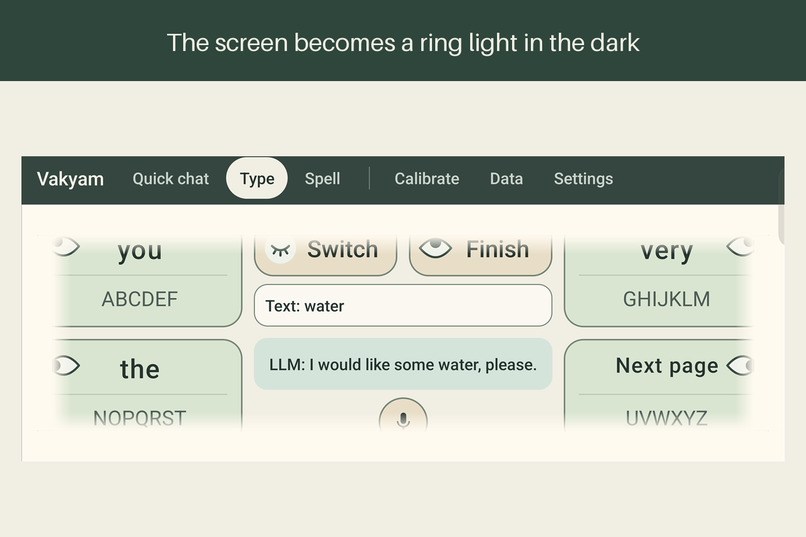
In a dark room the screen edges glow white as a ring light, so the camera can still see the eyes.
-
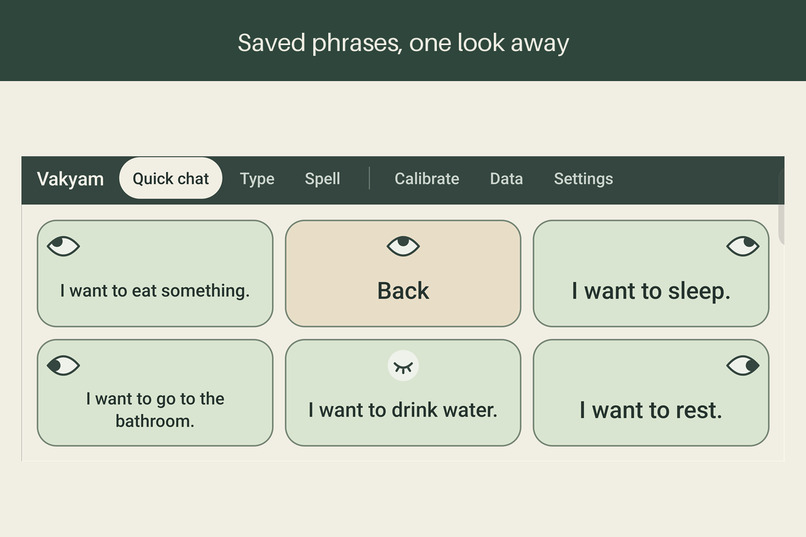
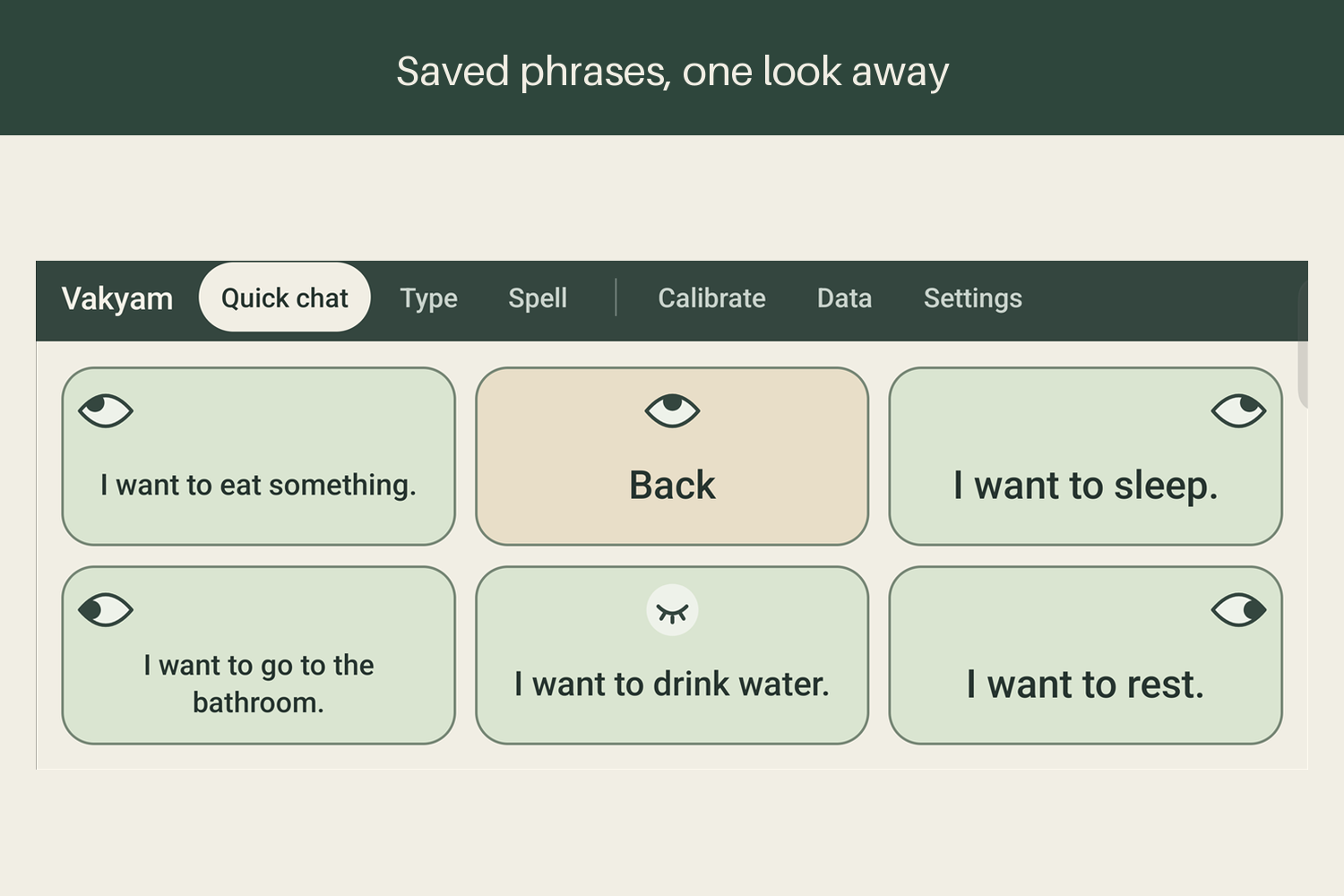
Saved phrases such as I want to drink water are one look away.
Inspiration
Imagine following every word of a conversation and having no way to join in. That's daily life for many people with severe speech and motor impairment (SSMI). ALS, motor neuron disease, stroke and cerebral palsy can take away speech and hand movement, but the eyes often keep working. For many people, they become the last reliable way to communicate.
Eye-tracking devices already exist. They're also expensive and need special hardware, which puts them out of reach for a lot of families. Most of those families do own a smartphone, though. So we asked: what can that phone do on its own?
The answer became Vakyam, Sanskrit for sentence: an Android app that turns eye gestures into spoken sentences.
What it does
Vakyam watches the user's eyes through the front camera and understands six gestures: look left, right, up, up-left, up-right, or close your eyes.
Our main goal was to cut down how much someone has to "type" before they can say anything. With Vakyam, users don't spell sentences letter by letter. They pick a few keywords, and on-device AI turns those into a complete sentence that the phone speaks aloud.
Say a caregiver asks, "What would you like to drink?" The user picks one word, water, and Vakyam suggests "I would like some water, please." One more look, and the phone says it.
Even picking a keyword is quick. Instead of choosing single letters, users choose groups of letters, and the app suggests the words that match.
Vakyam also has:
- English and Hinglish, each spoken in a matching voice.
- Yes/No mode: when the caregiver asks a yes/no question, a look left or right answers it.
- Quick chat: common phrases for everyday needs, plus sentences the user has said before.
- A blink keyboard, for people who find directional eye movements hard.
- Offline use: sentence generation and speech recognition run on the phone itself, with no extra tracking hardware.
How we built it
We built the app in Kotlin and Java, using CameraX for the front camera.
Eye tracking is done with OpenCV, together with ML Kit to find the face and eyes. During calibration, the app records what each of the user's six looks looks like. After that, it compares every live frame with those recordings to work out where the user is looking.
A look has to be held for a moment before it counts. That's how the app tells a deliberate choice apart from a normal blink or a passing glance.
The keyboard uses four letter groups and English and Hinglish dictionaries to suggest words. Once the user has picked their keywords, the on-device AI combines them with the caregiver's question to write a sentence. When the user chooses Speak, Android's text-to-speech reads it out.
The app also keeps a personal vocabulary. It learns the words and sentences each user says, so their usual choices come up first next time.
For this competition we moved the vision pipeline to OpenCV 5. YuNet (cv2.FaceDetectorYN) finds the face and five landmarks, a quality gate checks sharpness with the Laplacian, exposure and head pose with solvePnP, CLAHE evens out the light, warpAffine cuts each eye, and matchTemplate compares each eye with the calibrated looks.
We ported the same pipeline to Python and run it on AWS as the Eye Lab, so anyone can try Vakyam from a browser with a webcam, without an Android phone. It runs on an EC2 Graviton (arm64) instance with HTTPS, reads the Gemini key from AWS Secrets Manager, speaks with Amazon Polly, and reports frame times and failures to CloudWatch. All of it is defined in AWS CDK, with a budget alert so the cost stays under control. Frames are processed in memory and never stored.
On top of it runs the Calibration Coach, an agent for the hardest part of setup. It measures the camera, the calibration and every look with OpenCV 5, decides with Gemini what to fix, and acts: it tells the user what to change, re-records one look, or asks the caregiver. It never changes a setting without the caregiver's approval, and a rule-based policy takes over if Gemini fails. In our evaluation it handled 11 of 11 simulated faults correctly.
Challenges we ran into
Knowing when a look was really a choice. Detecting where the eyes point turned out to be the easy part. Blinks, small glances and a shaky phone all caused selections nobody meant. We switched to time-based selection, and we used the phone's motion sensors to cancel a selection when the phone moves, without losing what the user had already typed.
Calibration without hands. The user can't press a "capture" button. So the app captures each look on its own once the eyes are steady, and rejects a capture that looks too much like a direction it already has.
Keeping the AI honest. Sometimes the model repeated the keywords back, gave a half-finished answer or took too long. We added checks and fallback sentences, so the user always gets a full sentence to say, even when the AI fails.
Heat and battery. Running the camera and the AI together warms the phone up quickly. We added performance adjustments, warnings when the phone gets too hot while charging, help in low light, and reminders to rest the eyes.
Hinglish. People spell Hinglish in many different ways and mix the two languages freely. Supporting it properly meant handling all of that and choosing a voice that sounds right.
From localhost to the cloud. On localhost the Eye Lab ran at 15 frames per second. Deployed in the US and used from India, it dropped to 3, because each frame waited 300 ms for the previous one. Keeping four frames in flight brought it back to 10.7. The same first live test showed every Gemini request was being refused, because our 8 second timeout was below the API's 10 second minimum. Both were fixed the same day.
Accomplishments that we're proud of
We got the whole conversation working on a single Android phone: eye gestures, keyword picking, sentence generation and speech.
We're most proud of the keyword-to-sentence flow. Nobody should have to spell out a full, polite sentence just to ask for a glass of water.
We're also proud that it works in both English and Hinglish, that there's more than one way to use it, and that we built a typing-speed test. The test measures speed, errors and how many selections each character takes, so we can see where Vakyam really helps and where it still falls short.
What we learned
Every selection costs the user effort. Asking "does this save them a look?" turned out to be our best way to make design decisions.
A vision demo that works on your desk is only the start. Lighting, movement, calibration and accidental gestures decide whether someone can actually use it every day.
On-device AI is what makes keyword-based talking possible, but planning for its mistakes matters just as much as getting a good sentence out of it.
We also learned to design for caregivers. Every button on screen can be tapped as well, so a family member can help with setup or step in at any time.
What's next for Vakyam
Our top priority is testing Vakyam with people who have SSMI, along with their caregivers and therapists, and learning from what they tell us.
We want to compare the different input modes, publish the typing-speed results, and use that feedback to make Vakyam more comfortable, more accurate and less tiring.
We also plan to add more Indian languages, make setup easier by downloading the AI model inside the app, and release a signed version on the Play Store. Working with hospitals, therapists and NGOs could help us reach the people who need it most.
Built With
- amazon-web-services
- android
- camerax
- fastapi
- gradle
- java
- kotlin
- litert
- ml-kit
- onnx
- opencv
- python
- sherpa-onnx
- text-to-speech
- websockets
- whisper

Log in or sign up for Devpost to join the conversation.