-
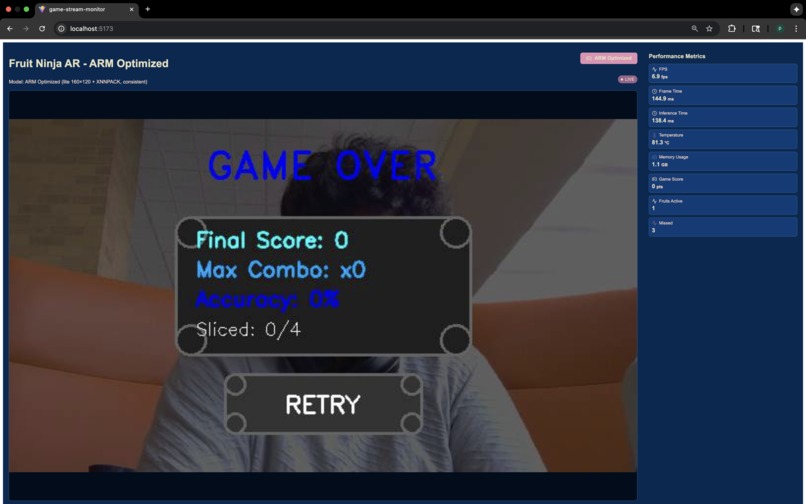
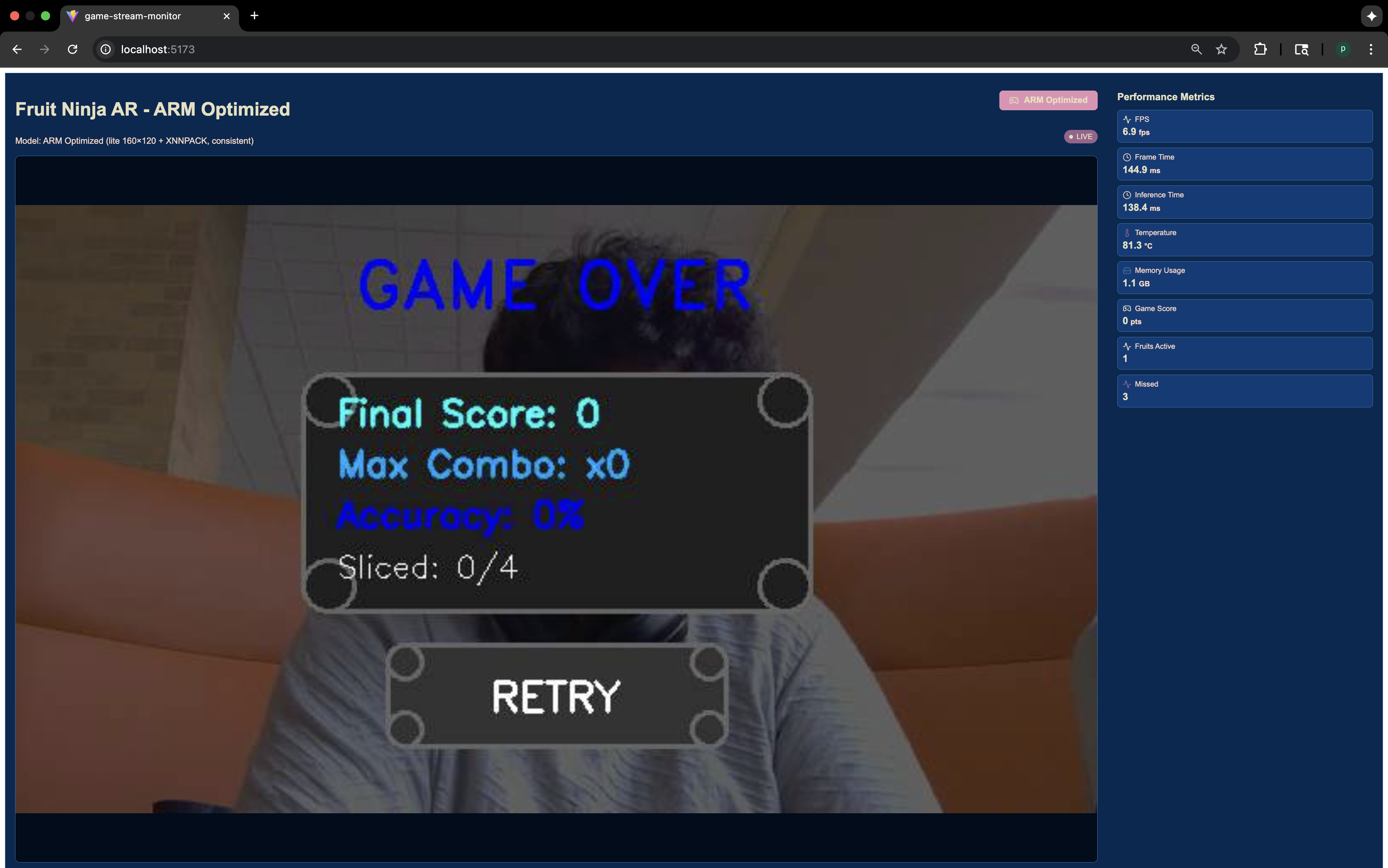
Gameover
-
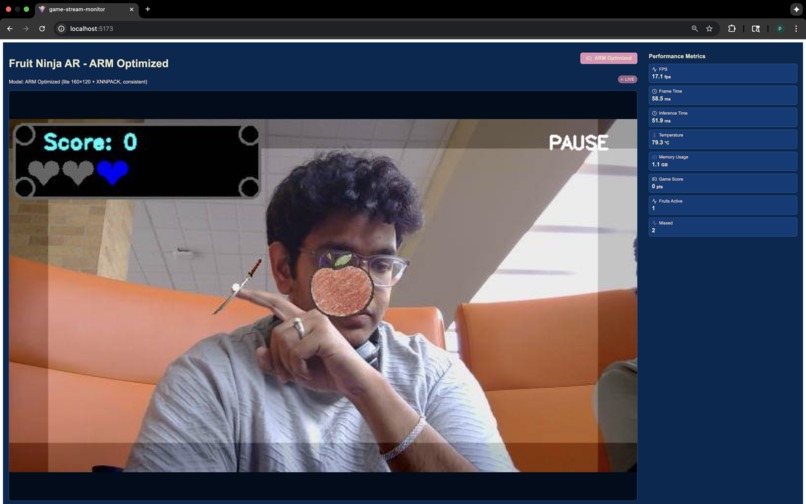
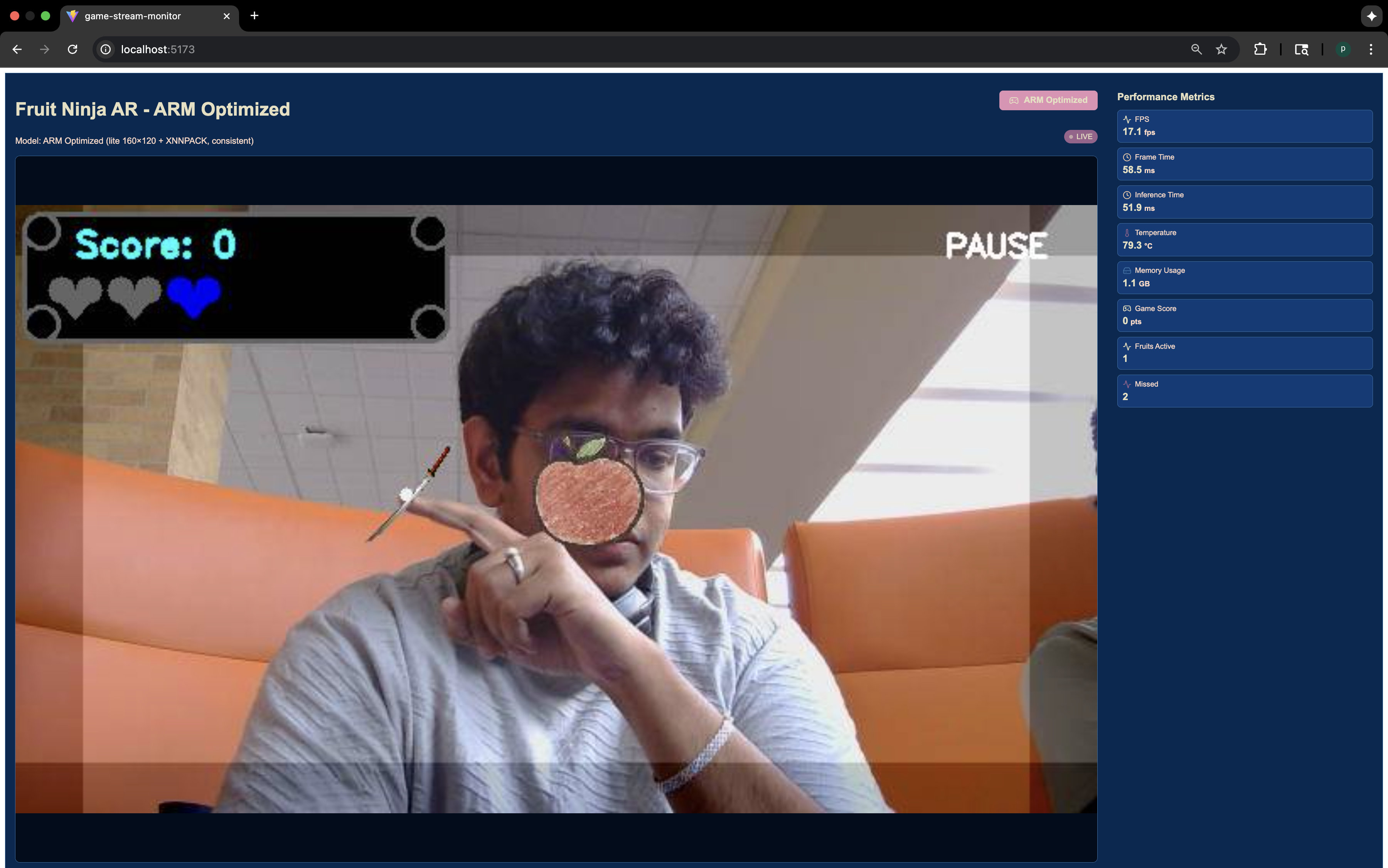
Gameplay Loop
-

Logo

Inspiration
We were inspired by the fact that ARM chips are everywhere, they power your phone, your smart home, and tiny computers like the Raspberry Pi 4. We wanted to do more than just make a simple app. Our goal was to create a fun, live demo that clearly shows how much of a difference it makes when you write code specifically for ARM hardware. We picked a Fruit Ninja-style game because it's fast and visual, making it easy for anyone to see the performance gains instantly. The big question that drove us was: "How much faster can we make the exact same game run on the exact same device, just by being smarter with our code?"
What It Does
Core-tex is an augmented reality (AR) game where you slice fruit with your hands, and it runs completely on a Raspberry Pi 4. To show off our optimizations, it actually streams two versions of the game at the same time for a live, side-by-side comparison.
It's more than just a game; it's a live benchmark that shows what ARM is capable of:
Baseline Mode: This is the normal, unoptimized version. It runs pretty slow, at about 4 to 6 frames per second (FPS).
ARM Optimized Mode: In this mode, we turn on all our special optimizations. It uses tools like XNNPACK and NEON to speed things up, resulting in a 2x performance boost that makes the game much smoother and more fun to play.
How We Built It
We used a Raspberry Pi 4 and a simple USB camera as our all-in-one gaming and streaming setup.
Smart Multitasking: On a multi-core chip like the one in the Pi, you have to be careful not to let one task slow everything else down. We put the camera and video streaming on their own separate threads so they would never make the main game stutter.
Two Performance Tiers: We created a system that lets us switch between the two modes instantly:
Baseline: We intentionally ran everything on a single core to show what a typical, straightforward approach looks like.
ARM Optimized: We enabled special ARM tools like the XNNPACK delegate and let our code use all four cores of the processor.
A Perfect Live Demo: To avoid laggy Wi-Fi, we turned the Raspberry Pi into its own wireless hotspot. This meant we could stream the game with almost zero delay, so the judges could see the true performance of the device.
Showing Our Work: We didn't just want to say it was faster; we wanted to prove it. We added logs that print out right when the game starts, showing that our ARM-specific tools like XNNPACK are active and working.
The Nitty-Gritty Technical Details
Everything we did this week was about squeezing every last drop of performance out of the Raspberry Pi 4's ARM processor.
NEON Acceleration: We used the ARM NEON instruction set, which is like a hardware shortcut for processing images and doing math faster.
XNNPACK for AI: For tracking the player's hands, we used a machine learning model. The XNNPACK delegate, a tool designed specifically for ARM, helped us run this model 2x faster.
Using All Cores: We designed our code from the ground up to be multi-threaded, making sure we were using the full power of the Pi's quad-core chip.
Challenges We Faced
Our biggest challenge was making sure our comparison was fair and honest.
Making a "Fair" Slow Mode: It would have been easy to make the baseline version artificially bad. Instead, we made it reflect a real-world, unoptimized approach: single-threaded and straightforward. This way, our 2x speedup is a genuine measure of our improvements.
Beating Network Lag: When we first tried to stream our demo over a normal network, the lag was so bad that it completely hid our performance gains. By turning the Pi into its own Wi-Fi hotspot, we created a super-fast local network that let us show off the game's true speed.
What We're Proud Of
We're most proud of creating a dynamic demo that lets you see the incredible performance boost with your own eyes.
The 2x Speedup: Doubling the performance on the same exact hardware is a powerful demonstration of what ARM-aware programming can do.
A Rock-Solid Threading System: Building a stable multi-threaded app that juggles the camera, game logic, and streaming without stuttering is something we're very proud of.
"The Receipts": We loved being able to give the judges undeniable proof of our work, with live FPS counters showing the 2x boost and startup logs confirming our ARM tools were active.
What We Learned
We learned that optimizing for ARM isn't just one magic trick; it's about using a whole toolbox of strategies that work together.
Smart Software Unleashes Hardware: We saw firsthand that turning on features like XNNPACK is important, but the real magic happens when you combine it with smart coding practices like multi-threading.
The Camera is the Bottleneck: We discovered that in a real-time AR game, the biggest performance killer is often just getting the video from the camera. Separating that from your main game logic is the most important first step on a computer like the Raspberry Pi.
What's Next for ARM Slice
Sound and Effects: Adding sound effects would make the game feel much more polished and complete.
ARM Learning Path
The URL for the learning path that motivated and framed our "Best Use of ARM" approach is the track link itself:
URL: https://learn.arm.com/?ajs_uid=0199aaa2-ec75-b023-50f0-9e35e36cec8f.
Built With
- arm
- bash
- ffmpeg
- git
- github
- javascript
- linux
- mediapipe
- neon
- networking
- numpy
- opencv
- python
- raspberry-pi
- react
- tailscale
- websockets
- xnnpack


Log in or sign up for Devpost to join the conversation.