-
-
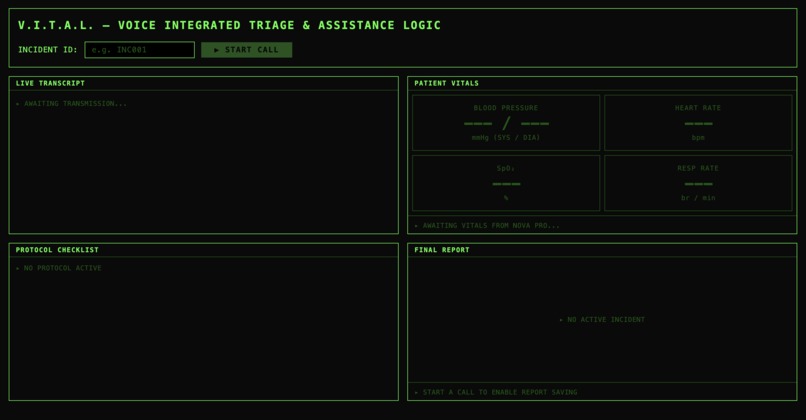
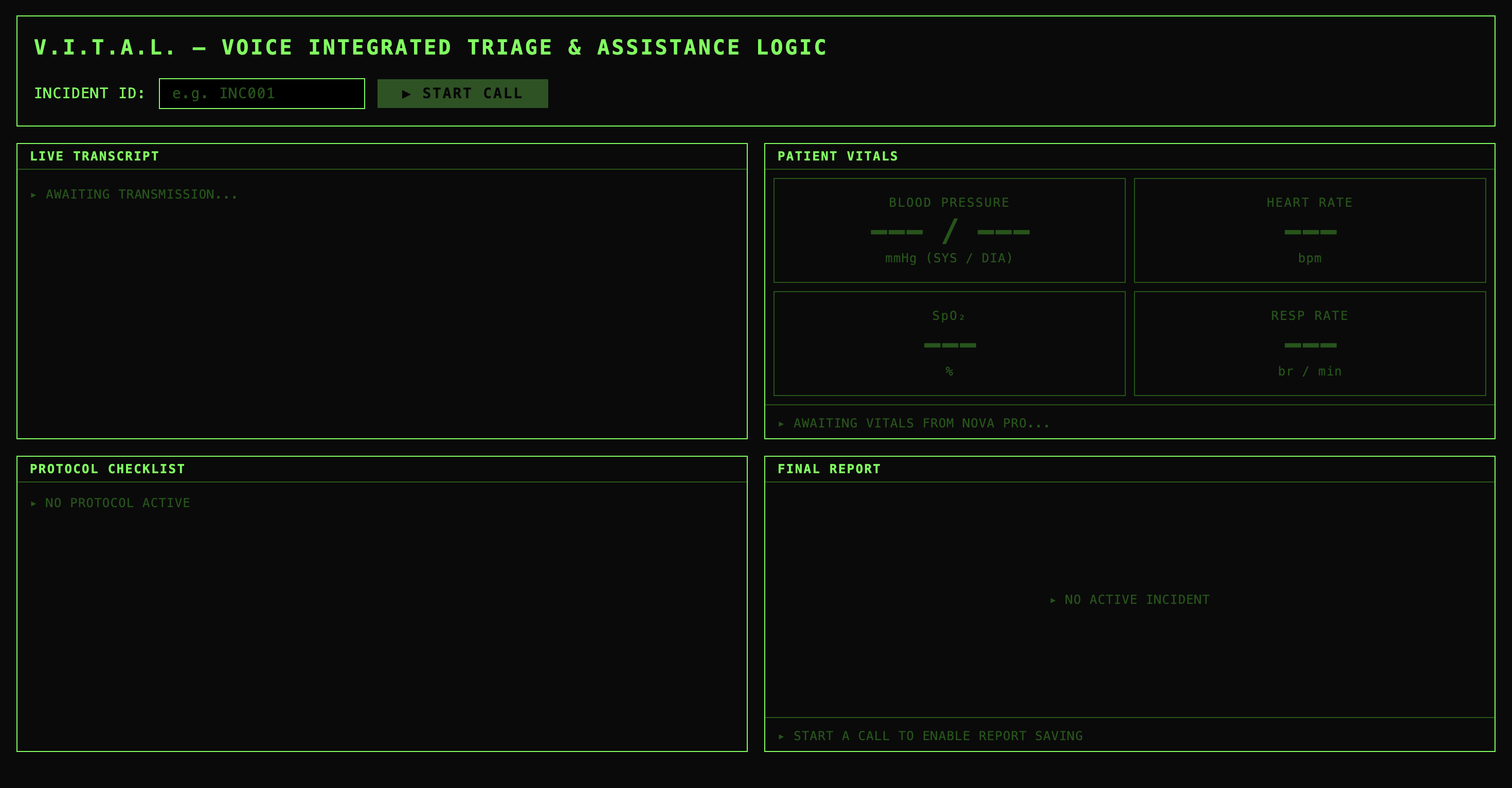
The Full Dashboard - This is how it initially looks without any trails
-
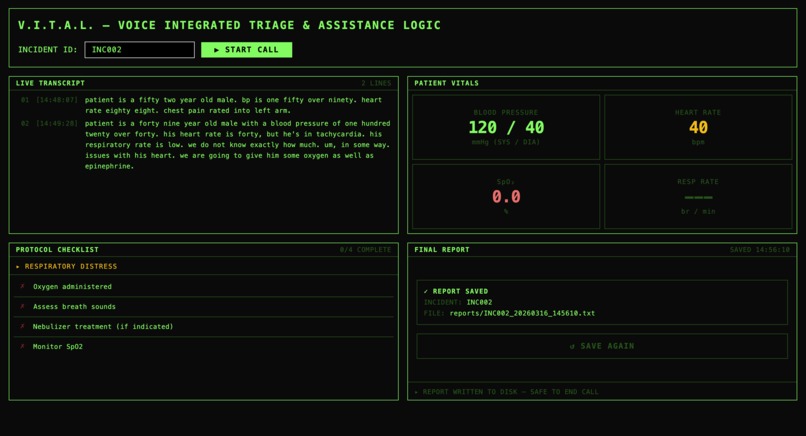
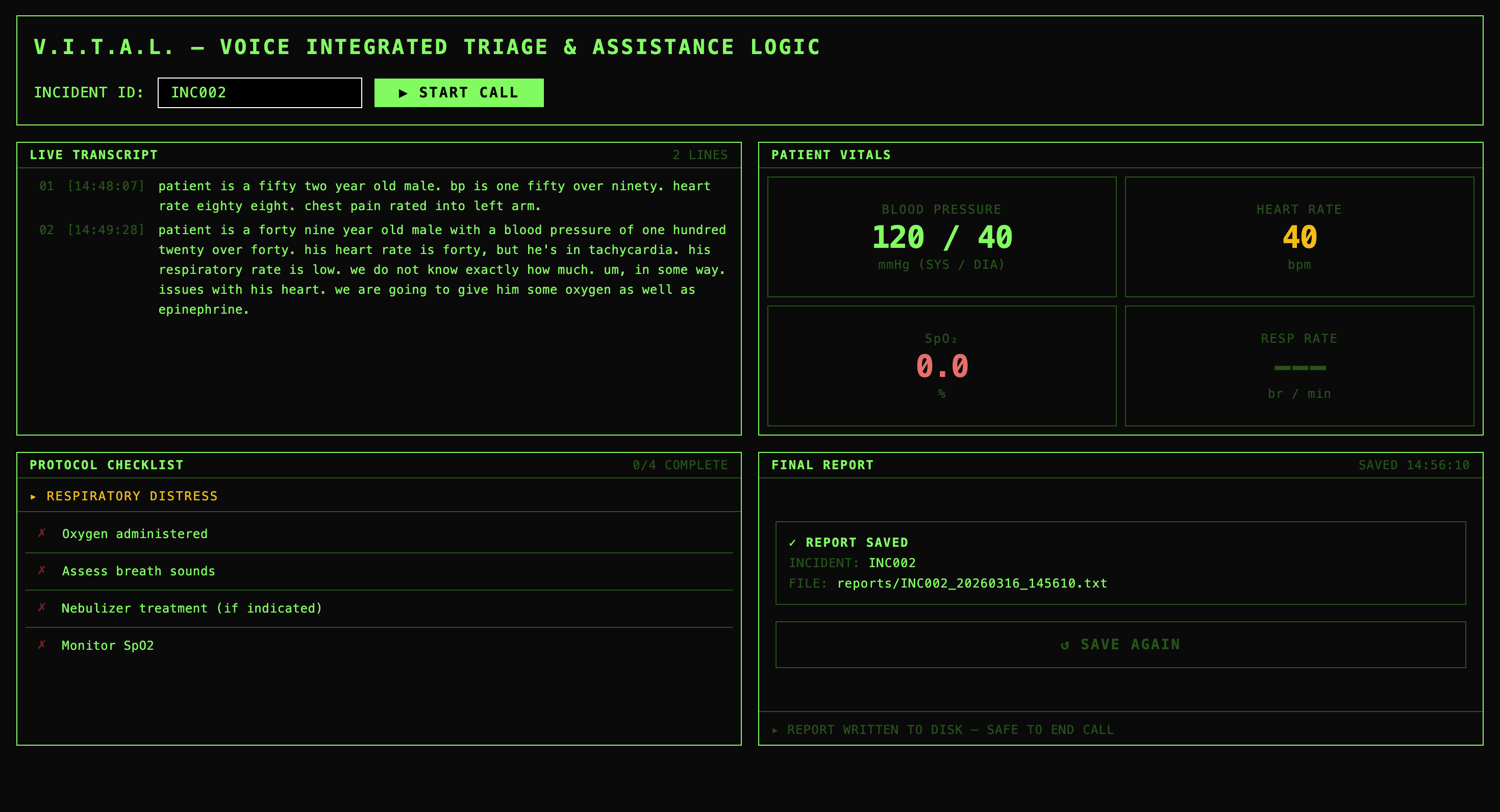
The Dashboard - This is when user has talked about the patient and has saved the report
-
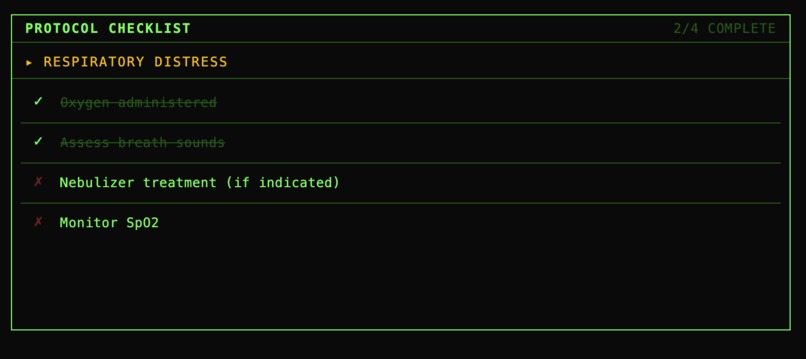
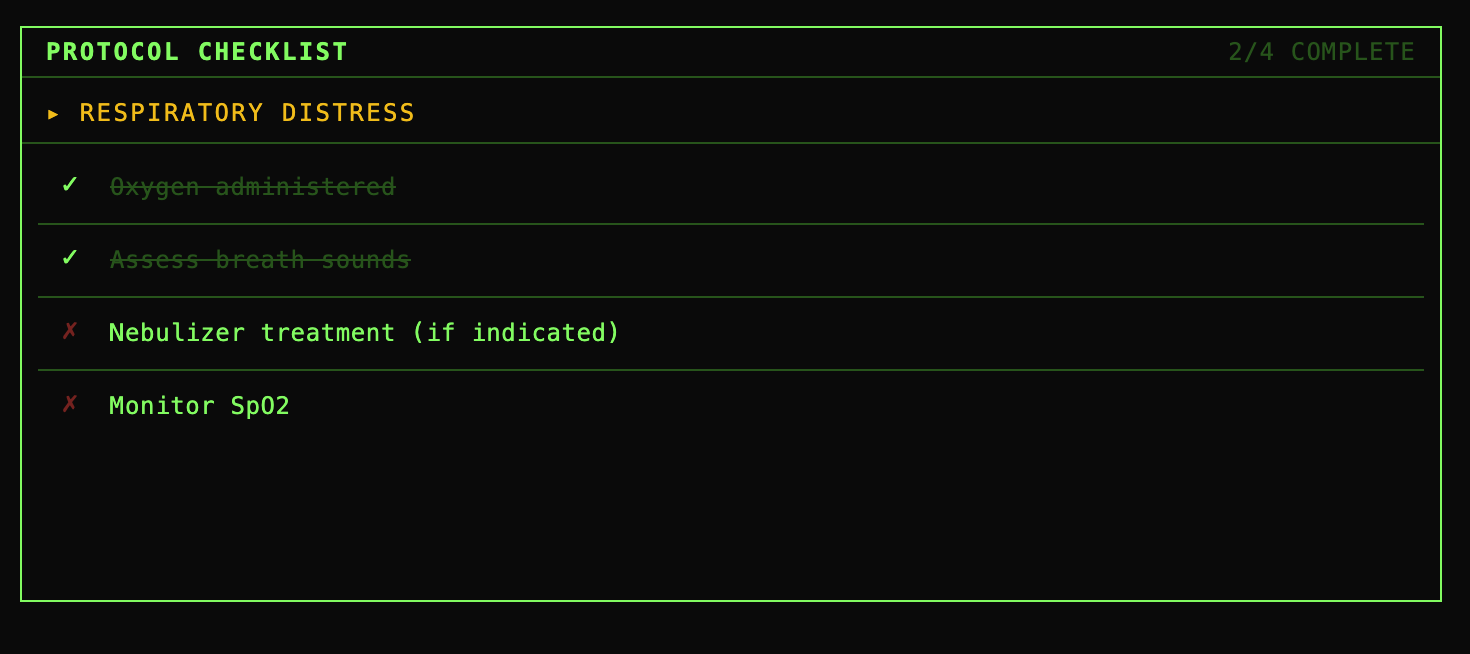
Part of the Dashboard - The Checklist - Paramedics will use this to know what to do during the emergency situation
-
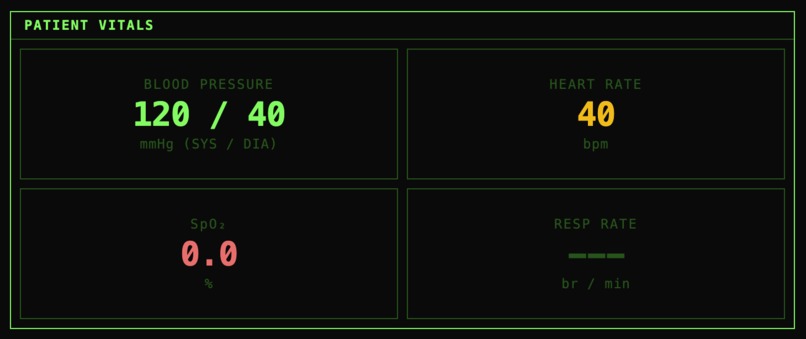
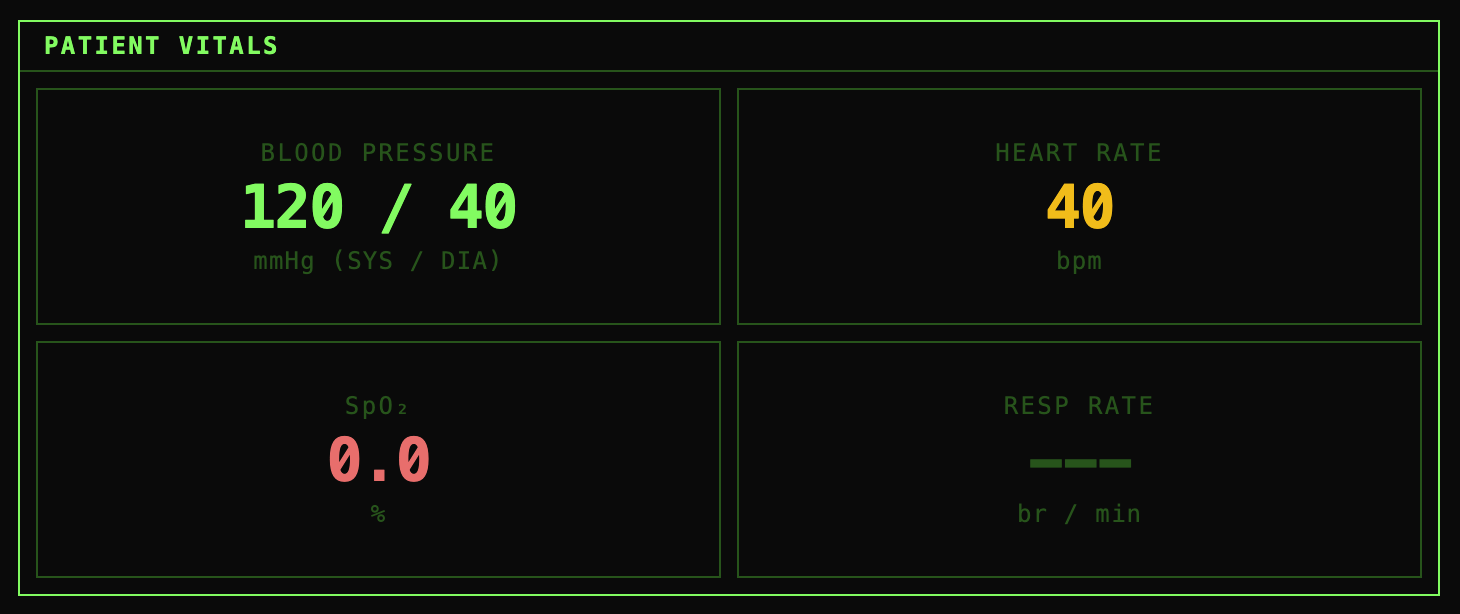
Patient Vitals - Using what the paramedic had said, the audio gets transcribed and this part shows all of the patient vitals as reference
-
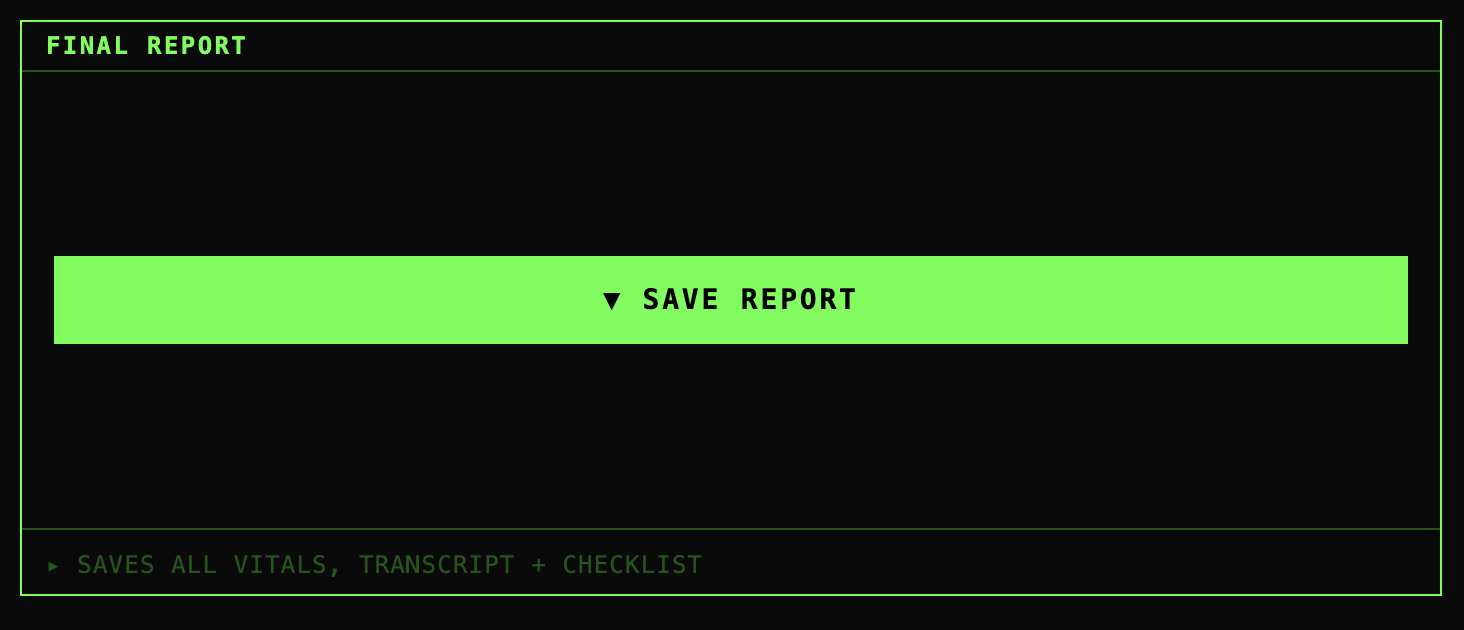
Option to save the file - Found on the lower right corner of the dashboard. Users can save the report as a file in the backend
-
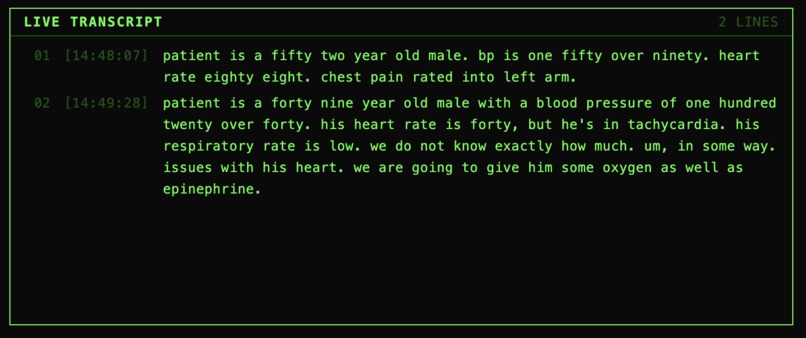
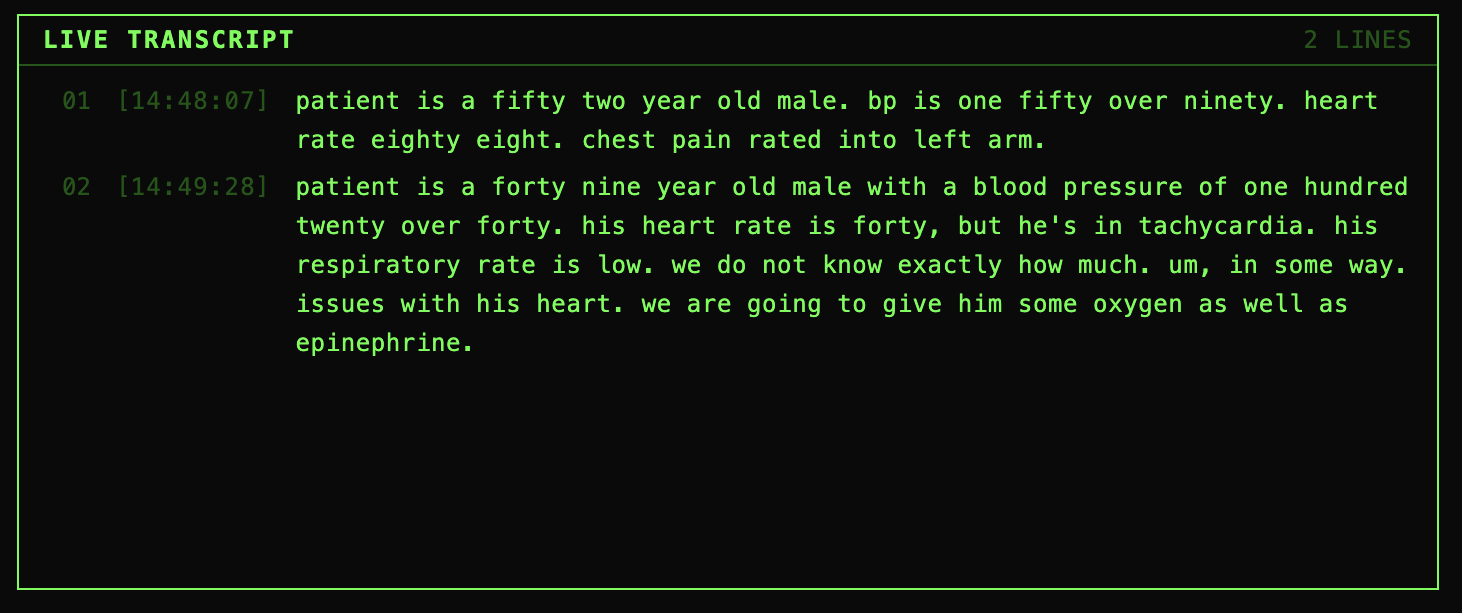
The Live Transcript - This shows the live transcribed audio of whatever the Paramedic is saying
-
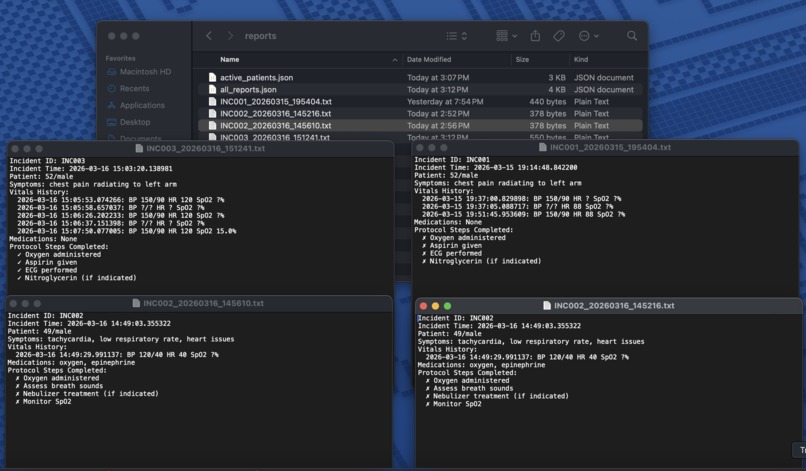
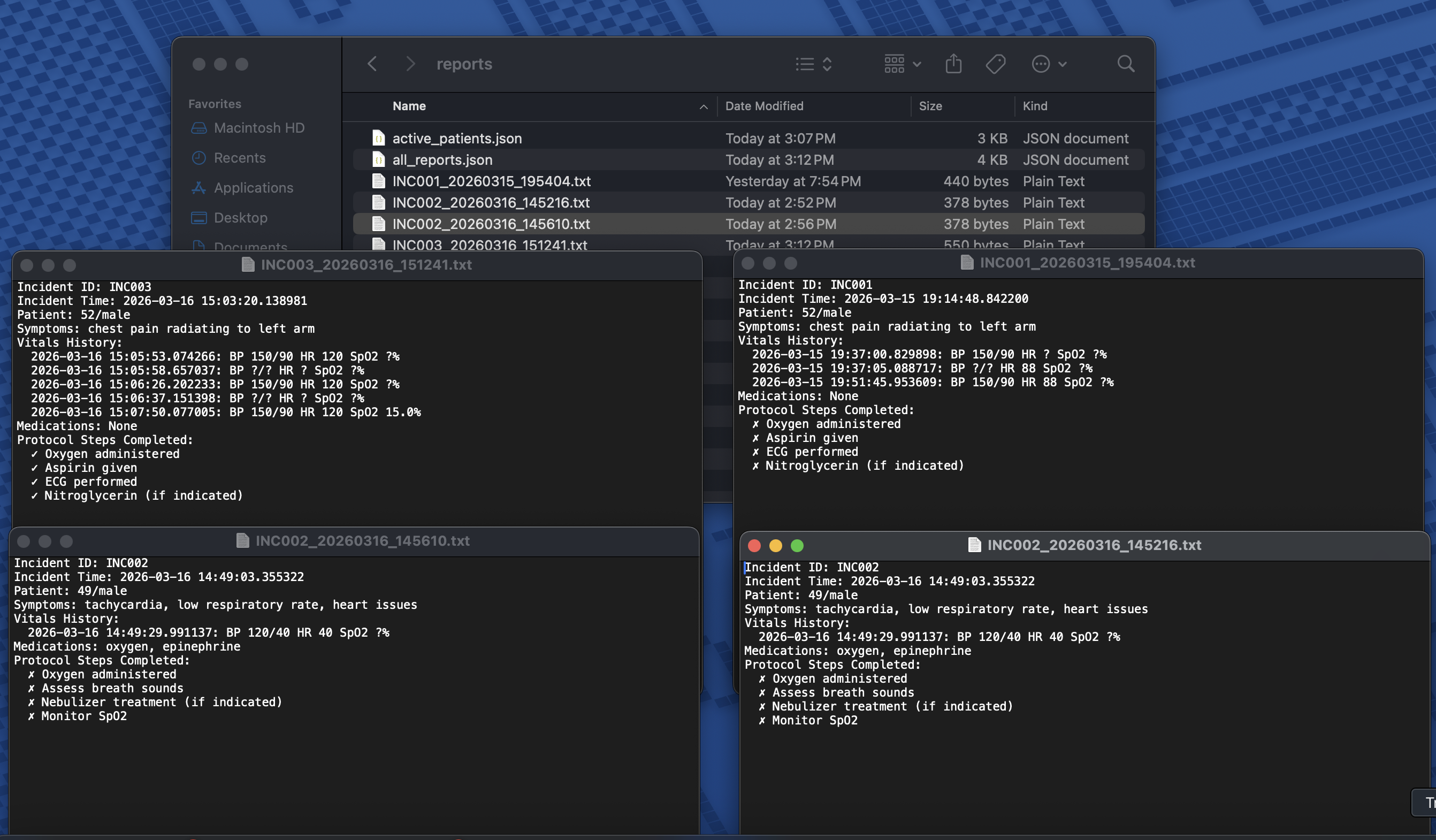
This shows how the reports are saved - We made it save as a txt file for now but the idea was to be saved as full pdf documents
Inspiration
Paramedics save lives with their hands — but they're also required to document everything in real time. Drug dosages, blood pressure readings, intervention timestamps. The current reality is that EMTs scribble notes on their gloves or try to memorize critical data while simultaneously performing life-saving procedures. This leads to documentation errors, incomplete reports, and in worst cases, dangerous gaps in patient handoff information.
I was inspired by James Clear's concept of "Pointing and Calling" from Atomic Habits — the Japanese railway system technique that reduces errors by making unconscious actions conscious. V.I.T.A.L. brings that same principle to emergency medicine: every vital sign, every medication, every protocol step gets called out loud and automatically logged.
What It Does
V.I.T.A.L. (Voice Integrated Triage & Assistance Logic) is a hands-free AI medical scribe for paramedics. The paramedic simply speaks during the call — "Patient is 52-year-old male, BP 150 over 90, chest pain radiating to left arm" — and the system automatically:
- Transcribes speech in real time using Amazon Nova 2 Sonic
- Extracts structured medical data (vitals, symptoms, medications) using Amazon Nova 2 Pro
- Auto-detects the medical condition and loads the appropriate EMS protocol checklist (cardiac, stroke, trauma, respiratory)
- Displays live vitals with clinical severity coloring
- Generates and saves a complete incident report at the end of the call
Just speak and document.
How We Built It
We only heard of this Hackathon like a week ago and due to the amount of school work we were swamped with, we only had around 2 days to finish this project. However we did have 4 days to prepare for the project, list out ideas and know what we wanted so that made the coding process a lot easier.
Backend: Python with FastAPI, handling WebSocket connections for real-time audio streaming. Nova 2 Sonic receives raw 16-bit PCM audio at 24kHz and returns live transcriptions. Nova 2 Pro uses tool calling to extract structured medical JSON from each transcript chunk.
Frontend: React with Tailwind CSS, built with a medical monitor aesthetic. The Web Audio API captures microphone input, converts float32 samples to 16-bit PCM, and streams base64- encoded chunks to the backend every 250ms via WebSocket.
Data Pipeline:
- Browser mic → Web Audio API → 16-bit PCM → base64
- WebSocket → FastAPI backend → Nova 2 Sonic
- Transcript → Nova 2 Pro → structured JSON
- Frontend updates vitals, checklist, and transcript in real time simultaneously
Storage: JSON file persistence for incident reports — intentionally simple for reliable demo performance.
Challenges We Ran Into
The biggest challenge was the audio pipeline. The browser's MediaRecorder API outputs compressed WebM/Opus audio, but Nova 2 Sonic requires raw 16-bit PCM at exactly 24kHz. I had to implement a custom Web Audio API pipeline using ScriptProcessorNode to capture uncompressed float32 samples, convert them to Int16 PCM, and encode as base64 — all in real time without dropping audio chunks.
A second challenge was vitals persistence. Nova 2 Pro processes each transcript chunk independently, so it might extract only heart rate from one phrase and only blood pressure from another. The initial implementation replaced vitals on each update, wiping previously captured readings. I implemented a merge strategy that preserves all non-null values across updates.
Accomplishments That We're Proud Of
- Built a fully functional end-to-end voice AI pipeline from scratch as a college freshman
- Successfully integrated two Nova models in a coordinated dual-model architecture
- The system correctly auto-detected "cardiac event" from the symptom "chest pain radiating to left arm" and loaded the appropriate 4-step protocol automatically
- Built a professional medical monitor UI that looks and feels like actual EMS equipment
What We Learned
- How real-time audio streaming works at the byte level — sample rates, bit depth, PCM encoding
- The difference between the OpenAI-compatible Nova API and AWS Bedrock — and when to use each
- How to architect a dual-model AI pipeline where one model handles speed (Sonic) and another handles reasoning (Pro)
- WebSocket connection management in both Python (FastAPI) and JavaScript (React)
What's Next for V.I.T.A.L.
- Hospital dashboard integration — push structured patient data to the receiving hospital in real time so the ER team is prepared before the ambulance arrives
- Multi-speaker detection — distinguish between paramedic and patient voices using Nova 2 Sonic's barge-in capability
- Offline mode — critical for rural areas with no connectivity
- Integration with official EMS reporting systems (NEMSIS standard)
- Wearable form factor — a body camera or smart glasses that runs V.I.T.A.L. hands-free in the field
- Have it be like an AI assistant like Amazon Alexa or Google Nest: Allow paramedics to just speak, no need for typing, complete hands-free. Our version expects user to type in the incident ID and click on the "START CALL" button.
Built With
- amazon-nova-2-pro
- amazon-nova-2-sonic
- amazon-web-services
- fastapi
- json
- pydantic
- python
- react
- tailwind-css
- uvicorn
- web-audio-api
- websockets

Log in or sign up for Devpost to join the conversation.