-

-
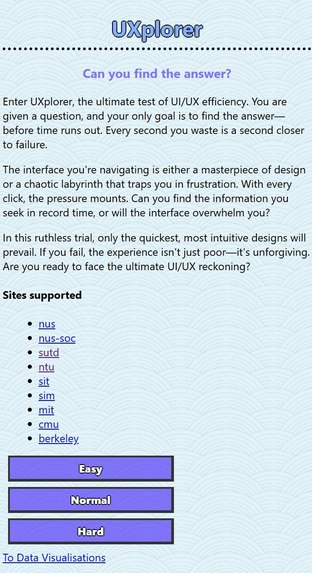
Main page
-
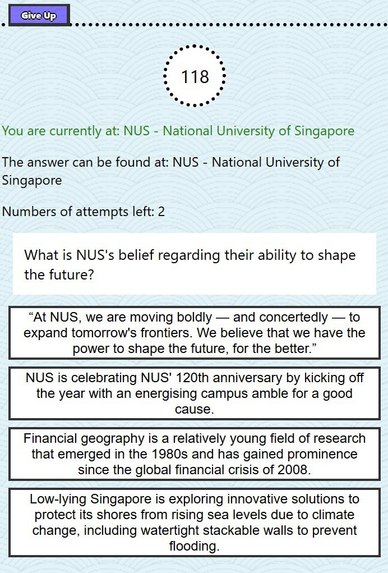
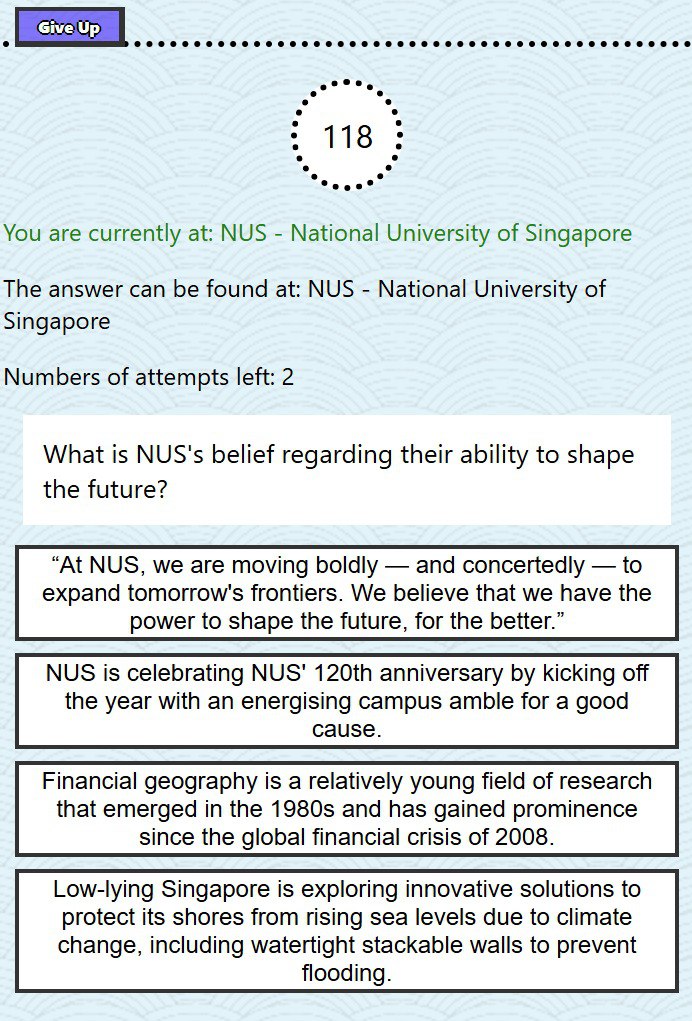
Question example
-
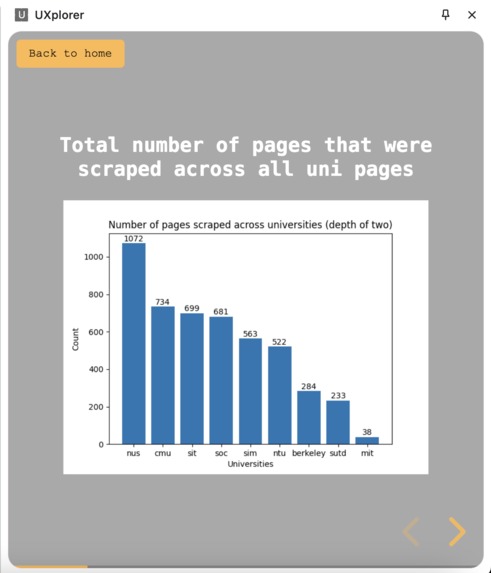
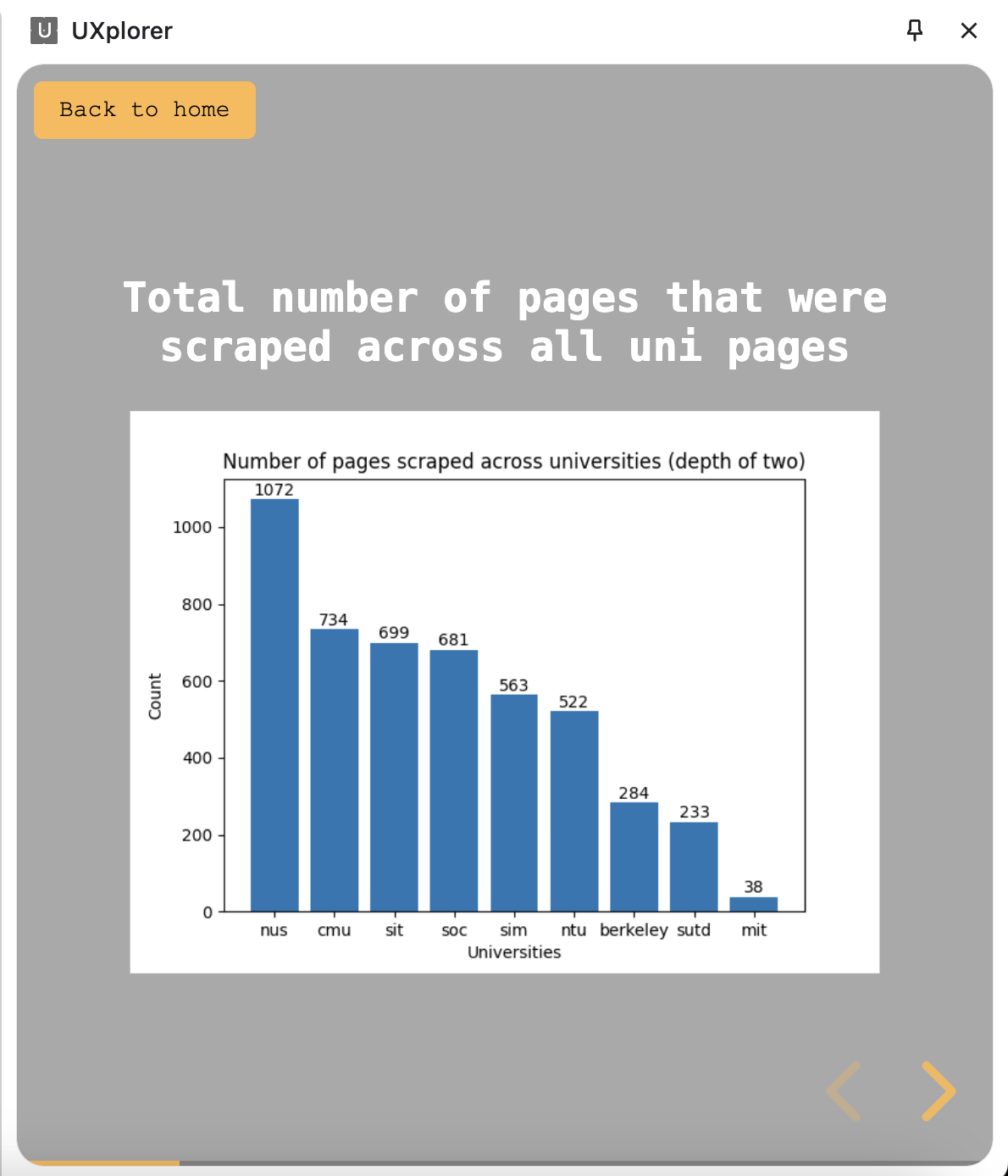
Data analysis on the websites

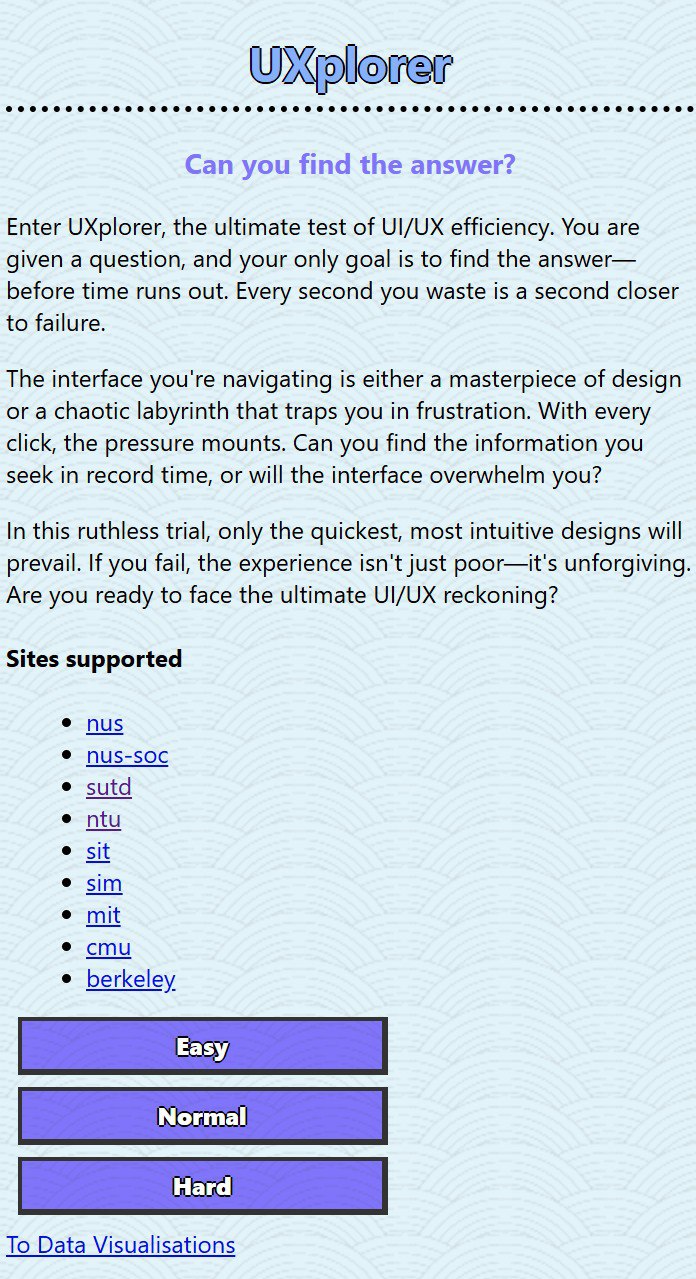
🌟 UXplorer
🎯 Inspiration
As websites grow increasingly complex, evaluating their user experience (UX) has become more crucial than ever. As university students, we noticed that university websites may not be the most user-friendly, so we thought of an idea to evaluate the UX of these websites. Our main objectives were:
- 🕹️ To create a tool that gamifies the UX evaluation process, making it not only effective but also fun.
- 🛠️ Provide developers with a tool they can use to collect data and improve their websites.
- 🔍 Address the common challenge of identifying pain points in website navigation, where users often waste time and effort locating information.
UXplorer empowers developers and designers to improve their websites by providing actionable data on how users interact with their interfaces.
🚀 What It Does
UXplorer is a browser extension designed to test and measure the efficiency of a website's UI/UX design. It poses a challenge to users in the form of trivia questions, which require navigating a website to find the correct answers. As users interact with the website, UXplorer tracks key metrics, including:
- ⏱️ Time Taken to locate the correct answer.
- 🔗 Links Clicked during navigation.
These metrics help website owners and designers identify areas for improvement, making UXplorer a valuable tool for creating user-friendly websites.
We scraped several university websites and, using an LLM, generated questions about the various universities. There are 3 difficulty levels: Easy, Normal, and Hard. The difficulty level is based on the depth where the information can be found. The user will have to:
- 🌐 Find the correct webpage where the information is located.
- ✅ Select the correct answer within 2 minutes.
🛠️ How We Built It
Frontend:
The browser extension was built using HTML, CSS, and JavaScript, creating an intuitive and engaging user interface. We used Chrome'stabsAPI to track user navigation in real time. The slideshow of the visualizations was created usingreveal.js.Backend:
A lightweight Node.js server was developed to handle requests, manage the SQLite database, and retrieve trivia questions based on the website and difficulty level.LLM Integration:
Using a custom-trained Large Language Model (LLM) powered by Ollama, we generated trivia questions and categorized webpage content. The LLM was configured to extract meaningful information from website text and generate both correct and incorrect answers for trivia challenges.Data Collection:
Crawlee, a web scraping library, was used to collect data from target university websites, which formed the basis of the trivia questions.Data Analysis:
Using Python’smatplotlibandsqlite3, data visualizations were created to better show the difference in the current state of the university websites.
🛑 Challenges We Ran Into
- Integration Difficulties: Combining the browser extension, backend server, and LLM required careful synchronization to ensure smooth communication.
- Dynamic Content: Websites with highly dynamic content (e.g., JavaScript-heavy pages) posed challenges for consistent crawling and data extraction.
- Time Constraints: Building a fully functional prototype in such a short time was demanding, but prioritizing core features helped us deliver a complete product.
🏆 Accomplishments That We're Proud Of
- ✅ Successfully developed a working prototype that integrates real-time data tracking, backend processing, and AI-powered content generation.
- ✨ Created a polished and user-friendly browser extension interface that enhances the testing experience.
- 🤖 Leveraged LLM technology to generate high-quality trivia questions tailored to specific webpages.
📚 What We Learned
- The importance of clear communication and task delegation in a time-sensitive project.
- Practical experience with web scraping, database management, and LLM integration.
- How small UX/UI changes can significantly impact the usability and appeal of an application.
🔮 What's Next for UXplorer
- Dynamic Domain Support: Extend the project to allow testing on any domain, rather than a predefined set of websites.
- Cross-Browser Compatibility: Expand support to other browsers like Firefox and Edge.
- Real-Time Content Generation: Enable real-time LLM-based trivia generation during active sessions for broader use cases.
💻 Previously Developed Resources
Web Scraping:
Crawlee library was used to scrape several university websites using a Playwright backend.LLM Content Generation:
Ollama LLM engine with thegemma2:9bmodel was used to generate questions and answers about the various sites. We then stored the data in a SQLite database. This took 4 days on a laptop with the following specs:- 🖥️ GPU: NVIDIA GeForce RTX 4060
- 🎮 VRAM: 8GB
- ⚙️ Processor: 13th Gen Intel(R) Core(TM) i7-13700H
- 💾 RAM: 32GB
Built With
- beautiful-soup
- chrome
- crawlee
- css
- express.js
- gemma2
- html
- javascript
- matplotlib
- node.js
- ollama
- playwright
- python
- reveal.js
- sqlite


Log in or sign up for Devpost to join the conversation.