-
-
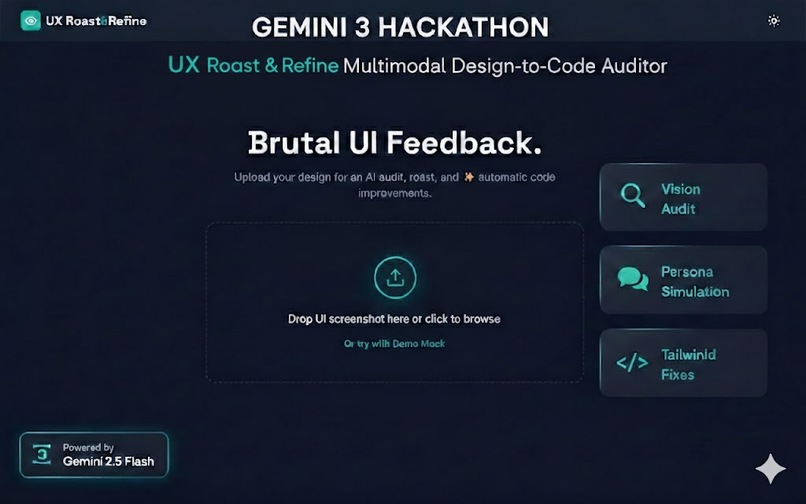
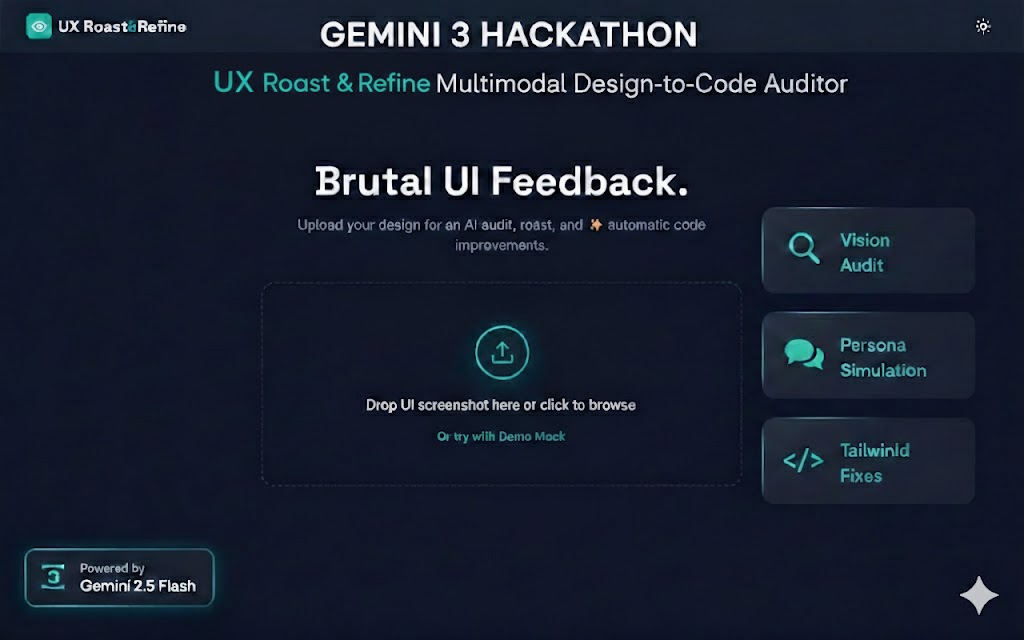
Landing Page
-
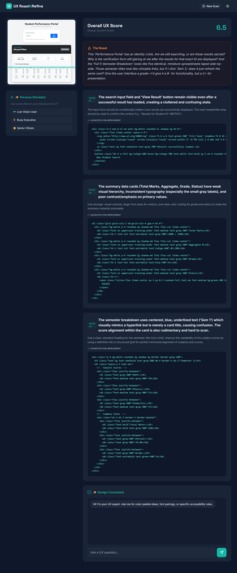
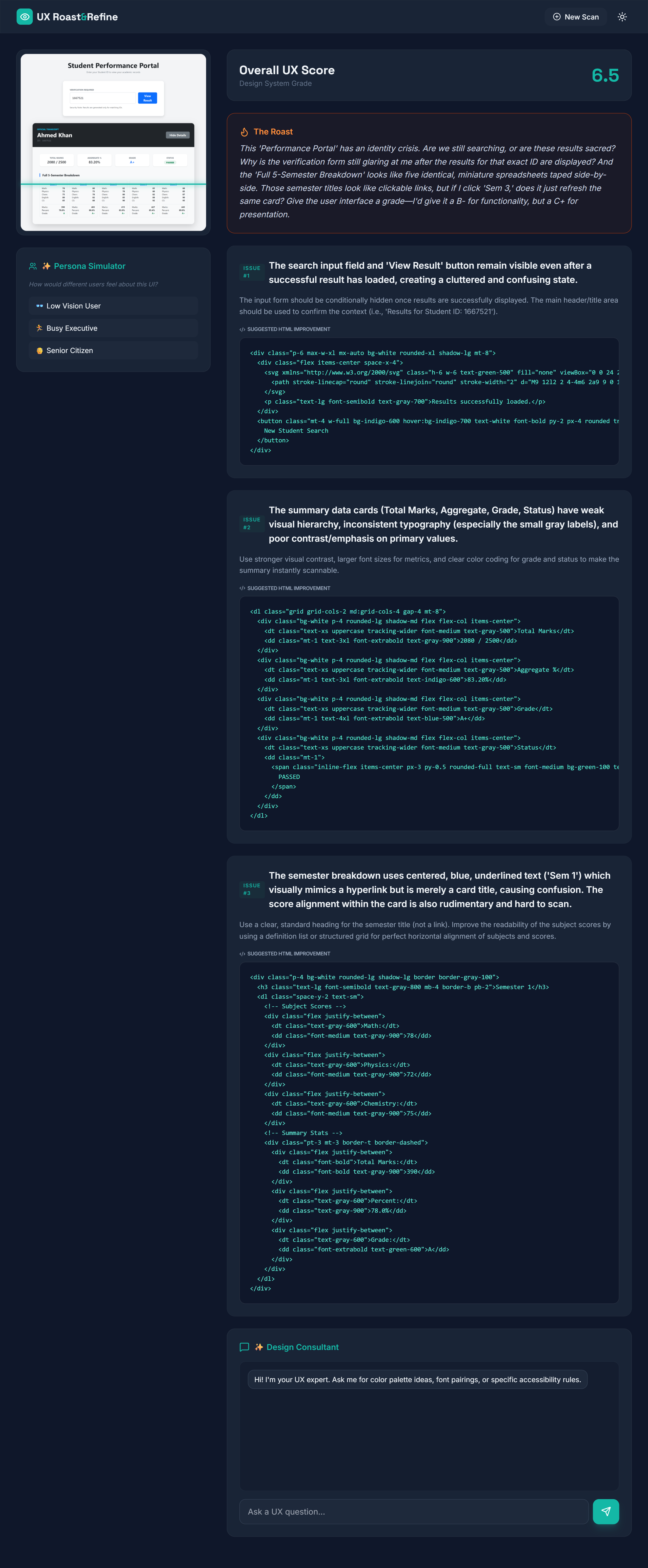
Page After Uploading Screenshot
Project Story: UX Roast & Refine
💡 InspirationThe "Design-to-Development" handoff is notoriously broken. Developers often receive static mocks but lack the immediate feedback loop to understand why a design works or fails for specific users. Furthermore, accessibility is frequently treated as an afterthought rather than a core requirement.
I wanted to build a tool that doesn't just look at code, but sees the interface. I was inspired to create an "AI Design Partner" that could provide the brutal honesty of a senior design lead (the Roast), the empathy of a real user (the Simulation), and the efficiency of a world-class engineer (the Refine).
🛠️ How I Built It
UX Roast & Refine is built to showcase the multimodal reasoning of Gemini 2.5 Flash.
The Vision Engine: I utilized the Gemini API to process raw image data. By sending a screenshot alongside a structured system prompt, I forced the model to perform spatial analysis and return a structured JSON payload containing scores and specific design flaws.
Persona Simulation: I leveraged Gemini's few-shot prompting to simulate internal monologues. This allows the AI to "step into the shoes" of different user types, narrating their specific struggles with the UI's visual hierarchy.
The Refinement Loop: For every identified issue, I programmed Gemini to act as a frontend expert, generating semantic, accessible HTML and Tailwind CSS snippets that fix the issue without requiring a full redesign.
Tech Stack:
Core: Google Gemini 2.5 Flash (Vision & Text)
Frontend: Tailwind CSS & Vanilla JavaScript
Real-time Rendering: Marked.js for code block visualization and Lucide for iconography.
🧠 What I Learned
During this hackathon, I discovered the power of Multimodal Prompting. I learned that Gemini is exceptionally good at identifying "implied" visual elements—it doesn't just see pixels; it understands intent. I also learned how to fine-tune system instructions to ensure the model remains creative in its "Roasts" while staying strictly accurate in its "Code Fixes
."Mathematically, I approached the "UX Score" as a weighted function of several design heuristics:
UX_{score} = w_1(Accessibility) + w_2(Hierarchy) + w_3(Usability)
where sum w_n = 1$. Gemini acts as the evaluator for these variables, providing a consistent metric for design quality.
🚧 Challenges I Faced
JSON Consistency: Ensuring the Vision model consistently returned valid JSON without markdown wrapping was a challenge. I solved this by implementing a robust cleaning utility that strips unwanted characters before parsing.
Visual Context in Chat: Maintaining the "context" of the uploaded image during a design consultation chat required careful prompt engineering to ensure Gemini "remembered" the specific layout details while answering general UX questions.
Latency vs. Quality: Balancing the depth of the audit with the response time. I chose Gemini 2.5 Flash specifically because it offered the perfect equilibrium—providing high-speed vision processing with enough reasoning depth to write complex Tailwind code.
Built With
- cdn
- css3
- es6
- gemini2.5flashapi
- html5
- javascript
- marked.js
- persona-simulation
- tailwindcss


Log in or sign up for Devpost to join the conversation.