-
-
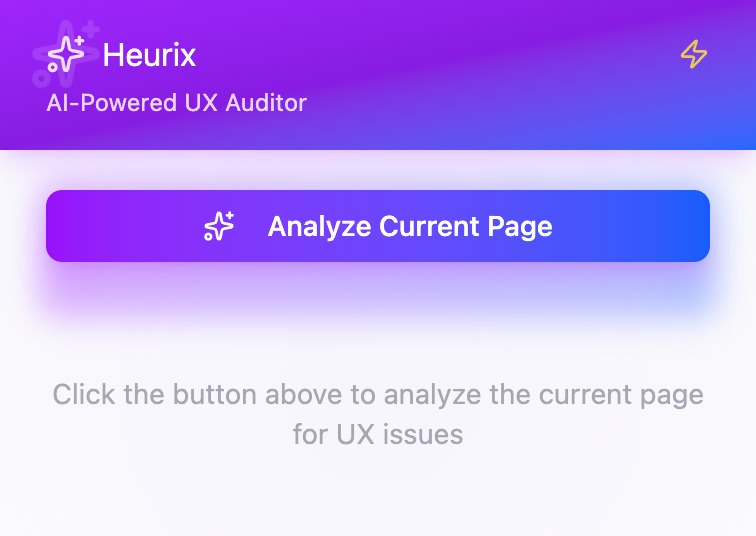
Minimal Chrome extension UI — click “Analyze Current Page” to instantly start UX analysis using Heurix’s AI engine.
-

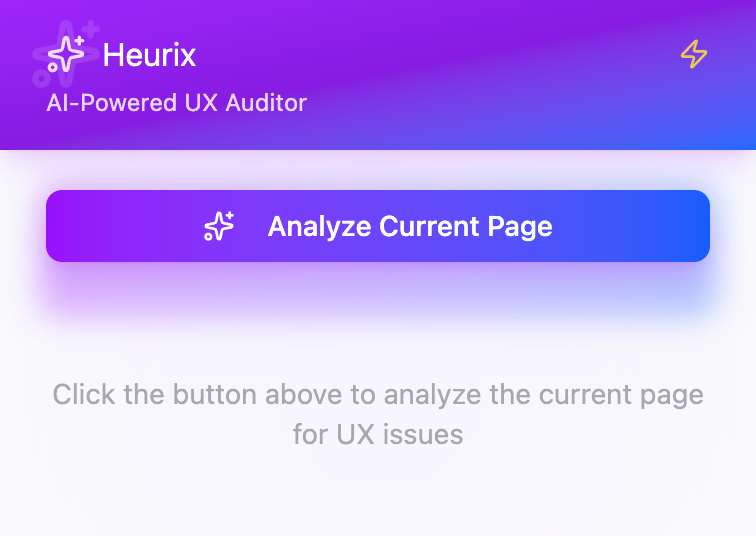
Real-time AI scanning in progress — Heurix analyzes accessibility, usability, and visual design patterns directly from the live page.
-
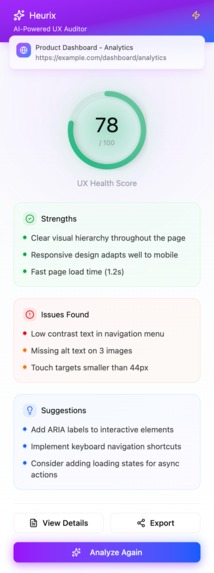
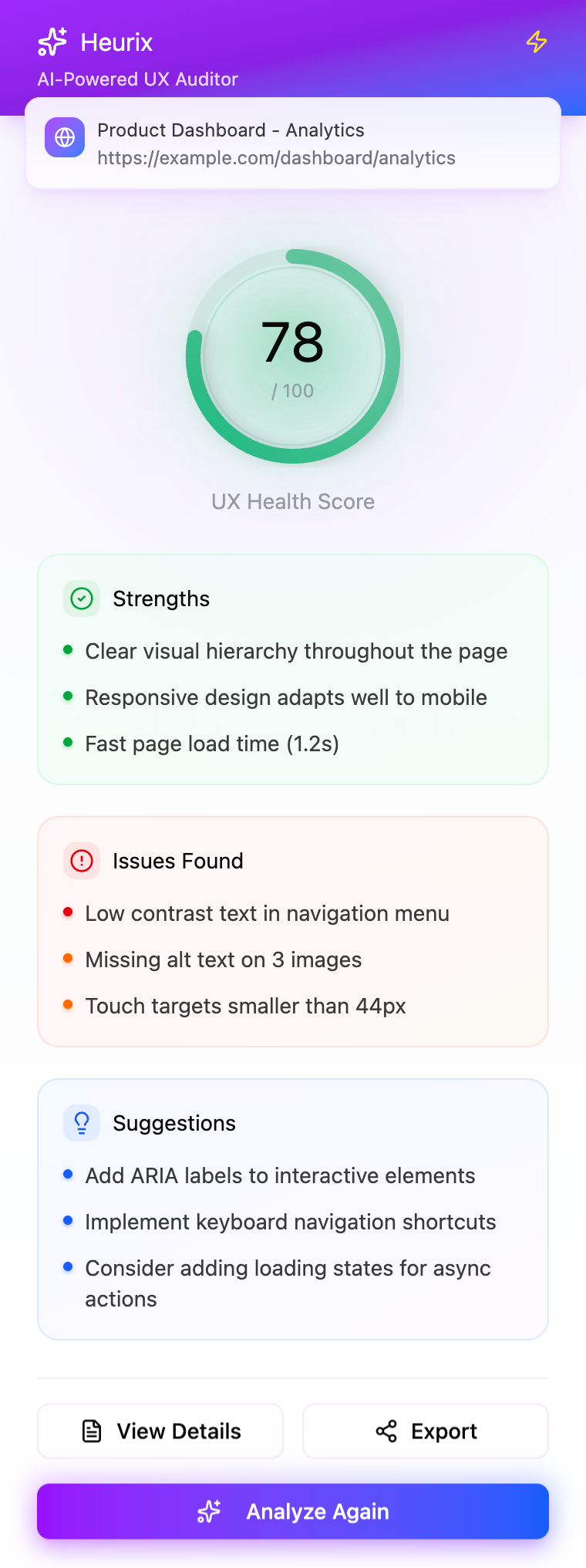
AI-generated UX Health Score and key insights — highlights strengths, detected issues, and actionable design suggestions in one dashboard.
-
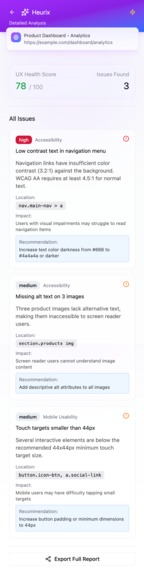
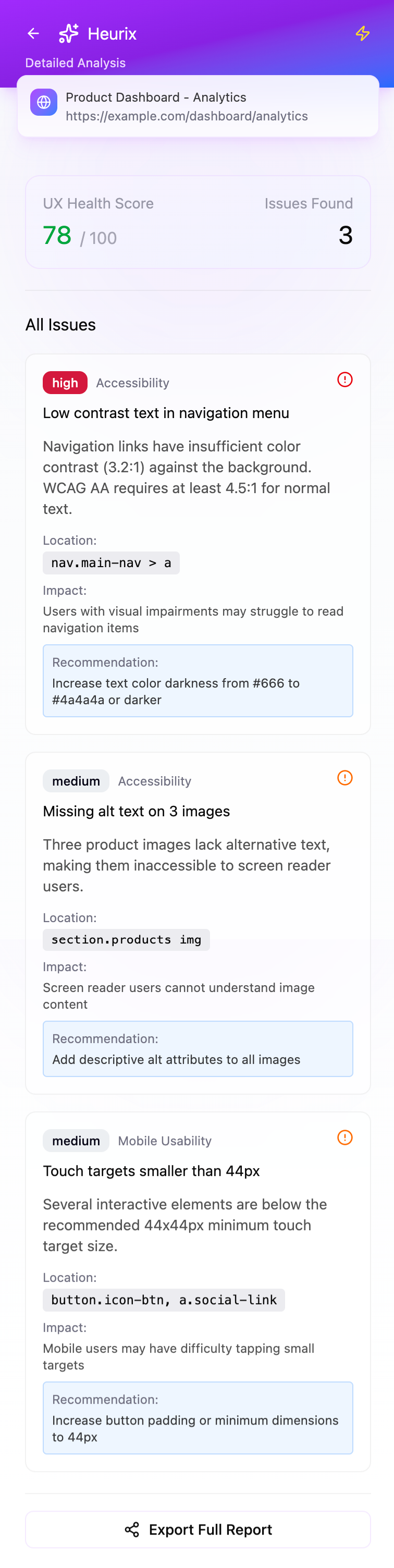
Detailed breakdown of each issue — including impact level, affected elements, and AI-suggested recommendations for quick fixes.

Inspiration
We wanted to create a tool that democratizes UX research — turning any web page into a learnable moment for designers, developers, and product teams. Usability reviews are often expensive and slow, yet every good website deserves feedback. With Chrome’s built-in AI, we saw an opportunity to make UX analysis instant, private, and intelligent — right in the browser.
What it does
UX Copilot automatically:
Analyzes the structure and visual hierarchy of any webpage or prototype.
Detects common usability and accessibility issues.
Generates a Usability Score (0-100) and a Heuristic Report.
Suggests design improvements using natural language and rewrites unclear copy.
Exports a full Markdown or PDF report for sharing with teams.
All processing happens locally with Gemini Nano, ensuring data privacy and near-instant feedback.
How we built it
Chrome Extension Shell – Built using Manifest V3 + React popup interface.
DOM Parser – Captures webpage structure (HTML, CSS attributes, ARIA labels).
Prompt API Integration – Sends structured prompts describing layout + content to Gemini Nano.
Summarizer & Writer API – Generates key issue summaries and actionable recommendations.
Hybrid Mode – For heavier analysis, the system optionally connects to Gemini 1.5 Pro for richer responses.
UX Scoring Engine – Based on Nielsen’s 10 Usability Heuristics and Google Material Design guidelines.
Challenges we ran into
Balancing speed and accuracy: Running AI locally is fast, but we had to compress prompts and optimize token usage.
DOM normalization: Every site has different structures; we built adaptive parsing to handle complex layouts.
Evaluation bias: Early tests over-penalized visually rich pages; we retrained scoring logic with normalized heuristics.
Memory limits: Gemini Nano’s on-device context window required clever segmentation of webpage inputs.
What we learned
Chrome’s built-in AI APIs are surprisingly powerful for on-device cognitive tasks like summarization and rewriting.
Good UX feedback isn’t about perfection — it’s about clarity, empathy, and actionable insights.
Building hybrid workflows (local + cloud) unlocks the best of both worlds: privacy and capability.
What’s next
Add Figma prototype support via public file parsing.
Enable multi-page evaluation reports for entire sites.
Build a team dashboard to track UX scores over time.
Fine-tune on anonymized user feedback to improve heuristic weighting.
Built With
- css-frameworks:-react
- figma
- firebase-hosting
- gemini
- gemini-nano-(on-device)
- github
- html
- javascript
- lighthouse
- manifest
- prompt-api
- react
- summarizer-api
- typescript
- writer-api


