-
-
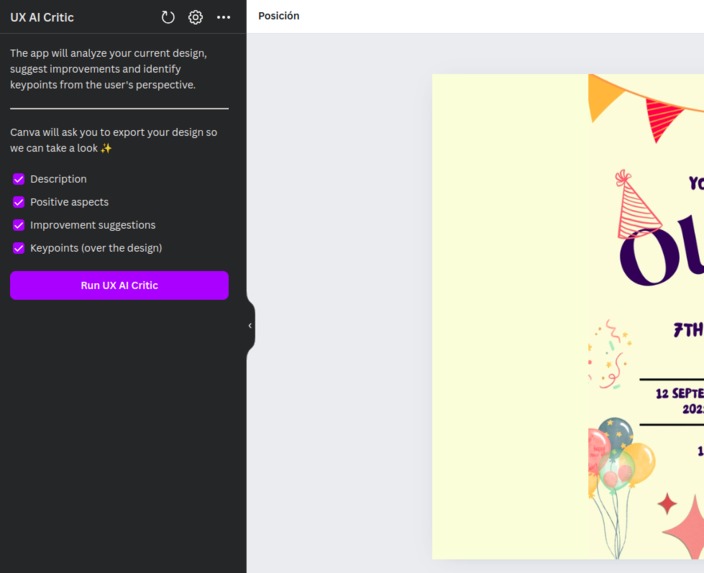
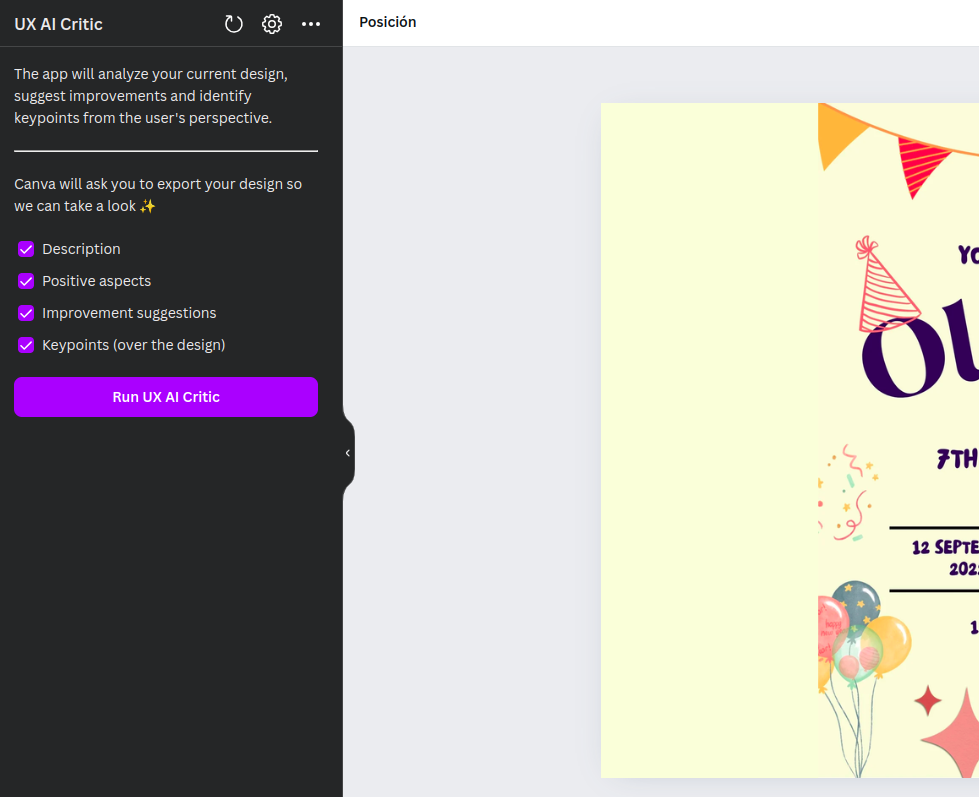
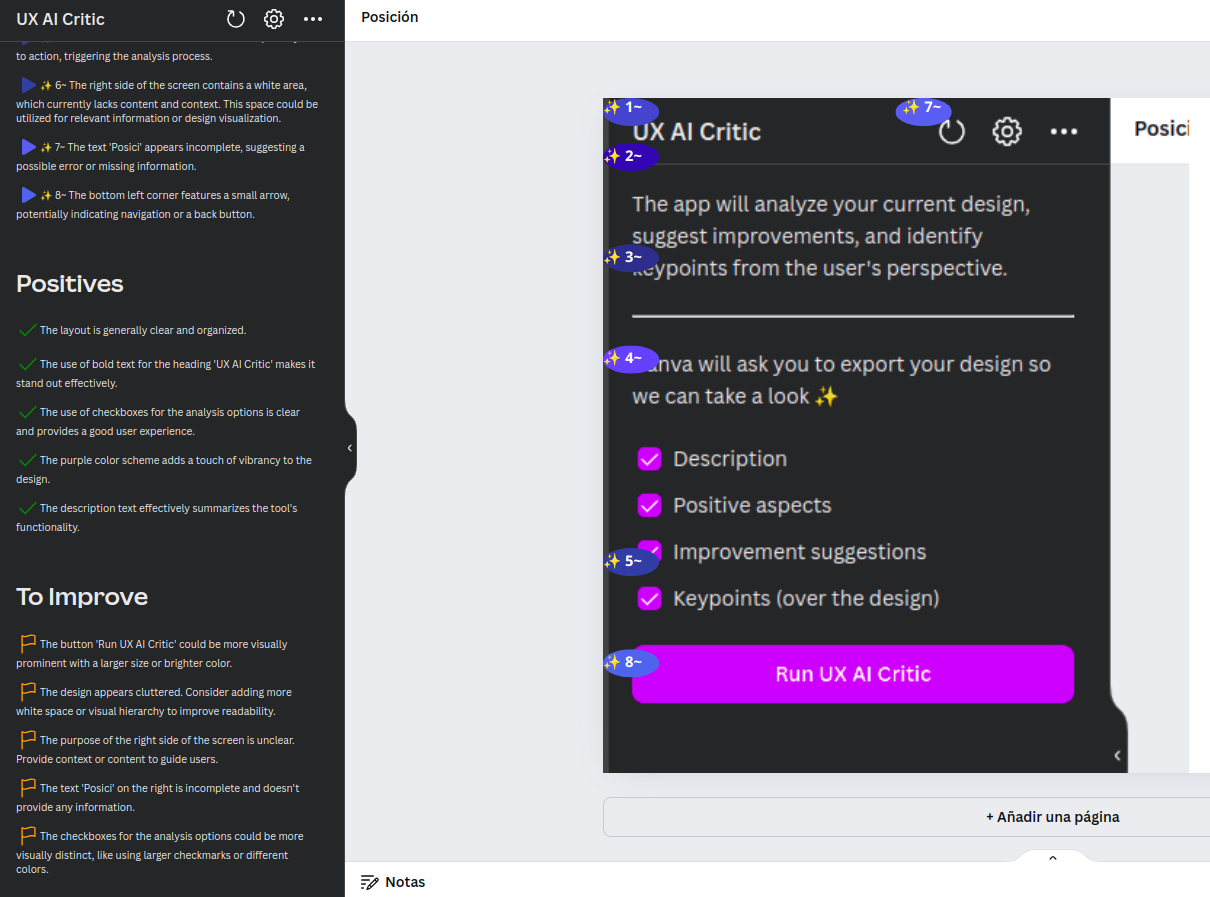
UX AI Critic initial app screen
-
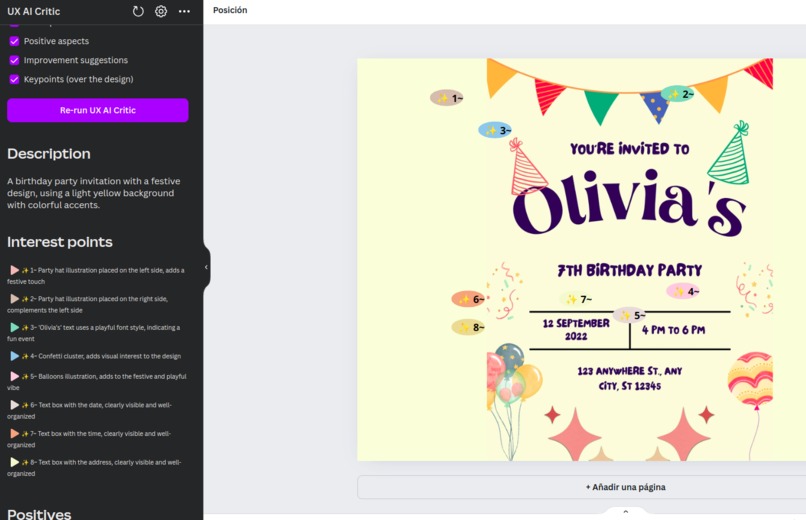
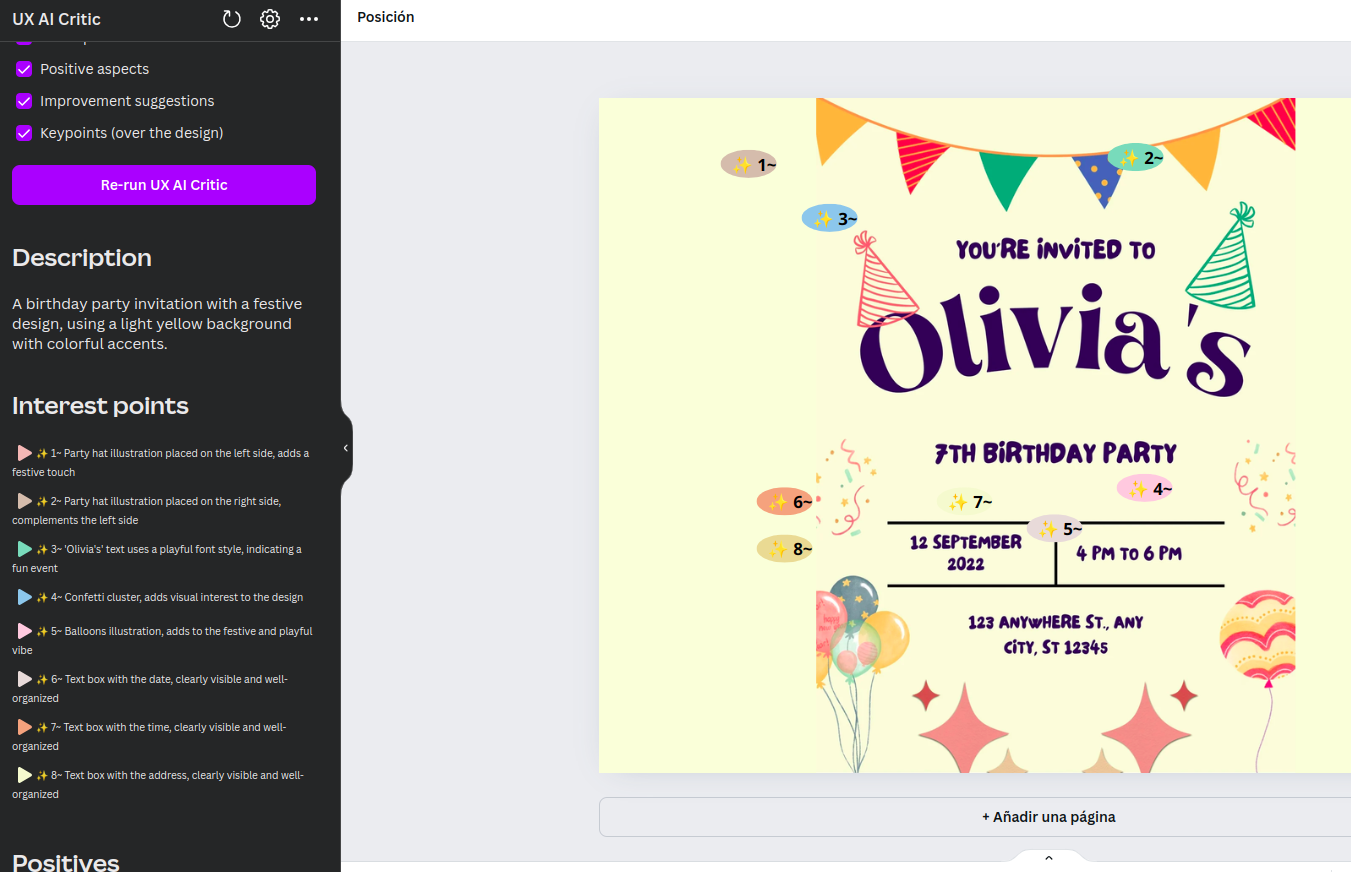
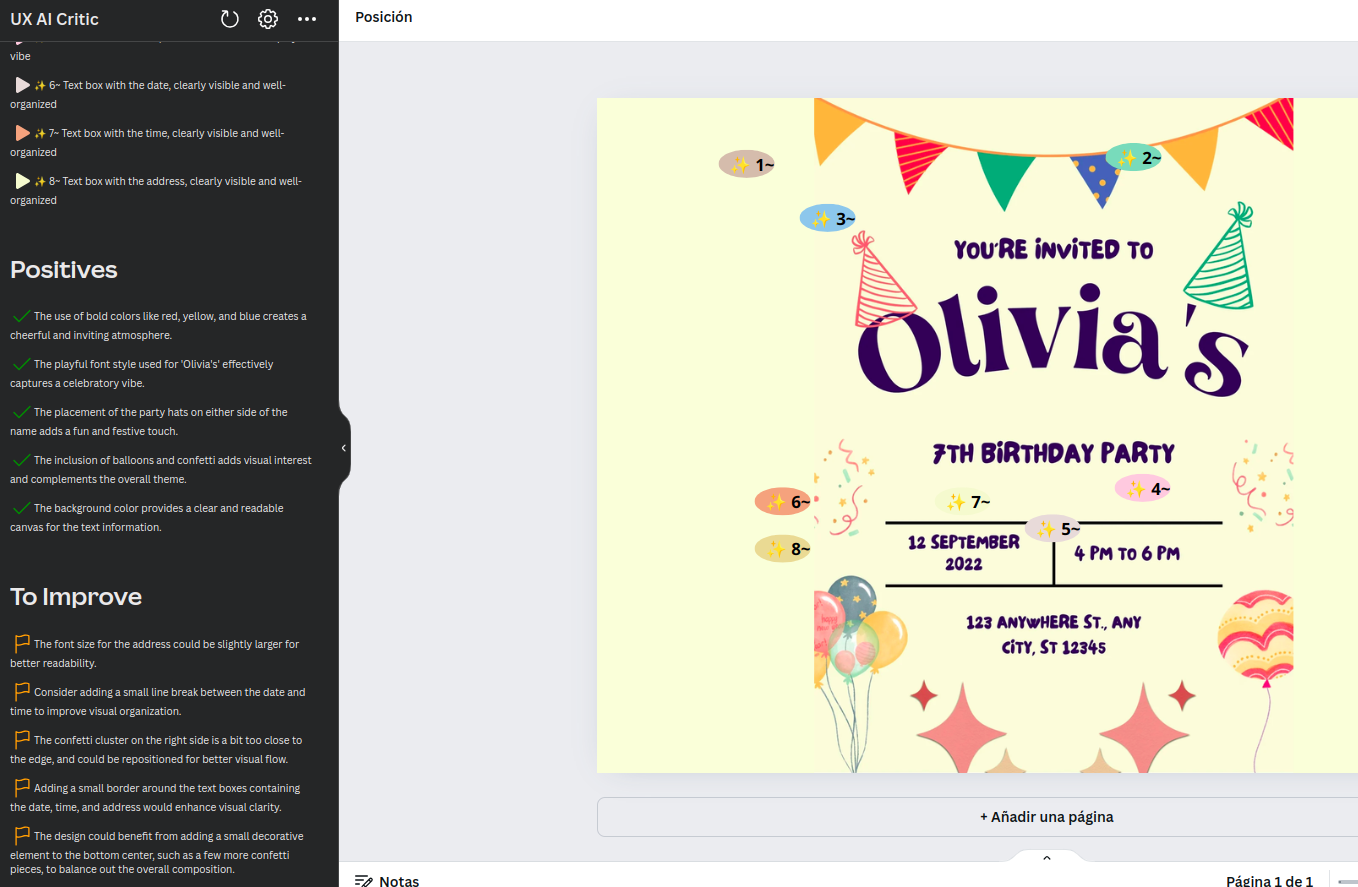
Example party invitation design evaluation
-
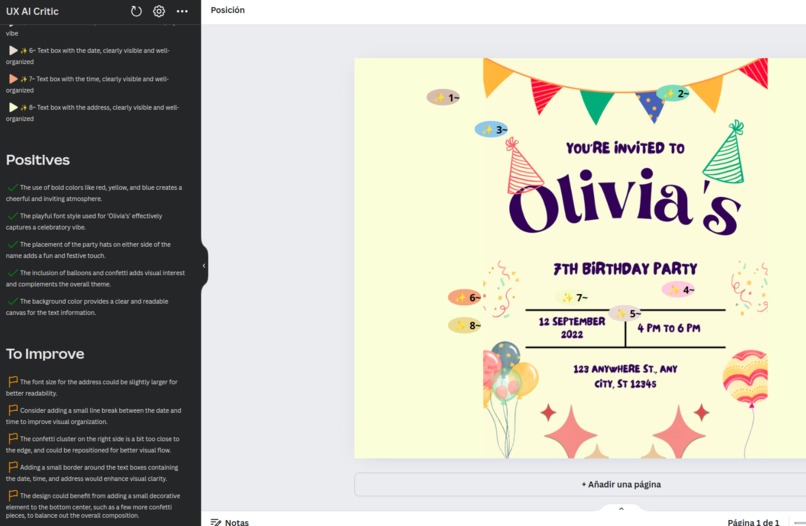
Example party invitation design evaluation
-
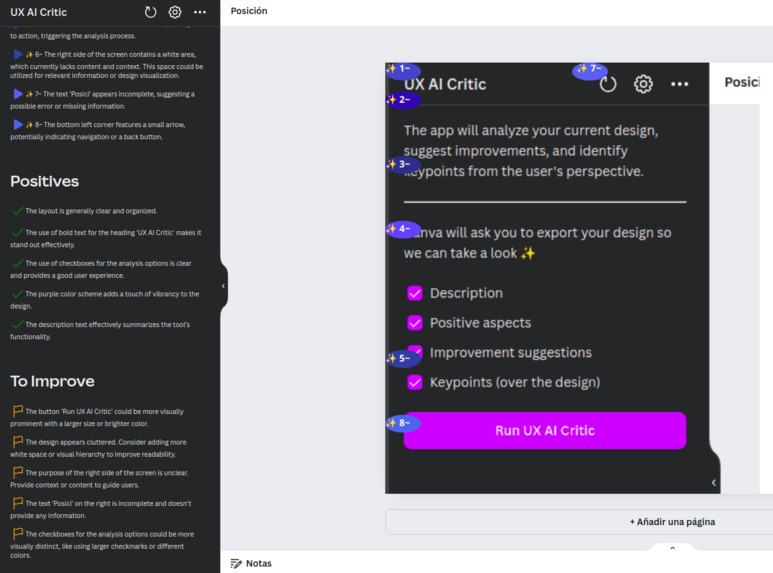
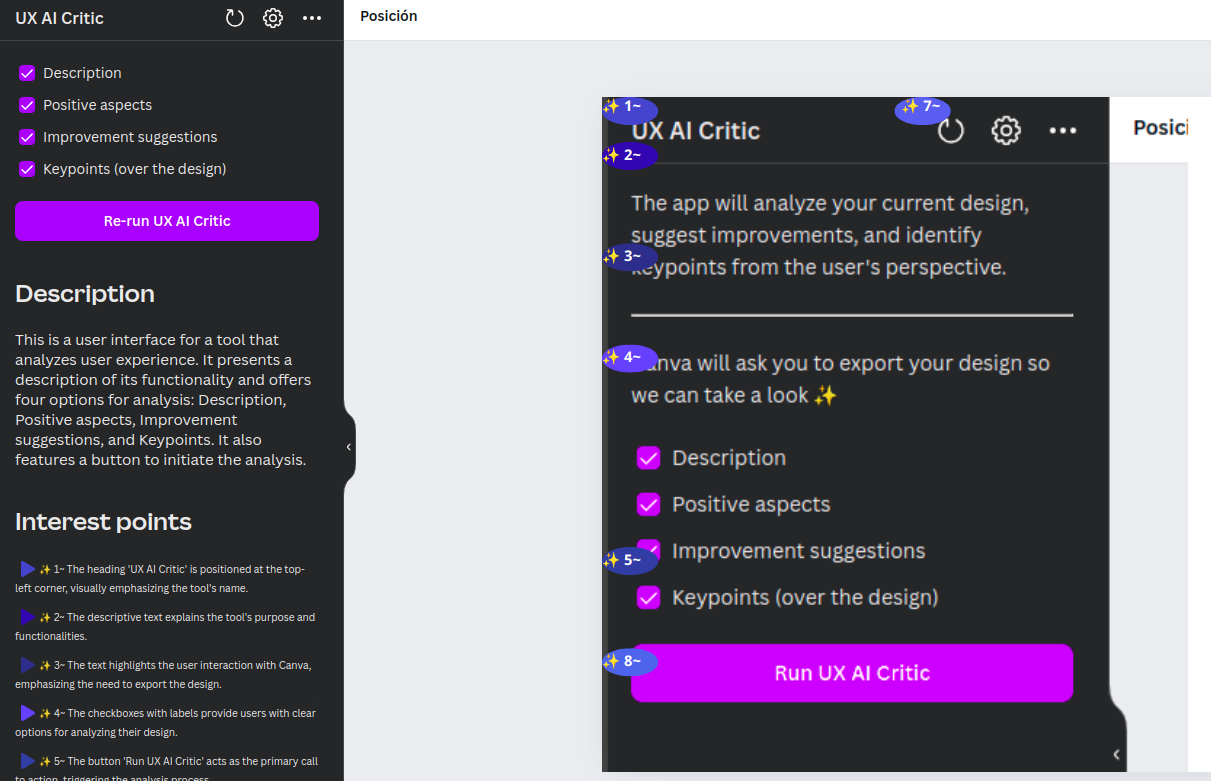
UX AI Critic - Self evaluation
-
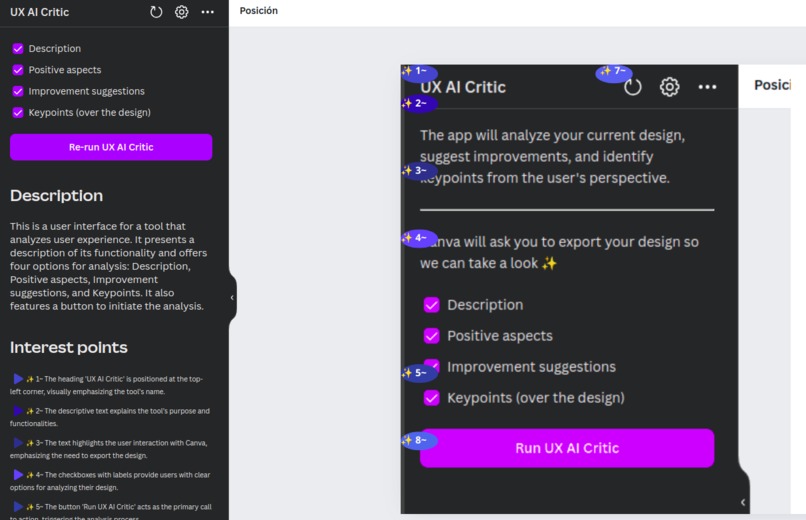
UX AI Critic - Self evaluation
-
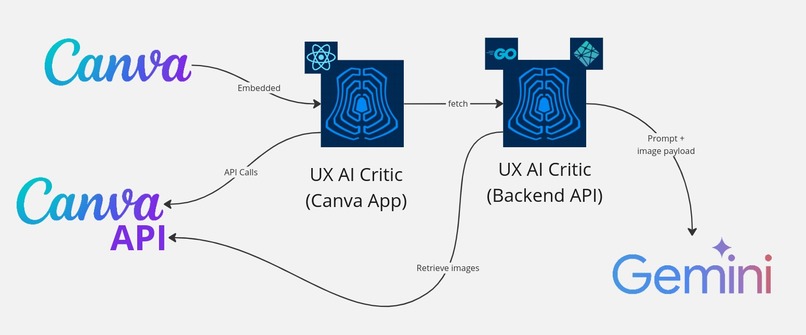
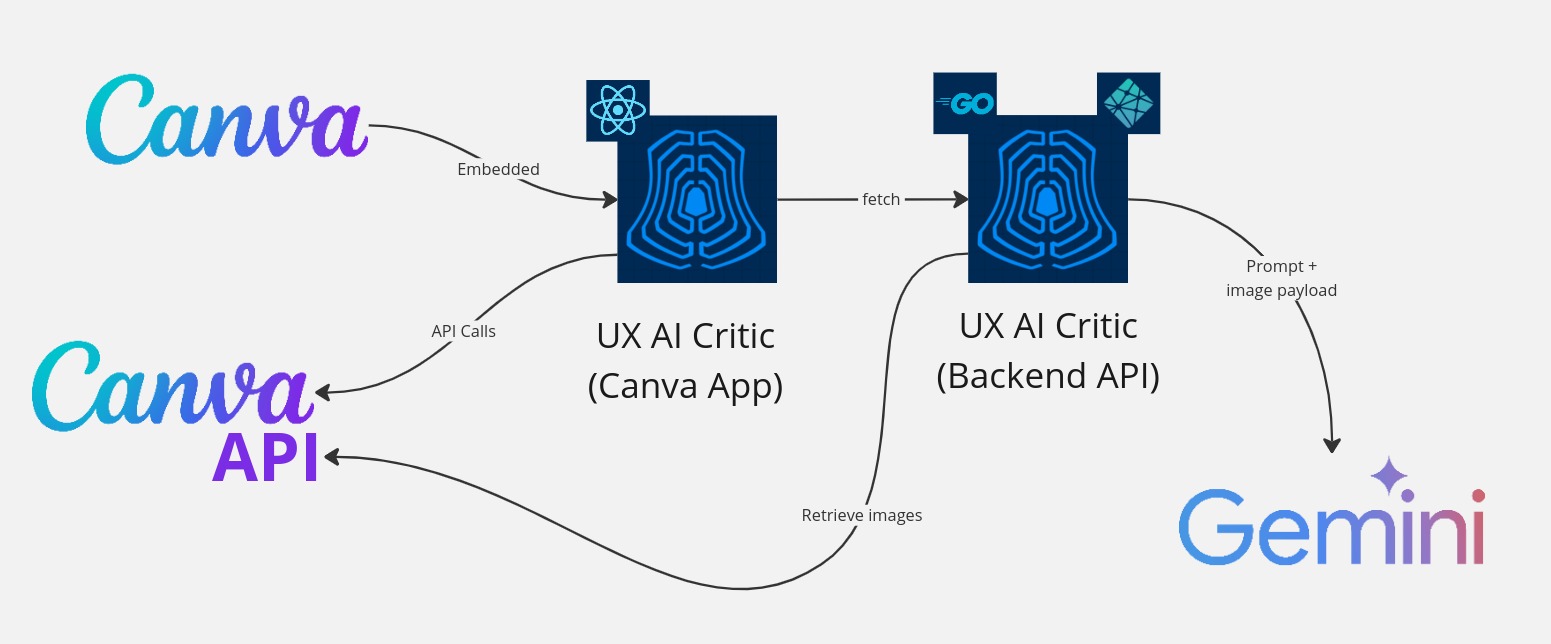
Architecture
🌟 Inspiration
The inspiration for UX AI Critic came from the desire to enhance design processes by leveraging AI. While designing, Inoticed that I often struggle to objectively critique my own work (specially after working on it for a long time). So I wanted to create a tool that provides insightful, data-driven feedback to improve design quality and user experience.
🚀 What it does
UX AI Critic integrates with Canva to analyze designs in real-time. It offers:
- Detailed descriptions on how the design is perceived
- Highlights positive features
- Suggests improvements
- Overlays points of interest directly on the design
This helps users refine their work efficiently and create more compelling designs. It can be called multiple times for the same or similar designs, providing constant feedback and enabling a new tool in the design loop.
🛠️ How we built it
We built UX AI Critic using a combination of technologies: React for the front-end, Golang for the backend logic, Netlify serverless functions for deployment, and Gemini AI API for advanced AI analysis. We utilized the Canva UI Kit and Canva API to ensure seamless integration and user experience.

Some of the key functions of the Canva API are:
- requestExport enables "UX AI Critic" to download the current state of the design as an image to be forwarded to the backend.
- addNativeElement is used to include overlay elements (both text and shapes). This allows the integrated app to highlight or reference elements directly over the Canva viewport.
- getCurrentPageContext is part of the required tools to adjust and correctly align the elements in the screen. This fixes some ratio artifacts generated by the image export size.
⚠️ Challenges we ran into
One of the major challenges was integrating the various technologies smoothly, particularly ensuring real-time feedback without compromising performance. Navigating across multiple languages, hosting solutions and providers with low latency took some back-and-forth. Additionally, fine-tuning the AI to provide meaningful and accurate suggestions required extensive testing and iterations.
🏆 Accomplishments that I'm proud of
I'm proud of successfully creating a tool that adds significant value to the design process.
The seamless integration with Canva and the accuracy of the AI in providing useful critiques are notable achievements. The positive feedback from early testers has been incredibly rewarding.
📚 What we learned
Throughout the development process, we learned a great deal about the complexities of AI integration and the importance of user experience in tool design. Balancing technical functionality with intuitive design was a critical learning point.
🔮 What's next for UX AI Critic
Next, we plan to enhance UX AI Critic by adding:
- More customization options for users and expanding the range of design elements it can analyze
- Defining different modes for the AI to assume
- Include additional feedback, such a heatmap of the user's predicted attention keypoints.



Log in or sign up for Devpost to join the conversation.