-
-
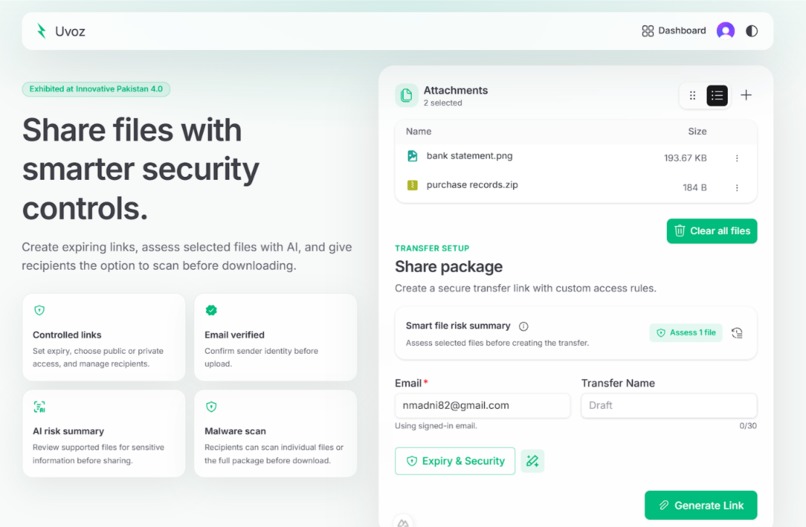
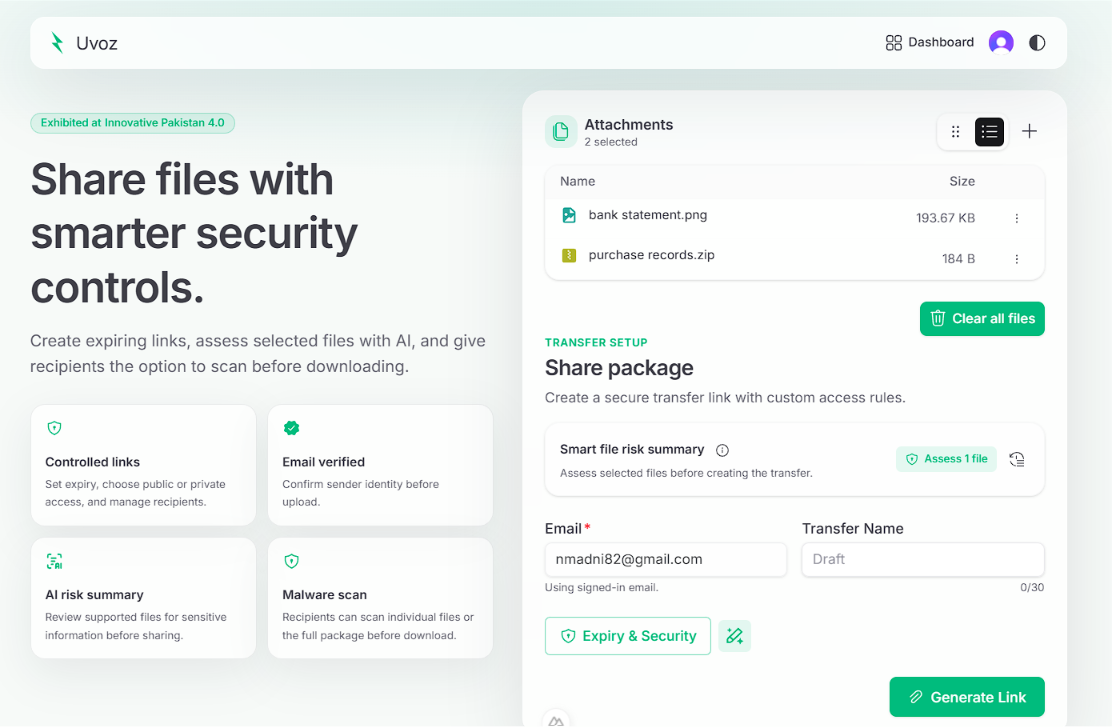
Setting up a secure file transfer package by uploading files and configuring recipient access rules.
-
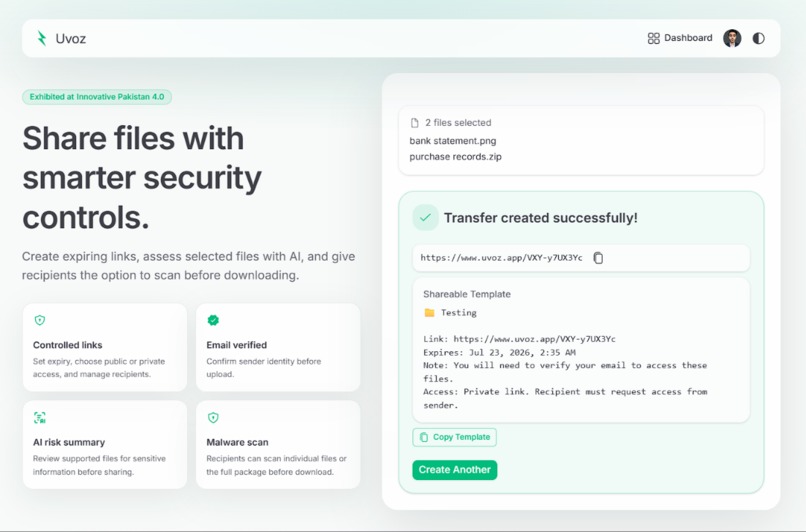
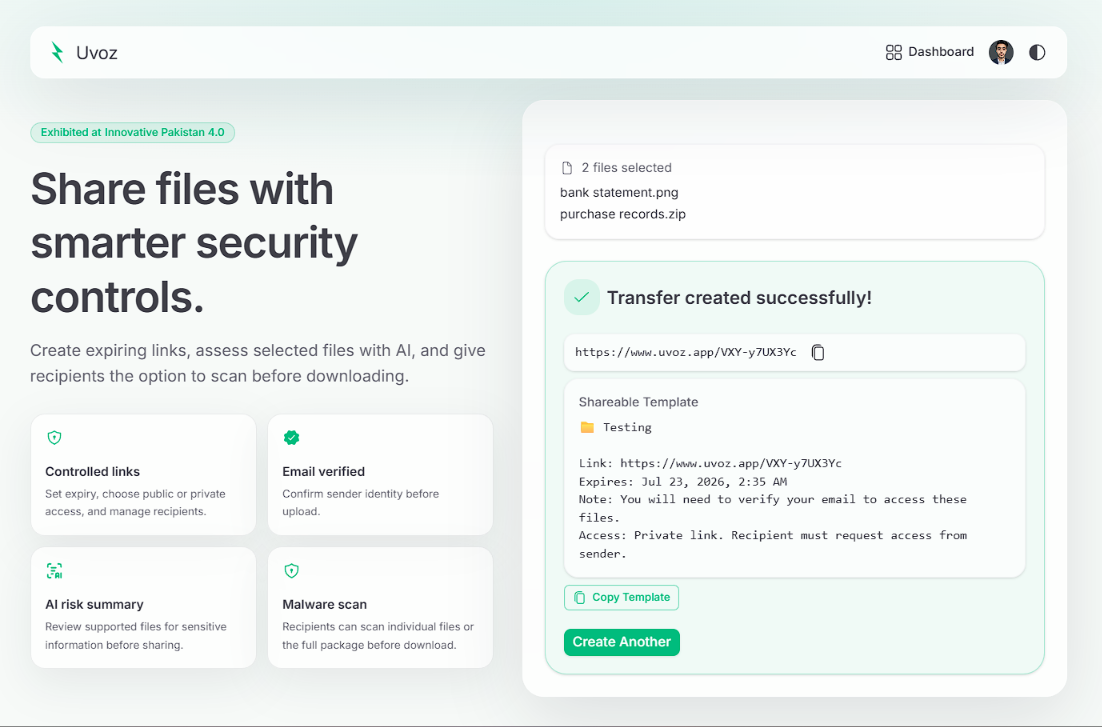
Successfully generating a private, shareable link with an auto-generated template and expiry details.
-
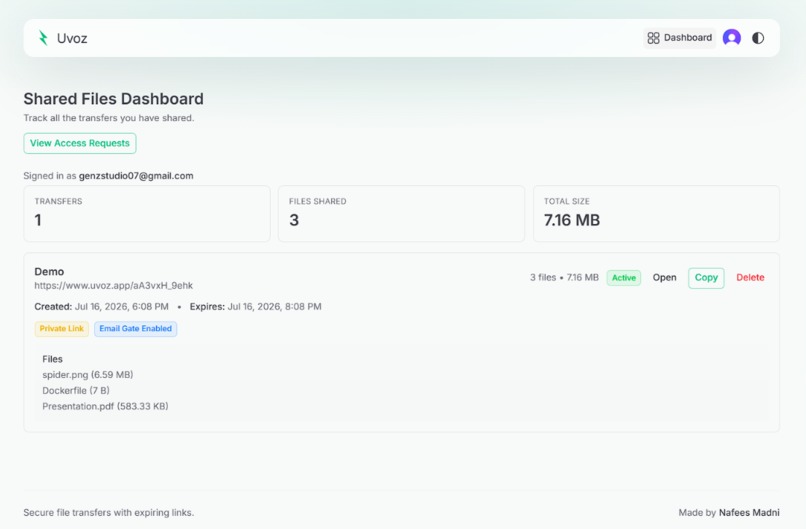
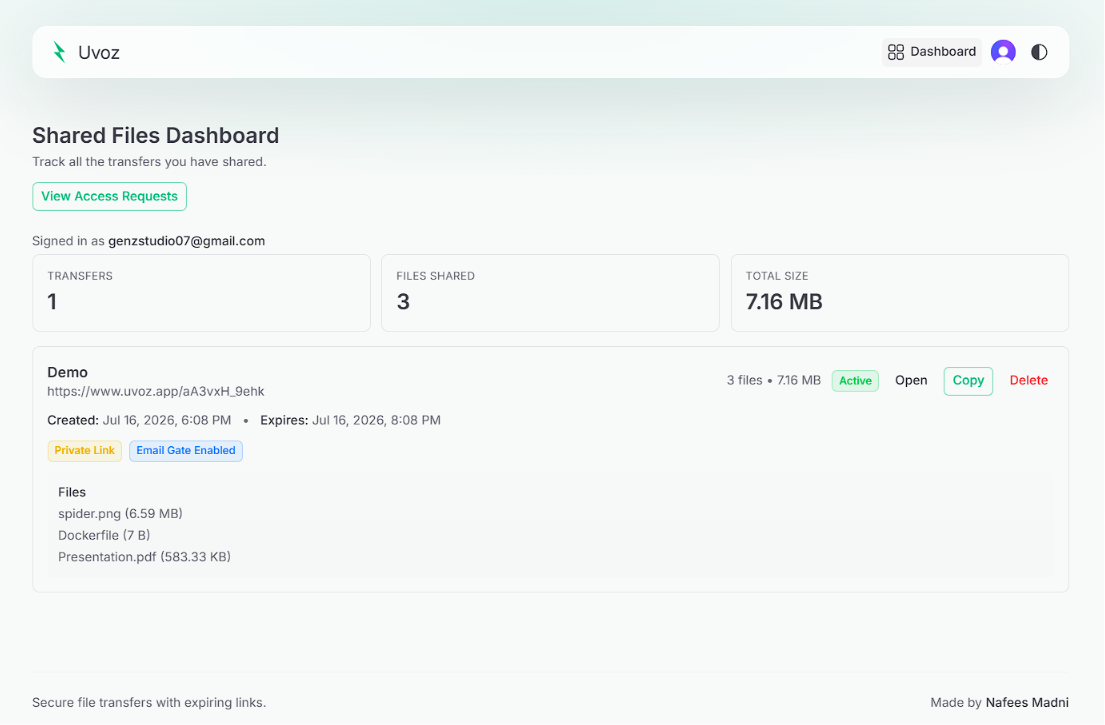
Tracking and managing active transfers, shared file volumes, and link metrics from a central dashboard.
-
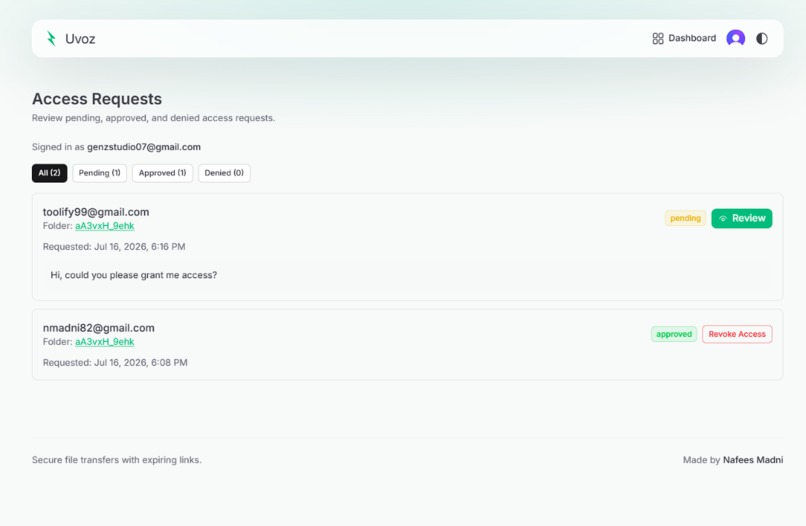
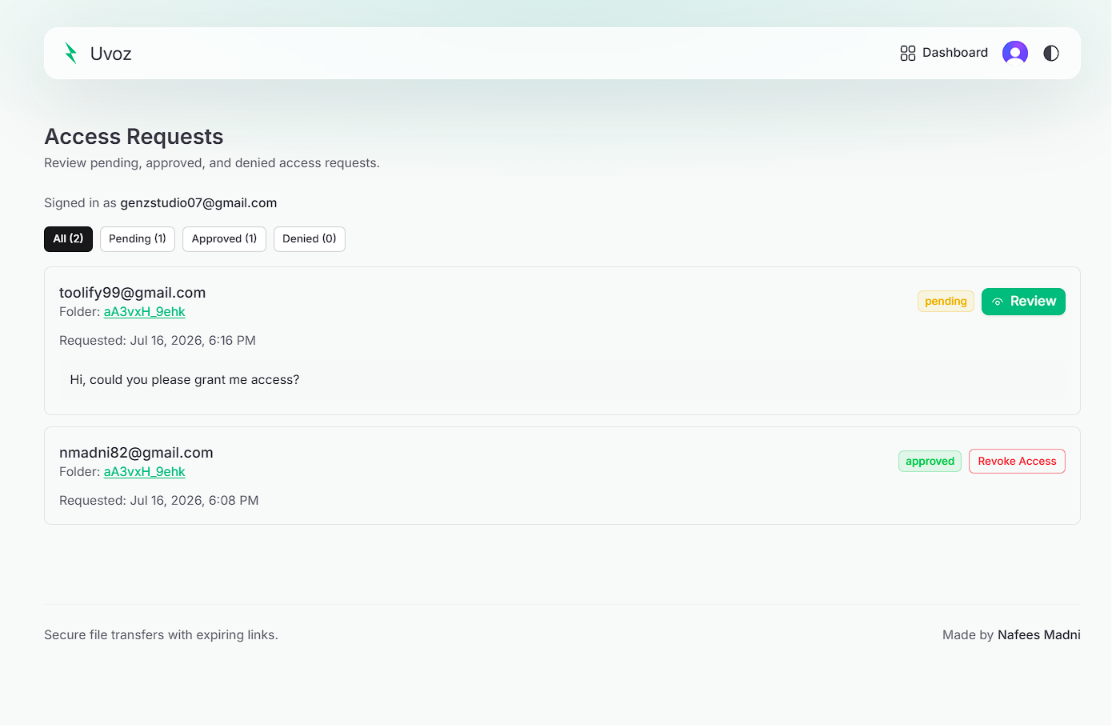
Reviewing, approving, or denying pending incoming user access requests for maximum link security.
-
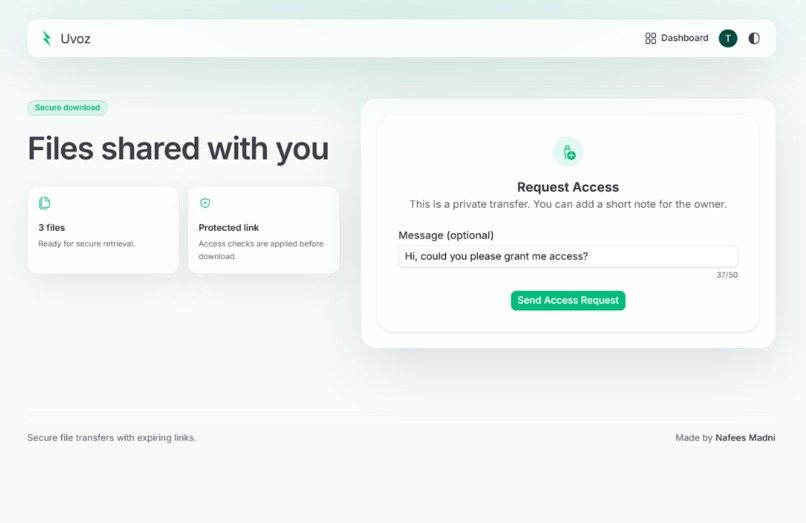
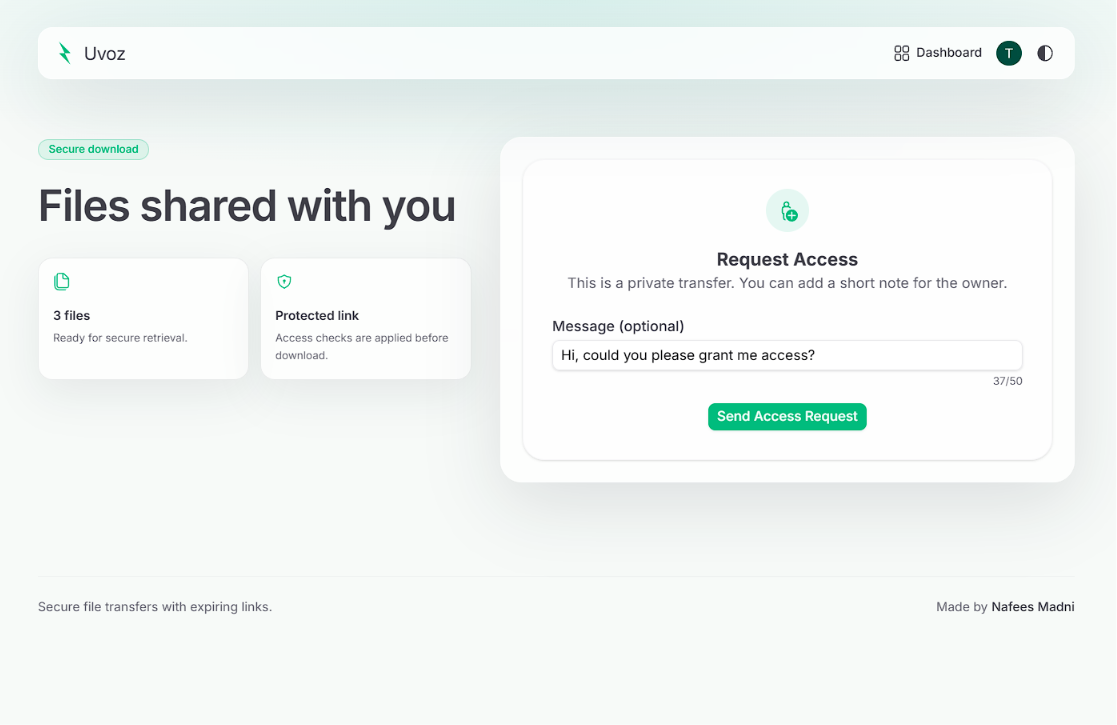
A secure page where unauthorized recipients can request private access to shared files.
-
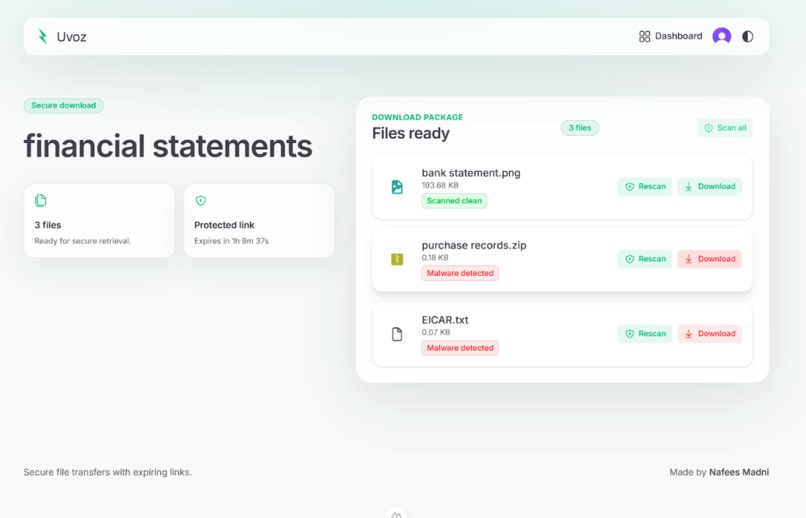
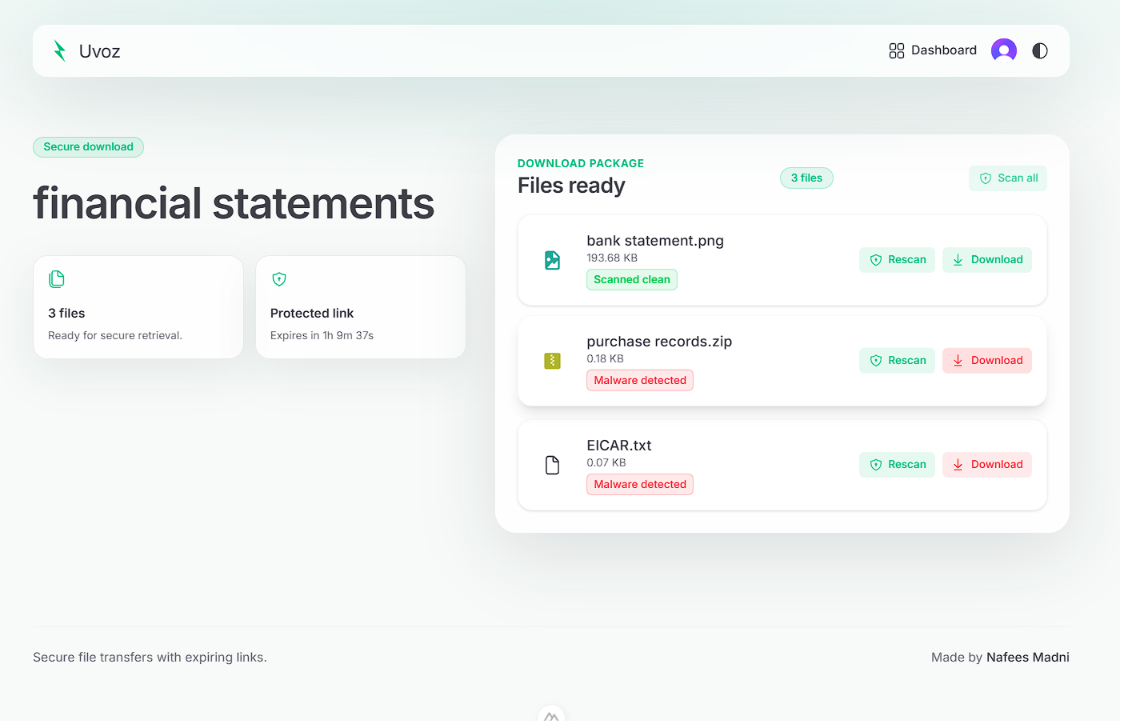
Malware Scanning before downloading
Inspiration
I started Uvoz after noticing a familiar problem with file-sharing links: sending a file is easy, but controlling it afterwards is not. A link can be forwarded, a file can stay online after it is no longer needed, and the sender may have no clear way to limit access. I wanted to build something that keeps the convenience of temporary sharing while giving the sender more control.
What it does
Uvoz lets users share files for a limited time through public or private links. A user can upload without creating an account, but their email is verified through OTP before the transfer is created.
For private transfers, the owner can add approved email addresses, review access requests, and decide whether to grant, deny, revoke, or restore access. The platform also supports AI-based file risk summaries, AI-driven sharing-settings suggestions, and an optional malware scan before a recipient downloads a file.
How I built it
I built the frontend with Nuxt.js, Tailwind CSS, and Nuxt UI. The backend uses FastAPI, while Clerk handles authentication. I used Supabase PostgreSQL for transfer and permission data, and Supabase Storage for files.
Rather than transferring large files through the backend, Uvoz creates signed URLs so that the browser can upload and download directly from storage. The backend remains responsible for email verification, trusted sessions, link expiry, expired-file cleanup, access rules, transfer metadata, and recipient permissions.
I refined the UI and implemented AI-powered risk summaries, AI-generated access-policy suggestions, and ClamAV-based malware scanning with the help of Codex and GPT-5.6. Before the hackathon, I had already used Codex to develop the complete responsive frontend.
Challenges I ran into
The hardest part was making the security flow feel simple. OTP verification, trusted sessions, private-link access, recipient whitelisting, access requests, signed URLs, upload status, and expiry all depend on one another. A small mistake in their order could lead to a confusing user experience or allow a transfer to behave incorrectly.
The AI features also required careful handling. I made sure that files already assessed were not sent again, and that .env files were excluded because they may contain credentials or API keys. For malware scanning, I needed to show useful scan results without blocking the recipient from making their own decision about downloading a flagged file.
Accomplishments that I'm proud of
- Built a no-login upload workflow that still verifies the sender through email OTP.
- Implemented private sharing with ACL-based permissions and approved recipient emails.
- Added AI risk summaries to help users notice sensitive content before sharing.
- Added plain-language AI suggestions that can apply sharing settings automatically.
- Added individual and batch malware scans on the recipient download page.
- Used signed URLs to keep file transfers server-light.
- Built a dashboard for managing transfers and recipient access requests.
What I learned
Uvoz taught me that secure file sharing is much more than creating a download link. It involves identity verification, permissions, file lifecycle management, storage design, and clear communication with the user.
I also gained practical experience with signed URLs, cloud storage, access control, background workflows, AI integration, malware scanning, Docker, and full-stack application development. Most importantly, I learned how much careful UI design matters when users are dealing with security decisions.
What's next for UVOZ
I would like to add end-to-end encryption for highly sensitive transfers, one-time-view links, and detailed audit logs. Other planned improvements include mobile support, Google Drive integration, broader file-analysis support, stronger organization-level permission controls, and accessibility improvements.
Built With
- access-control-list-(acl)
- ai
- celery
- clamav
- clerk-authentication
- cloud-storage
- codex
- cyber-security
- docker
- email-access-control
- fastapi
- fastapicloud
- gpt-5.6
- malware-detection
- nuxt.js
- otp-verification
- pg-cron
- postgresql
- python
- signed-urls
- supabase
- tailwind-css
- vercel
- vue.js


Log in or sign up for Devpost to join the conversation.