-
-
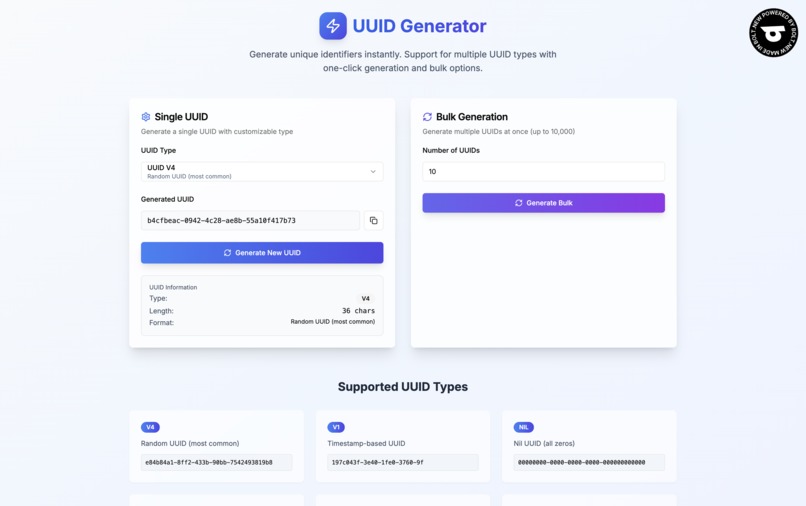
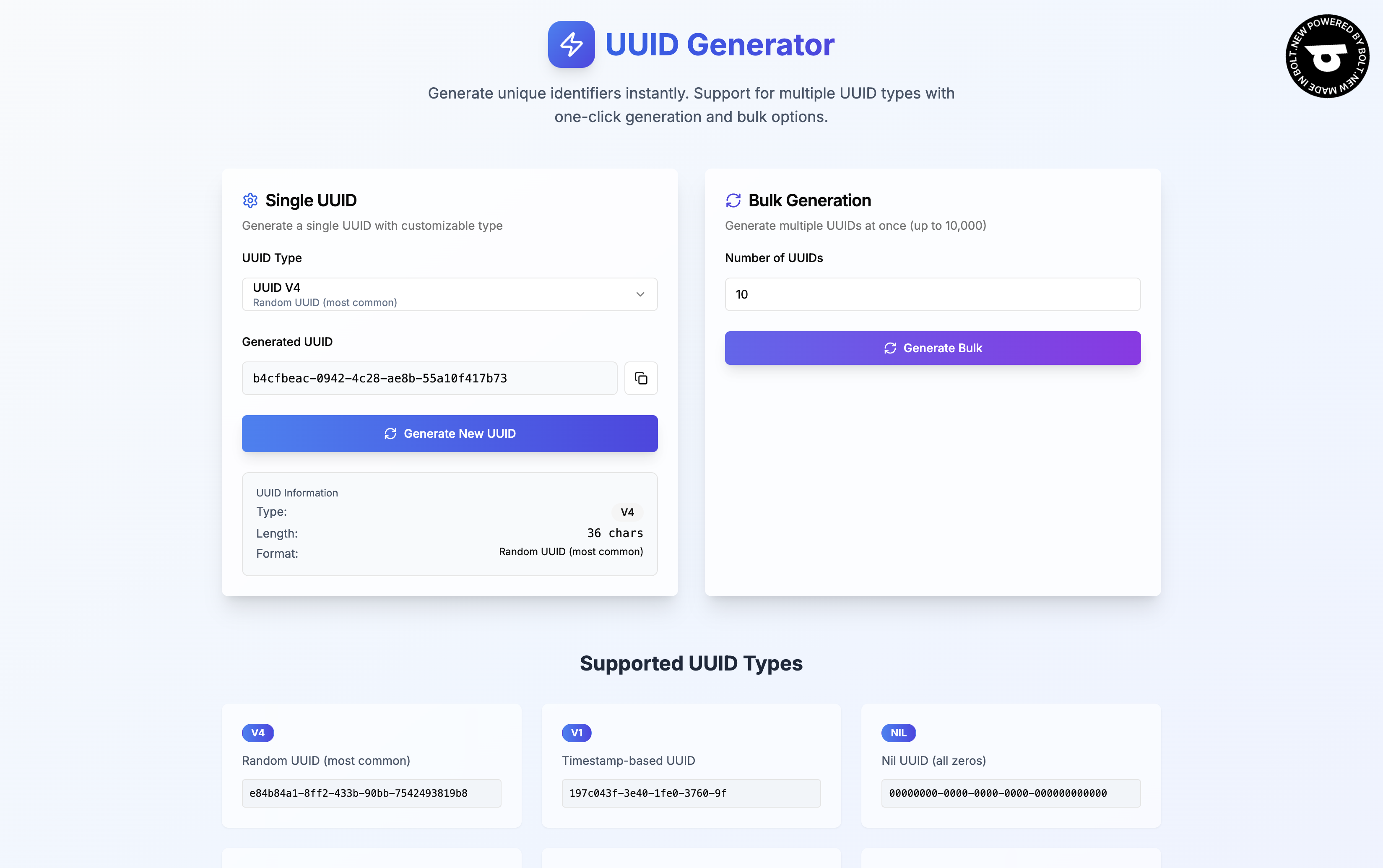
A simple and straightforward UI for user to use
-
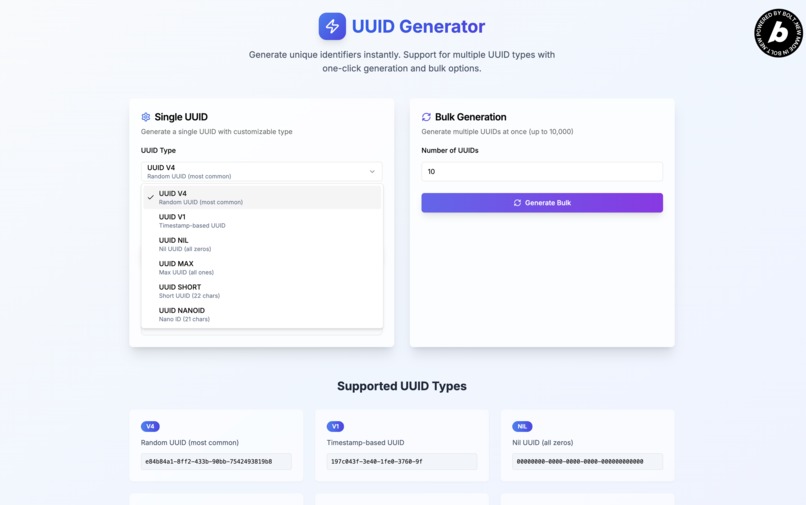
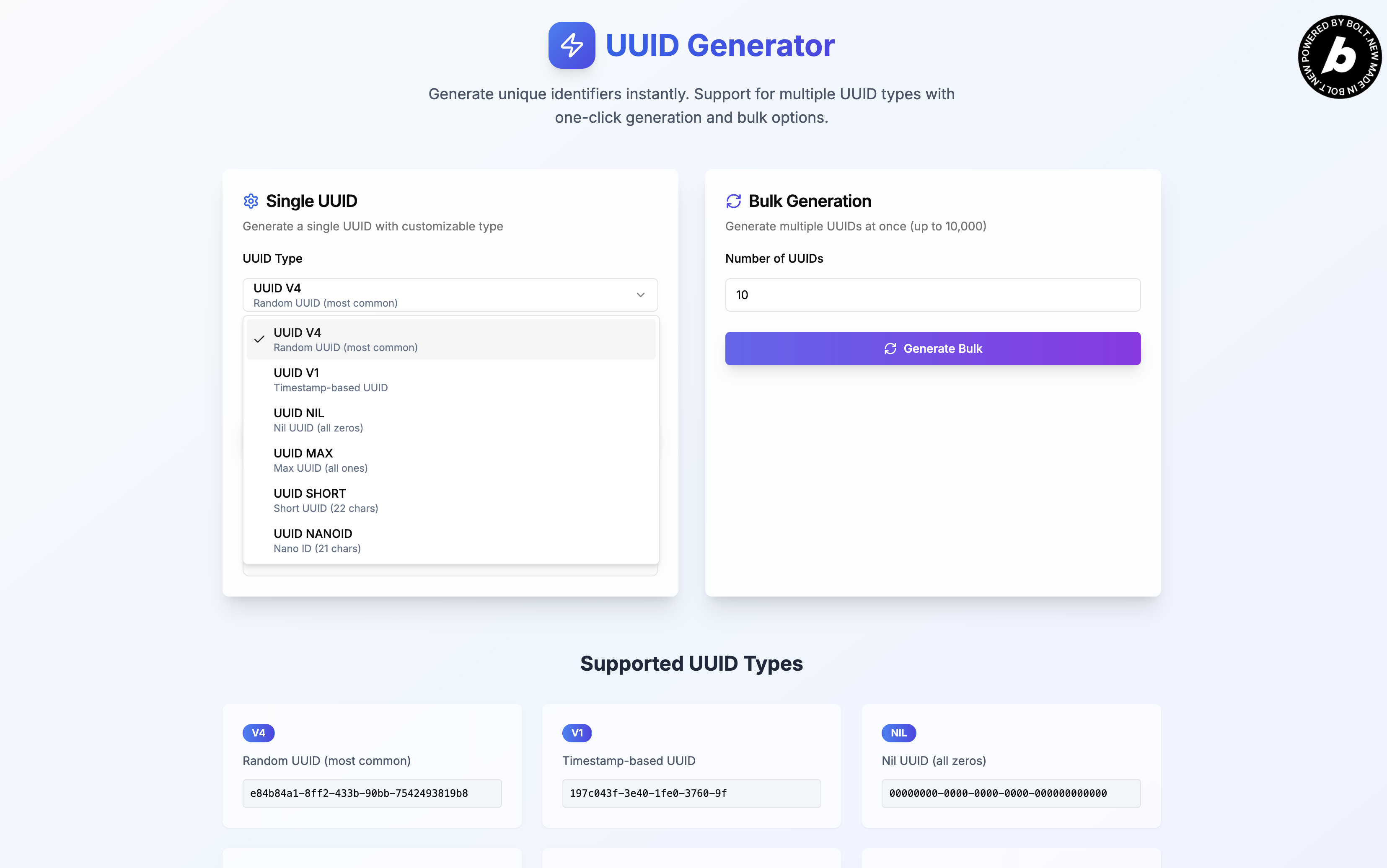
Multiple types of UUIDs available to be generated
Inspiration
The inspiration for this UUID Generator came from countless frustrating moments in development workflows where generating unique identifiers became an unexpected bottleneck. As developers, I found myself repeatedly interrupted by the seemingly simple task of creating UUIDs—opening terminal windows, remembering command syntax, or navigating to random online tools that were cluttered with ads and offered poor user experience.
The breaking point came during a database migration project where I needed hundreds of unique identifiers for test data. Existing solutions were either command-line tools that required context switching, or web applications that were slow, unreliable, or limited in functionality. I've waste precious development time on what should have been a trivial task, and realized that this micro-friction was affecting developer productivity across the industry.
I noticed that while UUID generation seems straightforward, different projects require different types of identifiers—some need time-based UUIDs for ordering, others prefer random v4 UUIDs for security, and modern applications increasingly use alternatives like Nano IDs for URL-friendliness. The scattered nature of these solutions meant developers were juggling multiple tools for what should be a unified workflow.
This inspired me to create a comprehensive, developer-focused solution that would eliminate the friction around unique identifier generation and become an indispensable part of the modern development toolkit.
What it does
The UUID Generator transforms the tedious process of unique identifier creation into a seamless, efficient workflow that adapts to diverse development needs:
Multi-Format ID Generation: Supports all major unique identifier formats including UUID v1 (time-based), UUID v4 (random), UUID v5 (namespace-based), Nano IDs, and custom format options, ensuring compatibility with any project requirement.
Intelligent Bulk Generation: Creates anywhere from single identifiers to 10,000 unique IDs instantly, with smart memory management and progress feedback for large batches, perfect for database seeding, testing, and data migration tasks.
One-Click Workflow Integration: Features instant clipboard copying, keyboard shortcuts, and batch selection tools that minimize context switching, allowing developers to generate and use identifiers without breaking their coding flow.
Developer-Friendly Interface: Designed with clean, distraction-free UI that prioritizes speed and functionality over flashy features, with keyboard navigation and power-user shortcuts throughout.
How I built it and the challenges I ran into
I've prompted Bolt.new to create this project from just a single prompt, which is to develop a Next.js UUID generator application using Typescript and implement the mandatory Built with Bolt badge on the site. Since I'm tackling the single prompt challenge, I can only feed one prompt to get Bolt to develop properly. The application turn out great directly on the first try but upon deployment, I discovered several issues which I fix with just a single button click within Bolt. After going back and forth several time of deploying and fixing the deployment issues, the project is not live.
Accomplishments that I'm proud of
Performance Excellence: Successfully created a tool that can generate 10,000 cryptographically secure UUIDs in under a second while maintaining smooth user interaction and browser stability.
Zero-Dependency Security: Built a completely client-side solution that never transmits generated identifiers to external servers, ensuring privacy and security for sensitive development projects.
Universal Compatibility: Achieved consistent behavior across all major browsers, operating systems, and devices, making it a reliable tool for diverse development teams and environments.
Intuitive User Experience: Created an interface so intuitive that developers can use it effectively without documentation, while still providing advanced features for power users.
What I learned
Micro-Optimizations Matter: Small improvements in developer tools compound significantly—saving a few seconds per UUID generation translates to hours saved across a development team's workflow.
Standards Compliance is Critical: Seemingly simple specifications like UUID formats contain important nuances, and getting these details right is essential for tool adoption and reliability.
Performance Perception vs. Reality: Users perceive tools as faster when they provide immediate feedback and progressive enhancement, even if the actual computation time is unchanged.
Developer Tools Need Different UX: Developer-focused applications succeed when they prioritize efficiency and functionality over visual polish, with keyboard shortcuts and power-user features being more valuable than animations or complex designs.
Client-Side Processing Builds Trust: Developers are more likely to adopt and recommend tools that don't require transmitting data to external servers, especially for potentially sensitive identifiers.
Bulk Operations Change Everything: Adding bulk generation capabilities transformed the tool from a convenience utility into an essential workflow component for many developers.
What's next for UUID Generator
Advanced Customization Features: Implementing custom UUID formats, programmable generation patterns, and template-based identifier creation for specialized use cases and organizational standards.
API and Integration Tools: Developing REST API endpoints and webhook integrations that allow developers to incorporate UUID generation directly into their build processes, CI/CD pipelines, and automated workflows.
Database Integration: Creating direct export formats for popular databases and ORM systems, including migration scripts and seed data templates that streamline database setup processes.
Developer Ecosystem Integration: Creating plugins and extensions for popular IDEs, text editors, and development tools, bringing UUID generation directly into the coding environment.
Format Innovation: Researching and implementing emerging identifier formats and standards as they develop, ensuring the tool remains current with evolving industry needs.
Built With
- bolt.new
- css3
- html5
- javascript
- netlify
- nextjs
- react
- typescript


Log in or sign up for Devpost to join the conversation.