-
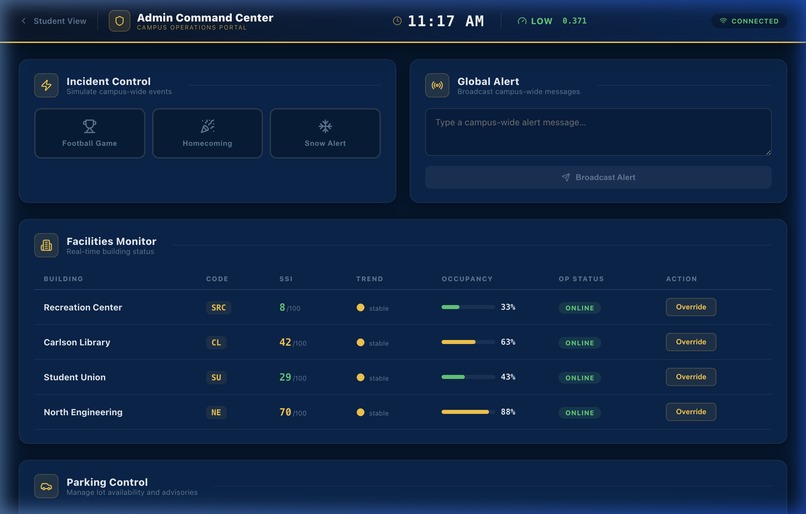
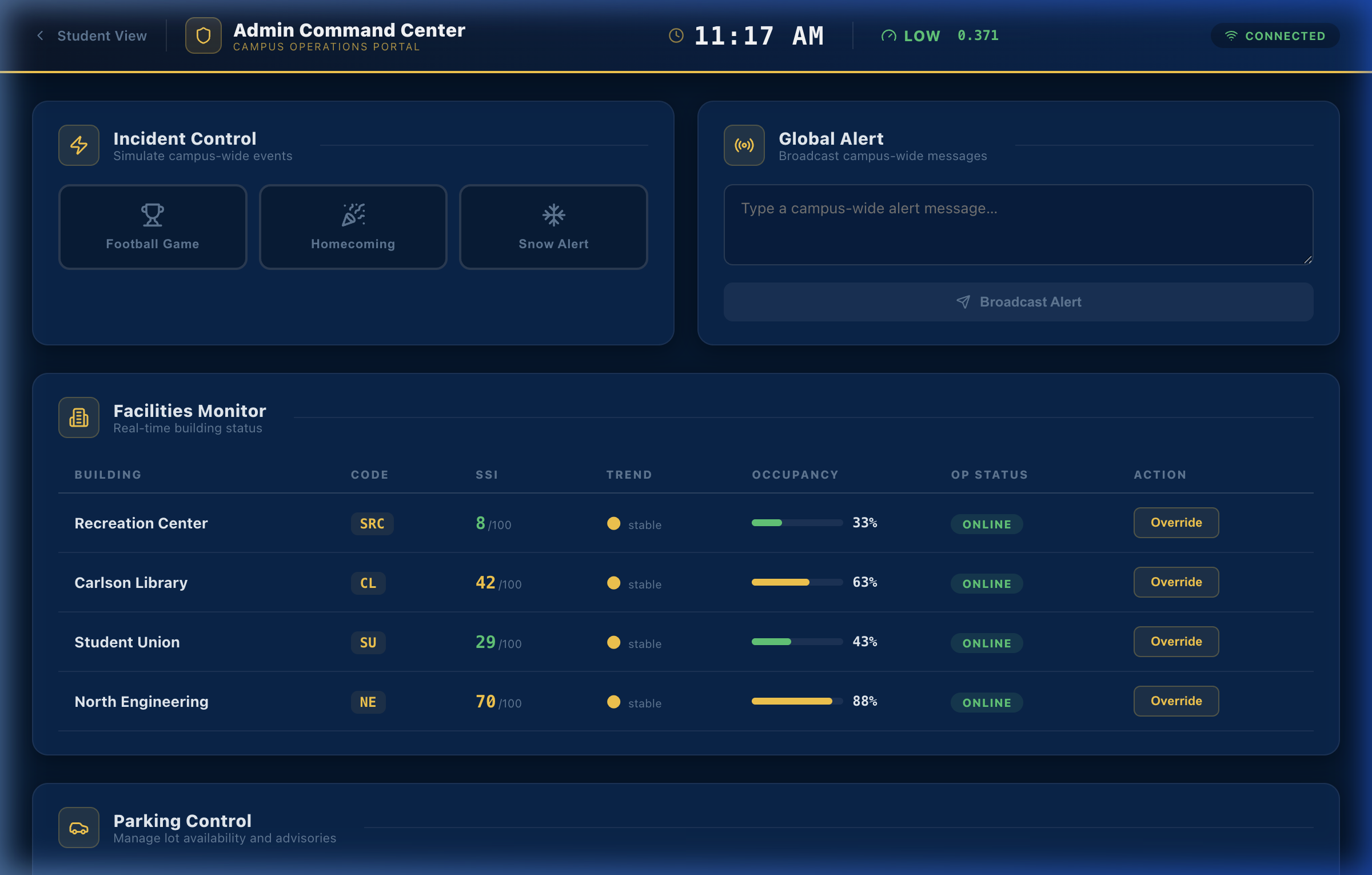
admin dashboard
-
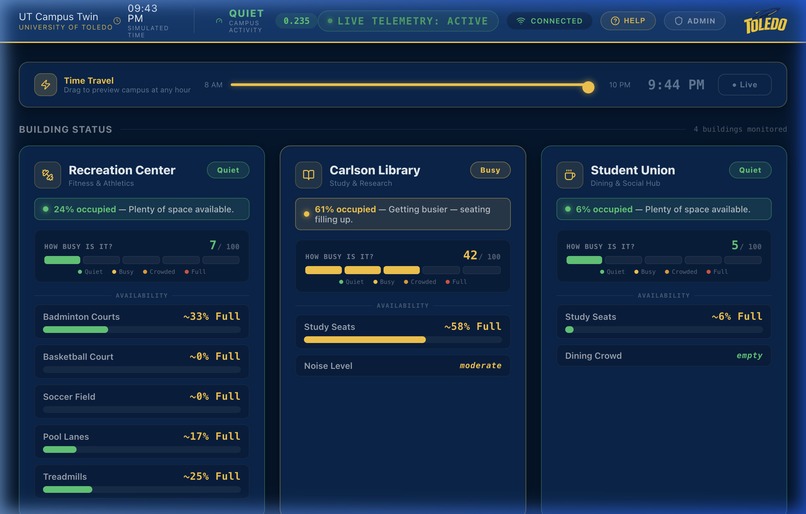
student dashboard
-
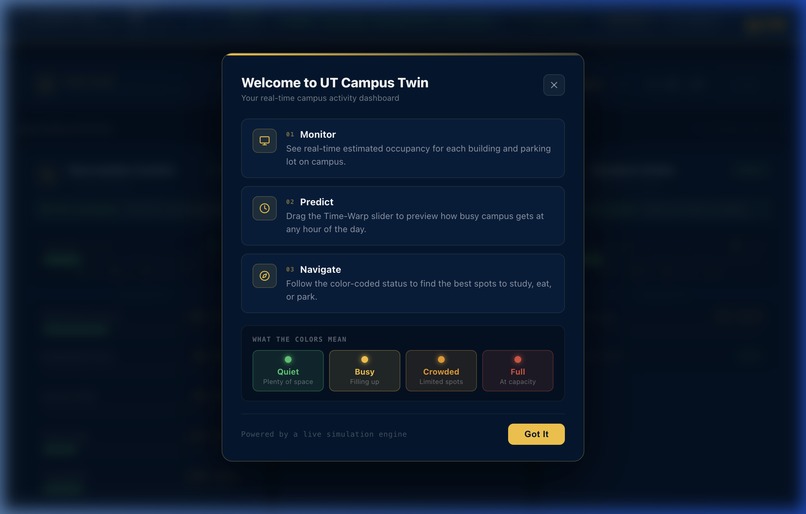
student help dashboard
Inspiration
Every morning, University of Toledo students are late to class because they spend 10 to 15 minutes circling lots for parking spots that don't exist. But our true inspiration came from a dangerous situation last month: a chemical lab incident triggered the fire alarm in the North Engineering building, trapping me inside with other students and faculty. My partner, who is also a UT student, was at home and only found out about the emergency through a Facebook group because the university's mass email system failed to send a timely alert. Typical campus apps only provide static maps or schedules. We realised UT needs a live operational layer where conditions update continuously. We were inspired to build UT Campus Twin to bridge the gap between student navigation and administrative control, ensuring that whether a student needs to find an open parking spot or campus ops needs to broadcast an instant, life-saving alert, the information is delivered immediately.
What it does
UT Campus Twin is a real-time digital twin of the campus that synchronises two distinct views using a single live data stream:
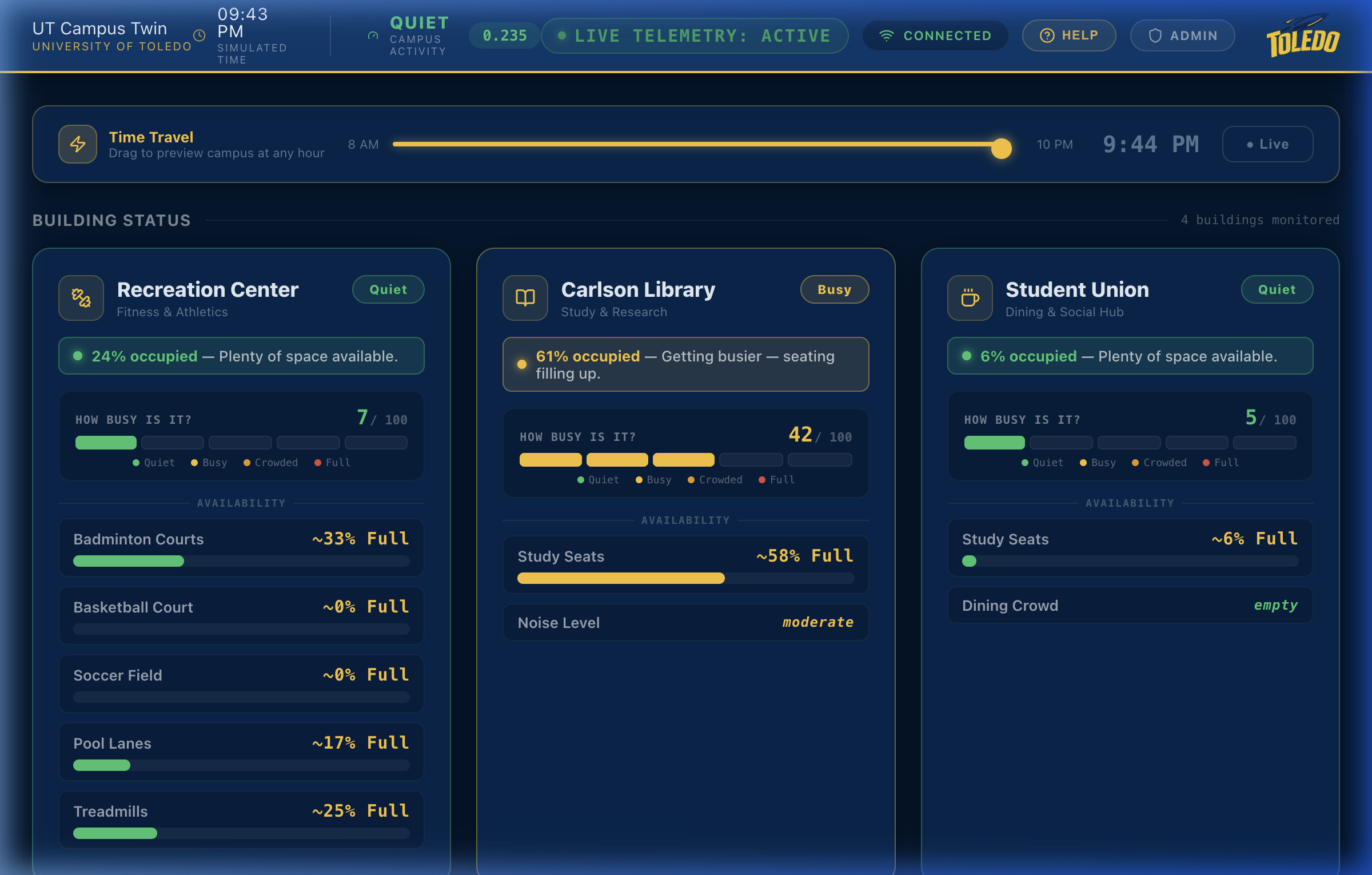
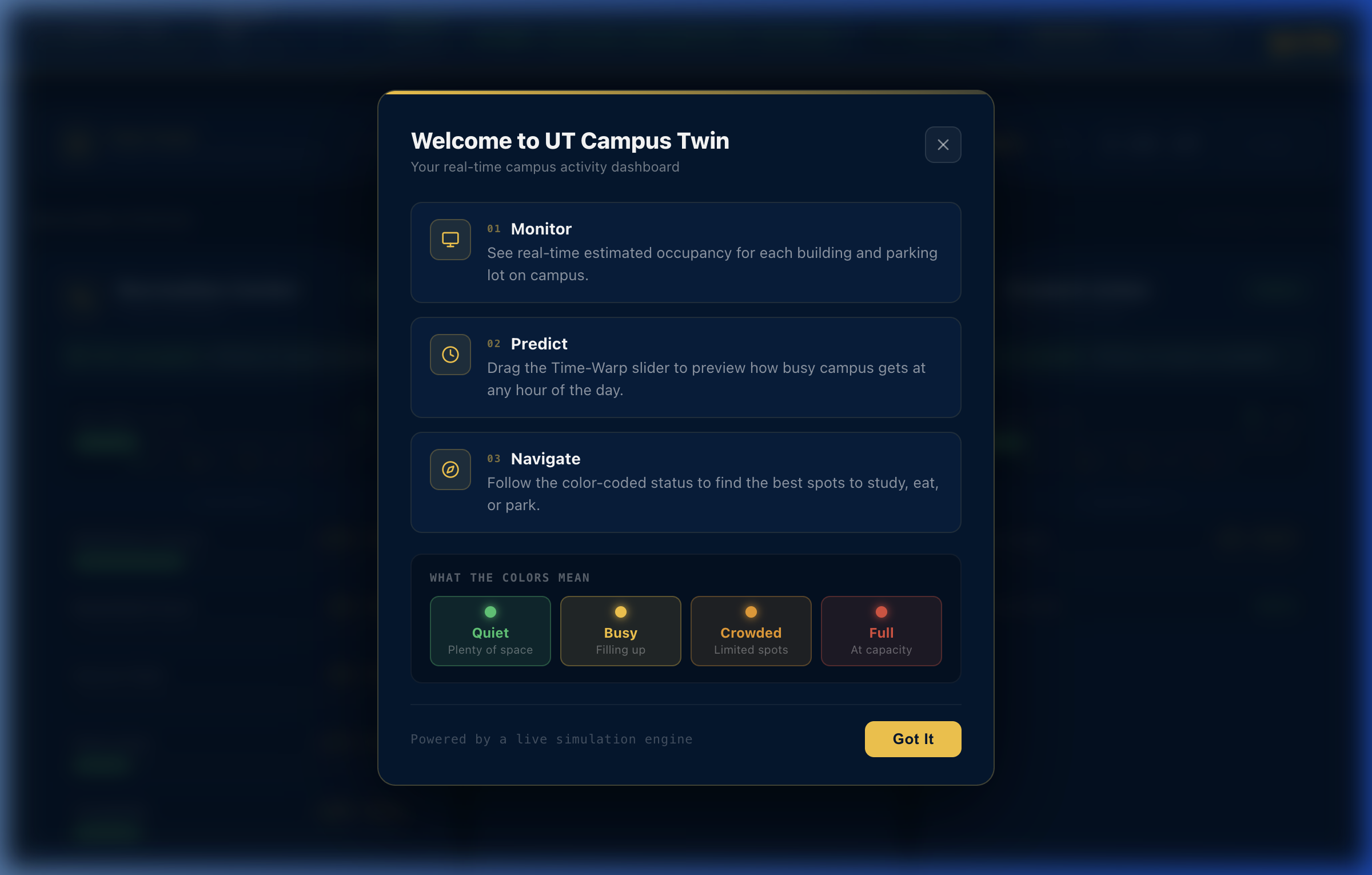
- Student Dashboard: A public-facing UI that helps students navigate by showing real-time building occupancy and parking availability -Using color-coded indicators (Quiet, Busy, Crowded, Full), it proactively recommends alternative locations if a lot or building is full
- It also features a "Time Travel" slider that lets users preview campus conditions at any hour of the day. Admin Command Center: An operator-facing portal where facilities teams can monitor campus conditions and trigger "Incident Presets" (like football games or snow alerts). Admins can manually override building statuses, mark parking lots as full, and broadcast global alerts that instantly appear on the student dashboard
How we built it
We built the prototype to be highly responsive and completely sensor-agnostic. Backend & State: We used Python and FastAPI to handle REST endpoints and WebSockets. We utilized an in-memory dictionary to act as the single source of truth for the campus state.
- Frontend: The UI was built with Next.js 14 (App Router) and React 18, styled with CSS variables for a custom UT-branded dark theme, and populated with lucide-react icons.
- Simulation Engine: Because we didn't have real sensors for the hackathon, we built a pure Python simulator using a sum-of-Gaussians model to generate realistic occupancy peaks, complete with noise and random jitter.
- AI Development Assistance: Throughout the hackathon, we used claude and Gemini for project-related queries. We leveraged Gemini as a brainstorming partner and coding assistant to help us refine our UI components, troubleshoot real-time data flow, and optimize our Python backend.
- The Math: To translate raw numbers into how a building actually feels, we calculate a Space Stress Index (SSI) using the following formula: $$ \text{SSI} = 0.7 \times \text{occupancy}^2 + 0.2 \times \text{noise} + 0.1 \times \text{rate_of_change} $$
Challenges we ran into
One of our biggest architectural challenges was preventing a "broadcast storm." If our backend broadcasted a WebSocket update every time a single parking spot changed state, it would saturate the network and lag the client UI during peak class transitions. We solved this by implementing state aggregation, throttling updates to a fixed interval, and sending delta-based updates (transmitting only the specific data points that changed) rather than the entire campus JSON file. Another challenge was designing the system to accept simulated data now but real data later. We successfully decoupled the frontend and backend so neither knows (or cares) that the data is simulated – they process the JSON packets exactly as they would from a real sensor array.
Accomplishments that we're proud of
- Sub-500ms Synchronisation: Every action an admin takes (like triggering a football game preset) instantly merges into the live simulation state and updates the student dashboard in under half a second, without a page refresh.
- The "Time-Warp" Feature: Building a seamless slider that allows users to override the live data flow and instantly preview predicted campus congestion at any simulated hour.
- Zero Cloud Dependency: The entire prototype runs locally without a database or authentication system, yet the architecture is fully prepared for enterprise scaling
What we learned
We learned a tremendous amount about real-time distributed architecture, specifically how to manage and sync state across multiple clients efficiently. We also learned the importance of "Privacy by Design". To deploy this in the real world, we realised we can't transmit raw video from parking cameras; instead, we must use edge processing to ensure only anonymous metadata (e.g., "+1 vehicle") ever hits our servers, keeping student identities completely isolated.
What's next for UT Campus Twin
The first step toward a real-world deployment is replacing our simulation engine with actual campus telemetry, such as integrating existing WiFi access point density logs and parking camera edge sensors. To scale for thousands of concurrent student users, we plan to wrap our FastAPI instances in Docker containers behind a load balancer and use Redis as a shared state store. Finally, we want to integrate machine learning on historical sensor data to move from real-time monitoring to proactive, predictive congestion forecasting.
Built With
- fastapi
- google-maps
- lucidreact
- nextjs
- python
- react
- uvicorn
- websockets