-
-
Mode_Selector
-
Mode_1
-
Mode_2
-
Mode_3

Inspiration
As we transition into adulthood, driving becomes a necessary obstacle to overcome. When we first started learning, a difficulty we all faced was dealing with bad drivers on the road, who are frequently unpredictable and slow with reactions. Through extensive research as a team, we discovered that the average driving perception time is ¾ of a second. It takes even longer for drivers of less experience to perceive danger on the road. To help tackle this issue, we decided to develop a program that will improve a driver’s reaction time and identify what a driver needs to work on in order to be a safer member of society. Using this program, users can drastically reduce their reaction time to as little as 250 milliseconds.
What it does
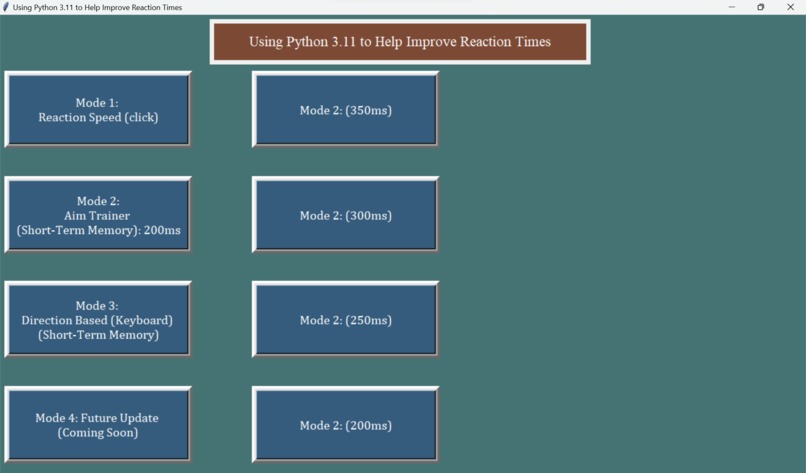
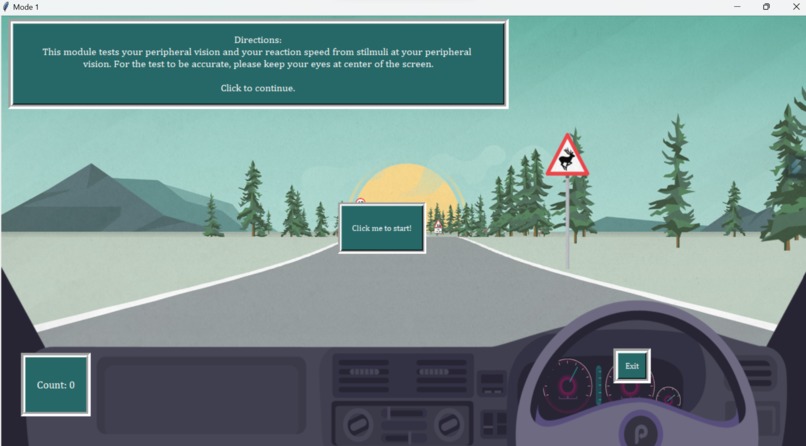
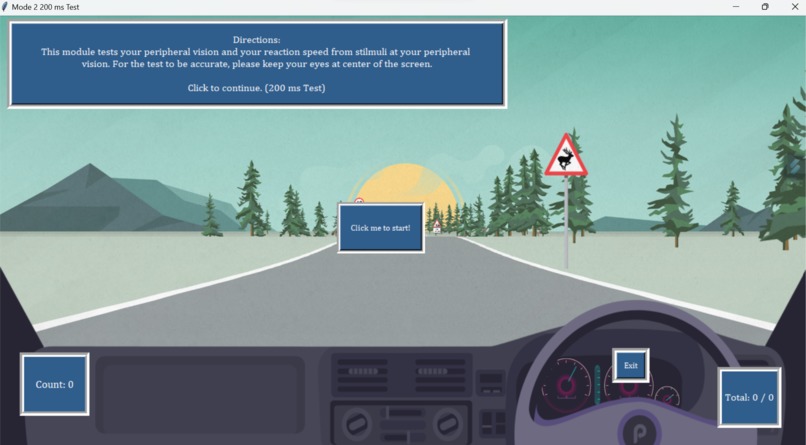
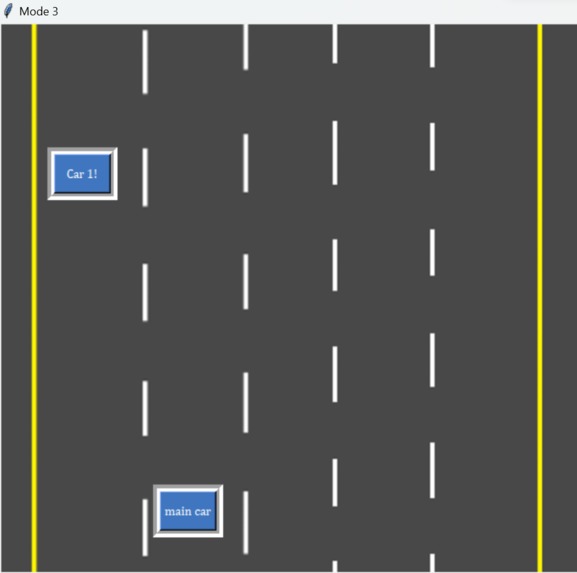
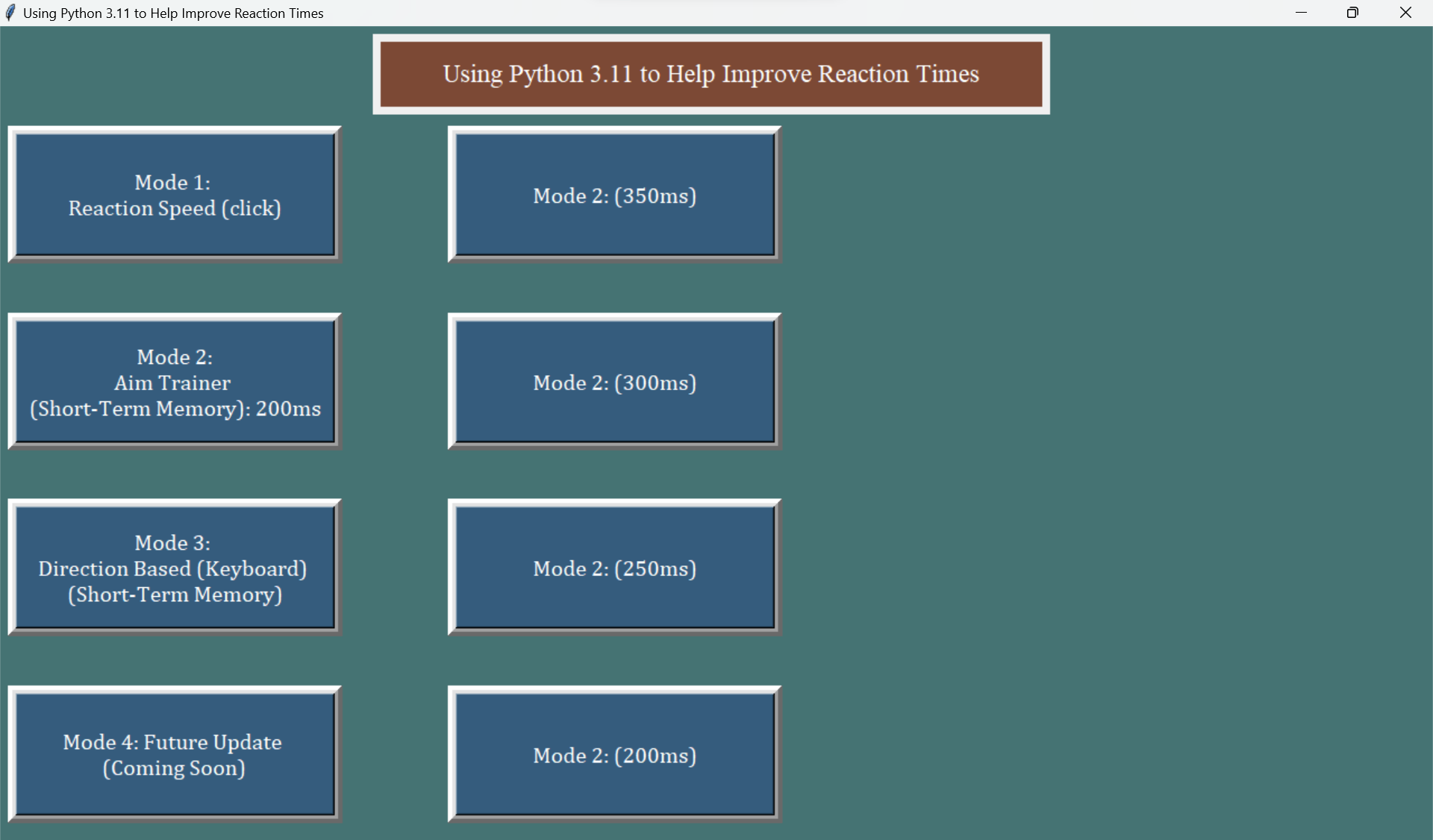
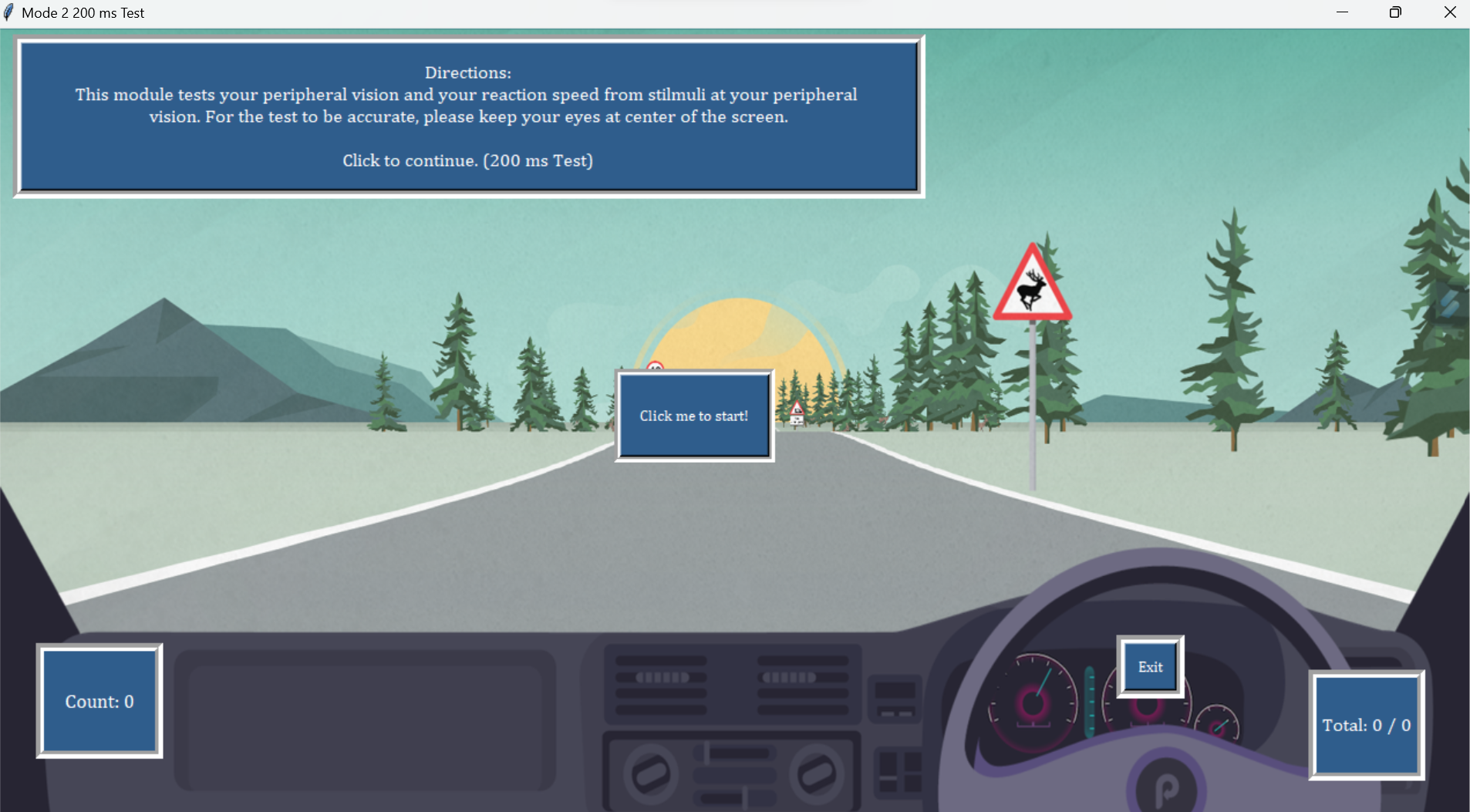
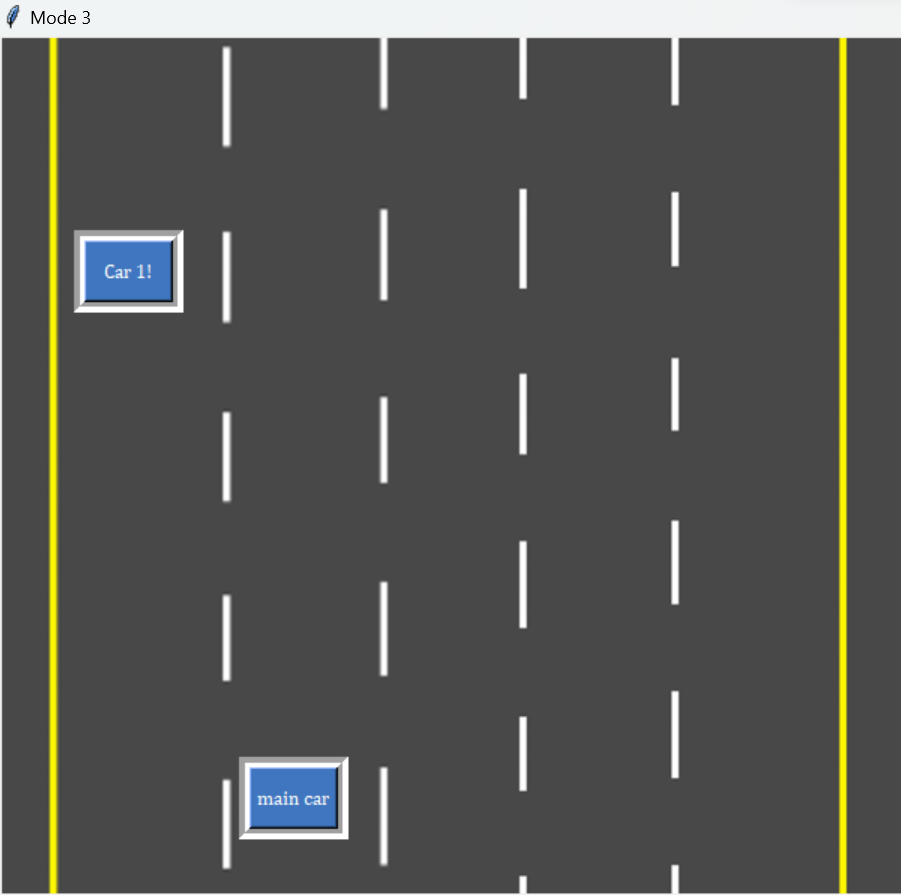
This program has three modes. The first mode simulates identifying hazards on the road, which is the first step in preventing traffic accidents. In this mode, random red buttons will pop up on the screen for the users to click. The time it takes for the buttons to be clicked will then be recorded 10 times (as there are 10 buttons) and the average time will be outputted. This average basically is a representation of how long it would take for the user to recognize hazards on the road when driving in real life. The second mode evaluates one's peripheral vision as well as responsive speed to road-based objects. The objective of this mode is to refine their reactions to stimuli. Buttons are presented, featuring the right, left, and upward arrows that appear and vanish within a 250-millisecond timeframe - the reaction time required for precise scoring within this setting. The user is tasked with having to press the corresponding ‘w’, a’, and ‘d’ keys ten times. Simultaneously, the calculation of the user’s reaction time and accuracy are displayed. In the third mode, users can experience the essential skill of swiftly changing lanes to avert collisions. This is displayed through the presentation of four lanes and a car that moves down the screen at a speed of x pixels per second. To successfully avoid colliding with moving cars, users must adeptly maneuver between the lanes using the ‘a’ and ‘d’ keys. This not only hones the user's ability to react promptly but also heightens their capacity to make quick decisions.
if count < 9: #if less than 10 buttons have been pressed.
        count+=1
        if count != 1: #if it is not the first button. update the total time shown on button 5 as well as the amount
            if (total * 1000) < 1000:
                button5.config(text=f"Count: {count}\nCurrent:\n{round((total * 1000) , 2)} ms")
            else:
                button5.config(text=f"Count: {count}\nCurrent:\n{round(total, 2)} s")
        else:
            button5.config(text=f"Count: {count}")

        window.update()
        frame_c.place_forget()
        button3.place_forget()
        #forgets the starting buttons

        window.update()
        time.sleep(random.randint(1,5))
        xval = random.randint(0,1500)
        yval = random.randint(0,475)
        frame_c.place(x=round(scalerx*xval), y=round(scalery*yval))
        temp_start = start_time()
        #places the first button of the acutal sequence of the buttons in a random spot

    else:
        count+=1
        button5.config(text=f"Count: {count}")
        window.update()
        button4.config(text=f"Your average reaction time is {round(((_sum/9) * 1000), 3)} ms. Click to Close.")
        window.update()
        frame_d.place(x=round(scalerx*350),y=round(scalery*160))
        frame_c.place_forget()
syntax for the the for loop we utilize in mode 1 and mode 2
How we built it
We utilized Python and Engineering Design Process to program "Using Python 3.11 to Help Improve Driver Reaction Time"
Challenges we ran into
A big challenge we faced was working around the Tkinter module restrictions. For example, since all of our buttons are Tkinter objects, our functions are basically looped infinitely because Tkinter requires a loop to run whenever there are Tkinter objects so it can track and update the objects when needed, like when buttons are clicked. However, Tkinter only loops the commands related to Tkinter objects, so implementing the hit registration for mode three was a struggle. We had to explore many ideas, including threading. (If we just placed a loop inside our code, it will not work, because Tkinter’s loop will get interrupted) Threading is essentially the use of a module to make functions run in the background. We thought that this idea would allow us to write code to detect object collision without interfering with the generation and movement of objects, which are managed by Tkinter. While we did not end up using this idea, this is an example of how we tried to solve our problems. Furthermore, a challenge we faced was the scaling of the buttons, PNGs, frames, and text, and having it fit on different laptop resolutions. Another issue we faced is the function bind(), which has 2 parameters, an event (i.e. “” event which detects whether keys are pressed”) and a function that automatically takes the event as a parameter. This function gave us a lot of trouble because there are so many hidden restrictions. For example, the variety of events is narrow, and only one function can be bound to one event. This is because this function is a Tkinter function, and Tkinter codes repeatedly and endlessly run. If we bind two functions to one event, the bind functions will just contradict each other, and cause a crash, even if one bind function comes later than the first bind function. In a sense, with Tkinter, the order of codes matters less, which was confusing to us. Together, we iterated through the engineering process as we encountered various problems.
keypress = False
temp_char = ''
def handle_keypress(event):
    global keypress
    global temp_char
    #using event.char to pass in positional argument to call class with event as object
    temp_char = event.char
    # Print the character associated to the key pressed
    # print(temp_char)

#connects keypress to a function
window.bind("<Key>", handle_keypress)
syntax to generate the bind between a keypress the handle_keypress function to allow us to do different things with different key inputs
Accomplishments that we're proud of
One of the greatest accomplishments of this project was how much all of us learned in object-oriented coding as well as Python in general. For the three of us, this is the first time we did either of these two. For many of us, this is also the first time we worked collaboratively on coding projects. This is by far the largest project many of us have done. In this project, we learned how to troubleshoot, debug, and use online resources to successfully construct our own code. But most importantly, this project also allowed us to gain lots of experience that we could potentially use for future projects.
if end != True:
        for x in range(round(67/yscaler)):
            window.update()
            time.sleep(.1)
            car_frame.place(x=round(xpos*xscaler), y=round(ypos*yscaler))
            window.update()
            ypos += round(10*yscaler)

            # print (x)

            # following lines r for hit registration
            if(650 - round(yscaler * 5) < ypos < 650 + round(yscaler * 5) and (car_xpos - round(xscaler*15)) < xpos < (car_xpos + round(xscaler*15))):
                frame_b.place_forget()
                frame_c.place_forget()
                frame_d.place_forget()
                frame_e.place_forget()
                car_frame.place_forget()

                end = True

                end_frame.place(x=250, y=250)
                break
else:
      pass
syntax for the logic we implemented to determine if the user fails mode 3
What we learned
Just as we stated previously, we learned a lot about object-oriented programming as well as Python in general. Many of us also learned about troubleshooting code and using specialized development software like Visuals Studios Code. Through this project, we gained experience that we will certainly apply in future projects.
What's Next for Using Python 3 to Help Improve Driver Reaction Time
We want to implement more features, such as an increase in speed for mode 3, which we could not do given the competition's time frame. We would also like to make it more customizable, such as by allowing the user to give their preferred timing for delays, such as in mode 2, and the code would adjust to it. We would also like to increase the outreach of the code and try to help and aid individuals to be safer drivers.
Built With
- github
- i/o
- keyboard
- pillow
- python
- random
- sys
- threading
- time
- tkinter
- visual-studio


Log in or sign up for Devpost to join the conversation.