Inspiration
First-year students often struggle navigating campus because it’s a completely new environment, making it easy to get lost. Even for returning students, having a class in an unfamiliar building can disrupt their routine and make it difficult to plan their schedule efficiently.
What It Does
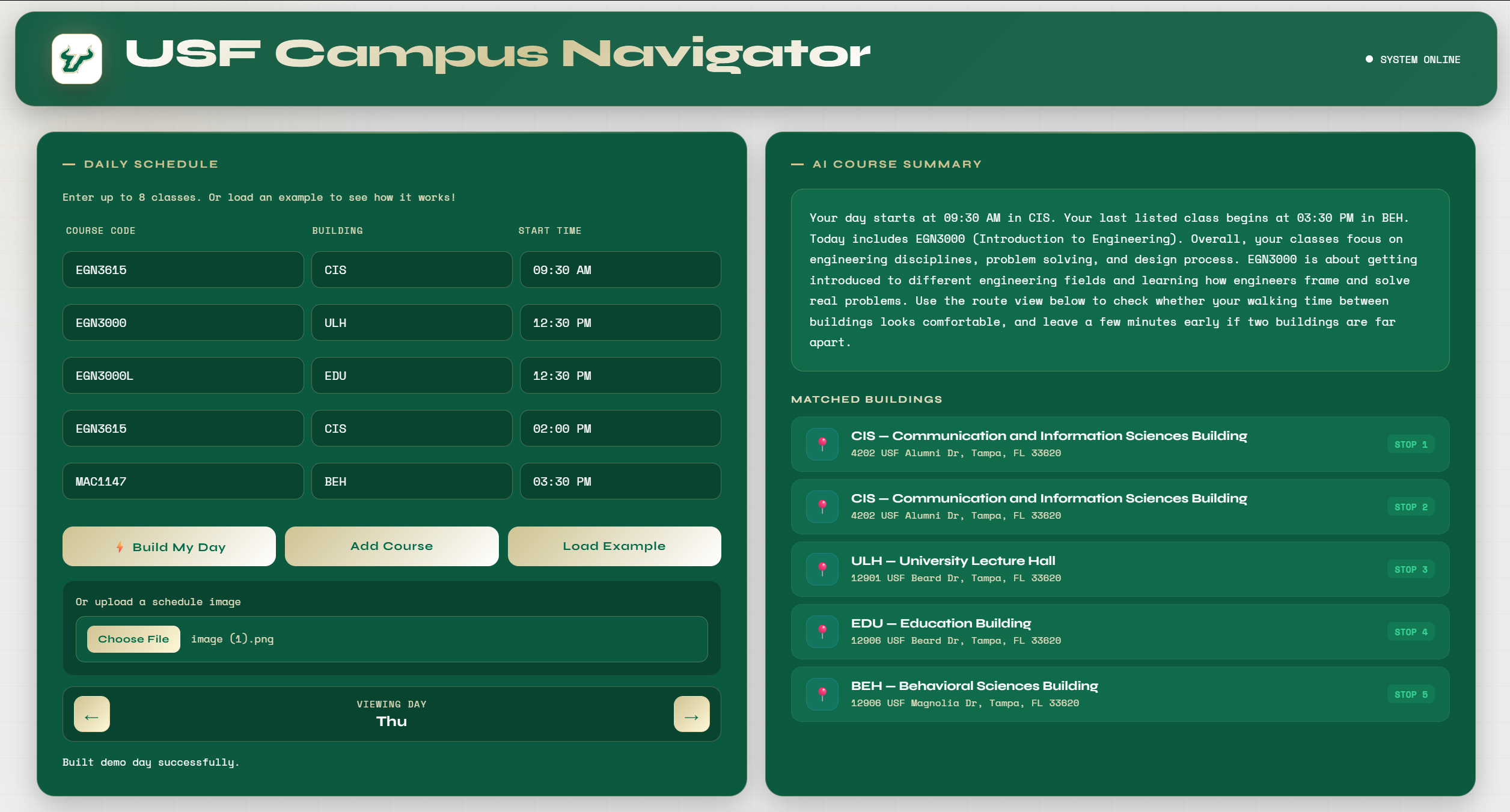
Our app helps students plan and navigate their day by turning their class schedule into an interactive, guided experience.
At the core of the app is API integration that powers automation and real-time functionality:
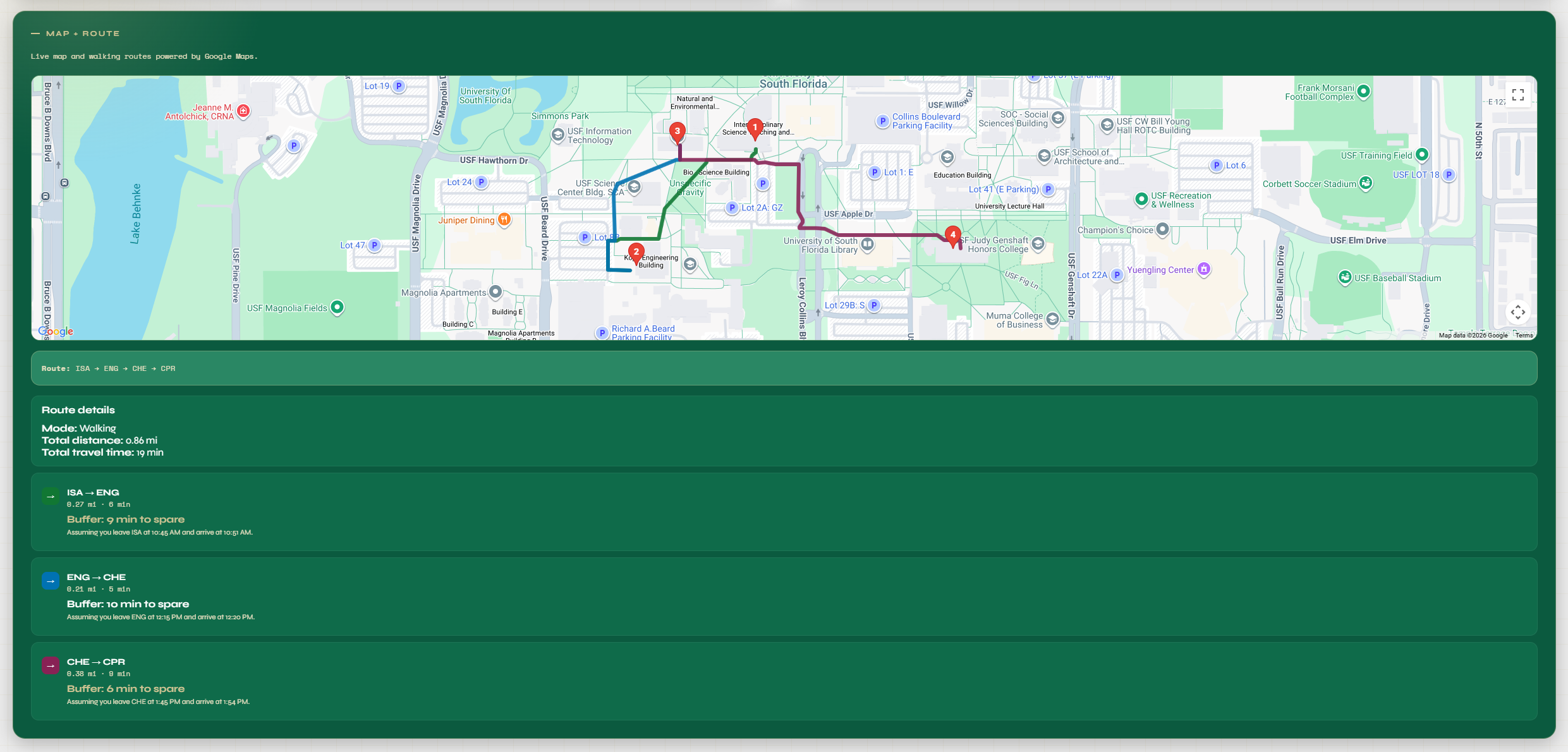
We use the OpenAI API to process student schedules. Students can either upload a photo of their schedule or manually input it. The API analyzes this input, extracts relevant course information, and organizes it into a structured daily plan. The AI then generates a student-friendly breakdown of the day, explaining the order of classes, timing, and what to expect in a clear, readable format. Once the schedule is structured, we use the Google Maps API to handle navigation. It calculates routes between each class in sequence Displays the full path for the day on a map Provides walking directions between buildings Estimates time between classes and total walking distance The app visually connects everything by showing a step-by-step route from the first class to the last, helping students understand exactly how their day flows.
Overall, the system acts as a bridge between AI processing and real-world navigation, turning raw schedule input into a fully mapped daily plan.
How We Built It
Integrated the OpenAI API to handle schedule parsing and AI-generated summaries Used the Google Maps API to generate routes, calculate distances, and display navigation paths Built a backend system to connect user input with API responses and organize the results Developed a frontend interface to display schedules, maps, and daily summaries in a user-friendly way Used GitHub for collaboration and version control across the team
Challenges
The OpenAI API sometimes struggled to correctly read schedule images, occasionally missing classes or limiting the number processed The Google Maps API had issues with rendering routes and properly placing pins on the map Debugging API responses and ensuring consistent data flow between services was difficult
Accomplishments
Built a fully functional project from scratch as a team of first-time hackers Successfully integrated both the OpenAI API and Google Maps API into a single application Created a tool that solves a real, relatable problem for students
What We Learned
Strong team communication (especially through GitHub) is critical to avoid breaking features How to implement and work with APIs, especially AI-powered ones The importance of dividing roles effectively to improve productivity and reduce conflicts
What’s Next
Improve accuracy of schedule recognition from images Add more transportation options (biking, driving, bus routes) Enhance map visuals (colored routes, better pin organization) Expand to support multiple campuses or universities
Built With
- flask
- google-maps
- html
- openai-api
- python


Log in or sign up for Devpost to join the conversation.