-
-
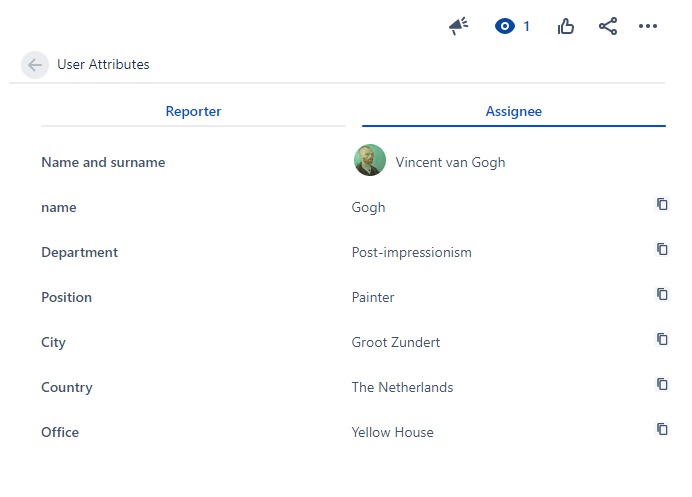
Manage user attributes in Jira and display them on issue and request views. Reduce communication fatigue and speed up the issue-handling.
-
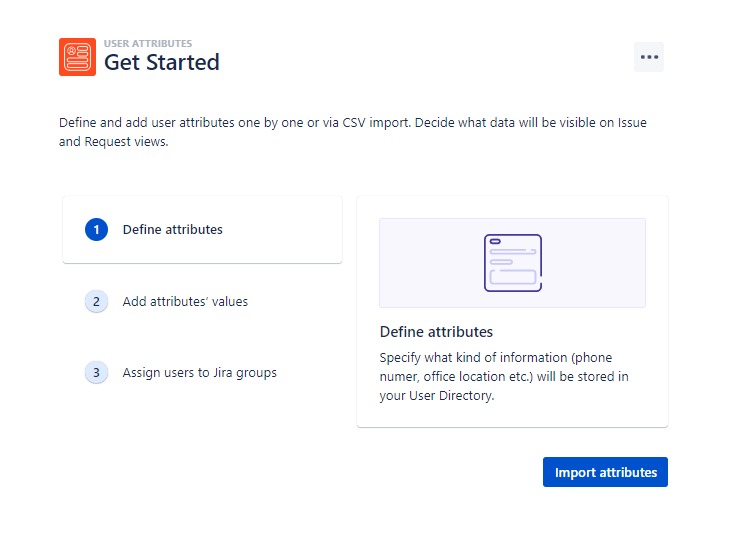
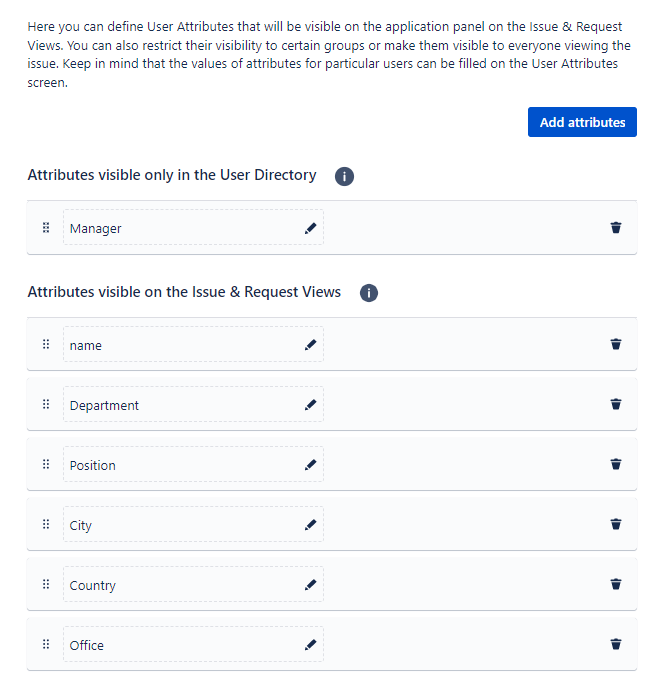
Decide which user data to store and keep that information directly in Jira, without the need of external user directory.
-
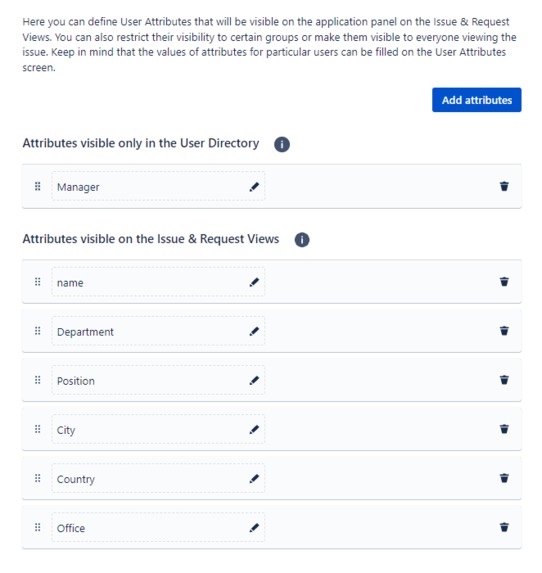
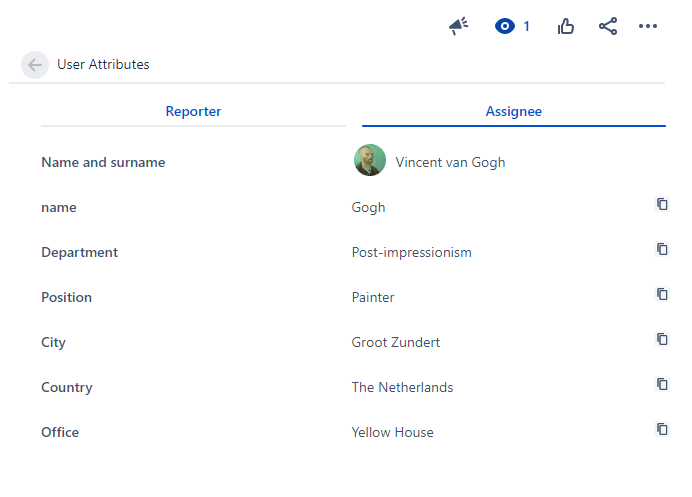
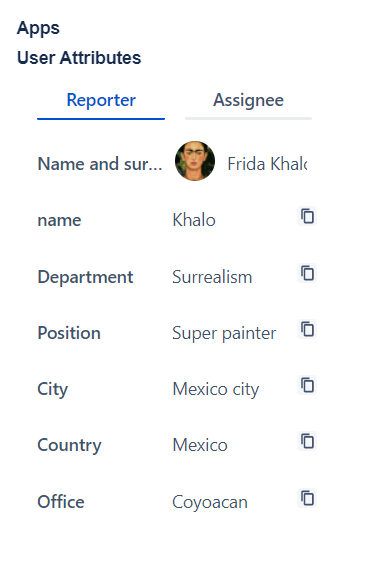
Select attributes to display for Jira users on issue view and keep the rest in private.
-
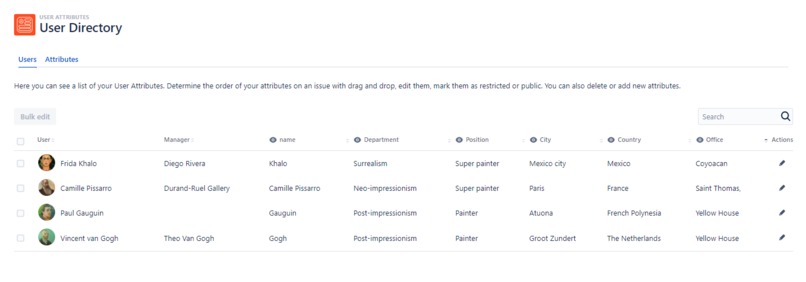
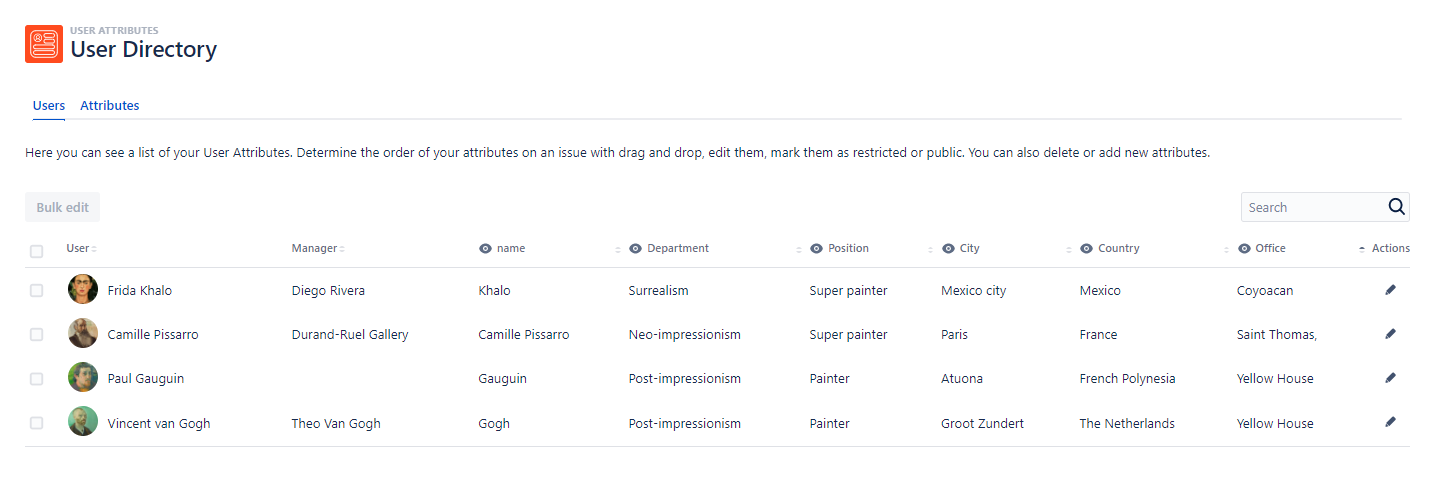
Display Jira users and their attributes in a searchable user directory inside the application
-
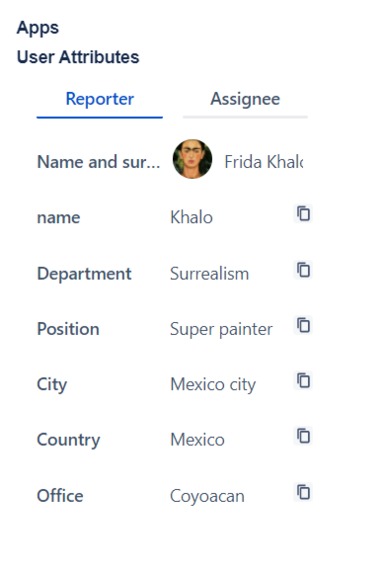
Display attributes of reporter and assignee also in Jira Service Management.

Inspiration
Did you also wake up in post-pandemic times to suddenly realize that half of your team is new and that they all work from different corners of the world? Does your organization grow so fast that it becomes difficult to follow who reports to who, and in which office a given department is located? Finally, have you ever wondered who John Doe is? If the answer to any of these questions is yes - then you can easily understand what inspired us to create User Attributes for Jira. The app was designed to give all Jira users a tool that provides additional issue context and enables direct, faster communication. So just by looking at the issue, you know who the reporter and assignee are and how to reach them. All that without engaging your HR department or leaving your cozy Jira instance to check an external user directory.
What it does
User Attributes for Jira lets you:
- display Jira users and their attributes in a searchable table inside the application
- define user attributes to store in the internal directory
- define which attributes to display on Issue and Request Views
- import user data from a CSV file
- edit user attributes in bulk or one-by-one
- assign users to groups based on their attributes (beta)
- copy attributes values to the clipboard
In other words: our app tells you the manager of the reporter who asked for the latest Mac Pro, so he can approve the request. It points out a technician that works in the same city as the affected user, so he can check the problem on-site. You don't have to mail the HR department for your colleague's office address when it can be displayed right on the issue view. There is no need to send an important request back when missing crucial information cause you can just call the reporter and ask for details.
How we built it
It all started with an idea and a fully engaged, well-balanced team consisting of developers, ux designer, technical writer, tester and product owner. The first thing we focused on was "the user" - we did our best to understand his needs and design an intuitive and easy-to-use application in a limited period of time. And here Forge comes to the rescue! .....
Challenges we ran into
The real challenge was to decide which features (and we had plenty of ideas!) are the most valuable and should be implemented first. ....
Accomplishments that we're proud of
We managed to create a fully functional, user-oriented, and easy-to-manage application in no time. .....
What we learned
That building apps from scratch is fun and that with a great team only the sky is the limit! Woking in a cross-functional team was a lesson on how to share the responsibility and help each other even when it means gaining new skills. We also learned that Forge improved a lot within a short time and that… Additional value was the possibility to gain knowledge on the direction in which the Atlassian ecosystem gonna develop in the future.
What's next for User Attributes for Jira
The plans are ambitious and include:
- copying attributes to custom fields so they can be used in Jira native Automation and 3rd party apps
- restricting the visibility of attributes on issue panel to certain user group
- fully implement assign to group based on attribute feature
- support for multiple attributes types (user picker, date picker, single select, multiline text field)
- further customization of attributes panel - first of all the possibility to display the attributes of only one person (assignee, reporter, user picker)
- custom reports based on attributes (for example: show how many users belongs to which department and office)
- possibility to edit own attributes by Jira users
- further customization of User Directory table (advanced filtering)


Log in or sign up for Devpost to join the conversation.