
Inspiration
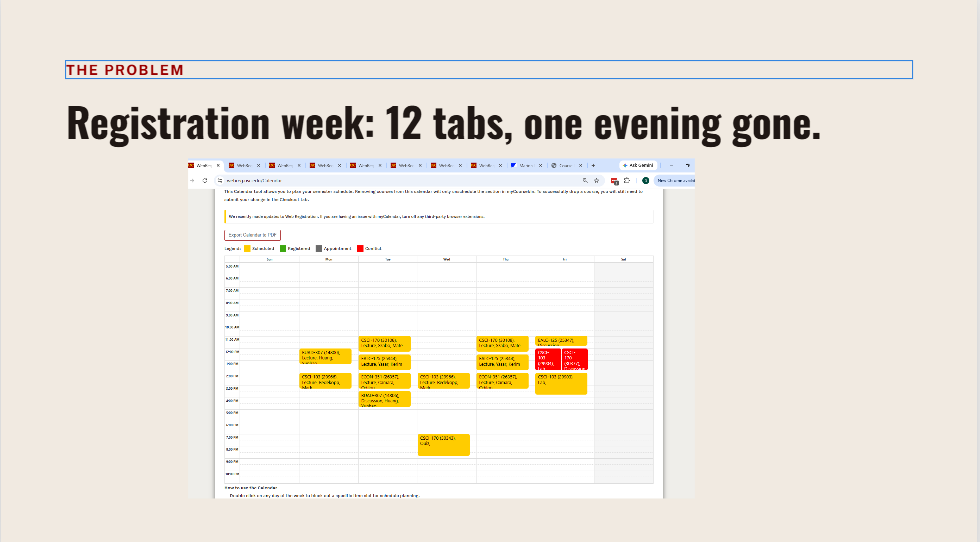
Last registration season I watched my friends lose whole evenings trying to build a spring schedule that didn't conflict: a dozen WebReg tabs, RateMyProfessors in another window, a course plan PDF, and constant checking of which lab went with which lecture. I knew the routine because I lived it too. Two Chrome extensions helped a bit: one put RateMyProfessors reviews inside WebReg, another generated schedules from required courses. But the generator ignored what students really care about (class times, GEs and electives, a free Friday) and didn't rank schedules by how well they fit you. You still spent hours scrolling, adding GEs by hand, and patching what didn't match. I built this for everyone, but especially for students with specific preferences or requirements that make registration hard. And I wanted it inside WebReg, not on yet another separate site.
What it does
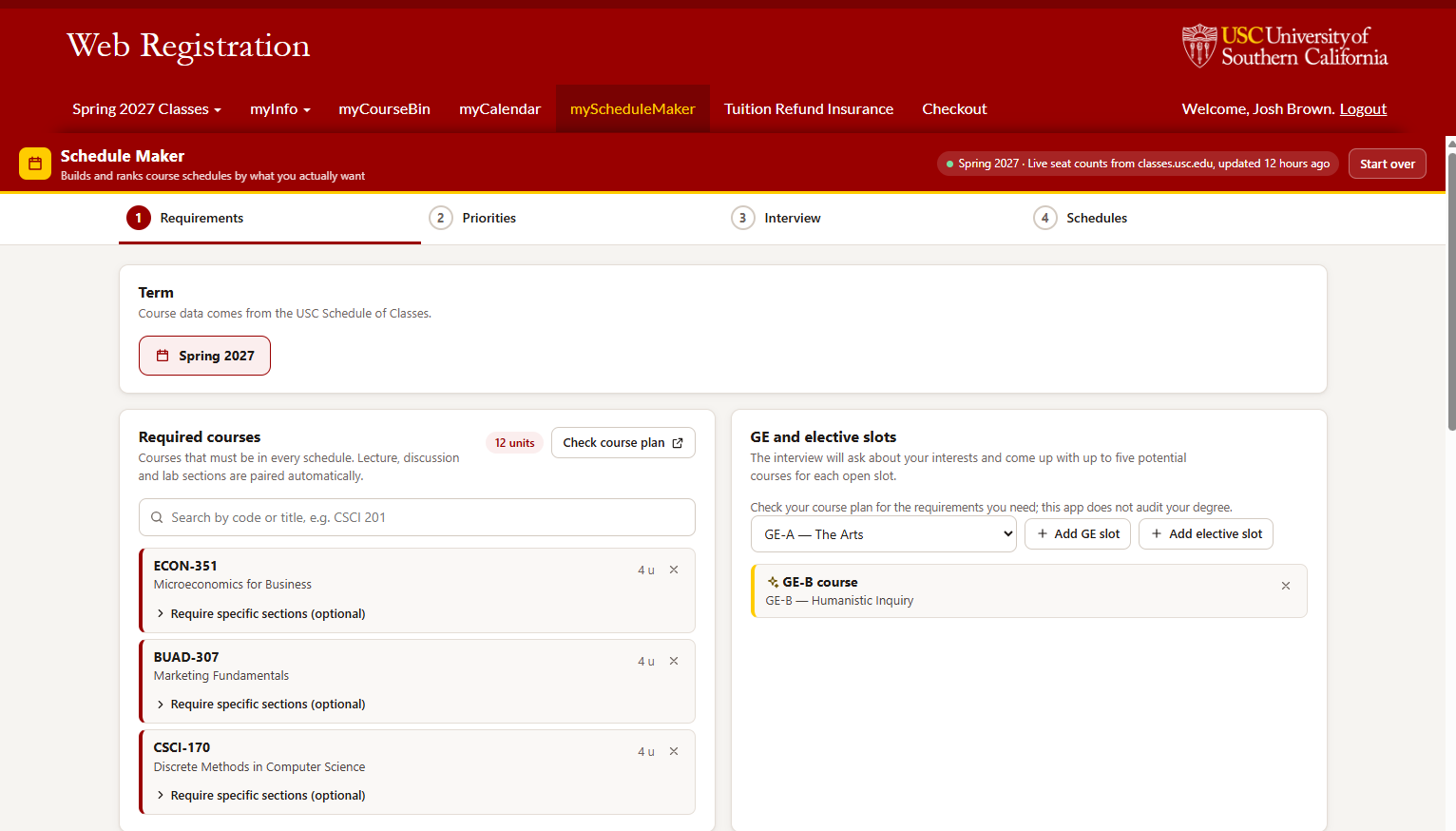
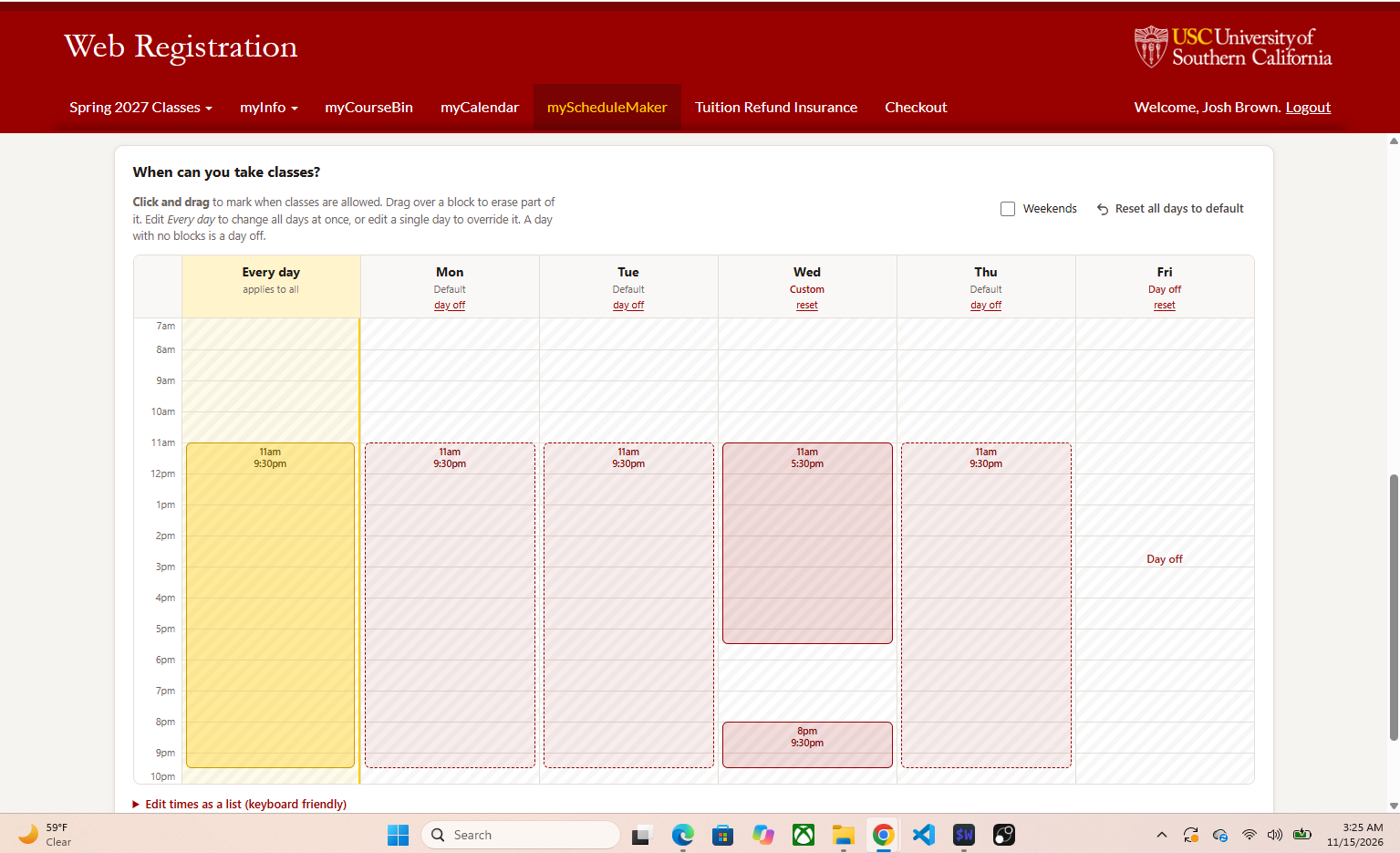
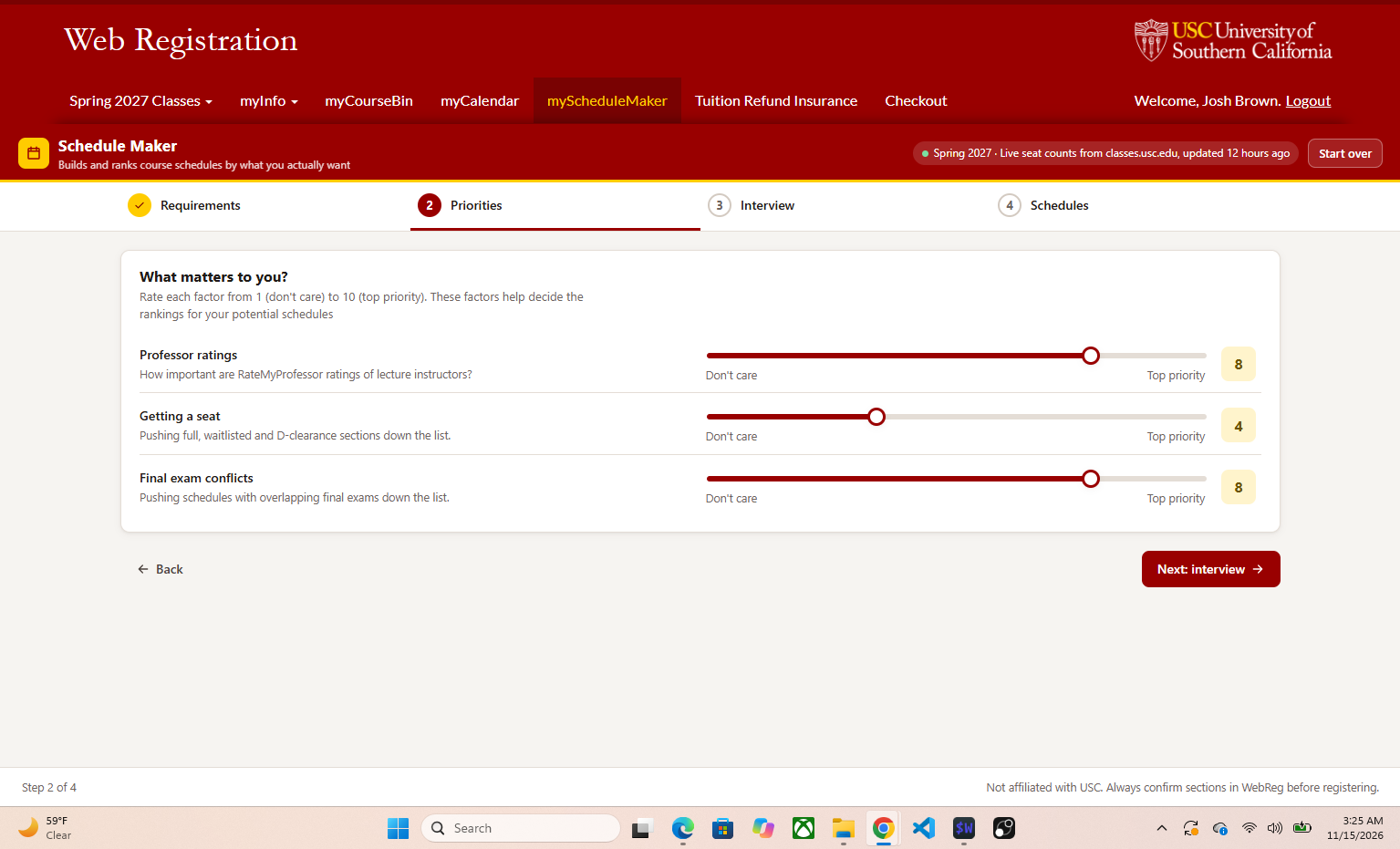
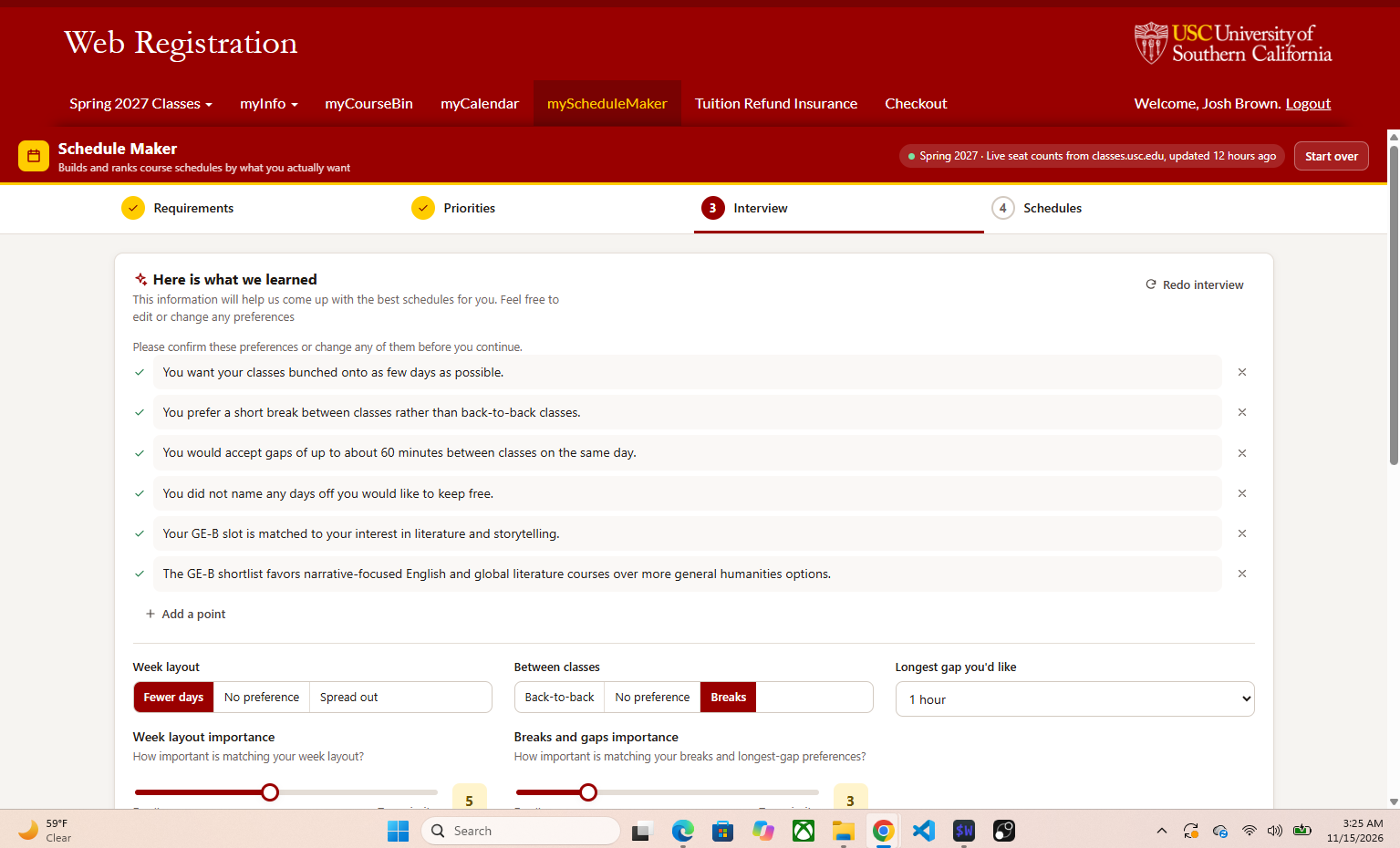
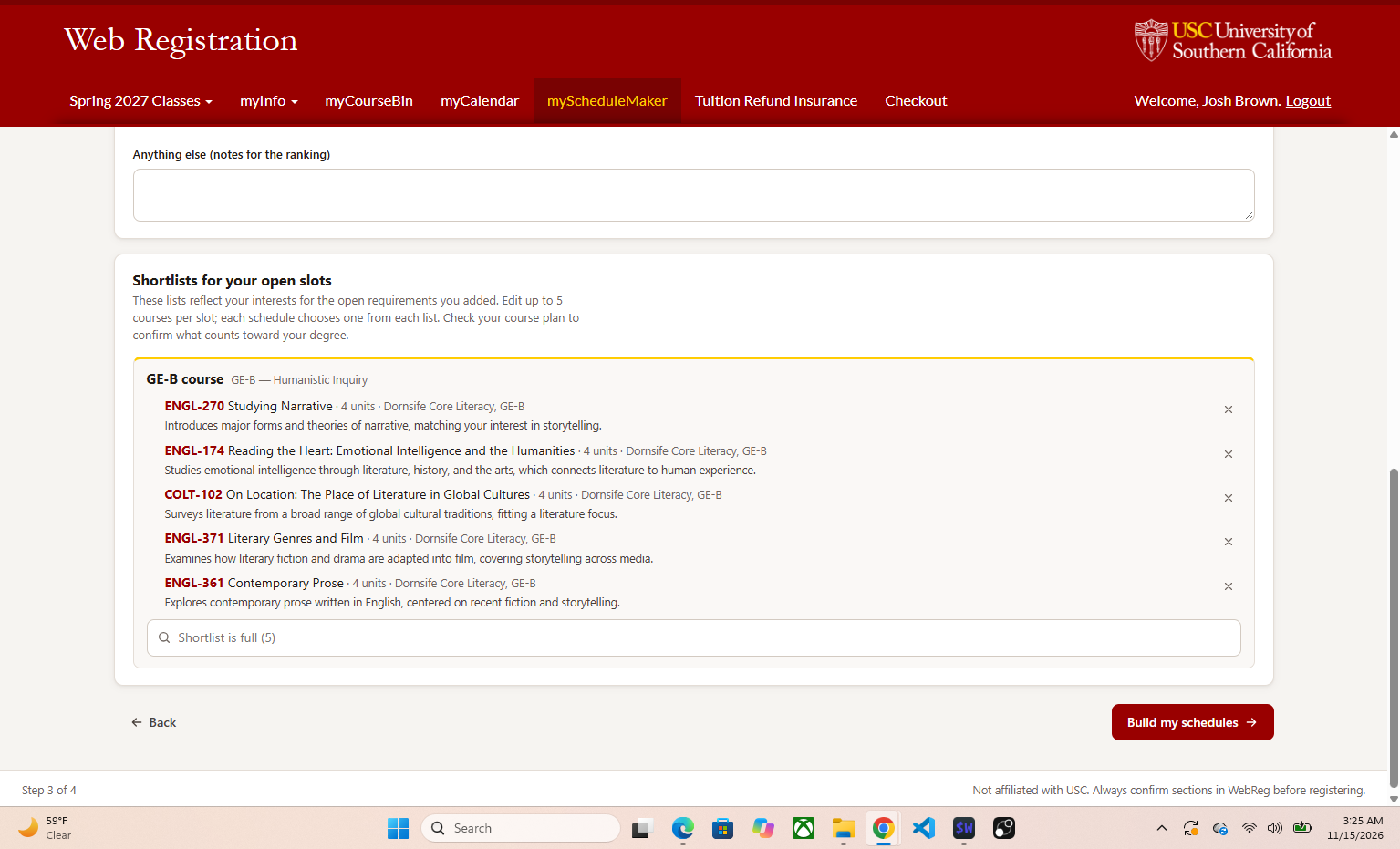
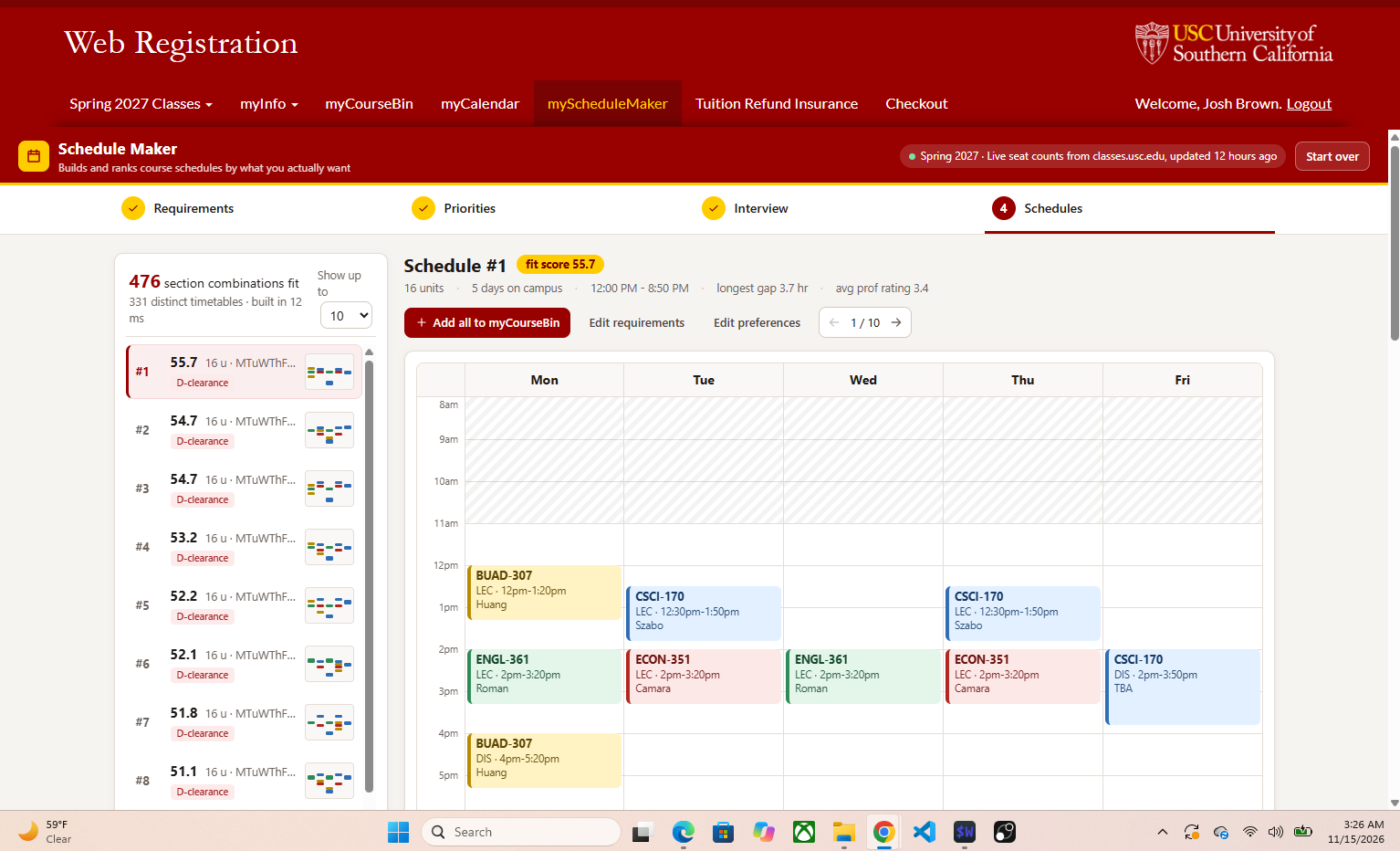
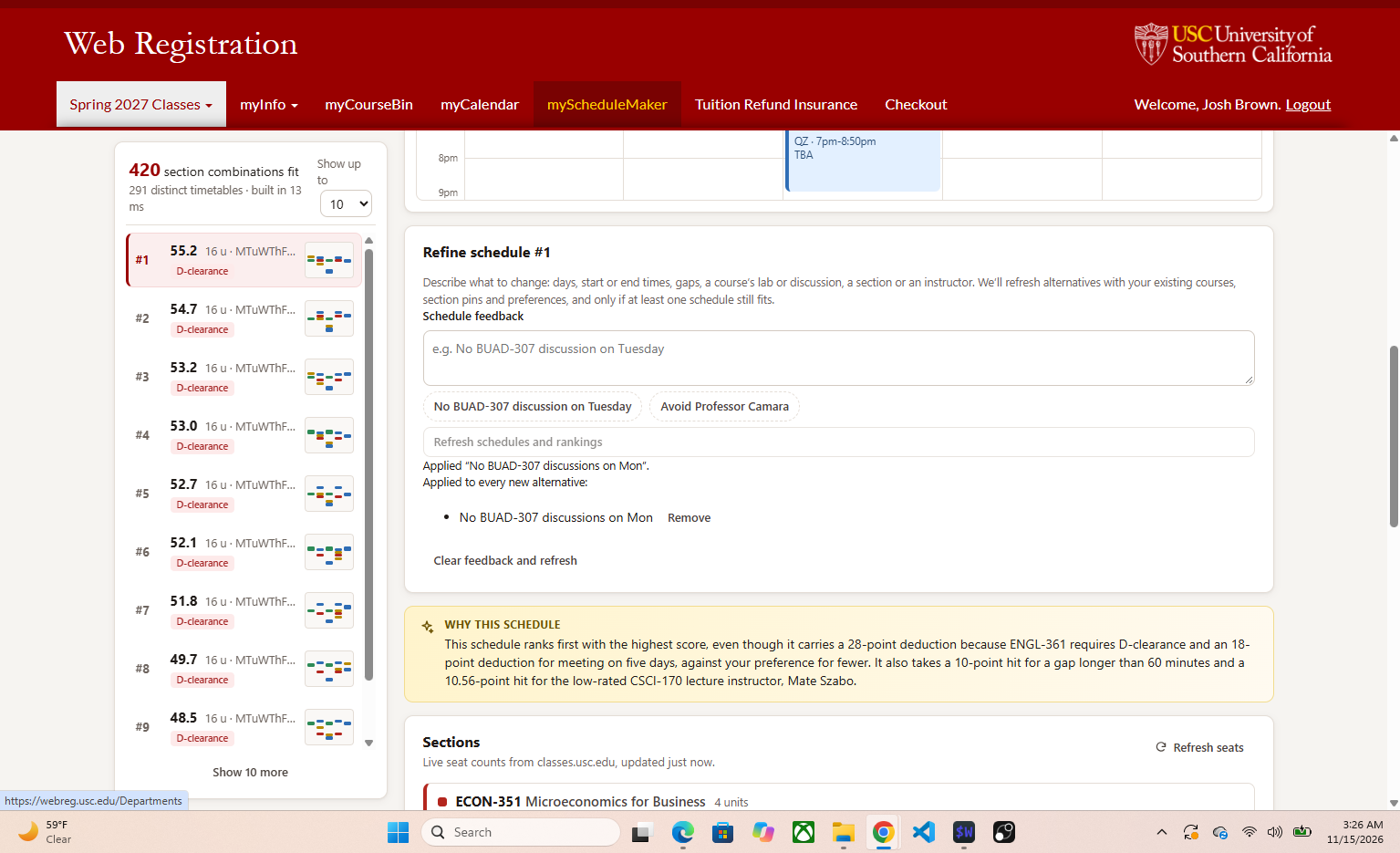
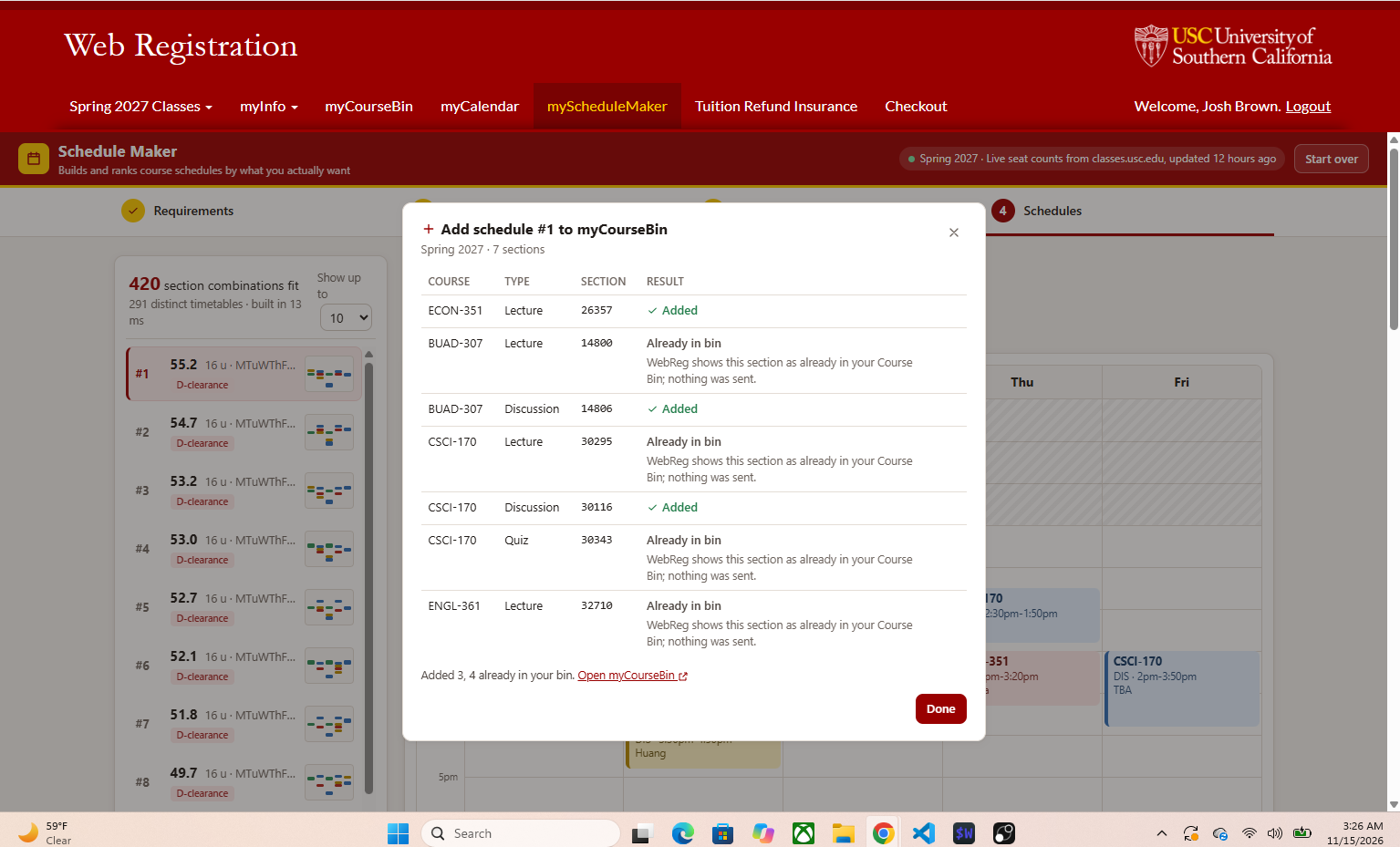
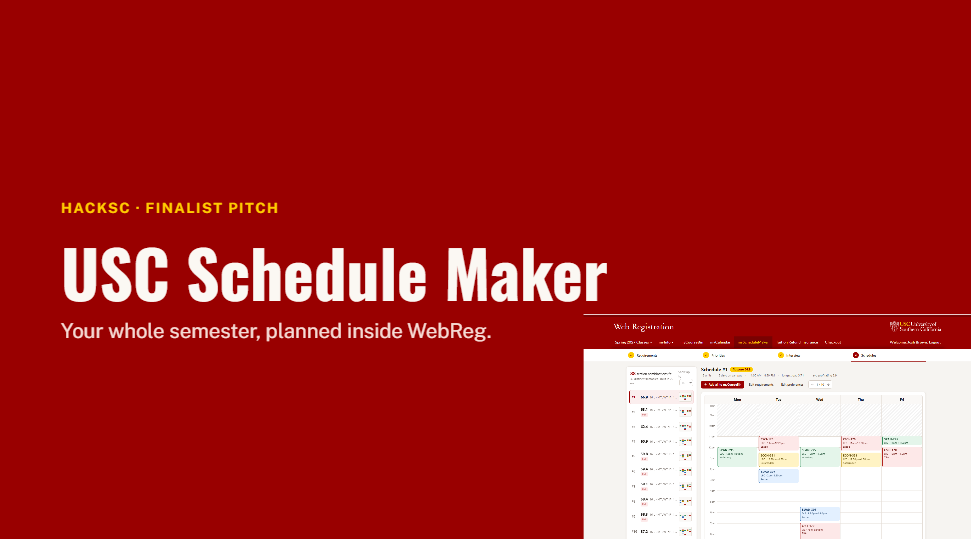
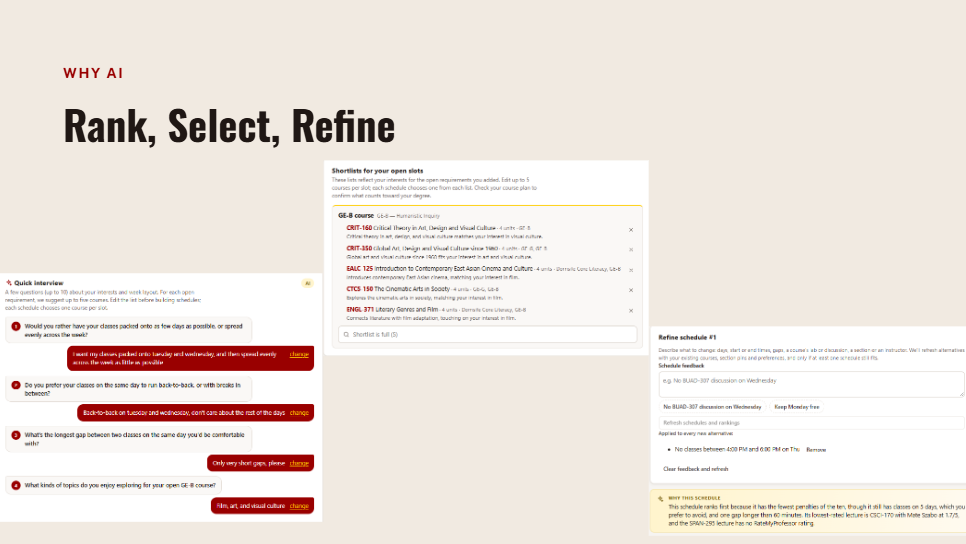
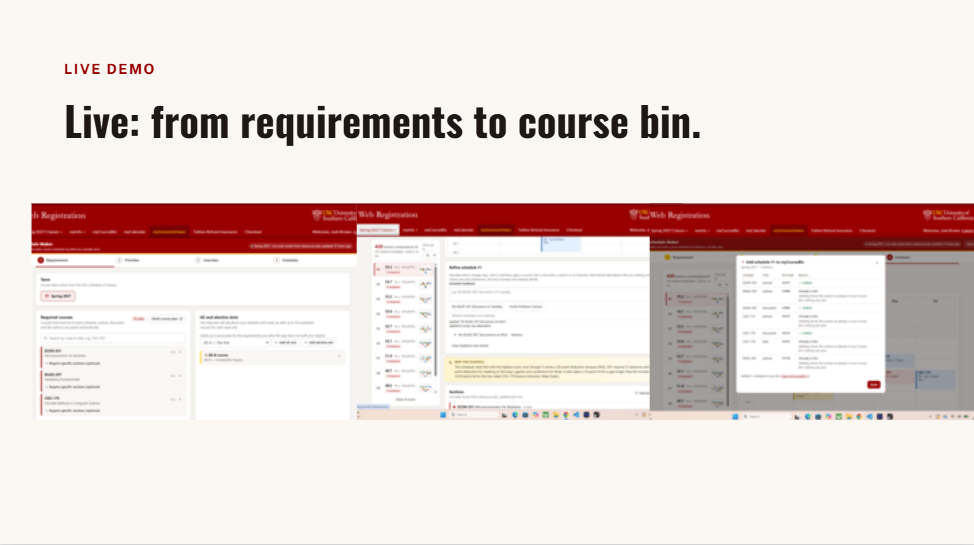
USC Schedule Maker adds a myScheduleMaker tab to WebReg. You tell it what you must take, which GEs or electives you still need, your unit cap, and when you're free. You rate what matters (professor ratings, getting a seat, avoiding final conflicts), and a short Claude-powered interview learns your interests and how you like your week, then suggests real courses for your open slots. You can also pin the exact lecture, lab or discussion you want. Then it builds every schedule that fits and ranks them by your priorities, each with a calendar, professor ratings, warnings, live seat counts and a plain-English "why this one." Type feedback like "no BISC lab on Friday" or "only 2 days a week" and it refreshes in place, or warns you, without changing anything, when a request would leave no schedule. When you like one, it highlights the exact sections in WebReg or adds the whole schedule to your course bin. It can only add; registering is always your call.
How we built it
Challenges we ran into
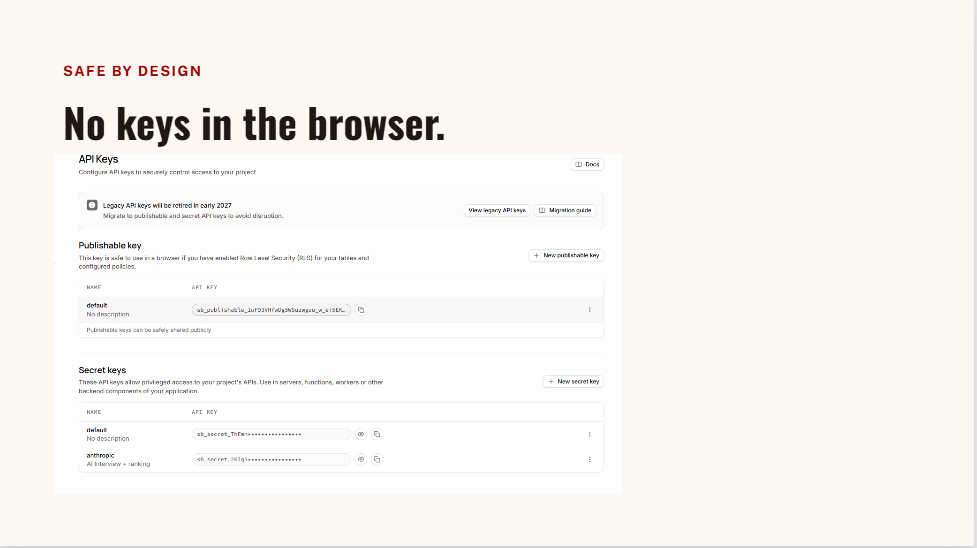
The extension is React and TypeScript running inside WebReg. The most important decision I made was not handing schedule building to a language model. Whether a schedule conflicts has a right answer, so a deterministic engine in the browser does it: hard rules (your times, no overlaps, unit cap, matching labs and discussions) are never broken, and everything else, like full sections, final conflicts, ratings, early mornings, gaps, or a class on your day off, costs points scaled by how much you said it matters. The shortlist also favors schedules whose weeks actually look different from each other. AI does what it's good at: the interview, picking courses that match your interests, and the explanations, plus a backup reader for refine requests. It can only choose from real catalog courses and falls back gracefully if it's unavailable. Behind it all is a data pipeline that pulls USC's public class data, final-exam times and RateMyProfessors ratings, validates them, and only publishes when everything checks out.
Accomplishments that we're proud of
The hardest part was trusting my own data. Matching professors to the right RateMyProfessors profile meant dealing with initials, nicknames and shared last names, so I chose to label weak matches and leave ties unmatched rather than guess. Making sure each lab and discussion paired with the right lecture was even harder; a wrong pairing is a schedule you can't register for. I eventually rebuilt pairing to trust only what USC actually publishes. WebReg itself has no API, so every integration (deep links, highlighting, adding to the course bin) came from carefully studying how the real site behaves. Near the deadline, the refine box was the hardest feature to land. Free text invites edge cases by nature: vague requests, requests that rule out everything, requests that fight earlier ones. So it turns text into clear rules, test-runs each change before applying it, warns you with the reason when a change would leave nothing, and tells you which words it couldn't use.
What we learned
Get real user feedback as early and as often as you can. My first testers found things I never would have: "different" schedules that were really the same week, a class where picking the section is the point, a rating filter that hid good options. Each round made the product better, and the earlier it came, the easier it was to act on.
What's next for USC Schedule Maker
-Backup classes that fit the chosen schedule if a section fills. -Option to import the student's advised USC course plan. -Option to import classes already in student's course bin -Seat-count history to show how quickly sections fill. -Room locations from authenticated WebReg pages. -Prerequisite checking against completed courses.
Built With
- chrome
- chromemanifestv3
- claude
- indexdb
- postgre
- react
- supabase
- typescript
- vite

