-
-
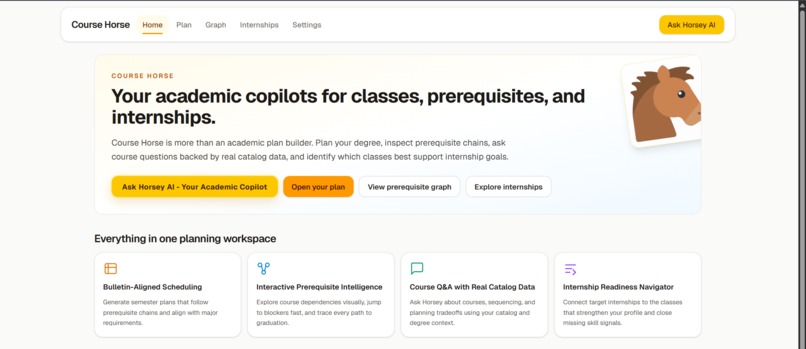
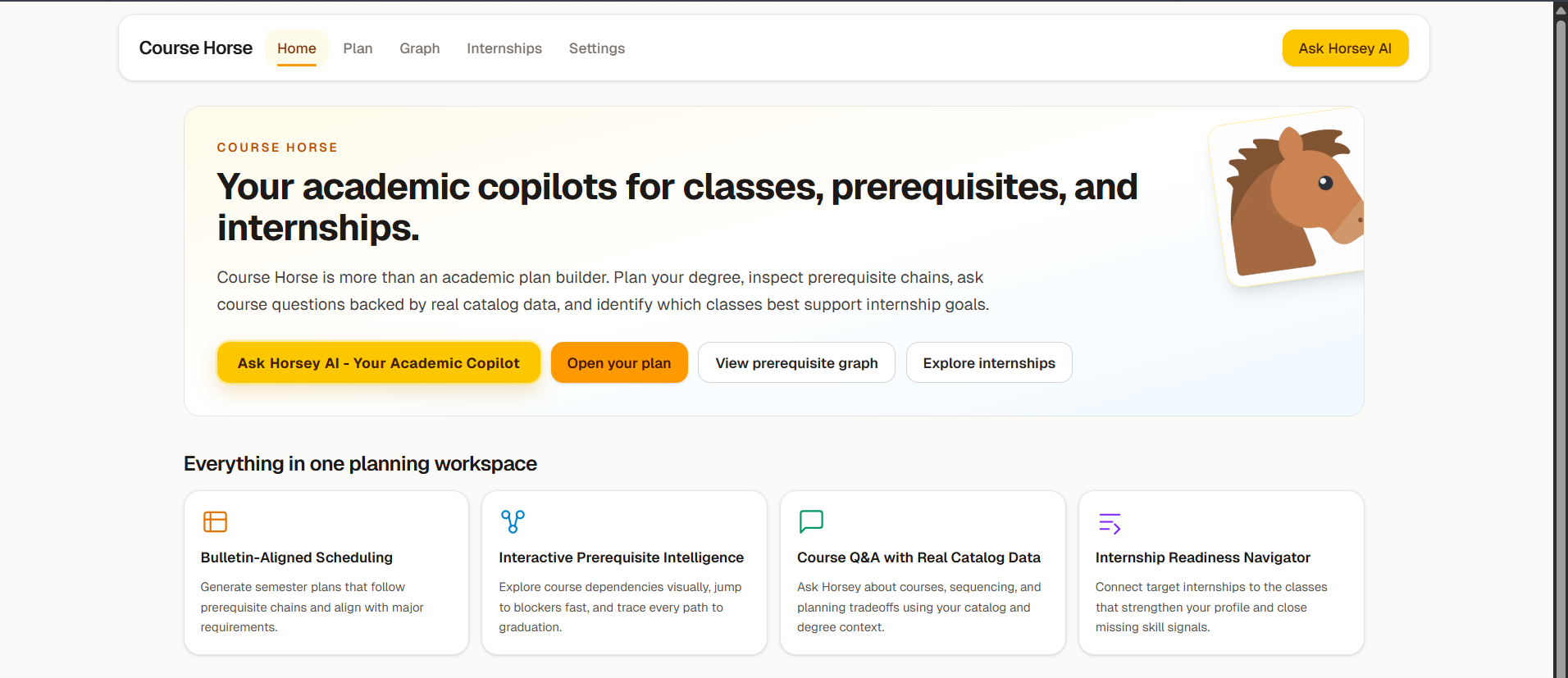
Home Page
-
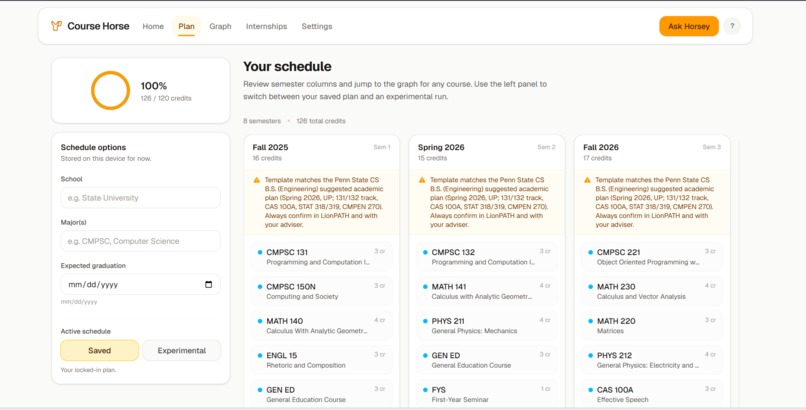
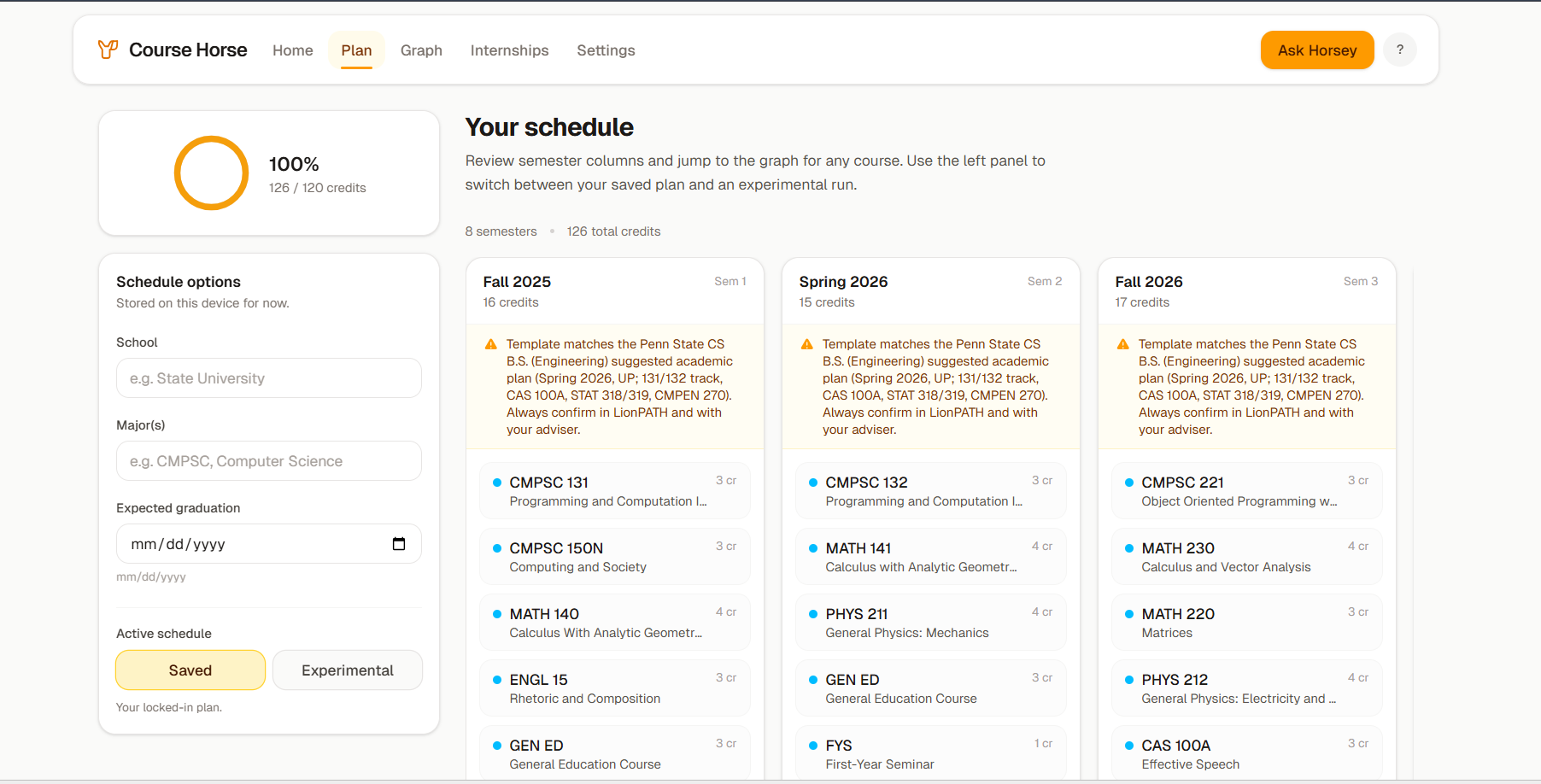
Schedule and Plans
-
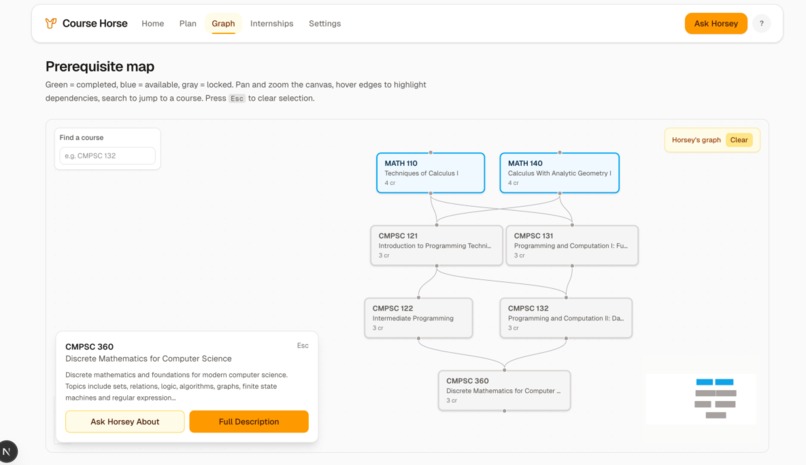
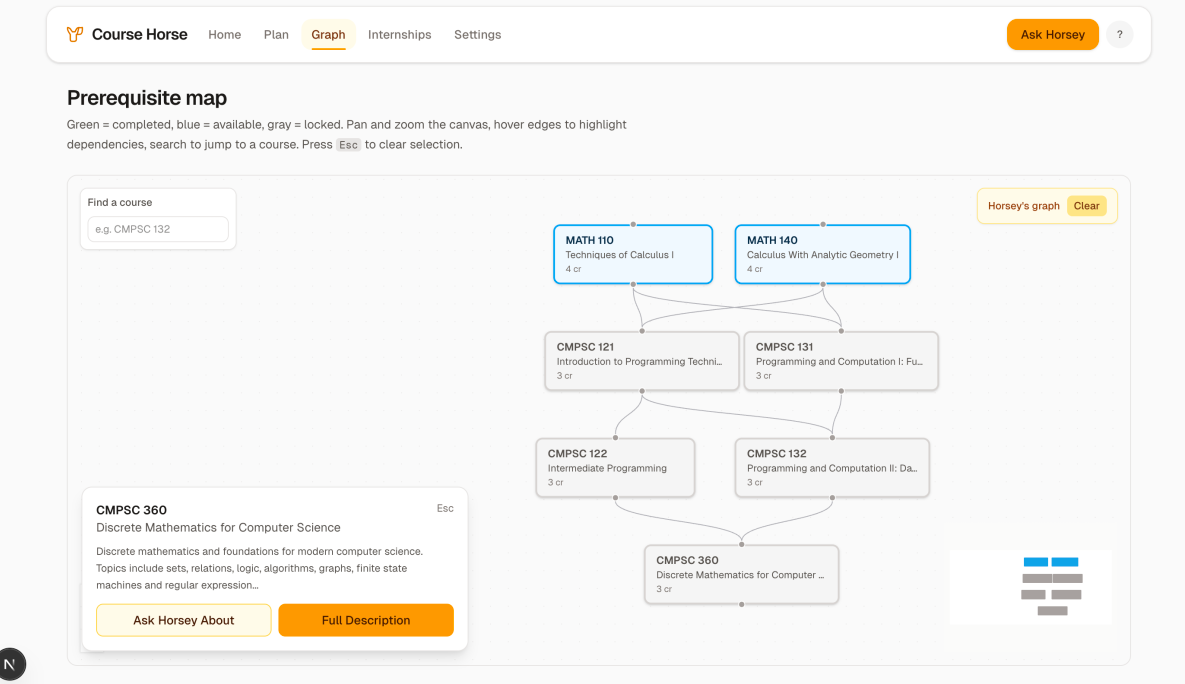
Graphs
-
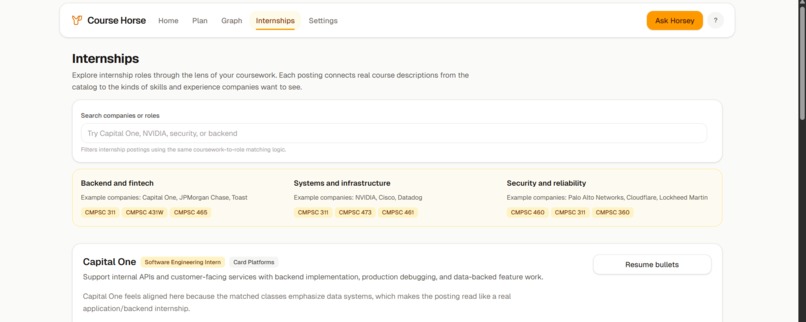
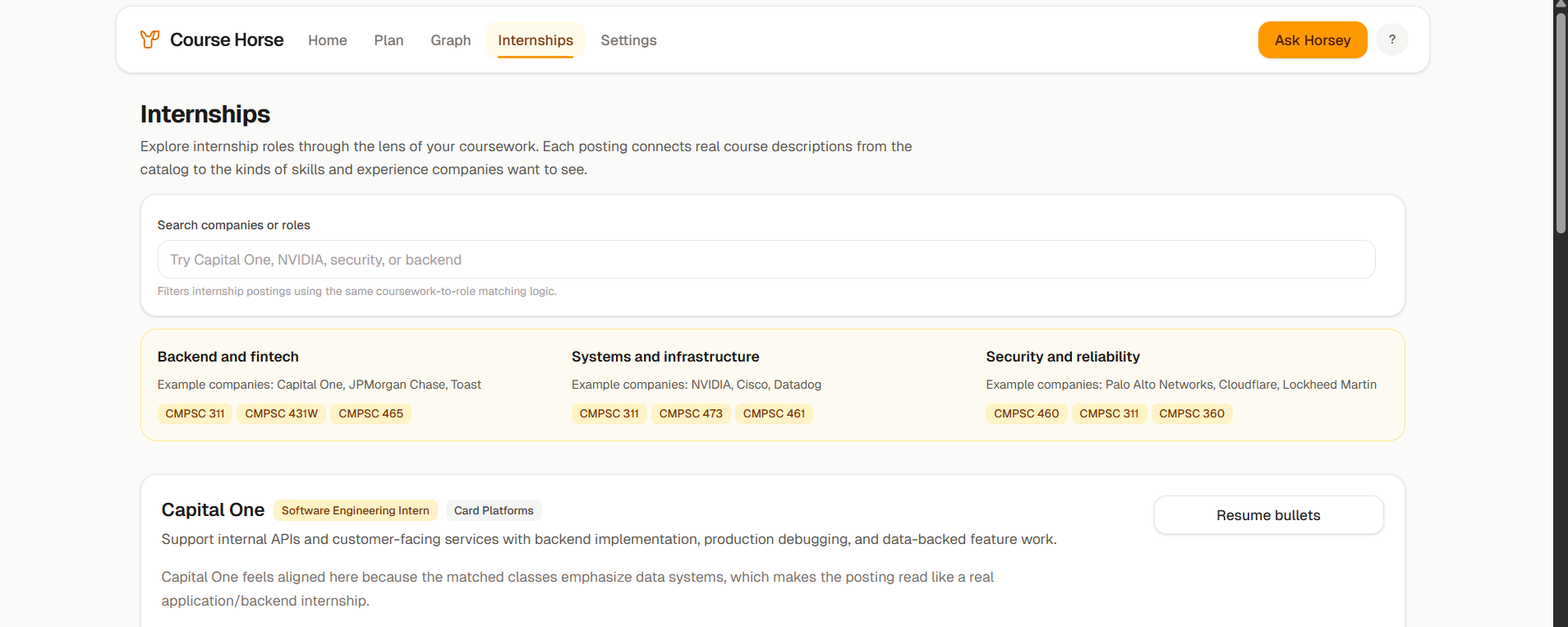
Internships and Resume section
Course Horse: AI-Powered Academic Planning for Penn State Students
Team USB_C - Alex Hasenbein, Preet Patel, Vivek Dadi, Rishika Thakre | HackPSU 2026
🎯 What It Does
Course Horse is an intelligent academic planning platform that helps Penn State students navigate course prerequisites, degree requirements, and semester scheduling. Instead of manually piecing together information from scattered PDFs and confusing prerequisite chains, students get:
- Interactive Prerequisite Graphs: Visualize entire dependency trees for courses or majors
- AI-Powered Schedule Generation: Automatically build semester-by-semester plans that respect credit caps and prerequisite chains
- Horsey, the AI Academic Counselor: Chat with an AI assistant that understands Penn State's course catalog and answers questions
- Real-Time Course Data: Integration with Penn State's course database for up-to-date information
The platform transforms academic planning from a frustrating guessing game into a clear, visual, data-driven process.
💡 Inspiration
Every semester, students face the same painful problem: "Which courses should I take next semester?"
The current process involves:
- Digging through 200+ page PDF bulletins
- Cross-referencing prerequisite requirements across multiple departments
- Checking if courses are offered in fall/spring
- Piecing together a 4-year plan without violating prerequisites
- Hoping you didn't miss a hidden requirement
This is time-consuming, error-prone, and isolating since academic advisors are overbooked. We realized this is fundamentally a graph traversal problem—every course is a node, prerequisites are edges, and scheduling is a topological sort with constraints. But students shouldn't need to think in computer science terms. They should just get a clear answer: "Here's your optimal path to graduation."
🛠️ How We Built It
Architecture Overview
Course Horse is built as a modern full-stack web application:
Frontend (Next.js + React)
    ↓
API Routes (Node.js)
    ↓
MongoDB Atlas + Google Gemini 2.5
Tech Stack
Frontend:
- Next.js 16 (React 19) - Server-side rendering and API routes
- TypeScript - Type safety
- Tailwind CSS 4 - Styling
- React Flow - Interactive graph visualization
- Zustand - State management
Backend:
- Google Gemini 2.5 Flash - AI conversational agent
- MongoDB Atlas - Course data and Penn State web content storage
- Dagre - Graph layout algorithm
- Custom scheduling algorithms - Semester plan optimization
Core Components
1. Prerequisite Graph Builder
The recursive graph builder traverses the dependency tree starting from a target course and builds visual nodes and edges representing courses and their requirements. It handles:
- OR conditions (take A OR B)
- Corequisites (must take together)
- Cycle detection to prevent infinite loops
- Depth limiting to avoid overwhelming graphs
2. Schedule Optimization Engine
The scheduler uses a topological sort algorithm to arrange courses in valid semester order, respecting:
- Prerequisite dependencies (can't take a course before its prereqs)
- Credit limits per semester (typically 18 credits max)
- Semester availability (fall/spring offerings)
Our greedy packing approach prioritizes courses with many dependents to unblock future courses faster.
3. Horsey: The AI Academic Counselor
Powered by Google Gemini 2.5 Flash using Retrieval-Augmented Generation (RAG):
RAG Pipeline:
- Extract course codes from user query (regex)
- Search MongoDB for relevant course data and web pages
- Fetch major requirements from bulletin
- Build context and send to Gemini with conversation history
- Gemini responds with text + optional graph/schedule actions
Key Features:
- Hybrid search combining exact matches with semantic search
- Multi-source fusion (course data + web pages + major requirements)
- Structured actions to trigger graph/schedule visualizations
- Context-aware responses based on what page the user is viewing
4. Interactive UI Components
Graph Visualization (React Flow):
- Drag-and-drop nodes
- Zoom and pan
- Color-coded by completion status
- Automatic layout via Dagre algorithm
Schedule Timeline:
- Drag-and-drop course reordering
- Live credit totals
- Warning badges for overloads/conflicts
Chat Interface:
- Markdown rendering
- Context-aware (knows what page you're on)
📚 What We Learned
Technical Skills
- Implementing graph algorithms (DFS/BFS) with cycle detection in production
- Building effective RAG pipelines with proper context ranking
- Designing AI agents with tool-calling capabilities
- Real-time data visualization with React Flow
- Balancing algorithm performance vs. user experience
Problem-Solving Insights
- Start with a solid data model—type mismatches compound quickly
- Build escape hatches when AI gets confused (manual overrides)
- UX beats perfect algorithms—a good schedule shown instantly beats a perfect one that takes 10 seconds
- TypeScript saved us from countless bugs during rapid development
🔮 What's Next for Course Horse
Short-Term
- Elective recommendations using collaborative filtering
- Multi-major and minor support
- Export schedules to Google Calendar/iCal
Medium-Term
- User accounts and saved plans
- Track completed courses
- "What-if" scenario planning (major switching)
- Advisor integration for plan sharing
Long-Term
- Expand to other universities
- Career path integration showing typical outcomes
- Predictive analytics for graduation risk
- Mobile app with push notifications
🏆 Conclusion
Course Horse transforms academic planning from a frustrating manual process into an intuitive, visual, AI-assisted experience. By combining graph algorithms, AI-powered chat, and real-time course data, we've built a tool that helps students save time, reduce stress, make informed decisions, and graduate on time.
Beyond the technical achievements, Course Horse represents a shift in how students interact with university bureaucracy—making it visual, interactive, and conversational instead of buried in PDFs.
🔗 Links & Resources
- GitHub: USB_C_HackPSU-course-horse-frontend & USB_C_HackPSU-WorkingAgent
- Tech Stack: Next.js, React, TypeScript, Google Gemini 2.5, MongoDB, React Flow, Dagre
- Team: USB_C - Alex Hasenbein, Preet Patel, Vivek Dadi, Rishika Thakre
Built with ❤️ at HackPSU 2026
Built With
- css
- geminiapi
- javascript
- mongodb
- next.js
- react
- tailwind
- typescript

Log in or sign up for Devpost to join the conversation.