Inspiration
What it does
How we built it
Challenges we ran into
Accomplishments that we're proud of
What we learned
What's next for usAIge
Inspiration
AI coding agents let one person run several pieces of work at once, but the human quickly becomes the bottleneck: Which task is still running? Which one finished? Which one is waiting for input? How much Codex capacity is left?
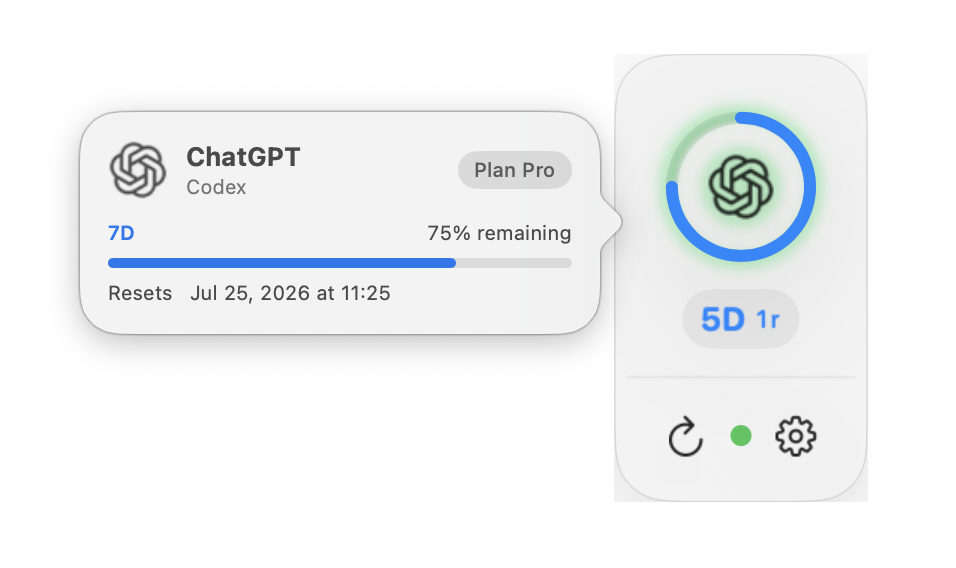
usAIge turns those questions into one quiet, always-visible native rail.
What it does
usAIge is a native Apple-platform mission-control layer for Codex. On macOS it:
- Shows the real short-window and weekly Codex limits reported by the local Codex app-server.
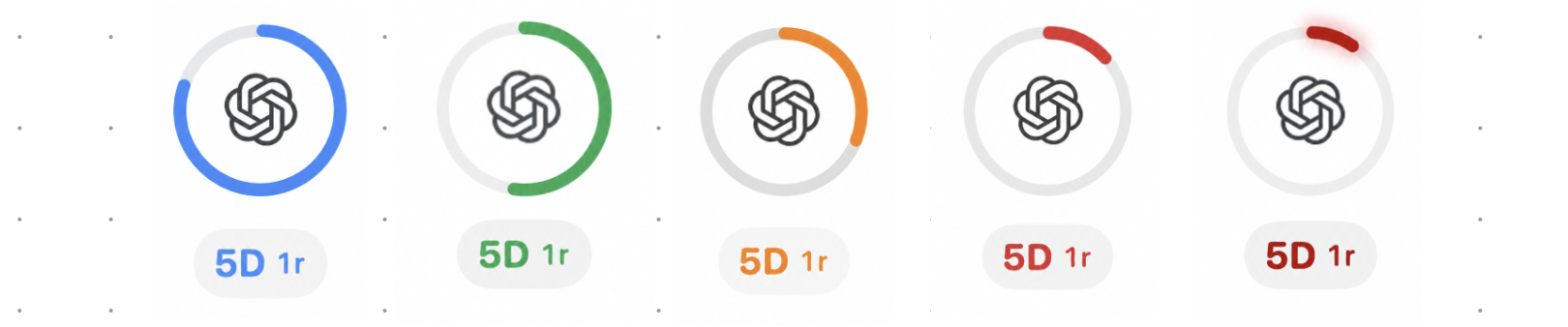
- Watches up to 100 recent Codex tasks and summarizes the highest-priority state as a breathing light.
- Distinguishes running, needs-input, completed, interrupted, and failed work.
- Reopens the exact Codex task responsible for the current status with one click.
- Warns when quota is low, refreshes after wake or connectivity changes, and keeps stale values clearly labeled.
- Connects optional read-only team usage sources over HTTPS while keeping bearer tokens in Keychain.
Companion iPhone, iPad, Apple Watch, widget, and complication surfaces make remote usage sources glanceable away from the Mac.
What changed during OpenAI Build Week
Before the submission period, usAIge was primarily a compact macOS Codex quota HUD. During Build Week we meaningfully extended it into an agent mission-control product:
- Added live Codex task monitoring and lifecycle decoding.
- Added the priority-based breathing status system and one-click task deep links.
- Added acknowledgement behavior so completed or blocked work stops demanding attention after it has been viewed.
- Added read-only remote AI usage adapters, connection links, Keychain credentials, and composite source handling.
- Added iOS, widget, Apple Watch, and complication clients for remote usage.
- Shipped a judge-testable macOS DMG, automatic updates, a public product site, and expanded automated coverage.
The dated Git history and Codex session evidence distinguish this work from the pre-hackathon baseline.
How we built it
The macOS app is written in SwiftUI and AppKit. It launches the documented local codex app-server process and communicates over newline-delimited JSON-RPC. Domain models normalize quota windows and task lifecycle events before publishing them to the floating HUD.
Codex was the engineering partner throughout Build Week: exploring the existing architecture, implementing features, generating and refining tests, diagnosing lifecycle edge cases, reviewing product behavior, and packaging release builds. Product and design decisions—especially the single-light priority system, privacy boundaries, and attention acknowledgement model—were made deliberately by the human collaborator and then implemented and verified with Codex.
Challenges
Agent state is not a simple running/not-running flag. Events can arrive out of order, old sessions must decay to idle, and a task viewed by the user should not hide a newer completion that arrives afterward. We addressed this with timestamped state aggregation and acknowledgement rules covered by focused tests.
The other constraint was privacy. usAIge does not scrape websites, read browser cookies, copy OpenAI credentials, or invent missing limits. Local Codex state stays local; optional remote sources are explicit, read-only HTTPS endpoints.
What we learned
The most useful agent interface is often not another large dashboard. A persistent peripheral signal—paired with a precise click-back target—can make parallel agent work feel calm and manageable.
What's next
Next we want to add richer multi-agent grouping, optional team views, and a signed and notarized macOS release while keeping the product local-first and transparent.


Log in or sign up for Devpost to join the conversation.