-
-
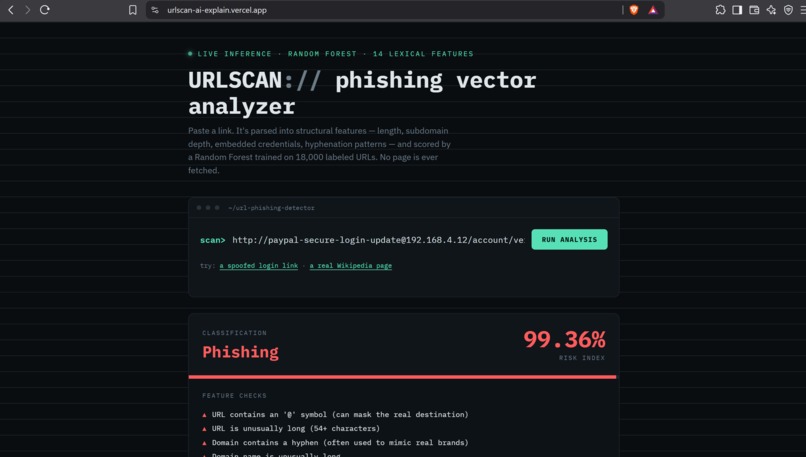
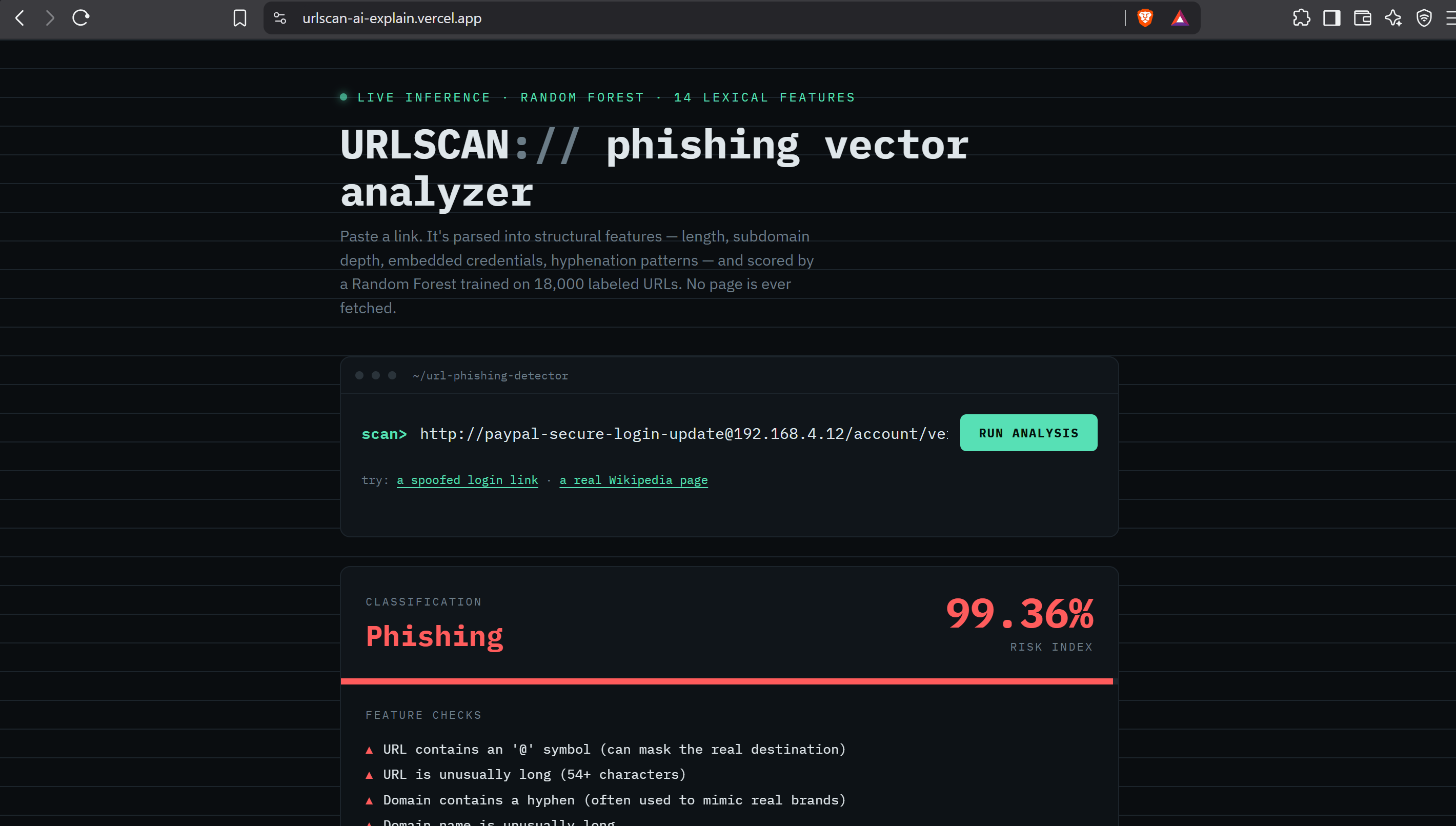
link classification-phishing
-
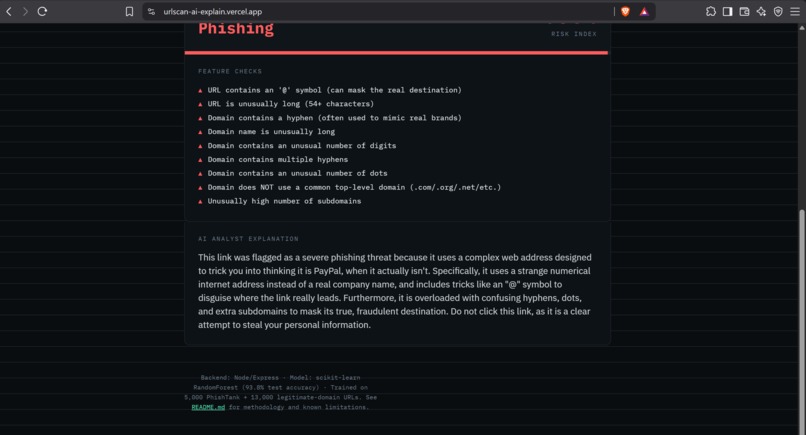
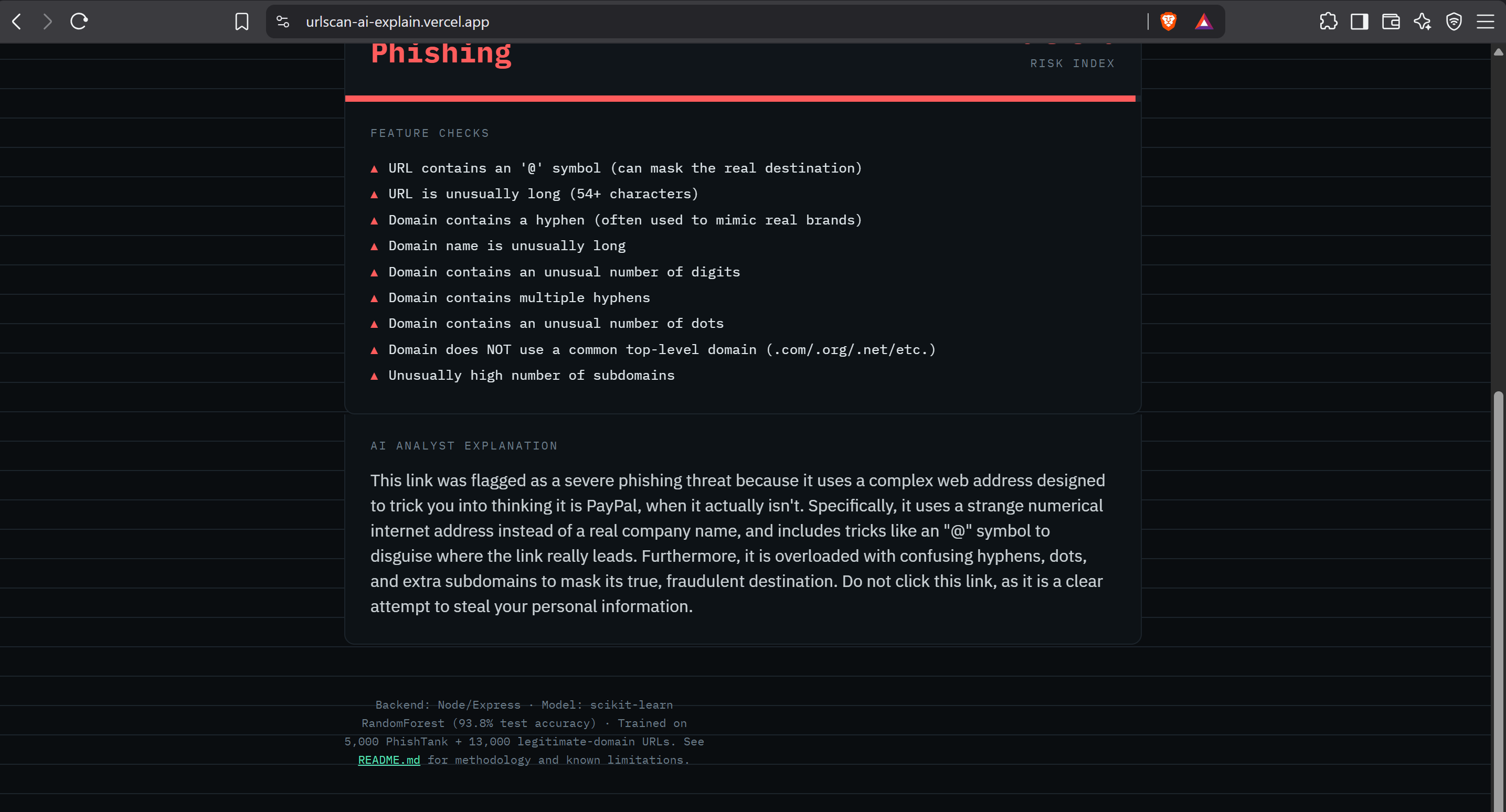
ai explanation
-
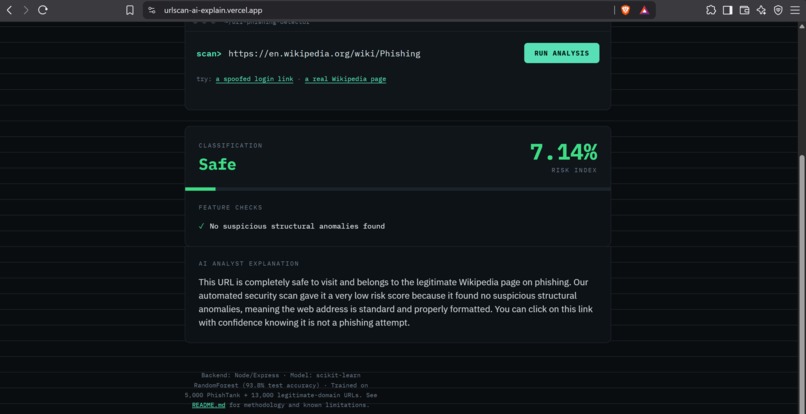
ai explanation
-
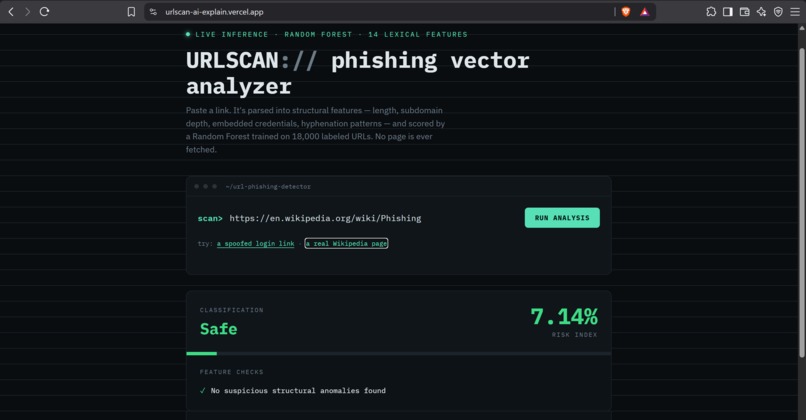
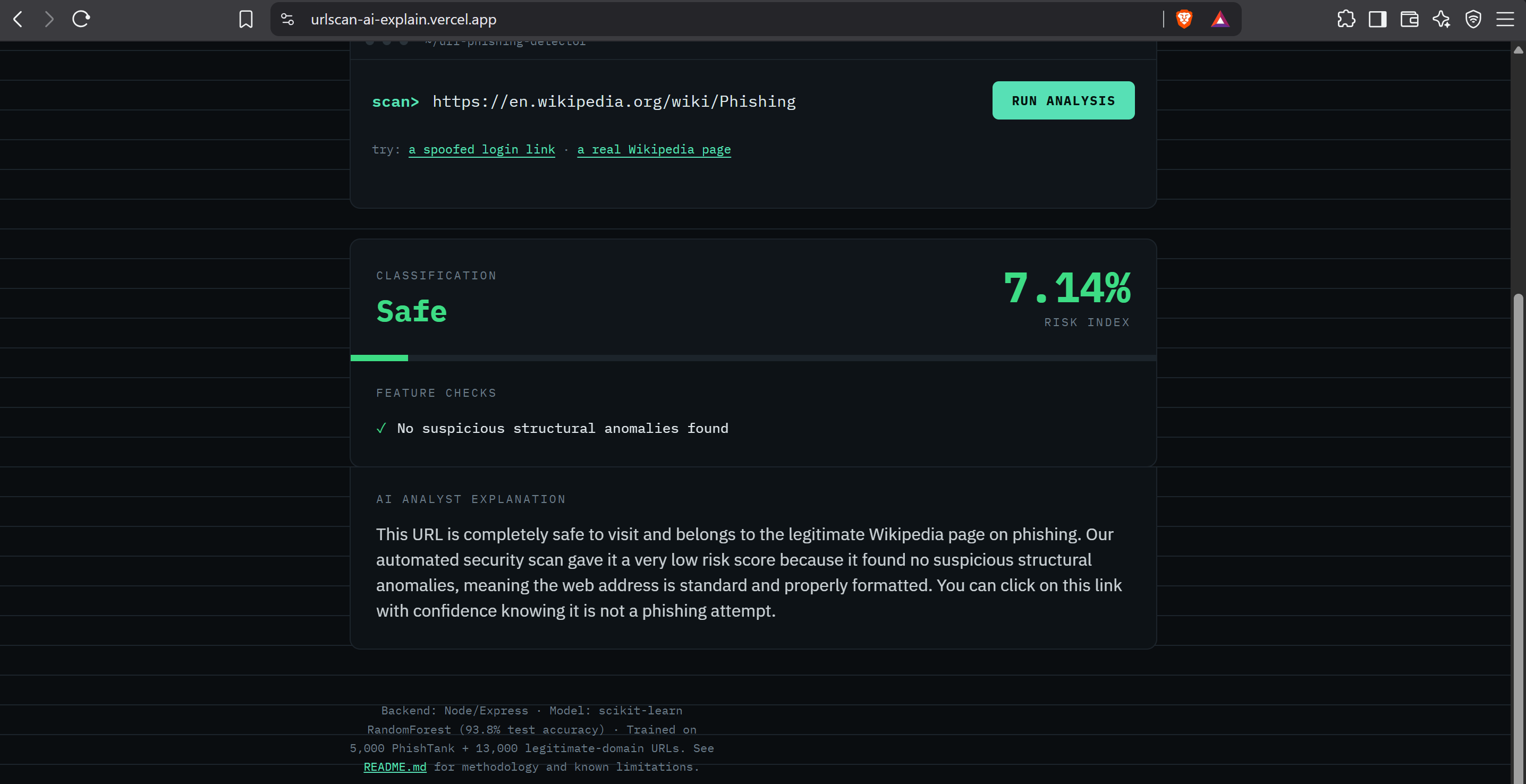
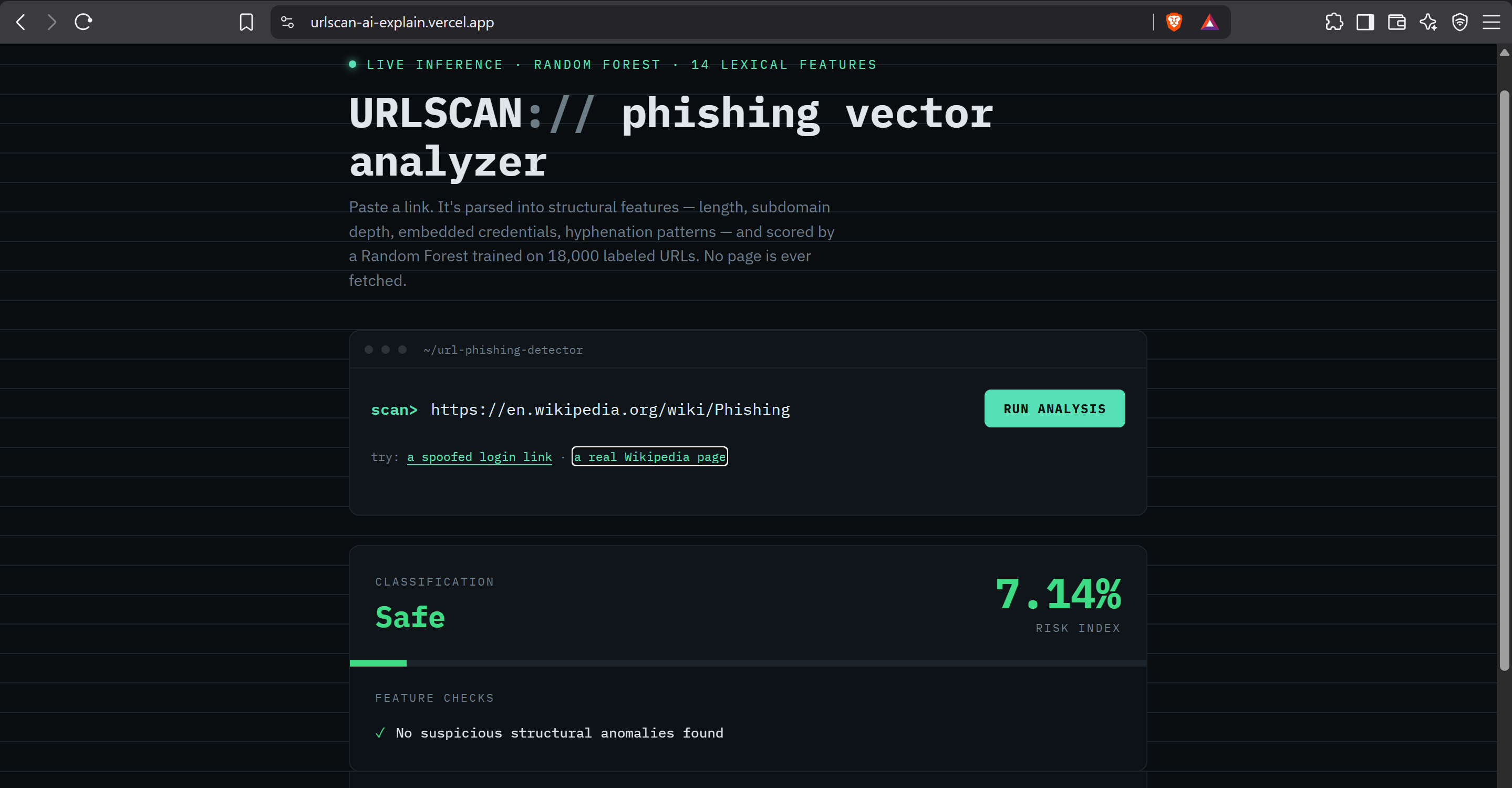
link classification-safe
Inspiration
I have already created a phishing detector called URLSCAN: using a Random Forest algorithm trained on 18000 urls, it detects phishing links with a high accuracy. However, the output was purely numeric which made the results less accessible to the common user: if I type in a link, URLSCAN will give me a number between 0 and 100 indicating the estimated risk, but the average user might not know what to do with that information. This is where idea for URLScan AI originated: to take the numeric value and turn it into natural language instructions for the user.
What is it?
A URL is submitted to the application, which runs it through the mentioned Random Forest algorithm, calculating a risk score and outputting a classification. The algorithm checks for 14 different structural properties of a phishing link, such as
- Presence of an IP instead of a domain name,
- Unusal hyphen placement,
- An embedded @ symbol,
- An unusual Top-Level Domain,
- Excessive subdomains, and others. The user gets a risk score, a classification and, crucially, an explenation of the results. The explenation part is what I worked on this week: the flags triggered by the algorithm are relayed to Gemini, which analyzes them and outputs a natural langauge summary in the format of an informational security analyst talking to the user. The summary is not generic: it contains specifics about the URL provided by the user and the triggered flags.
How was it built?
The app was built using the following tech:
- Node.js/Express backend serving a Python script (scikit-learn) for the algorithm,
- Static HTML/CSS/JS frontend The frontend uses a terminal style theme rather than a generic dashboard. An API route (/api/explain) was added which takes the output of the algorithm, relays it to Gemini with instructions to explain the result as an infosec analyst would, and formats the response. The backend is hosted on Render, the frontend - on Vercel, both free tiers.
What were the challenges?
While training the algorithm for the initial URLSCAN was a challenge, implementing this on a free tier was more difficult: Gemini deprecated the model I was calling through the API, necessitating a change of model names. Additionally, the free tier of Render where the backend was hosted had a tendency to put the backend to sleep after certain amount of inactivity. When the user hits the / URL, the backend needs to wake up, load the Python model, process the request, then eventually sleep again after a period of inactivity. This proved too slow and unreliable: the first click by the user would often time out. The solution was to implement request retries and fall-back mechanisms: the server itself retries and alternates between two Gemini models if one is overloaded, and if the request still doesn't resolve, the client retries the whole request, up to a certain limit. The timeout on the server side was also increased. Finally, a ping is sent to the backend upon visiting the / URL to keep it awake: by the time the user actually hits submit, the backend is already active and ready to process the request.
What are the accomplishments?
The primary accomplishment is that of reliability: the described setup keeps the app running and responsive without any paid tiers or complicated infrastructure. If one part of the system fails (e.g. Gemini is unreachable), it is handled gracefully: the user is prompted to retry, or, in the case of persistent issues, shown an error message rather than a blank screen.
What did you learn?
When implementing an AI feature, the actual creation of the AI is only a small part of the work. The majority of the effort goes into ensuring that it works reliably within the constraints of the platform it is deployed on.
What's next for URLScan AI?
The next step for URLScan AI is to ensure that the Python model is kept in memory between requests: this way, it boots up once when the server starts, rather than on every new request. Additionally, deploying the app on a non-free tier would improve reliabilty since the server would not go to sleep as easily.

Log in or sign up for Devpost to join the conversation.