-
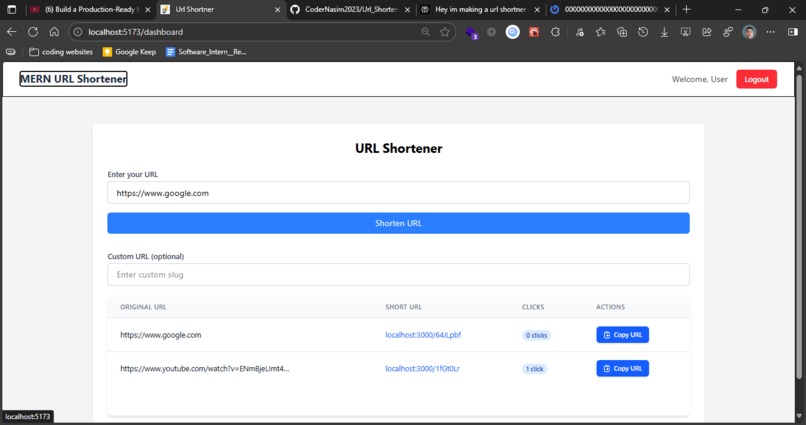
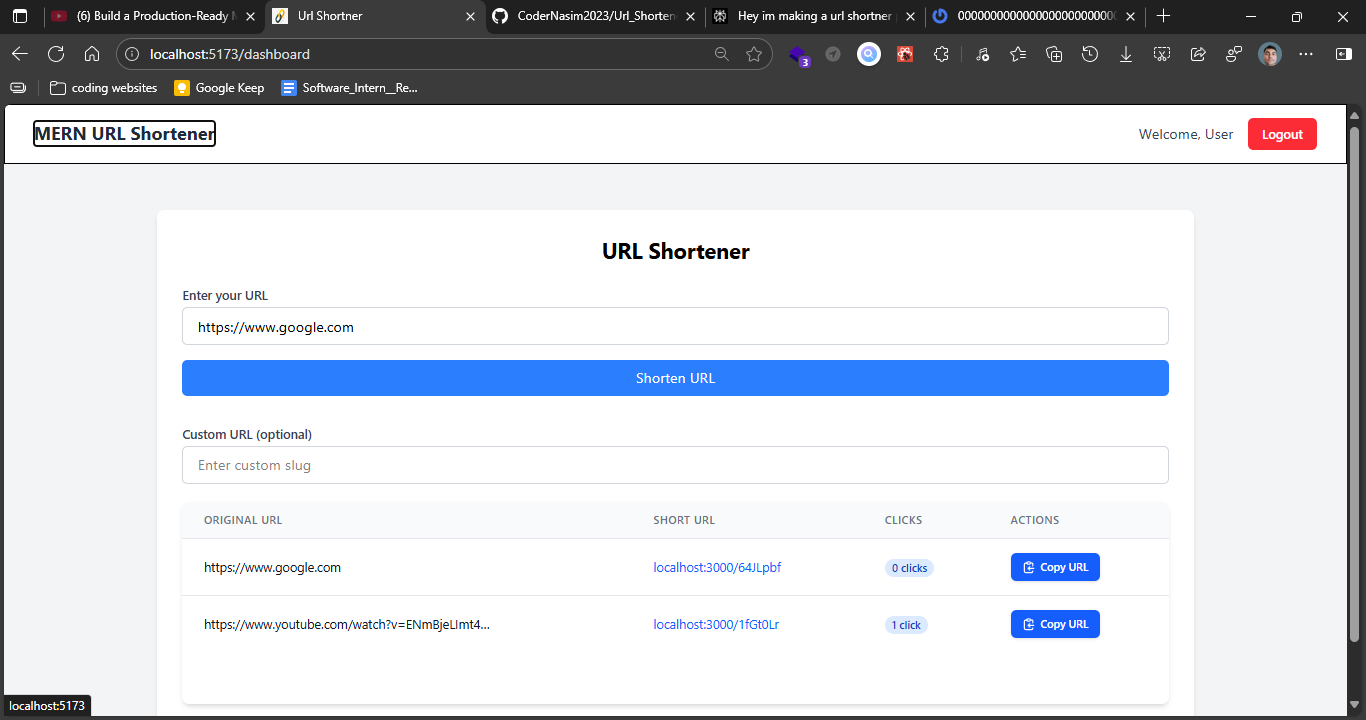
MERN Stack Url Shortner Project UI Homepage image
🔗 URL Shortener
A Production Ready full-stack URL shortening application built with the MERN stack (MongoDB, Express.js, React.js, Node.js). This application allows users to convert long URLs into short, shareable links
✨ Features:-
- URL Shortening: Transform long URLs into short, memorable links
- Custom Aliases: Create custom short URLs for better branding
- Analytics Dashboard: Track click counts, geographic data, and referrer information
- User Authentication: Secure user registration and login system
- Link Management: View, edit, and delete your shortened URLs
- Responsive Design: Works seamlessly across desktop and mobile devices
🚀 Tech Stack
Frontend
- React.js: UI component library
- Redux/Context API: State management
- ** Tanstack query,tanstack : State management
- React Router: Client-side routing
- Axios: HTTP client
- Tailwind CSS/Material-UI: Styling framework
Backend
- Node.js: Runtime environment
- Express.js: Web application framework
- MongoDB: NoSQL database
- Mongoose: ODM for MongoDB
- JWT: Authentication
- Bcrypt: Password hashing
📋 Prerequisites
Before running this project, make sure you have the following installed:
- Node.js (v20+ or higher)
- MongoDB (v4.4 or higher)
- npm or yarn
🛠️ Installation
Clone the repository
git clone https://github.com/yourusername/url-shortener.git
cd url-shortener
Install backend dependencies
cd server
npm install
Install frontend dependencies
cd ../client
npm install
Set up environment variables
Create a .env file in the server directory:
   PORT=5000
   MONGO_URI=your_mongodb_connection_string
   JWT_SECRET=your_jwt_secret_key
   BASE_URL=http://localhost:5000
   CLIENT_URL=http://localhost:3000
Create a .env file in the client directory:
REACT_APP_API_URL=http://localhost:5000/api
🏃♂️ Running the Application
Start MongoDB
mongodStart the backend server
cd server
npm start
# or for development with nodemon
npm run dev
Start the frontend
cd client
npm start
Access the application
- Frontend:
http://localhost:3000 - Backend API:
http://localhost:5000
- Frontend:
📁 Project Structure
url-shortener/
├── client/                 # React frontend
│   ├── public/
│   ├── src/
│   │   ├── components/    # React components
│   │   ├── pages/         # Page components
│   │   ├── services/      # API services
│   │   ├── utils/         # Utility functions
│   │   ├── App.js
│   │   └── index.js
│   └── package.json
│
├── server/                # Node.js backend
│   ├── config/           # Configuration files
│   ├── controllers/      # Route controllers
│   ├── models/           # Mongoose models
│   ├── routes/           # API routes
│   ├── middleware/       # Custom middleware
│   ├── utils/            # Helper functions
│   ├── server.js         # Entry point
│   └── package.json
│
└── README.md
🔌 API Endpoints
Authentication
POST /auth- Register a new user( Create a new account )POST /auth- Login user
URLs
POST /http://localhost:5173/dashboard- Create a short URLGET /api/urls/:id- Get specific URL detailsPUT /api/urls/:id- Update URLDELETE /api/urls/:id- Delete URLGET /:shortCode- Redirect to original URL
🎯 Usage
- Register/Login: Create an account or login to access the dashboard
- Shorten URL: Enter a long URL and optionally customize the short code
- Share: Copy the shortened URL and share it anywhere
- Track: Monitor No of clicks you did from your dashboard
🔒 Security Features
- Password securely hashing with bcrypt npm package
- JWT-based authentication
- Protected API routes
- Input validation and sanitization
- Rate limiting to prevent abuse
- CORS configuration
🤝 Contributing
Contributions are welcome! Please follow these steps:
- Fork the repository
- Create a new branch (
git checkout -b feature/AmazingFeature) - Commit your changes (
git commit -m 'Add some AmazingFeature') - Push to the branch (
git push origin feature/AmazingFeature) - Open a Pull Request
📝 License
This project is licensed under the MIT License - see the LICENSE file for details.
👤 Author
Your Name
- GitHub: @yourusername
- LinkedIn: Your LinkedIn
🙏 Acknowledgments
- Inspired by bit.ly and TinyURL
- Built with the MERN stack
- Thanks to the open-source community
📧 Contact
For questions or support, please email: [email protected]
⭐ If you found this project helpful,good,supportive then make sure please give it a star!


Log in or sign up for Devpost to join the conversation.