-
-
Urban_Marble_Landing
-
Summary_Building
Inspiration
Every day, millions of people open five tabs to plan a few hours in a city they don't know: Google Maps, TripAdvisor, Reddit, a blog, and Notes to paste it all together. The result is a plan that took longer to build than the trip itself.
Why does exploring a city still feel like homework?
The information exists — the cafés, the bookshops, the scenic detours — but it's scattered, generic, and never visualized where you'll actually experience it. No tool closes the loop between "what should I do" and "here's exactly where to go."
Urban Marble closes that loop. Tell it what you're into, how much time you have, and where you are. It builds a plan and puts it on a 3D map you can rotate, explore, and fly through.
Five tabs of friction → one spatial, personalized experience.
What It Does
Conversational Discovery
Describe what you want in plain language. "I have 2 hours, I like coffee and bookstores, keep it walkable." The AI turns this into a structured query against real nearby places.
AI-Powered Building Enrichment
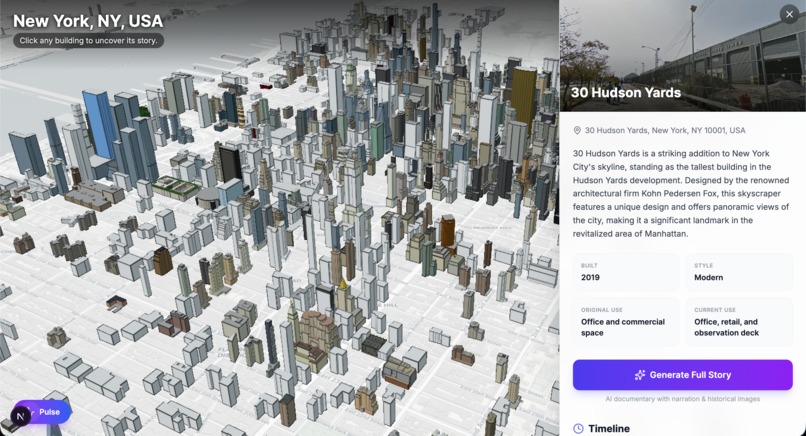
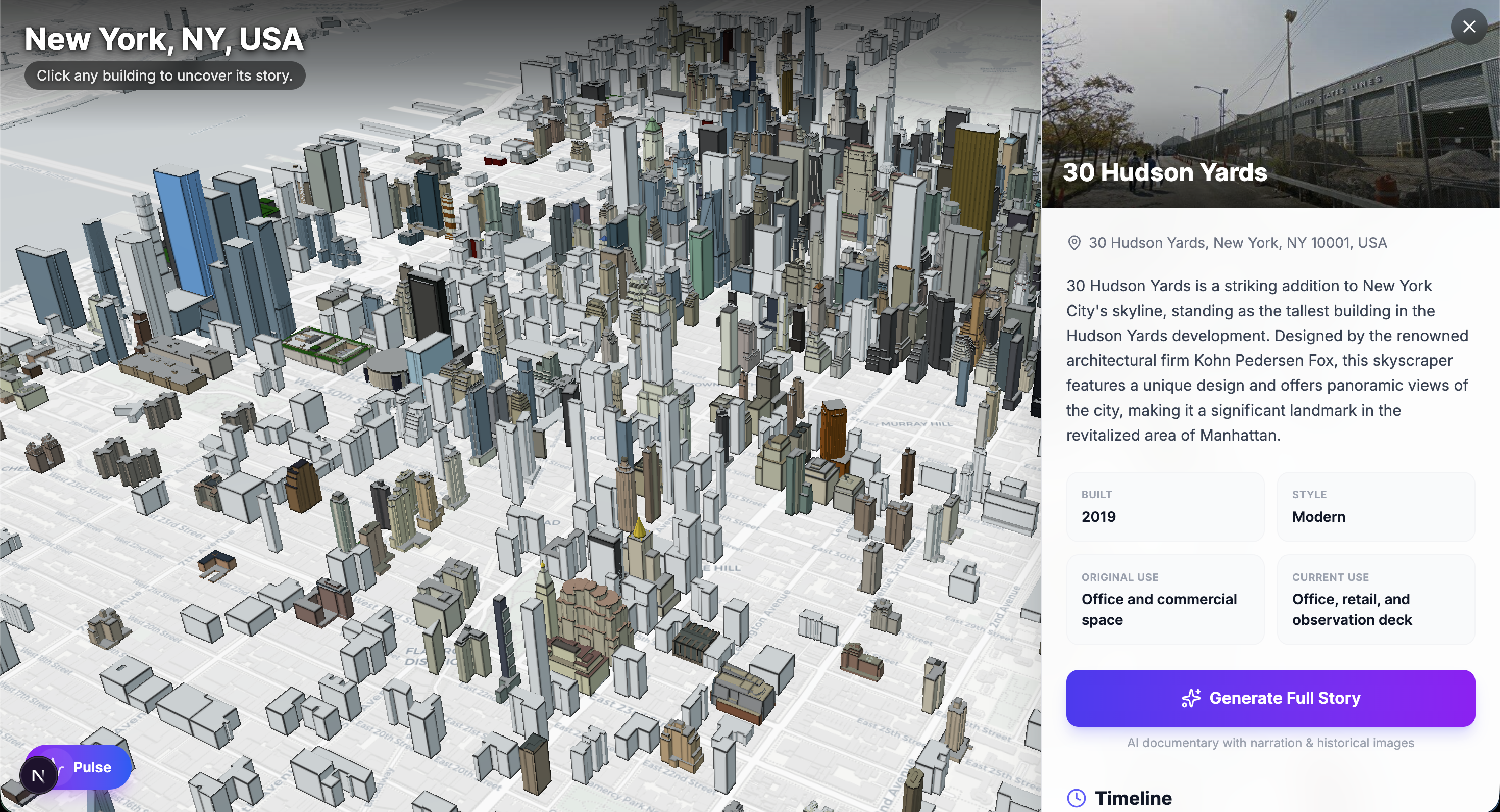
Click any building on the 3D map. GPT-4o-mini identifies it from coordinates and OSM metadata, returning year built, architectural style, use history, and a timeline of historical events — all in the background while you explore.
Cinematic Story Generation
Trigger a three-part historical documentary for any building. The pipeline runs in parallel: GPT-4o-mini writes the narration, DALL-E 3 generates period-accurate archival images, Google Street View captures the current facade, and OpenAI TTS records voiceover in the onyx voice. The result is an Instagram Stories-style presentation — full-screen, auto-advancing, audio-synced — in under a minute.
Interactive 3D Map
Cesium.js renders a live 3D city model via OSM Buildings. Click any structure to fly to it, highlight it, and feed its coordinates into the AI pipeline.
Community Pulse
A bottom-sheet overlay surfaces crowdsourced hidden gems and a live neighborhood feed alongside AI-generated recommendations, all anchored to the map.
Rental Discovery Layer
A parallel map view aggregates 400+ rental listings in NYC and Toronto as color-coded SVG bubble clusters. Click a cluster to fly in and browse filtered listings by price, type, and platform.
How We Built It
Three independent layers — AI pipeline, 3D rendering engine, and React frontend — communicating through a shared JSON schema defined before any code was written. This enabled fully parallel development with zero merge conflicts.
Frontend (/app, /components)
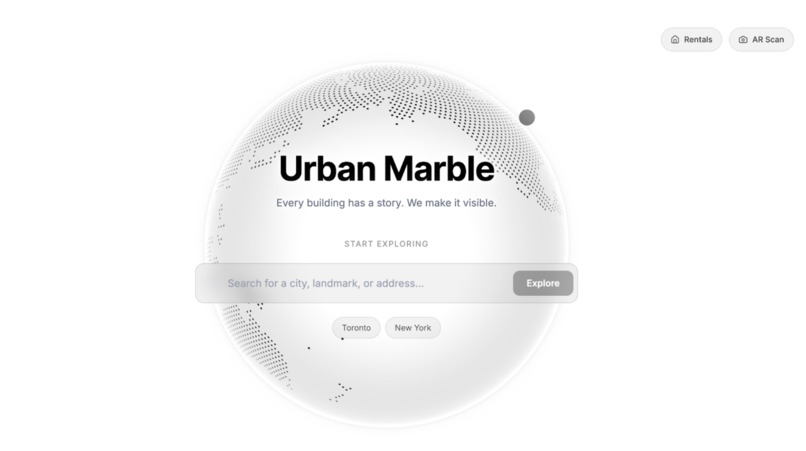
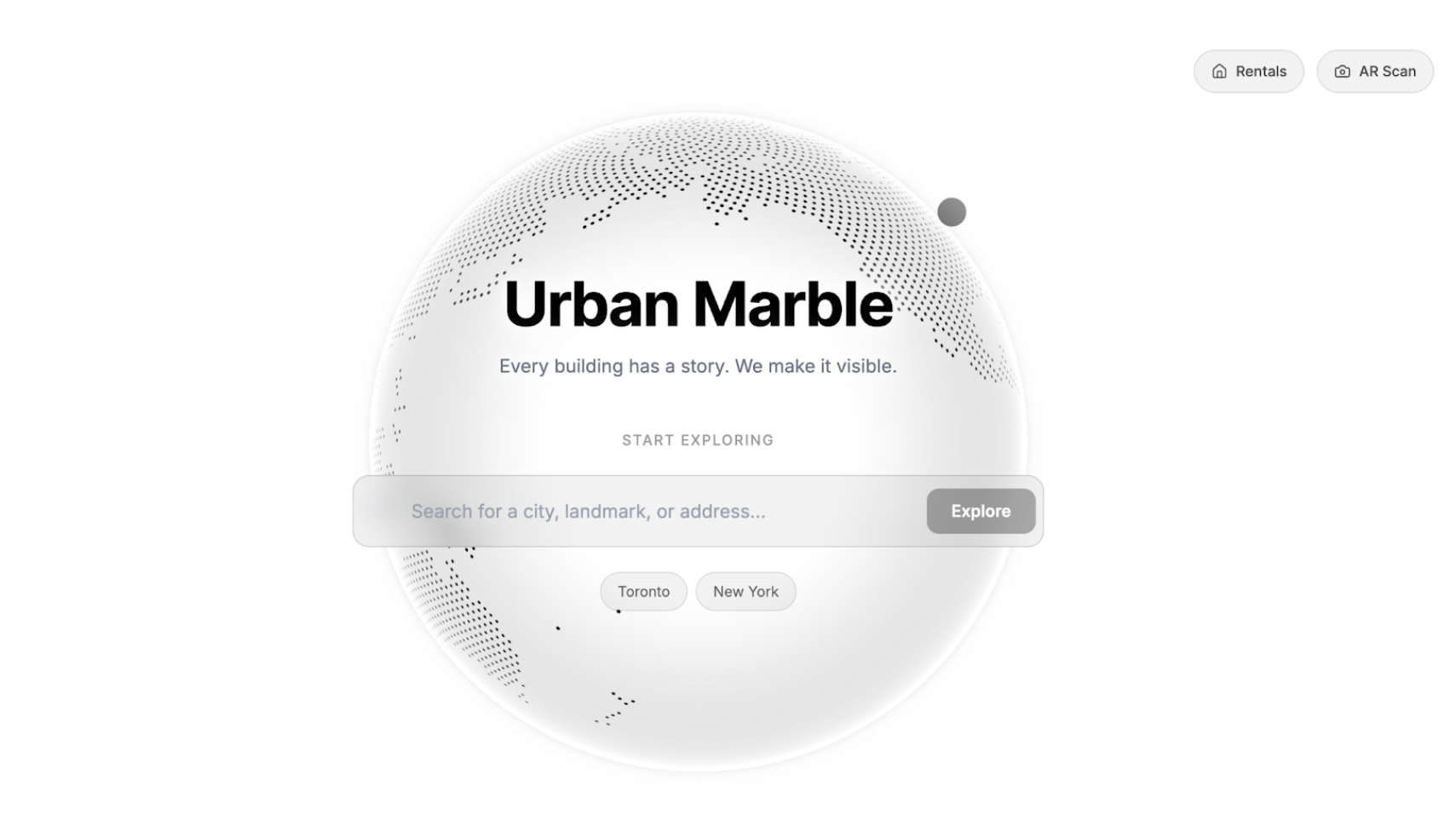
Next.js 16, React 19, TypeScript, Tailwind CSS 4, Framer Motion 12. Landing page features a draggable Cobe globe and Google Places Autocomplete search bar.
3D Map (/components/map/CesiumScene.tsx)
Cesium.js loaded via CDN with strategy="beforeInteractive". CartoDB Light basemap + createOsmBuildingsAsync() for 3D buildings. Building selection uses viewer.scene.pick() for feature properties and pickEllipsoid() for ground-plane coordinates. An AbortController cancels stale enrichment requests on re-selection.
AI Pipeline (/app/api)
/api/enrich-building— GPT-4o-mini at temperature: 0.4 with few-shot JSON prompting. Returns name, address, year built, style, use history, and 3–5 timeline events./api/generate-story— Three-step pipeline. GPT-4o-mini writes a three-scene script, thenPromise.all()parallelizes: Street View (scene 1), DALL-E 3 archival images (scenes 2–3), and TTS audio for all three. Base64 data URIs for direct playback. Graceful fallbacks to Unsplash and silent progression.
Visual Building Identification (api/vision)
This route accepts an uploaded image alongside optional coordinates and runs it through GPT-4o's vision capability to identify the building and return structured metadata, offering a camera-first alternative to coordinate-based enrichment.
/api/nearby-places— Google Places NearbySearch within 1.5 km, mapping OSM types to UI categories.
Story Player (/components/StoryPlayer.tsx)
Full-screen modal with Ken Burns zoom (1.08× over 20s), segmented progress bar, and audio sync via audio.timeupdate / audio.ended. 8-second fallback if audio fails.
Rental Map (/components/rentals/RentalsMap.tsx)
Inline SVG data URIs as Cesium BillboardGraphics, color-coded by density (green → blue → orange). Click triggers a 1.2s flyTo at 800 m altitude.
Challenges We Ran Into
Bridging AI output with 3D space
Every AI result needs precise 3D coordinates. We enforced a strict coordinate contract: every API response includes lat, lng, and optionally altitude. A coordinate off by 0.001° places an annotation inside the wrong building.
Cesium + Next.js App Router
Cesium's global window.Cesium must exist before React hydration. strategy="beforeInteractive" solved the race condition, but required careful CESIUM_BASE_URL configuration for Ion tokens and WASM assets.
Story generation latency
Sequential DALL-E + TTS would take 20–30s. Parallelizing with Promise.all() (six concurrent AI calls) brought it under 10s. Cycling loading messages keep the wait feeling responsive.
SVG clusters on Cesium
No React components as map markers — each bubble is a data URI with gradients, shadows, and dynamic text in pure SVG string interpolation. No visual debugging tools available.
Accomplishments That We're Proud Of
We built a complete AI-powered geospatial product — landing page to 3D map to cinematic building stories with generated audio — in under 8 hours. Every layer uses real data. Nothing is hardcoded or faked.
The story pipeline is genuinely novel. Coordinates → narration → archival imagery → professional voiceover → cinematic experience, all in under 10 seconds, as a single API route.
The parallel architecture (shared JSON contract, independent layers) produced zero merge conflicts. Integration took mounting one component and setting one env variable.
Most importantly: you describe what you want, you see it on the map, and you understand the city differently because of it.
What We Learned
A 3D map is not a visualization layer — it is a spatial database you navigate with your eyes. Every annotation must be anchored with the same precision as the physical structures around it. 50 meters off is the spatial equivalent of a typo.
The gap between "AI output" and "human intuition" is the most important design problem in AI products. The Ken Burns zoom, the progress bar, the onyx voice — these aren't decoration. The rendering is the product.
Streaming and parallelism are not premature optimizations in AI products — they're table stakes. Promise.all(), base64 data URIs, AbortControllers: these decisions made the product feel alive instead of laggy.
What's Next for Urban Marble
Live enrichment agent — cross-referencing Wikipedia, heritage registries, and archival databases for verifiable historical timelines.
User-guided narratives — "Tell me about this building's role in the 1960s" instead of a fixed three-scene structure.
Real routing — walkable paths between stops on the 3D map with street-level camera guidance. The map becomes a guide, not a viewer.
Real-time Community Pulse — live spots from nearby explorers, photos pinned to buildings, and shared group itineraries.
The goal: eliminate the five-tab problem entirely. Every question about a city — what's here, what happened here, where should I go, how do I get there — answerable in one place, one conversation.
Built With
- cesium
- cobe
- eslint
- framer-motion
- lucide
- next.js
- openai-sdk
- postcss
- react
- tailwind-css
- typescript


Log in or sign up for Devpost to join the conversation.