-
-
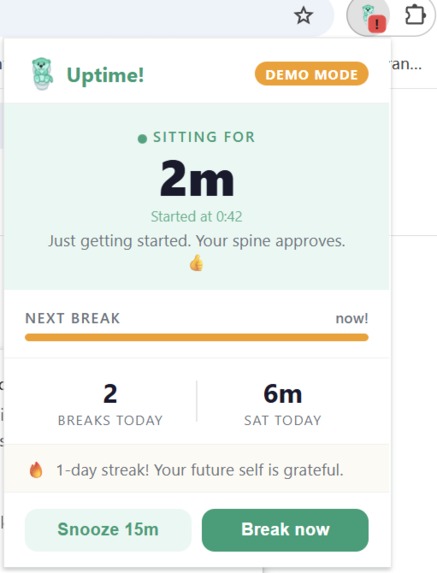
Popup — Live Timer
-
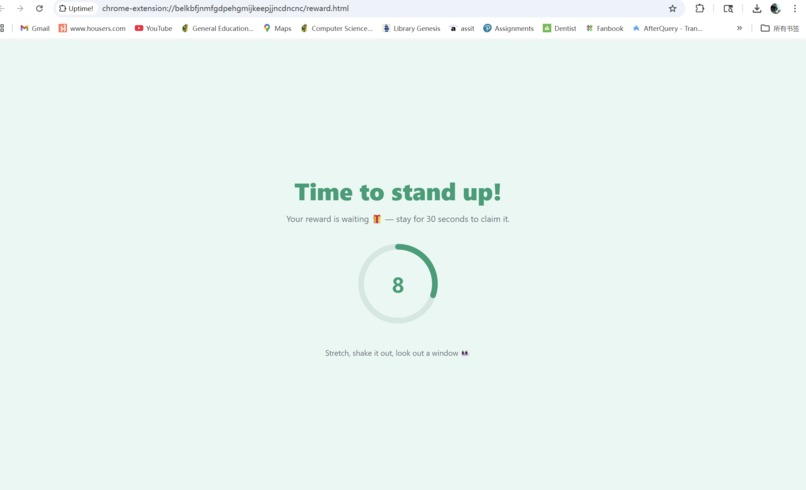
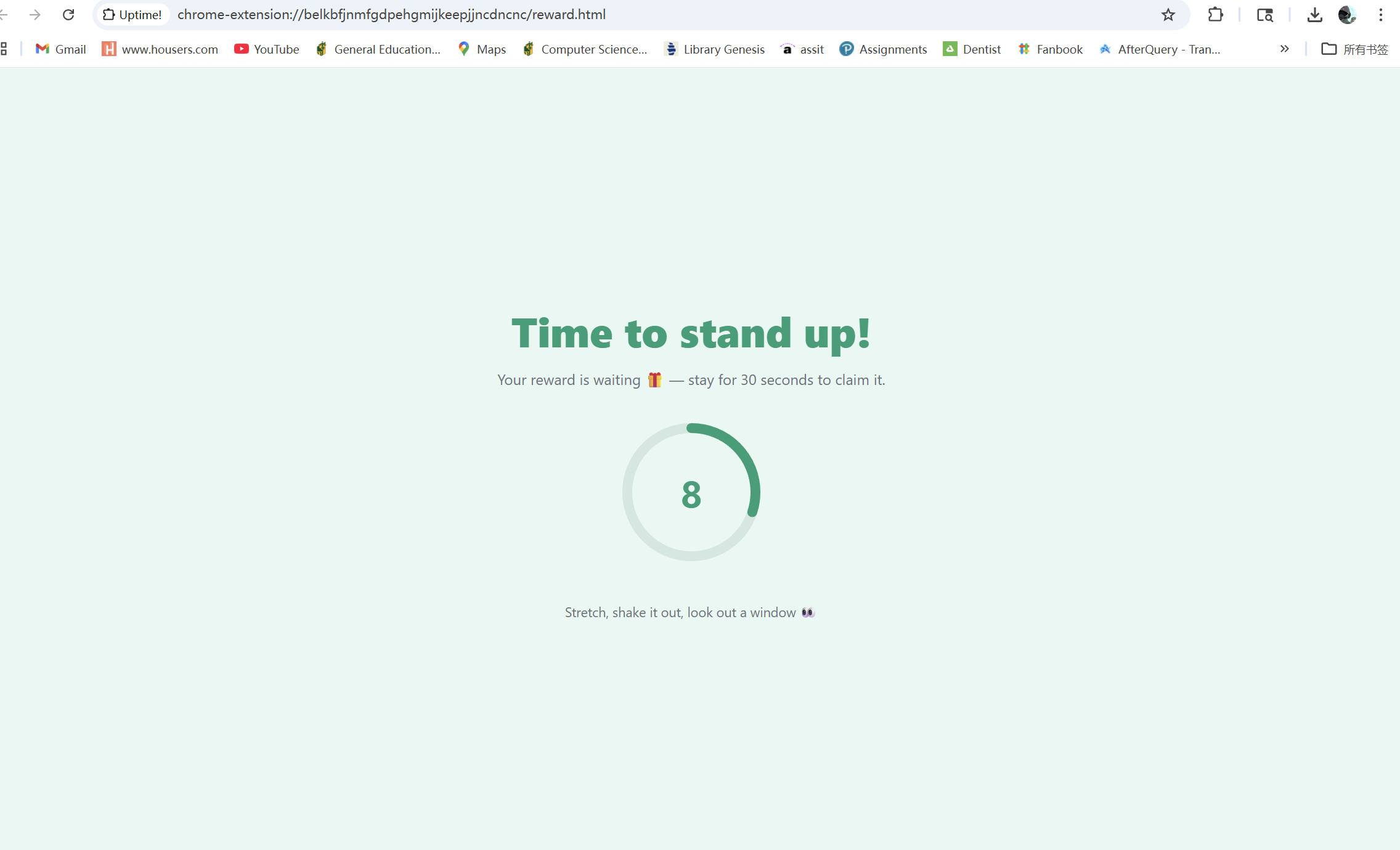
Countdown Screen
-
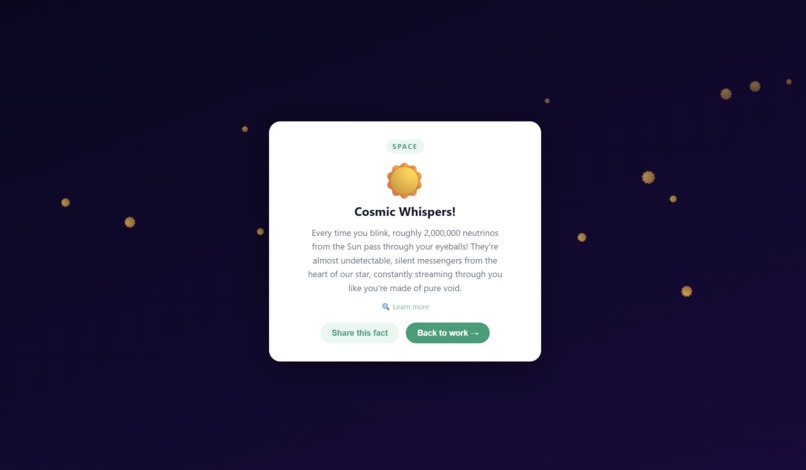
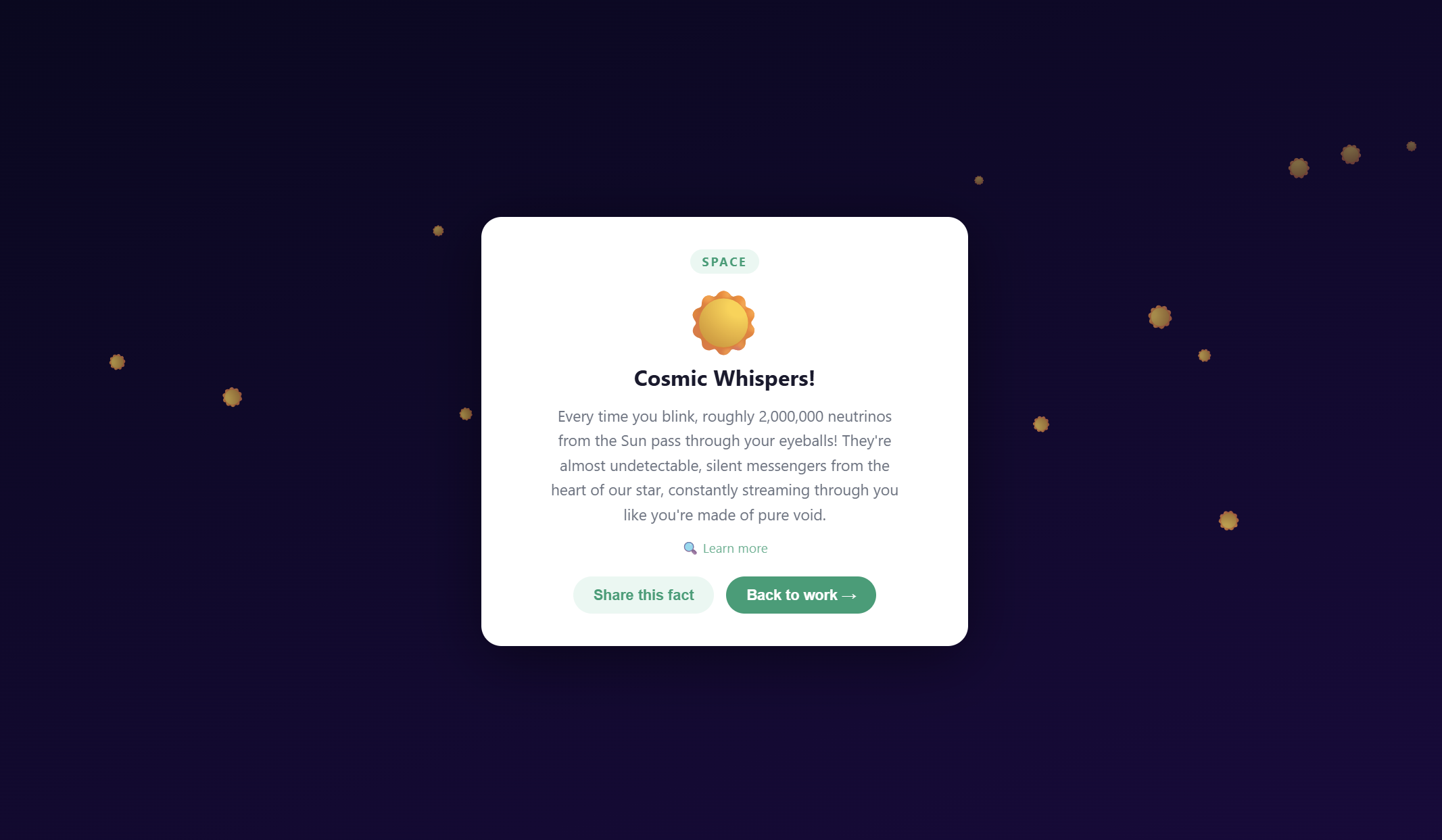
Reward Reveal
-
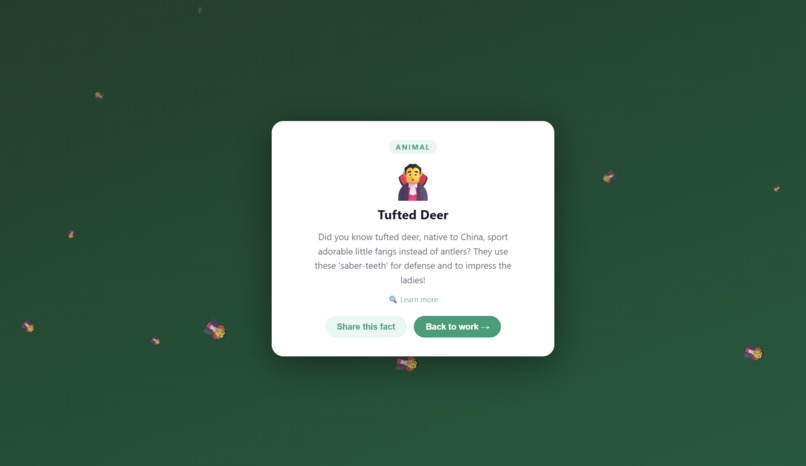
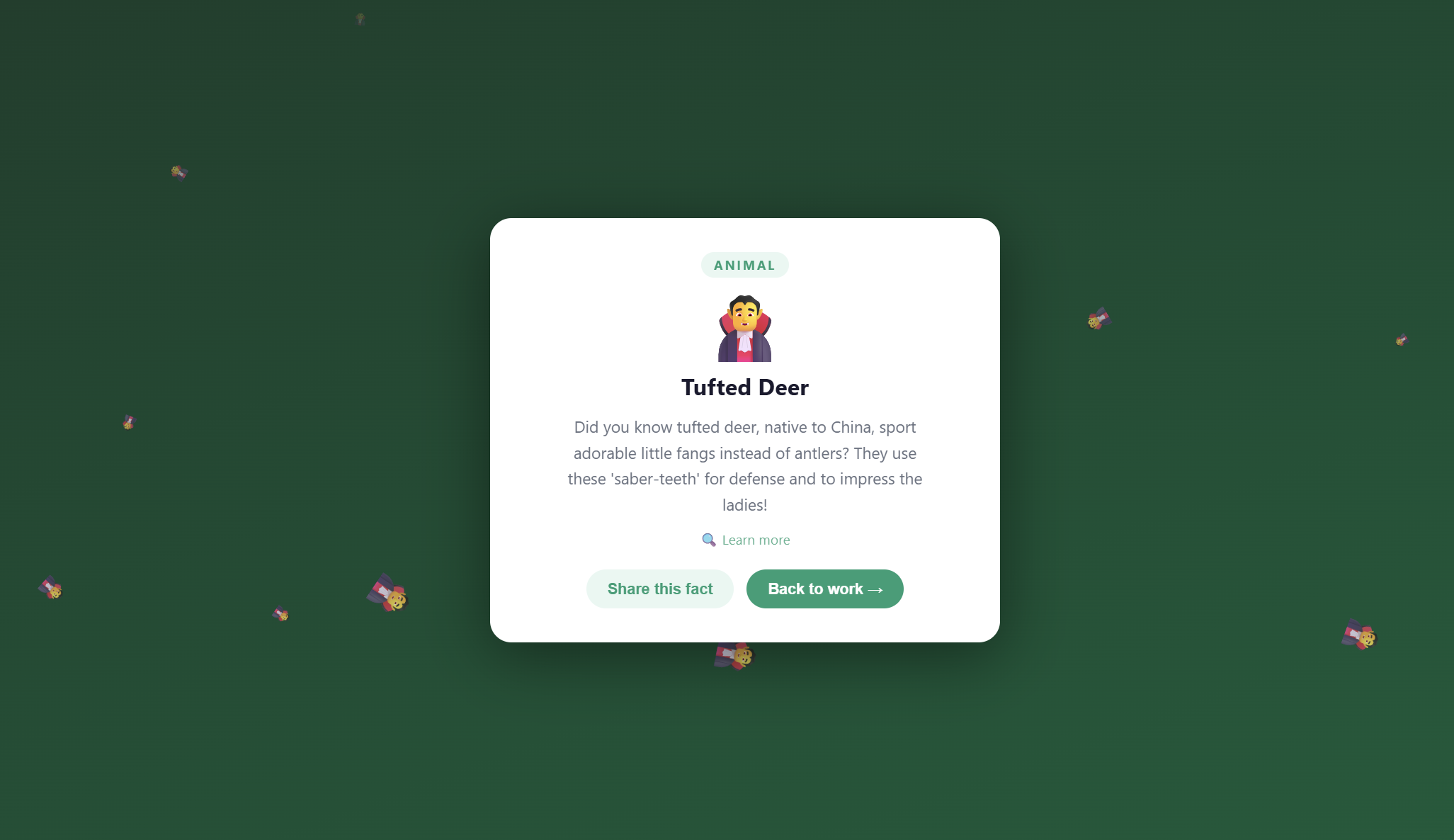
Themed Background
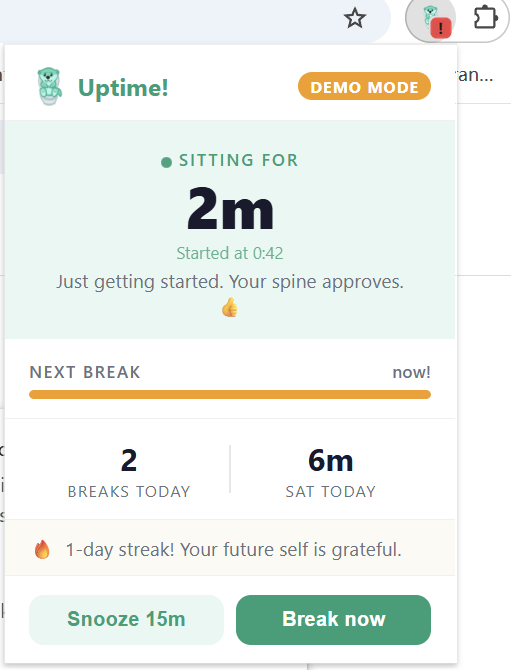
Inspiration
We built a health app at a hackathon. While sitting down. For 12 hours straight.
The irony wasn't lost on us. Around hour four, backs aching and eyes glazing, we realized that every "sit less" app we'd ever installed had ended up ignored — another notification dismissed without a second thought. The problem isn't that people don't know they should stand up. It's that standing up has no payoff. It's just... standing.
That's when the idea clicked: what if you couldn't see the reward until after you'd already done the thing? Like a scratch card you can only reveal after you've stood up for 30 seconds. You're already standing. Might as well find out what's inside.
That's Uptime!.
What We Built
Uptime! is a Chrome extension that tracks how long you've been sitting and reminds you to take breaks — but instead of a nagging notification you dismiss, every completed break unlocks a surprise AI-generated reward: a weird animal fact, a mind-bending space discovery, a counterintuitive science result, or a completely fictional (but convincing) academic study.
The catch: the reward is hidden behind a 30-second countdown. Close the tab early and you forfeit it. Stay, and a card flips to reveal your fact — with themed backgrounds, floating emoji particles, and a direct link to learn more.
We also built the things that make a reminder tool actually work in the real world:
- Meeting detection — it never interrupts a Google Meet or Zoom call
- Flow detection — rapid tab switching delays the reminder, because you're clearly in the middle of something
- Idle detection — pauses the sitting clock after 5 minutes of no input, so bathroom breaks don't count
- Snooze — one per session, because sometimes you really do need 15 more minutes
- Streak tracking — consecutive days with at least one completed break
- Collection page — a growing gallery of every fact you've earned, with today's time-per-category breakdown
How We Built It
Stack: Chrome Manifest V3, Vanilla JavaScript, Google Gemini 2.5 Flash, chrome.storage.local, chrome.alarms, chrome.idle.
No frameworks. No build tools. Just flat files loaded directly into Chrome as an unpacked extension.
The architecture has four moving parts:
background.js— a MV3 service worker that manages the sitting timer, scheduleschrome.alarms, detects idle state, updates the badge, and sends system notifications.content.js— injected into every tab, classifies the current site (coding, video, meetings, etc.) and reports back to the service worker.reward.html/js— the break screen, a standalone tab with a countdown ring and a CSS 3D card-flip reveal.api.js— calls Gemini 2.5 Flash to generate the reward, with 5 hardcoded fallbacks so the demo never fails without internet.
For the reward generation, we pick the category in JavaScript (randomly, so Gemini can't drift toward its defaults), then tell the model exactly which type to produce. The prompt is tight: one emoji, one headline under 12 words, two sentences of content, strict JSON output.
The sitting threshold defaults to 45 minutes — roughly aligned with research suggesting productivity and health both benefit from regular movement breaks. We expose a demo mode (click the logo 3× fast) that drops it to 2 minutes for judges:
$$\text{threshold} = \begin{cases} 2 \text{ min} & \text{demo mode} \ 45 \text{ min} & \text{normal} \end{cases}$$
Challenges
The MV3 service worker lifecycle almost broke us.
In Chrome's Manifest V3, the background service worker is not persistent — Chrome kills it after ~30 seconds of inactivity and restarts it on the next event. Any in-memory variable you set is gone. We learned this the hard way when the extension would silently stop working after sitting idle.
The fix: never trust memory. Every piece of state — session start time, break count, streak, whether a reward tab is open, the current site category — lives in chrome.storage.local and is read fresh on every event. The idle state itself is queried live via chrome.idle.queryState() rather than read from storage, because a stored value might be from before the service worker was last killed.
A related gotcha: awaiting API calls in event handlers matters more than you'd think. If you fire chrome.notifications.create() without await, the service worker can get killed before the notification is dispatched. A missing await was the root cause of one of our most confusing bugs.
Gemini's thinking mode silently corrupted our JSON.
Gemini 2.5 Flash has a "thinking" mode that returns multiple response parts — one for internal reasoning, one for the actual output. We were concatenating parts[0].text only, which gave us thinking tokens instead of the answer, and a broken JSON parse every time. The fix was two-pronged: disable thinking mode entirely with thinkingBudget: 0, and join all parts with .map(p => p.text ?? '').join('') as a safety net.
Getting the UX timing right.
The pause message on the countdown screen needed to show when the user came back to the tab, not while they were away. This sounds obvious, but the first implementation added a visibilitychange listener inside setInterval — meaning 30 listeners were registered over 30 seconds, each one conflicting with the others. The fix was adding the listener exactly once, outside the interval.
What We Learned
- Chrome extension architecture — how MV3 service workers, content scripts, and extension pages communicate, and why persistent state always belongs in storage, never in memory.
- Behavioral design — the reward reveal mechanic is deliberately delayed because immediate rewards don't create habits. Making the user wait 30 seconds before seeing the payoff turns a chore into a ritual.
- AI API integration — prompt design matters as much as model choice. Telling the model exactly which reward type to generate (instead of letting it choose) eliminated bias toward the first option in the list.
- CSS 3D without a framework —
transform-style: preserve-3d,backface-visibility: hidden, and adisplay: gridstacking trick to let the card grow to fit any content height without a fixed wrapper.
What's Next
- User-configurable break interval
- Weekly sitting summary
- Shareable reward cards with a proper image preview
- A proper onboarding flow for first-time users
Built With
- claude
- css
- gemini
- html
- javascript


Log in or sign up for Devpost to join the conversation.