-
-
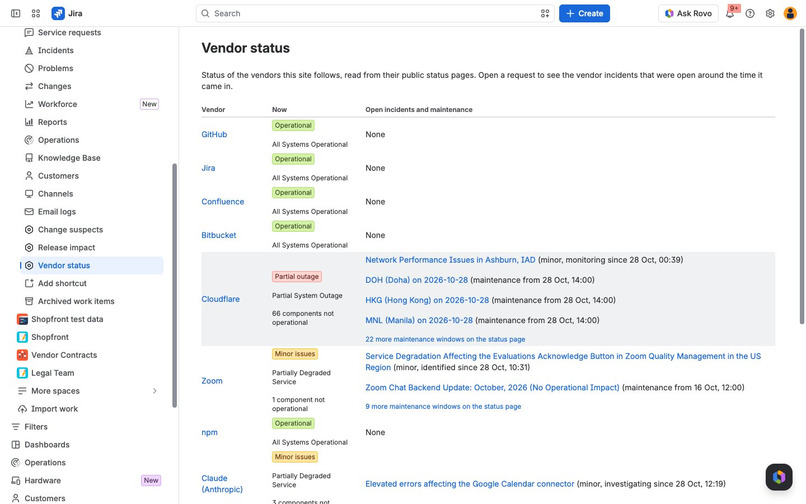
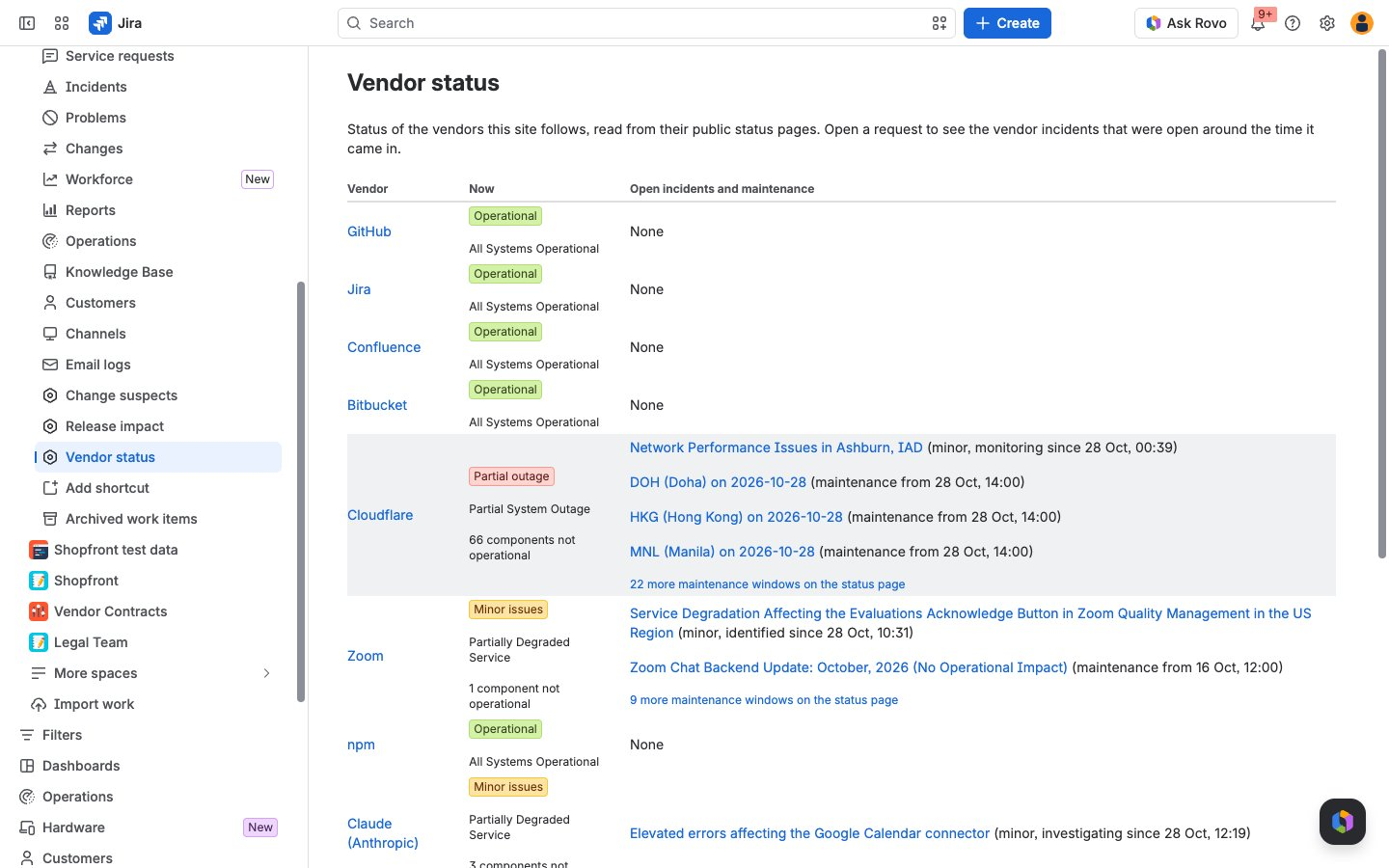
Vendor status page: what each followed vendor reports now, in its own words, with open incidents and maintenance.
-
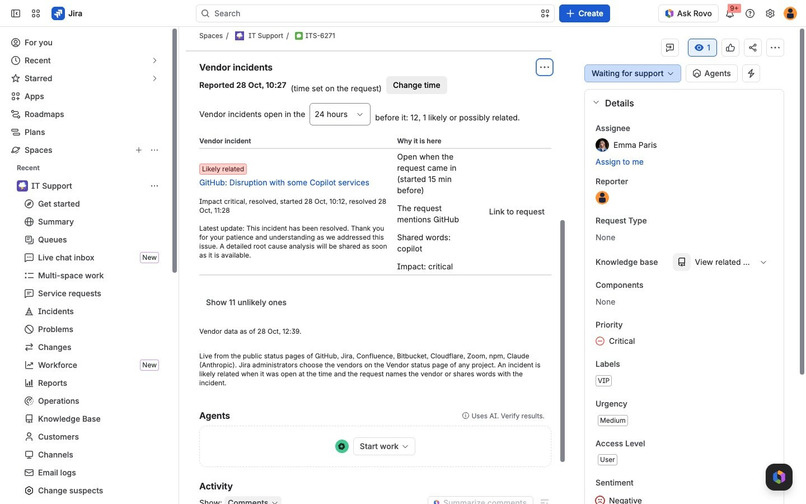
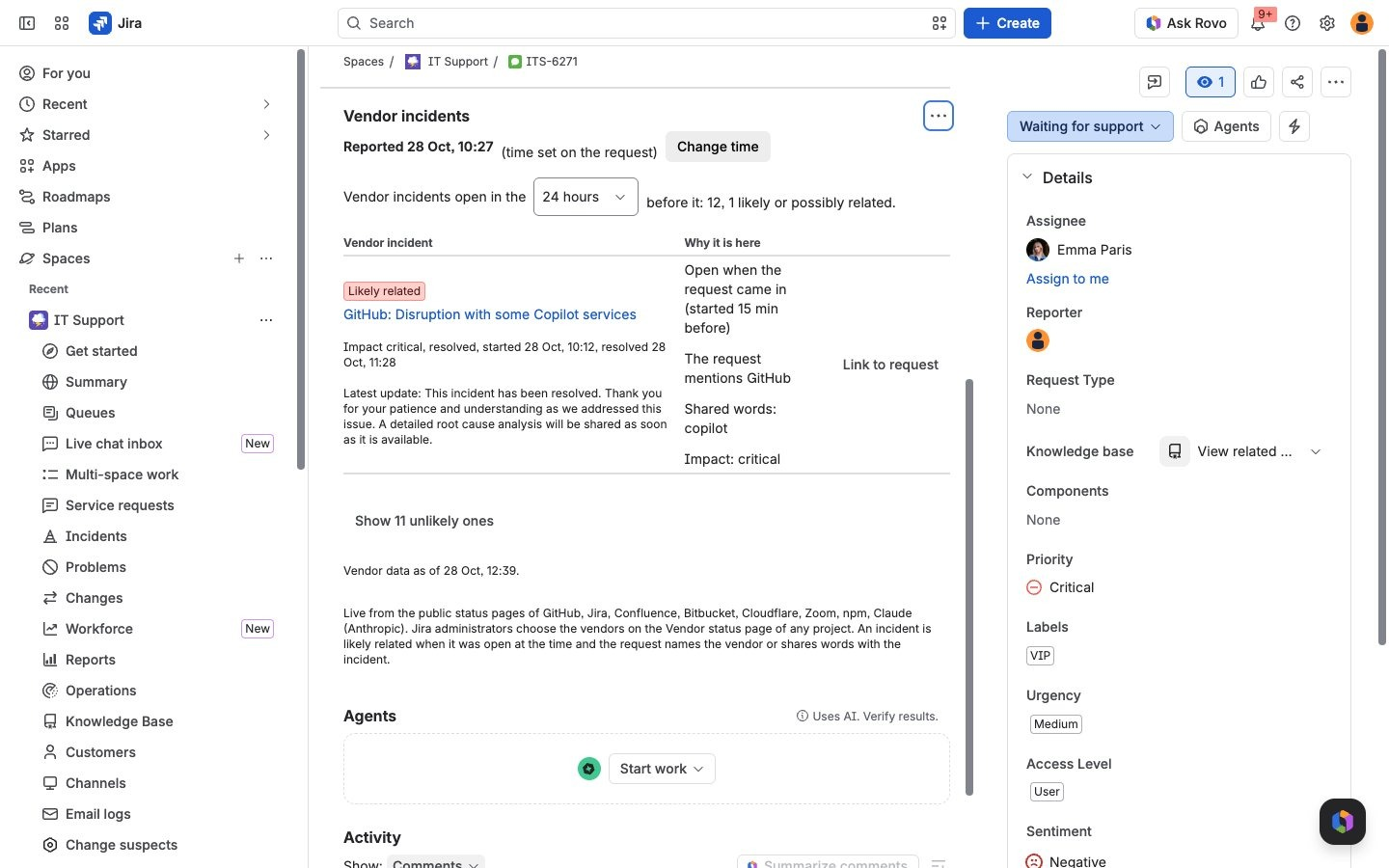
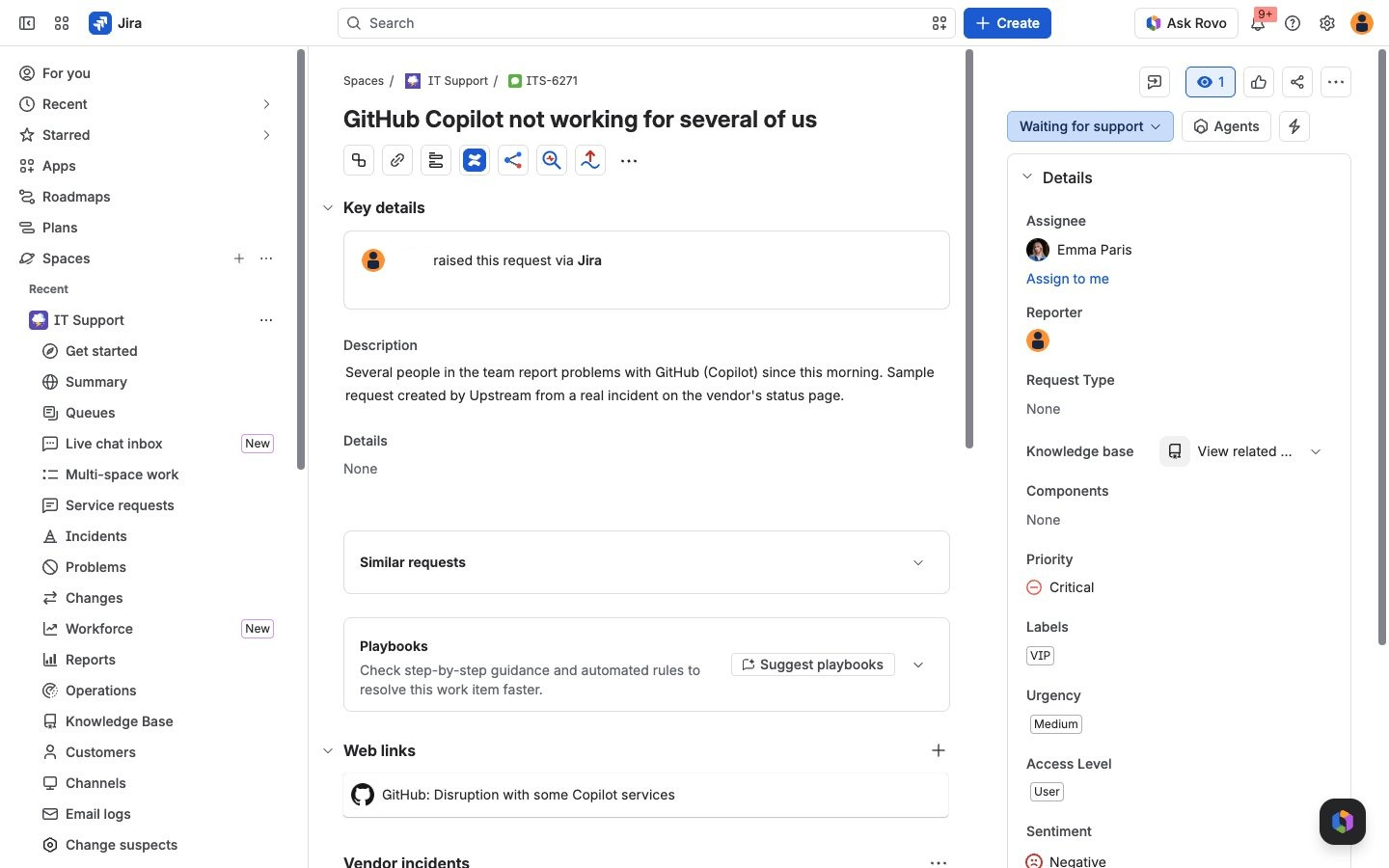
The Vendor incidents panel on a request: incidents open before it came in, ranked, each with the reasons it is there.
-
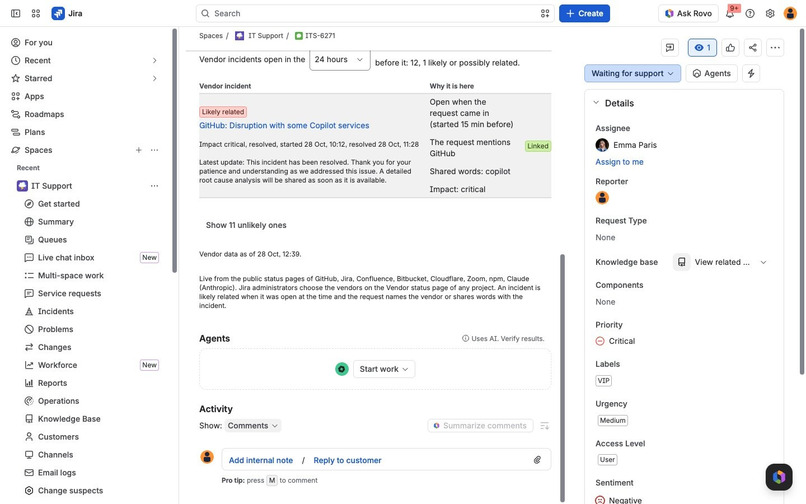
Link to request adds the vendor's incident page to the request.
-
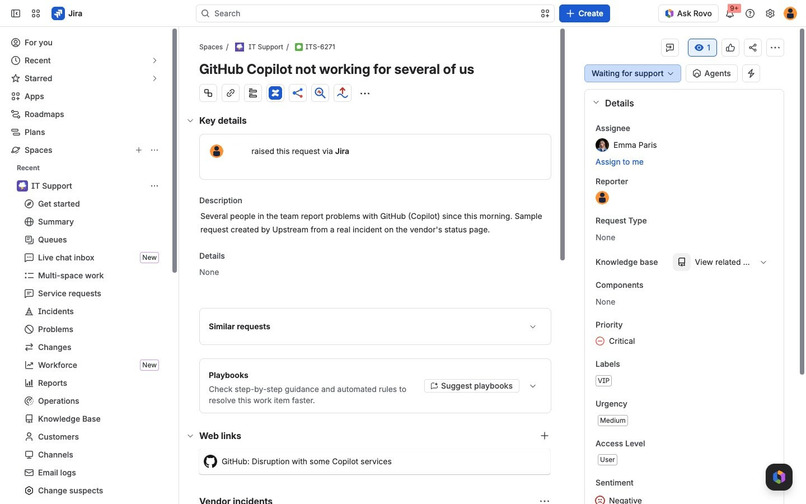
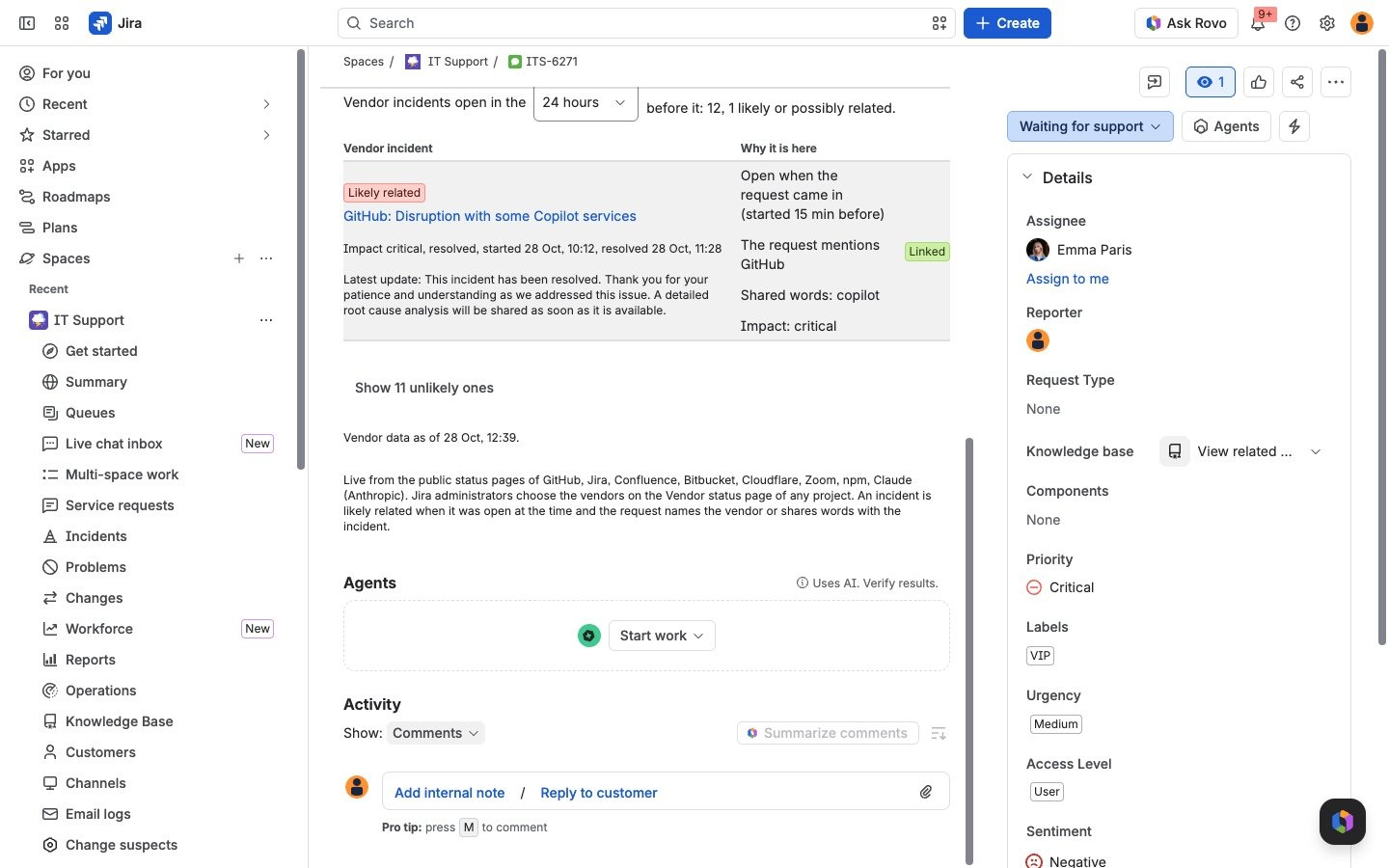
The vendor's incident page now sits in the request's web links.
-
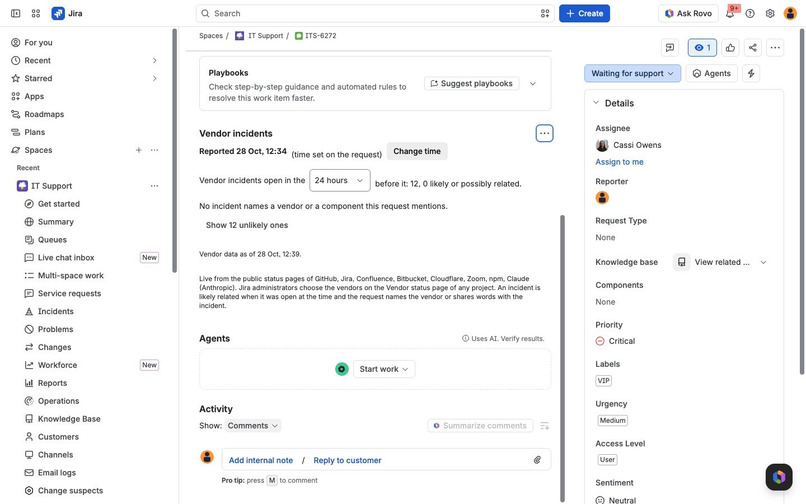
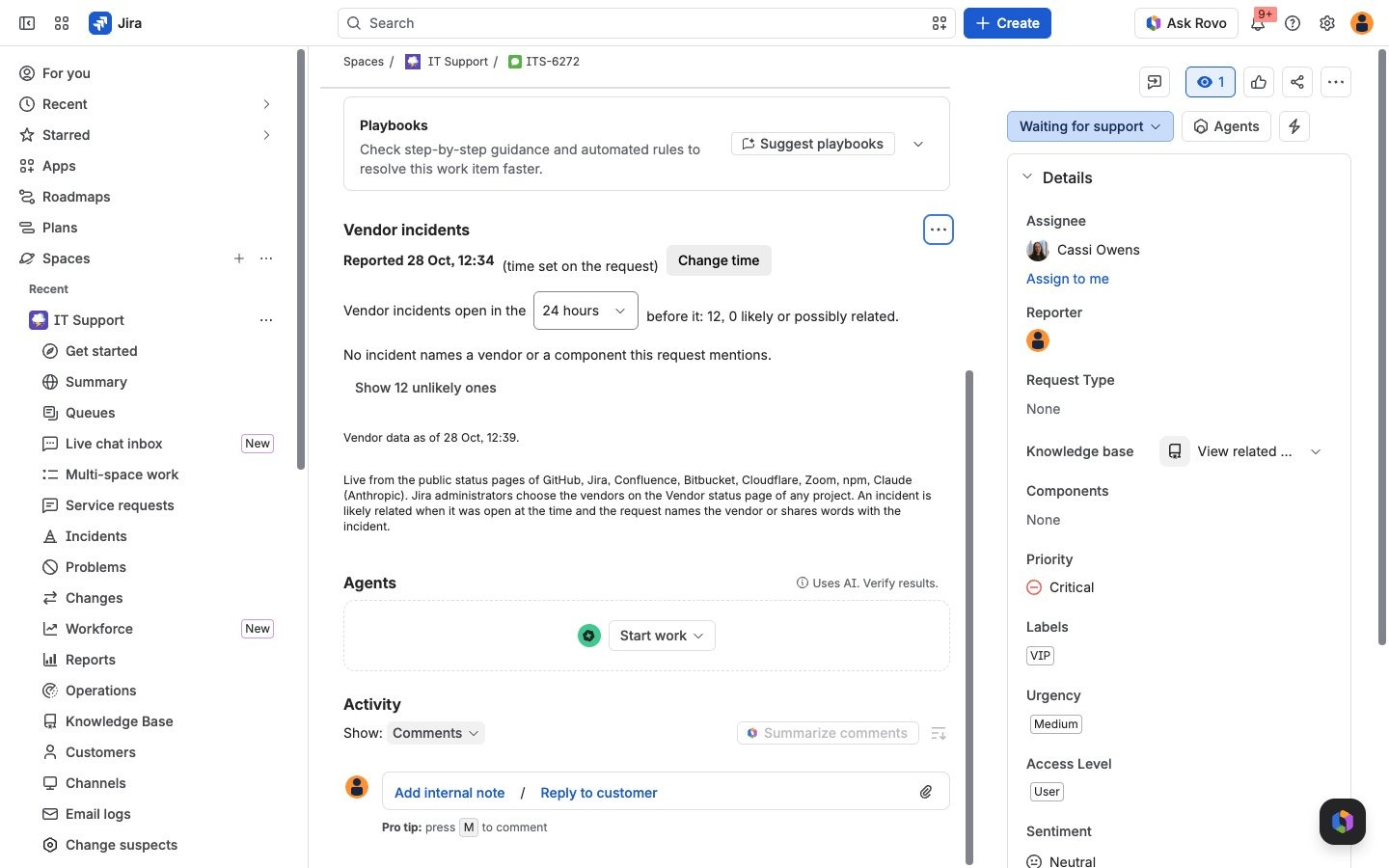
A request that names no vendor: every incident is ranked unlikely, and the panel says why.
-
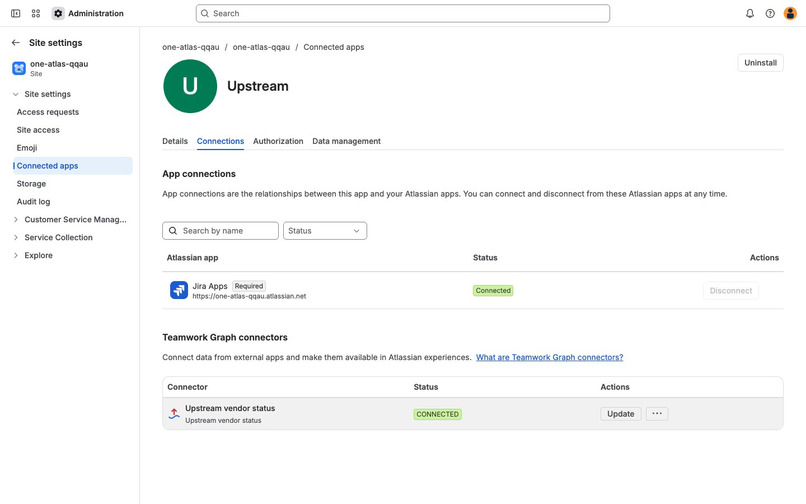
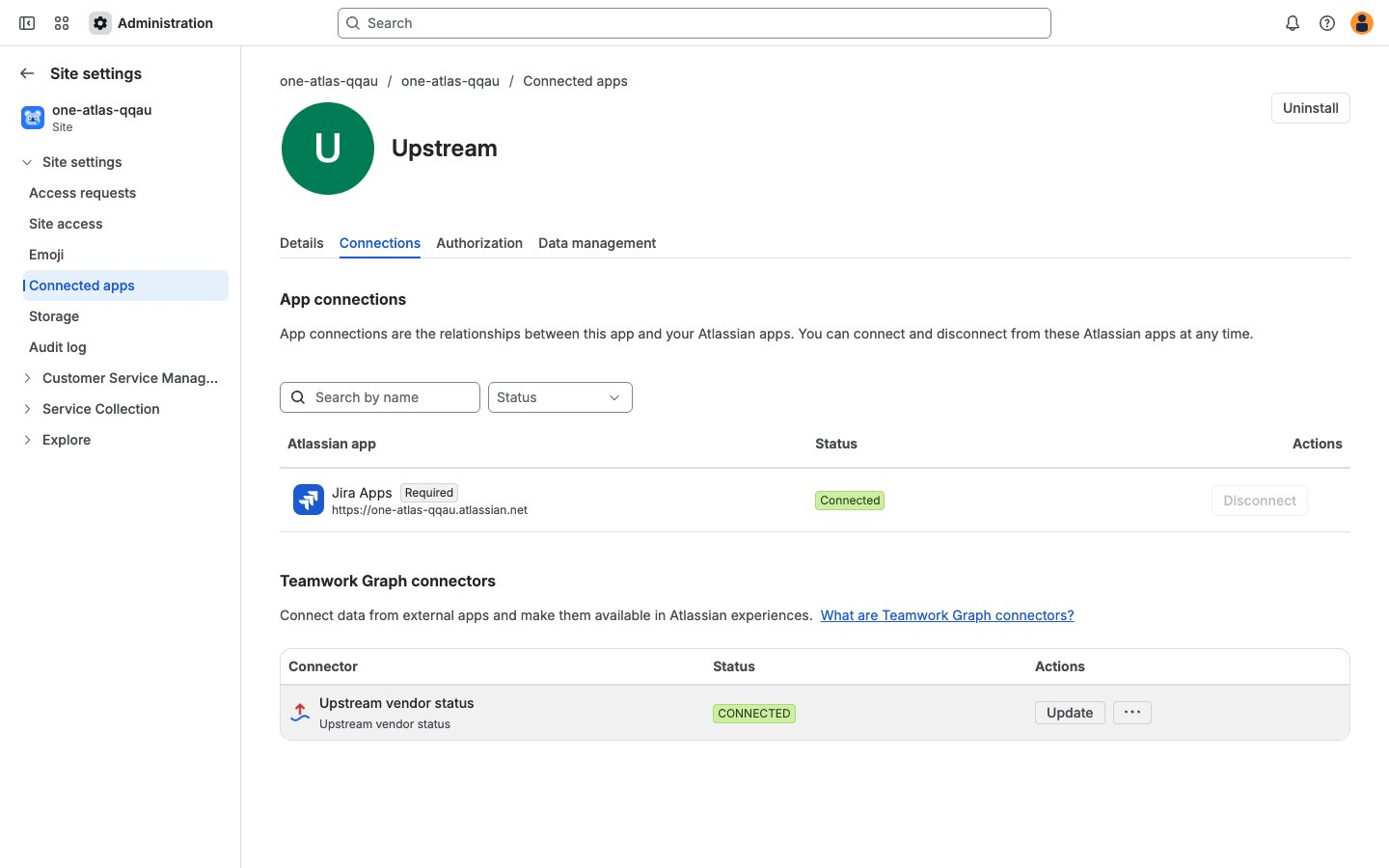
A site admin connects the Upstream vendor status connector once, in Atlassian Administration.
-
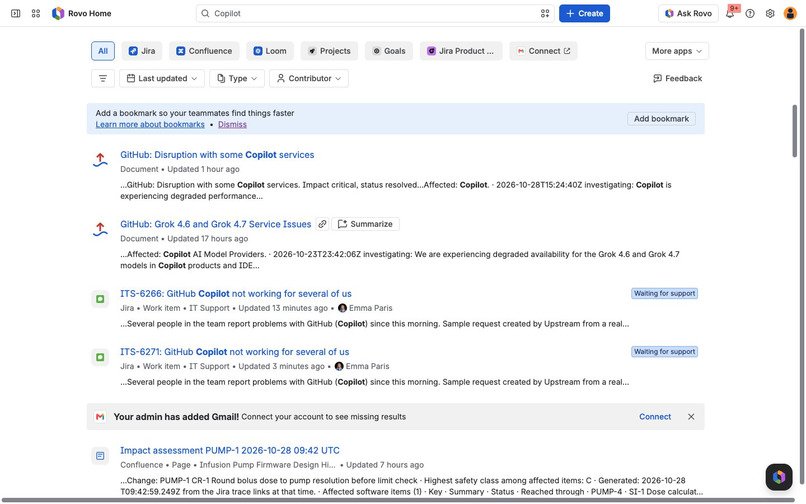
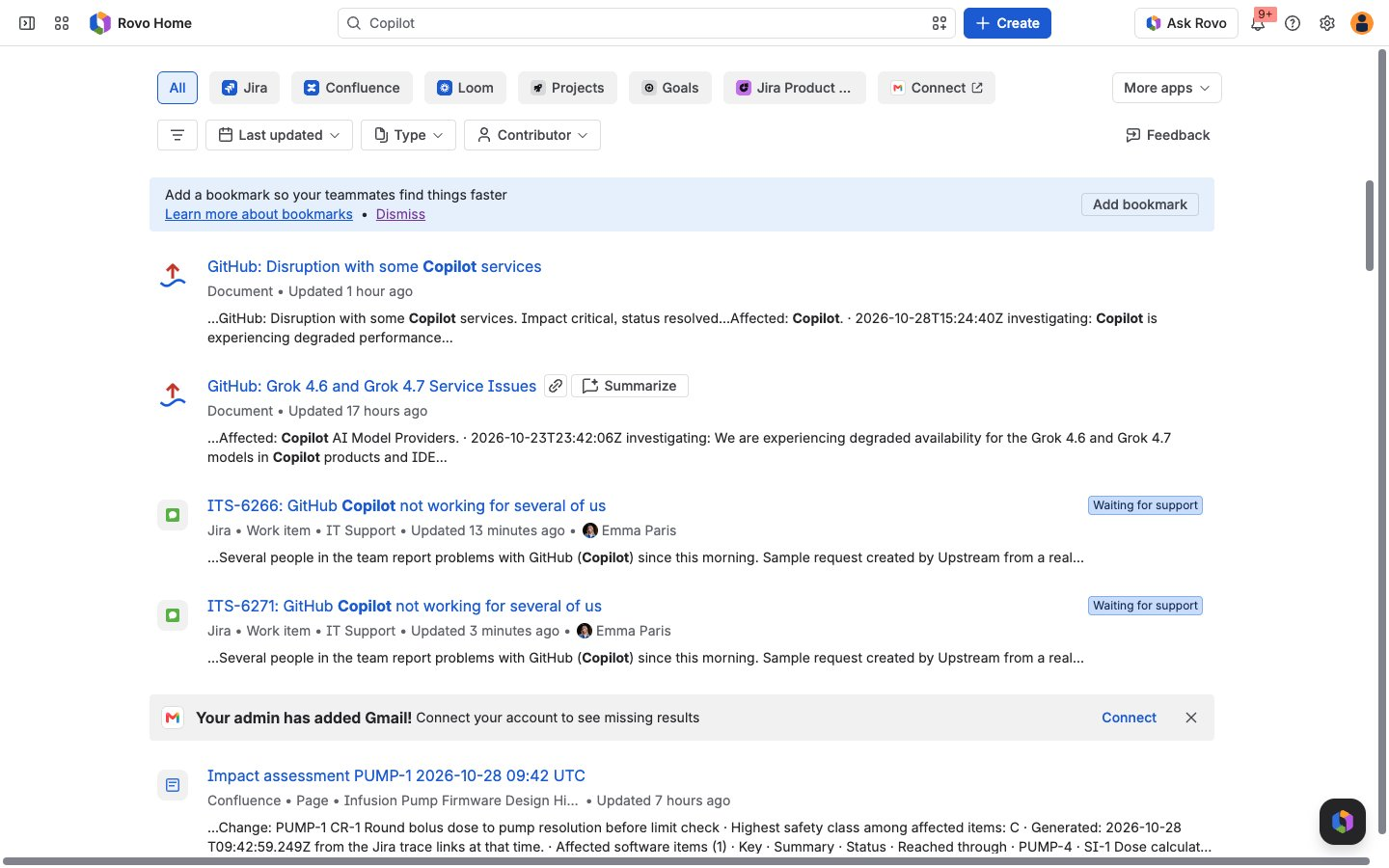
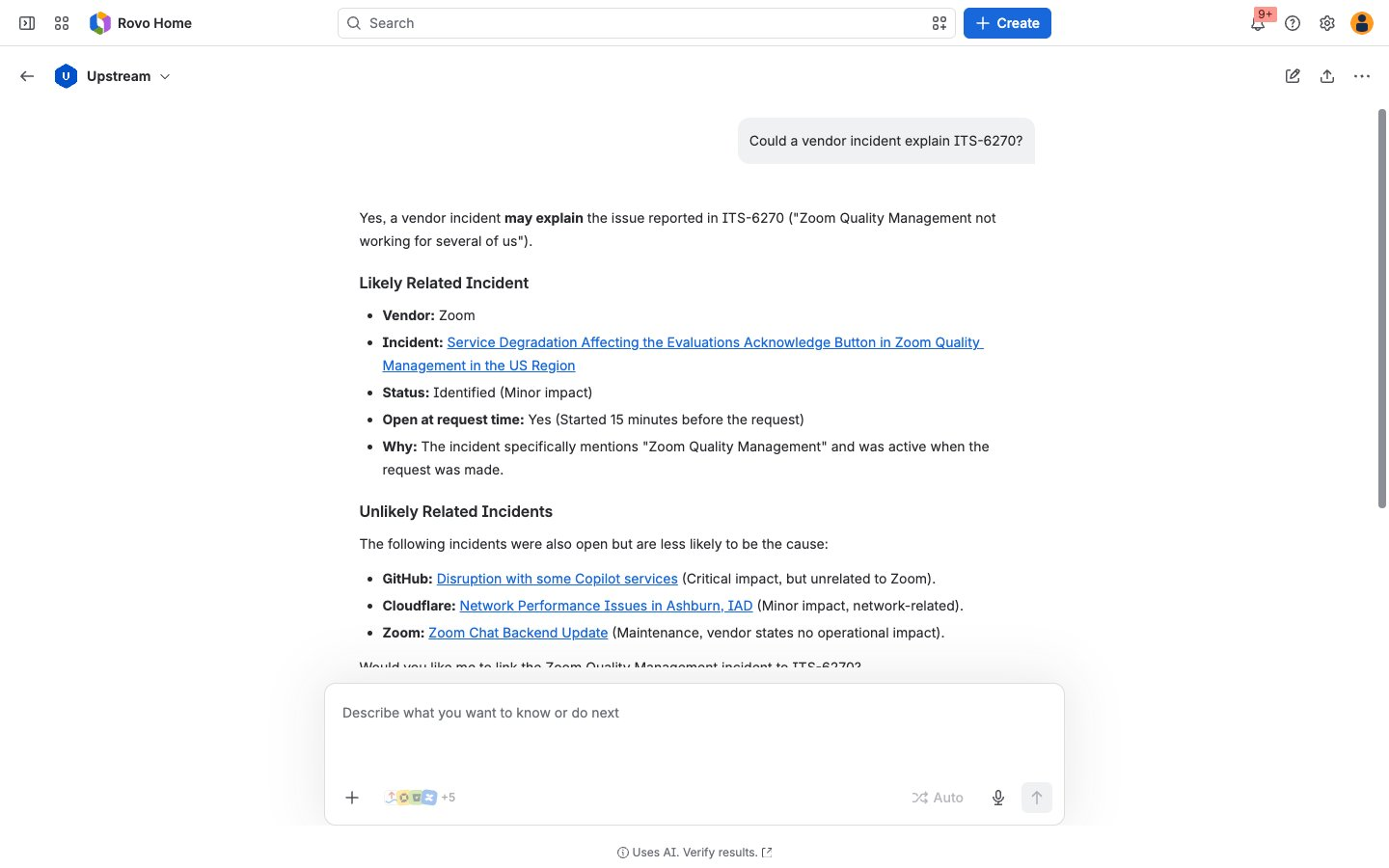
Vendor incidents are Teamwork Graph documents: Rovo Search finds GitHub's Copilot incident next to the requests about it.
-
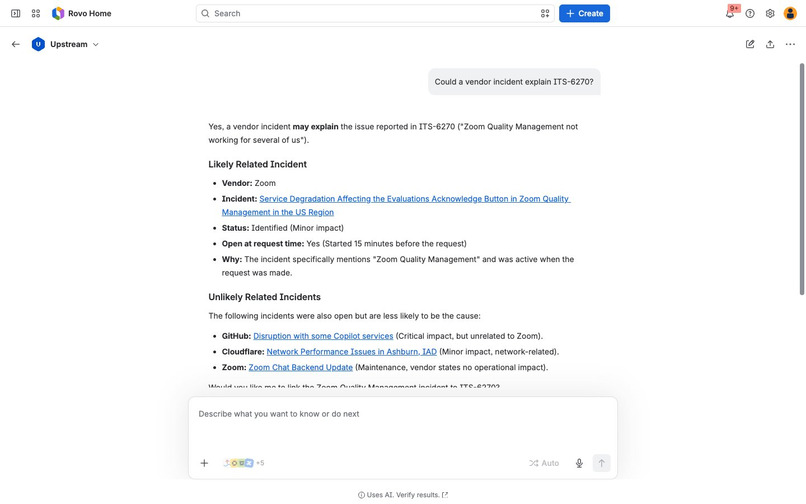
The Upstream agent in Rovo names the likely incident with its evidence and lists the others as unlikely.
-
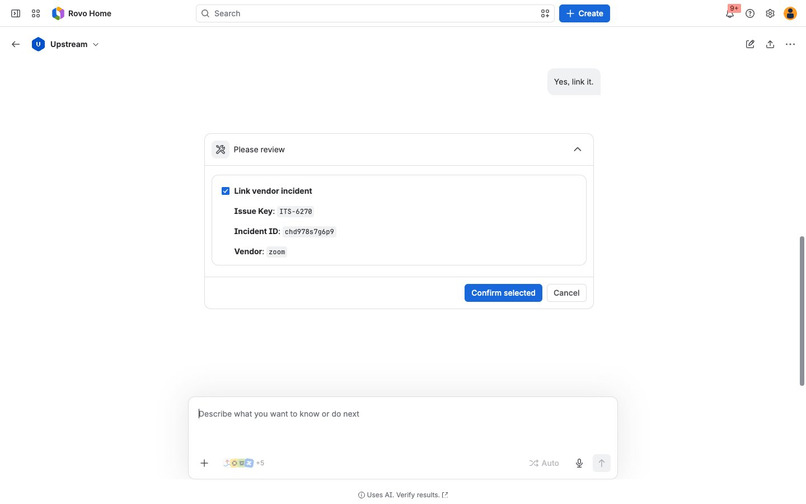
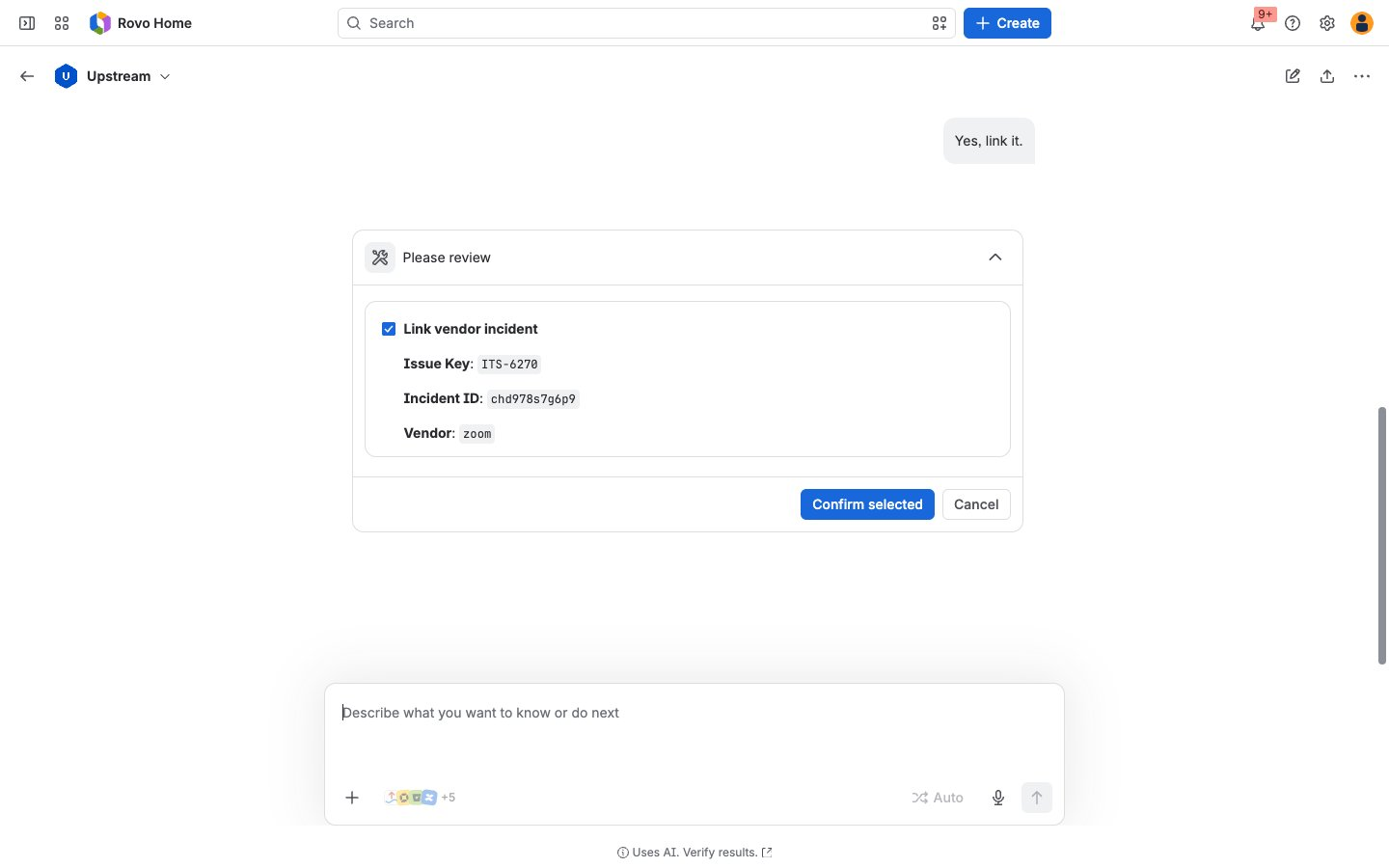
Before the agent links an incident, Rovo shows what will change and waits for confirmation.
Try it
- Install Upstream on a Jira Cloud site. A Jira Service Management project shows the panel in the agent view.
- Open any project, choose Vendor status in the project's navigation and press Load sample requests.
- Open one of the new requests, then its Vendor incidents panel from the apps button under the title.
- Optional: in Atlassian Administration, connect the Upstream vendor status connector (Connected apps, Upstream, Connections) to bring vendor incidents into Rovo Search.
Inspiration
When several people report the same broken tool, the service desk first needs to know whether the problem is inside the company or at the vendor. The answer is often on the vendor's status page, but an agent has to know which page to open and compare the times by hand while more requests arrive. Many SaaS vendors publish their incidents through Atlassian Statuspage, which has a public API, so the information is already there to be matched against the request.
What it does
- Vendor incidents panel on a request or work item: the incidents and maintenance the followed vendors had open in the 24 hours or 3 days before the request came in, ranked "Likely related", "Possibly related" or "Unlikely", with the reasons in words: whether the incident was open at that moment, whether the request names the vendor, the other words the two share, and the impact. Link to request adds the vendor's incident page to the request's web links.
- Vendor status page in every Jira project: what each followed vendor reports now, in its own words, with open incidents and maintenance under way or starting within a day. Jira administrators choose the vendors: 20 are built in, and any other Statuspage page can be added by its page id.
- Teamwork Graph connector: when a site admin connects "Upstream vendor status", every vendor incident updated in the last 14 days (the admin can choose 1 to 30) becomes a document in the Teamwork Graph, with the vendor's updates as its text, and Rovo Search finds it next to the team's own work.
- Rovo agent "Upstream" with three actions,
vendor-incidents-around,vendor-status-nowandlink-vendor-incident. Linking is an UPDATE action, so Rovo asks the user to confirm first. Arovo:mcpmodule exposes the same actions as tools on the Atlassian MCP server, and an open-sourceSKILL.mdtells third-party agents how to use them. - Load sample requests creates up to three requests, each timed a quarter of an hour into a real incident from the last two weeks, plus one request with no vendor involved, so a judge can try the panel in a minute.
A vendor incident that overlaps a request in time is a lead, not proof; the panel says why it ranked each incident and leaves the decision to the agent.
How we built it
Forge with UI Kit: a jira:issuePanel, a jira:projectPage, a graph:connector with onConnectionChange and validateConnection handlers, an hourly scheduledTrigger, a queue consumer, and action, rovo:agent and rovo:mcp modules. Status pages are read in the queue consumer, one vendor per job and at most two at a time, and cached in Forge storage; the panel and the project page read the cache and ask for a fresh read when it is older than five minutes. Each refresh also sends the vendor's incidents to the Teamwork Graph with @forge/teamwork-graph setObjects, in batches of 100, for every connection the admin made. The matching core is plain JavaScript with no network access and has unit tests. Jira calls run as the current user. The app reads only the public Statuspage API, sends nothing about the site to the vendors and calls no language model.
Challenges we ran into
- Some status pages answered within 200 ms on a fresh connection but stalled for about 30 seconds on a reused one, longer than a resolver may run. Reads moved into a queue consumer with a cache, and every request asks for a fresh connection.
- Two vendors moved their status pages to new domains while we were building (Zoom to www.zoomstatus.com, Claude to status.claude.com). The redirect pointed outside the app's egress list and Forge answered 403. The built-in list now uses the new domains, and the page shows each vendor's last error and data age.
- The Teamwork Graph rejected the document category we sent. The documentation lists
web_pageand the SDK types listWEB_PAGE; the ingestion service rejected both, anddocumenttoo. Its error named the values it accepts, but we had been cutting errors at 200 characters, which hid the list.DOCUMENTworked. - In our own test, the agent called a Zoom maintenance window "likely related" although Zoom said it had no impact, because the vendor's name counted twice: once as the vendor named in the request and again as a shared word. The name now counts once, and anything the vendor says has no impact weighs low, with that reason shown.
- Statuspage calls a "major" indicator a partial system outage. Our Vendor status page first showed it as "Major outage"; it now uses Statuspage's terms and the vendor's own description.
Accomplishments that we're proud of
- The answer to "is it the vendor?" appears on the request the agent already has open, with the vendor's own latest update.
- Vendor incidents become part of what Rovo can search, without anyone copying them into Confluence.
- Every rank comes with its reasons, and a request that names no vendor gets "unlikely" for every incident.
What we learned
- A graph connector is a small amount of code once the data is in a clean shape; most of the work was in reading status pages reliably within Forge's time limits.
- Read the whole error message: the list of accepted values was in it.
What's next for Upstream
- Vendors that publish outside Statuspage, such as the cloud providers' health feeds.
- A notice on open requests when a followed vendor posts a new incident.
- Relationships in the Teamwork Graph between a vendor incident and the requests linked to it.
Built With
- forge
- javascript
- jira
- jira-service-management
- mcp
- react
- rovo
- statuspage
- teamwork-graph
- ui-kit

Log in or sign up for Devpost to join the conversation.