-
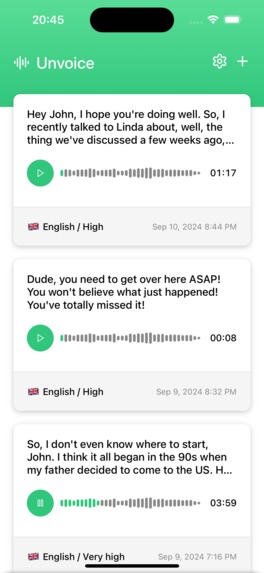
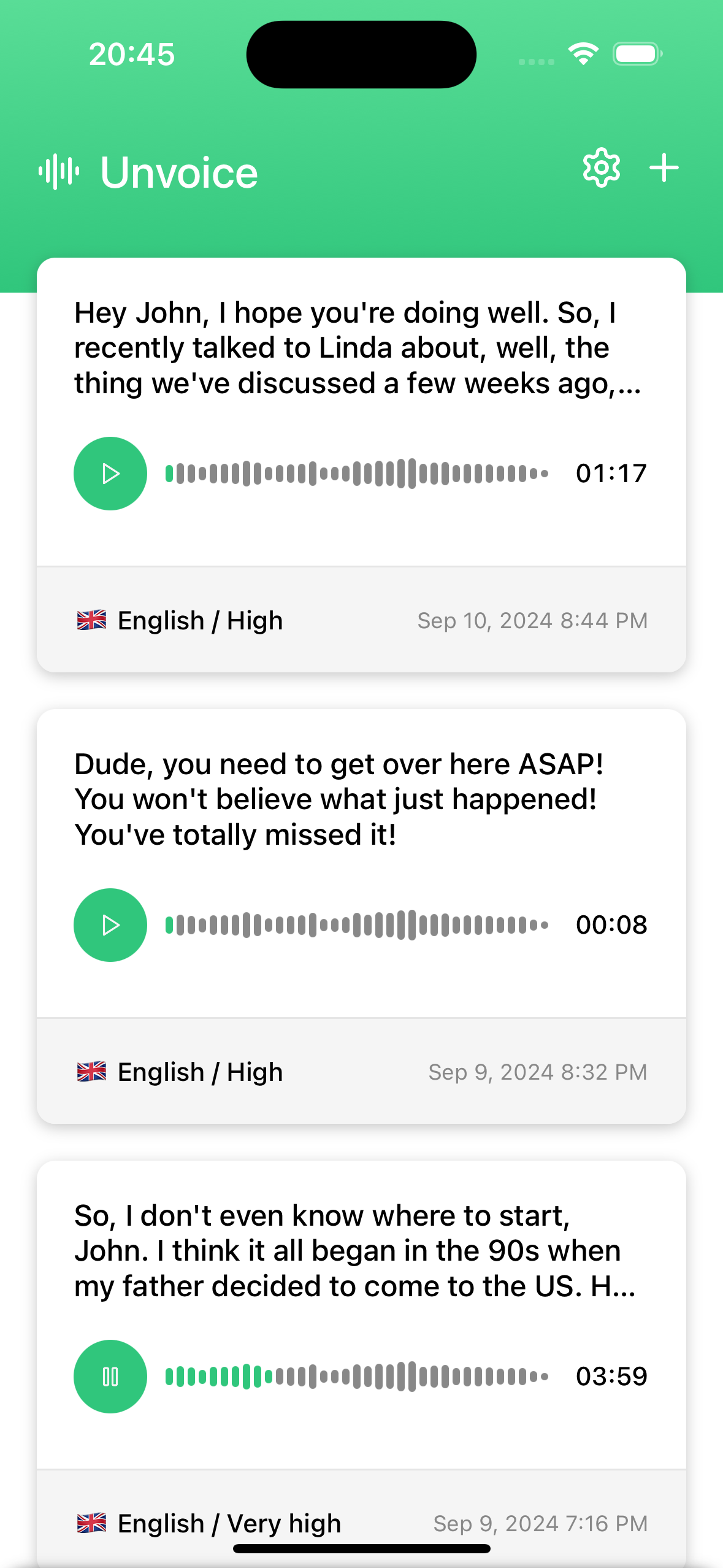
Transcriptions are stored locally together with their audio files – read or listen to them whenever you like.
-
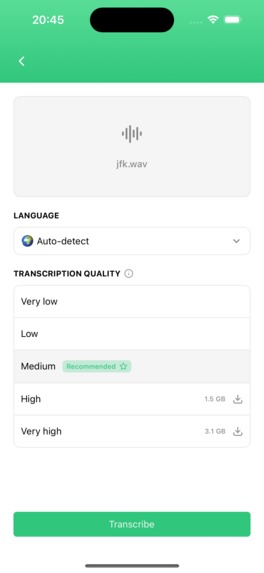
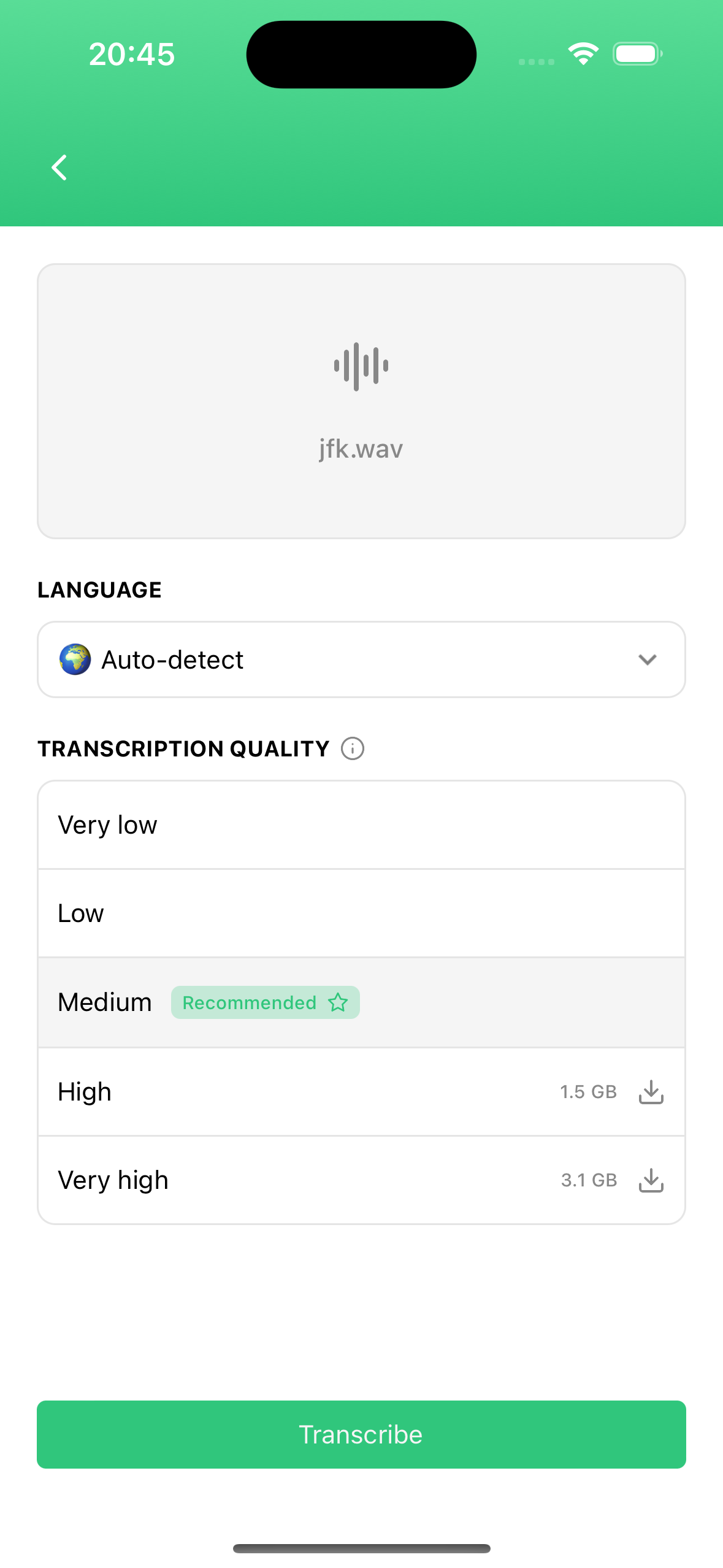
Adding a new transcription is an easy three-click process: Choose the file, choose the model, and go!
-
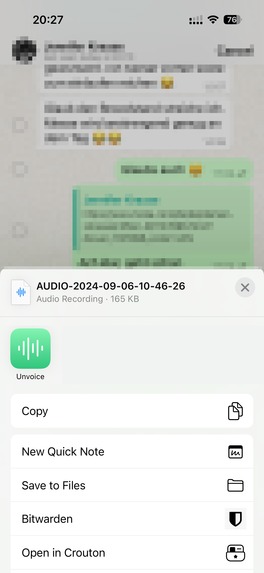
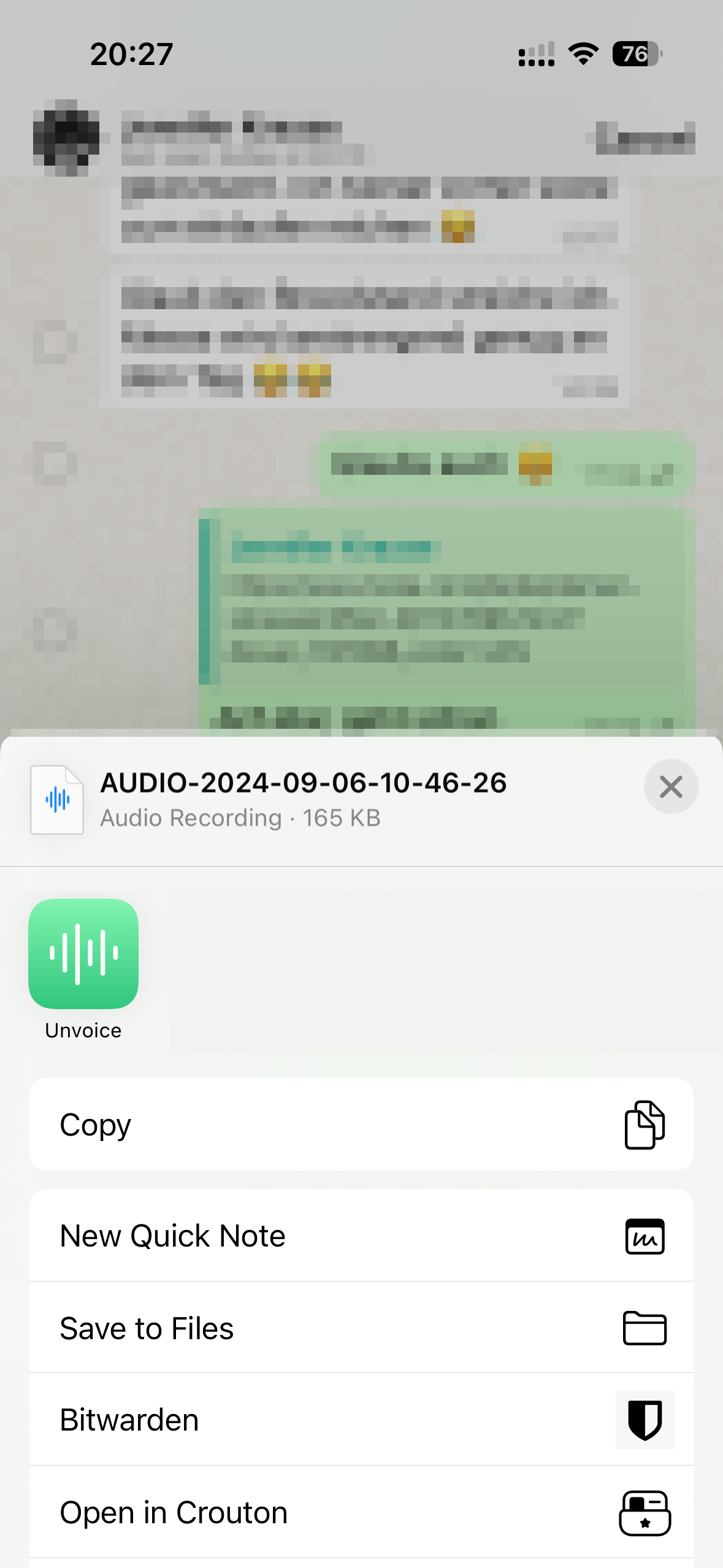
Or you can make your life even easier by sending voice messages directly to Unvoice using your device's sharing feature.
Inspiration
Voice messages have become increasingly popular: The person sending them doesn't need to write long paragraphs of text on their small phone keyboard, but instead simply record what they have to say. While this is a huge timesaver on the sender's side, it's the exact opposite way around on the receiver's side. Listening to voice messages can be a big time waste, especially when the person on the other end doesn't quite get to the point or repeats themselves. This is what inspired Unvoice: Save time by allowing users to read their voice messages instead of listening to them.
What it does
Unvoice uses OpenAI Whisper, arguably the best open-source AI transcription model today, to transcribe voice messages (and other audio files) to text. Unvoice supports all languages OpenAI Whisper supports (more than 50). Because all processing happens directly on the device, the transcription process is very quick, works offline and is incredibly privacy-friendly. Users can easily share voice messages using the native share sheet functionality of their device. In most chat apps, it's as simple as long-pressing on a voice message, clicking "Share" and sending it to Unvoice to get a transcription within a few seconds.
How we built it
Unvoice was developed using React Native with the Expo SDK and OpenAI Whisper to handle audio transcriptions. It uses our own open-source package react-native-reshared to hook into the device's share sheet functionality. Using the RevenueCat SDK, users can optionally purchase a premium version allowing them to use better AI models and transcribe longer audio files.
Challenges we ran into
Most of the challenges we ran into were about keeping everything offline while maintaining a high performance. In the end, we opted for WhisperCPP, a native C++ implementation of Whisper. In our tests, transcribing a two-minute voice message using medium quality, now takes no longer than a few seconds on newer iPhone models.
Since AI models can become quite big (the best-quality Whisper model Unvoice offers is 3.1 GB big), we did not want to bundle them all into the app, leading to a huge bundle size. Instead, we only bundle the smallest model (~100 MB) and allow the user to download additional models with better quality on-the-fly. The users sees the download progress in the app and the AI model is then stored in the app directory, so it can then be used in offline mode in the future.
Accomplishments that we're proud of
The user experience of the app is incredibly simple and intuitive: On the home screen, you see your newest saved transcriptions and the only other screen (other than the settings screen) is the screen to add a new transcription. There, you simply select the audio file from your device, the AI model you want to use and hit "Transcribe". Or, even quicker, you use the share sheet functionality of your device to immediately send voice messages from chat apps to Unvoice.
Also, keeping the whole app offline yet high-performant even on medium-end devices is something we're very proud of.
What we learned
While building Unvoice, we learnt a lot about the latest advancements in AI transcriptions, as well as optimizing their on-device performance using, for example, CoreML on iOS. Also, we learnt about more strategies to keep a privacy-friendly offline-first approach without sacrificing user experience.
What's next for Unvoice
- Right now, we're working on an update that would also allow users to transcribe the audio of video files.
- In the future, we're looking to expand the UI language support (currently, the UI is available in English and German) to reach broader markets.
- We're also evaluating an optional cloud-based transcription. Even though we've worked hard on improving the app's performance, especially during the transcription process, some low-end devices might struggle with it, especially with some of the bigger AI model options. While the main USP of the app will always be its offline-first approach, we might offer transcriptions in the cloud, either through an API provides such as OpenAI, or on our servers, for a small fee.
Built With
- coreml
- expo.io
- javascript
- kotlin
- react-native
- swift
- typescript
- whisper

Log in or sign up for Devpost to join the conversation.