Inspiration
Cooking from your phone can be frustrating. Your hands are messy, the screen doesn’t always cooperate, and you end up scrolling through long recipe pages just to find the actual steps. On top of that, figuring out what to make with random ingredients you already have isn’t always straightforward.
We wanted to build something that makes cooking feel simpler and a bit more interactive.
What it does
Nibble is a web app that helps you find recipes quickly and makes the cooking process easier to follow.
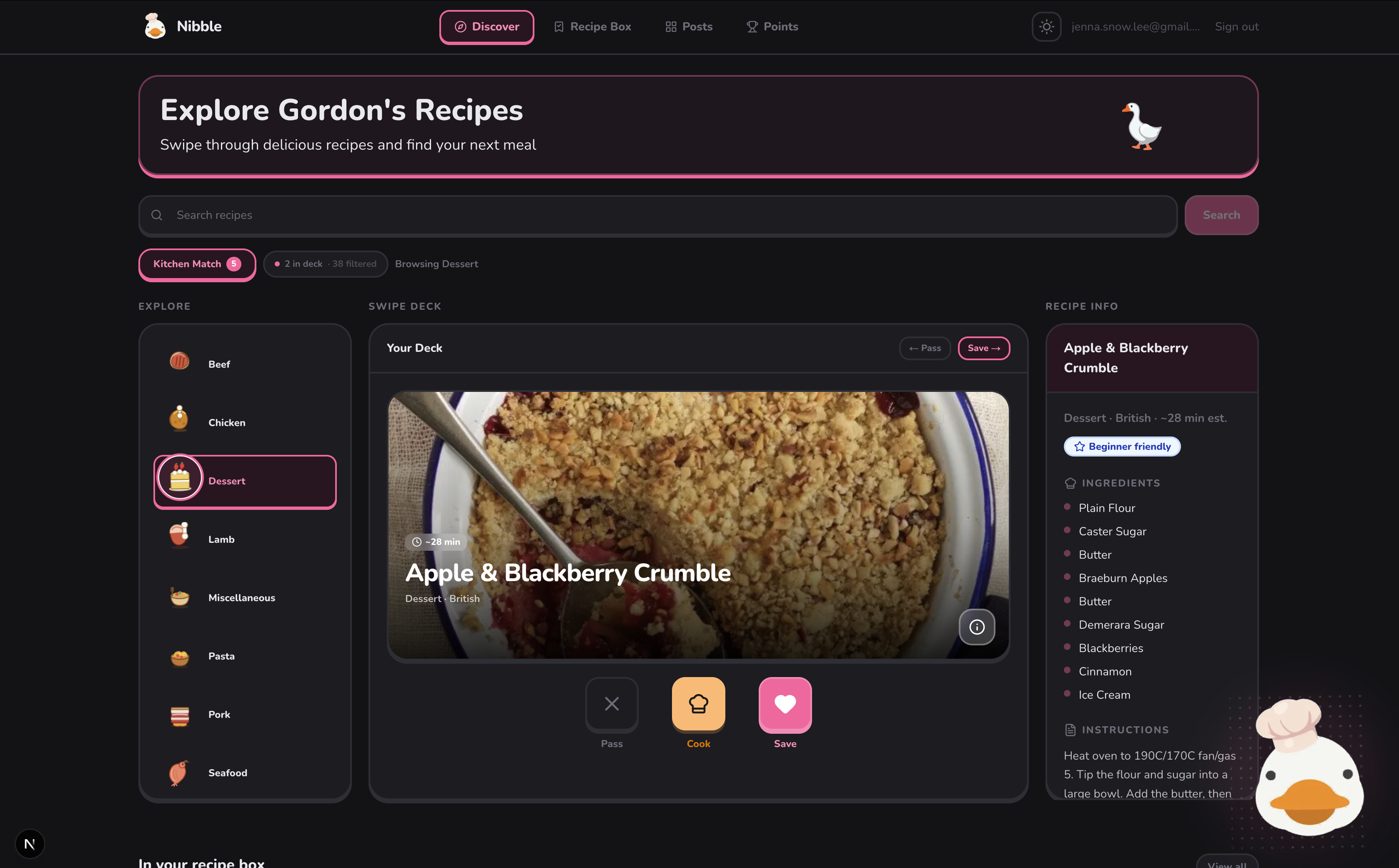
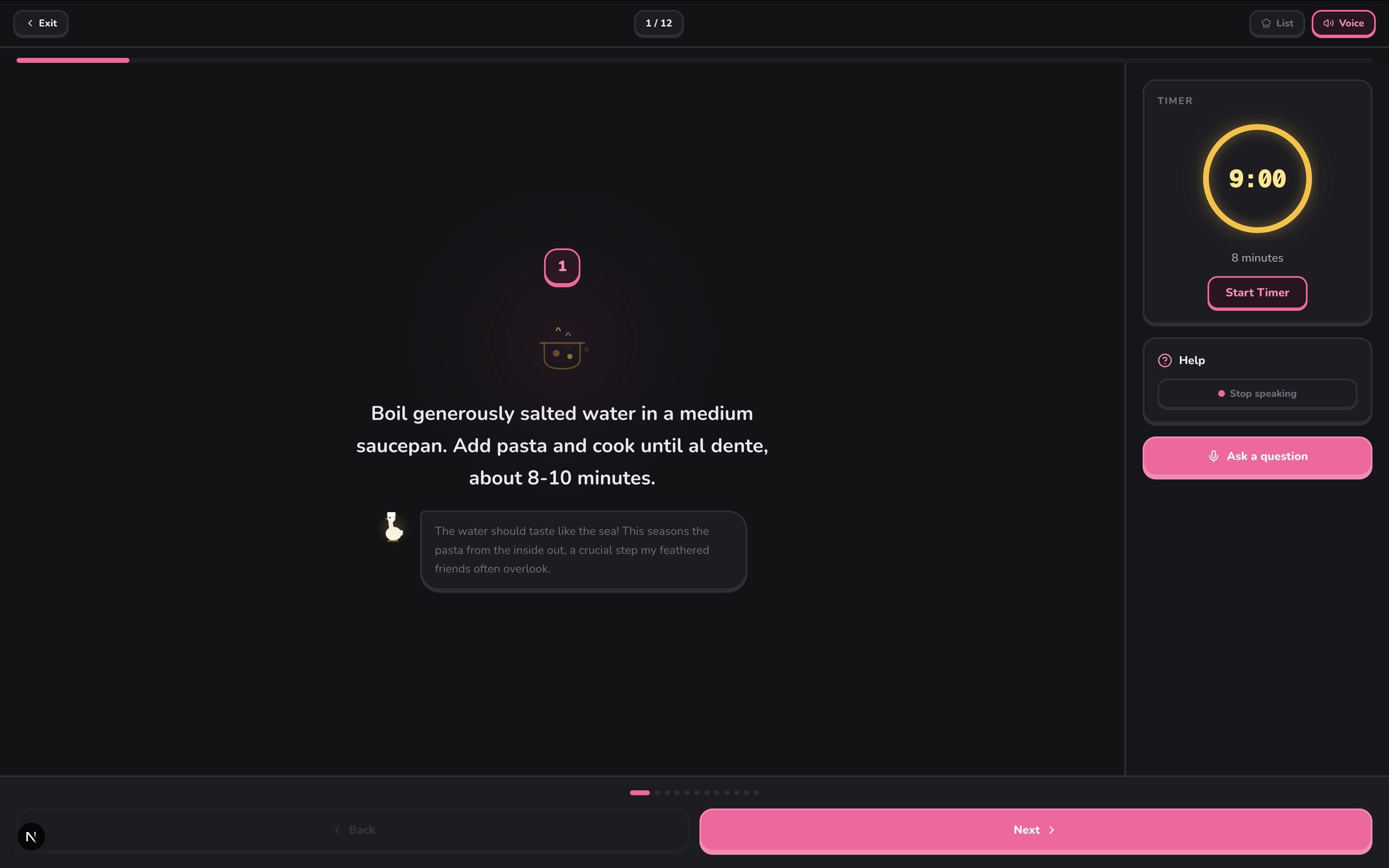
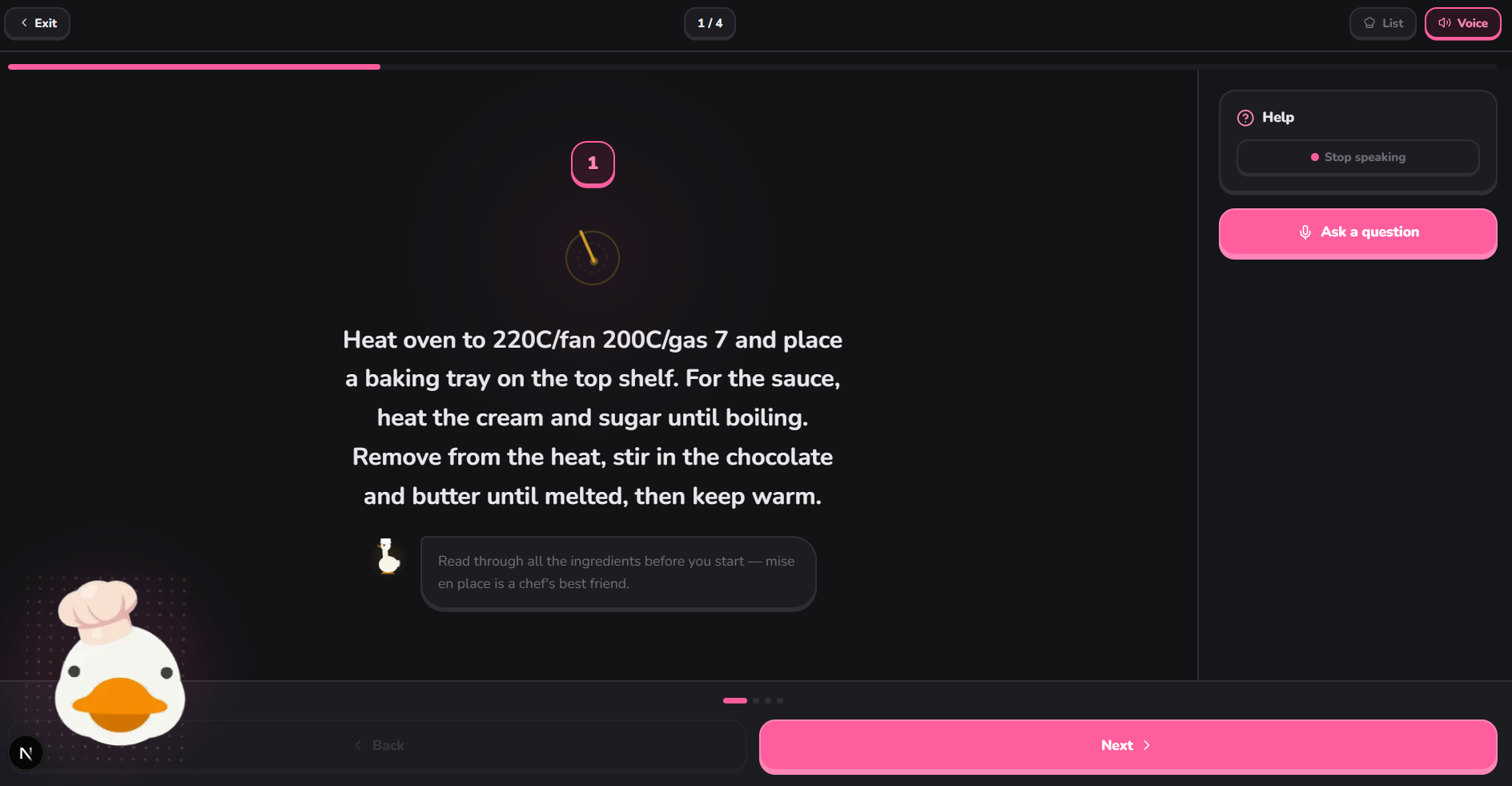
Swipe to discover: Recipes are presented in a swipe-based interface so you can quickly browse, save ones you like, and skip ones you don’t. Kitchen Match (Pantry Mode): You can enter ingredients you already have, and the app filters recipes down to what you can actually make. Companion Mode (Gordon the Goose): When you start cooking, the app can read recipe steps out loud and guide you through them. You can also ask questions while cooking (like substitutions or technique help) and get spoken responses that are aware of the recipe context.
How we built it
Frontend: Next.js 16 and React 19, with TailwindCSS for styling. We focused on making it clean, responsive, and easy to use on mobile. Backend & data: Supabase and TheMealDB API for recipes and ingredient data. AI layer: Google Gemini Pro handles contextual responses based on the recipe and user input. Voice system: ElevenLabs for text-to-speech and voice input.
Challenges we ran into
Building the recommender algorithm was a primary challenge. We needed it to process swipe data and deliver personalized decks quickly, so optimizing it for speed and memory efficiency took significant effort. Another difficult area was generalizing the animations for the virtual cooking simulation. Since recipe instructions vary a lot, writing programmatic logic that could reliably map unpredictable text steps to the correct visual animations—without breaking or looking out of place—required a lot of iteration and edge-case handling.
Accomplishments that we're proud of
We’re proud of how the core features connect together for the live cooking experience. Moving from a pantry-filtered swipe deck straight into the voice-assisted cook mode works predictably and reliably. We also managed to keep the UI styling cohesive across these complex state changes. Technically, getting the virtual cooking simulation to generalize effectively so that it successfully visualizes the steps for the majority of recipes we test it on is our biggest win.
What we learned
We got practical experience optimizing memory allocation and building client-side recommendation systems in Next.js. We learned how to parse unstructured recipe text to trigger contextual UI animations predictably. Additionally, we figured out how to juggle real-time Web Audio API streams with backend processing, allowing us to keep the front-end thread responsive during the text-to-speech interaction loops.
What's next for Nibble
If we keep building this, we’d want to explore:
- Image-based pantry input (snap a picture of your fridge)
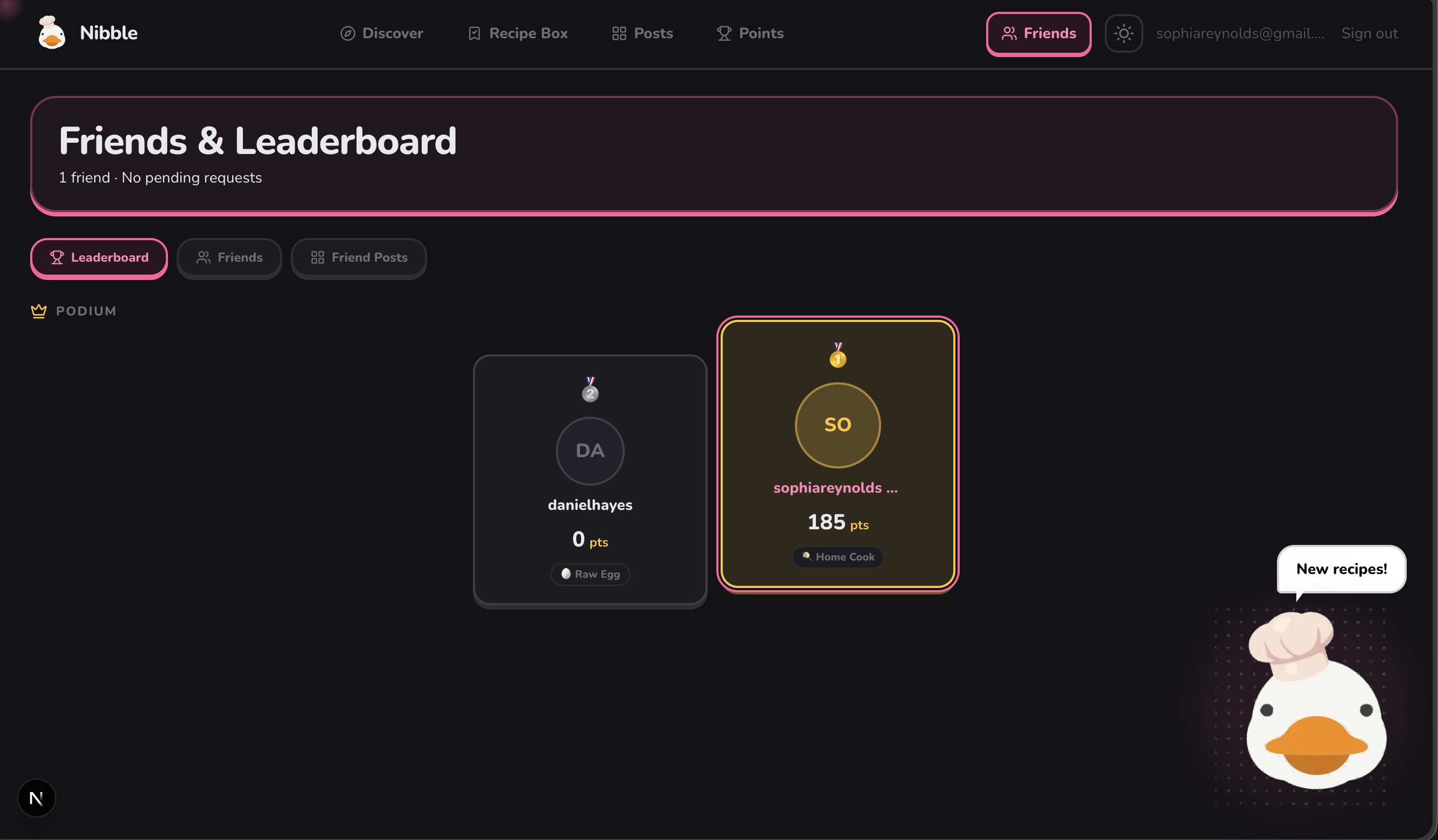
- Light social features (sharing recipes or results)
- PWA improvements like keeping the screen awake during cooking


Log in or sign up for Devpost to join the conversation.